-
-
Home
-
Findings
-
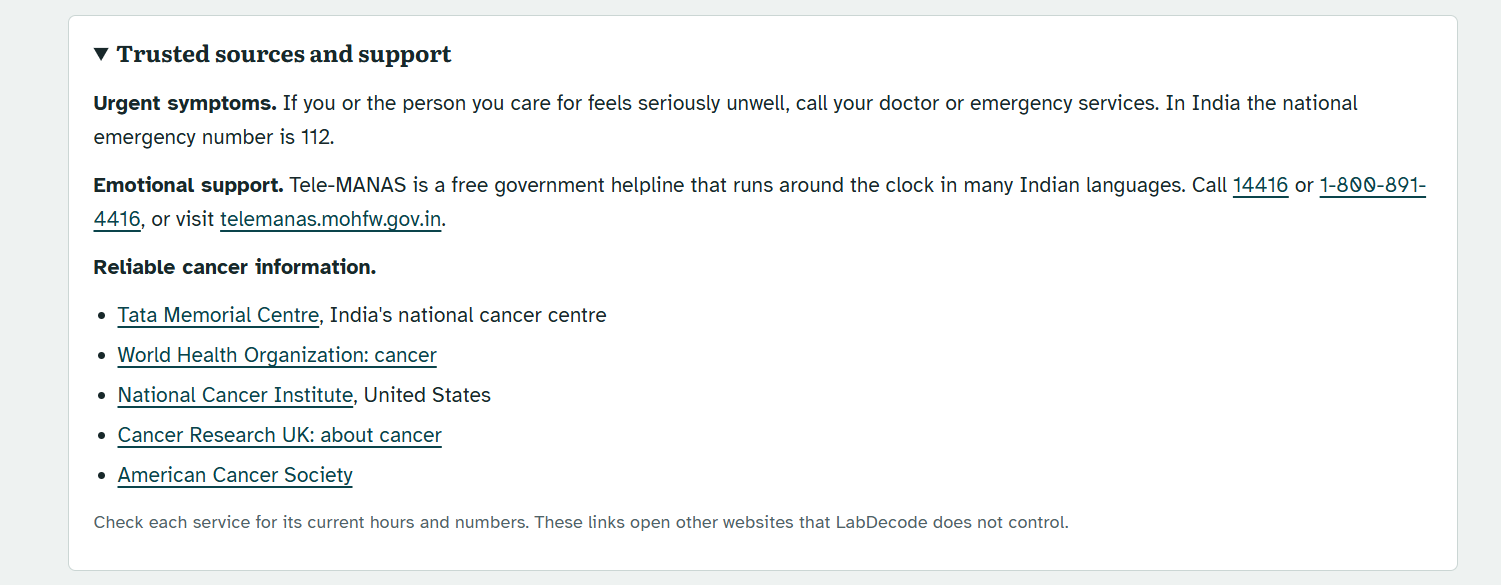
Trusted Sources and Support
-
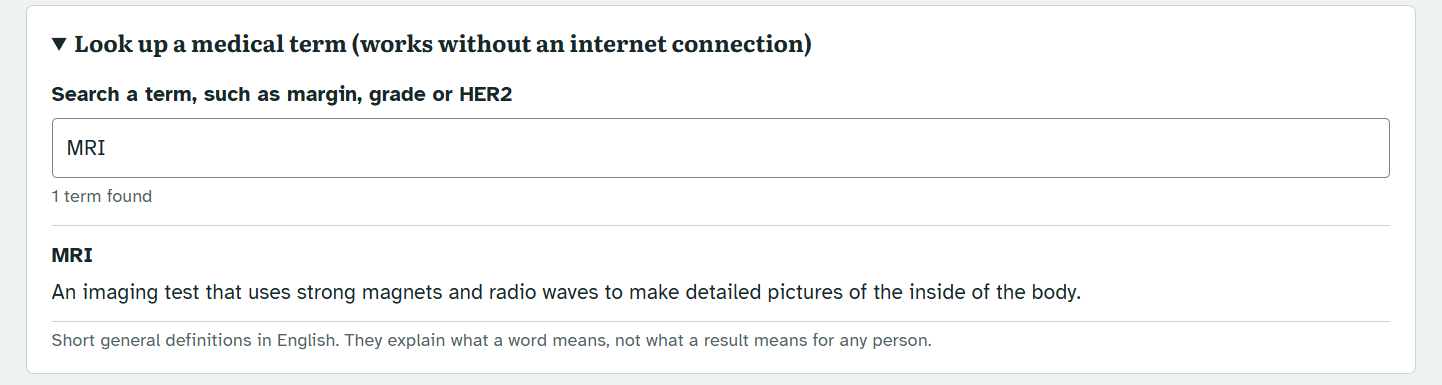
Medical Term Checker
LabDecode
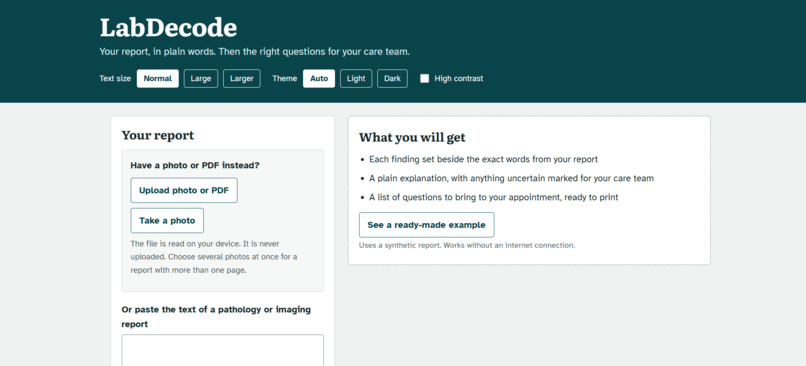
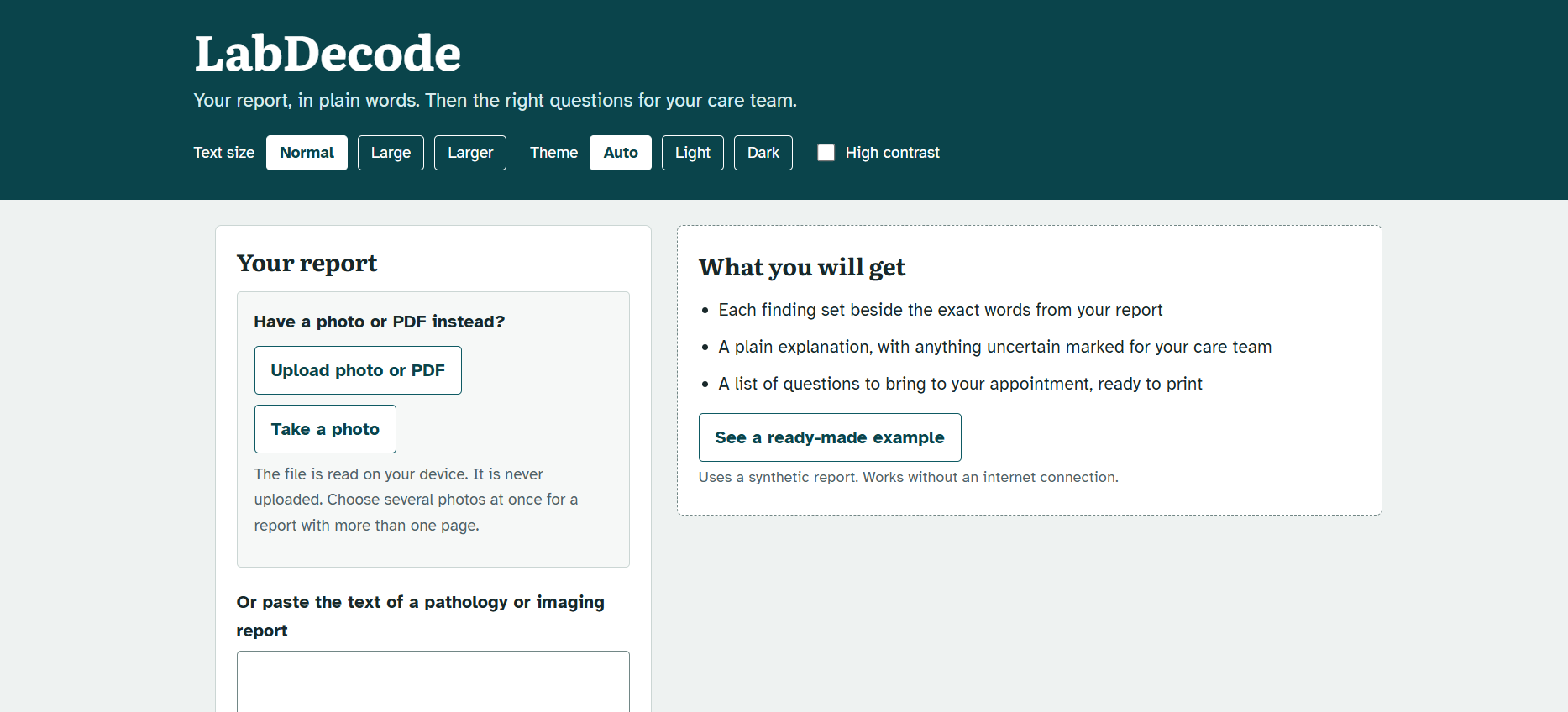
LabDecode explains cancer pathology and imaging reports in plain language, in the reader's own language, and helps patients and families prepare the right questions for their care team.
Patients often read a report in an online portal days before they see a doctor. The wording is technical, and many people leave the appointment without asking what mattered. LabDecode closes that gap: it explains what the report says, shows which findings deserve a conversation, and turns the report into a short list of questions to bring to the visit.
LabDecode is a reading aid. It does not diagnose, predict outcomes or recommend treatment, and it does not replace a doctor.
What it does
- Reads a report from pasted text, a photo or a PDF.
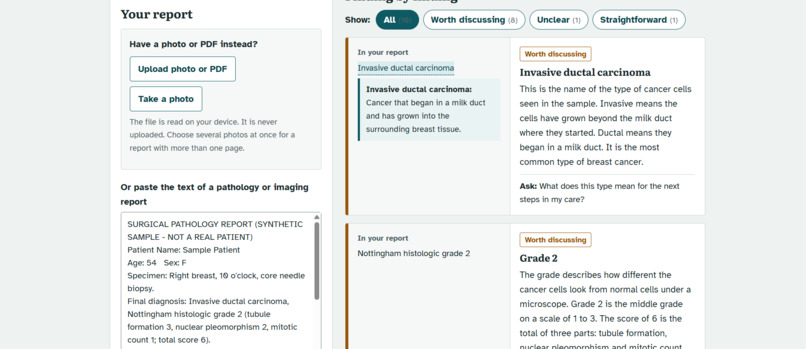
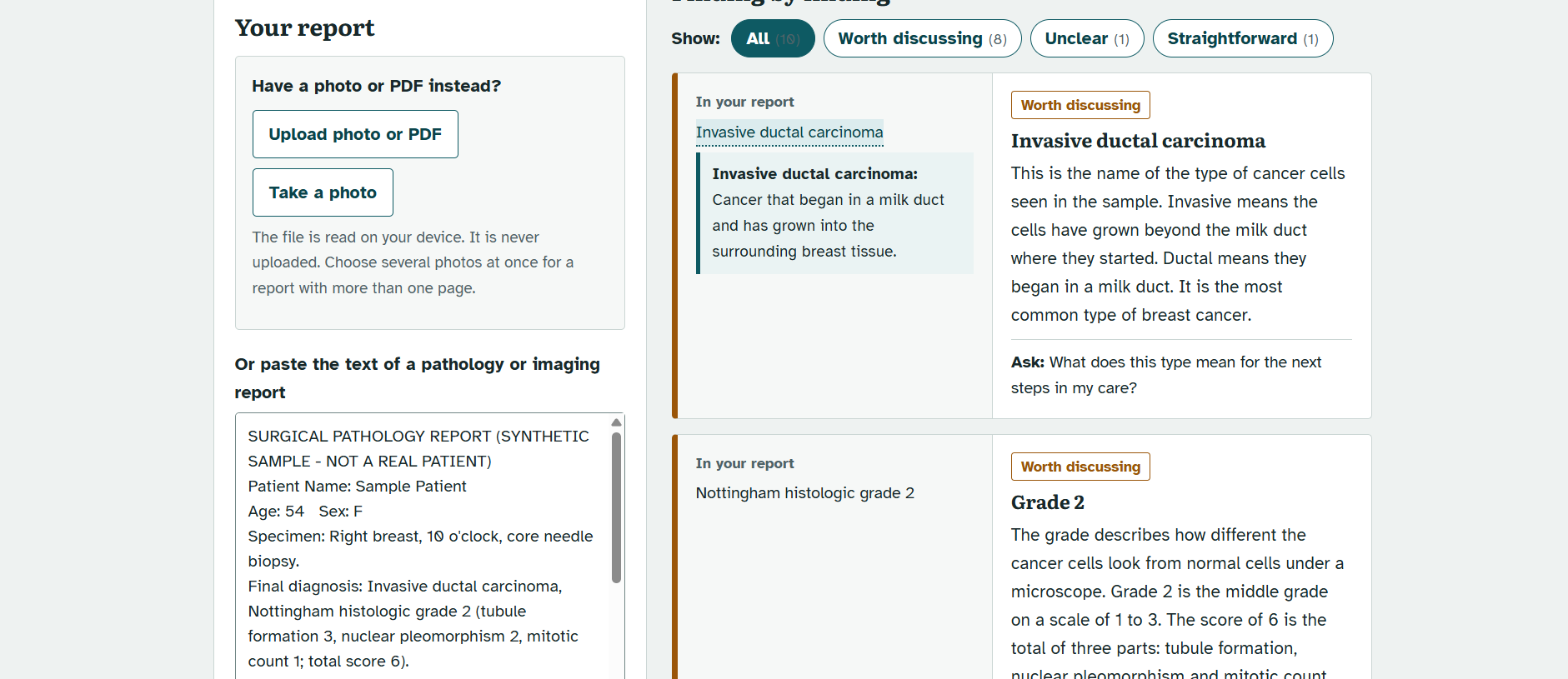
- Explains it finding by finding, with each explanation set beside the exact words from the report.
- Marks every finding as straightforward, worth discussing, or unclear and to be confirmed with the care team.
- Produces questions for the care team and a printable visit sheet.
- Works in ten Indian languages, with an optional English version shown alongside.
Features
Understanding the report
- Side-by-side explanations. The original wording and the plain-language meaning appear together, so every explanation can be checked.
- Clear status for each finding. Findings are labelled straightforward, worth discussing, or unclear. Long reports can be filtered by status.
- Numbers checked against the report. Lab values are compared with the range printed in the report itself. The comparison is computed by code, not by the language model, and is shown as unknown when the range is unclear.
- Tap-to-define terms. Medical terms in the explanation open a short definition.
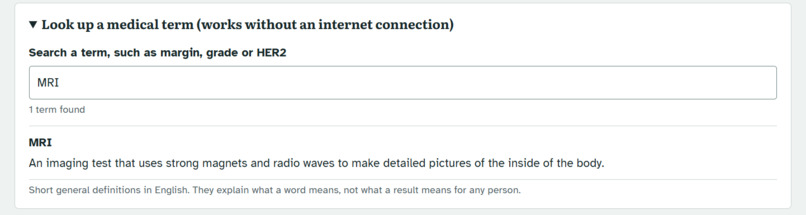
- Medical term lookup. A searchable glossary of common terms that works without an internet connection.
- What often happens next. General, non-personal information about typical next steps, clearly labelled as general.
Preparing for the visit
- Questions for the care team. A prioritised list generated from the report, with the first three marked to ask first. Patients can add their own questions by typing or dictating.
- Visit sheet. A printable page with the findings to ask about, the questions with space for answers, a checklist of what to bring, and room for notes.
- Share and remind. Copy a summary, share it with family through the phone's share menu or WhatsApp, or download a calendar reminder for the appointment.
Going further
- Ask about this report. Follow-up questions are answered only from the report and general definitions. Questions about outlook or treatment are not answered; they become suggested questions for the care team.
- Compare two reports. Describes what is written differently between an earlier and a later report, in neutral wording that never says better or worse.
- Family, prevention and common myths. General education based only on the type of report, available on request.
Reading photos and PDFs
- On-device reading. Photos and PDFs are read in the browser and are never uploaded.
- Photo clean-up. Shadows and uneven light are flattened and noise is reduced before reading.
- Accuracy warnings. Words and numbers the reader was unsure about are listed so they can be checked against the original.
- Multi-page reports. Several photos can be combined into one report.
Privacy by design
- Personal details removed before sending. Names, phone numbers, ID numbers, addresses, dates and similar details are removed on the device by default, and the result can be reviewed first.
- No accounts, no database. LabDecode does not keep report text.
Accessibility and use
- Three text sizes, light, dark and automatic themes, and a high-contrast mode.
- Read-aloud with pause and speed control, using the voices on the device.
- Installable on phones, and the ready-made example works offline.
- Keyboard-friendly layout, with colour contrast tested in every theme.
Languages
Explanations, questions and the interface are available in English and ten Indian languages. Each language is shown in its own script in the language picker.
| Language | Native name | Status |
|---|---|---|
| Assamese | অসমীয়া | Beta |
| Bengali | বাংলা | Supported |
| Gujarati | ગુજરાતી | Supported |
| Hindi | हिन्दी | Supported |
| Kannada | ಕನ್ನಡ | Supported |
| Malayalam | മലയാളം | Supported |
| Marathi | मराठी | Supported |
| Odia | ଓଡ଼ିଆ | Beta |
| Tamil | தமிழ் | Supported |
| Telugu | తెలుగు | Supported |
| English | English | Supported |


Log in or sign up for Devpost to join the conversation.