-
-
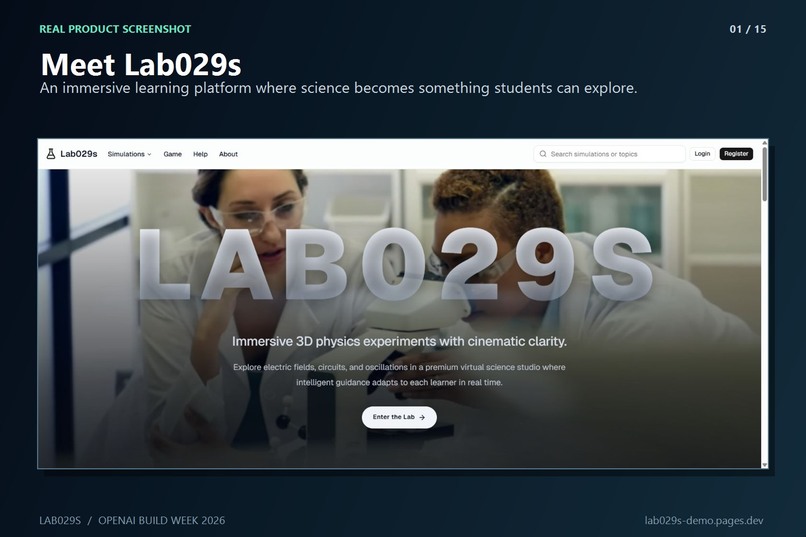
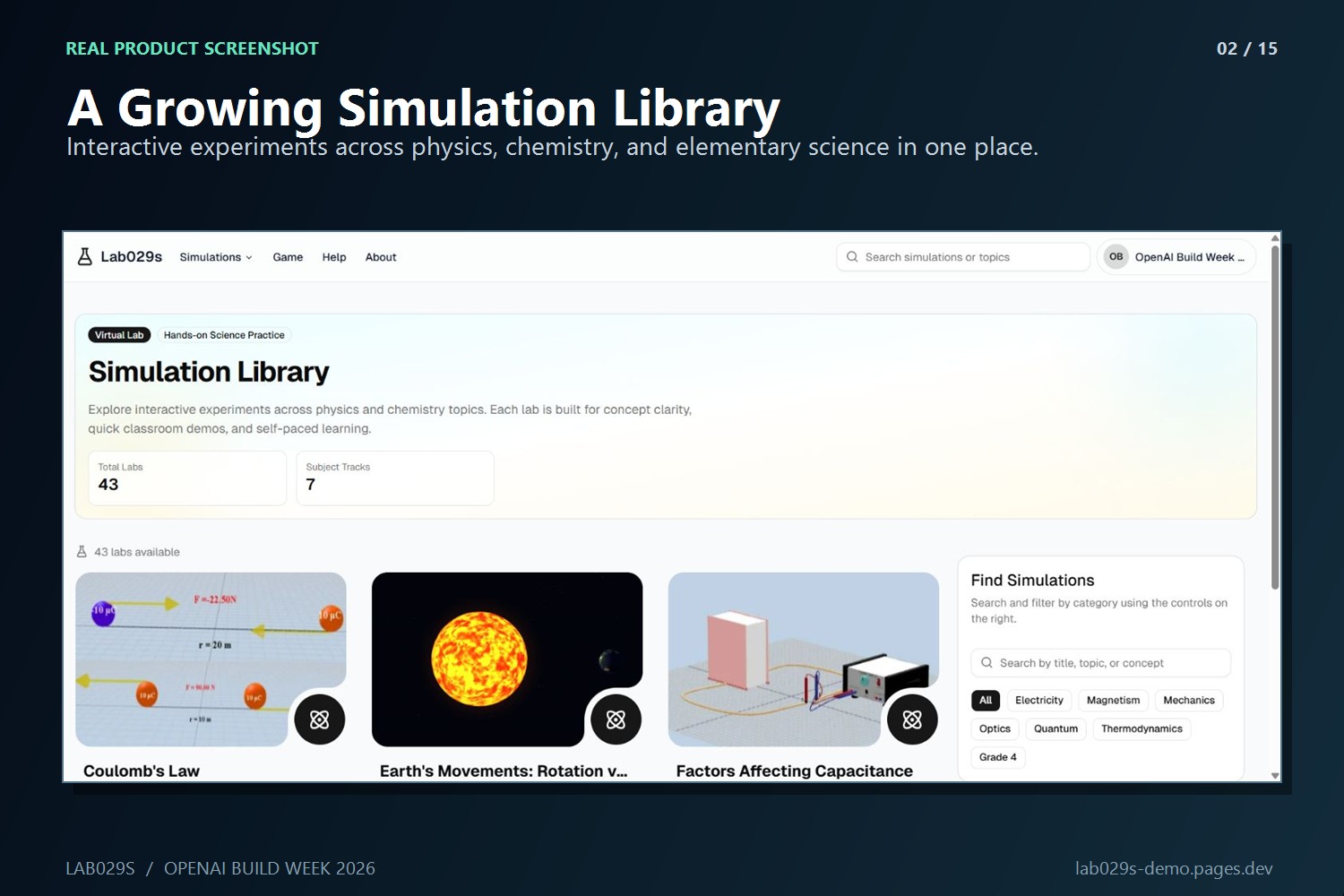
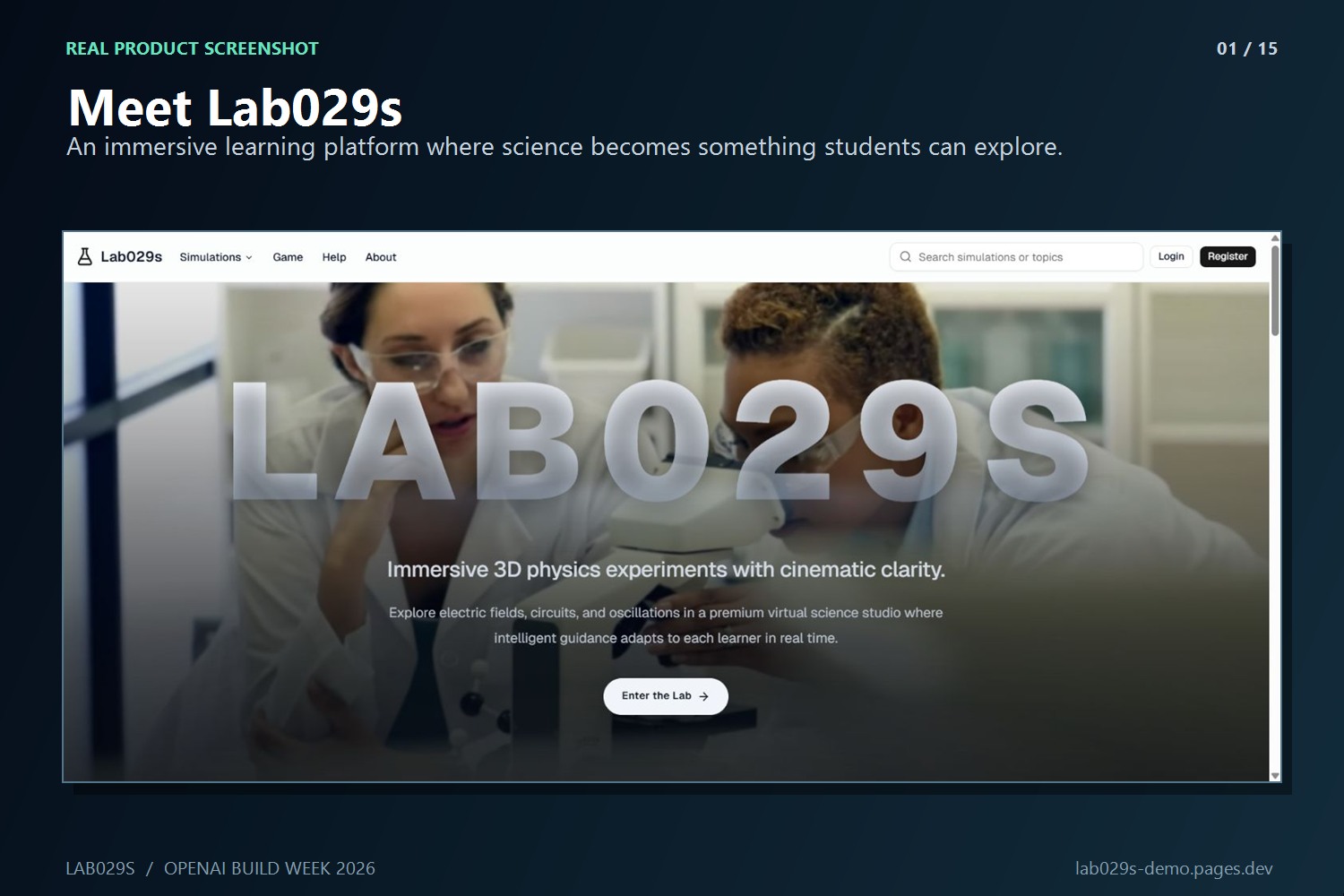
Lab029s home: a browser-based platform for immersive, AI-guided science learning.
-
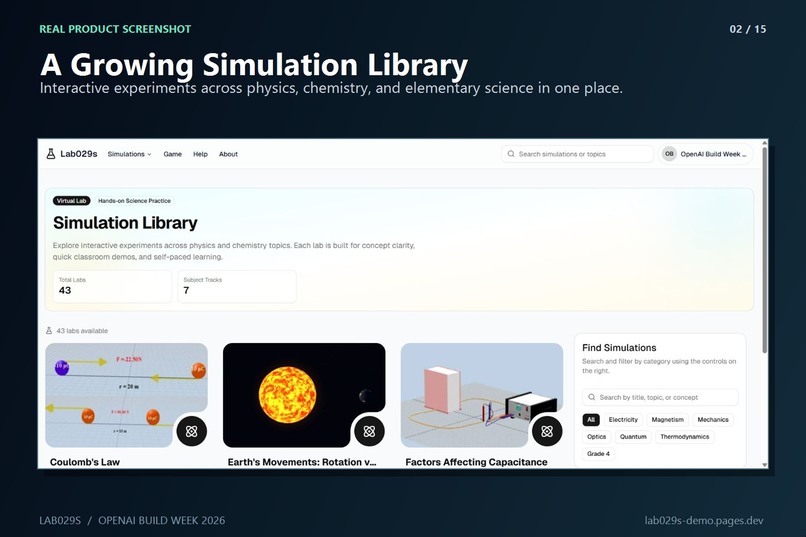
Simulation Library organizes interactive labs by subject, level, and learning goal.
-
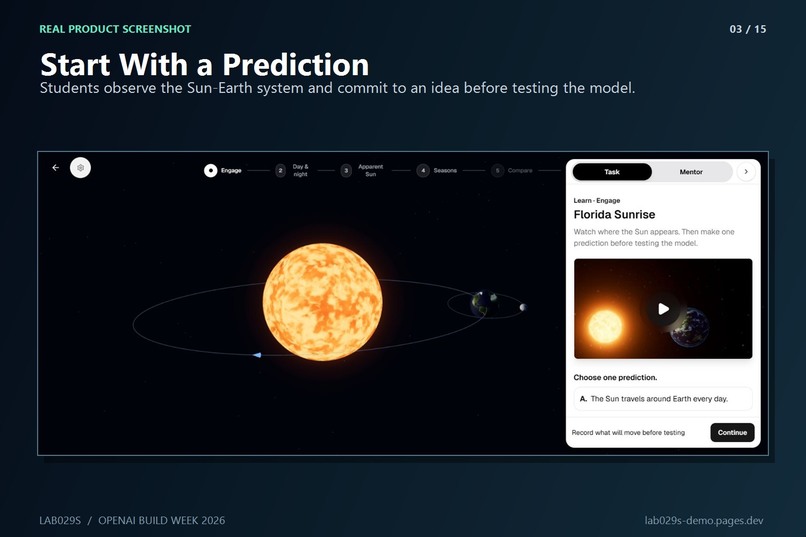
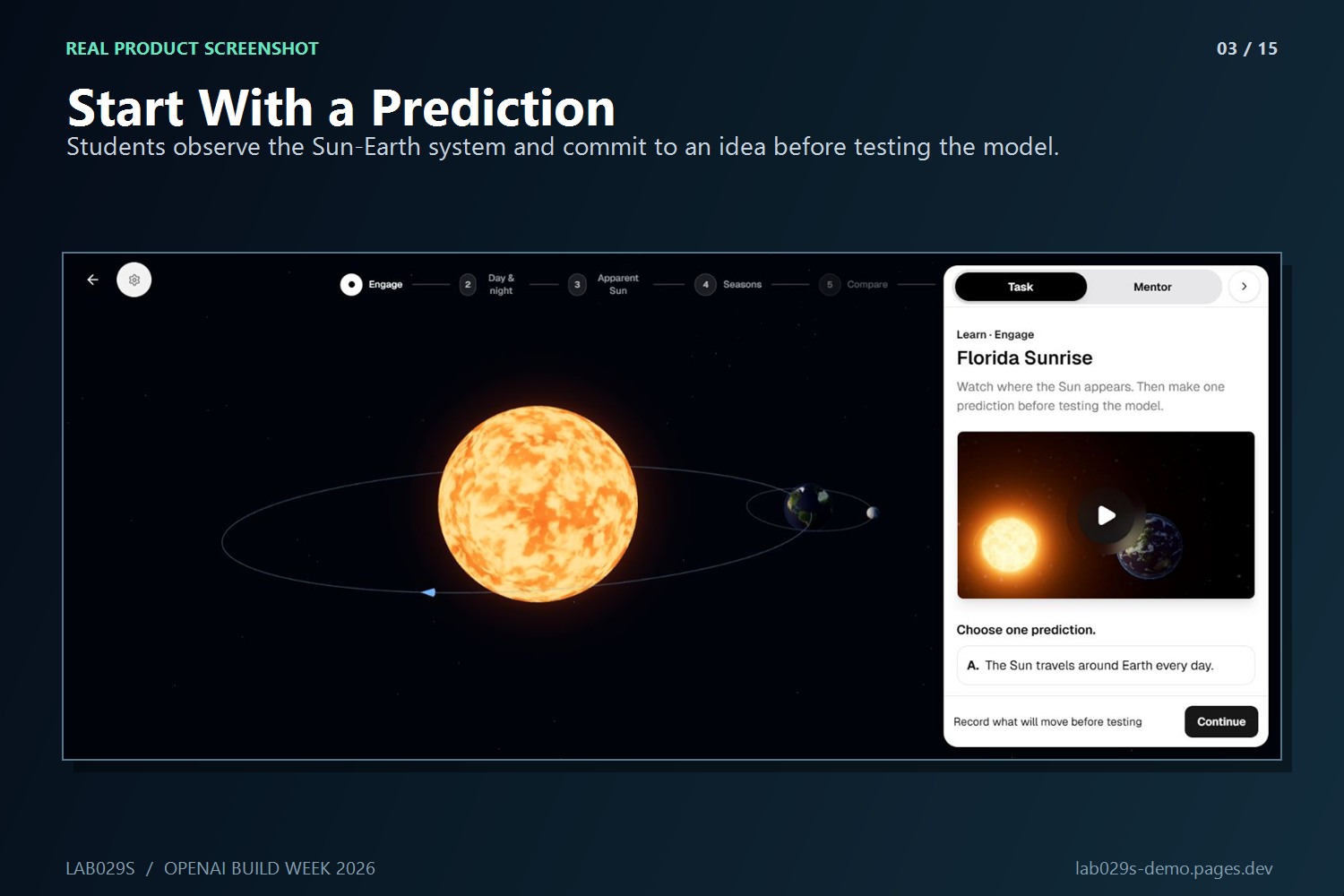
Earth’s Movements opens with a prediction before the learner manipulates the model.
-
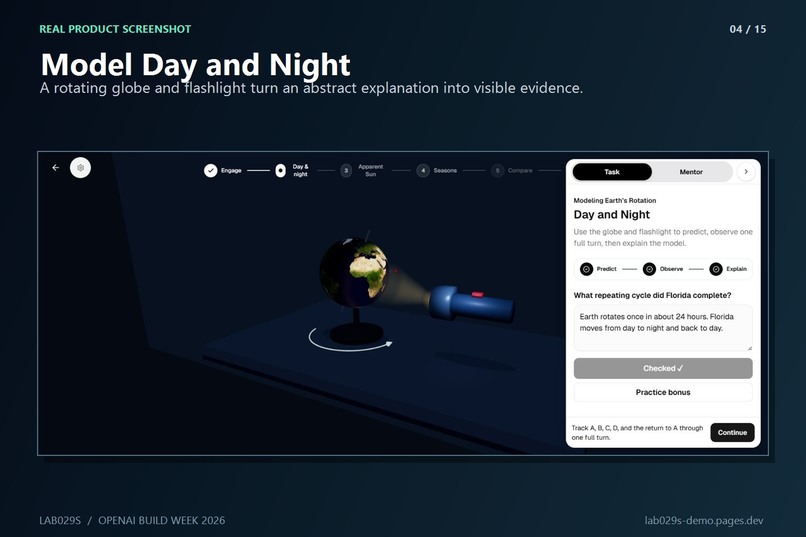
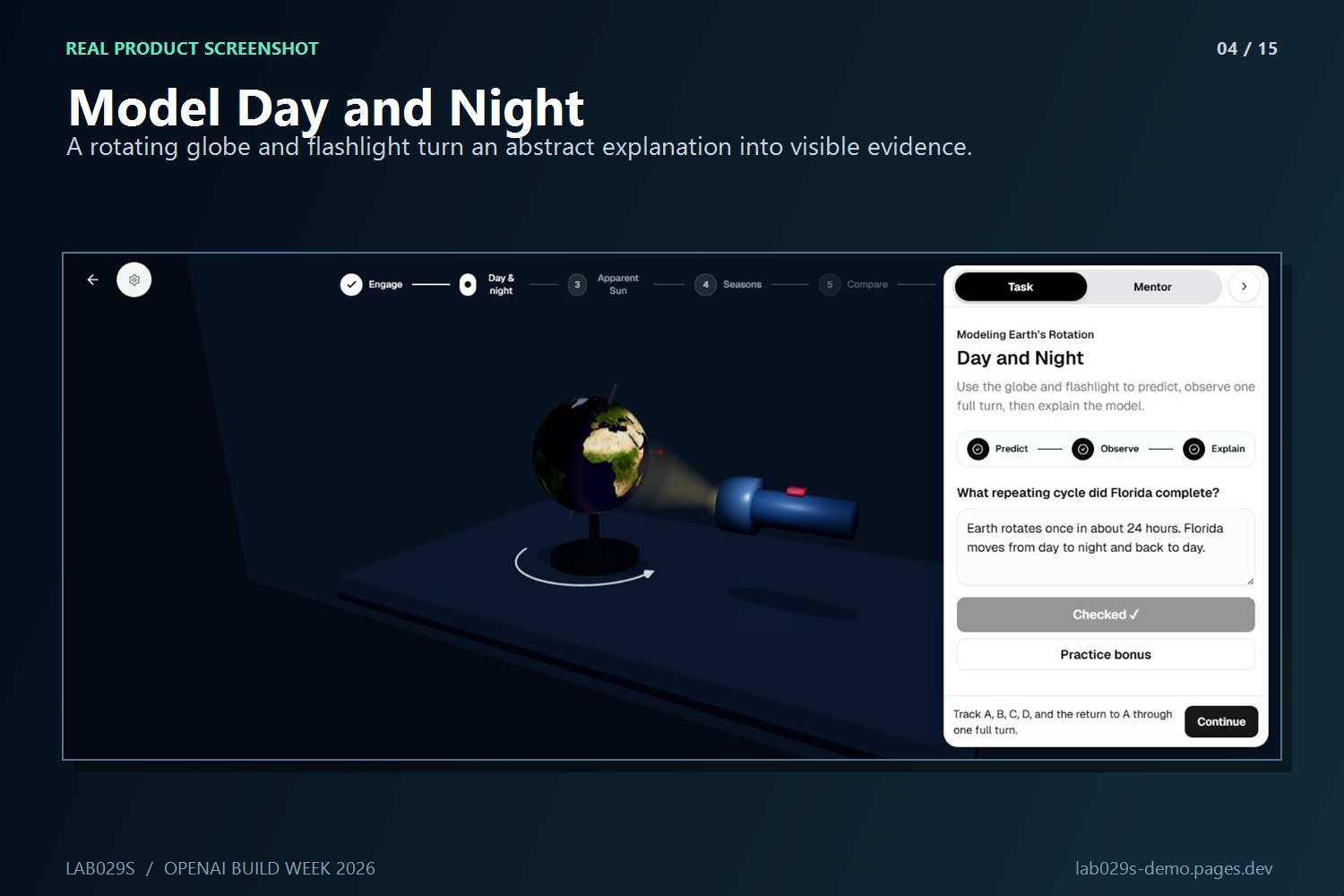
A virtual flashlight and globe reveal the repeating night–sunrise–day–sunset cycle.
-
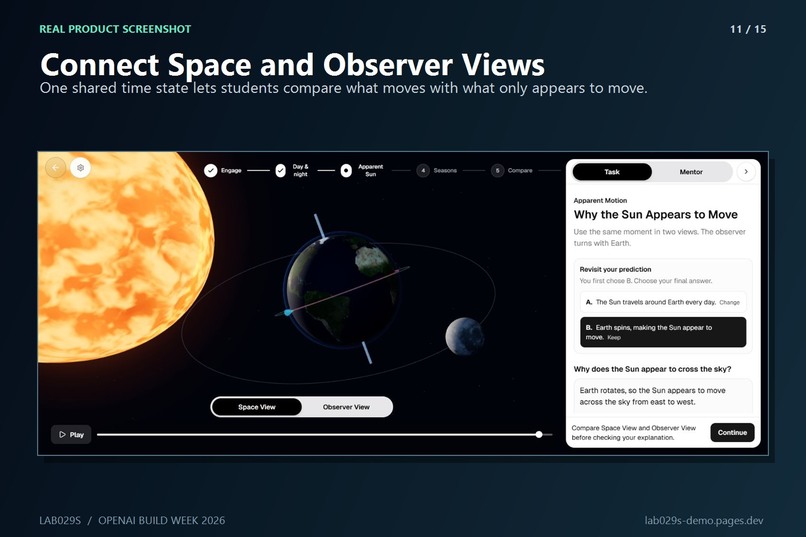
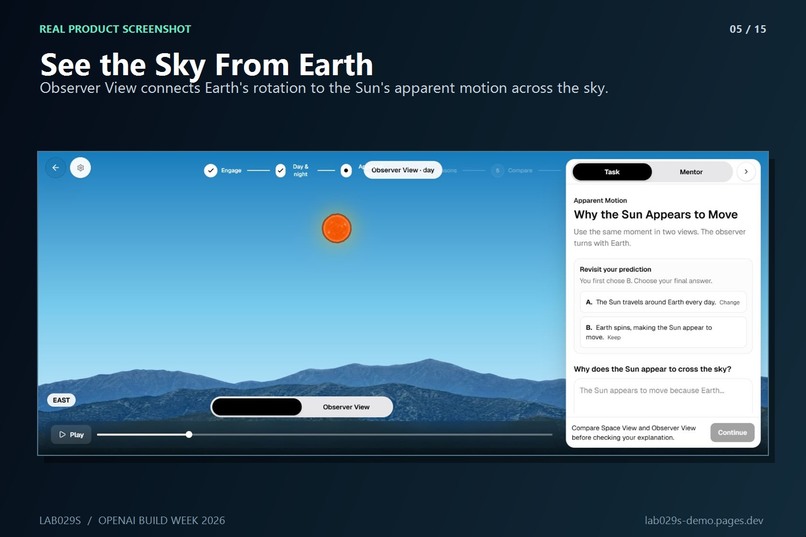
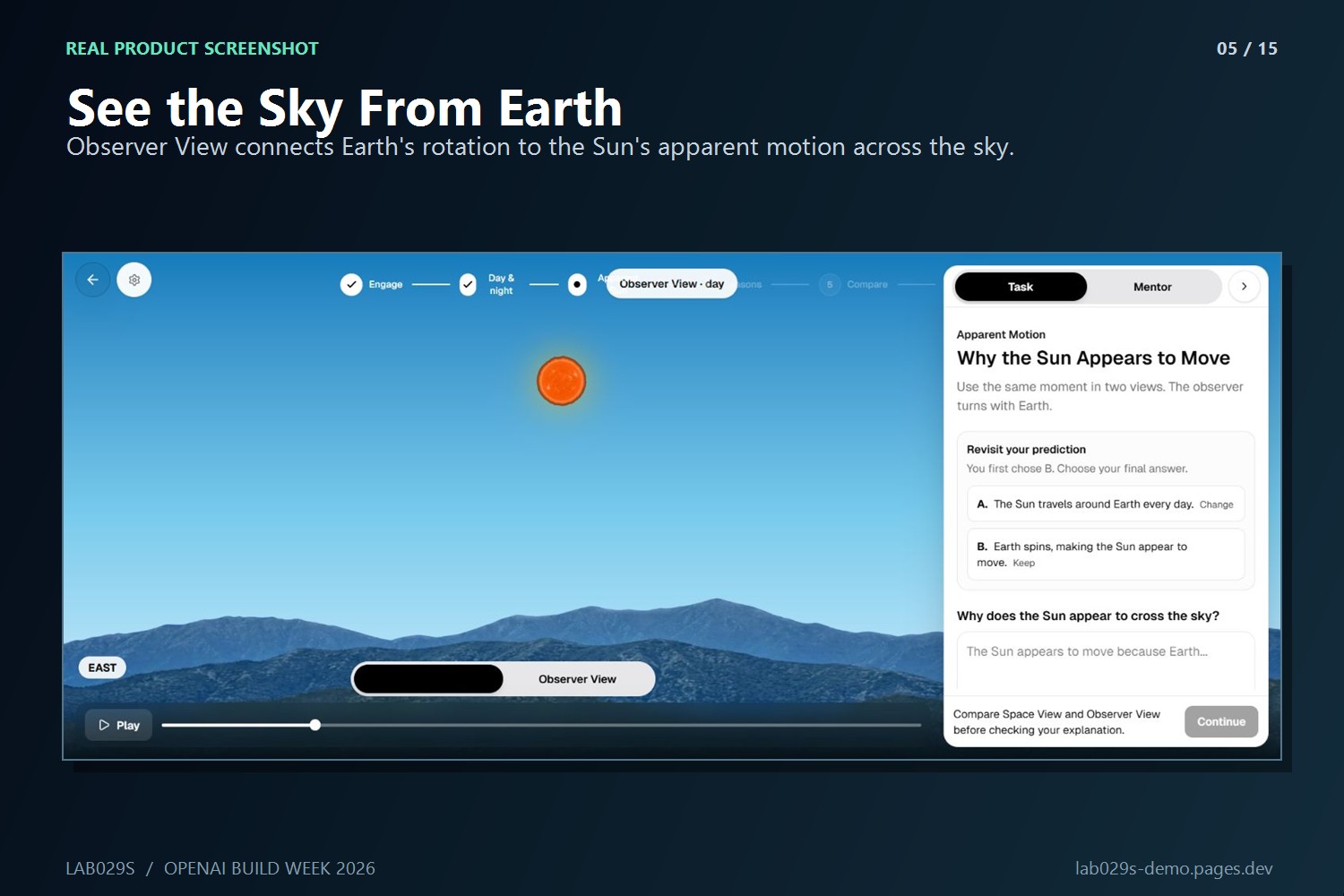
Observer View connects Earth’s rotation to the Sun’s apparent path across the sky.
-
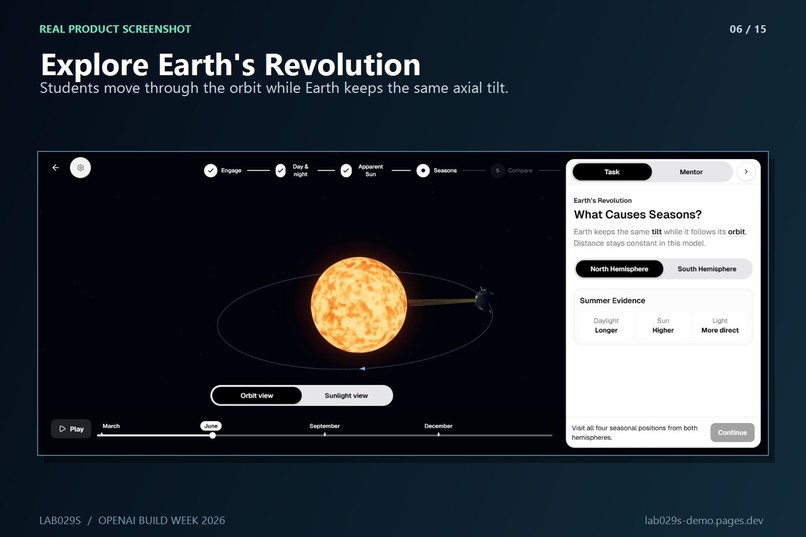
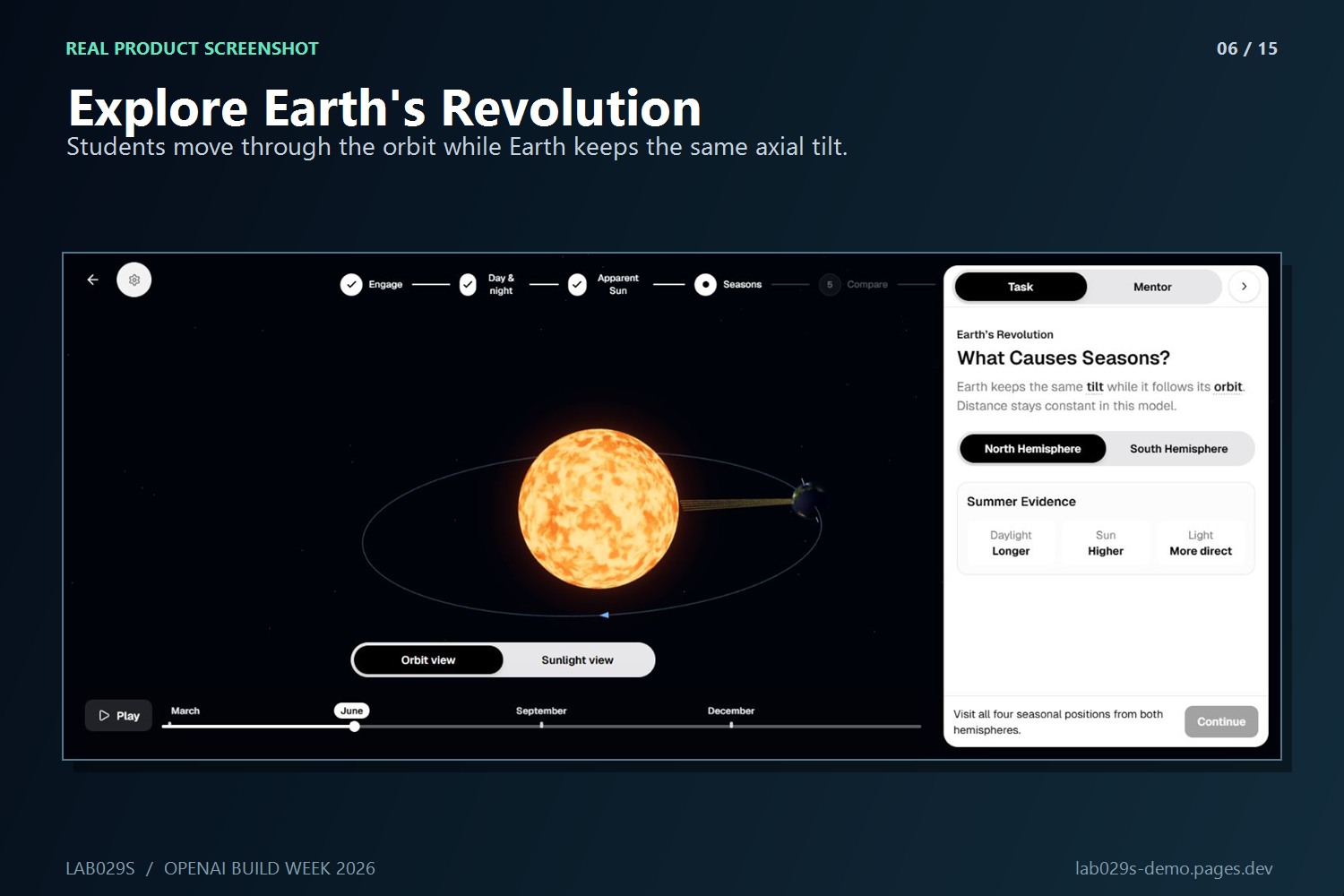
Learners move Earth around the Sun while its 23.5° tilted axis stays parallel.
-
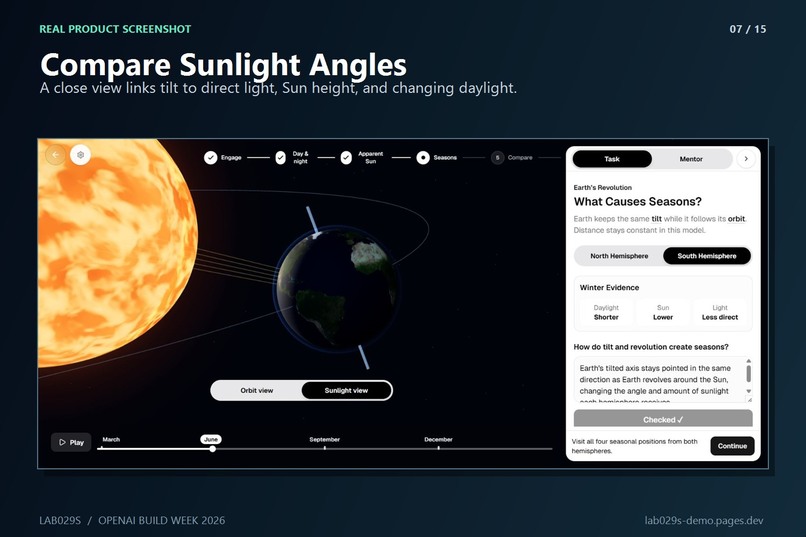
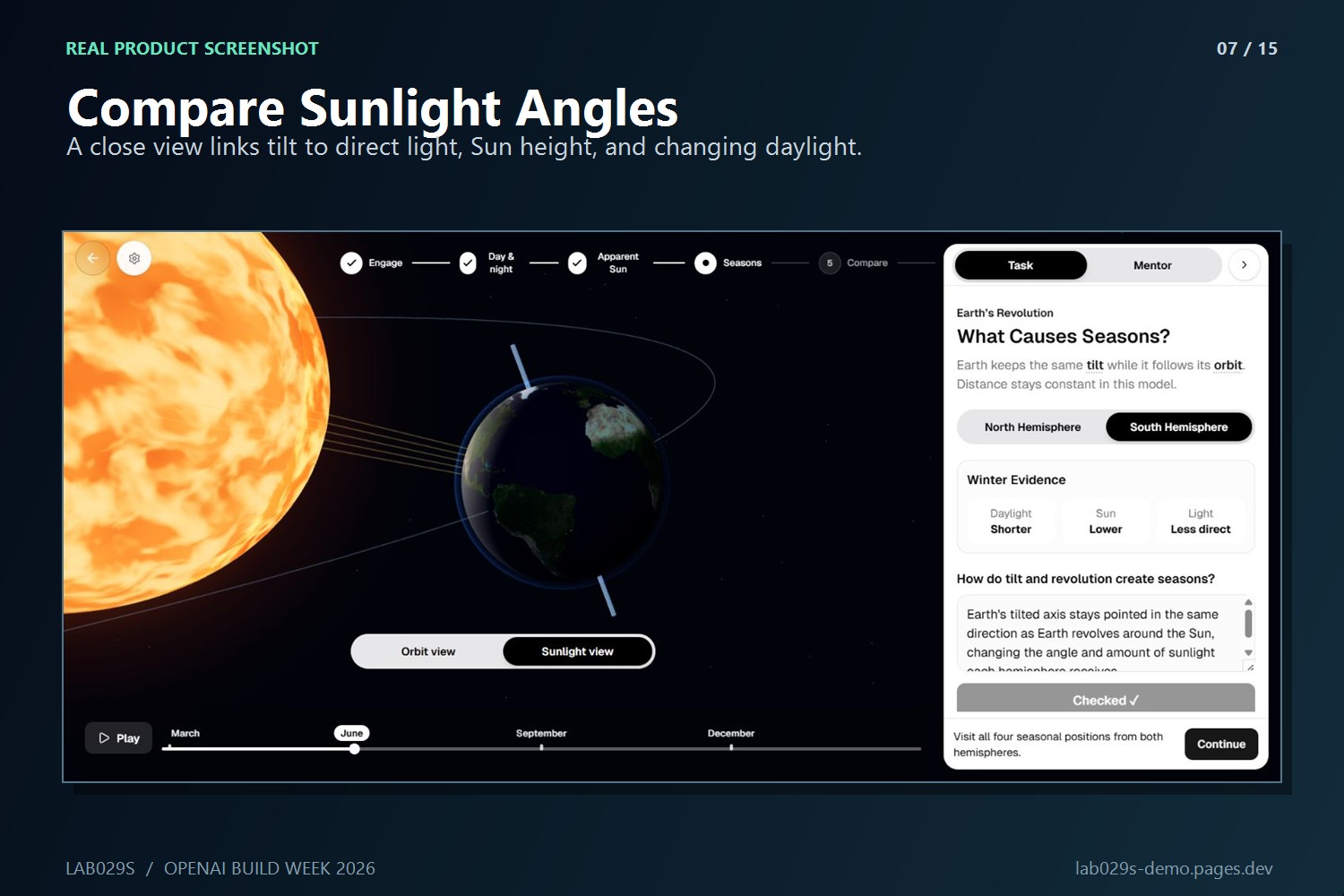
Sunlight View links axial tilt to direct light, Sun height, and daylight length.
-
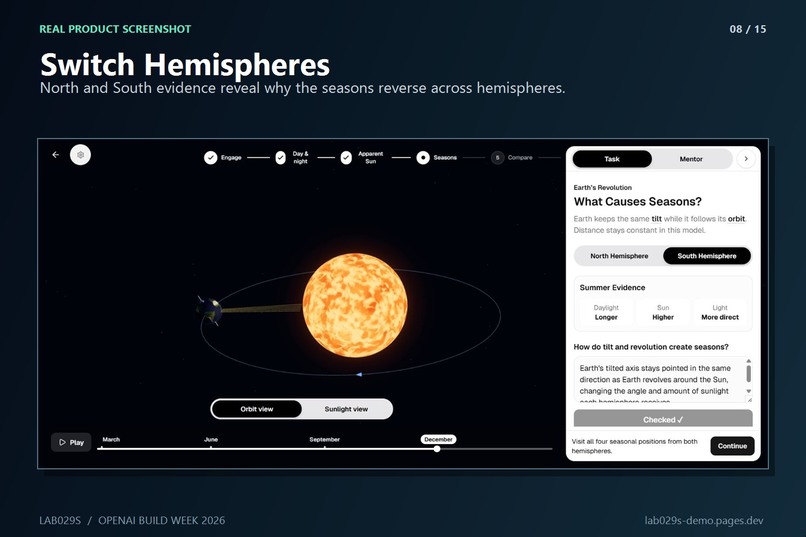
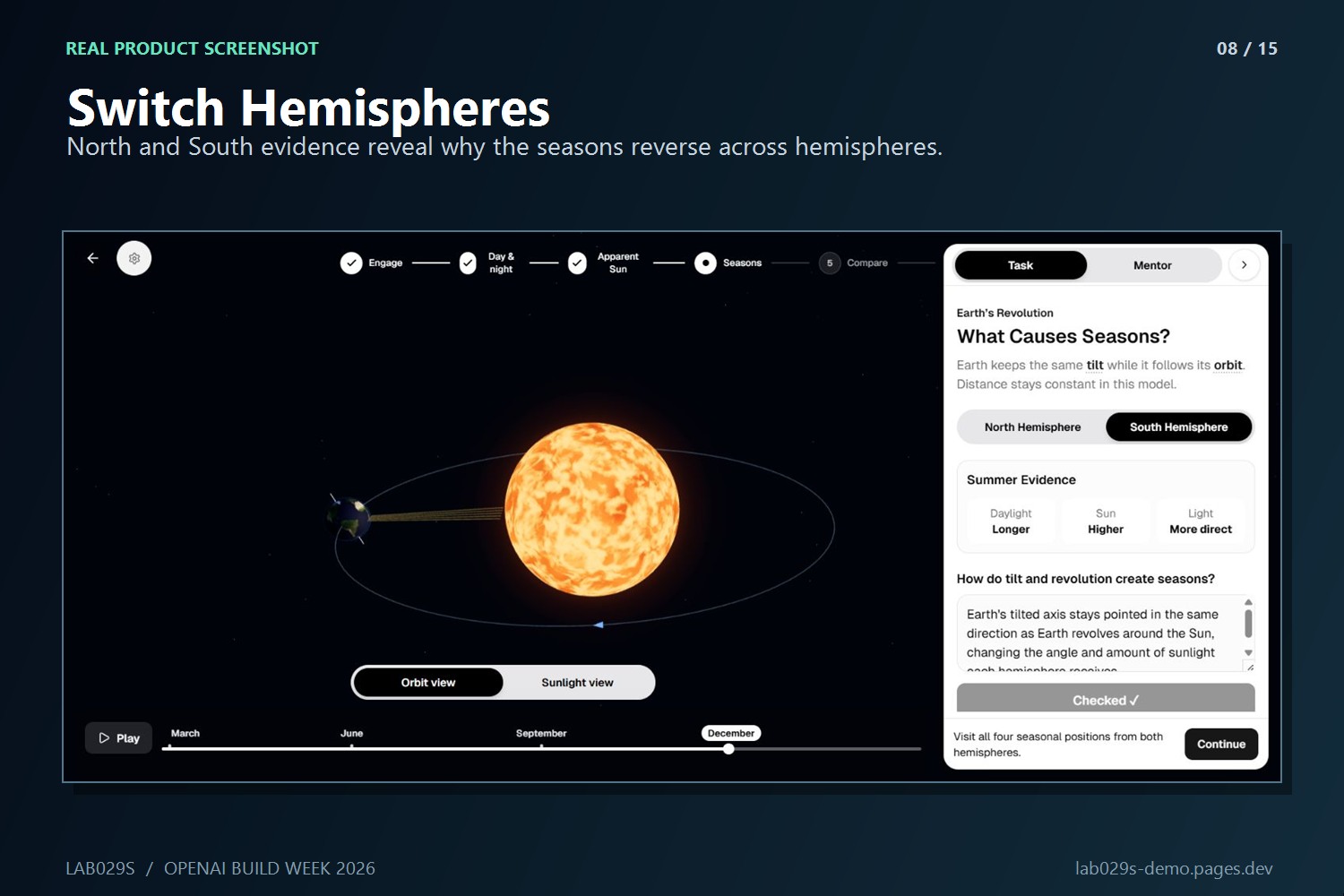
Switching hemispheres exposes opposite seasonal patterns in the same model.
-
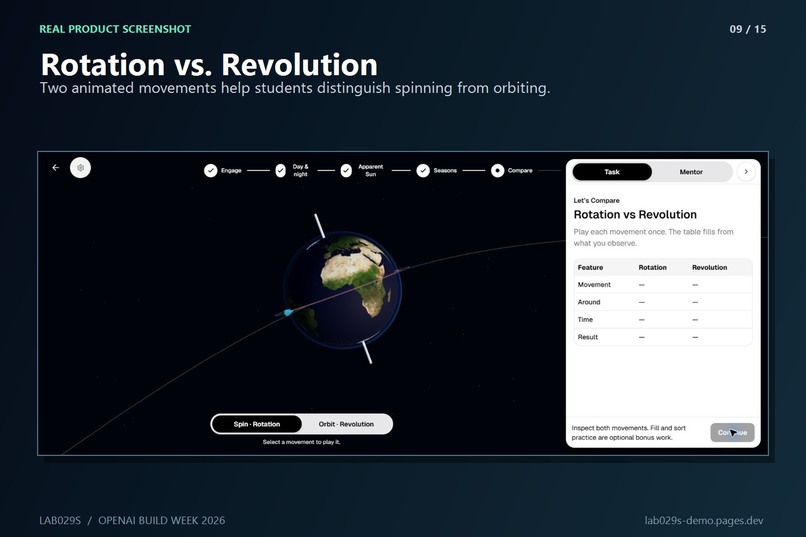
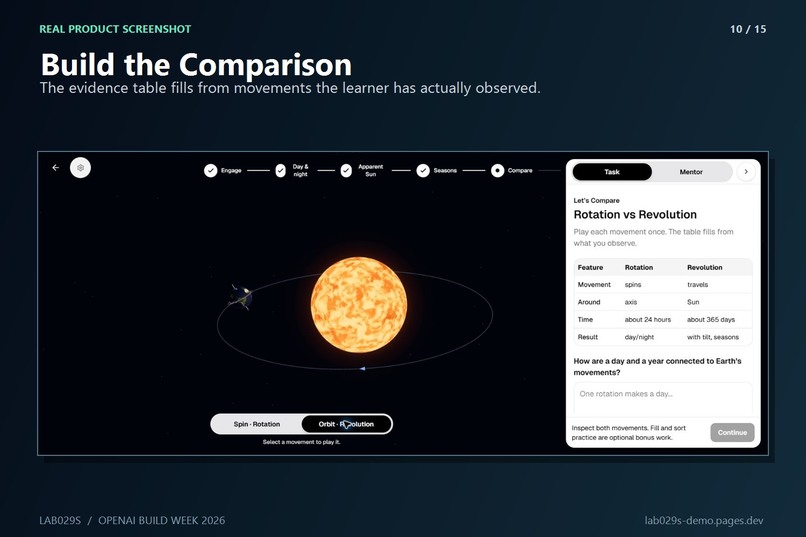
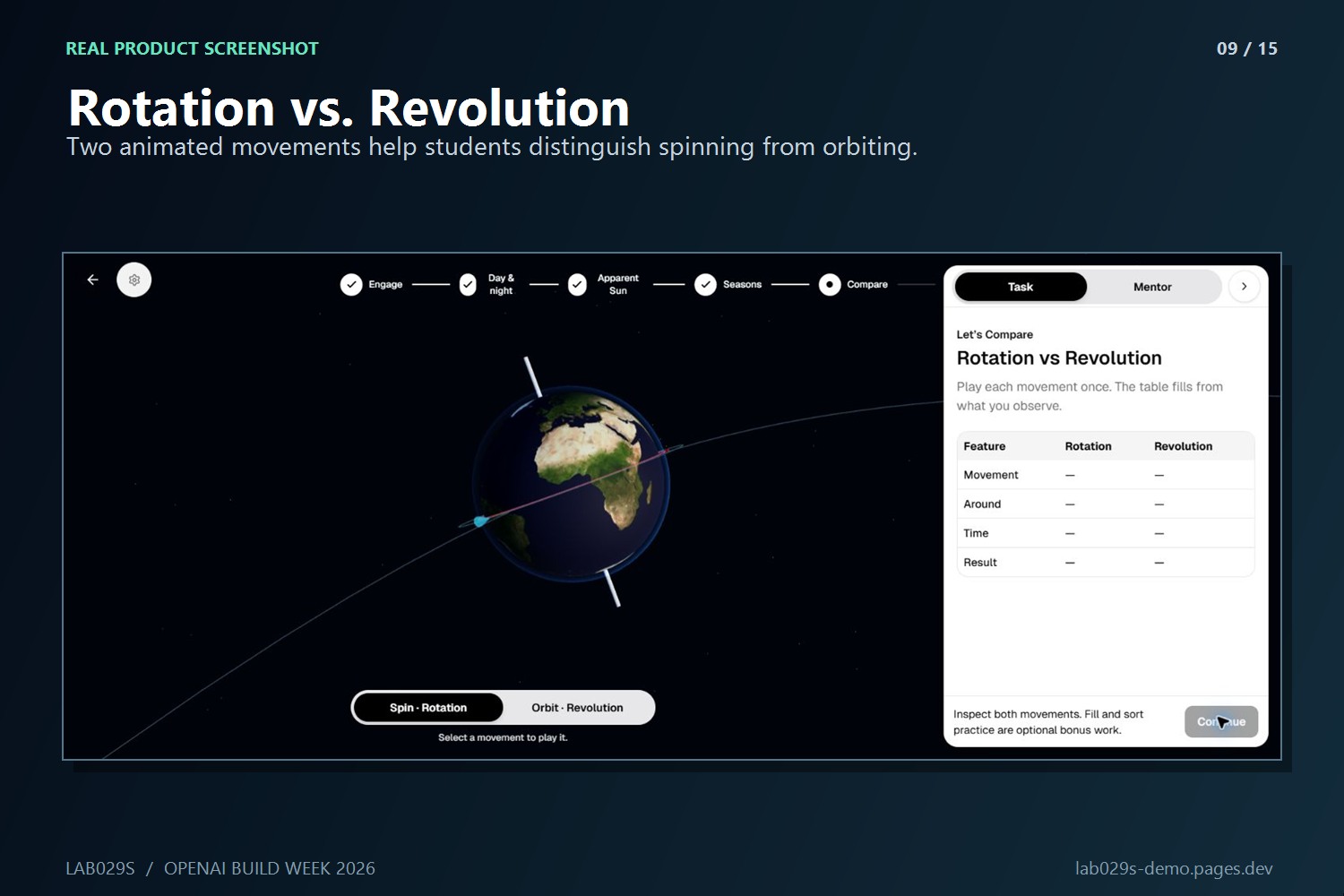
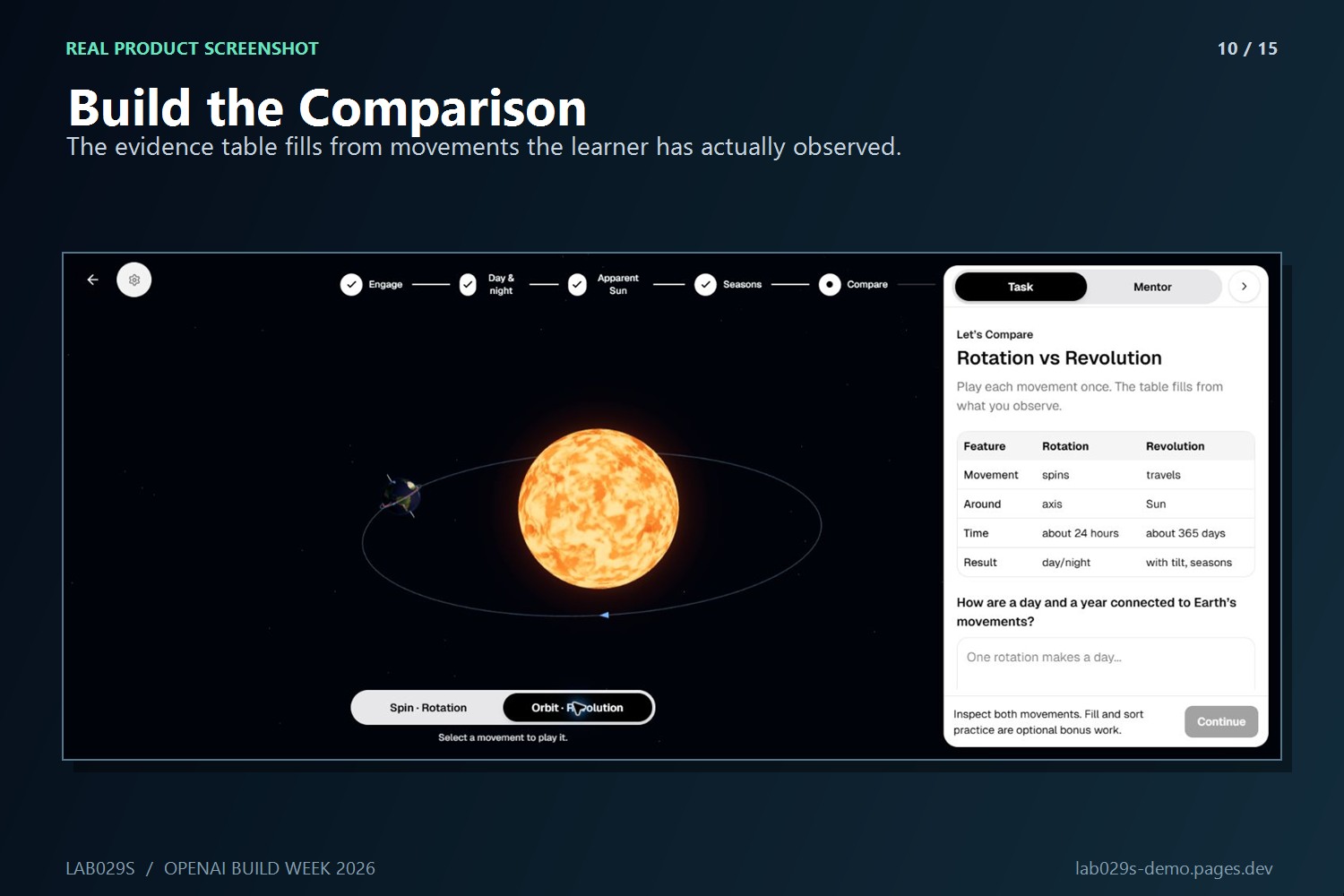
Side-by-side motion helps learners distinguish rotation from revolution.
-
The comparison table turns model observations into clear scientific relationships.
-
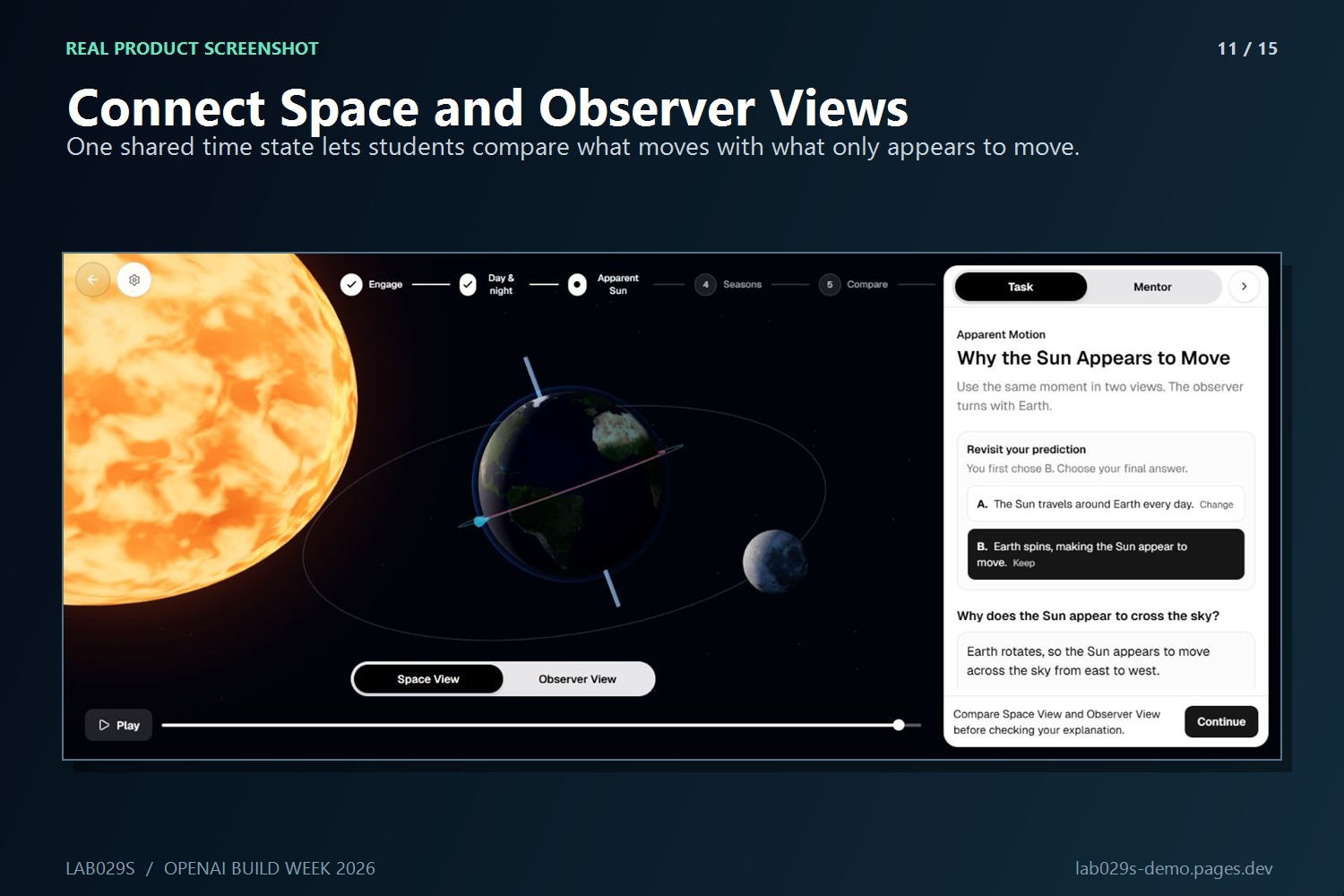
Space View and Observer View share one timeline, connecting motion to what we see.
-
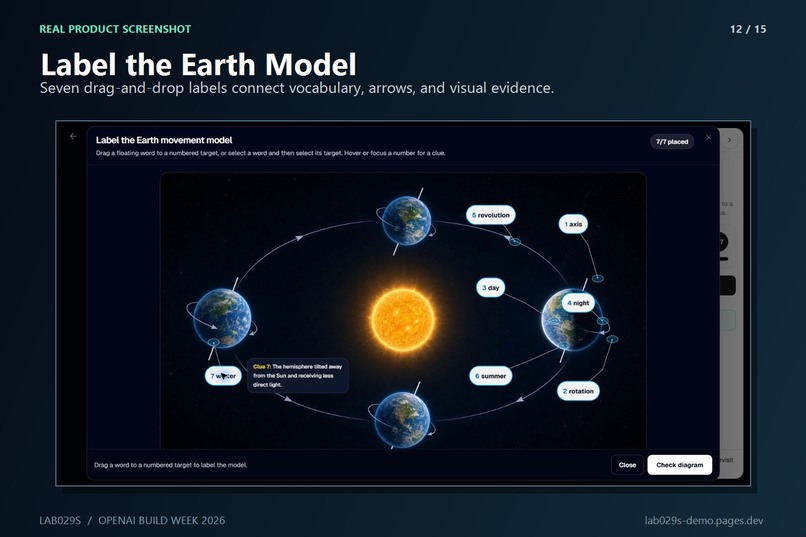
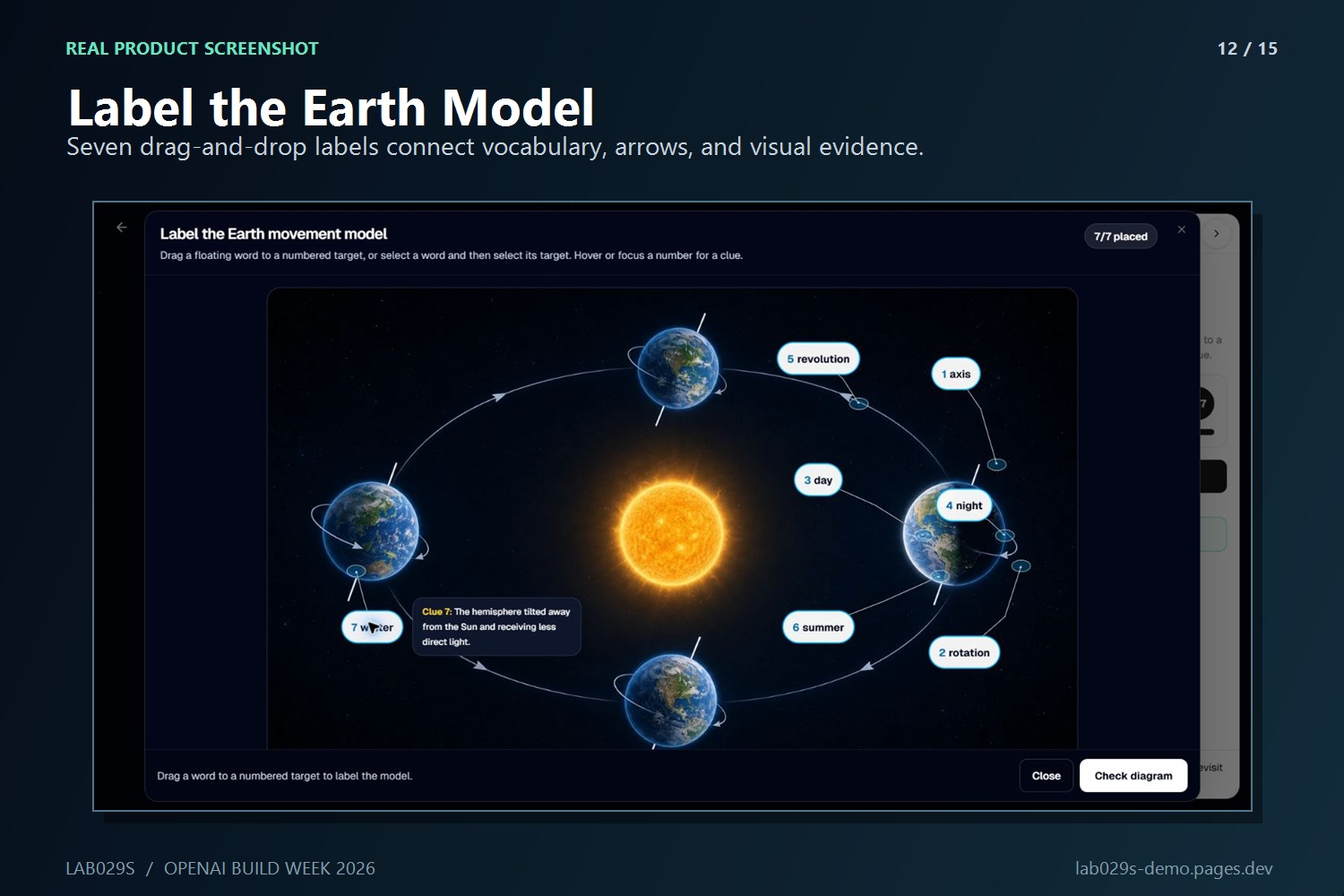
Seven interactive labels connect axis, rotation, revolution, day, night, and seasons.
-
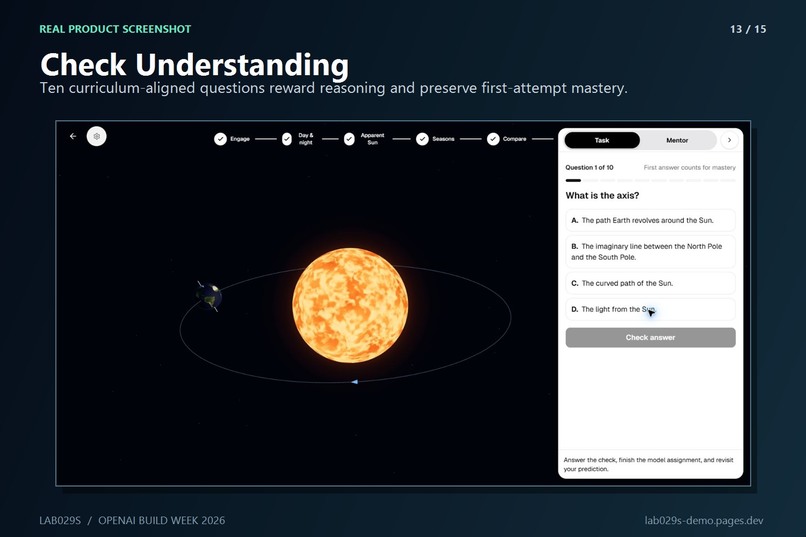
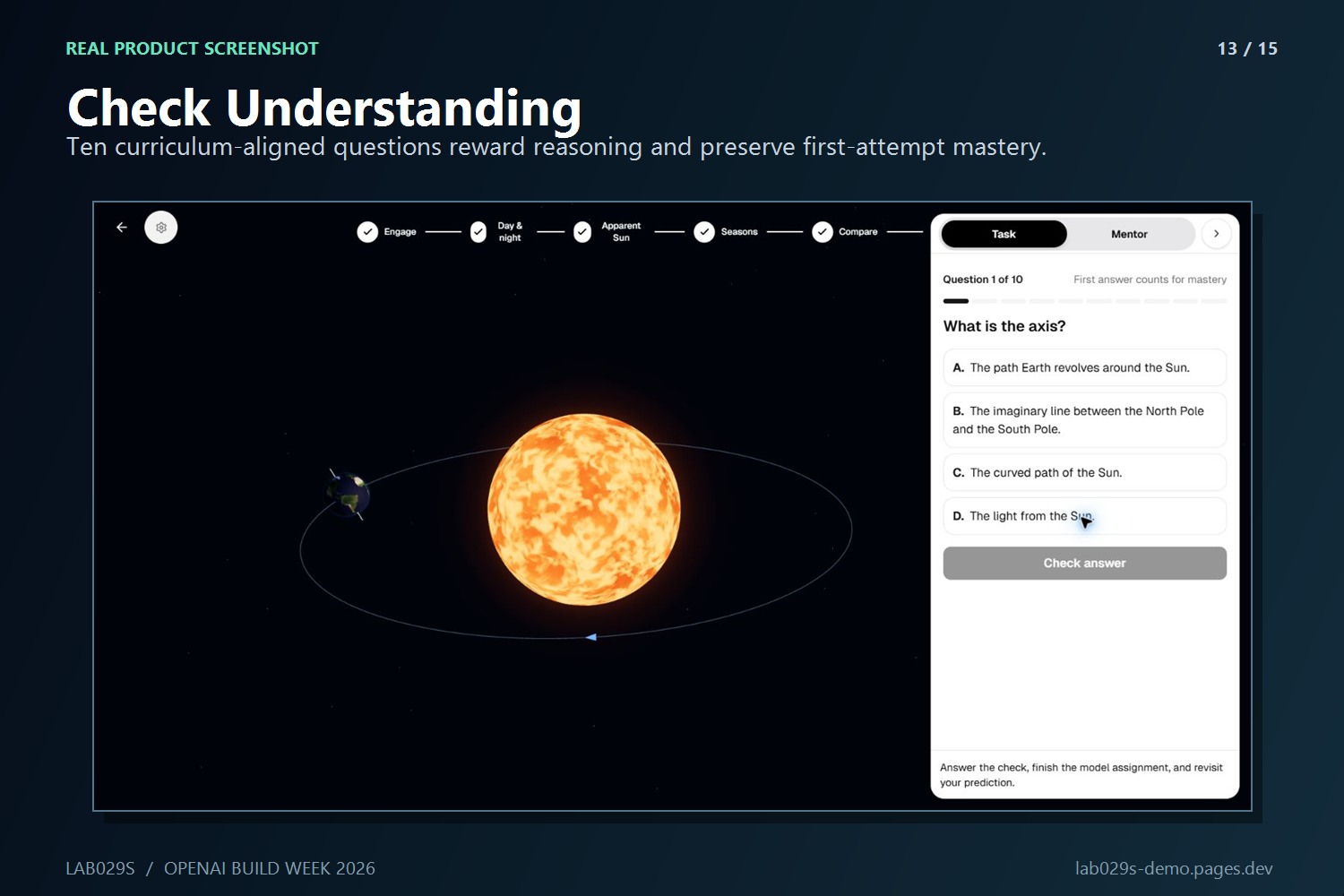
Curriculum-aligned questions check understanding with hints and a second attempt.
-
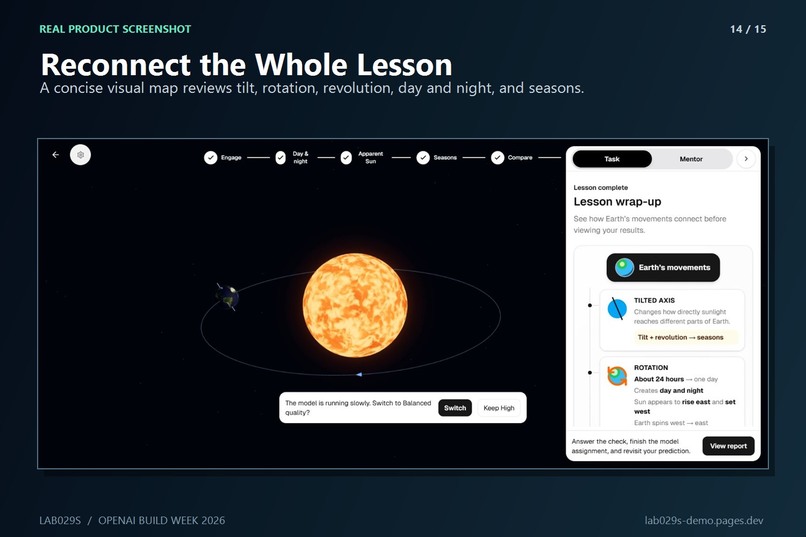
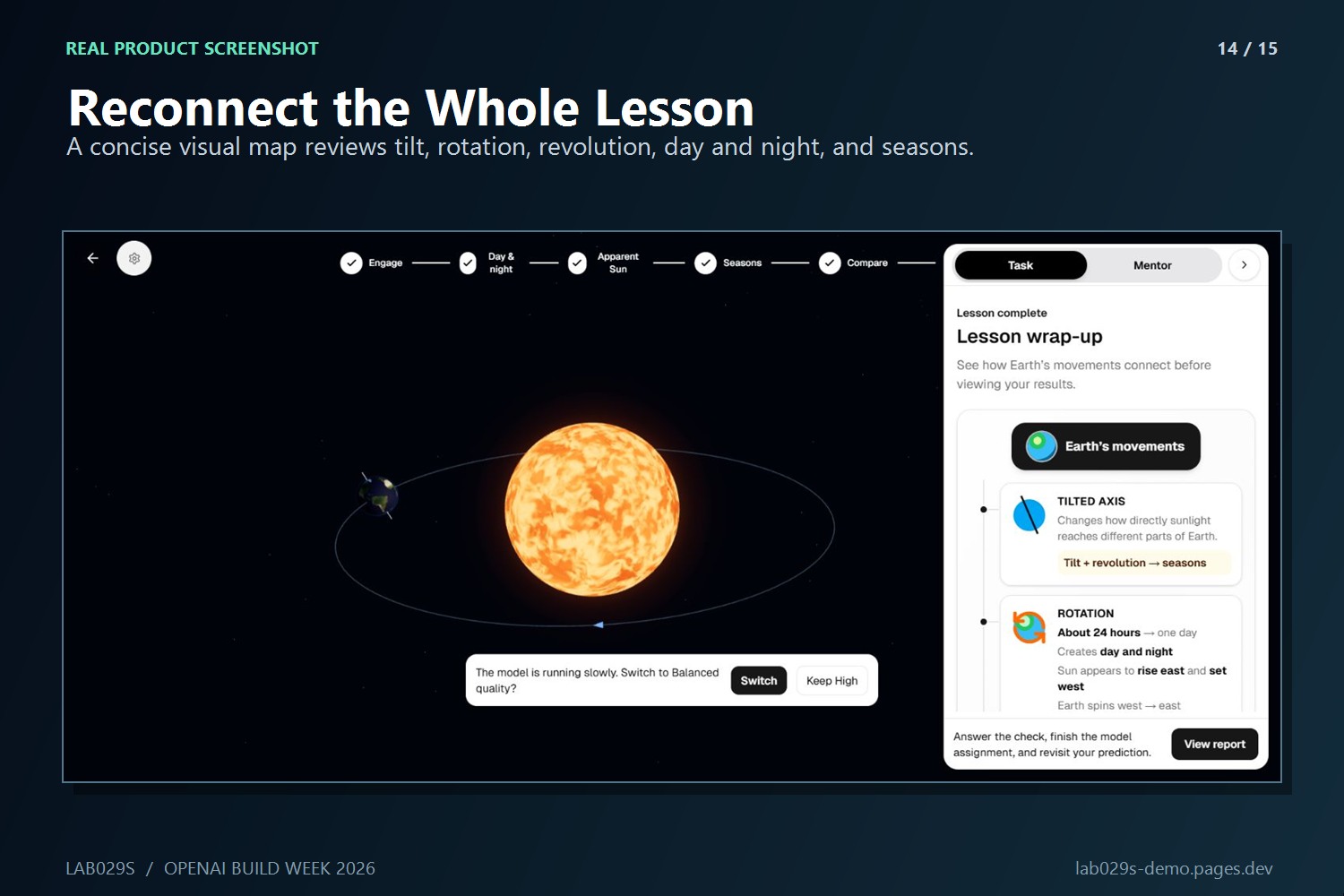
A visual lesson map reconnects rotation, revolution, day and night, and seasons.
-
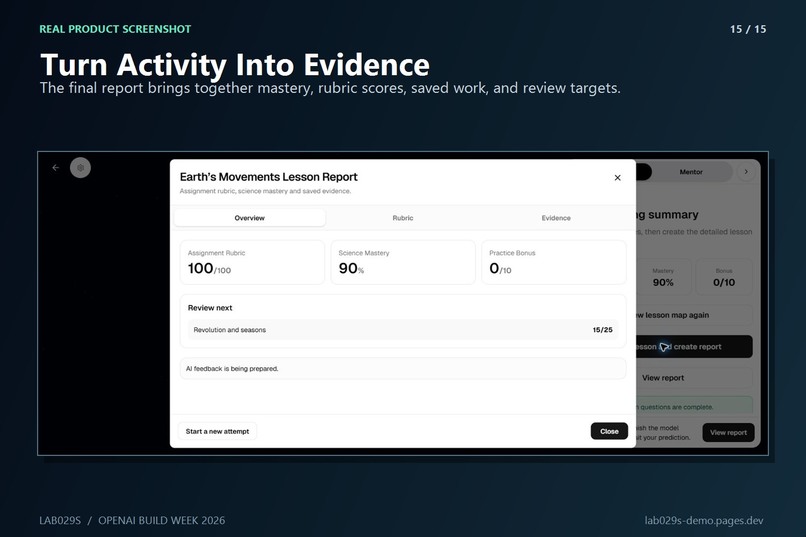
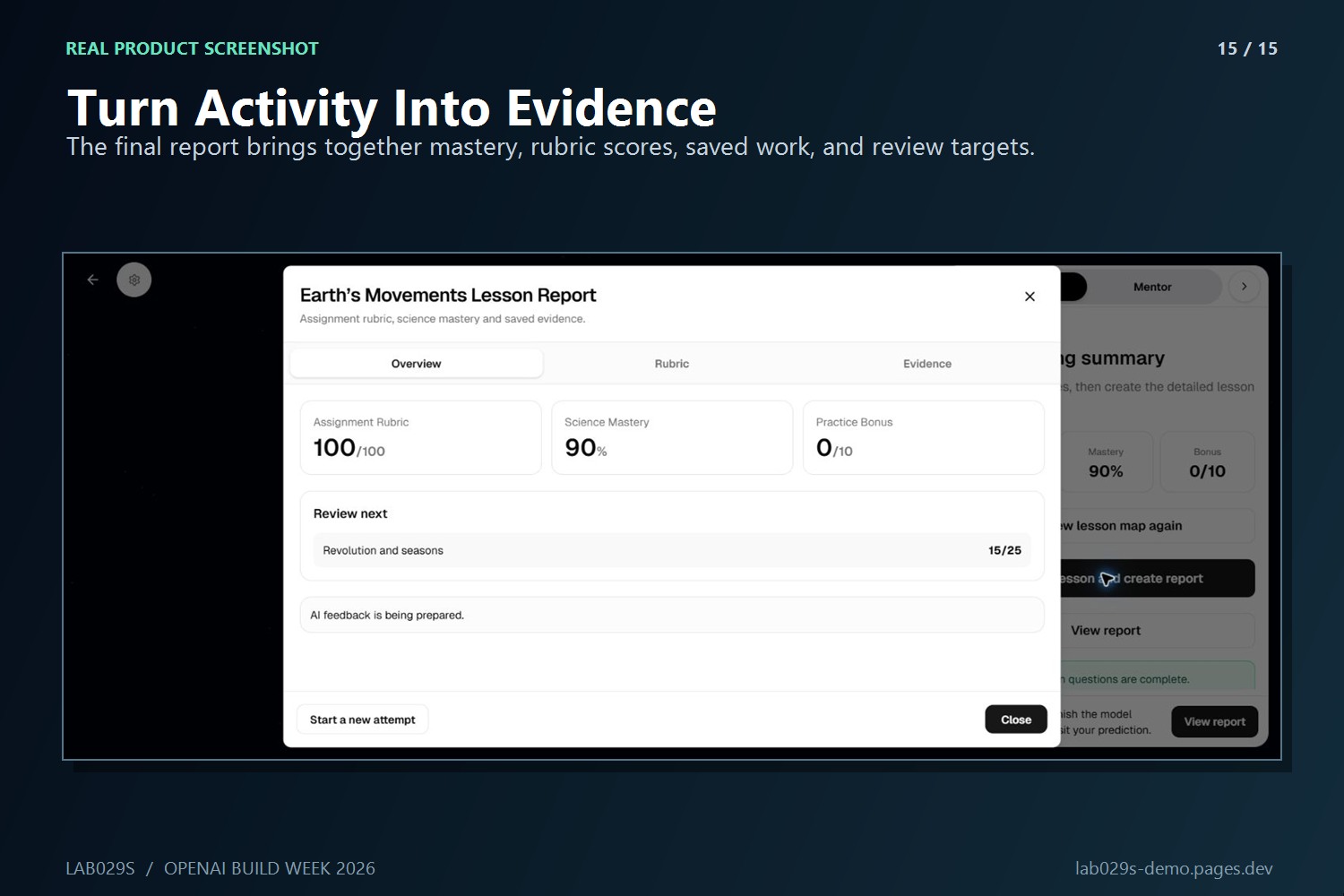
The report combines saved evidence, mastery, rubric scores, and targeted review.
Why we built it
We started with a simple question: can a child explain sunrise after actually moving Earth, instead of memorizing a paragraph about rotation?
The vocabulary in this lesson is not especially difficult. The hard part is connecting rotation, revolution, day and night, apparent motion, and seasons into one mental model. A video can show the answer, but it cannot tell us what the learner noticed or let them test a prediction. A generic chatbot can explain the terms, but it cannot see what happened in the model.
That gap is what Lab029s is trying to close.
Lab029s is an AI-guided 3D science-lab platform built around a practical loop:
curriculum → model → learner action → evidence → feedback → teacher insight
What we actually shipped during Build Week
Lab029s existed before Build Week, and we are not pretending otherwise. The shared platform shell, authentication, older simulations, and parts of the service architecture were prior work.
What did not exist was a complete Grade 4 lesson that exercised the whole platform. During the official window we built Earth's Movements as that vertical slice, including its Three.js scenes, six-stage learning flow, adaptive attempt rules, lesson-specific Mentor context, assessments, report, teacher result path, tests, performance fixes, and deployment work.
The learner now moves through six connected stages:
- make a prediction about the Sun's apparent movement;
- rotate a globe through night → sunrise → day → sunset → night;
- compare Space View and Observer View on the same timeline;
- move Earth around the Sun while its 23.5° axis remains parallel;
- compare rotation and revolution through interactive practice; and
- complete written explanations, diagram labeling, ten curriculum questions, a visual wrap-up, and a report.
We deliberately made the model part of the assessment. A learner cannot finish by clicking through cards; the lesson records whether they completed the relevant rotation, inspected both views, visited the seasonal positions, and then explained the evidence.
Earth's Movements is one lesson, but it proves the larger pattern. Lesson-specific curriculum, stages, misconceptions, rubric, Mentor behavior, and scene bindings live in a plugin instead of being scattered through one universal agent. That is the path we plan to reuse for more physics, chemistry, biology, and Earth-science labs.
Where the AI helps—and where it does not
We did not want the Mentor to become an answer button.
Before a learner attempts a question, it asks them to try and gives only a starting clue. After a first incorrect attempt, it receives the current stage, question, answer, attempt count, and stable model evidence so it can address the actual misconception. After the second attempt, the lesson continues but records the topic for review.
The important fallback is intentionally boring: deterministic local validation and local hints. If the agent is cold, offline, or unavailable, the child can still finish the lesson. The AI improves the feedback; it is not allowed to hold the lesson hostage.
The report keeps the original evidence visible. It separates science mastery, assignment rubric, practice bonus, first and final answers, and the learner's written explanations instead of reducing everything to one chatbot transcript.
How GPT-5.6 Sol and Codex were used
This was not a one-prompt build. Most of our work looked like this:
read the source lesson → trace the existing code path → implement one learning step → run it in the browser → find the awkward or broken part → fix it → repeat
We used GPT-5.6 Sol in Codex with both Max and Ultra reasoning modes throughout the build. Max was our normal setting for implementation, code review, UI iteration, tests, and release work. Ultra was used when a problem crossed several boundaries at once—for example, reconciling curriculum wording with simulation state, debugging a Three.js interaction that also blocked React progression, tracing Mentor context through the gateway and agent plugin, or auditing the private judging repository and deployment configuration.
Codex helped us:
- extract the useful lesson flow from the supplied curriculum while challenging misleading wording;
- trace the React, Three.js, gateway, database, and LangGraph paths before changing them;
- implement and repeatedly revise the learner and teacher flows;
- inspect the real browser at multiple viewport sizes;
- debug interaction, cleanup, accessibility, performance, authentication, and CI/CD issues; and
- prepare a filtered judging repository with preserved timestamps, baseline/submission tags, and no production secrets.
The deployed Mentor uses a separately configured OpenAI runtime model chosen for latency and cost. GPT-5.6 Sol was the engineering and reasoning partner used to build and review the system; we do not present it as the demo's runtime model.
Technical choices
The learner UI uses React, TypeScript, Vite, and Tailwind CSS. The scientific scenes use imperative Three.js rather than adding another 3D framework. One scene controller owns meshes, raycasting, animation, camera bookmarks, and disposal, while React owns lesson state, progress, and answers. That separation matters: typing into an answer should not rebuild a WebGL scene.
A Node.js gateway owns authentication, submissions, reports, and service boundaries. A FastAPI/LangGraph service loads the Grade 4 lesson plugin. PostgreSQL and Prisma store platform data. The frontend is deployed on Cloudflare Pages, and the gateway and agent services run on Google Cloud Run.
We kept pixel ratio bounded, reused stable 3D objects, lazy-loaded heavier assets, paused work when the tab was hidden, and disposed animation frames, listeners, controls, materials, textures, canvases, and annotation DOM when leaving the lesson.
The parts that fought back
A few bugs made the learning goal clearer than any architecture diagram did.
The flashlight cone looked acceptable from one camera but stopped short of the globe from another. The learner could complete all A–D day/night checkpoints and still be unable to continue. The Moon crossed the observer sky correctly until it appeared to teleport from west back to east. The final report rendered but could not scroll. An older startup path warmed OCR and retrieval code that this lesson did not use, making the first Mentor response feel broken.
Those were not cosmetic details. Each one either taught the wrong visual idea or interrupted the learner's reasoning. We fixed them through repeated browser walkthroughs, local fallbacks, focused tests, and by removing unused work instead of adding more loading UI.
There are still places we want to polish, especially the physical feel of the flashlight/globe scene and the amount of guidance younger learners need. We chose to submit a working, inspectable lesson rather than hide those decisions behind a cinematic video.
What we are proud of
- The lesson connects direct manipulation to saved evidence and assessment.
- Pointer interaction and keyboard/button fallbacks update the same learning state.
- The Mentor knows the learner's attempt and task without receiving noisy pointer or camera telemetry.
- Agent failure does not block completion.
- Teachers can connect classes and students to submitted lesson results.
- The judging repository makes prior work and in-window work auditable.
What we learned and what comes next
The biggest lesson was that educational AI is often most useful when it knows not to answer yet. A nine-year-old does not care how sophisticated the graph is; they care that the next instruction is clear, the model behaves consistently, and a hint helps without stealing the discovery.
Next we want to put this lesson in front of real Grade 4 learners and teachers, measure where they hesitate, tighten the teacher intervention signals, and reuse the same lesson-plugin contract for additional curriculum-aligned labs. The goal is not to generate more simulations quickly. It is to make each new lab scientifically responsible, teachable, assessable, and practical to run in an ordinary browser.
Built With
- cloudflare-pages
- codex
- docker
- express.js
- fastapi
- google-cloud-run
- gpt-5.6
- langgraph
- node.js
- openai-api
- postgresql
- prisma
- react
- tailwind-css
- three.js
- typescript
- vite


Log in or sign up for Devpost to join the conversation.