-
-
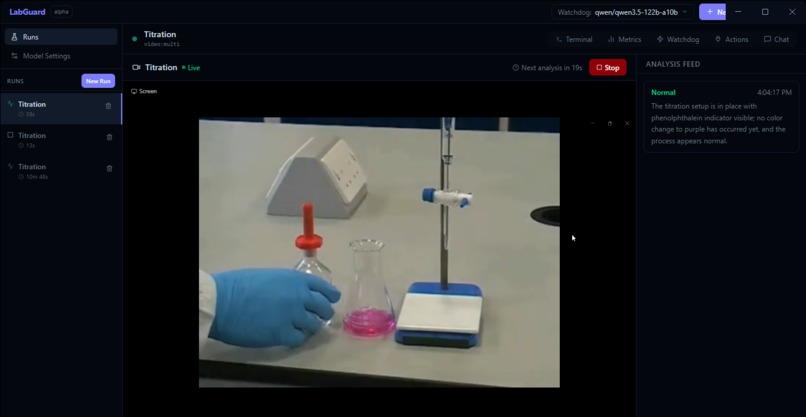
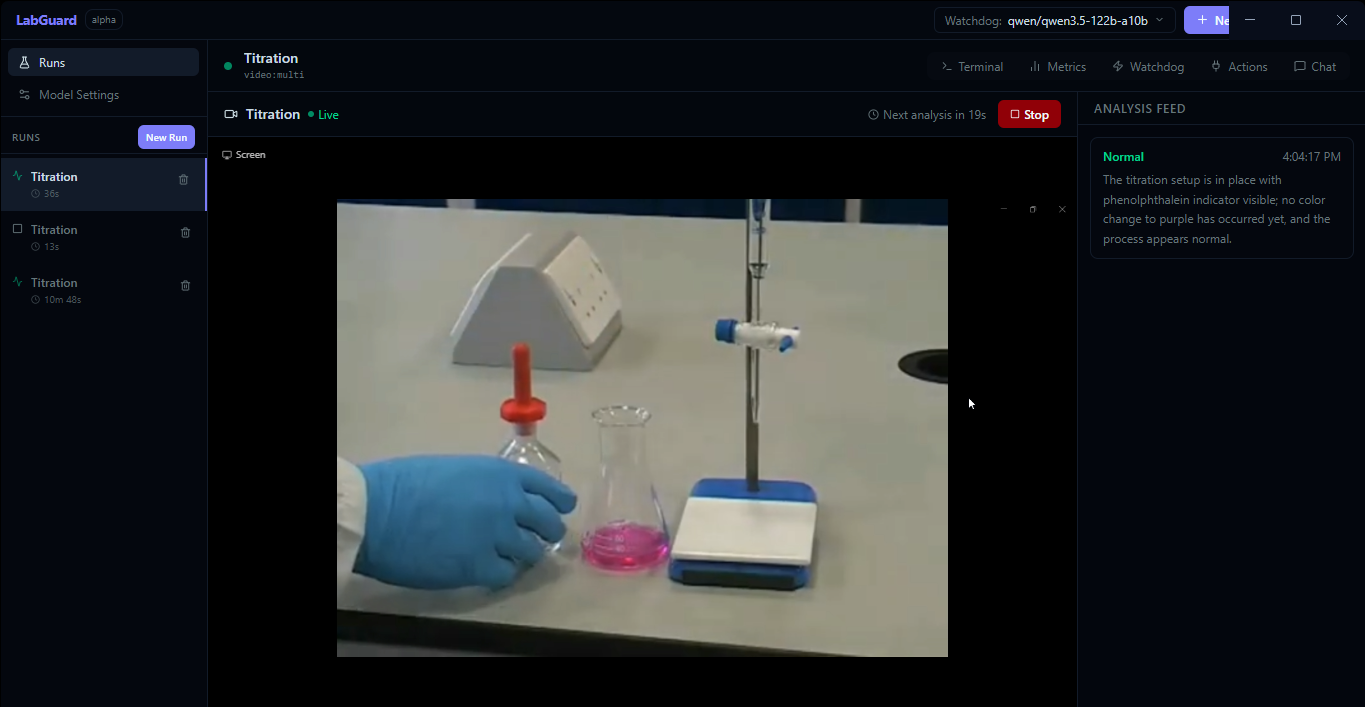
take in expereminets from video sources
-
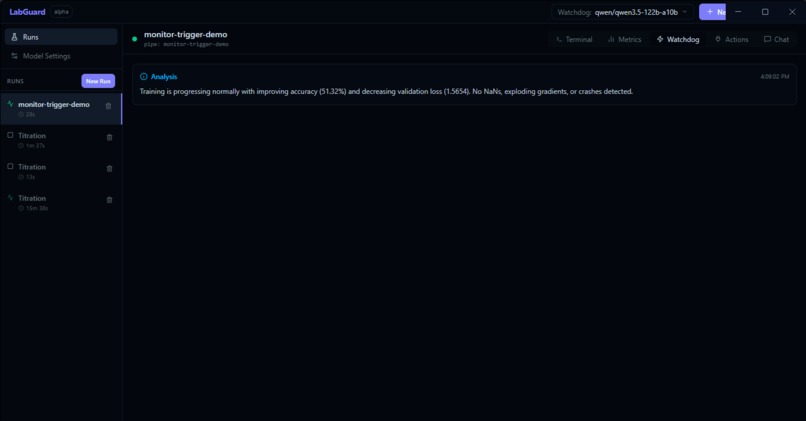
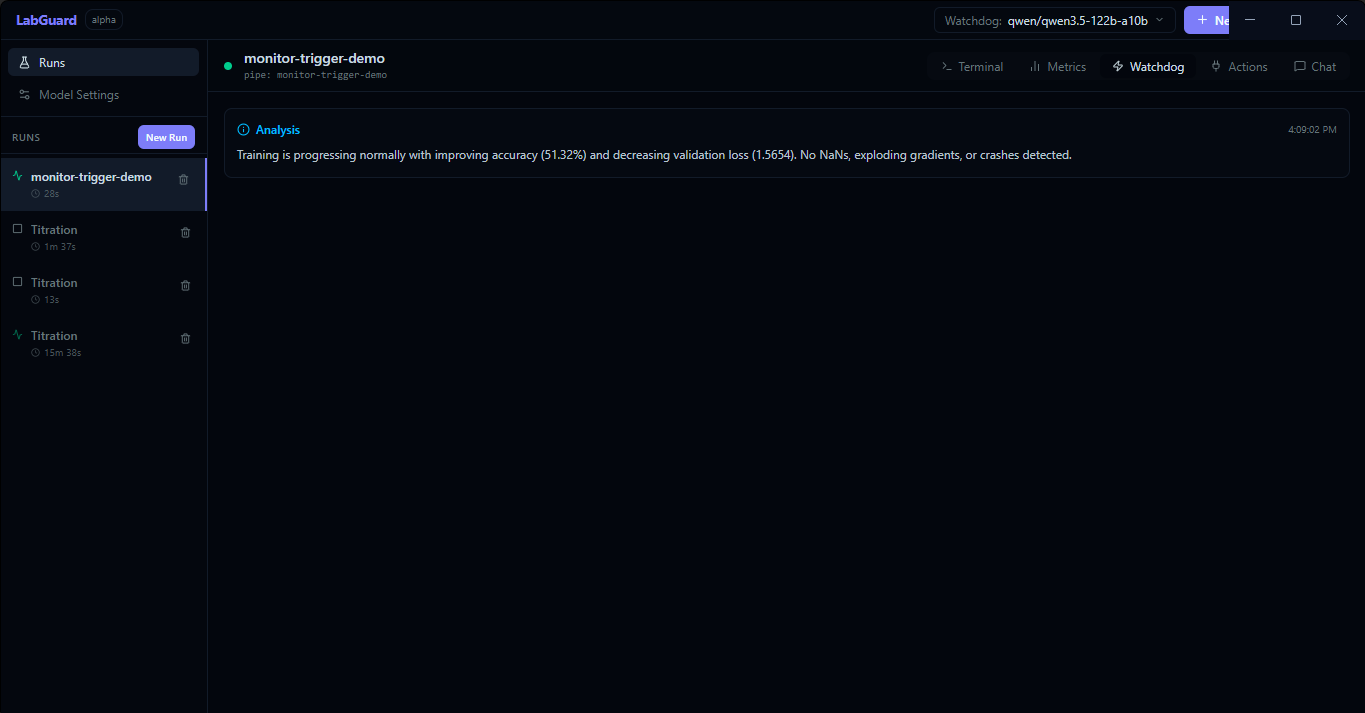
AI takes logs and turns it into analysis
-
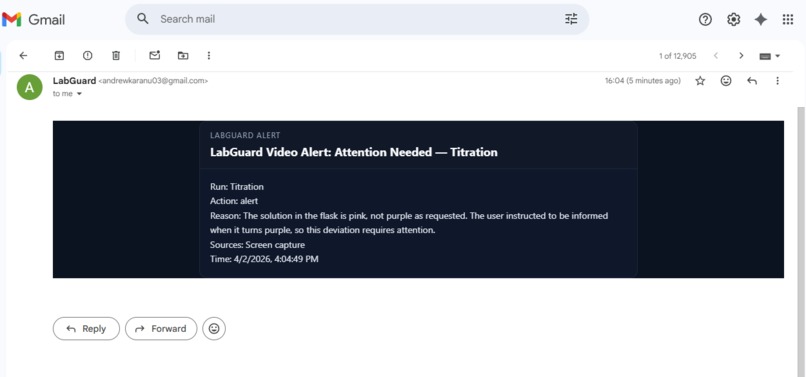
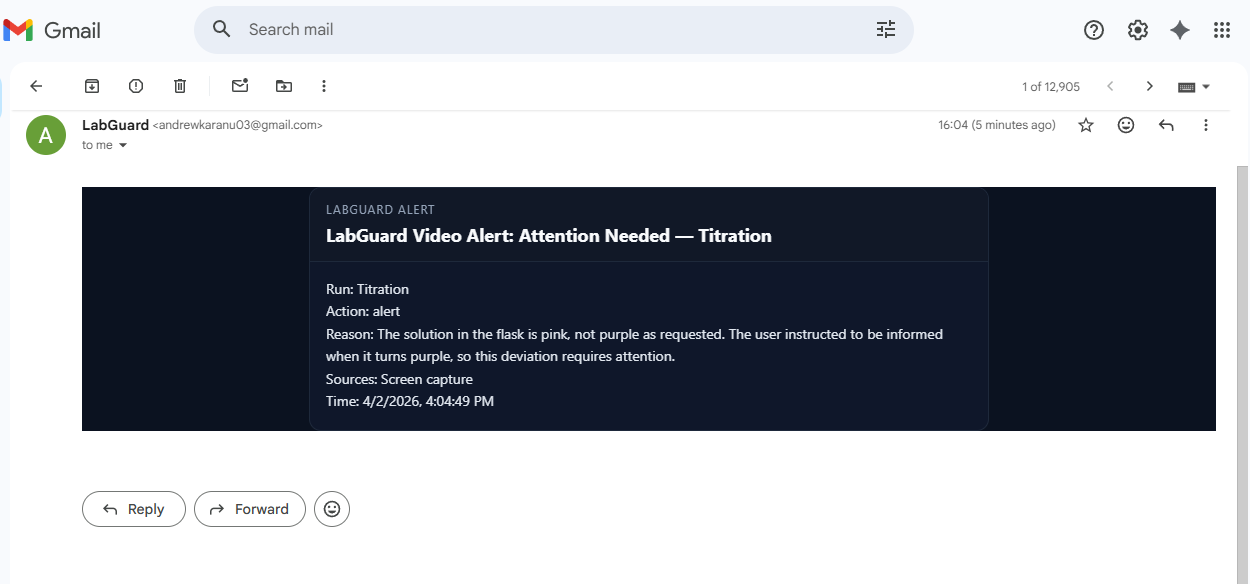
Recieve alerts when something changes
-
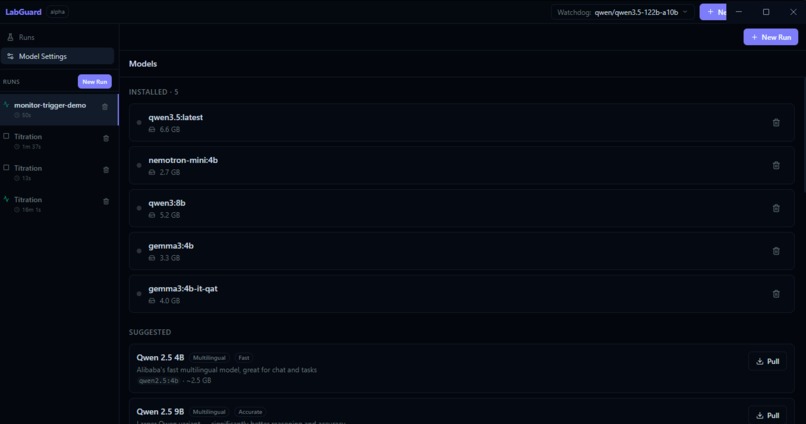
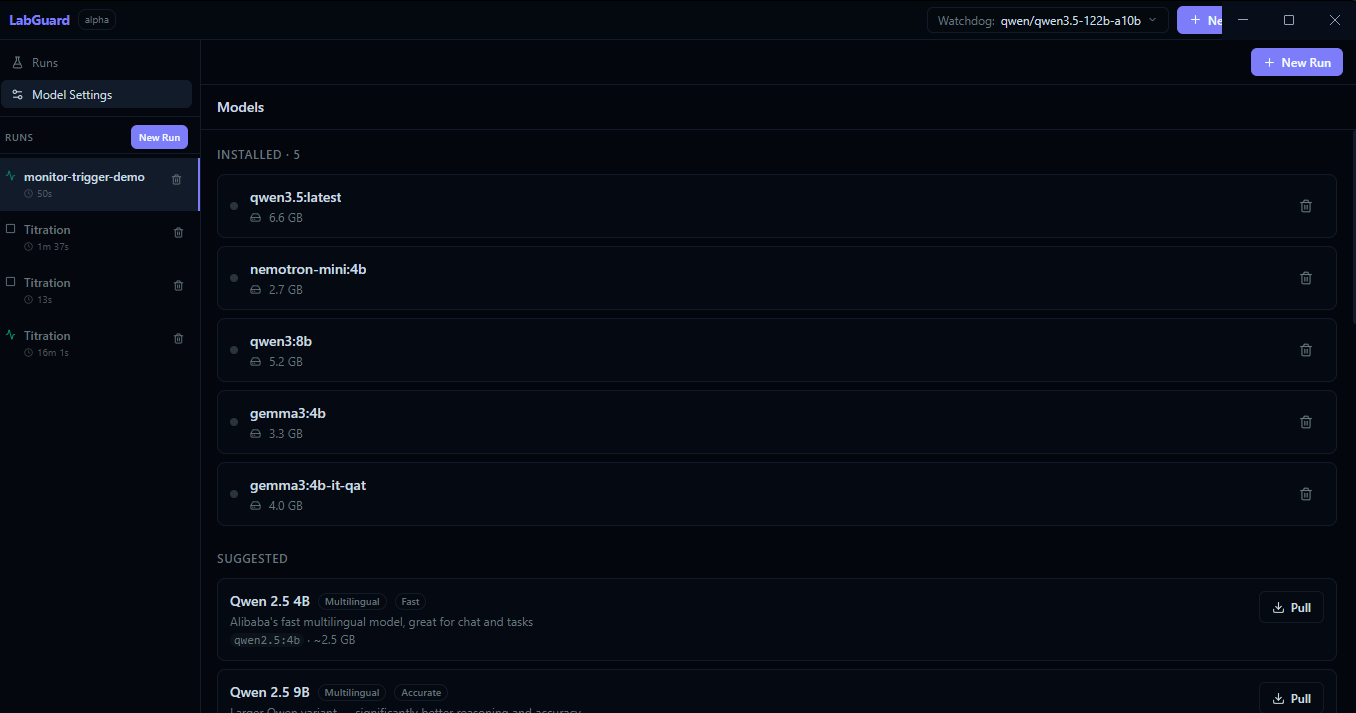
Various open source and api models
-
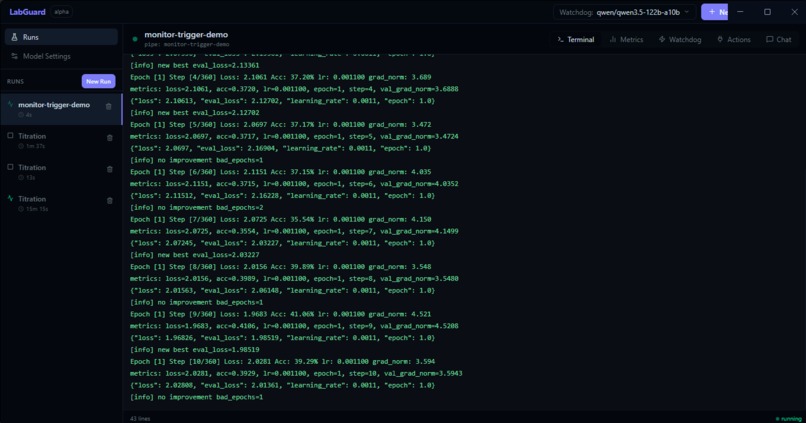
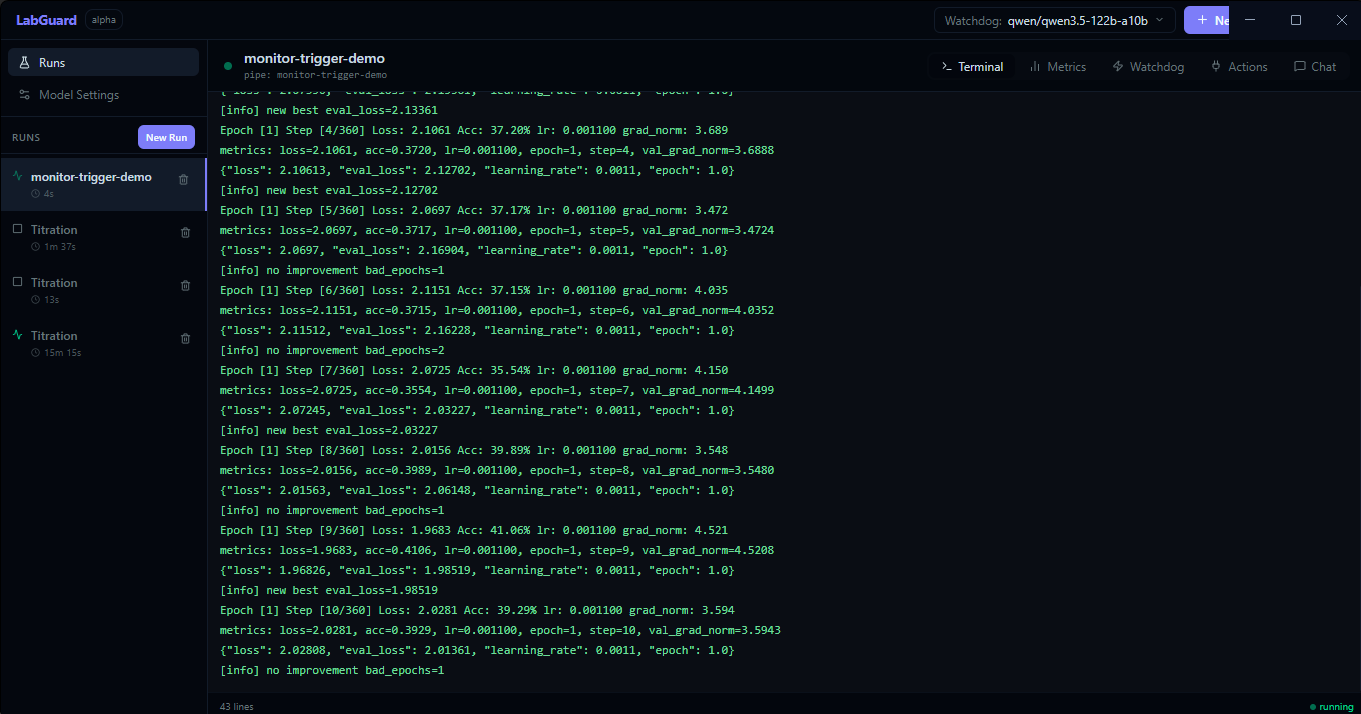
MachineLearning monitoring in terminal
-
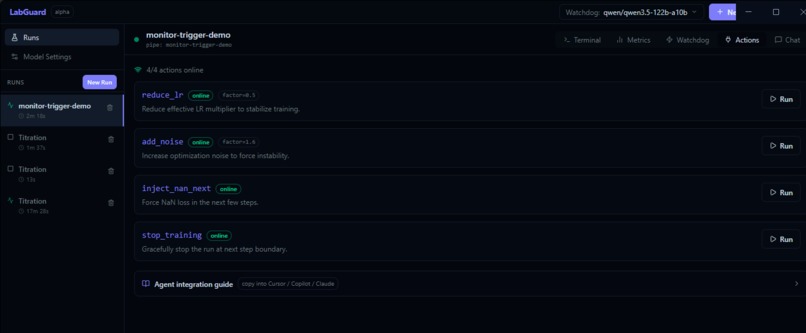
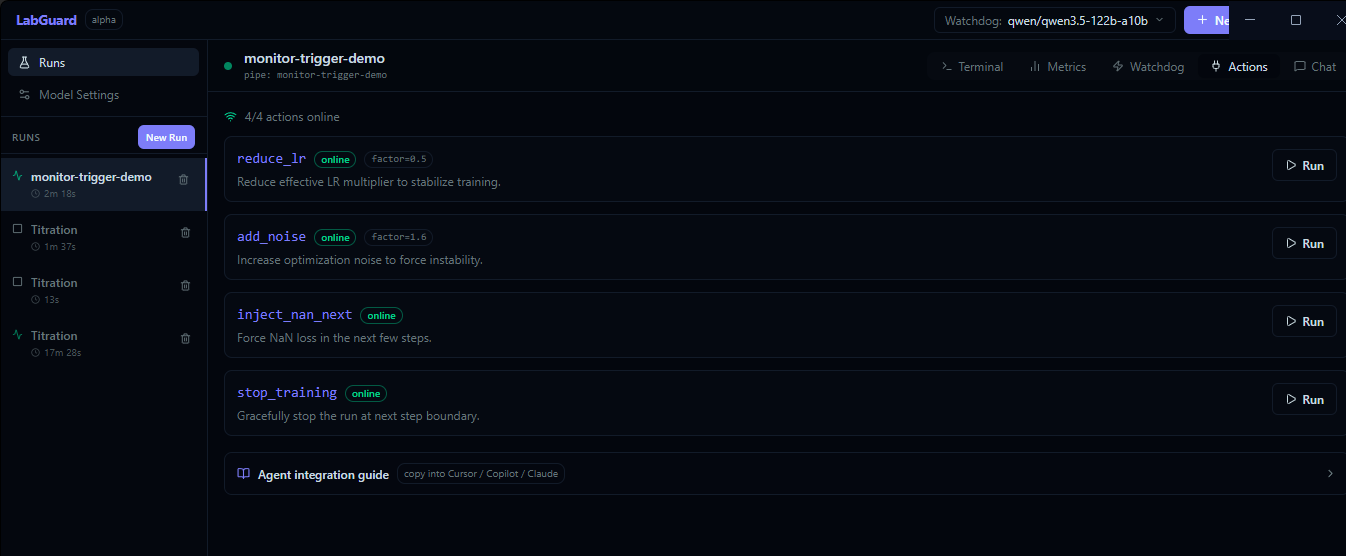
perform quick actions on experiments
Inspiration
I often spend hours monitoring Machine Learning experiments. Its truly painful sometimes. I created labguard to help me spend my time more productively while still monitoring my experiments
What it does
LabGuard is an AI-assisted desktop monitor for long-running training and lab workflows.
It helps you replace manual terminal watching by combining:
- live run telemetry
- AI watchdog analysis
- safe callable remediation actions
- alerting (SMTP email)
- optional multi-source monitoring (terminal + video)
Purpose
Training and experiment runs often fail silently, drift, or degrade while unattended. LabGuard is built to:
- detect issues early from logs and metrics
- suggest or execute safe interventions
- notify you when critical changes happen
- keep a clear timeline of run behavior and decisions
Core Features
Run Management
- Launch commands directly from the app
- Attach to already-running output streams via
labguard_tail.py - Restart finished runs from sidebar
- Delete runs (including currently running runs)
Live Monitoring
- Monitoring from live video sources such as webcam or screen capture
- Real-time terminal stream capture (
stdout+stderr) - Automatic metric parsing from common training log formats
- Metrics/terminal/watchdog/action/chat views per run
AI Watchdog
- Periodic analysis loop over recent logs + parsed metrics
- Action recommendations in structured JSON
- Approval flow before running suggested actions
Action Tools
- Register safe runtime actions from Python using
labguard_sdk.py - Run actions from UI or watchdog recommendations
- Action persistence in UI (online/offline status)
- Register safe runtime actions from Python using
Model Providers
- Local models via Ollama
- Cloud models via NVIDIA NIM
- Cloud models via Anthropic Claude
- Unified model selection across chat/watchdog
Alerts
- SMTP email notifications for:
- watchdog action suggestions
- watchdog failures
- sudden/non-clean training stops
- Test email from settings
- Basic styled HTML alert templates
Multi-Source / Video Monitoring
- Supports video-based run monitoring flows
- Built to analyze more than one stream context (for example, titration video + terminal telemetry)
Included Demo Scripts
demo_train_simple.py- Lightweight training-style log stream
demo_train_monitor.py- Longer realistic run with controllable instability and actions
demo_monitor_trigger.py- Deterministic watchdog trigger scenarios (
mixed,nan,oom,crash,plateau)
- Deterministic watchdog trigger scenarios (
demo_titration_test.py- Synthetic titration telemetry for dual-stream monitoring demos
Quick Start
Install dependencies:
npm installRun desktop app in dev mode:
npm run devBuild production bundles:
npm run build
Running an Attached (Piped) Run
Windows-safe unbuffered pattern:
cmd /c "python -u demo_monitor_trigger.py --duration-sec 180 --step-sec 0.5 --scenario mixed 2>&1 | python -u .\labguard_tail.py monitor-trigger-demo"
SMTP Email Setup
In Model Settings -> Email Alerts (SMTP) configure:
- SMTP host/port/user/password
- from name/email
- recipient email
- enable notifications
Then use Send Test Email to verify delivery.
Project Structure (high level)
electron/- Electron main/preload and IPC handlerssrc/- React renderer UI, state, hooks, componentslabguard_sdk.py- Python action registration bridgelabguard_tail.py- Python pipe attach bridgedemo_*.py- Demo/test workloads
Notes
- This is an alpha/demo-oriented app with rapid iteration.
- For production deployment, move secrets (SMTP/API keys) to secure environment configuration and rotate any exposed credentials.
How we built it
Challenges we ran into
Accomplishments that we're proud of
What we learned
What's next for Lab Guard
Built With
- electron
- labguard-sdk.py
- langchain
- ollama

Log in or sign up for Devpost to join the conversation.