-
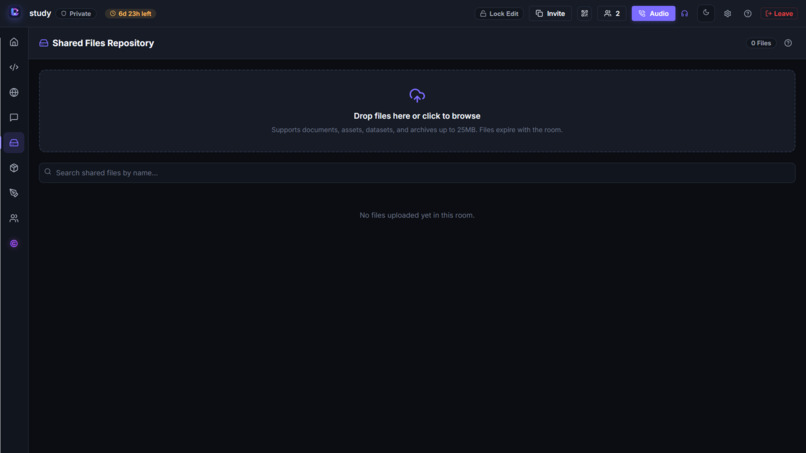
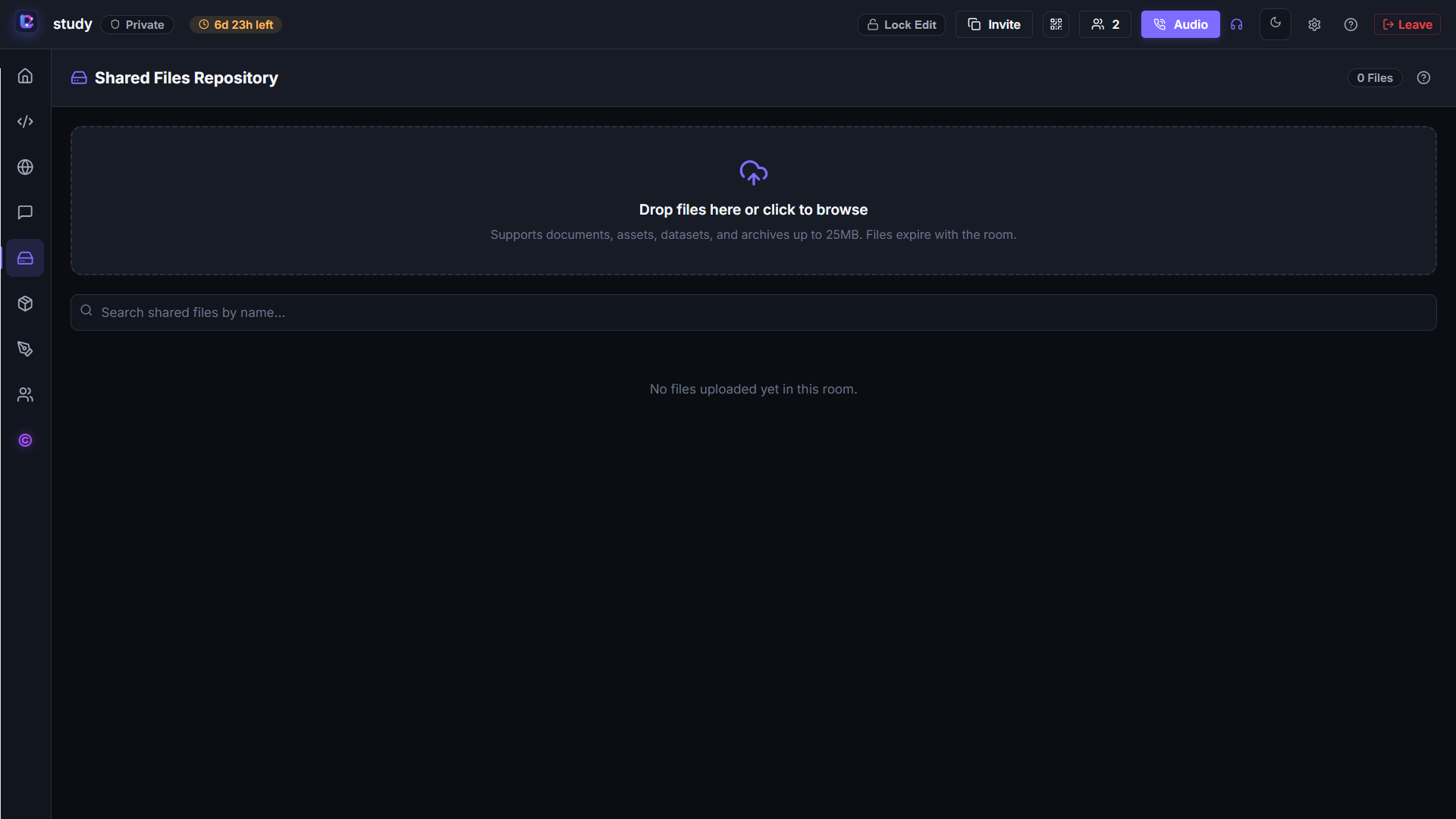
Shared Files Repository
-
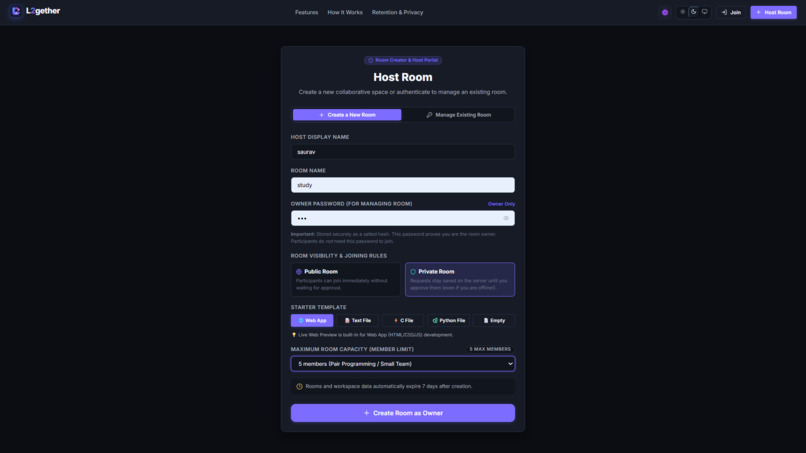
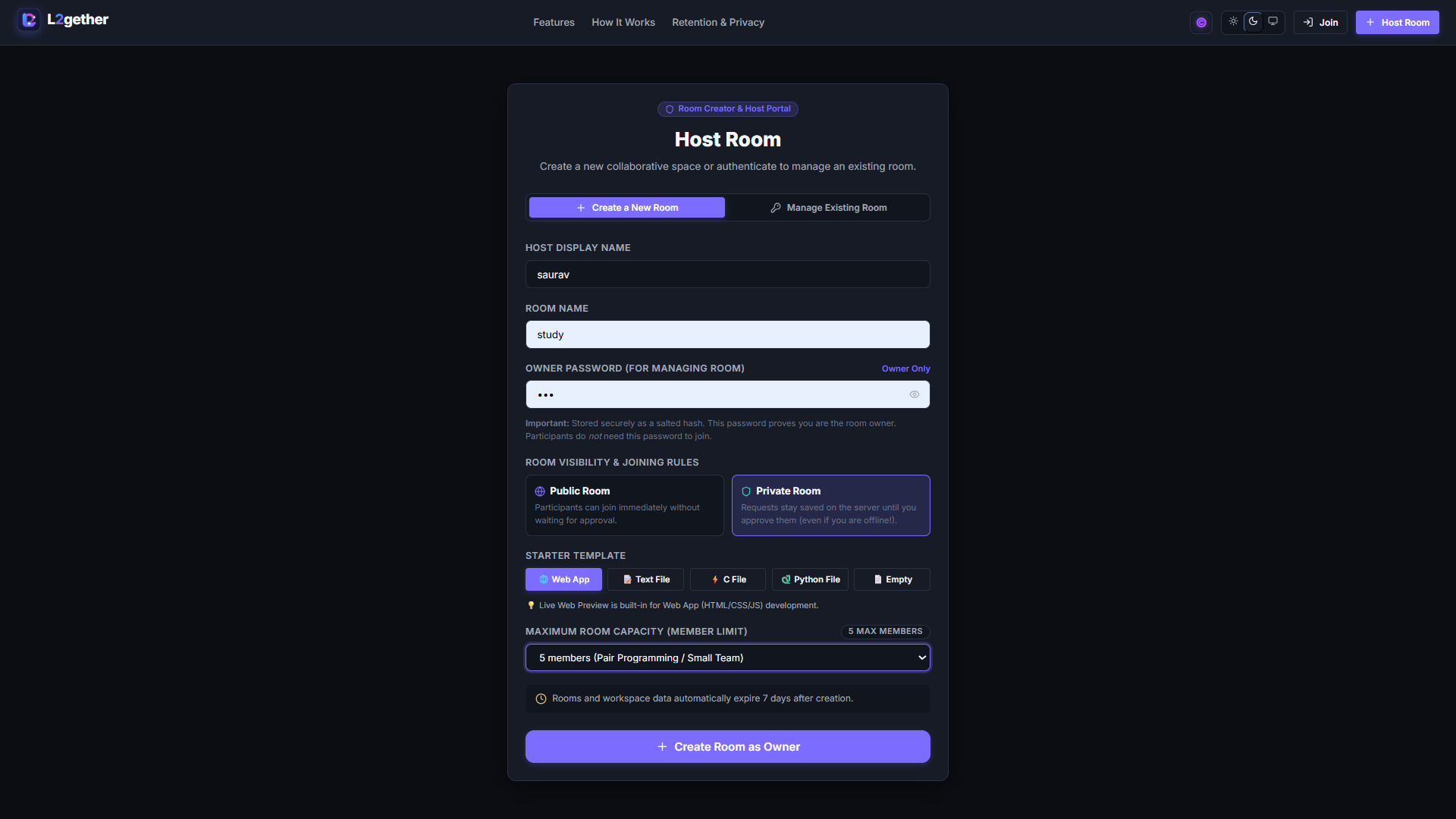
Create and Configure a Room
-
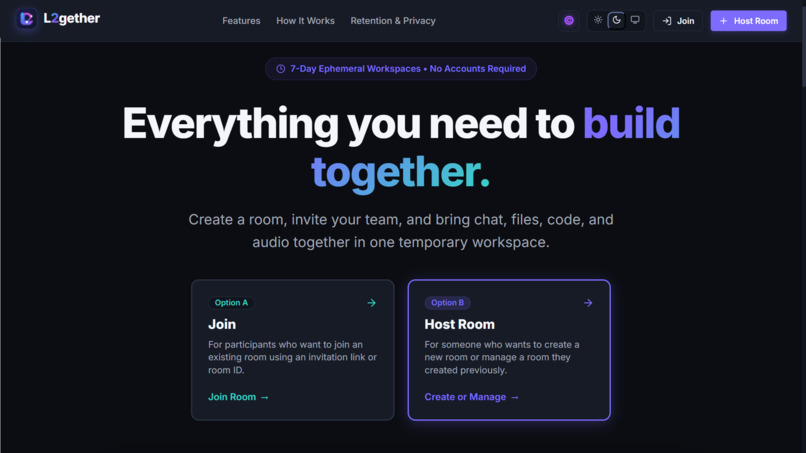
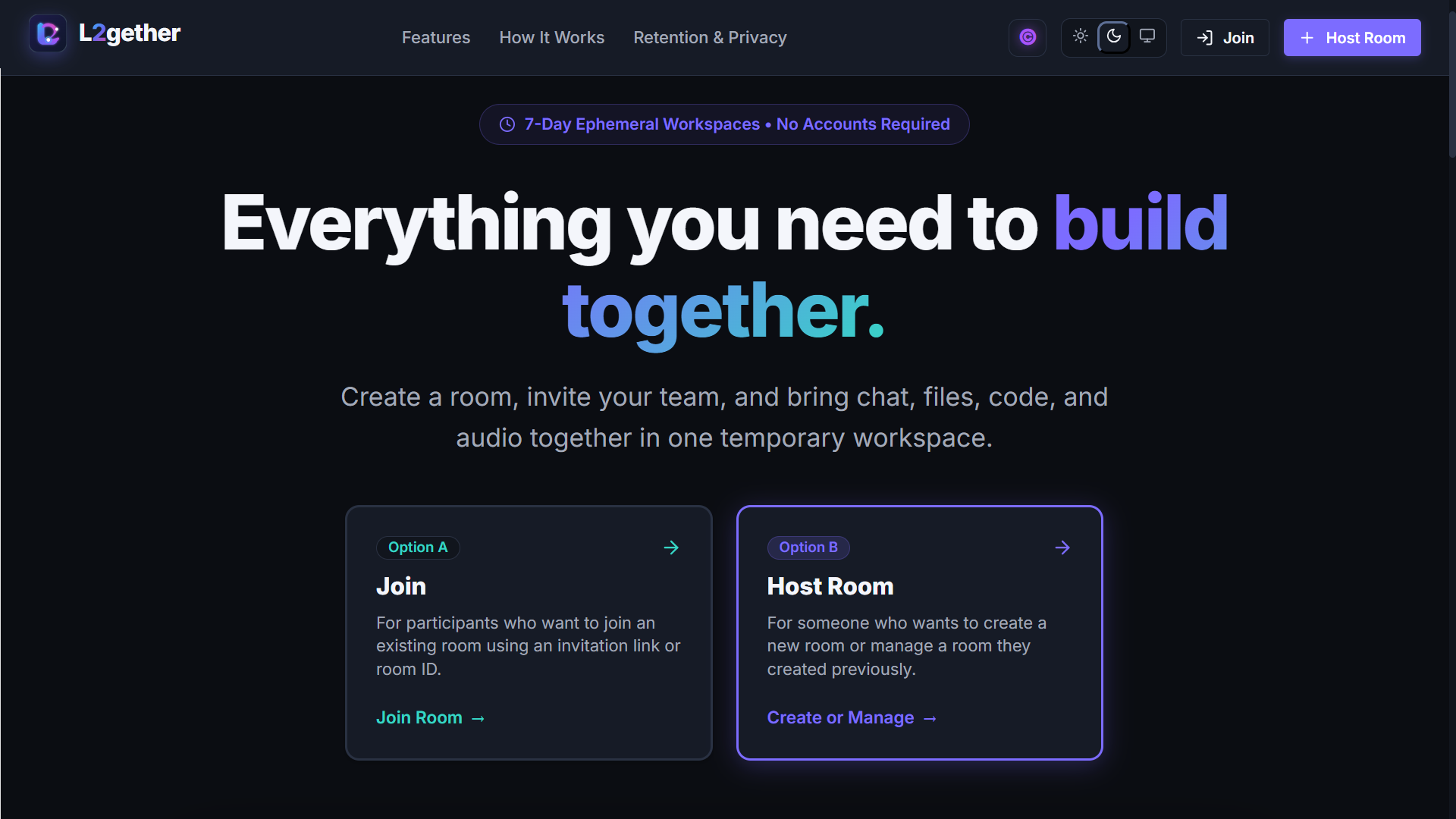
L2gether Homepage
-
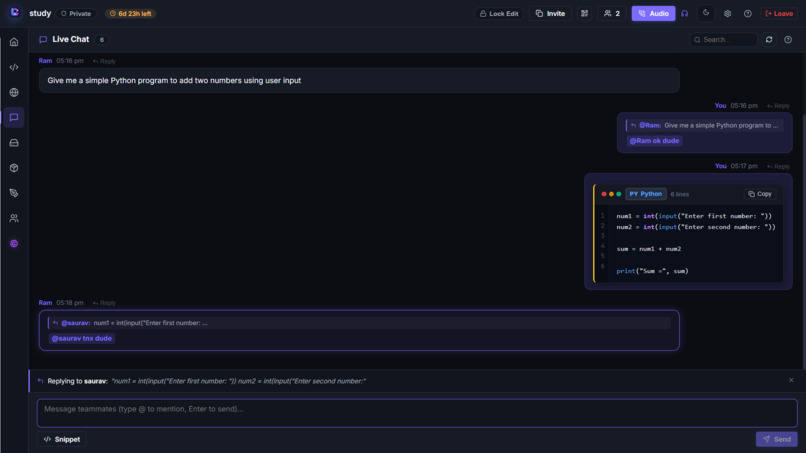
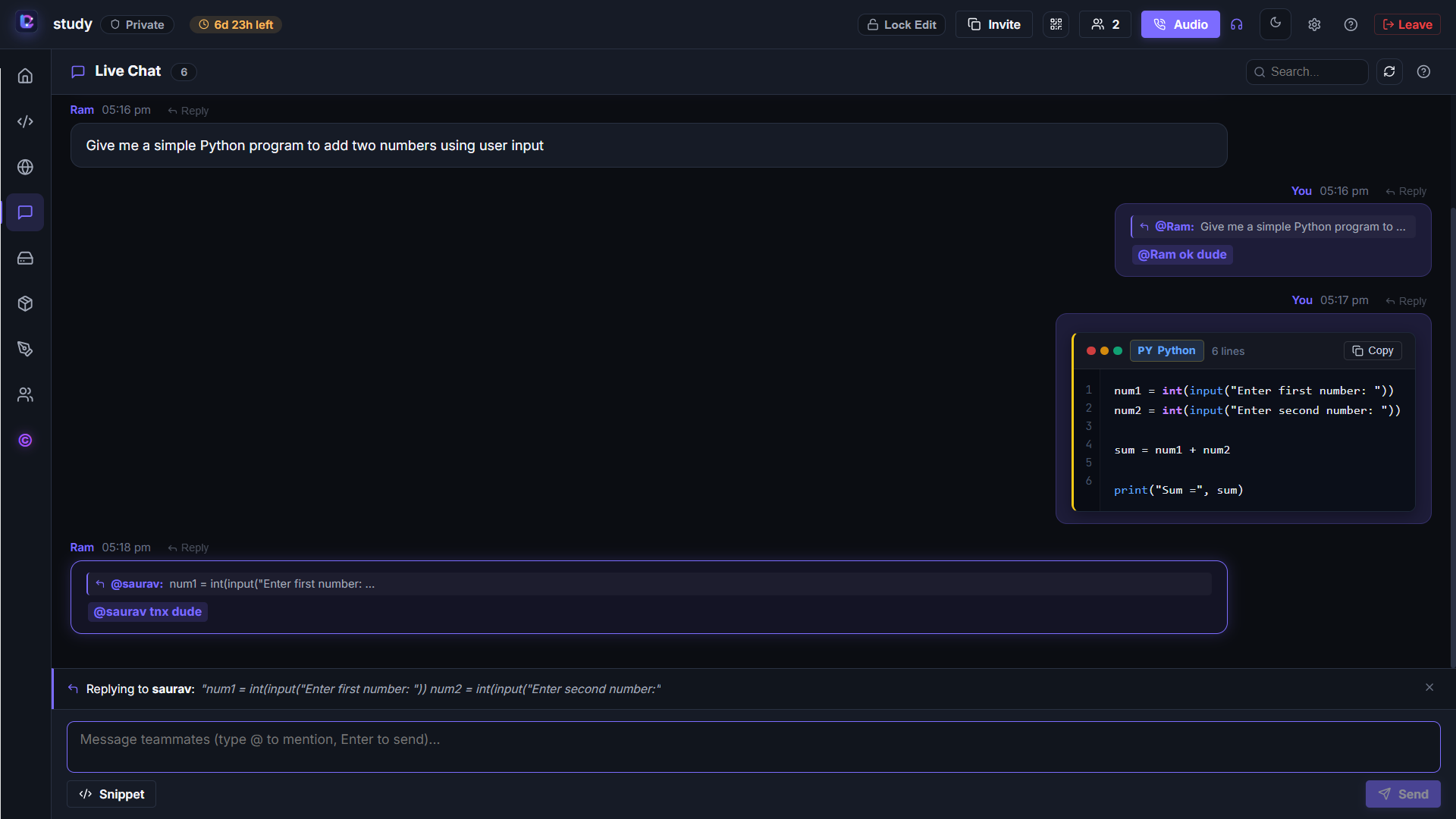
Real-Time Chat and Code Snippets
-
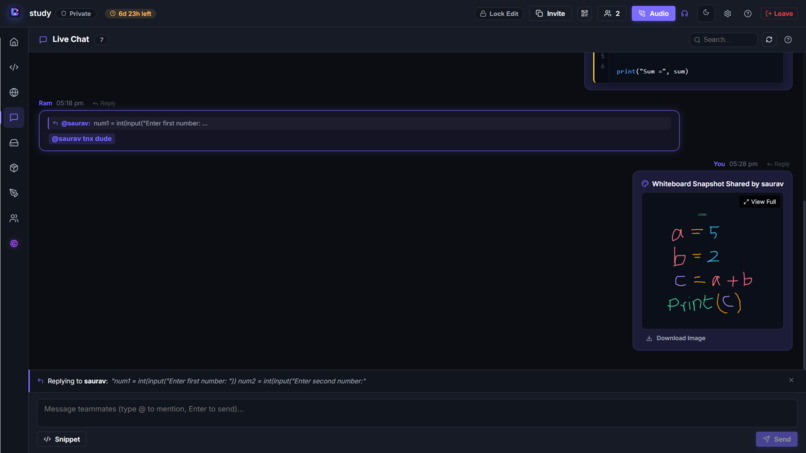
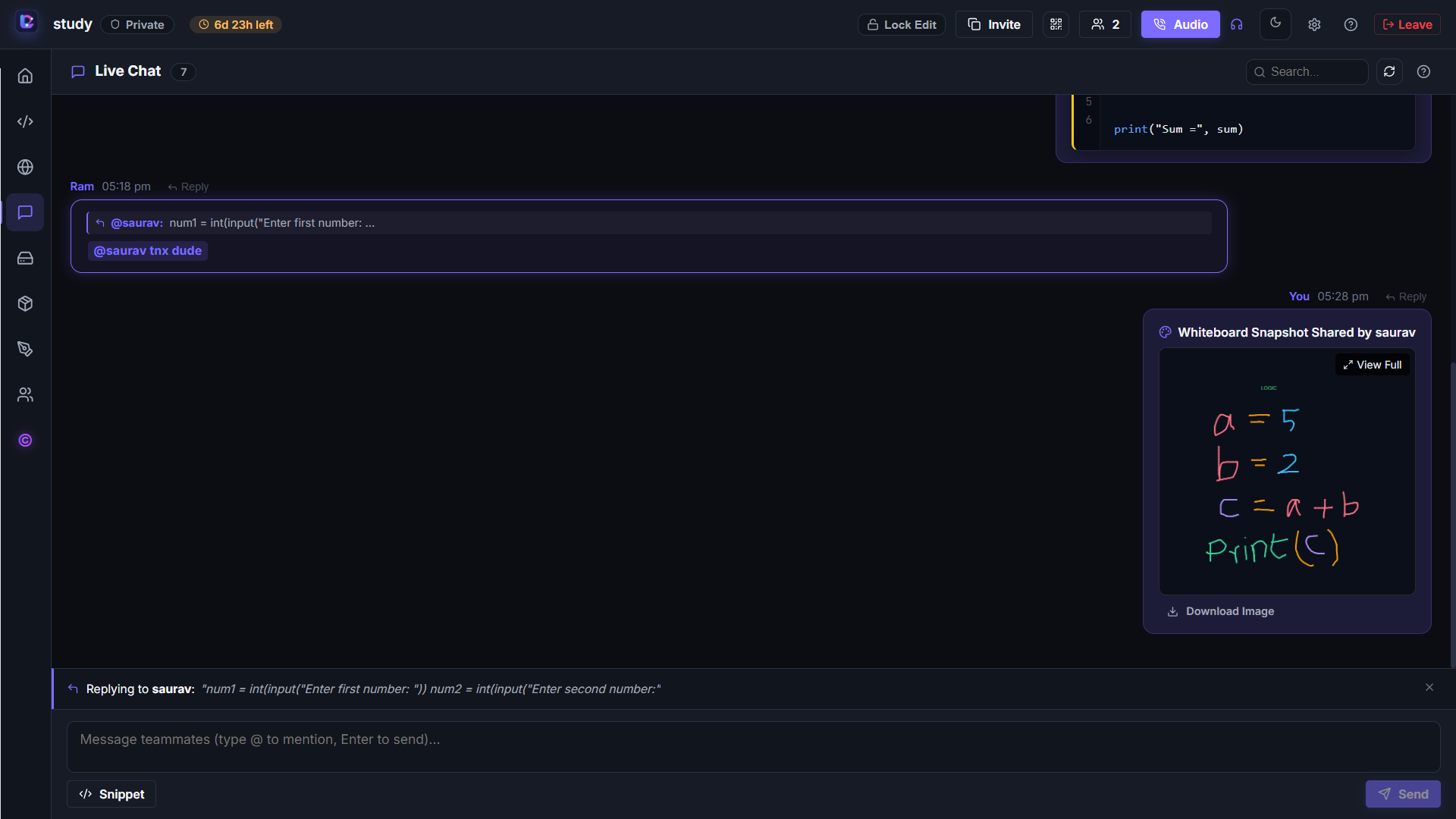
Whiteboard Snapshot Sharing in Chat
-
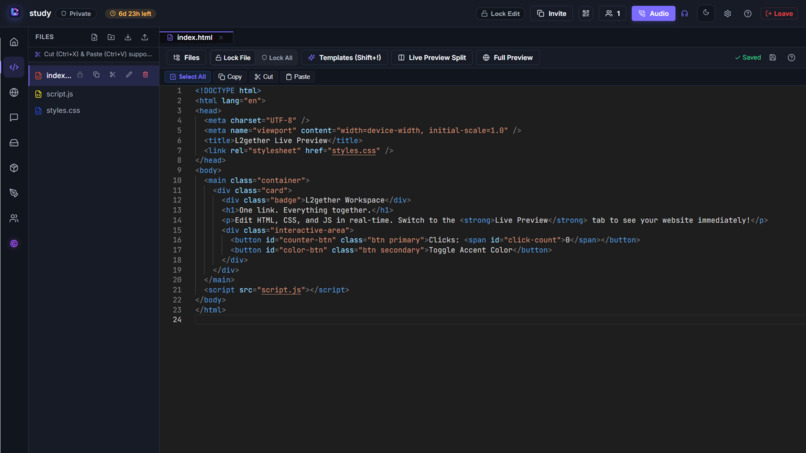
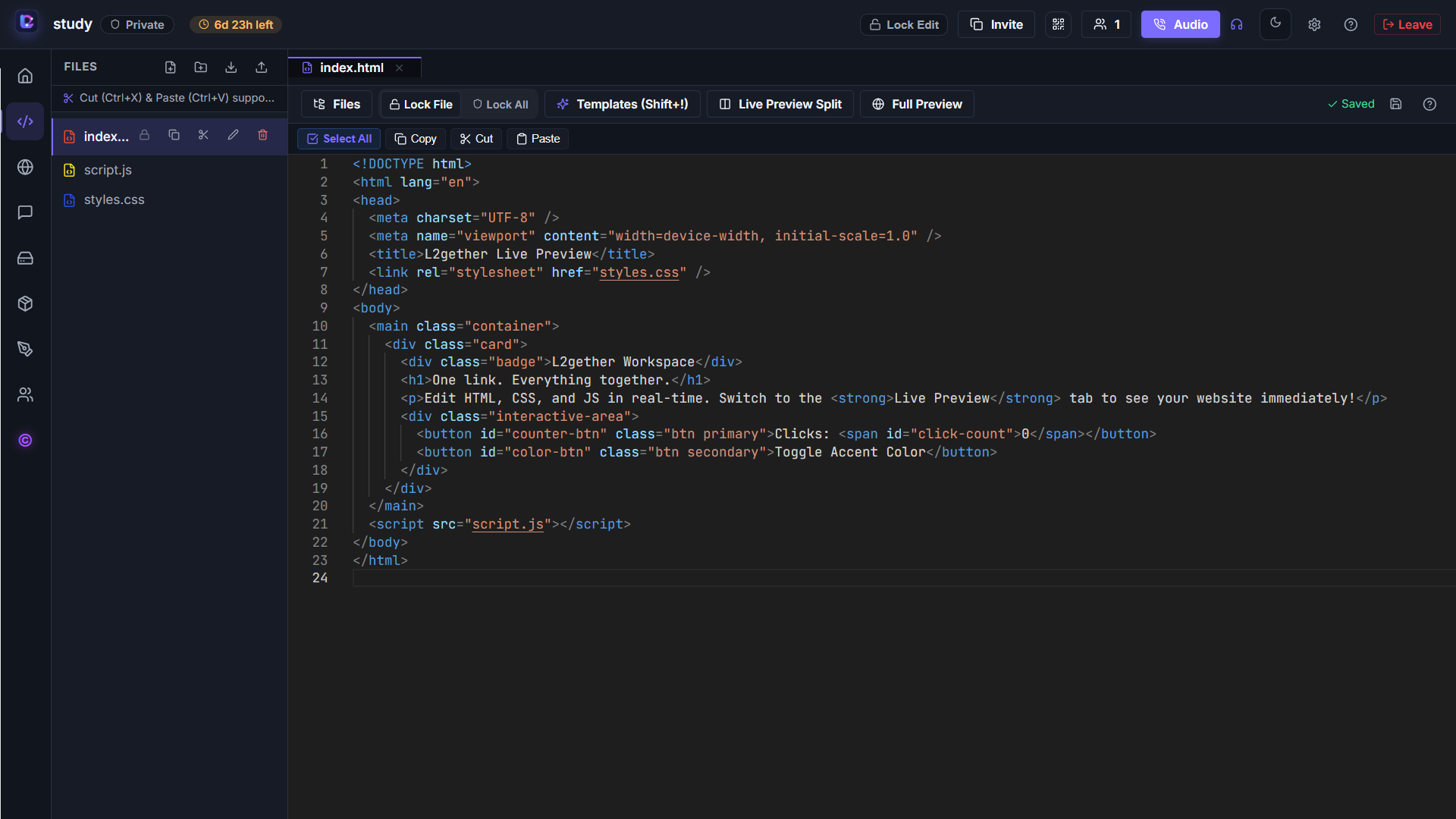
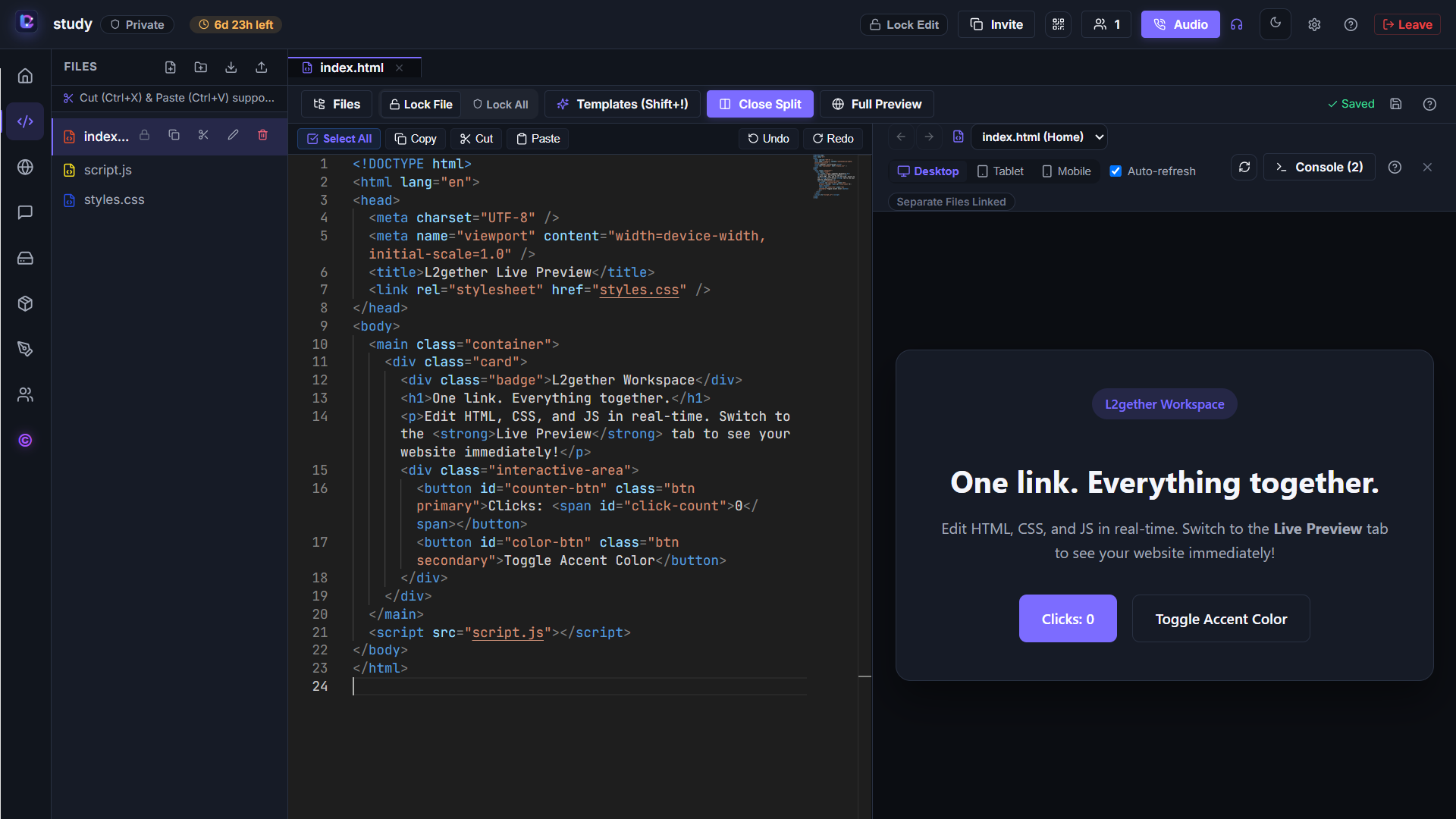
Collaborative Code Editor
-
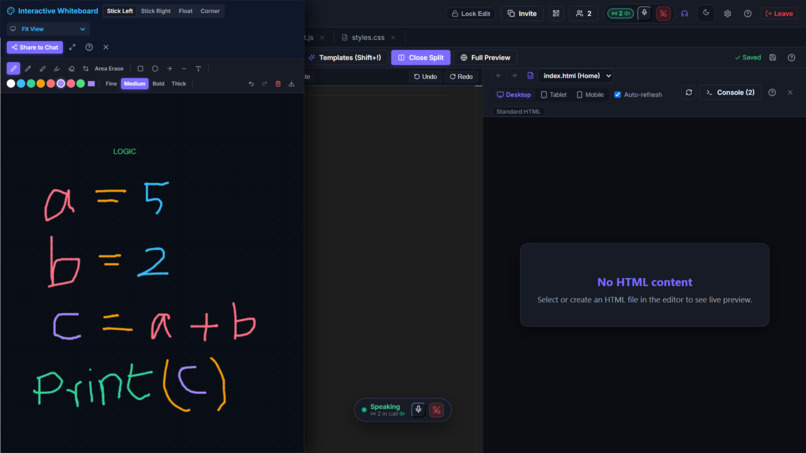
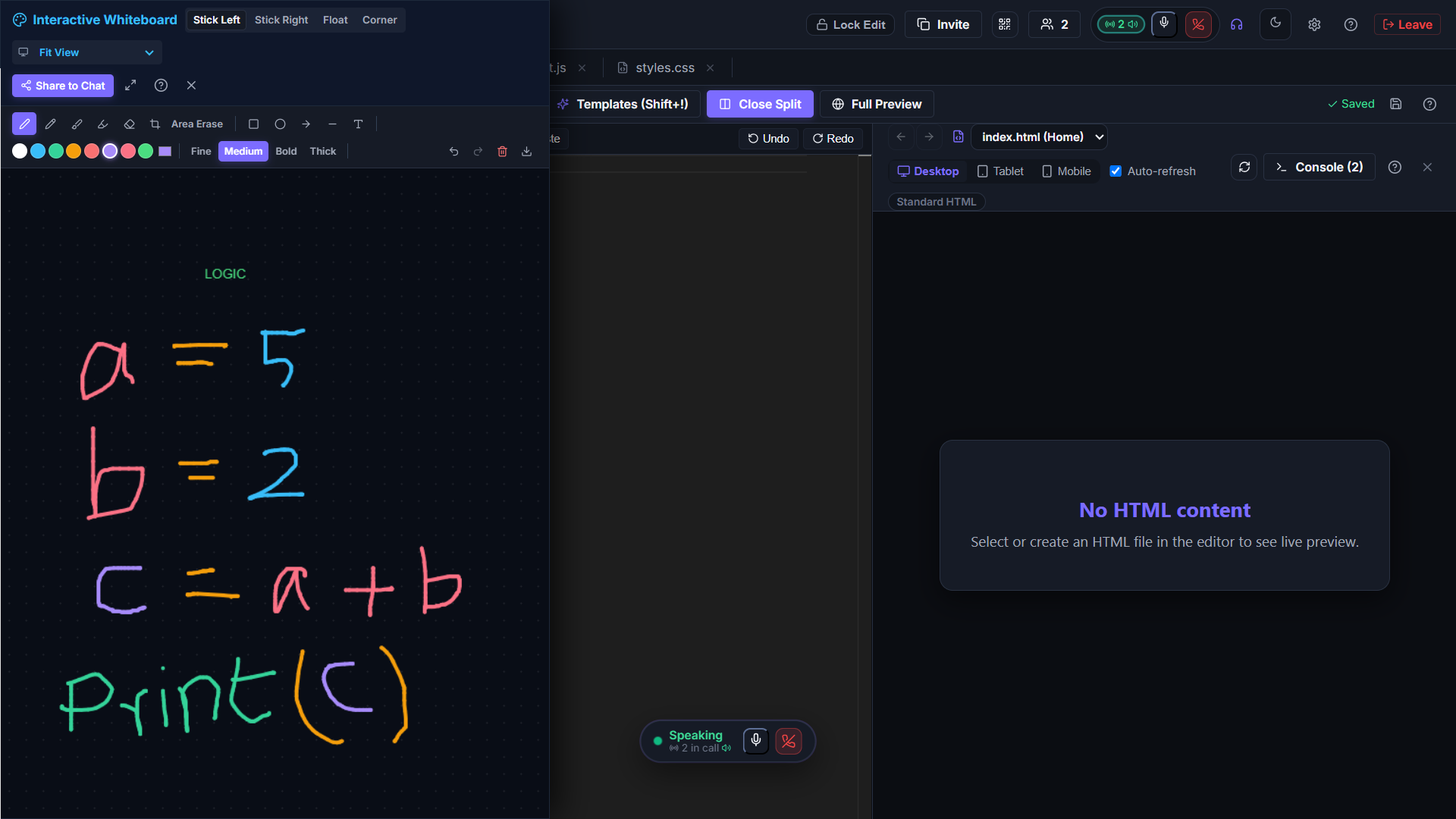
Interactive Whiteboard and calling enabled
-
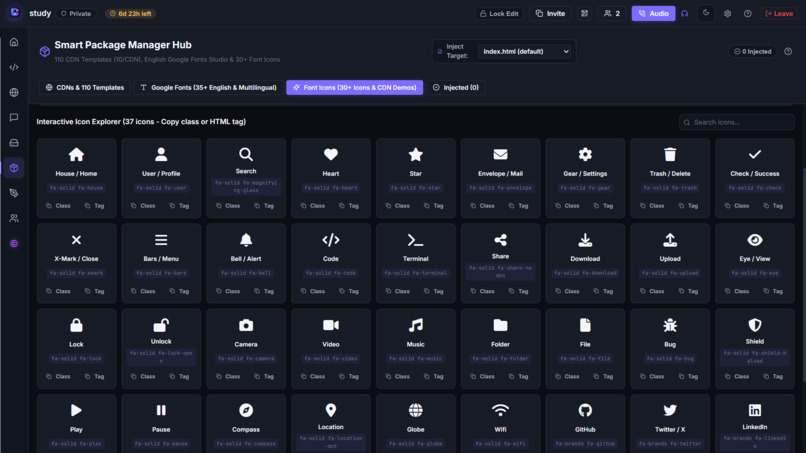
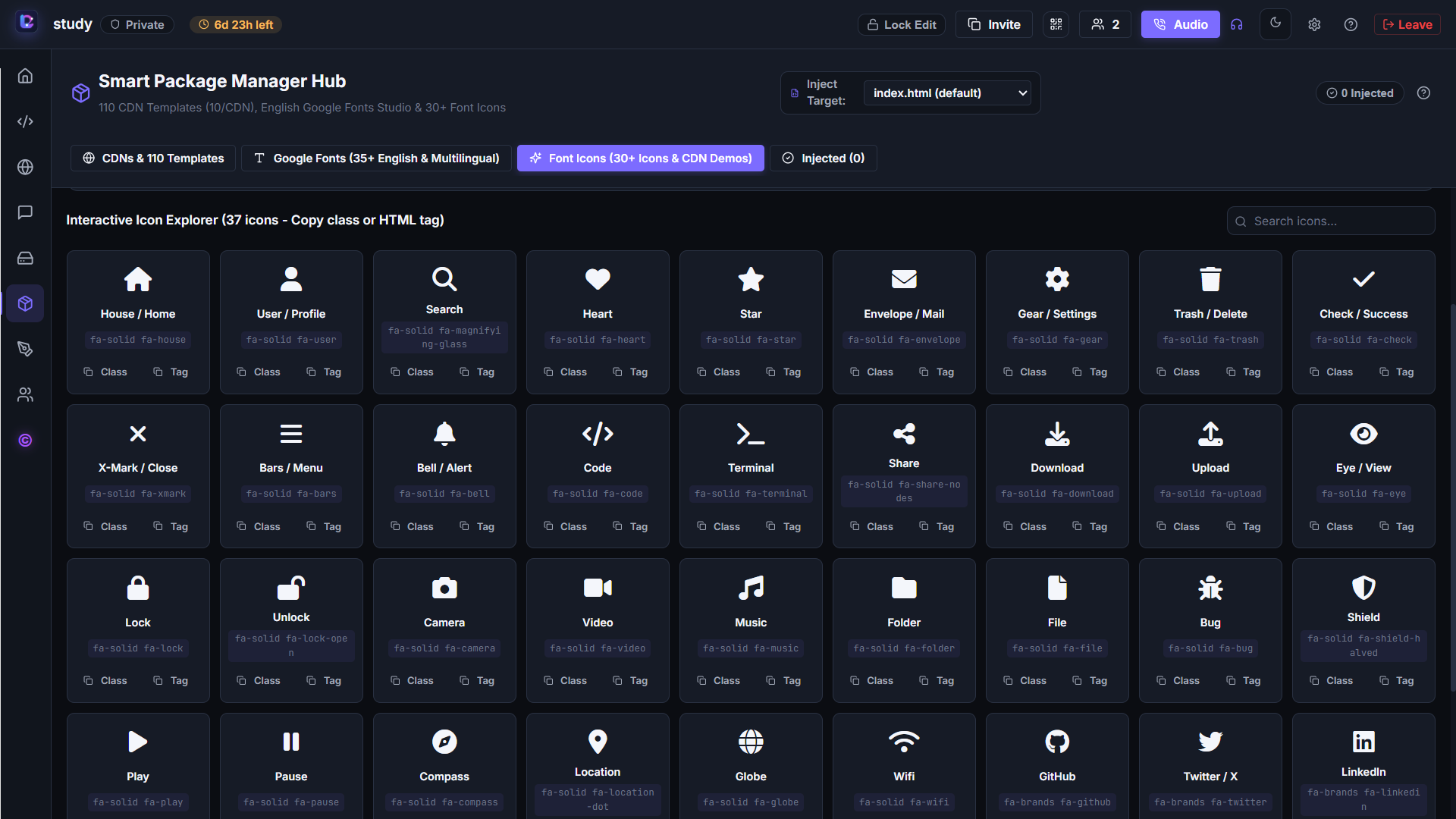
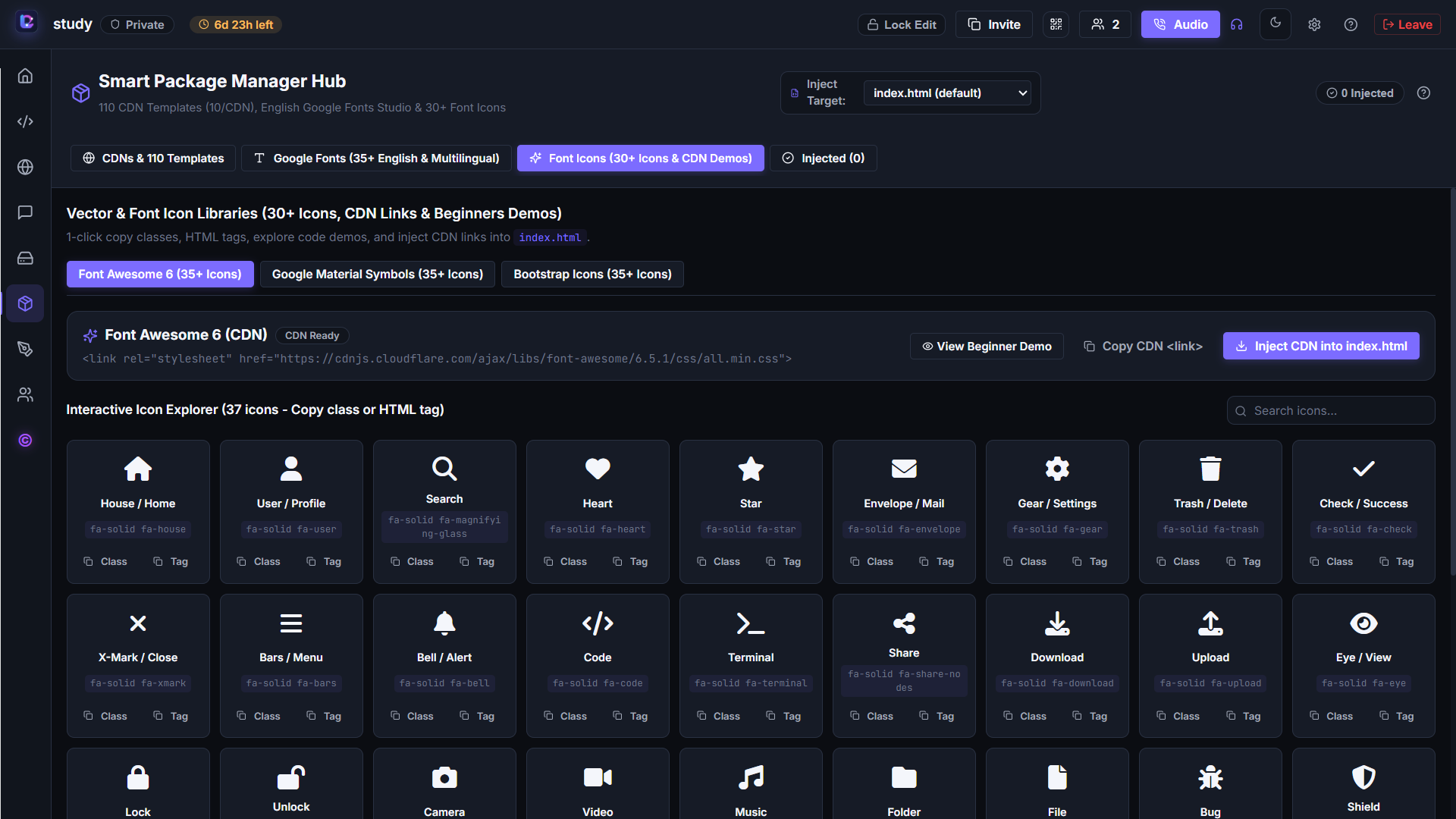
Interactive Icon Explorer
-
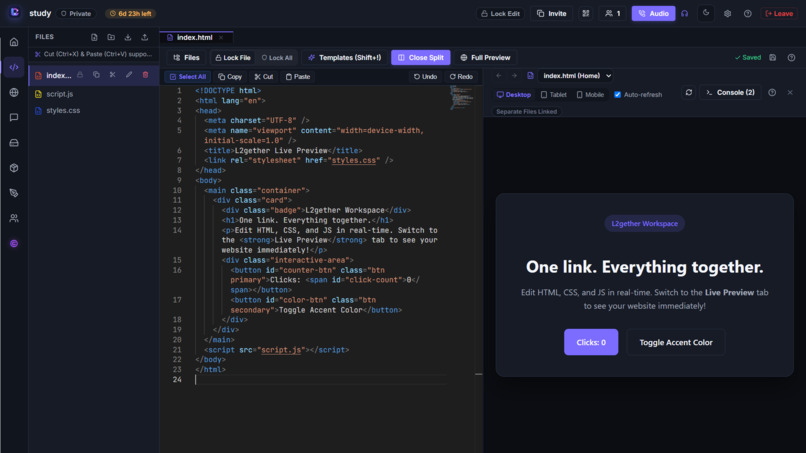
Live Code Preview
-
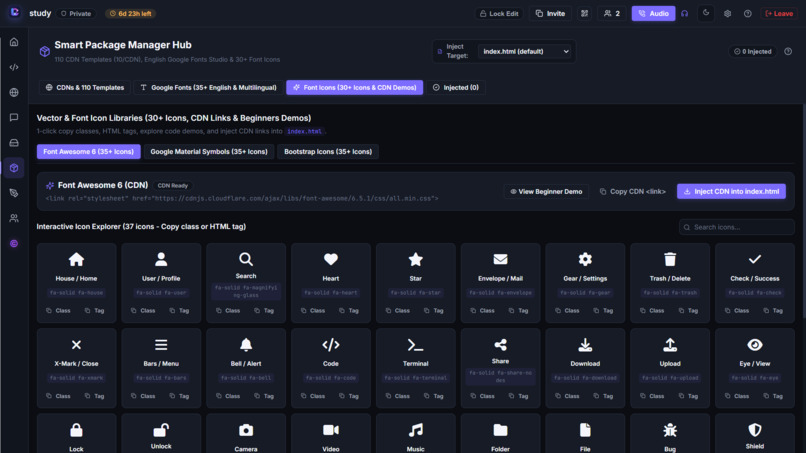
Icon Libraries and Integration
-
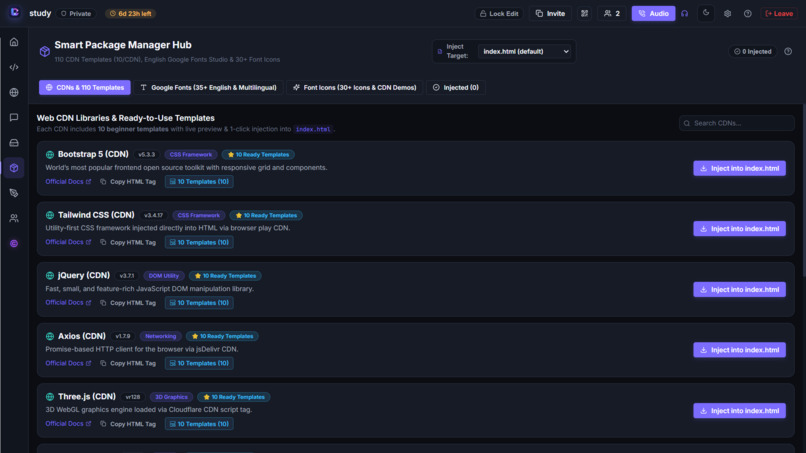
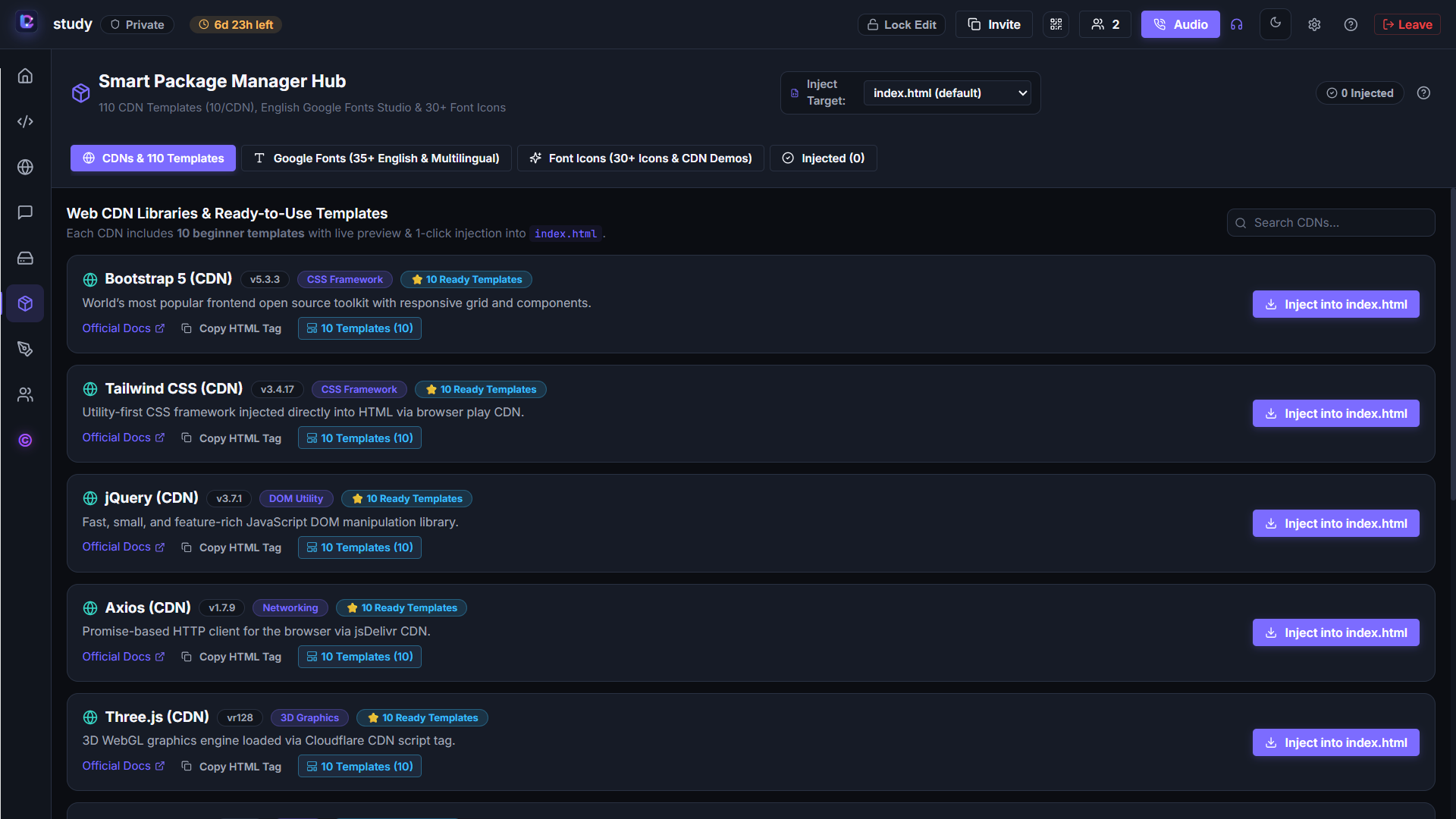
Smart Package Manager – CDN Libraries
-
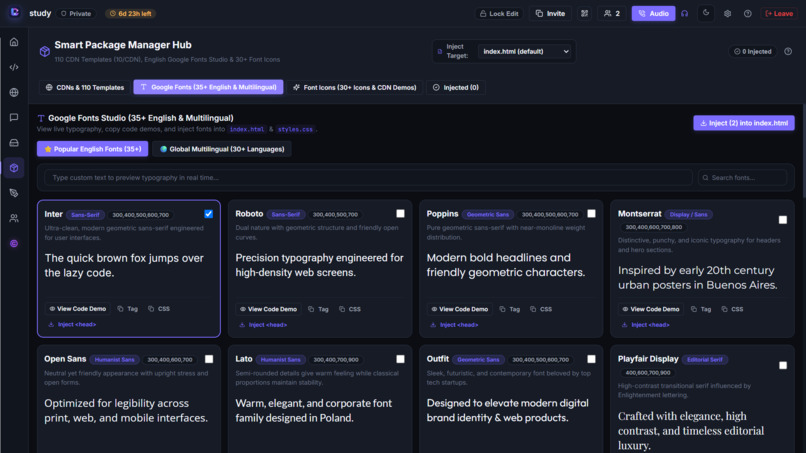
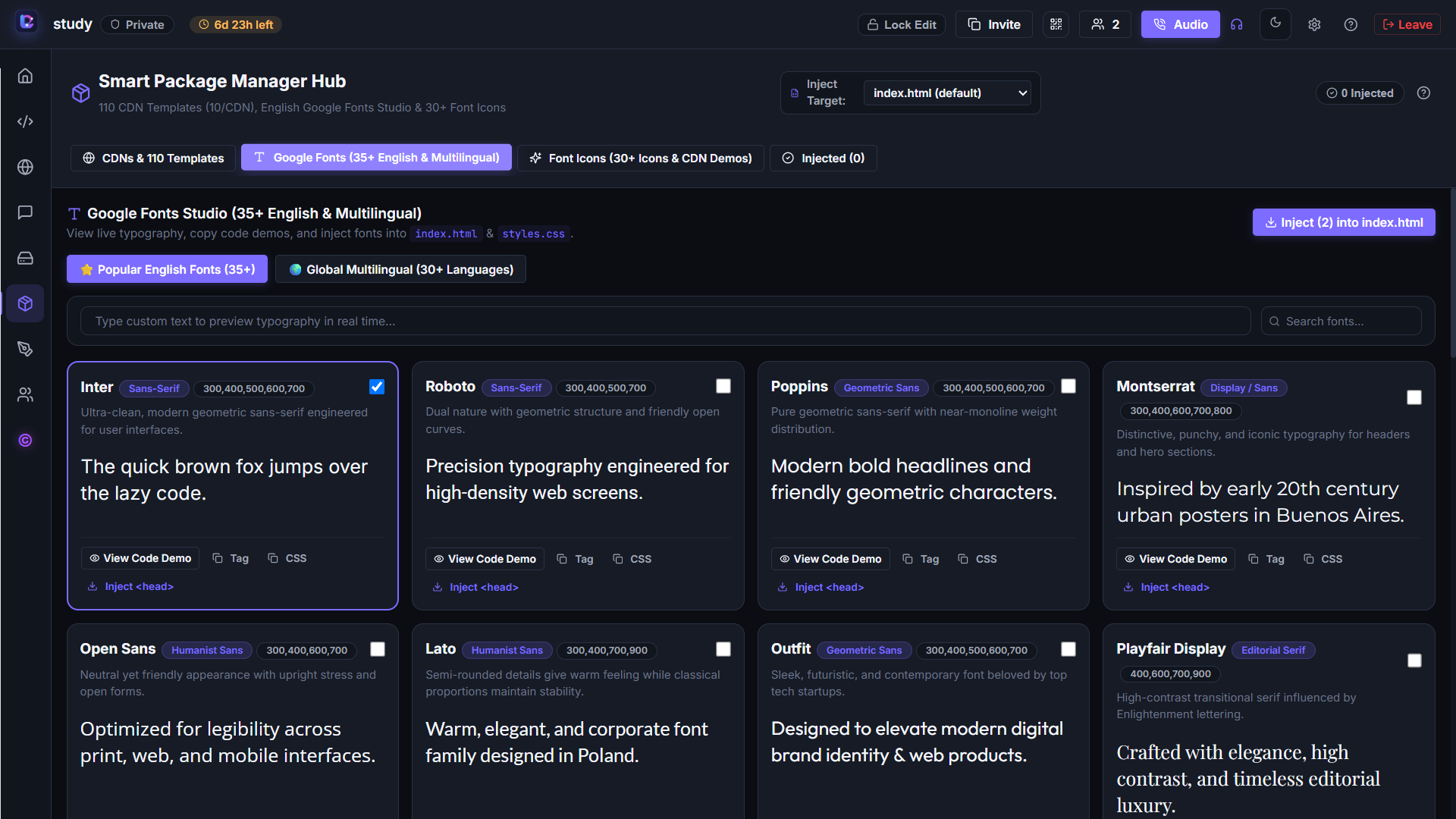
Google Fonts Studio
🚀 L2gether — One Link. Everything Together.
💡 Inspiration
The idea behind L2gether came from my interest in live collaborative code editing and the need for a simpler way for people to work together online.
Imagine participating in a hackathon, learning programming with friends, or helping someone debug their code. You might need one application for coding, another for chatting, another for voice calls, and additional tools for sharing files and explaining ideas.
I wanted to bring these experiences together in one place.
My goal was to create a temporary collaborative workspace where students, developers, and hackathon teams could connect through a single link without mandatory account registration or complicated setup.
That's how L2gether started: a simple idea to make collaboration easier, faster, and more accessible.
✨ What it does
L2gether is an all-in-one collaborative development workspace that brings coding, communication, and brainstorming together.
💻 Collaborative Code Editor
- Monaco Editor powered by the same core editing technology used in VS Code.
- Syntax highlighting, code folding, and keyboard shortcuts.
- Multi-file and folder management.
- Starter templates for 17+ programming and markup languages.
- Code snippets with syntax highlighting and one-click copying.
- Host-controlled file editing permissions.
👀 Live Follow Mode
Collaborators can enable Live Follow to follow the host's active file automatically. When the host switches between files or templates, followers can see the corresponding file without manually selecting it.
This is especially useful for live coding demonstrations, programming lessons, and explaining code to teammates.
🌐 Live Web Preview
- Preview HTML, CSS, and JavaScript projects directly in the workspace.
- Switch between desktop, tablet, and mobile viewport sizes.
- View console logs, warnings, and errors through the integrated web console.
📦 Smart Package Manager
The Smart Package Manager helps developers integrate supported libraries and resources without manually searching for CDN links and copying them into their code.
Available integrations include:
- Frameworks: Bootstrap and Tailwind CSS.
- Libraries: SweetAlert2, Canvas Confetti, and other available CDN resources.
- Google Fonts: 30+ popular English fonts and multilingual font options.
- Icon Libraries: Font Awesome, Google Material Symbols, and Bootstrap Icons.
Users can select the target project file for resource injection, preview fonts, and experiment with available library examples.
💬 Real-Time Communication
- Real-time chat between participants.
- @mentions to address specific users.
- Share formatted code snippets directly in chat.
- Search messages and copy code with one click.
- Share whiteboard snapshots with other participants.
🎙️ Voice Calling
Built-in peer-to-peer voice communication using WebRTC allows participants to discuss ideas and debug problems without switching to another calling application.
Live speaking indicators help participants identify who is speaking.
📁 File Sharing
Participants can upload and share files directly within the workspace using convenient download buttons.
Shared files are automatically cleaned up when the room expires.
🎨 Collaborative Whiteboard
- Draw lines, shapes, arrows, and annotations.
- Brainstorm ideas and explain technical concepts visually.
- Arrange the whiteboard in different workspace positions.
- Share whiteboard snapshots directly in the room chat.
🔐 Room Management
- Create or join rooms using a shareable link or QR code.
- Public rooms: Participants can join without waiting for approval.
- Private rooms: Participants must request access and wait for the host's approval.
- Hosts can restrict other participants from editing project files.
- Password protection and recovery keys.
- Pending join requests are stored for the host to review, including when the host is disconnected.
⏳ Temporary Workspaces
L2gether does not require mandatory account registration.
Rooms, chat history, project data, and associated files are designed for temporary collaboration and are automatically cleaned up after seven days.
The idea is simple: create a room, collaborate, and let the workspace expire when it is no longer needed.
🛠️ How we built it
I built L2gether as a full-stack web application using modern web technologies.
Technology Stack
- React — Building the user interface and interactive components.
- Vite — Frontend development and build tooling.
- Node.js — Backend runtime.
- Express.js — Backend APIs and server functionality.
- Socket.IO — Real-time communication, chat, and signaling.
- Monaco Editor — Code editing experience.
- WebRTC — Peer-to-peer voice communication.
- SQLite — Default database for simple local setup.
- PostgreSQL — Alternative database for production deployments.
- Vercel — Frontend deployment.
I also implemented room management, access controls, file handling, automatic workspace expiration, and automated tests.
AI tools were part of my development process. I used them to assist with implementation and problem-solving while working toward turning my idea into a working application.
After developing the different components, I integrated them into a single workspace and deployed L2gether so people could try it online.
🧩 Challenges we ran into
Building an application that combines several different tools into one workspace came with multiple challenges.
1. Bringing Everything Together
Coding, chat, voice calling, file sharing, and whiteboard functionality each have different requirements. Integrating them into one interface while keeping the experience understandable was an important challenge.
2. Real-Time Communication
Supporting instant messaging and peer-to-peer voice calls required integrating Socket.IO and WebRTC into the application.
3. Room Access and Security
Because L2gether does not require mandatory account registration, room access needed its own management system.
I implemented public and private rooms, host approval, password protection, recovery keys, and host-controlled editing permissions.
4. Temporary Data Management
Temporary rooms should not remain indefinitely after their intended use.
I implemented an automatic expiration system designed to clean up expired workspaces and their associated data after seven days.
5. Making Development Resources Easier to Use
I wanted users to do more than write code. The Smart Package Manager was designed to make it easier to integrate supported frameworks, libraries, fonts, and icons directly into project files.
6. Bringing Multiple Features into One Experience
Another challenge was making the editor, live preview, communication tools, and collaboration features work together without requiring users to constantly switch applications.
These challenges helped shape L2gether into the workspace it is today.
🏆 Accomplishments that we're proud of
One of my biggest accomplishments is turning an idea into a working, deployed application that brings multiple collaboration features together.
Some of the accomplishments I'm particularly proud of are:
- Building an all-in-one collaborative development workspace.
- Implementing Live Follow to help participants follow the host's active file.
- Creating the Smart Package Manager for direct resource integration.
- Integrating real-time chat and WebRTC voice calling.
- Building a collaborative whiteboard with chat sharing.
- Implementing public and private rooms with host-controlled permissions.
- Developing an automatic seven-day workspace expiration system.
- Supporting SQLite for a simple setup and PostgreSQL for production configurations.
- Creating automated tests for room management, security, chat, file synchronization, and expiration routines.
- Deploying the application and making it accessible to users.
The project includes 41 passing automated tests, covering important backend functionality.
Most importantly, I'm proud that L2gether is no longer just an idea. It is a working application that people can explore and use.
📚 What we learned
Building L2gether has been a valuable learning experience.
Throughout the development process, I explored:
- Full-stack web application development.
- Building frontend and backend components that work together.
- Real-time communication using Socket.IO.
- Peer-to-peer communication using WebRTC.
- Integrating a code editor into a web application.
- Managing databases and persistent room data.
- Implementing room access controls and security measures.
- Handling temporary files and automatic data cleanup.
- Integrating external libraries through CDN resources.
- Writing automated tests and debugging application issues.
- Deploying a full-stack application.
I also learned how AI tools can assist with development, implementation, and problem-solving.
One of my biggest takeaways is that building a project involves more than implementing individual features. The features also need to work together to solve a meaningful problem.
🔮 What's next for L2gether — One Link. Everything Together.
L2gether is a starting point, and I have several ideas for improving it further.
📱 A Better Experience Across Devices
I don't want L2gether to focus only on desktop users.
I'm planning to improve the experience for smartphone and tablet users so that more people can participate in collaborative learning and development across different devices.
🧩 Expanding the Smart Package Manager
I want to expand the available integrations with more frameworks, libraries, and development tools.
Planned additions include:
- Django for Python web development.
- FastAPI for building Python APIs.
- React ecosystem tools and additional frontend libraries.
- More useful development resources to make experimentation easier.
These are planned integrations, not features currently available in the package manager.
⚙️ Online Code Execution
Another major goal is to introduce online C and Python code execution.
I'm also planning improved compiler diagnostics that can help users identify errors and locate the relevant lines in their code.
🌟 Improving Collaboration
I want to continue improving the collaborative coding experience, the user interface, and the overall accessibility of the platform.
💙 The Long-Term Vision
My long-term goal is to make L2gether a convenient temporary development workspace for students, beginners, developers, and hackathon teams.
I want people to be able to create a room, share a link, learn together, experiment with different technologies, and build projects without unnecessary setup.
I believe collaboration should be easier than setting up the tools needed for it.
One link. One workspace. Everything together.
Built With
- bootstrap
- code-editor
- collaborative-coding
- css
- express.js
- full-stack-development
- google-fonts
- html
- javascript
- monaco-editor
- node.js
- open-source
- postgresql
- react
- real-time-communication
- responsive-design
- rest-api
- socket.io
- sqlite
- tailwind-css
- vercel
- vite
- web-development
- webrtc
- websockets

Log in or sign up for Devpost to join the conversation.