-
-
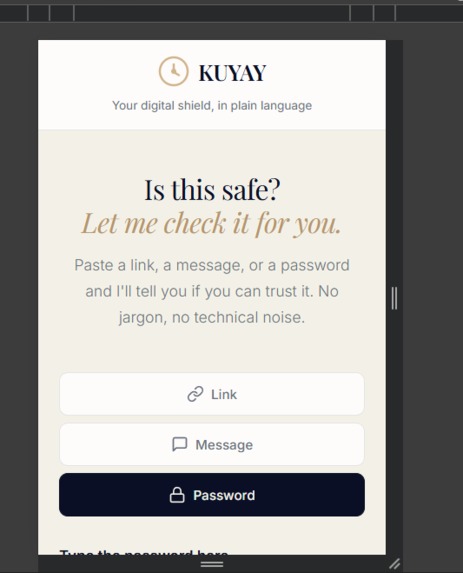
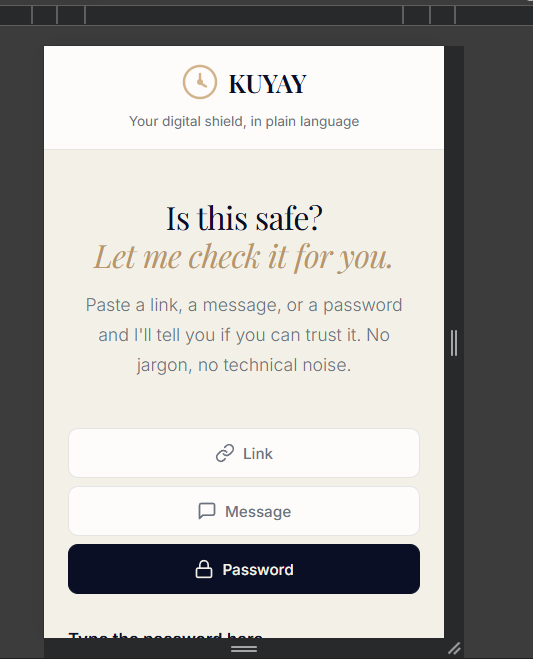
Responsive design. Phishing happens on phones. The tool needs to work perfectly where the user actually needs it.
-
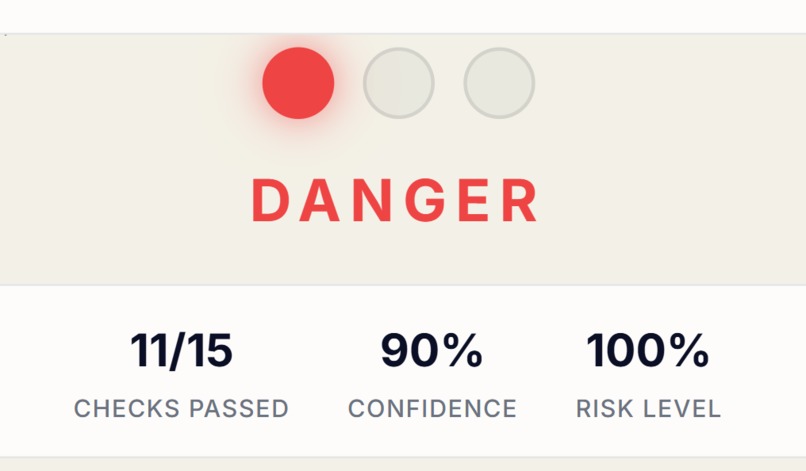
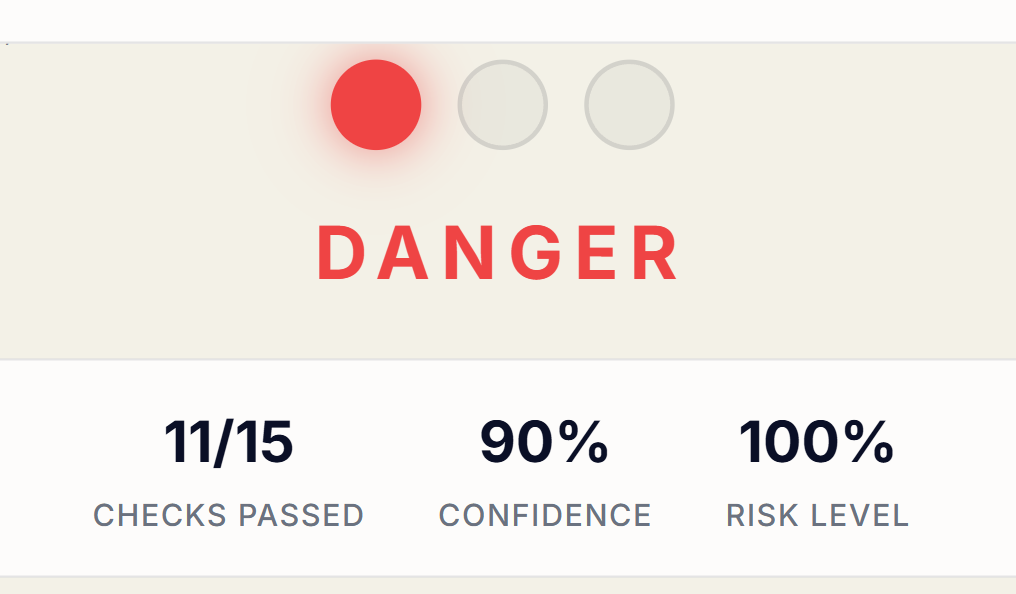
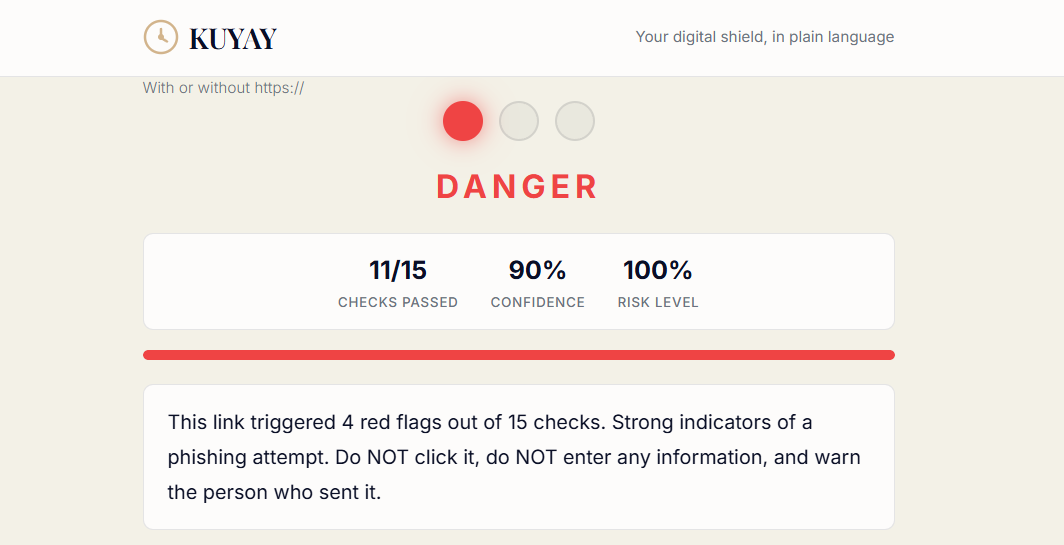
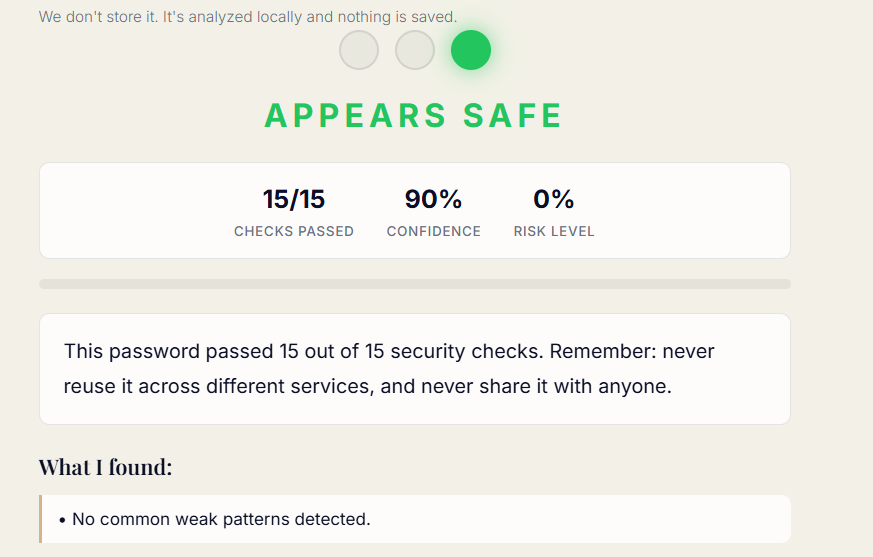
Transparency builds trust. "11/15 checks passed" and "90% confidence" turn a black-box judgment into verifiable data.
-
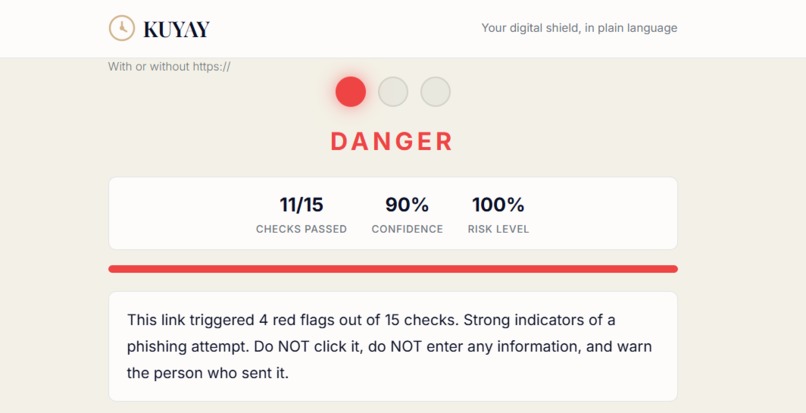
Instant risk visualization. A red traffic light needs zero explanation. The user knows what to do immediately.
-
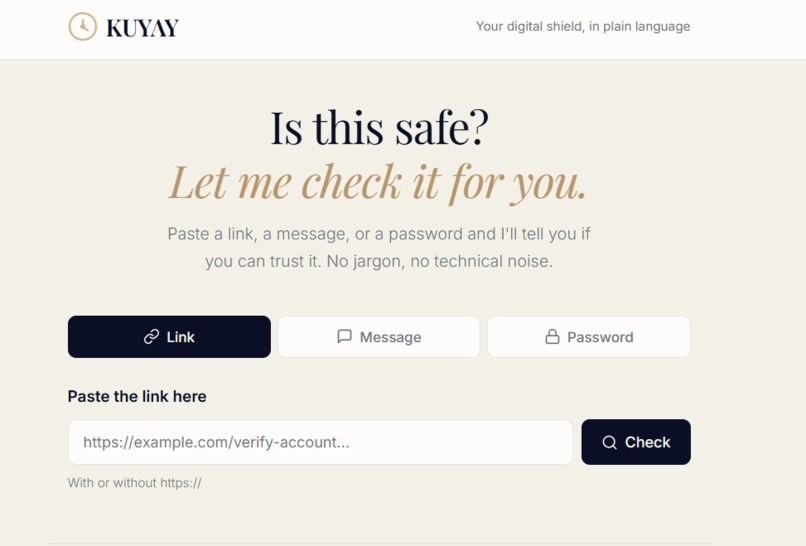
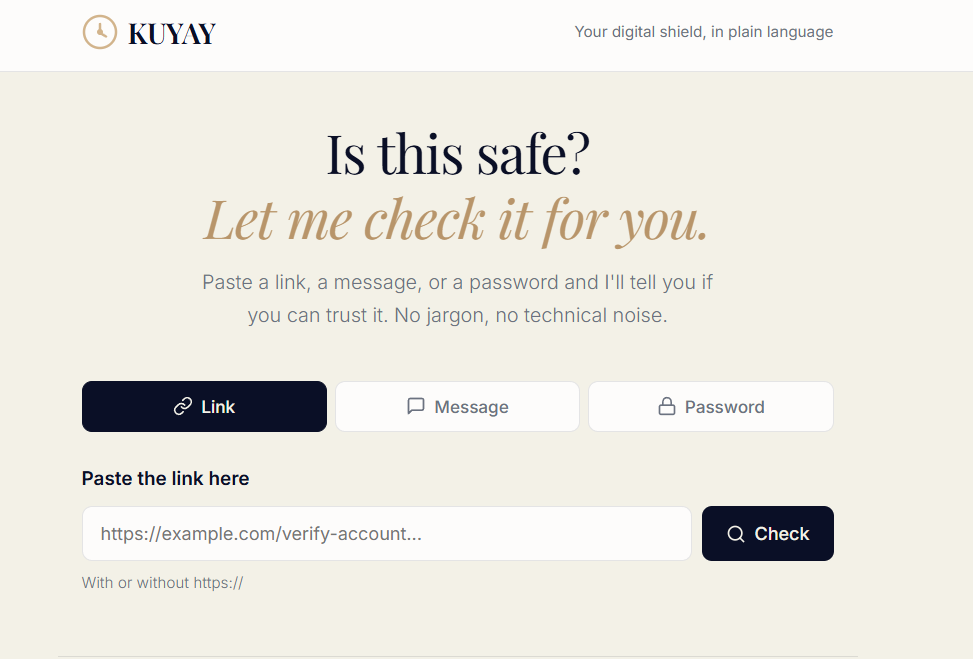
Clean, accessible interface. 18px base font, warm colors, and 3 clear options - designed so anyone can use it without help.
-
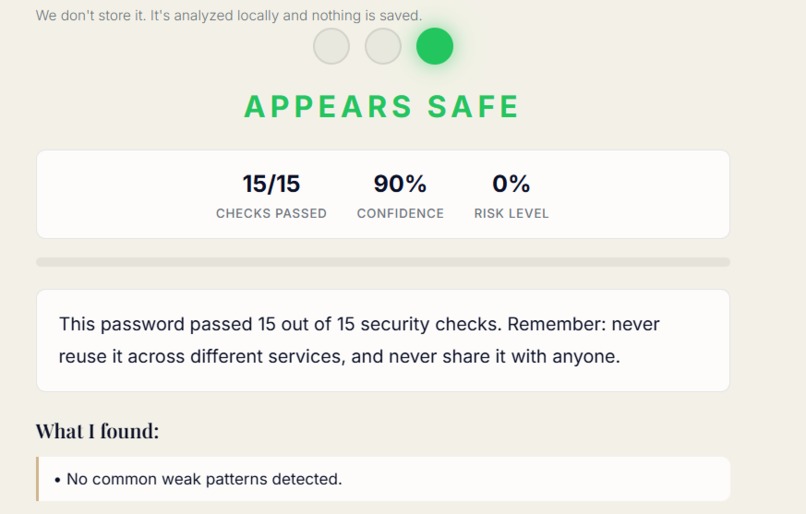
Actionable feedback, not just warnings. When something is safe, KUYAY explains why and how to keep it that way.
Inspiration My grandmother received an email saying her bank account would be closed in 24 hours. It had the right logo, the right colors, and a link that started with "https://". She was one click away from entering her password on a fake site. She's not careless — the email was designed to trick her. That's when I realized: every security tool is built for people who already understand security. Nobody builds for the people who actually need protection. KUYAY is that tool. The name means "I love you" in Quechua — because protecting someone is an act of love.
What it does KUYAY is a local security analyzer with three modules:
Link Analyzer Runs 15 independent checks on any URL: HTTPS validation, brand spoofing detection (30+ known brands), punycode homograph attacks, URL shortener identification, double extensions (.pdf.exe), encoded characters, suspicious TLDs, and more. Returns a risk score, a confidence percentage, and plain-English explanations for every finding.
Message Analyzer — Detects 6 categories of social engineering in emails, WhatsApp messages, and SMS: urgency, false promises, threats, data theft attempts, manipulation tactics, and grammar red flags. Critically, it detects dangerous combinations — a message with urgency + data request scores higher than either alone, matching how real phishing operates.
Password Analyzer — 15 checks including Shannon entropy calculation, keyboard walk detection, leet speak detection (p@ssw0rd → password), common password lists, birth year patterns, and document ID detection. Returns specific, actionable suggestions instead of vague advice.
No data leaves the machine. No external APIs. Everything runs locally.
How I built it The architecture is intentionally minimal:
Browser (Vanilla JS) → Flask (3 endpoints) → Pure Python analyzers (regex + heuristics)
No React. No database. No cloud services. For a security tool, every dependency is an attack surface and a point of failure. Simplicity is the feature.
The frontend uses an 18px base font, warm colors, and a traffic light system because the target user doesn't need to understand entropy calculations. They need to see a red light and know: don't click this.
Each analyzer returns structured data: risk level, score (0-100), confidence percentage, checks passed vs. total, and an array of human-readable findings. The frontend renders this into the stats bar and alert list.
Challenges I ran into
False positive tuning. Early versions flagged almost everything as dangerous. A URL containing "secure" isn't automatically phishing — banks use that word too. I had to add context-awareness: "secure" in an unknown domain is suspicious, but in a legitimate bank's path it's fine. Finding that balance took multiple iterations.
Windows encoding hell. Python on Windows handles UTF-8 differently. Characters like ñ caused silent import failures that looked like missing functions. The fix was removing all non-ASCII from source code — a mundane problem that cost hours.
Writing for non-technical users. Writing a regex for urgency is easy. Writing a one-sentence explanation that a 70-year-old can understand and act on is hard. Every explanation was rewritten at least three times, tested against real people with zero security knowledge.
Entropy vs. usability. High-entropy passwords are secure but impossible to remember. I had to present entropy as one factor among many, not the only metric — because telling someone "your password needs 60 bits of entropy" is useless. Telling them "add a symbol and make it longer" works.
Accomplishments that I am proud of
- 15-check URL analyzer that catches punycode attacks, brand spoofing, and URL shorteners without any external API
- Combination detection in the message analyzer — recognizing that urgency + data theft together is more dangerous than either signal alone
- Shannon entropy calculation in the password analyzer, presented alongside actionable suggestions
- Confidence scoring system — every result tells you how much to trust it, turning a black-box judgment into a transparent analysis
- Zero external dependencies beyond Flask — the entire security engine is pure Python
- A UI that a grandparent can use without help, without training, without knowing what a URL is
What I learned
Phishing detection without APIs is more powerful than expected. Attackers want you to see their deception — the fake "paypal" in the URL, the urgent language. You don't need a threat intelligence database to catch that. Pattern matching catches the vast majority because phishing relies on visible tricks.
Confidence scoring changes everything. Early versions returned "safe" or "dangerous." Adding "8 out of 15 checks passed" and "90% confidence" transformed the tool from a black box into something users can verify and trust.
Accessibility is a security feature. A tool that's 99% accurate but only experts can use protects nobody. A tool that's 85% accurate but anyone can use protects millions. I'd choose the second one every time.
The best code you can write is code that doesn't exist. Every line removed is a bug that can't happen, a dependency that can't break, a concept the user doesn't need to learn.
What's next for KUYAY
- Browser extension — Analyze links and messages directly in WhatsApp Web, Gmail, and Facebook without copy-pasting
- Community threat database — A local, user-contributed database of known phishing URLs and message patterns, still with no cloud dependency
- Multi-language support — Spanish, Portuguese, and French versions for the most vulnerable populations in Latin America and Africa
- Accessibility audit — Screen reader support, keyboard-only navigation, and WCAG 2.1 AA compliance to make it truly usable for people with disabilities
- Institutional partnerships — Offer KUYAY as a free tool for banks, retirement homes, and community centers to distribute to their most vulnerable customers

Log in or sign up for Devpost to join the conversation.