-
-

App Icon Image
-
ScreenShot2
-
ScreenShot3
-
ScreenShot4
-
ScreenShot1

Inspiration
There was one time I stopped by a Japanese drugstore in summer to pick up a few things, and a man(who is not Japanese) next to me said "sumimasen" and asked which medicine was worth taking for a stomachache. The store was packed with foreign tourists, and the clerks were too busy at the register to help. That's when it hit me: Japan doesn't sell the Western brands travelers grew up with — no Tylenol, no Advil on the shelf — so there's no way to just recognize the box. I wanted something that could bridge that gap instantly, without needing wifi, an account, or a translator standing next to you.
What it does
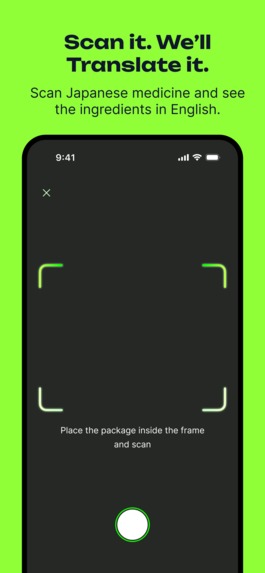
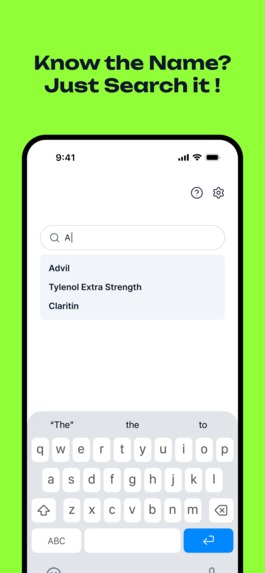
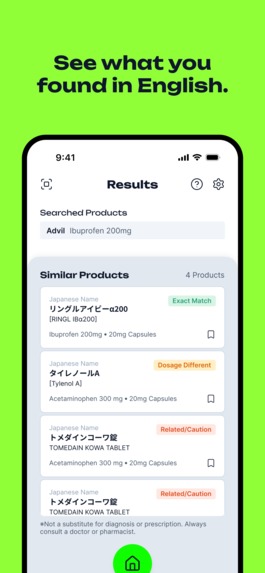
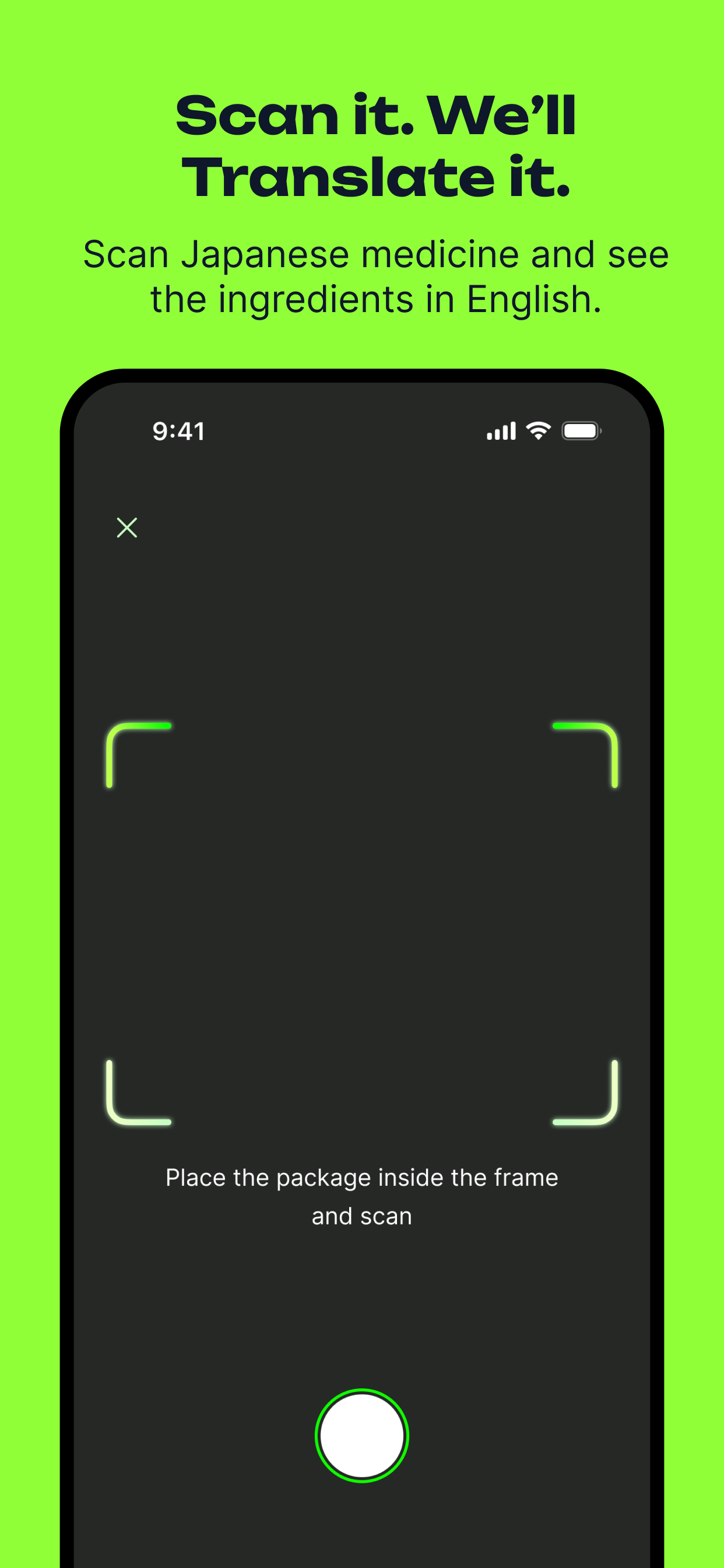
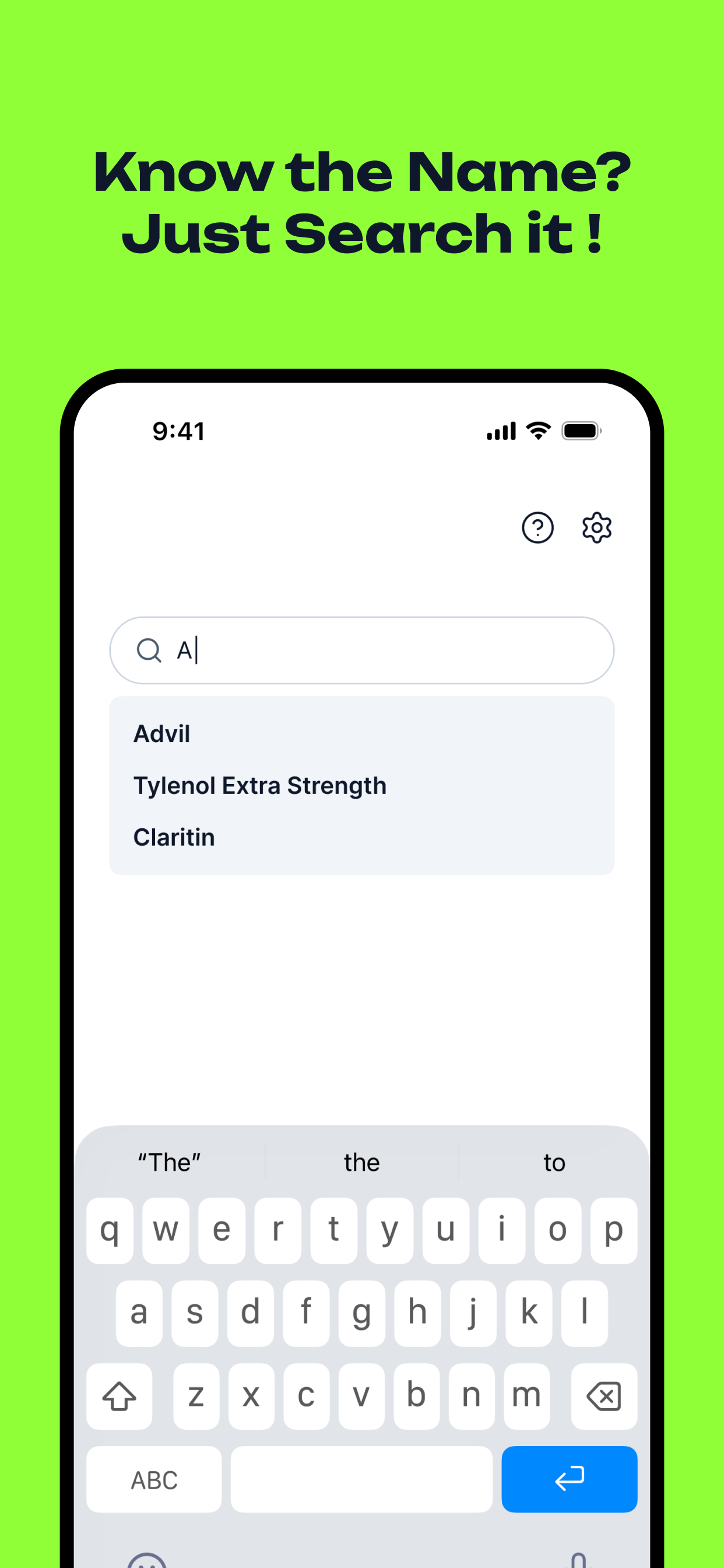
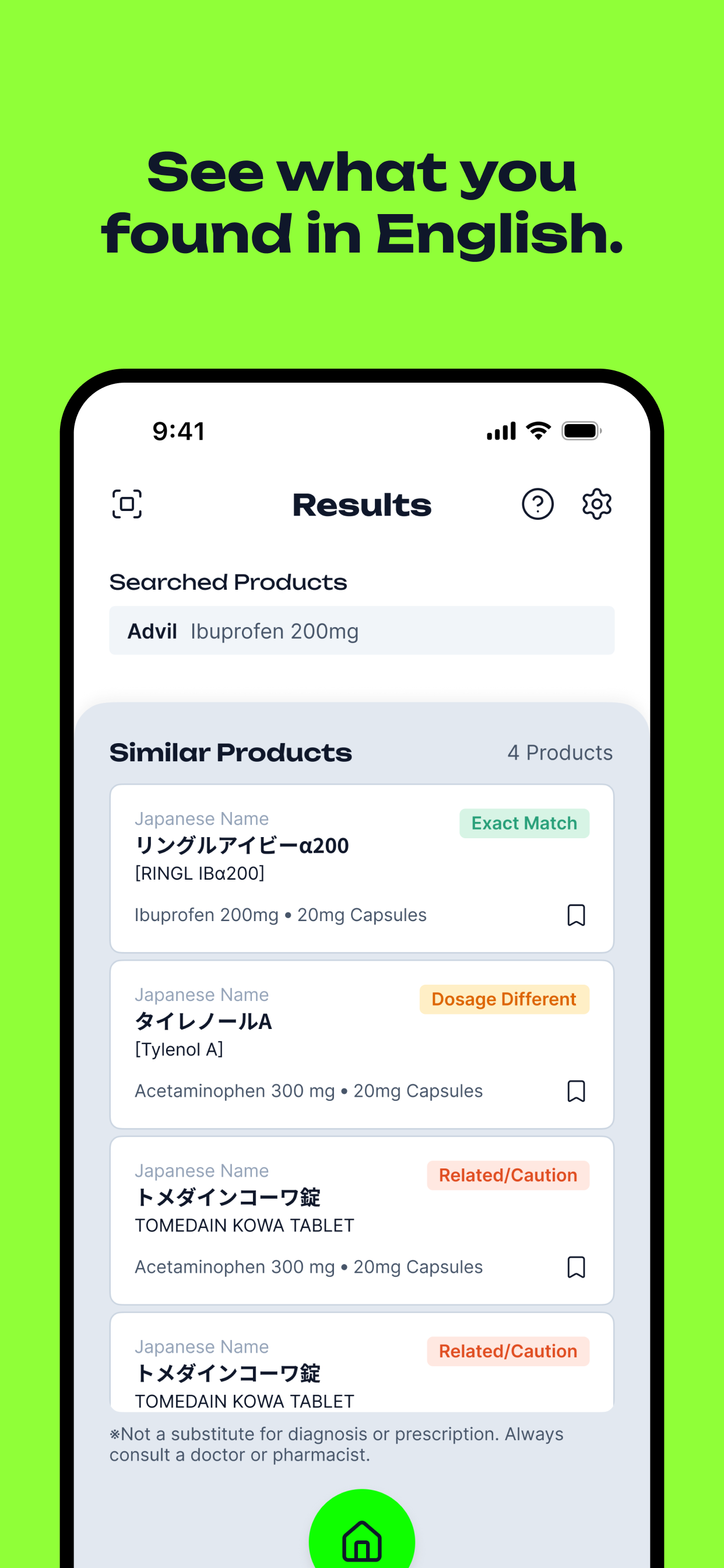
KusuriGuide lets you search a familiar name like "Tylenol" or "Advil," or scan a medicine package with your camera, and instantly see which Japanese OTC products contain the same or a similar active ingredient — with the dosage compared side by side so you know if it's an exact match or something different. Everything runs on-device: the OCR, the ingredient matching, the comparison logic. There's no server, no account, and nothing you scan ever leaves your phone.
Premium unlocks unlimited saved medicines and unlimited scans, so frequent travelers can build up a personal reference of what's worked for them on past trips.
How I built it
The app is built with Expo and React Native, using Apple's on-device text recognition for scanning and a custom matching engine that compares extracted ingredient names and dosages against a database of real Japanese OTC medicines. Building that database was a big part of the project: since I don't have a pharmacy background, I directed AI research agents to look up real products from official manufacturer sources, then defined the quality bar myself (real, sourced products only, no guessing), merged and de-duplicated the results, and organized everything into categories. That process took the database from 23 starter entries to 227+ verified products across 11 categories — pain relief, cold medicine, allergy, stomach, eye drops, patches, and more.
Monetization runs through RevenueCat, which handles the subscription logic, entitlement checks, and purchase restoration without me having to touch StoreKit directly. Since the app has no backend, RevenueCat is the only service KusuriGuide talks to over the network at all.
Challenges I ran into
This was my first time building an app from scratch, and "vibe coding" it with AI was harder than I expected — I had a clear picture of the design I wanted, but getting an AI to actually build exactly that took a lot of back-and-forth, not a straight line. I also hit a Guideline 2.1(a) rejection because the subscribe button looked fine but silently failed to respond — it turned out RevenueCat's offerings weren't loading in the reviewer's sandbox at all, and the actual root cause was that my Paid Apps Agreement in App Store Connect hadn't been fully activated yet (missing banking and tax info). A second round flagged a permissions issue: my camera-denied screen only offered an "Open Settings" button with no way to back out, which Apple correctly read as pressuring users who had just tapped "Don't Allow." Both needed real fixes, not just wording changes — one on the App Store Connect business side, one in the actual permission-denied UI flow.
Accomplishments that I am proud of
Getting the ingredient-matching logic to work reliably against real, messy OCR text from photographed packaging, and scaling the medicine database from a starting set of 23 to 227+ verified real products without sacrificing accuracy. I'm also proud that the whole app works with zero backend infrastructure — it's genuinely private by design, not just by policy.
What I learned
A huge amount about the practical side of shipping a real subscription product on iOS — Paid Apps Agreements, offer codes vs. the now-retired promo codes, how RevenueCat's entitlement checks interact with StoreKit sandboxing during review, and just how literally Apple reads permission-request UI copy and flow.
What's next for KusuriGuide
Adding a medicine detail screen with fuller ingredient and usage information, letting users browse by category instead of only searching by name, and continuing to expand the medicine database toward full coverage of what's actually on Japanese drugstore shelves.
Built With
- apple-vision-(on-device-ocr)
- asyncstorage
- expo-camera
- expo-router
- expo.io
- react-native
- react-native-reanimated
- revenuecat
- storekit
- typescript

Log in or sign up for Devpost to join the conversation.