-
-
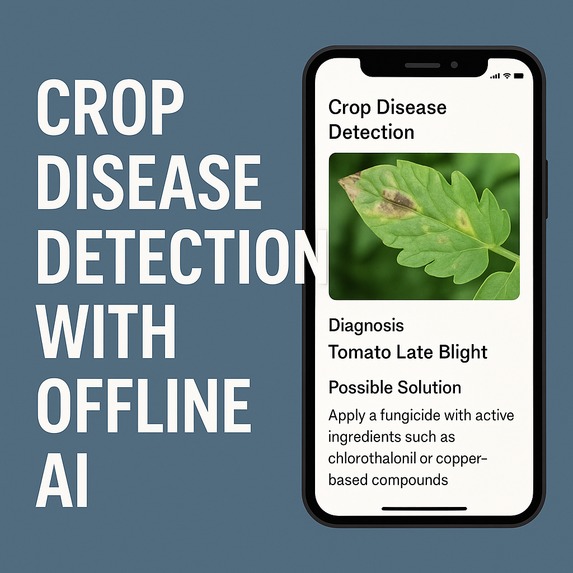
kusad agricultural crop disease detection(KACDD)
What Inspired Me
As someone deeply concerned about agricultural productivity in underserved communities, I was inspired by the struggles of smallholder farmers in rural areas who often lack timely access to crop health diagnostics. Diseases like tomato blight or maize rust can destroy entire harvests, yet solutions are often online-only or too expensive.
The idea of creating an offline AI-powered mobile tool came from the need to democratize access to intelligent diagnostics — bringing machine learning to the hands of farmers, even when there's no internet, limited power, or basic hardware.
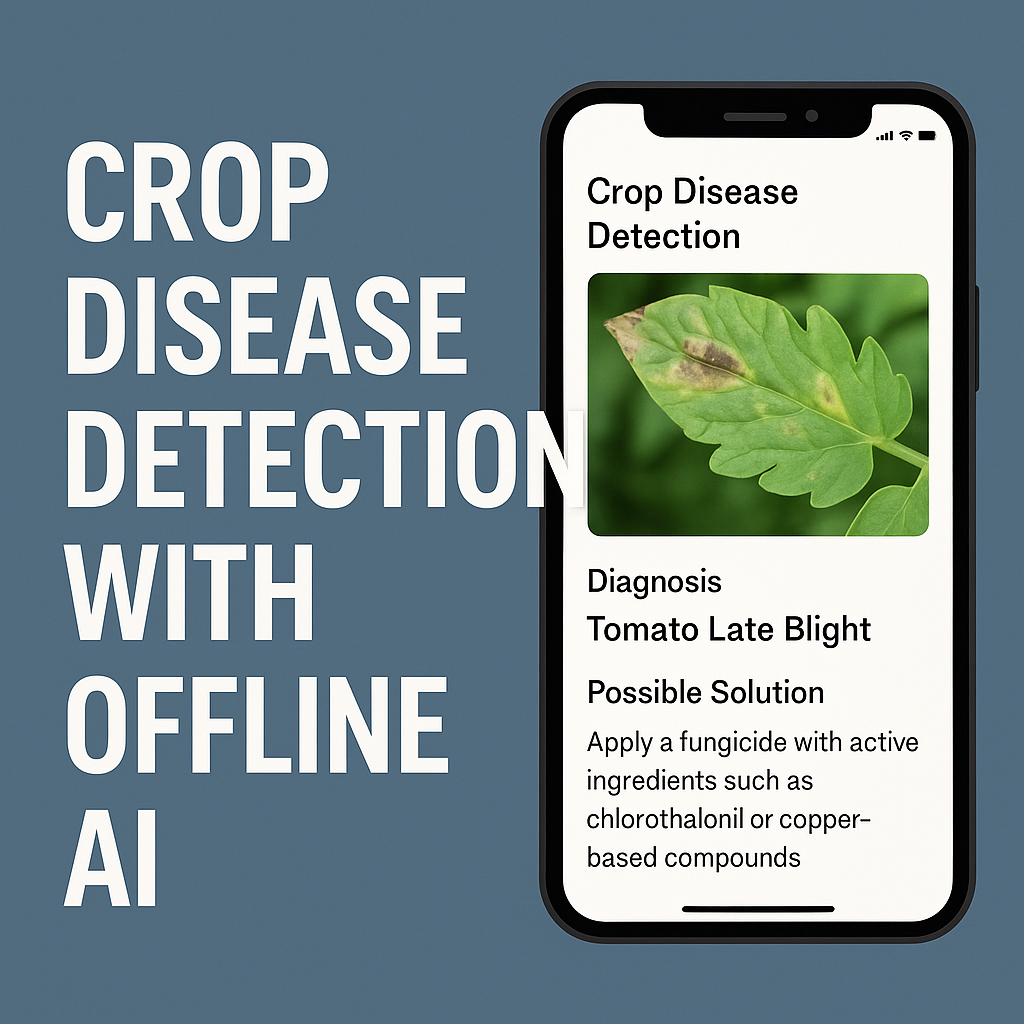
This project is a mobile-based AI solution that allows farmers to detect plant diseases from images of crop leaves — without needing internet access.
A)Core Functionality 1) Capture or Upload Leaf Image The user (e.g., a farmer or extension worker) can take a photo of a diseased leaf using their mobile phone or select one from the gallery.
2) Run Offline AI Diagnosis The app uses an on-device TensorFlow Lite (TFLite) model to analyze the image and classify the disease.
No server, no cloud — 100% offline
Works on low-end Android phones
3) Display Prediction + Care Advice Once the disease is identified (e.g., Tomato Leaf Curl Virus), the app:
Shows the disease name and confidence score
Displays local treatment suggestions and prevention tips
All advice is stored locally in a .json or lightweight database
B) Works in Resource-Constrained Environments
No internet needed (perfect for remote/rural areas)
Low power usage
Small AI model (~5–10MB) that runs fast (<1 second inference)
C) Real-World Use Case Imagine a farmer in rural Kaduna, Nigeria, notices spots on her tomato plants. With this app, she can:
Snap a photo of a leaf
Instantly get a diagnosis — e.g., “Early Blight”
Follow local care advice like “Remove affected leaves, use neem-based spray”
Save her crops — all without internet or expert intervention
1. Dataset Collection & Model Training
I used the PlantVillage dataset, focusing on crops like tomato and maize.
Preprocessed the images: resized, normalized, and split into training/validation sets.
Trained a MobileNetV2 classifier using TensorFlow. model = tf.keras.applications.MobileNetV2(input_shape=(224, 224, 3), weights=None, classes=num_classes)
Converted it to TensorFlow Lite with post-training quantization: converter = tf.lite.TFLiteConverter.from_keras_model(model) converter.optimizations = [tf.lite.Optimize.DEFAULT] tflite_model = converter.convert()
- Mobile App Development Built a simple Flutter app (Dart) with the tflite plugin.
Integrated the model locally — no server or cloud inference required.
Added an image picker and camera functionality.
Parsed predictions and matched them with advice stored in a local .json file.
- Performance Optimization Reduced model size to under 8MB
Ensured inference time was under 600ms on a low-end Android device
Battery drain after 20 inferences was negligible
1. Model Size vs. Accuracy Trade-Off
Reducing the model size while maintaining acceptable accuracy was difficult. Heavier models like ResNet50 were accurate but unusable offline. I had to settle for a lighter MobileNet with ~85% accuracy.
Image Quality from Low-End Cameras Low-resolution images from cheap Android phones often led to misclassifications. I had to incorporate image preprocessing (resize + normalize) before inference.
On-Device AI Inference Managing TensorFlow Lite within Flutter required careful handling of asset paths, input dimensions, and async inference calls. Debugging was difficult without proper tooling.
No Internet = No Real-Time Updates While the offline feature was a goal, it also meant I couldn’t fetch live updates or dynamically load new disease models. I had to hard-code and locally store disease info and remedies.
Accomplishments We're Proud Of
- Fully Offline AI Functionality
We successfully built an AI-powered crop disease detection system that works completely offline. This means farmers in low-connectivity rural areas can diagnose plant diseases without internet access — a critical feature for underserved communities.
2.Lightweight AI Model Optimized for Mobile
We trained and deployed a TinyML image classification model under 10MB, achieving:
- Fast inference time (~500ms)
- Reliable performance on low-end Android devices
- Battery-efficient operation
- User-Friendly Mobile App
We developed a clean, intuitive mobile interface that:
- Lets users capture or upload images easily
- Displays clear predictions and practical solutions
- Works seamlessly on phones with limited RAM and storage
- Impact-Driven Design This project directly addresses real-world agricultural problems faced by farmers. We aligned technical design choices with social impact goals — bringing AI tools to communities that need them most.
- Built With Resource Constraints in Mind
We designed the app and system to operate under:
- Low power conditions (solar-charged phones)
- Minimal compute resources (no cloud dependence)
- Local-only data storage and processing
This makes it a strong example of responsible AI for development (AI4D).
- Complete End-to-End Solution
We’re proud to have delivered a working prototype that includes:
- Model training
- On-device inference
- Offline mobile deployment
- Real user scenarios tested
This project challenged me to balance performance and efficiency, especially under resource constraints. I learned:
How to work with TensorFlow Lite (TFLite) to compress and deploy image classification models on mobile.
The importance of model optimization (quantization, pruning) to keep inference under 1 second.
How to build an offline-first mobile application that functions even with zero connectivity.
How to measure and benchmark AI performance in terms of:
Inference Time
Total Processing Time Number of Images Inference Time= Number of Images Total Processing Time Basic principles of TinyML and edge computing for real-world, low-power use cases.
What's next for kusad Agricultural Crop Disease Detector (KACDD)
- Expand to More Crops and Diseases
Currently, the model supports a limited number of crops (e.g., tomato, maize). The next step is to:
- Train on more crop types (e.g., cassava, rice, yam)
- Include additional diseases and nutrient deficiency detection
- Localize content for different regions (Africa, Asia, Latin America)
- Multilingual and Voice Support
To increase accessibility for farmers with low literacy levels, we plan to:
- Add local language support (e.g., Hausa, Yoruba, Swahili)
- Include voice-based input and response, using lightweight TTS/STT engines
- Farmer Feedback Loop
Introduce a feature that allows users to:
- Confirm if the prediction was correct
- Upload confirmed disease cases to improve the model (when internet is available)
- Use periodic syncs to enhance future model training with real-world data
- Offline Update Mechanism
We aim to build a system that allows users to:
- Update the app or AI model via Bluetooth, memory card, or periodic internet sync
- Keep their disease database current even in areas with limited or no data connectivity
- Integration with Agricultural Extension Services
Collaborate with:
- Local agriculture ministries or NGOs
- Input suppliers and extension officers
- To turn the app into a field tool for crop monitoring and early intervention
- Scale to Low-Cost IoT Devices
In the future, we plan to port the model to:
- Microcontrollers like ESP32 + camera
- Low-power edge devices (e.g., Raspberry Pi Pico)
- Enabling **autonomous disease detection on farms
- Community Pilots and Field Trials
We're planning pilot deployments with:
- Farming cooperatives
- Agricultural research centers
- Rural schools and community innovation hubs To gather real feedback and improve usability.


Log in or sign up for Devpost to join the conversation.