-
-
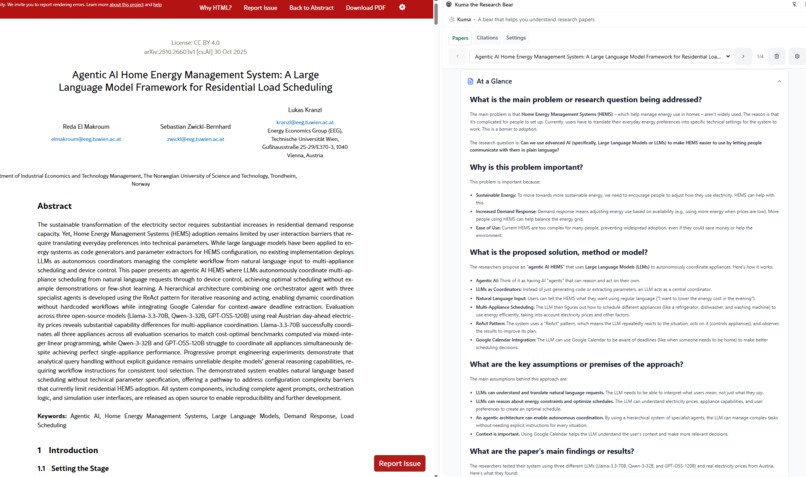
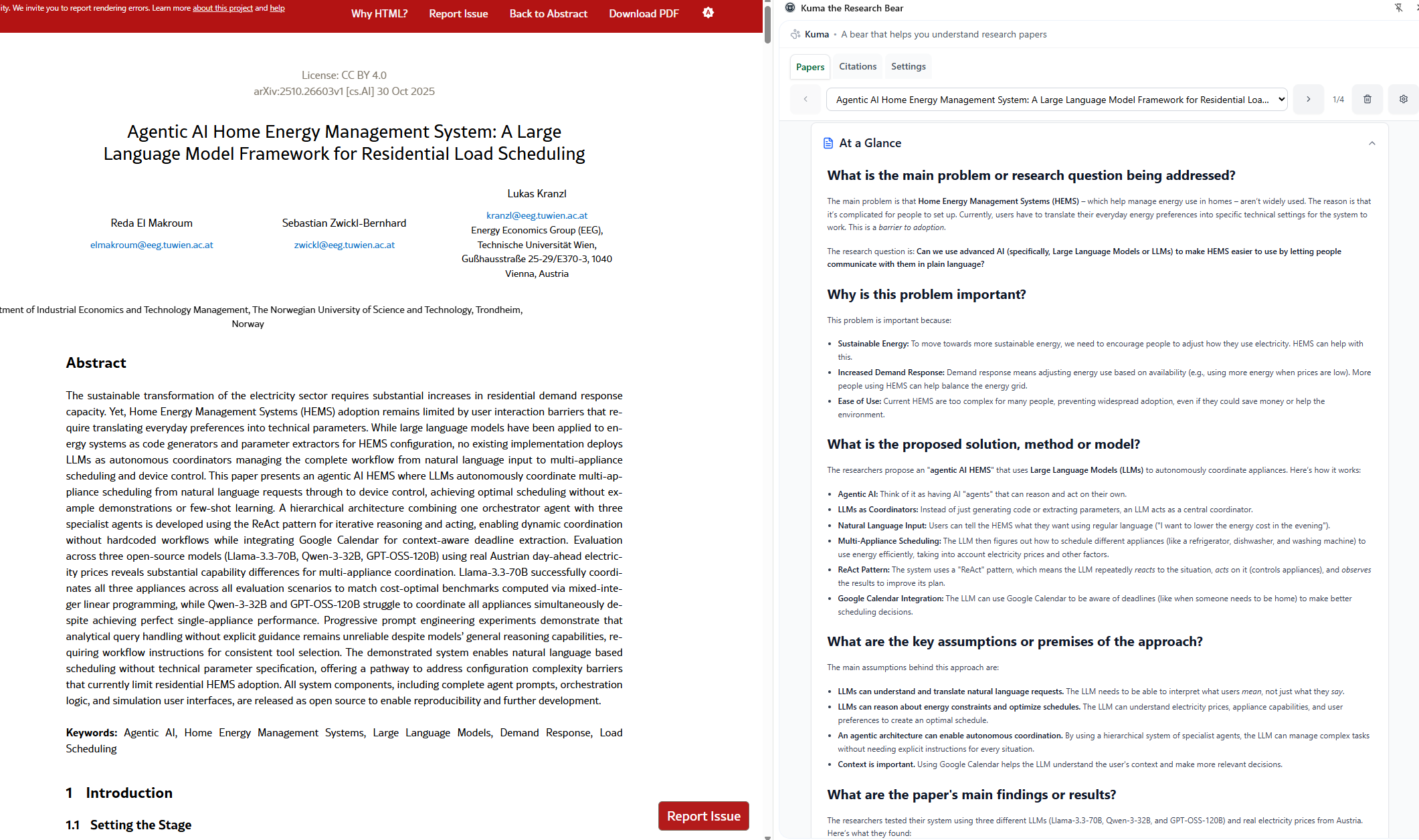
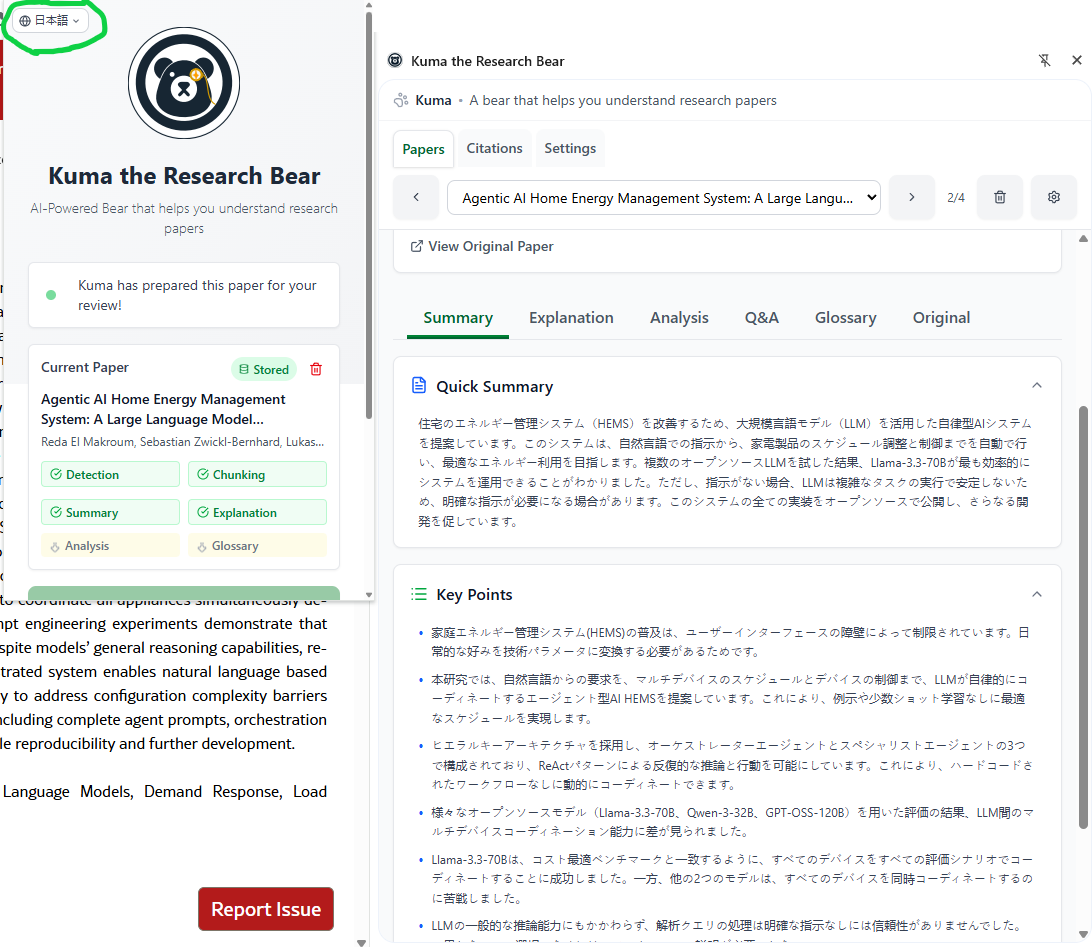
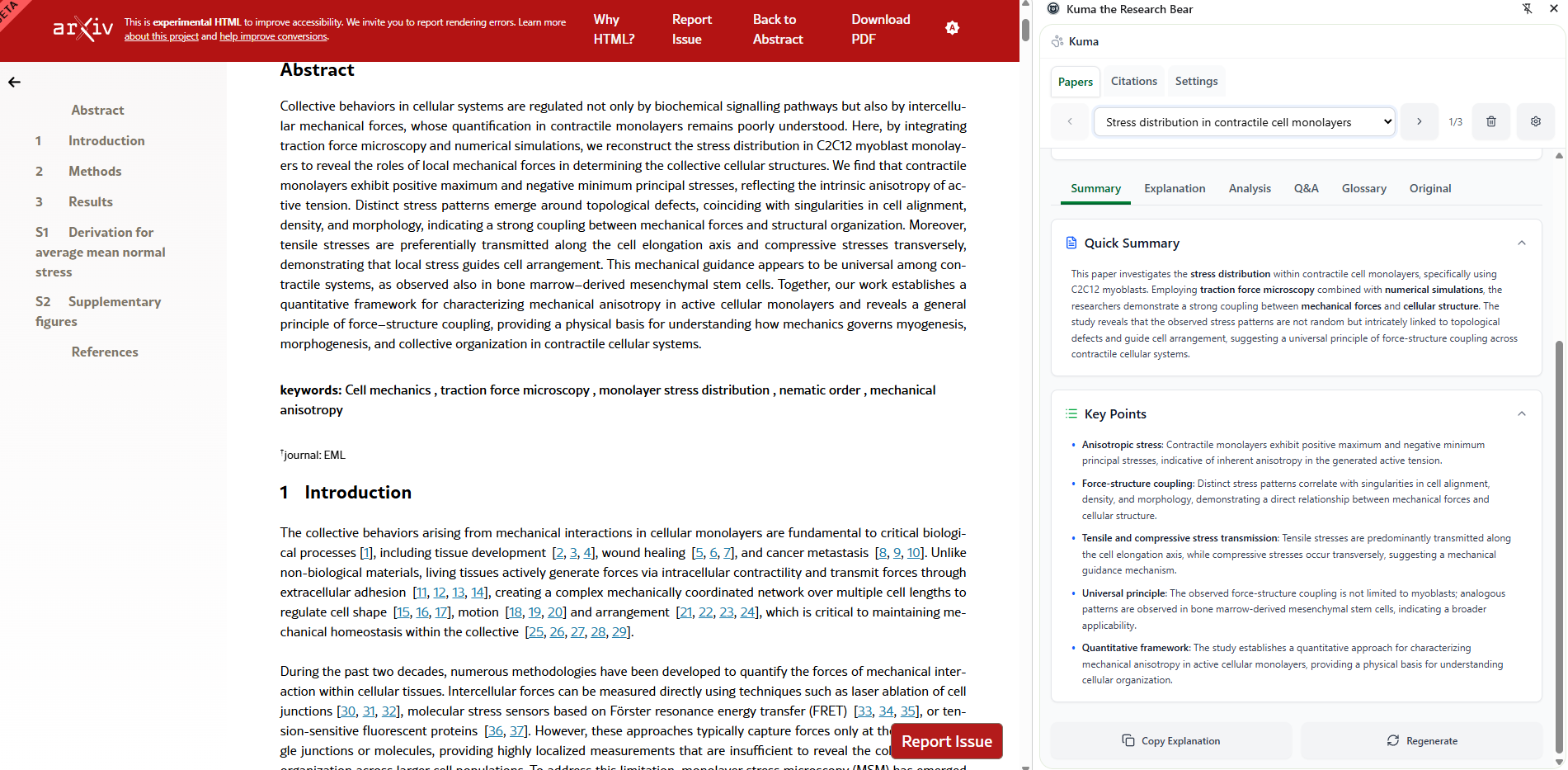
Kuma presents a quick to understand "gist" of the paper at a glance.
-
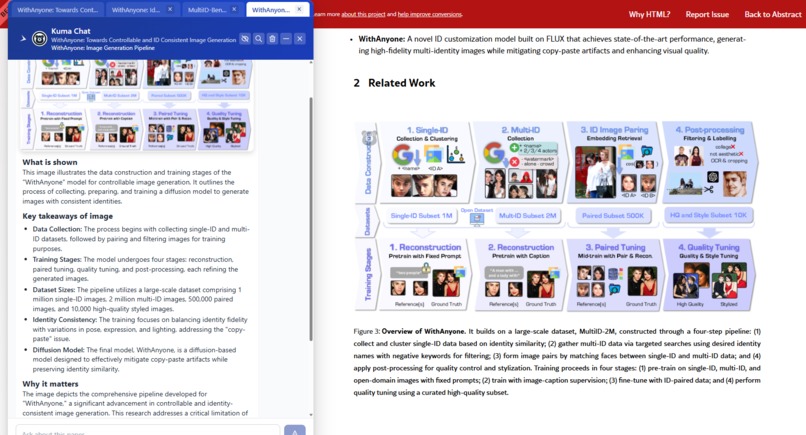
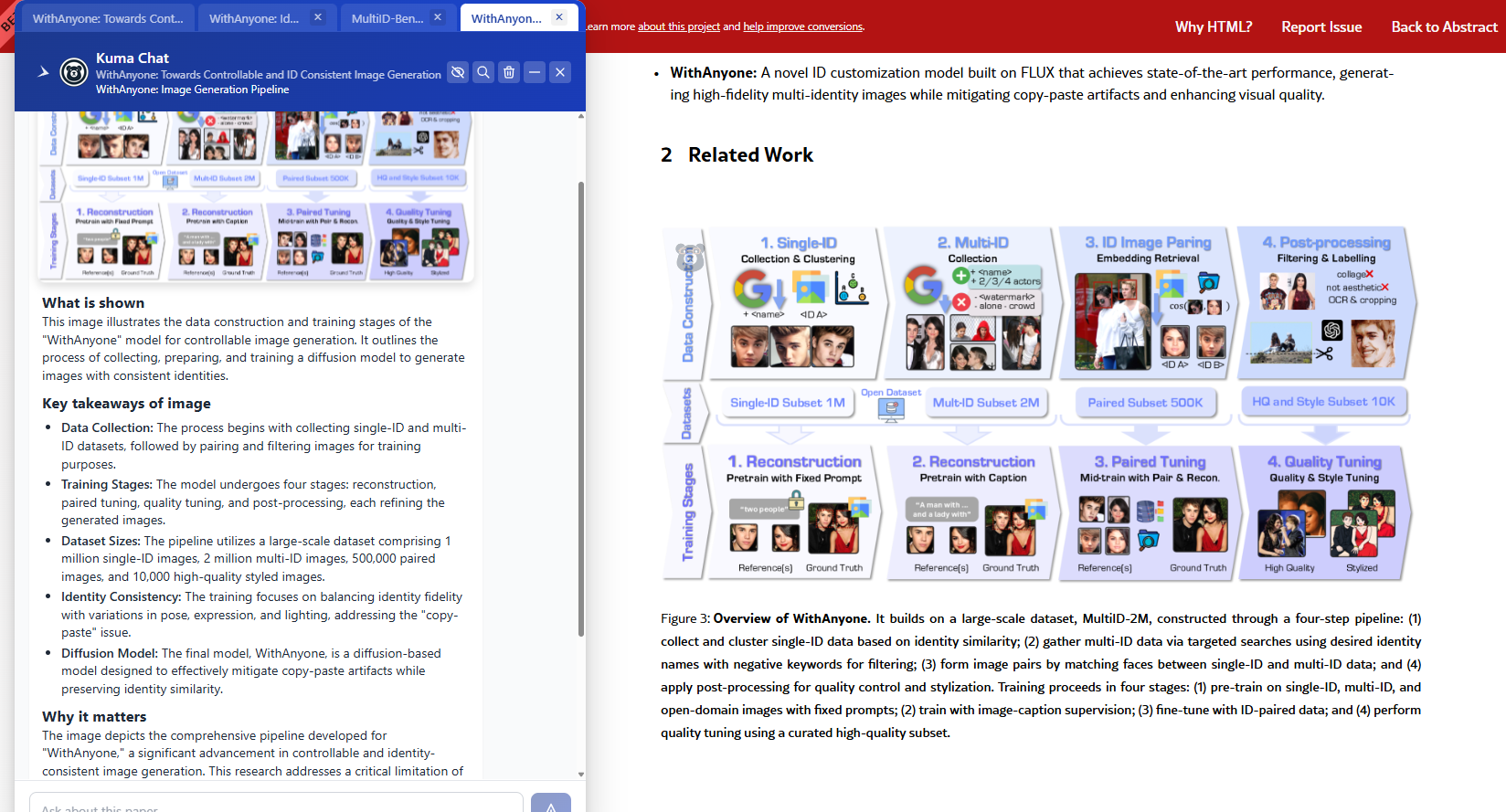
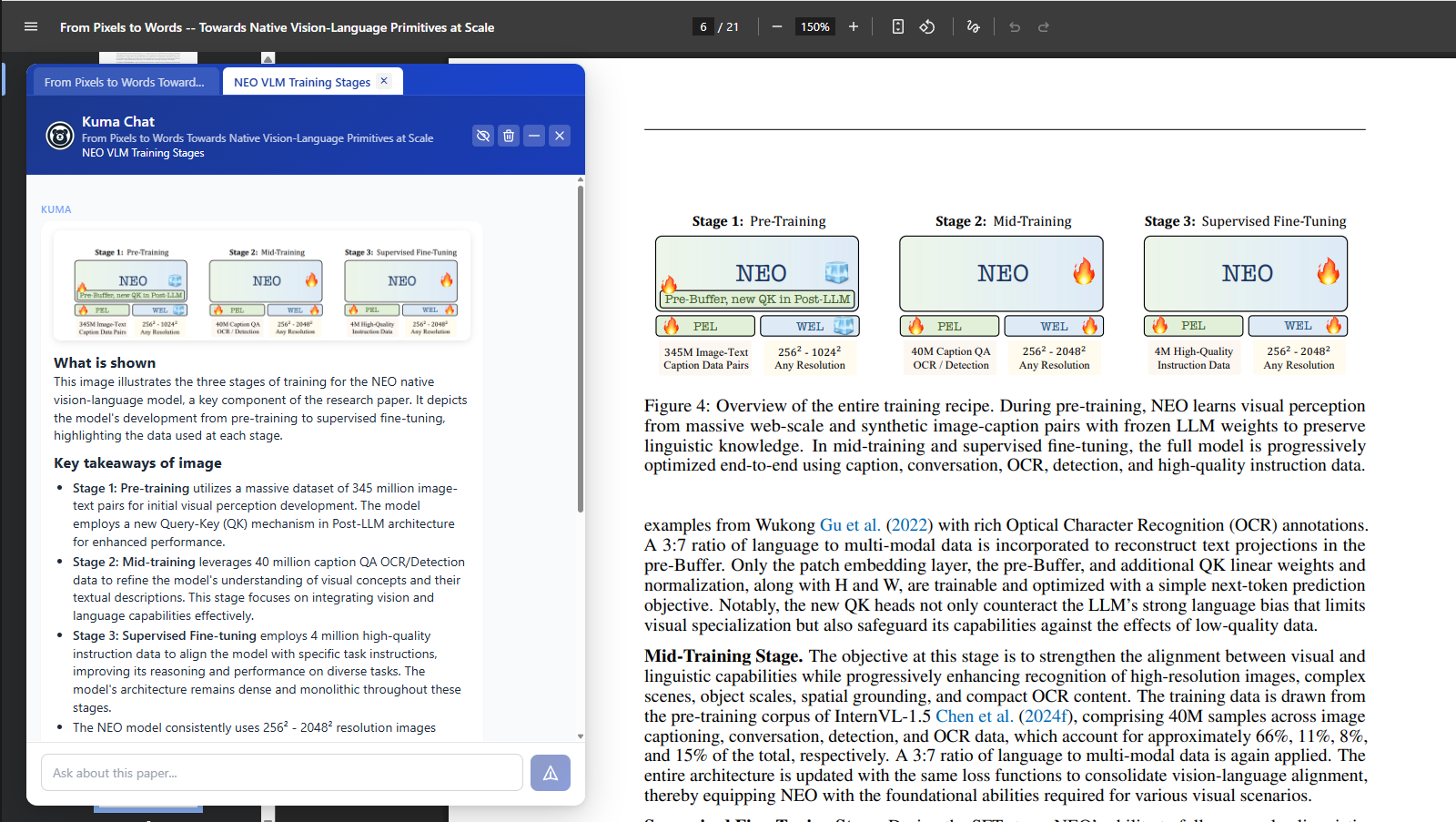
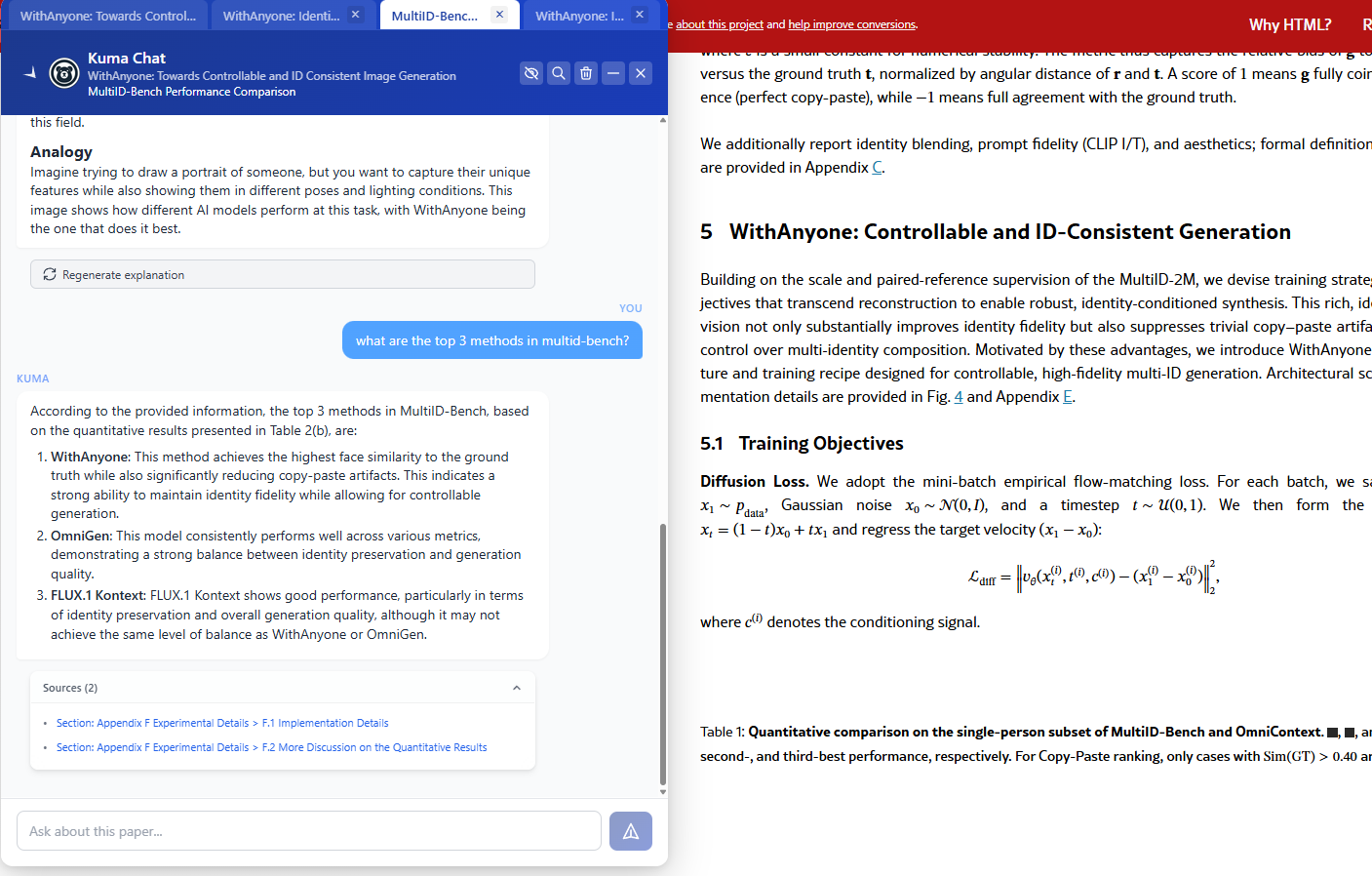
Kuma generates guided explanation of images.
-
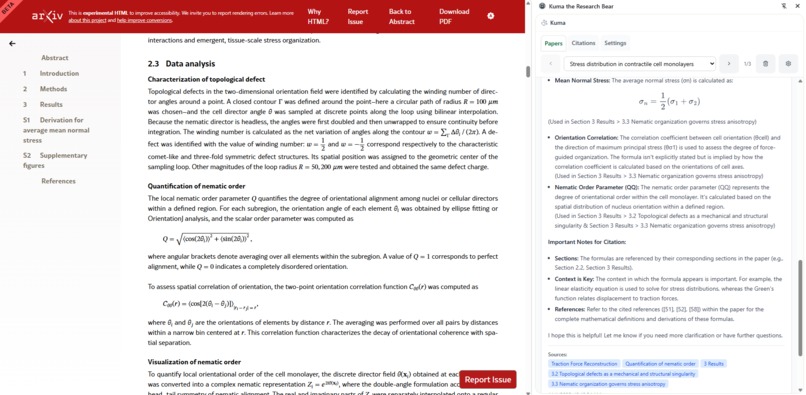
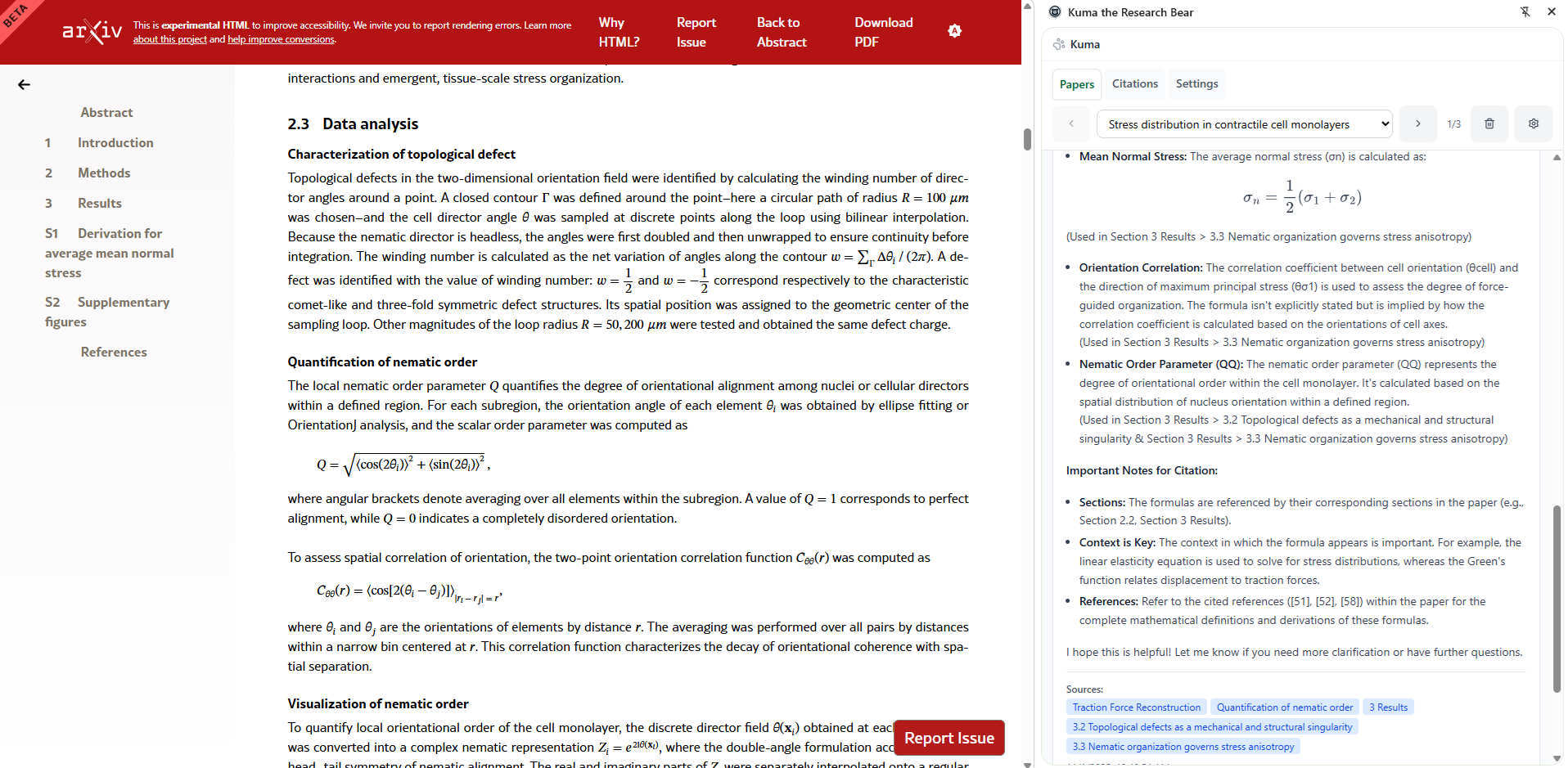
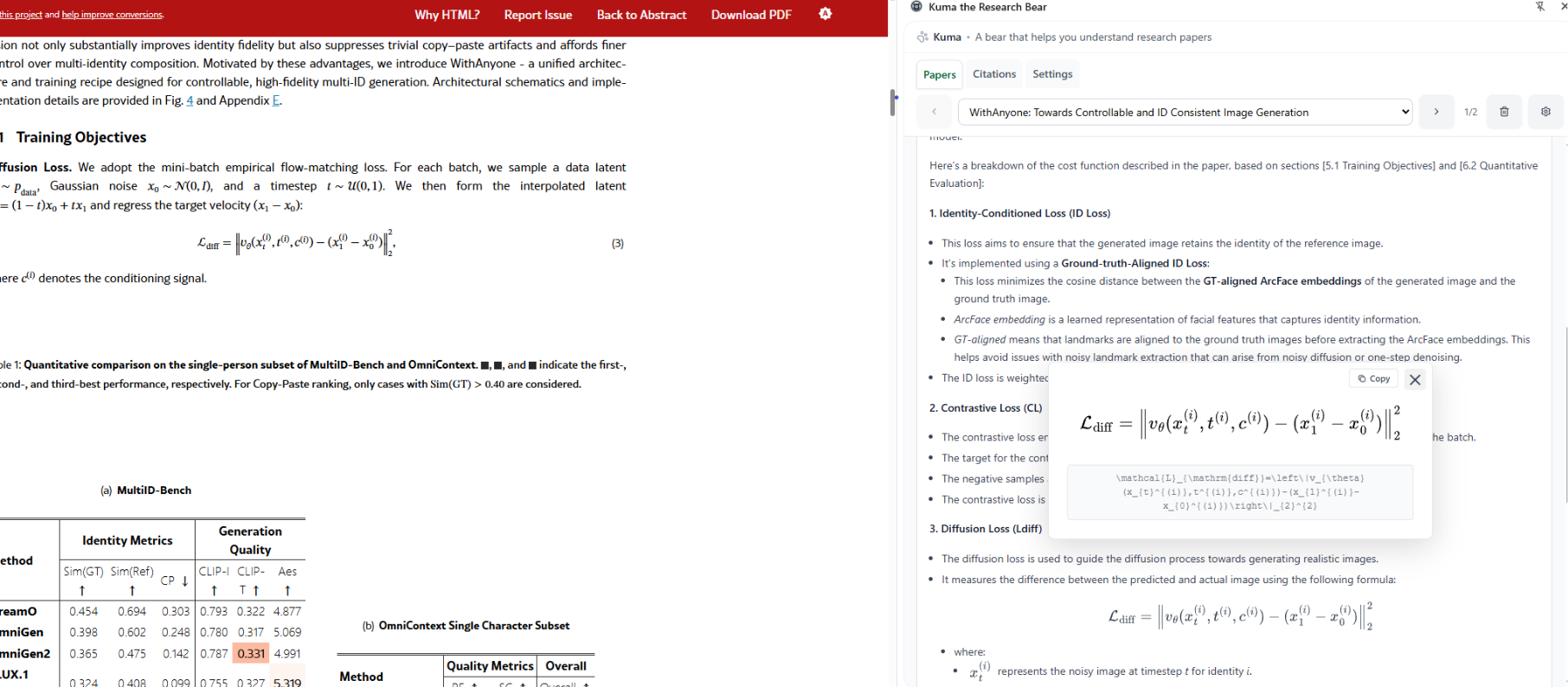
Kuma renders LaTeX and explains formulas used in the paper.
-
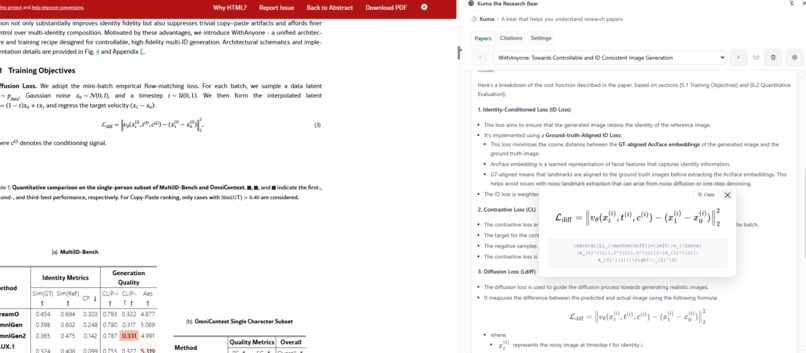
Reader may copy and paste formulas from the paper.
-
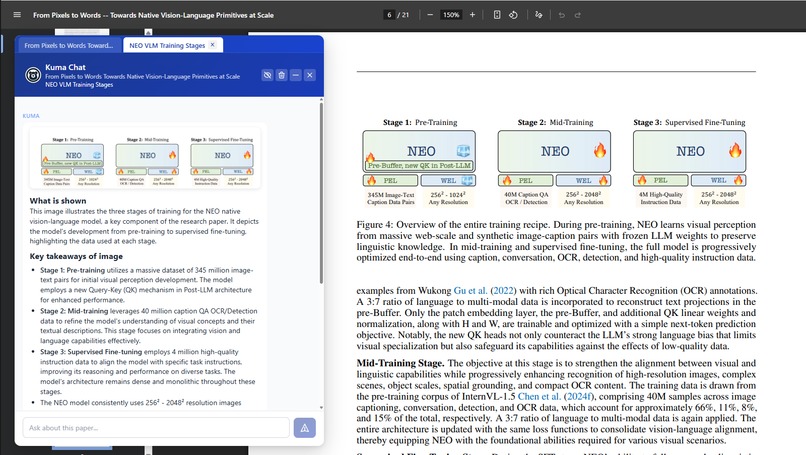
Kuma works with PDFs.
-
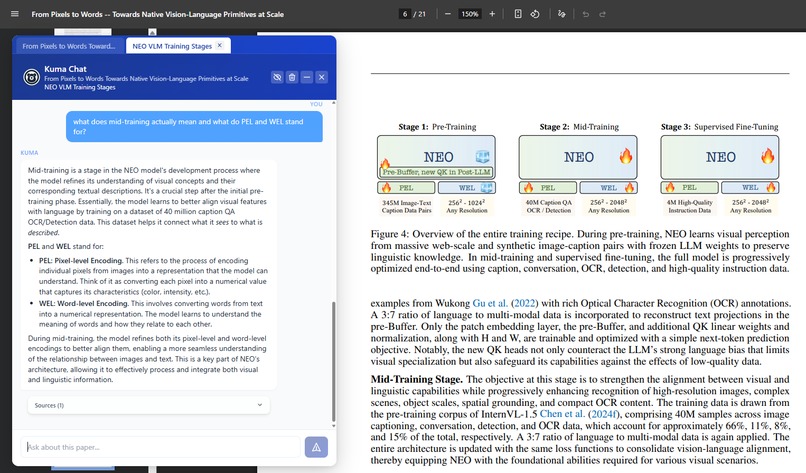
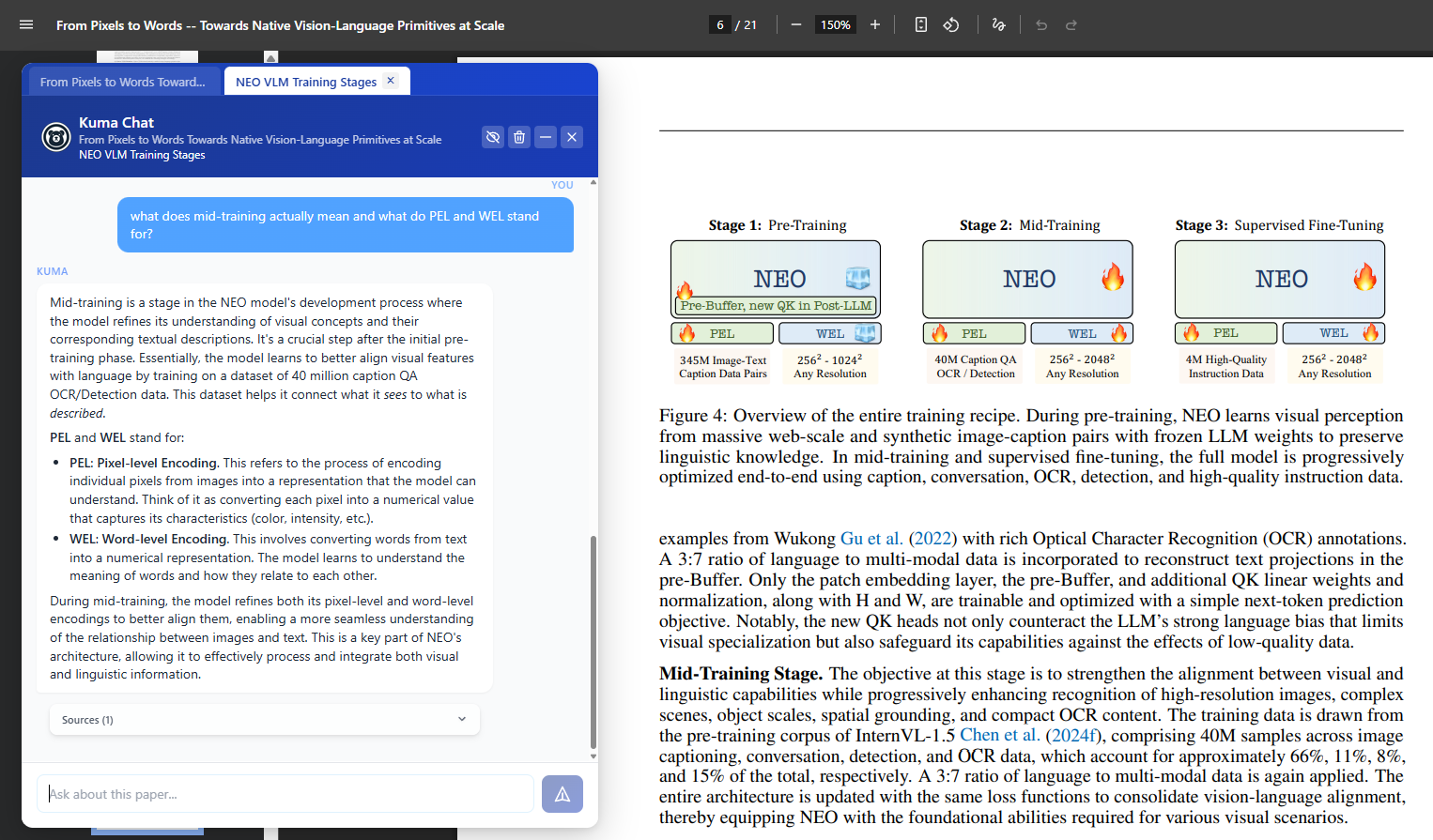
Reader discusses image with Kuma for further insights.
-
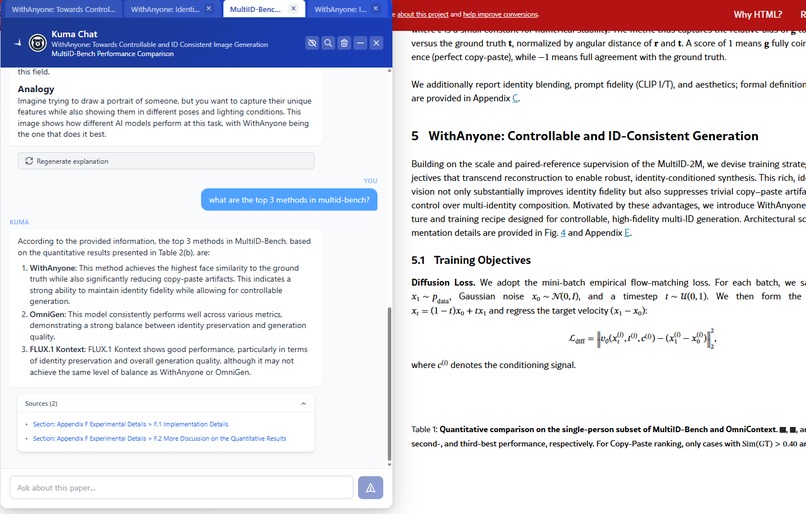
Kuma is grounded in the context of the paper and cites sources that readers can click to scroll to.
-
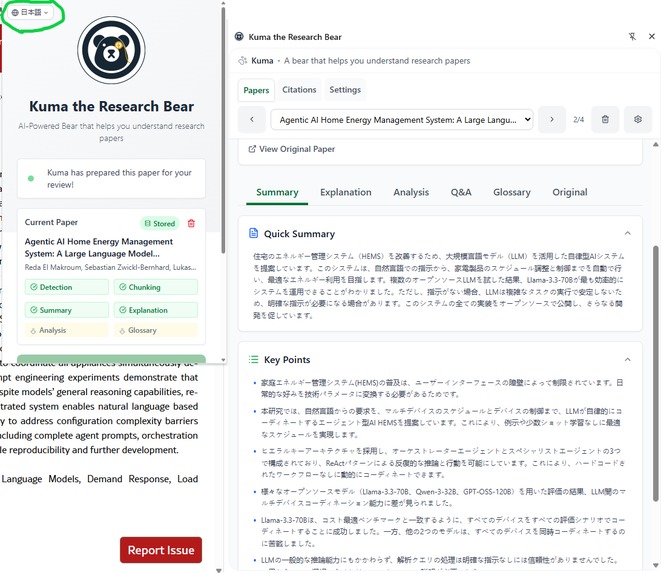
Kuma is multilingual and can explain papers in multiple languages. Currently only English, Spanish and Japanese are supported.
-
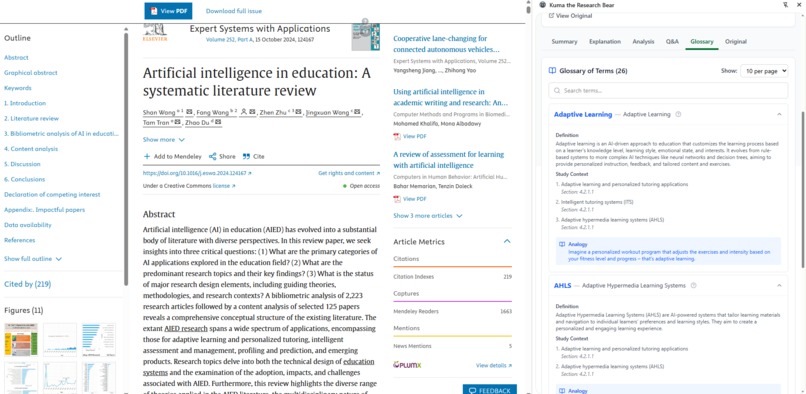
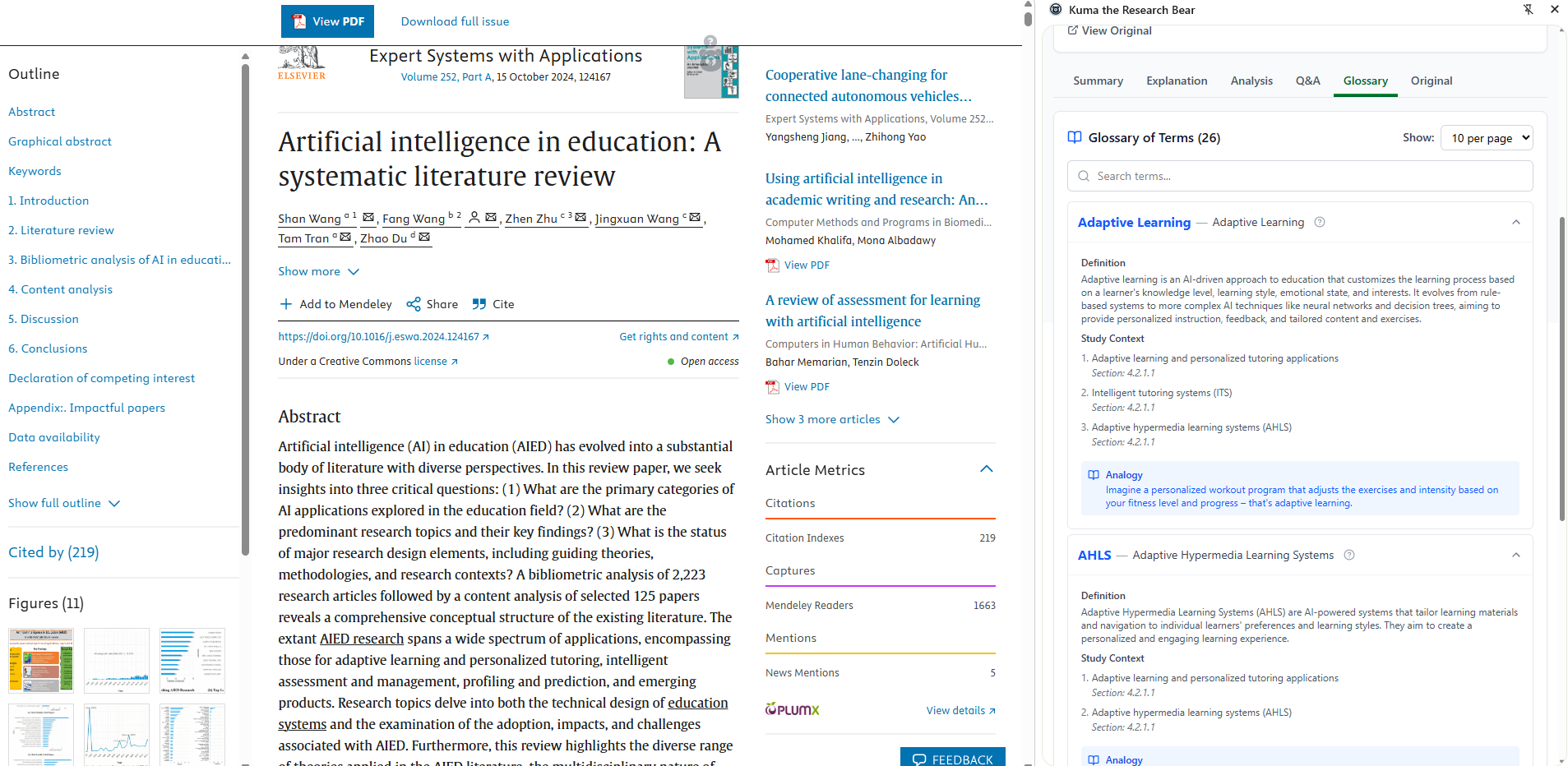
Kuma can generate a glossary of terms used in the context of the paper.
-
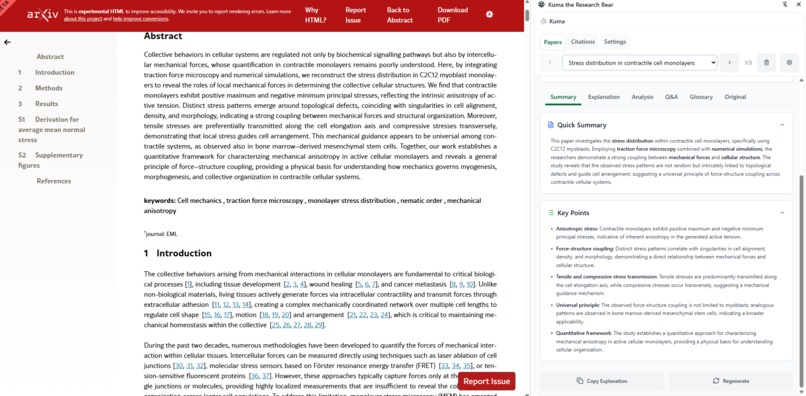
Kuma generates a TLDR summary with key points.
⚡Inspiration
Ever spent hours rereading the same paragraph in a research paper, trying to decode technical jargon and decipher complex visuals? Research remains inaccessible to most people because it's written in dense, highly technical language that's hard to absorb.
Kuma the Research Bear was built to change that—making research comprehension faster, clearer, and accessible to everyone, right inside Chrome.
🔑 What it does
Kuma the Research Bear runs directly inside Chrome using the Gemini Nano built-in APIs to process and contextualize research papers locally for privacy and speed. With its purpose-built UI, Kuma makes it easy to understand research papers, breaking down dense text and visuals into simplified explanations.
Key Features:
- At a Glance
Quick summary and explanation of the research paper in plain language, including key points and details of the research topic, broken down into what (the paper is about), why (it matters), and how (research was done).
- Visual Explainer
Kuma detects and explains images in an easy-to-understand format. This helps readers grasp what the visual is showing, why it's important in the context of the paper, and why it matters in general. Readers can take a deep dive into the visual's contents by asking Kuma questions and repeating concepts to validate understanding. - Dynamic Chat vs. Side Panel
With a dynamic chat that can be moved and adjusted to your preference, you may engage with the interactive chat as much or as little as you wish. Alternatively, the side panel is always available for those who prefer a structured view. - Deep Analysis
Detailed exploration into methodologies, confounders and biases, implications, and limitations stimulate intellectual engagement which creates a more comprehensive view of the research. The extension uses a Map-Reduce, summary of summaries pattern along with hybrid search to generate this. This is important in understanding the wider applications of the concept.
- Source Citations
Generate citations directly in your research paper within Chrome, and either grab the whole list of citations generated or copy only the ones you need. Sources are listed throughout the extension, ensuring information is grounded in the context of the paper. Citations may be exported in 3 formats: APA, MLA, Chicago. - Multiple Languages
Kuma is capable of speaking multiple different languages! Currently, English, Spanish and Japanese are available. - All Local-AI (Chrome Built-in AI)
Kuma leverages Chrome's Built-in AI capabilities to make it such that any information generated never leaves your browser for maximum privacy.
UX Features:
The magic is in the details:
| Feature | What it does |
|---|---|
| Kuma Compass | Visual indicator showing where explained images are relative to your current position—instant reorientation |
| Dynamic Chat | Adjustable transparency, minimize/expand, multi-tabbed interface for flexible workflows |
| Click-to-Navigate | Click images or sources to auto-scroll to that section in the paper |
| LaTeX Support | Ask for formulas and get properly rendered LaTeX equations |
| Screenshot & Discuss | Right-click to capture any region and discuss it with Kuma—works on PDFs and HTML |
| Progress Messaging | Always know what's happening; no mysterious loading states |
| Lottie Animations | Delightful animated Kuma mascot that brings personality to every interaction |
How we built it
Chrome Built-in AI APIs
- Prompt API – Primary intelligence engine
- Summarizer API – Quick TLDR generation, Map-Reduce summary of summaries for analysis
- Language Detector API – Multilingual support
AI/ML Stack
- Transformers.js 3.1 – EmbeddingGemma (308M params) for semantic search
- ONNX Runtime – WebGPU acceleration with WASM fallback
- OkapiBM25 – Keyword search for hybrid RAG
Frontend Stack
- Preact – Lightweight React alternative (10KB)
- TypeScript – Full type safety
- Tailwind CSS 4.1 – Modern utility-first styling
- Vite – Fast builds with HMR
- MathJax – LaTeX rendering
- Lottie – Animated mascot
- Marked + DOMPurify – Safe markdown rendering
🚧 Challenges & Solutions
| Challenge | How we solved it |
|---|---|
| No built-in preemption in LanguageModel API | Broke longer tasks into smaller sequential chunks, allowing high-priority requests (chat) to "slip in" before background tasks (analysis). Future: implement pseudo-preemption with priority queuing |
| PDF viewer isolation preventing image detection | Built a "capture screen region" feature that works universally across PDFs and HTML pages |
| First time creating a chrome extension | Deep-dived documentation, leveraged community resources, and iterated rapidly |
| Managing token budgets across features | Implemented adaptive context trimming and conversation summarization to maximize efficiency |
| WebGPU compatibility variations | Built graceful WASM fallback with quantized models (only 3% precision loss) |
🌟 Accomplishments that we're proud of
UX obsession paid off – Progress messaging, contextual menus, scroll-to-source, dynamic chat positioning, compass navigation, and more make Kuma genuinely delightful to use
Actually useful – We've used Kuma to understand dozens of papers during development. It works!
Universal compatibility – Supports both HTML papers and PDFs, covering the vast majority of research literature
Privacy-first architecture – 100% local processing means sensitive research stays on your device
Built-in AI showcase – Integrated all three Chrome AI APIs with advanced features like hybrid RAG, multimodal chat, and structured output
What we learned
- Chrome extensions have massive untapped potential for AI-powered productivity tools
- Built-in AI APIs enable privacy-first applications that were previously impossible/impractical
- UX polish matters tremendously, small touches like the compass and click-to-scroll create magic
- Progressive loading and streaming responses are essential for AI UX
What's next for Kuma the Research Bear
Planned Features
- Translation API integration – Read papers in any language
- Hybrid AI mode – Optional cloud LLM fallback for less powerful devices
- Agentic research – Kuma finds and analyzes related papers automatically
- Knowledge graph – Visualize connections between papers
- Formulas tab – Dedicated view for all equations with explanations
- Collaborative research – Share papers and annotations with teams
- Inference preemption – Round-robin scheduling for smoother multitasking
Technical Improvements
- Major codebase refactor and TypeScript cleanup
- Enhanced PDF structure preservation
- Improved metadata extraction
- More robust LaTeX rendering
Built With
- dompurify
- embeddinggemma
- indexeddb
- languagedetectorapi
- lottie
- lucidepreact
- marked
- mathjax
- okapibm25
- onnxruntime
- pdf.js
- postcss
- preact
- promptapi
- summarizerapi
- tailwindcss
- terser
- transformers.js
- typescript
- vite


Log in or sign up for Devpost to join the conversation.