-
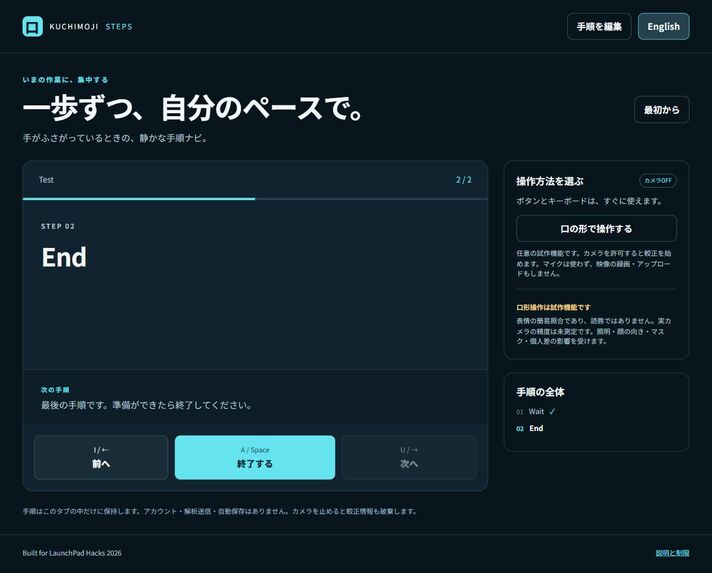
Actual local Computer Use screenshot using synthetic QA input; not a field result.
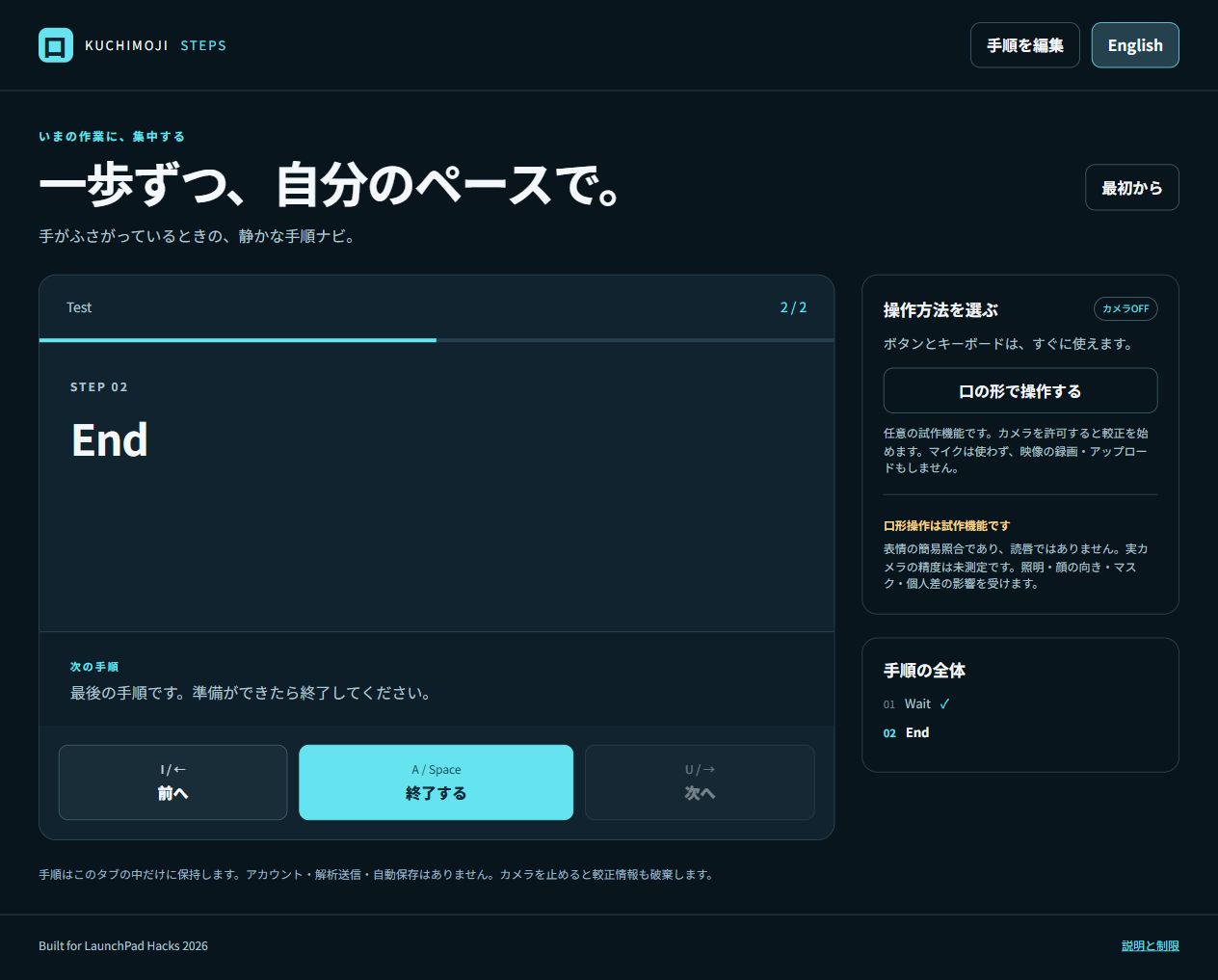
Inspiration
As my grandmother's voice weakened, family conversations became shorter. That experience drew me toward ways of interacting without voice. This project explores a small, separate everyday use: keeping a step guide moving while your hands are occupied. It does not include the Japanese Kuchimoji lip-reading model.
What it does
Kuchimoji Steps turns a plain-text guide into one large step at a time. Move backward or forward, mark a step, and start or pause its timer. Finish requires a separate confirmation. The included guides demonstrate paper-fold practice and organizing a workbench; users can paste their own steps. English and Japanese interfaces are provided.
Buttons and keyboard shortcuts work without setup. Optional camera input calibrates relaxed, open, wide, and puckered mouth poses, then maps three gestures to the same controls. This camera path is experimental and its real-camera performance has not been validated.
How it was built
The application uses plain HTML, CSS, and ES modules. A separate state model handles guide parsing, bounded navigation, timers, and finish confirmation. The camera adapter uses locally hosted MediaPipe Tasks Vision 1.2.0 and Face Landmarker. A new seven-feature classifier compares calibrated expression prototypes, rejects ambiguous matches, and requires a deliberate rest between held gestures. No previous Kuchimoji model, dataset, or MOUTHCODE code is included.
The app keeps guide text and calibration in tab memory. It has no account, analytics, or upload endpoint. Camera access requests video without audio. The model and WASM are served by the same host as the app. Hiding the tab stops the camera.
Event contribution and credits
The guide interface, parsing/timer state model, classifier, gesture gate, optional camera adapter, translations, examples, and tests were created during the LaunchPad event window. My interest in silent input predates the event. The generic input component is also used, with disclosure, in Silent Answer for AccessED and Quiet Signal for SafeSpace. Their learning and request-receipt workflows are separate; the guide and timer experience is specific to LaunchPad.
I am entering individually as Soma Nomura. The initial brief came from a Claude-created preparation kit. OpenAI Codex researched official APIs, implemented the app, ran automated tests, and prepared text and screenshots. MediaPipe and the model are Apache-2.0; source links and licenses are included. No human user study or entrant-performed testing is claimed.
Challenges and what changed
A continuously held pose must not repeat an action. The gesture gate therefore needs a stable rest before it can fire again; uncertainty does not rearm it. Reversible navigation works immediately, while ending the guide requires confirmation. Camera failure leaves the manual controls available.
Testing and limitations
Fifteen automated tests passed for parsing, timers, progression, calibration rejection, ambiguity, and hold/rest behavior. Separate local headless Chrome checks completed manual operation, a short real timer, English/Japanese rendering, 390px layout, model initialization, and a mocked camera denial. Observed requests were same-origin GETs. A separate Computer Use desktop check passed the main guide, timer, edit, finish/cancel, and Japanese flows. Mobile Computer Use validation is still pending. No test used a real camera or measured recognition accuracy or accessibility outcomes.
Real-camera behavior, individual usability, and broad device compatibility remain unverified. This is facial-expression matching, not lip reading or pronunciation assessment. Lighting, pose, masks, and movement can affect it. Timers require the tab to remain open and are not for safety-critical tasks. There is no persistence, read-aloud, cross-device synchronization, or background alerting.
Testing instructions
Open the demo and use Next / Previous / Mark done. On step three, start and pause the timer. On the final step, cancel or confirm Finish. Edit guide accepts one step per line and timer tags such as [2 sec]. The Japanese interface is available from the language button. Camera activation is optional; judges can complete the core guide without it.
Built with
HTML5, CSS3, JavaScript, MediaPipe Tasks Vision, WebAssembly, Node.js (local server/tests)
Try it out
https://kuchimoji-steps-2026.terraise.chatgpt.site
Public hosting status
The static application has been deployed publicly. The core workflow has passed local Computer Use desktop checks. The public hosting environment also passed a Computer Use desktop check of the main controls. Real-camera and mobile performance remain unvalidated.

Log in or sign up for Devpost to join the conversation.