-
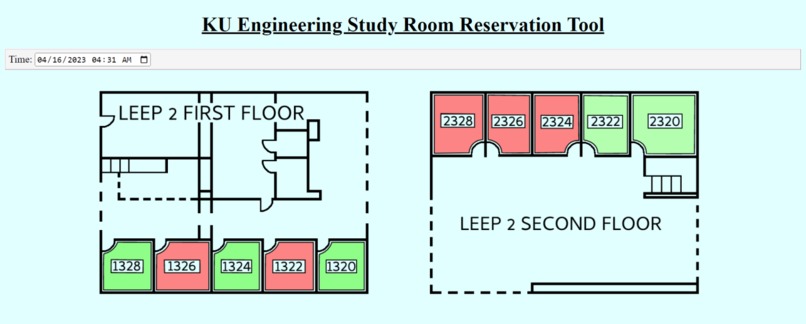
Main Page
-
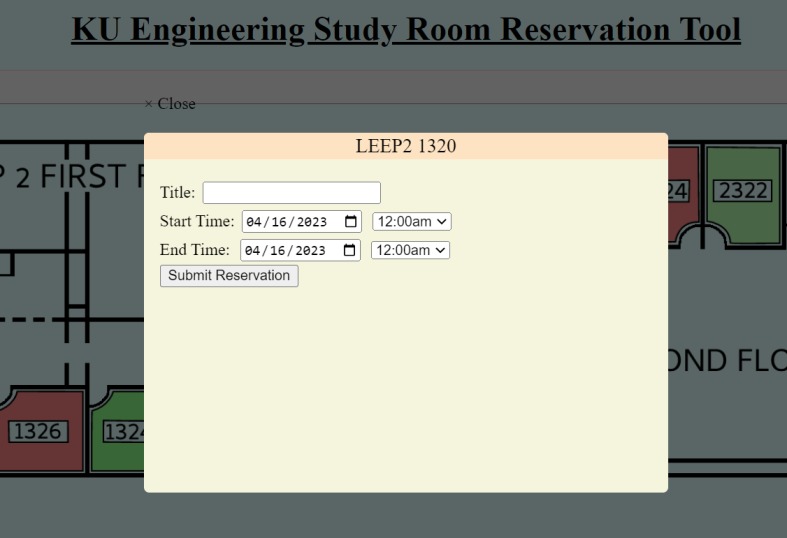
Reservation Submit
Inspiration
Reserving study rooms has always been a hassle, and many students do not take advantage of this because they are discouraged by the current system, or don't know how the process works. Nearly every student has been in the awkward and inconvenient situation of being kicked out of a room they didn't know was reserved. This website helps to eliminate these hassles and give students a simple and easy solution for reserving study rooms.
What it does
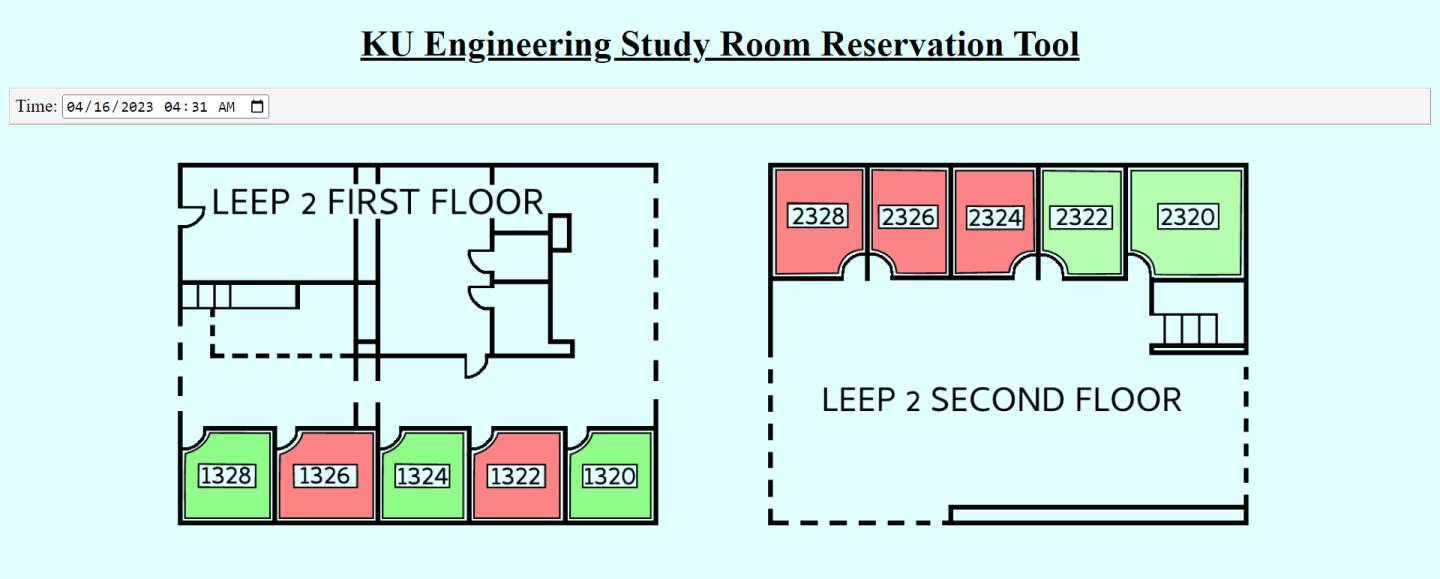
This website allows students to create study room reservations with ease. The website contains a floor map of the LEEP 2 study rooms on floor 1 and 2. This is updated to reflect the availability of each room as users submit reservation requests.
How we built it
Website was made in HTML. First, we created custom floor map of LEEP 2, and made green and red "fill" images for each room to overlay depending on the status of each room. CSS styling was used to organize the UI, get correct positioning on the screen.
Ideally, we would have used Microsoft Azure along with Outlook's API allowing us to use KU's current system to manage room reservations, and automatically create a schedule based on the user inputted date, time, and room. Schedule data from calendar to be referenced and used to update visual display of room availability on floor map. JS scripting would have enabled us to specify the conditions for displaying a red room (when booked).
Challenges we ran into
The main challenge we faced was not having administrative access for using outlook calendar API (current method of reserving) since a majority of our project was dependent on having access to the Outlook Calendar network that would allow us to check for availability of rooms, as well as sending room requests. Google API not recognizing overlapping schedules. Meeting reservation form sending info to google calendar. Integrating Google Calendar.
Accomplishments that we're proud of
- Aesthetics of UI & floor map.
- Room colors are correctly toggled green if open, red if booked.
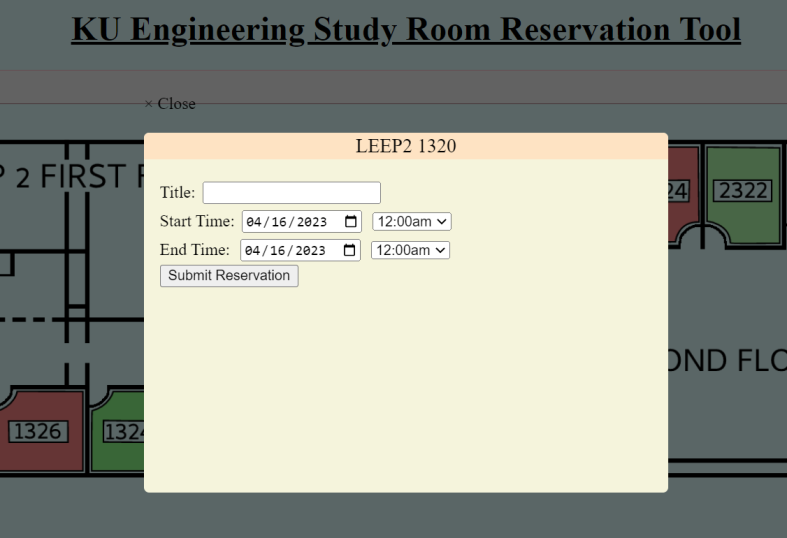
- Mapping: clicking on each separate room brings up a reservation form specific to that room.
- Making something we would actually use.
What we learned
Google Calendar API, Google cloud, Google Workspace, Microsoft Azure, Outlook API, HTML, JS scripting, CSS styling
What's next for KU Engineering Study Room Reservation Tool
Get interest from KU Engineering in adopting the website, then fully flesh it out. Implement QR code functionality (each study room has a QR code, scanning the code would provide a direct link to that room's reservation form). Implement student ID validation (and do so that only one room may be reserved by each student at once).


Log in or sign up for Devpost to join the conversation.