-
-
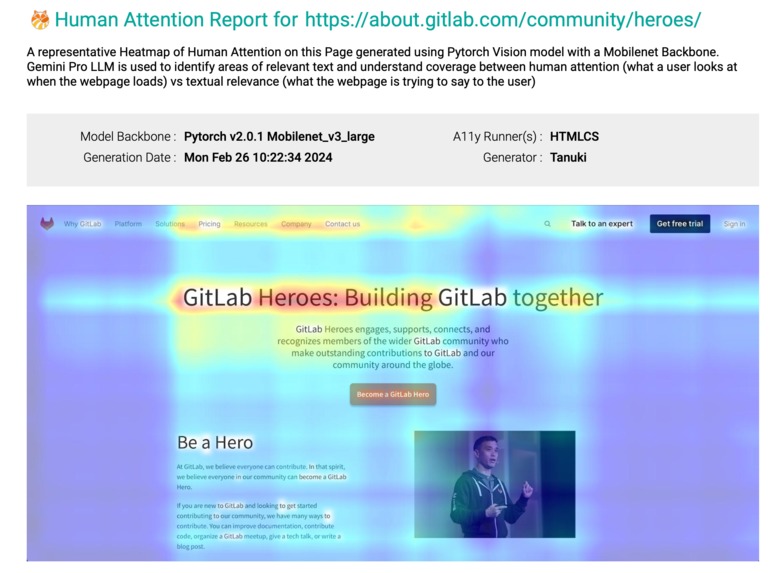
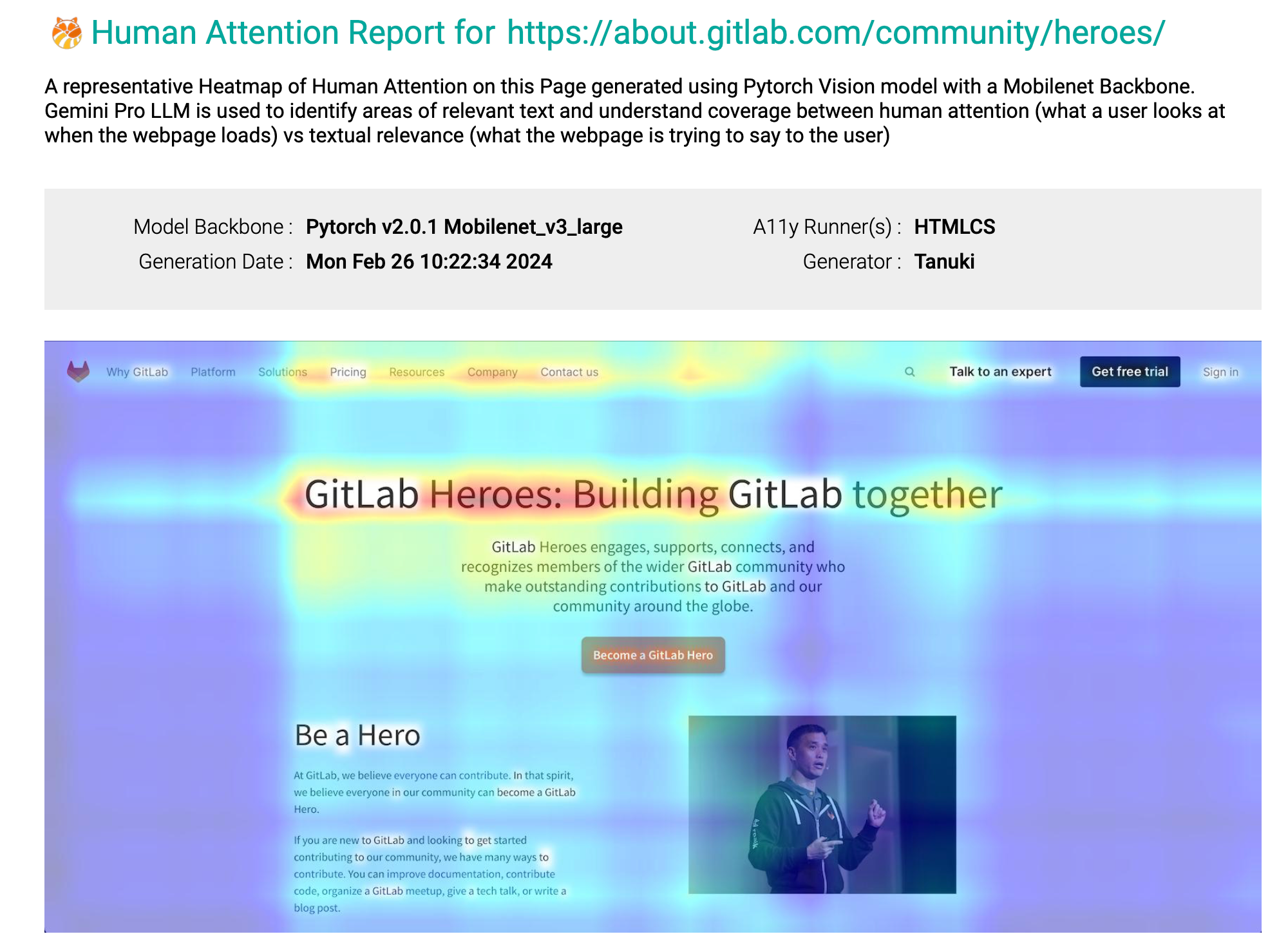
Tanuki Component: Final Report Artefact Generated (to be pushed downstream to Pages, or any other Docs or Wiki or printed out)
-
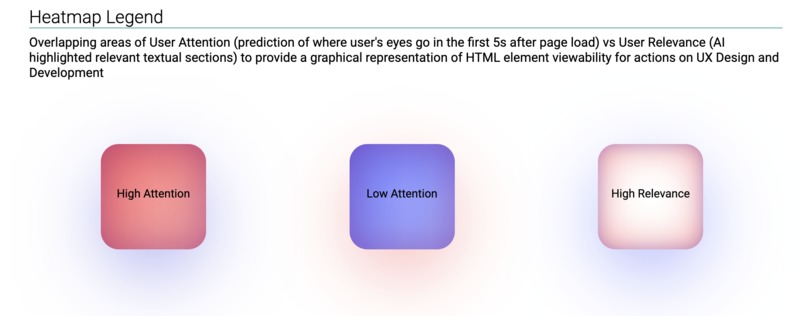
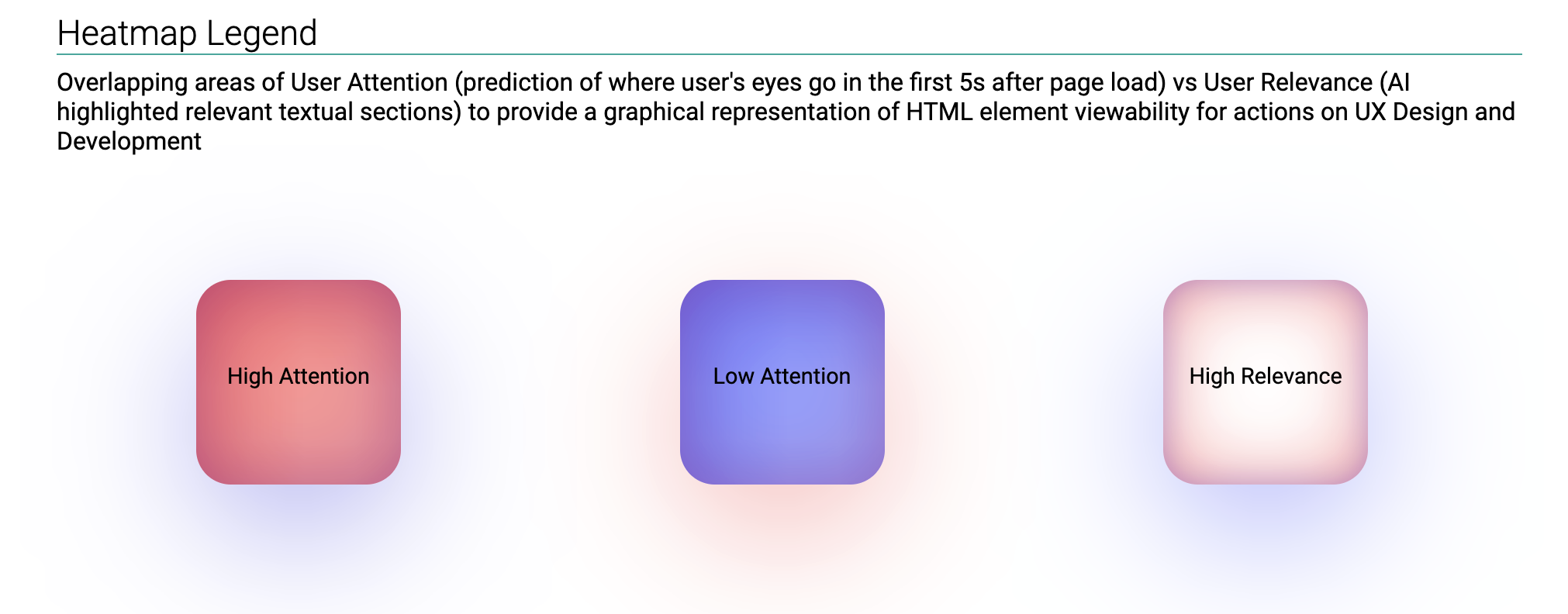
Tanuki Legend: Documenting How to interpret the AI Generated Attention and Relevance Heatmaps as part of the Report
-
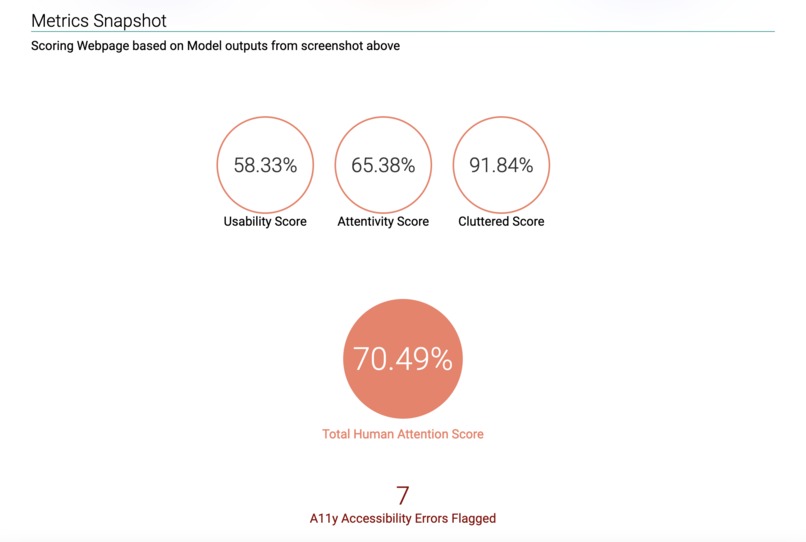
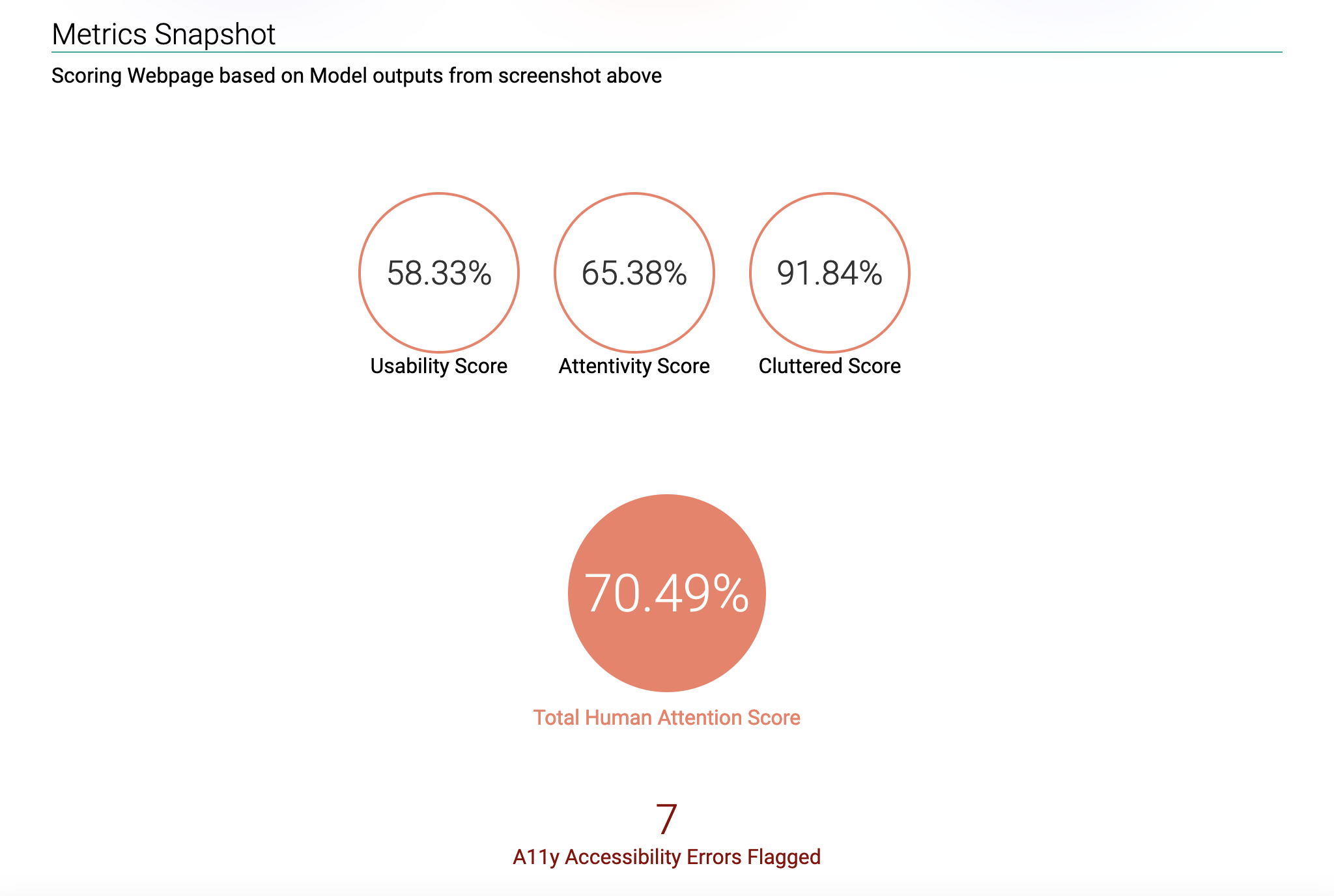
Tanuki Attention Score: Metrics where higher is better that are summarised into a single Attention Score using a Geometric Mean
All code (and linked packages developed) for this submission is published or linked in the repository https://gitlab.com/bitanathed/tanuki and made available under MIT License, and is also published to the CI/CD component catalog at https://gitlab.com/explore/catalog/bitanathed/tanuki
What were we trying to accomplish through this project?
An Intersection over Union (IOU) based score for Predicted Attention versus Predicted Relevance heat maps generated from screenshots of a deployed webpage for a specified device as a North Star metric in order to continuously and automatically test UI/UX changes as part of the CI/CD pipeline with the end goal of reducing bounce and increasing revenues as evidenced by relevant research from this third party service provider as an example.

What did we finally accomplish as a result of this project?
Below is a snapshot of the HTML report from our Pipeline Job Artefact, which is a superimposition of predicted attention heat maps post 5 seconds after DOM content load using ML (Mobilenet backbone ConvNet Architecture which is our own IP built in pytorch) and predicted relevance generated using AI (Gemini LLM) across entire user session:

The following artefacts are generated as part of the job and are to be used downstream whenever the Tanuki component runs in any stage of the CI/CD pipeline:
 i.e. a badge with an overall score which is the geometric mean of relevance and attention metrics and is meant as a barometer or summary statistic to be shown on the repo
- This HTML report with metrics and other details that can be printed out or pushed to GitLab Pages or any other Documentation website
- JSON and Config files with the raw data used to generate the above artefacts to be picked up by other jobs in the Pipeline downstream
As part of this hackathon we also created the below packages to inference our PyTorch ML Model and also open sourced the weights and architecture used in our custom PyTorch NN Subclasses developed to predict human attention on a webpage from its screengrab.
- bitanathed/py-web-heatmap> Python package to generate Heatmaps using Open CV and PyTorch
- bitanathed/node-pally-config> Node.js package to generate config files for A11y reporters
- weights.pth> Pytorch Model weights permalinked in the gitlab repository along with model architecture
The Situation - UI/UX testing suites can't capture Human Attention
While automated tools for UI/UX testing in CI/CD pipelines do an excellent job of testing issues with usability and accessibility, they are bad at understanding human behavior in a webpage context and recommending changes to an interface that might be functionally usable and robust but not attention grabbing or relevant.
There is no established ground truth or pattern to what design constitutes an attention grabbing website. Most design is ad hoc with feedback being captured post MVP development, which makes human behavior driven development and testing a very expensive proposition.
Issues currently plaguing UX driven development on the web
- 😞 Human attention spans are at an all time low, with most users spending only ~3-5s on websites in most cases
- 🤓 Insights regarding human behaviour are at an all time premium, with quality vision mapping data being hard to capture and large focus groups being very expensive
- 👁️ UX testing feedback loops are limited to Unit Test Suites which only perform rule based testing which may not provide insights
- 🥺 Bounce rates are usually as high as 70-90% on most websites, causing revenue losses that appear to be death by a thousand cuts
- 🧪 A/B testing occurs after development effort is already expended and is therefore expensive to iterate on a shorter frequency
The Problem - Capturing Attention, Reducing Bounce %age and UX Driven Development
The problem of high Bounce and Low Attention can actually be subdivided into a number of problems, which we tried to tackle systematically from a User Perspective:
- ⛔️ Low Relevance : I might be viewing a webpage where the items most immediately available in front of me are not the most relevant to me
- ⛔️ High Clutter : The elements that are relevant to me are cluttered in with other elements that might not be relevant to me thus causing confusion
- ⛔️ Low Usability : I might be interested in accessing elements on the webpage which are truly relevant to me, but which have a lower accessibility than elements that are irrelevant
- ⛔️ Low Accessibility : The website might have poor accessibility in general for all users, or might not conform to A11y rules which might ruin the overall experience for a minority of users with disabilities
There are several ways a frontend developer can make effective use of human attention to improve UX:
- ✅ Put relevant content front and centre for individual personas while retaining the same overall development environment and deployment artefacts for ease of iteration
- ✅ Understand and apply design principles that are actually human centric rather than depending on A/B testing or sparse user feedback to make changes.
- ✅ Ensure accessibility testing is not just limited to rulesets but also expanded to account for actual human behavior on websites.
The Question - Is AI Generated Human Attention Modelling truly Possible?
❌ Simple answer, not through multimodal LLMs like ChatGPT or Gemini yet. We tried identifying human attention hotspots on interfaces using all major multimodal LLMs and while these have good image understanding abilities, the ability to understand a human's thought process and translate it to an easily interpretable heatmap on a webpage is beyond them. For Now.
🟢 Instead the question we sought to answer is, can an ML model mimic human attention. This can be done through training on existing datasets like Rico and FiWi. It is a relatively robust way to provide a deterministic solution to the problem, without the unreliable temperature of a vision modal LLM.
The Answer - Challenging Traditional CI Pipeline Components
Functionally we divided the component into 3 parts, while integrating an ML model into the pipeline component directly and using an LLM (Gemini) as an API call. These parts were all in the same stage of the pipeline component. The Page URL to be tested, the stage to test in, and the device to simulate were all inputs to this pipeline component. The following were the 3 parts of the component:
- 1️⃣ Accessibility report for elements with low contrast, hidden states or html spec violations, this provided the groundwork for further analysis. We did this using Pa11y, a commonly used tool implementing A11y testing with the WCAG2AA principles.
- 2️⃣ Pytorch model inference based on screenshots of the website simulating device screen size and user agent (for mobile, tablet or desktop) and heat map generation modelling human attention on the page.
- 3️⃣ Gemini (Google LLM) based summarisation and report creation, publishing the report as a final step to GitLab Job Artefacts for further use in Pages or elsewhere.
Challenges running on limited resources in a shared runner environment
🍪 We ended up using a Mobilenet v3 (Large) backbone from Pytorch vision repository in order to keep inference time and memory consumption low enough to run on a shared runner. This provided a "good enough" result for a proof of concept.
🐳 We also used multiple docker images in order to further compartmentalise our pipeline and to provide the ability to dismantle our component into multiple stages if so required. However for the purposes of the hackathon we only publish one component generating one report per URL and Device pair provided for easy readability and integration
Business and Social Impacts of Human Attention based Testing
🤑 Increasing session time and decreasing bounce rates is an excellent way to generate more revenue from any website. If, on average, 1% of your 100,000 monthly visitors make a purchase, and the average order value is $50, the potential increase in revenue can be calculated as follows:
- Initial Conversion: 1% of 100,000 visitors = 1,000 conversions
- Revenue from Initial Conversion: 1,000 conversions * $50 = $50,000
With a 1% reduction in bounce rate:
- Additional Conversions: 1% of the retained 1,000 visitors = 10 additional conversions
- Additional Revenue: 10 additional conversions * $50 = $500 on a month (a decent hike with low effort)
💁 Attention testing also results in tertiary social impacts of easier information processing for people with attention disorders and as an opposing force to shorter attention spans. "If what you need from a website is right in front of you, it is only natural you're going to interact with it and end up staying on it."
Accomplishments that we're proud of
😎 Integrating multiple stages of an extremely complicated pipeline is no mean feat, but this was compounded by the fact that it was accomplished in just two weekends despite none of our team being familiar with the Gitlab ecosystem. We'd only fleetingly used Jenkins among CI tools earlier.
🤖 Pytorch ML model training and inference to a Proof of Concept or MVP on a Mobilenet backbone to be able to deploy onto a shared runner while still maintaining decent enough results is an achievement that we'd also like to highlight, it was certainly hard for us to do!
What's next for Tanuki
👩🔬 If given the chance, we'd definitely like to try and experiment some more in order to use better quality Data and Longer Training times for our models for creating individual personas. Imagine a website being individually tailored to you, based on where you'd be most likely to focus your attention, based on data voluntarily supplied by you to improve your browsing experience!
🐯 There are multiple architectures like Vision Transformers or Multimodal LLMs other a ConvNet like Mobilenet that we've used here, which if hardware is no constraint can improve accuracy by an order of magnitude! Presumably a new architecture someday will completely replace frontend developers like us (wouldn't that be neat). We would be interested in applying new tech to build a more robust Continuous Integration Pipeline that tests an interface just as a human would!
🦊 A Tanuki is another name for a Racoon Dog spirit, whose fun loving nature leads it to make fools out of people. It is also the shape behind the Gitlab logo. We named our project this since we were developing a Gitlab Component for the first time, and consider ourselves fools but with a determination to learn :). 🐶


Log in or sign up for Devpost to join the conversation.