-
-
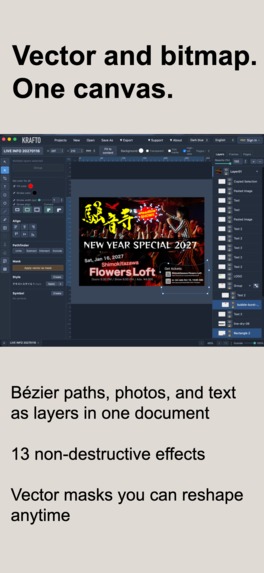
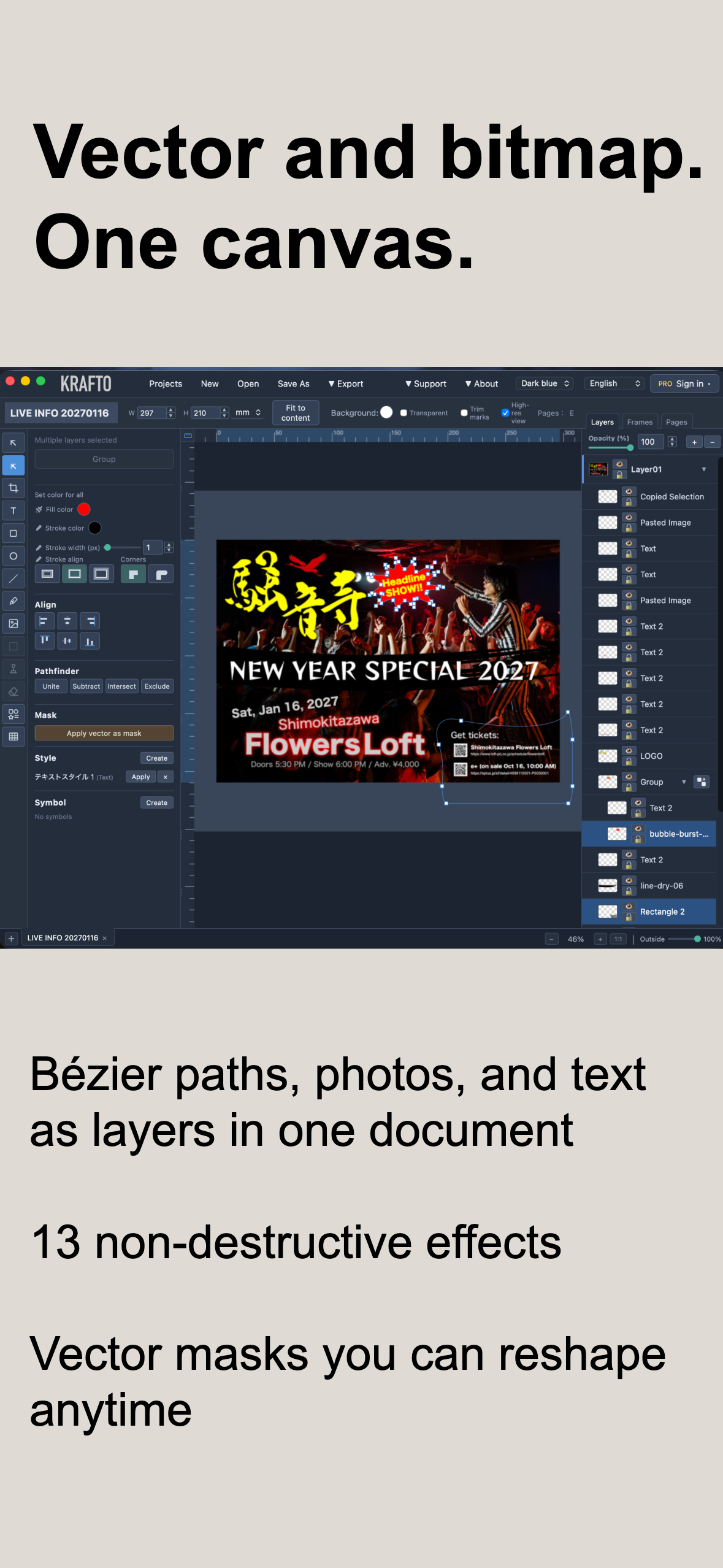
Vector paths, photos, and text as layers in one document — with 14 non-destructive effects.
-
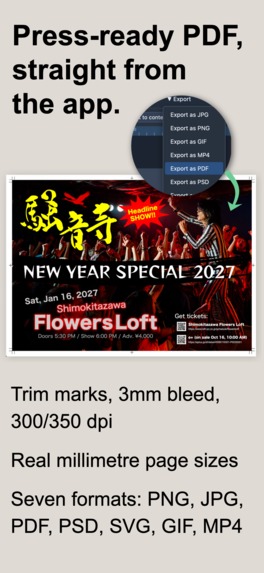
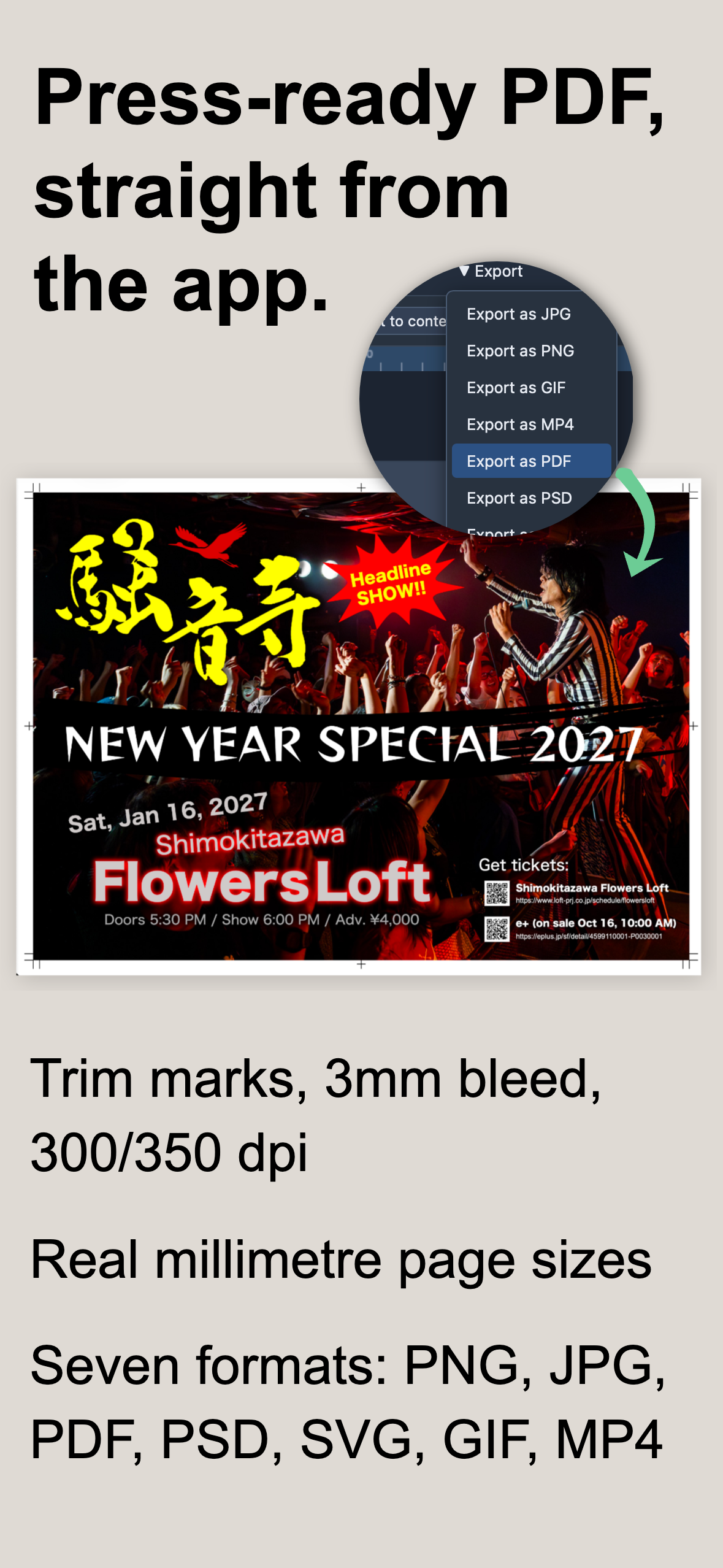
Export a press-ready PDF with trim marks, 3mm bleed, and real millimetre page sizes.
-
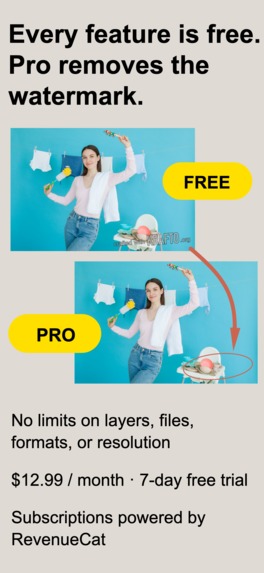
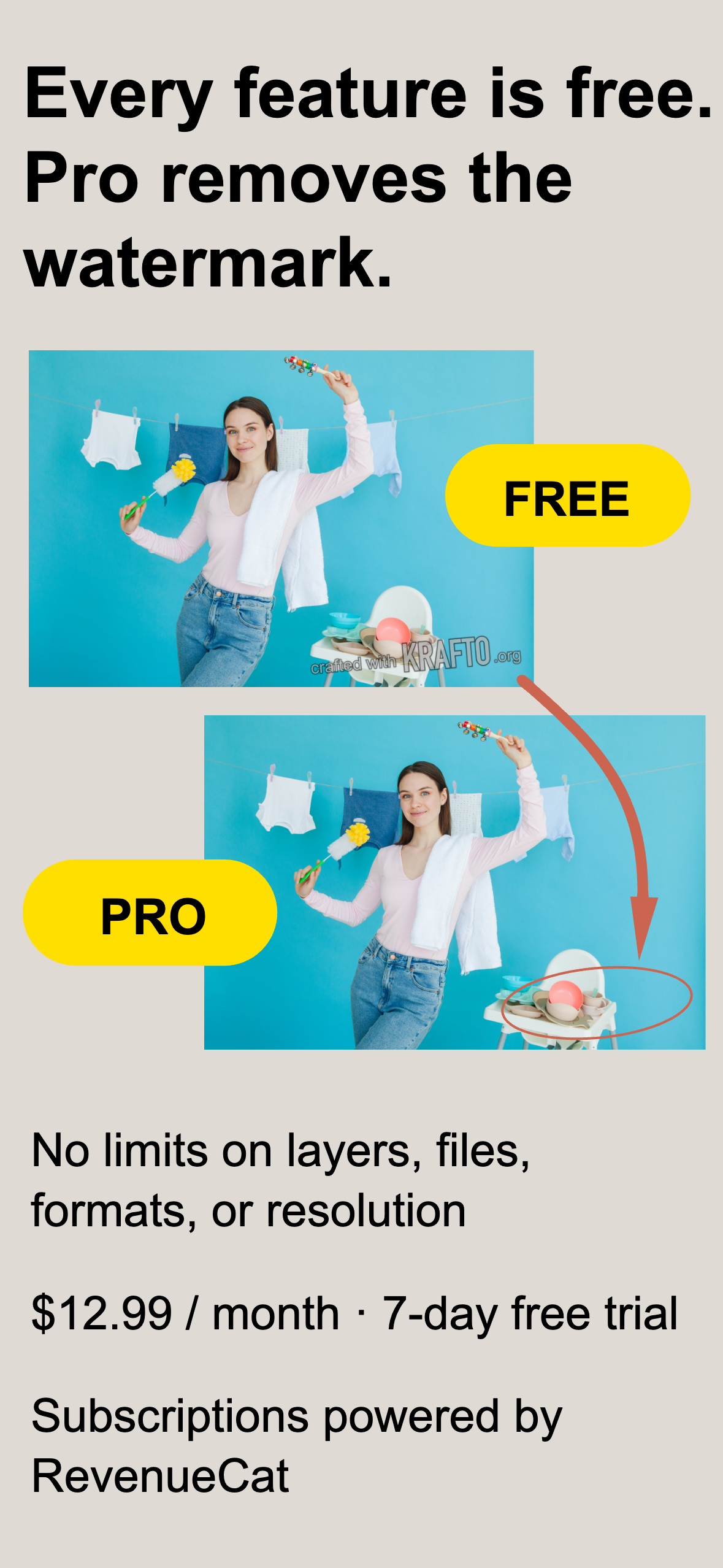
Every editing feature is free. Pro only removes the export watermark.
-
KRAFTO app icon.
Inspiration
I used Macromedia/Adobe Fireworks for over a decade. Vector and bitmap on one canvas. Effects you could always go back and adjust. A save format that was also a real PNG, so it showed a thumbnail in Finder. Lighter than a professional suite, but not a template picker.
Development stopped at CS6 in 2012, and it eventually stopped running on 64-bit macOS. Nothing replaced it. Template tools wouldn't let me control kerning or masks; professional suites were heavy, expensive, and split vector and bitmap into separate applications.
So I built one, alone, starting in May 2026. Not a nostalgia project — the same idea rebuilt for what people actually make now.
What it does
A design editor where vector and bitmap live on the same canvas. No switching apps, no round-tripping files.
- Hybrid canvas — shapes, bezier paths, photos, and pixel editing as layers in one document
- 14 non-destructive effects — shadows, blur, glows, bevel, emboss, texture, curves, levels, and more. Stack them, reorder them, re-tune or toggle any of them at any time; the original is never touched
- Path editing — knife and scissors tools cut and split paths, and every piece stays editable. Any vector shape works as a clipping mask, reshapeable after the fact
- Symbols — edit a master and every instance follows
- Assets, tables, and charts — a built-in SVG asset library, spreadsheet-style tables with formulas, and six chart types that follow the table live. Not templates to fill in — parts to build with
- Print output — trim marks, bleed, 300/350 dpi, real millimetre page sizes. Lay out a menu at A4 and export a press-ready PDF without leaving the app
- Vertical Japanese typesetting — proper tate-chū-yoko, with the 331 rotating characters extracted from Hiragino's
verttable rather than Unicode UTR#50, which disagrees with print convention - Seven export formats — PNG, JPG, PDF (rasterized, searchable, or vector), PSD, SVG, GIF, MP4
.kr.pngproject files — a valid PNG that shows a thumbnail in Finder with the whole project embedded inside it- 11 languages across the UI, help, and legal documents
Your project files and creative content stay on your machine. Login is optional — install the app and use every editing feature without an account.
How I built it
React 19 + TypeScript on Vite. Konva drives the scene graph, Paper.js runs headless for boolean path operations, Zustand + immer handle state and undo. The Mac app wraps the same codebase in Tauri 2 — one canvas engine, two shells.
Tauri on macOS is WKWebView, not Chromium, which meant a lot of missing floor. queryLocalFonts doesn't exist, so I enumerate fonts through Rust and CoreText — and proved it reaches system, library, and user fonts under App Sandbox. alert and confirm silently do nothing because wry hadn't implemented them, so I wrote a WKUIDelegate in Rust while preserving synchronous semantics. Without overriding the user agent, Google Fonts serves Japanese webfonts about 70× larger.
StoreKit 2 from Rust. Tauri has no IAP support and StoreKit 2 is Swift-only, so I wrote three Swift bridges — StoreKit, RevenueCat, and Sign in with Apple — exposed via @_cdecl and called from Rust. The front end asks one question, isPro(), and doesn't care which platform answered.
Matching Photoshop by measurement. For PSD export I had Photoshop render each effect, compared it to mine at identical coordinates, and solved for coefficients by least squares. Photoshop's layer-style Size turns out to be σ × 0.40 while the filter Radius is essentially σ itself — different scales, and mixing them up puts you off by 2.5×. Bevel and emboss I rewrote around a distance field with normal-based shading, taking mean absolute error from 4.22 to 0.43. Every effect I measured now lands between 0.3 and 1.3 out of 255.
Also: searchable PDF needs embedded fonts, and macOS Japanese fonts are CID-keyed CFF, which harfbuzzjs drops. I compiled a CFF-capable harfbuzz-subset to WebAssembly and bundled it.
Monetization: no feature paywall
Every editing feature is available on the free tier. It is not a time-limited demo or a feature-restricted trial — layer count, save count, export formats, and resolution are unrestricted.
The only thing Pro changes is removing a small watermark from exports. A single monthly subscription, priced per App Store territory, with a 7-day free trial. When the trial ends, the app keeps working; the watermark comes back.
Free users become distribution. Every watermarked export carries the name to someone who didn't know it existed. A feature-gated free tier produces a frustrated user; a watermarked one produces a channel.
The motive is pride, not scarcity. Nobody pays to unlock something they were blocked from — they resent it. People pay because they don't want their work announcing what made it. It is a cleaner transaction, and I never have to design an artificial limitation.
Cancelling takes nothing hostage. Every saved file still opens, edits, and exports. Project files are local, so access to a user's work never depends on an active subscription.
The entitlement design follows the same principle. Pro resolves as an OR — a StoreKit purchase on this Mac, or the account flag in
Built With
- ag-psd
- deno
- immer
- indexeddb
- konva
- macos
- paper.js
- pdf-lib
- react
- revenuecat
- rust
- storekit
- supabase
- swift
- tauri
- typescript
- vite
- webassembly
- zustand

Log in or sign up for Devpost to join the conversation.