-
-
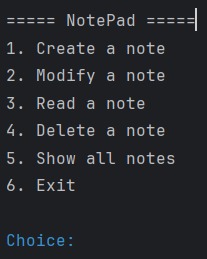
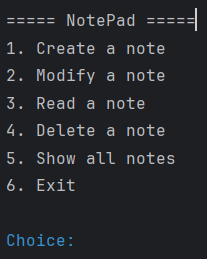
Menu
-
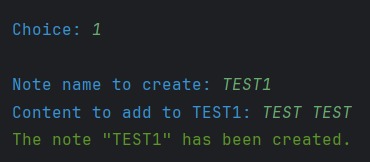
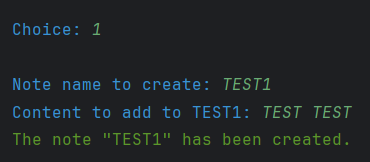
Create_a_note
-
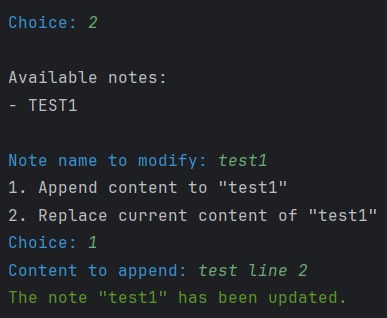
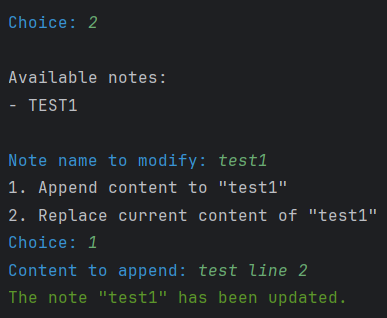
Modify_a_note
-
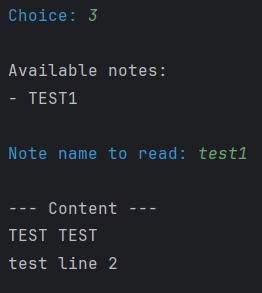
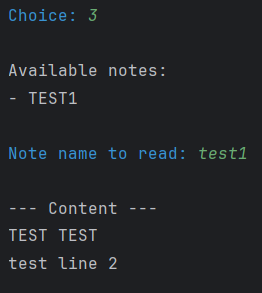
Read_a_note
-
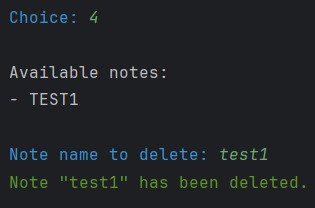
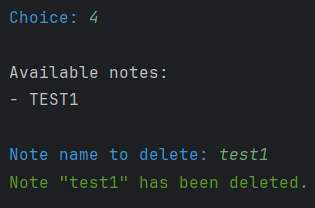
Delete_a_note
-
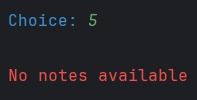
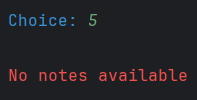
Show_all_notes
Inspiration
I have been learning Kotlin for only about ten days, and this project is one of the first real applications I built to practice.
I saw this hackathon and wanted to participate because I thought my project was quite solid and ready to be showcased.
What it does
Kotlin NotePad CLI is a simple note-taking application built in Kotlin.
It runs in the command line and allows users to create, modify, read, and delete notes easily.
The project uses basic file management to store notes locally and provides an interactive, colored, text-based menu for navigation.
How I built it
I built it step by step, starting with a simple function to create a file with some notes in it. I gradually added new functions and methods I had learned, until finally reaching something really functional and quite useful.
Challenges I ran into
The main challenge was to create a notebook that is truly user-friendly, given the skills I have. I had to handle case-insensitive input, prevent duplicate file names, and use colors to make the interface more welcoming.
Accomplishments that I am proud of
I have learned so many things during this project and I believe I will learn even more in the future. I am proud of my progression, proud of my project itself, and proud of my dedication because even when facing difficulties, I continued to work hard.
What I learned
I have learned how to use colors, manage files, leverage internal Kotlin functions, and much more.
What's next for Kotlin NotePad CLI
I want it to continue improving. It is my first real project, and I want to add new functions such as renaming notes, using object-oriented programming for better note management, and maybe later adding a user interface to make it a fully functional application.
Built With
- ansi
- intellij-idea
- jvm
- kotlin

Log in or sign up for Devpost to join the conversation.