KopiSense — Smart Operations Assistant for Kopitiams
Inspiration
Traditional Malaysian kopitiams often run their daily operations using paper notes, memory, or simple notebooks. While this method works, it makes it difficult for owners to track sales, understand which menu items perform well, and manage stock efficiently.
We wanted to help kopitiam owners modernize their operations without losing the charm and simplicity of their coffee shops.
The goal was to replace messy, paper-based tracking with a simple digital system that fits naturally into their fast-paced environment.
What KopiSense Does
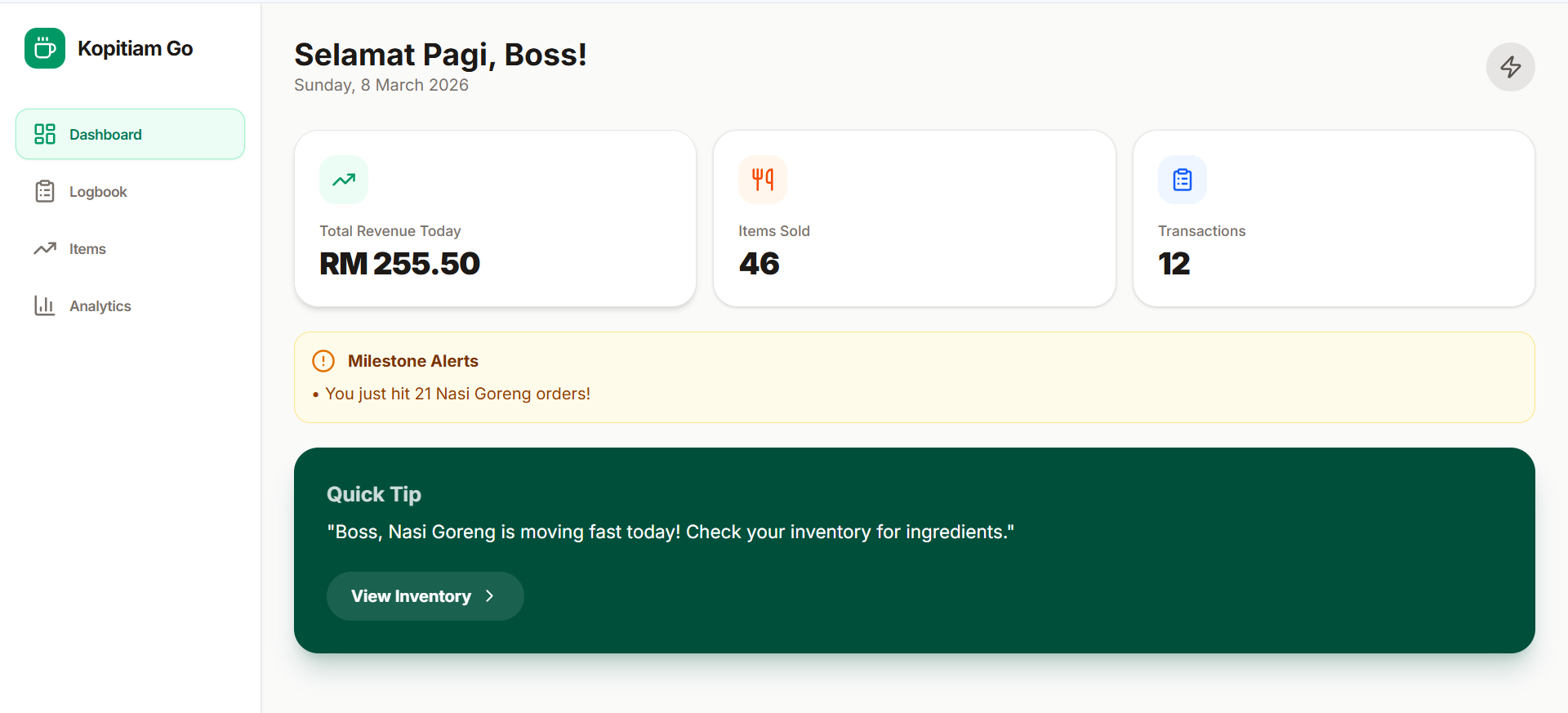
KopiSense is a mobile assistant that turns daily shop activities into clear, useful digital insights.
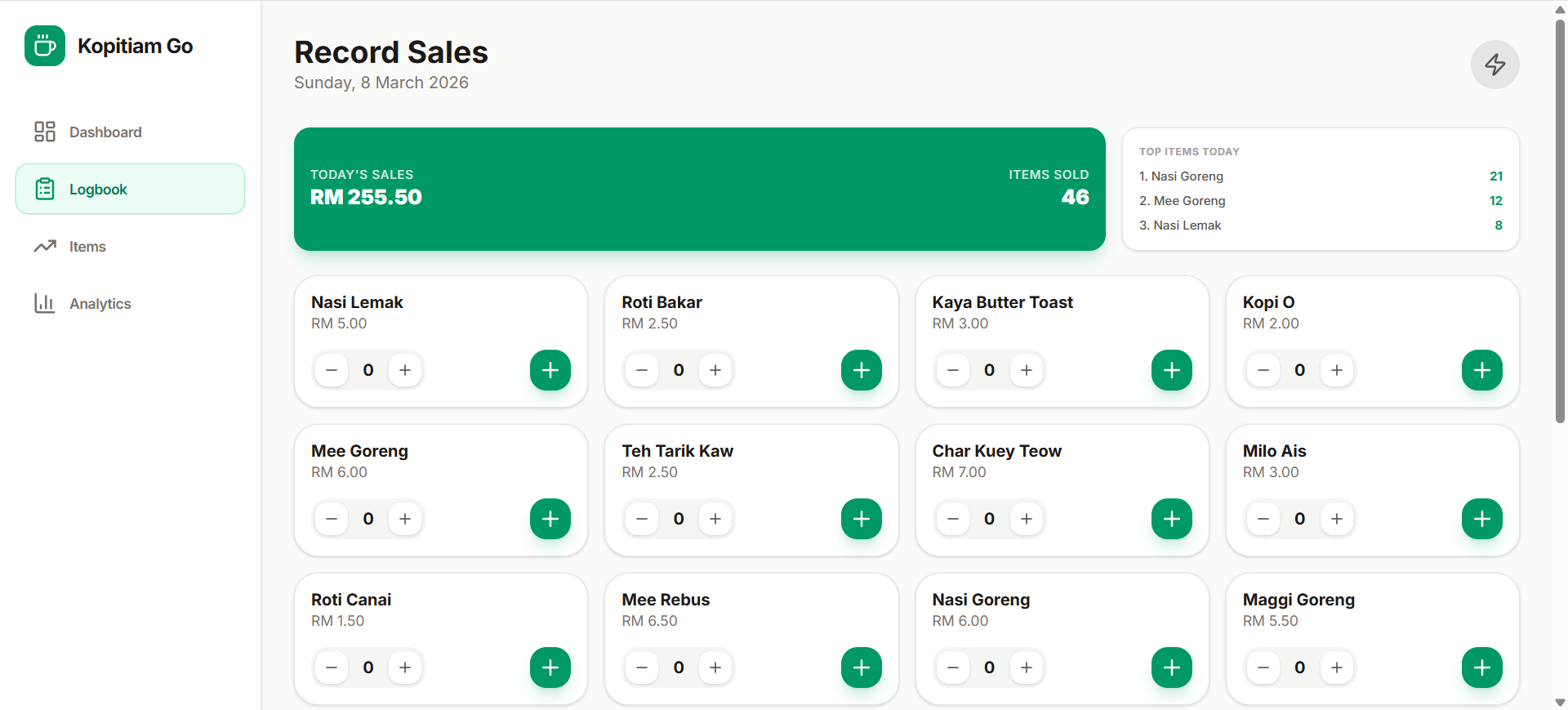
At the center of the system is a “Digital Waiter” interface — a simple tap-based logbook that allows owners to record sales in seconds.
Instead of learning complex POS software, owners simply tap to log orders.
The system automatically analyzes the data to help owners:
- Track daily sales performance
- Manage ingredient stock more efficiently
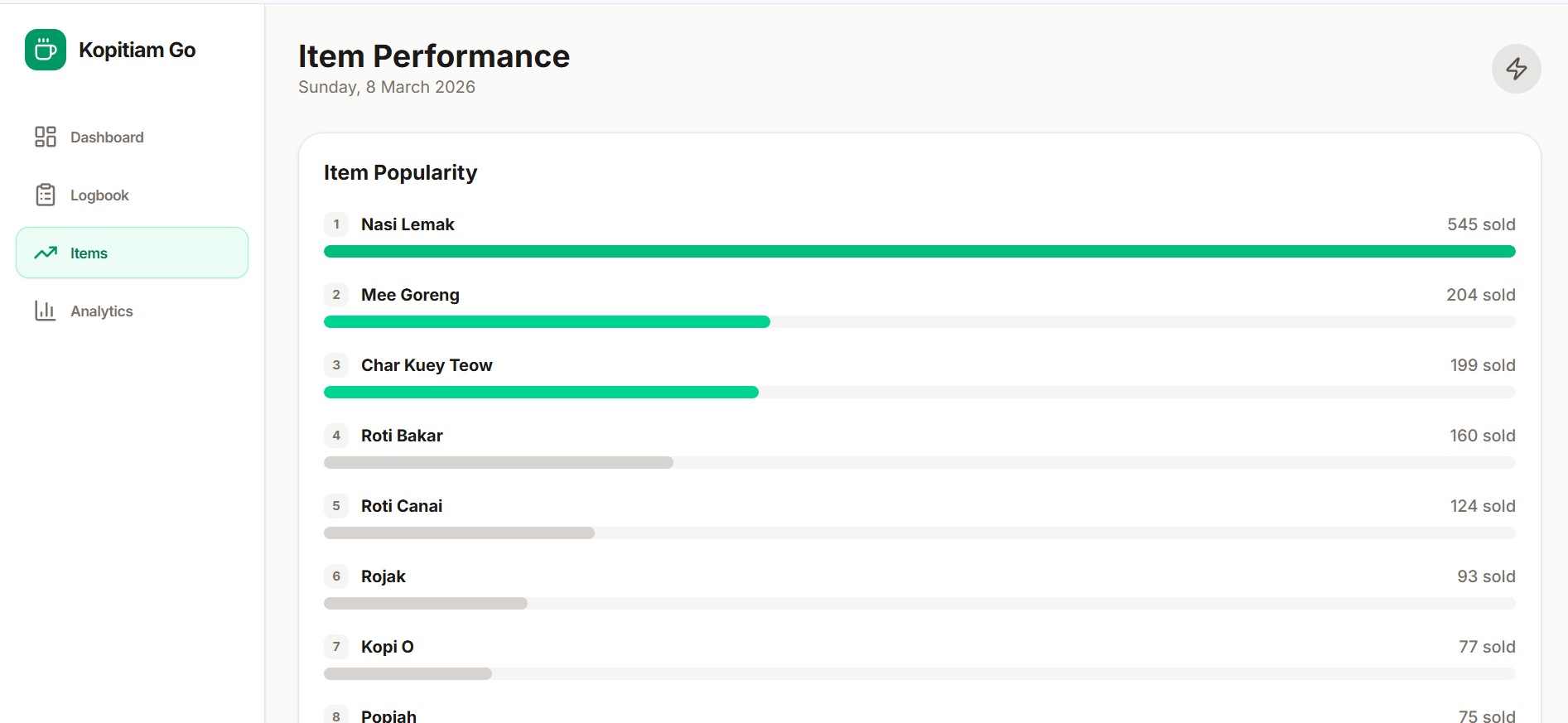
- Identify best-selling menu items
- Discover which items generate the most profit
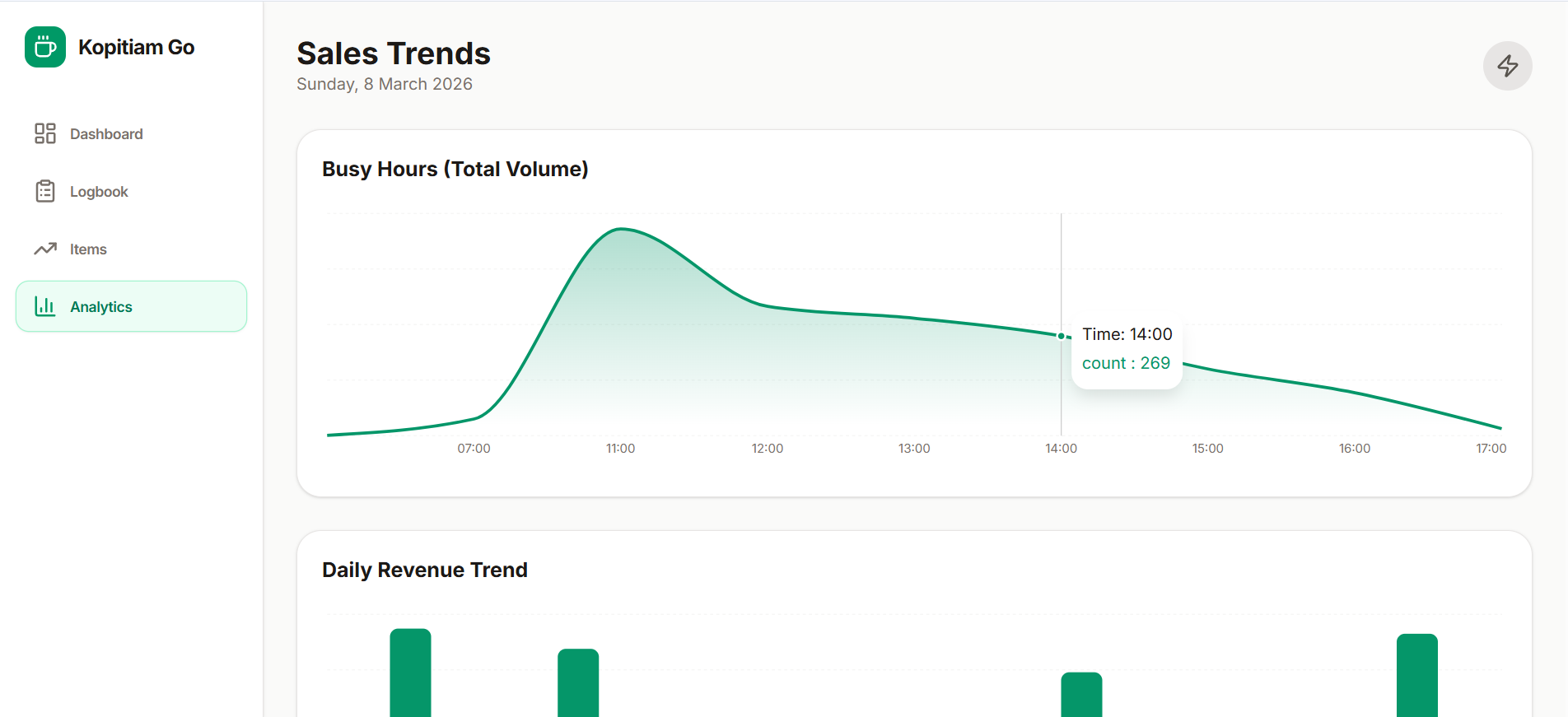
- Understand customer ordering patterns
- Schedule staff based on busy hours
All of this works without requiring technical knowledge or complicated setup.
How We Built It
1. Mobile Application
The application is designed as a mobile-first experience using Flutter or React Native.
Key design choices:
- Large buttons
- High-contrast interface
- Minimal typing
- Fast tap-based inputs
This allows shop owners to quickly record orders even during busy periods.
2. Offline Reliability
Internet connections in some kopitiams can be unstable.
To ensure reliability:
- Google Firebase is used for data handling
- Data is stored locally on the device
- Information syncs automatically when the internet connection returns
This ensures the app continues working even when Wi-Fi drops.
3. Data Processing
Raw sales logs are processed using:
- Python
- Pandas
The system converts daily records into:
- Sales summaries
- Item performance reports
- Stock usage insights
- Operational alerts
These reports help owners quickly understand what is happening in their business.
4. Smart Features
To support traditional workflows, we integrated Google Cloud Vision OCR.
This allows owners to:
- Scan existing handwritten ledgers
- Automatically convert them into digital data
We also added scripts to calculate:
- Sales velocity (how fast items sell)
- Order consistency
- Menu profitability trends
Challenges We Faced
1. Moving from Dataset to Real Tool
Transforming a static dataset analysis into a live operational tool required designing a system that works in real daily shop environments.
2. Simplicity for Non-Technical Users
Many kopitiam owners are not familiar with modern business software.
We enforced a strict “3-Click Rule”:
Any task in the app should be completed within three taps.
3. Offline-First Design
Because internet reliability varies, the system needed to function fully offline, with automatic syncing once connectivity returns.
Accomplishments
We successfully transformed a general business idea into a focused product architecture designed specifically for kopitiam operations.
Key achievements include:
- Designing an intuitive Digital Waiter interface
- Capturing complex operational data through simple interactions
- Building a system that fits existing workflows instead of forcing owners to change how they work
The result is a tool that feels natural to use in everyday operations.
What We Learned
The most effective technology for traditional businesses is not the most complex technology — it is the most invisible.
By focusing on the real pain points of kopitiam owners, rather than simply adding features, we created a solution that integrates naturally into their daily routines.
Good technology should support how people already work, not force them to adapt to complicated systems.
Built With
- google-ai-studio

Log in or sign up for Devpost to join the conversation.