-
-
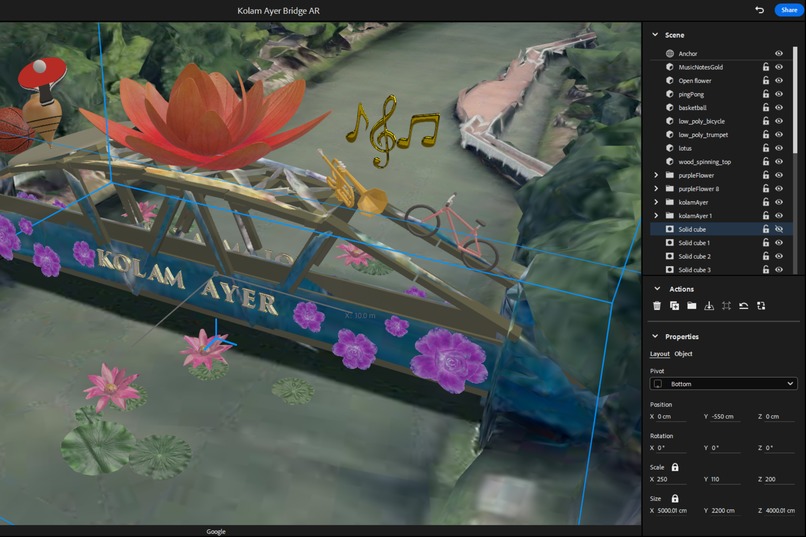
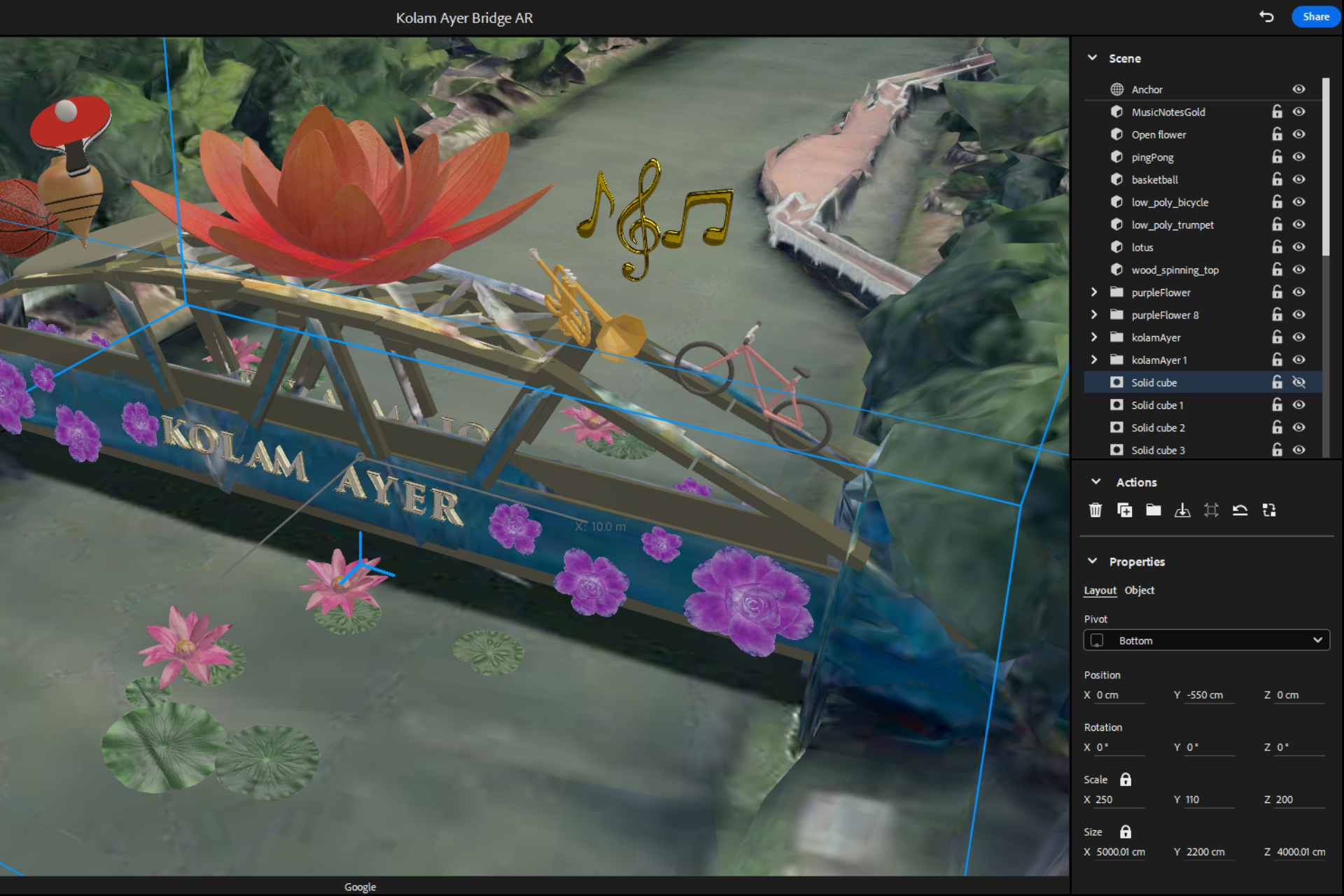
Snapshot of workspace in Adobe Aero
-
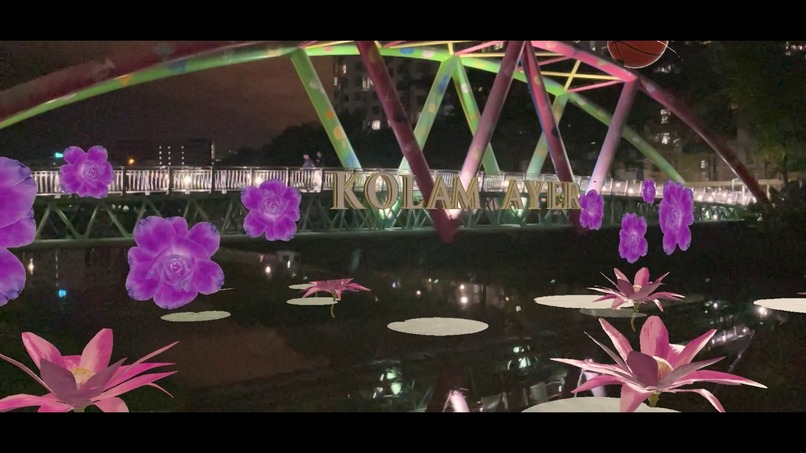
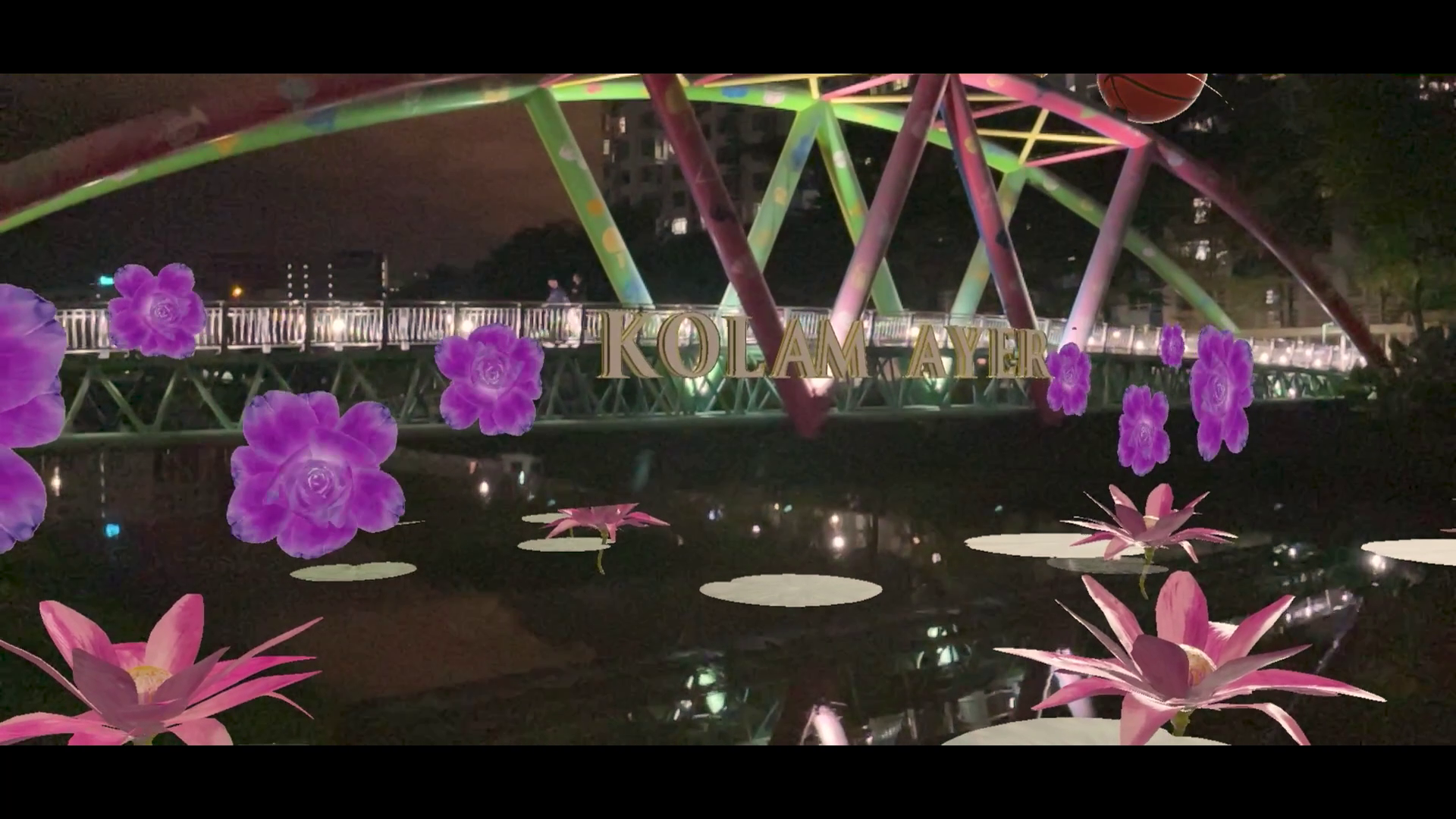
Screenshot of AR effect
-
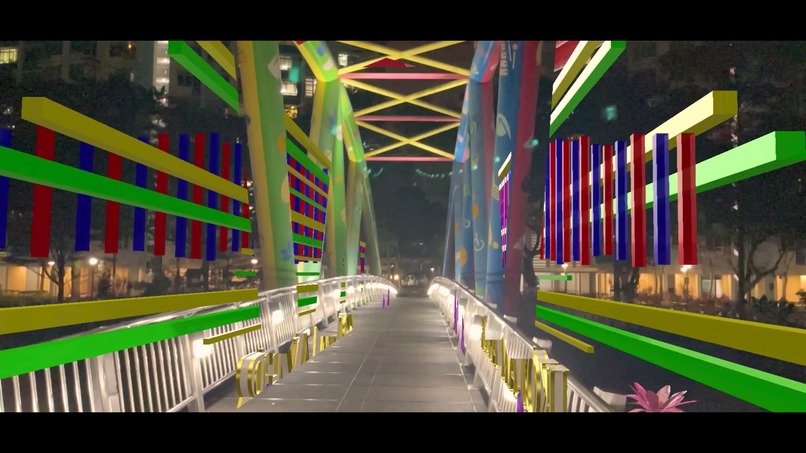
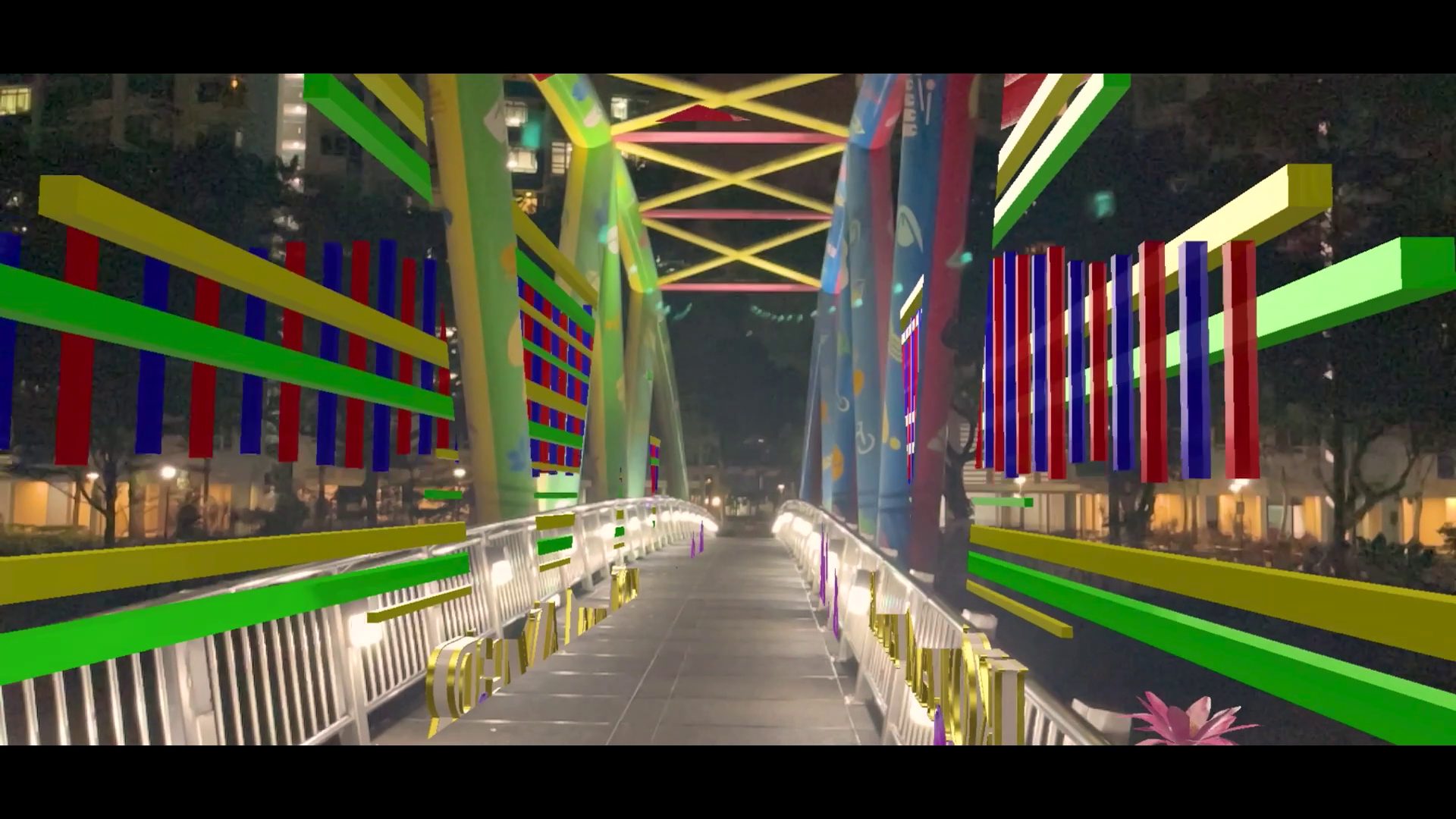
Screenshot of AR effect
-
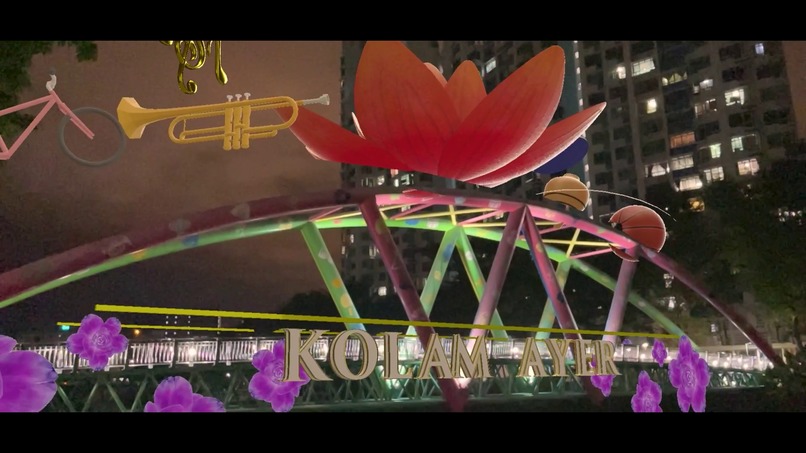
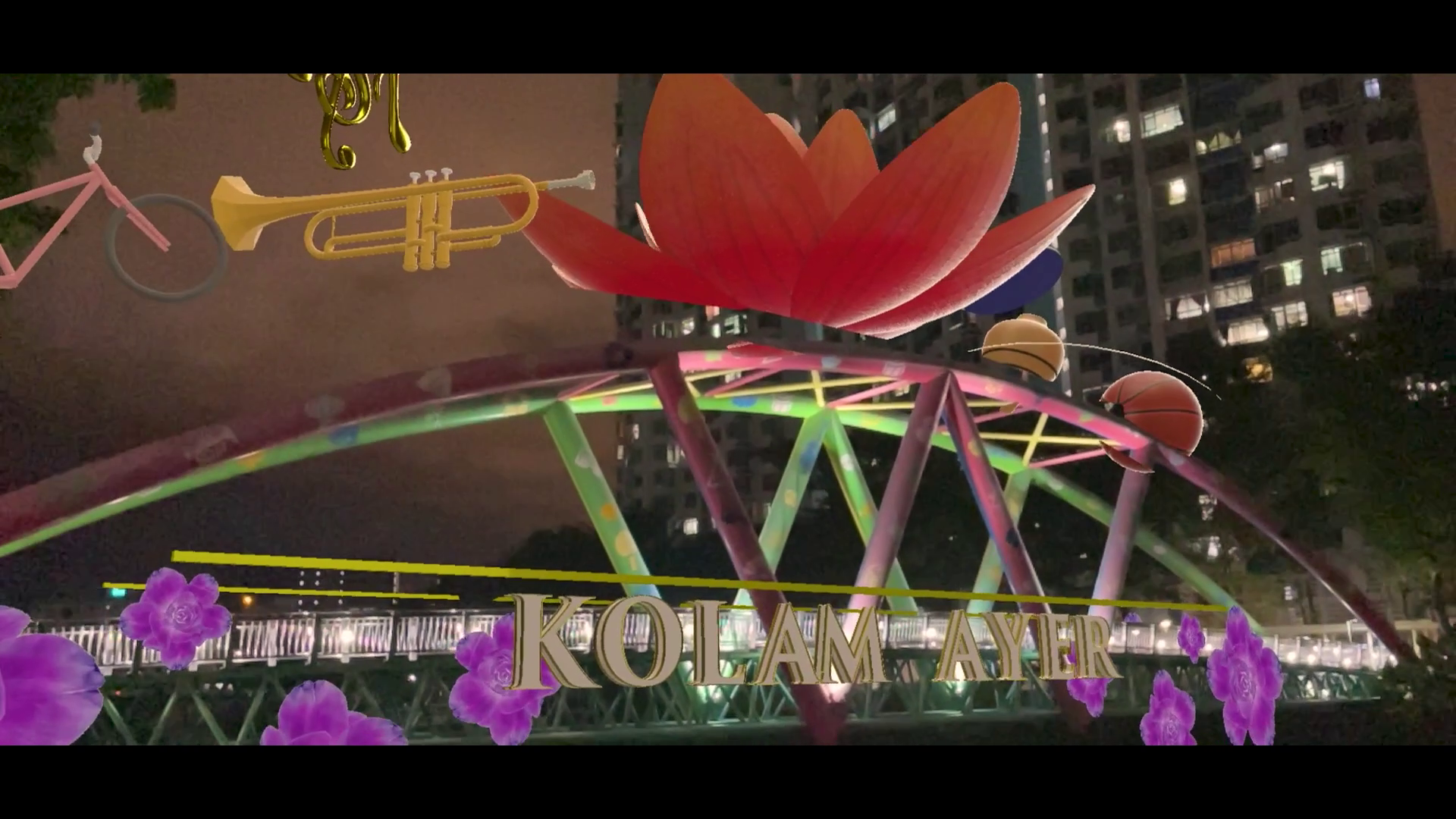
Screenshot of AR effect
Inspiration
I would often pass by the Kolam Ayer bridge during my commute and it has never failed to always be a hive of activity. The bridge is often a popular spot for photographers, joggers, seniors and children as it connects them to the nearby Park Connector network. The many types of colorful symbols painted on the bridge draw parallels to community, culture and play. Coupled together with it's location over the Kallang river, this inspired me to use augmented reality to bring the bridge to life.
What it does
"Kolam Ayer Bridge AR" is an augmented reality effect that transforms the iconic Kolam Ayer bridge in the neighbourhood and brings it to life adorned with 3D motifs that reflect play and communal vibes.
How I built it
I used Adobe Aero to build the entire AR effect. Adobe Aero allowed me to natively make use of Geospatial Creator to select the location I wanted to create my AR effect, and it automatically pulled in real-world 3D map tiles of the bridge area. I then selected a couple of the motifs and symbols on the bridge to turn into 3D models to use in the final AR effect. These 3D models were free-to-use and sourced from Sketchfab. Some of the models had animation clips, and I made use of the Behaviour Builder in Adobe Aero to trigger these. For all the 3D assets, I extensively made use of the Behaviour Builder system in Adobe Aero to customise the animations and vary the timing. I also leveraged the preset content 3D assets in Adobe Aero like the flower and 3D ornate text models. Minor amendments and additional minor 3D elements were made in Blender and brought back into Adobe Aero. Examples include changing the material of the musical note 3D model to make it more shiny, and also creating the yellow and green 3D rectangular model strips which appear as part of a timed animation along both sides of the bridge.
Challenges I ran into
One main challenge was trying to ensure that the real-world location and the location data from the Geospatial Creator tiles in Adobe Aero matched up well. Locations in the real-world which had undergone construction or redevelopment recently would not work well as the location data pulled from Google Maps is slightly older. This also meant adjusting the anchor point in Adobe Aero to a location which is largely free from any recent construction or redevelopment work. One other key challenge was overall file size of the finished effect, and I had to decide how to balance my effect from having lots of 3D models coming at the cost of size and performance, versus having just enough 3D models which brought out the key impact of the effect while still being relatively quick to use.
Accomplishments that I'm proud of
Being able to easily combine various types of digital assets (e.g. 3D animated models, 2D image sequences) for the final effect was great. Being able to successfully make use of the mask object function was a plus as it helped to give a much more impactful gradual opening reveal of the 3D objects overlaid on the real-world bridge structure. I was also able to create and use additional mask objects to help give better occlusion (e.g. on the top of the bridge when viewed from under it) so that it helps to make the 3D objects look a bit more grounded in reality. I was also able to make use of the surrounding water body areas of the bridge to have some AR effects on them as well in the form of floating 3D lotus flowers which worked well visually.
What I learned
I learned how to make use of Adobe Aero and Google Geospatial Creator to create an immersive site-specific AR installation, and deploy it for anyone to use.
What's next for Kolam Ayer Bridge AR
To look at optimising the overall file size for faster loading of the AR experience.
Built With
- adobe
- adobeaero
- aero
- geospatialcreator
- googlegeospatialcreator


Log in or sign up for Devpost to join the conversation.