-
-
record
-
log-detail
-
daily-report
-

icon

Inspiration
Some thoughts are easier to say than to write. A moment of uncertainty, a small accomplishment or an idea for tomorrow can disappear while we search for the right words. Even when we record it, finding something useful in a collection of audio clips takes effort.
Kokorino was built around a simple goal: make it easy to capture a moment in your own voice and return to it in a form you can review. It is designed for people who prefer speaking to writing when reflecting on everyday experiences.
What it does
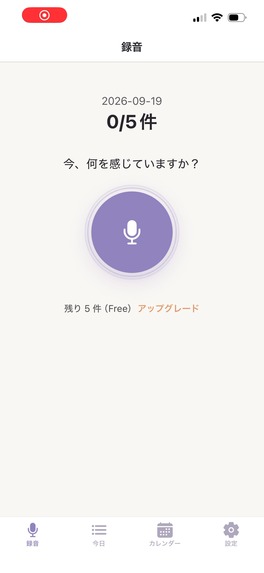
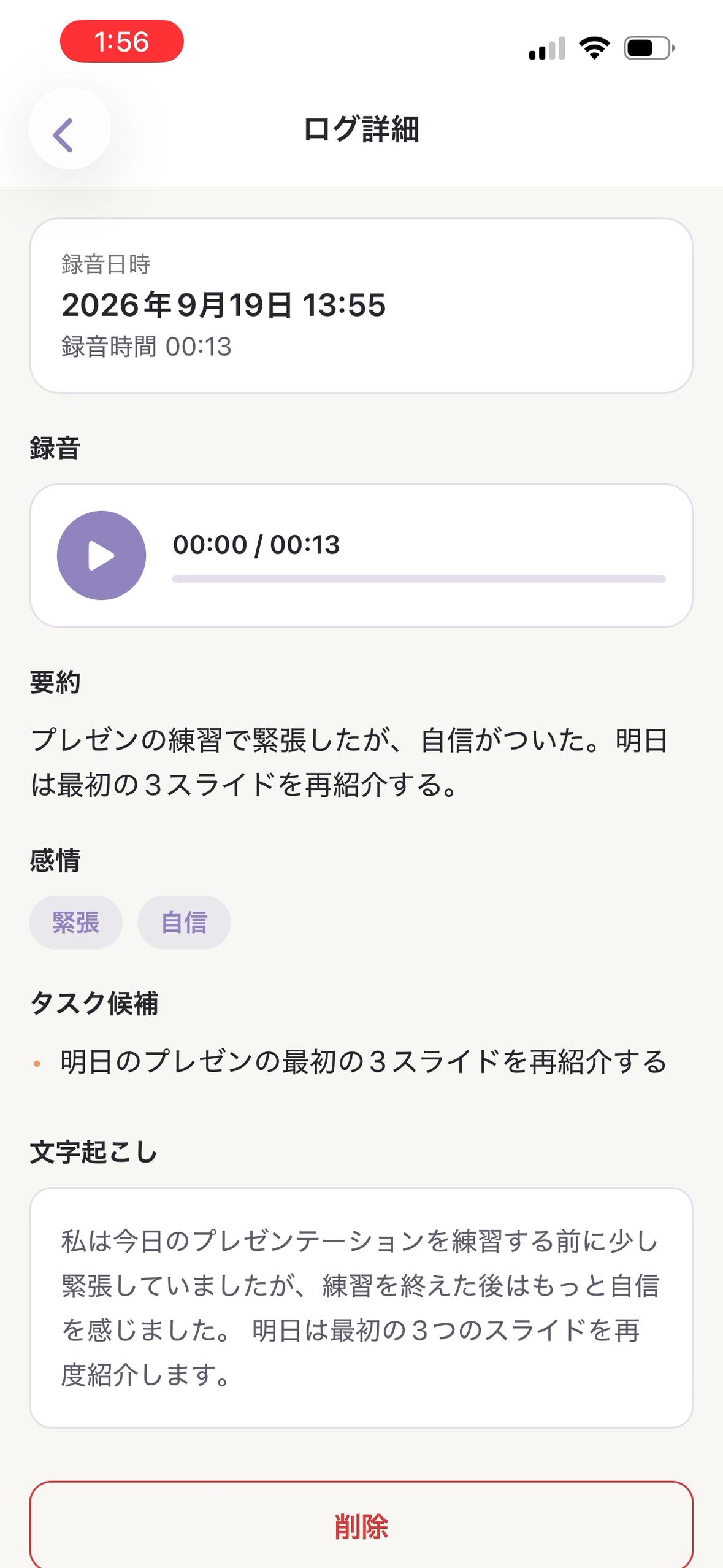
Kokorino is a voice-journaling app for iPhone. Record a short entry, review the AI data-sharing disclosure and choose whether to continue. Once processing finishes, open the entry to play your original recording and read its transcript and summary, with emotion cues and task suggestions when available.
The review experience works at three levels:
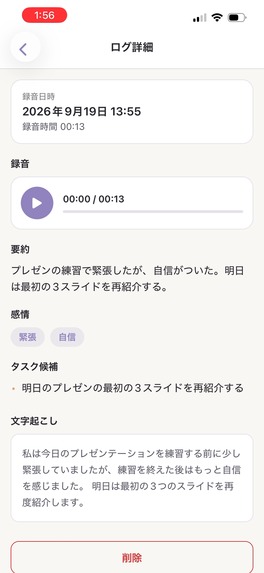
- A single entry: Log Detail keeps the original audio and organized text together.
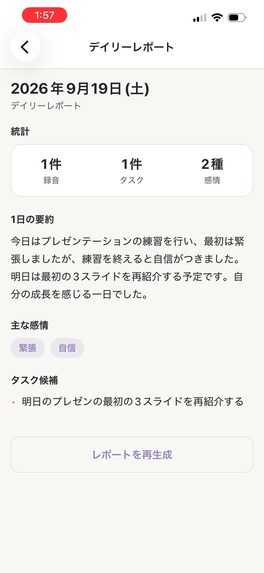
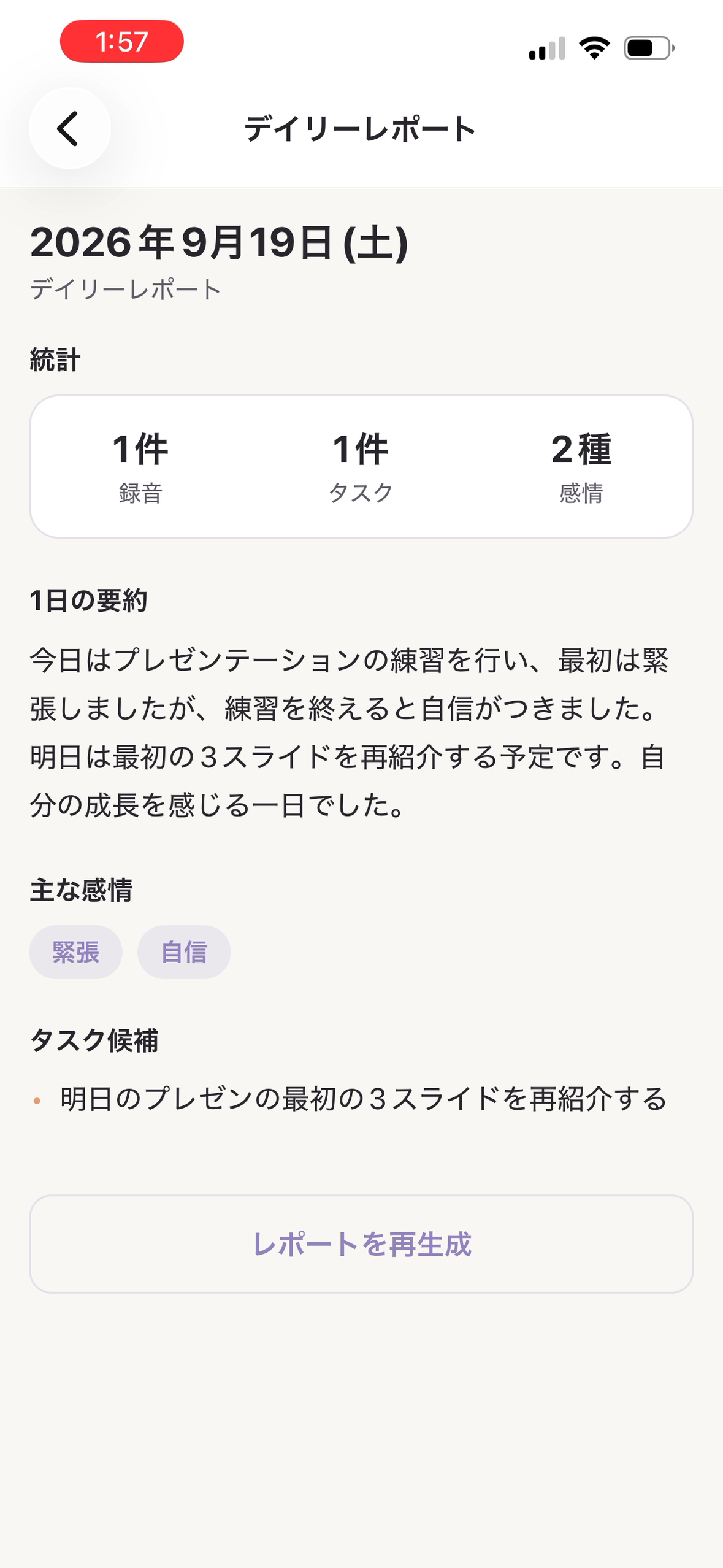
- Your day: Today gathers the day’s entries and suggested tasks. Create a Daily Report to bring completed entries into a day-level summary with emotions, tasks and counts.
- Earlier days: Calendar marks days with recordings and reports so you can return to them by date.
The current interface is Japanese. English translations accompany the submission screenshots and demo, and the reviewer guide pairs Japanese controls with English instructions. Emotion cues and suggested tasks are AI-generated interpretations for personal reflection, not diagnoses or advice from a therapist.
How it is built
The app is built with React Native, Expo and TypeScript. Supabase provides authentication and Edge Functions that connect the app to OpenAI for transcription and generated entry/report content. The app’s implementation stores recordings and reports using SQLite and local files. AI processing uses online services: before processing, the app explains that recorded audio and generated text may be sent to OpenAI and asks for consent.
RevenueCat manages the Premium subscription and entitlement access through Apple’s in-app purchase system. The app displays Free plan terms of five recordings per day and the most recent seven days of history, and Premium terms of 20 recordings per day and all history. The standard subscription is monthly and auto-renewing; the Japanese paywall shown in the demo displays ¥500/month with no standard free trial. Storefront pricing may differ. Judge access uses a separate private offer described in the reviewer instructions.
Design challenges
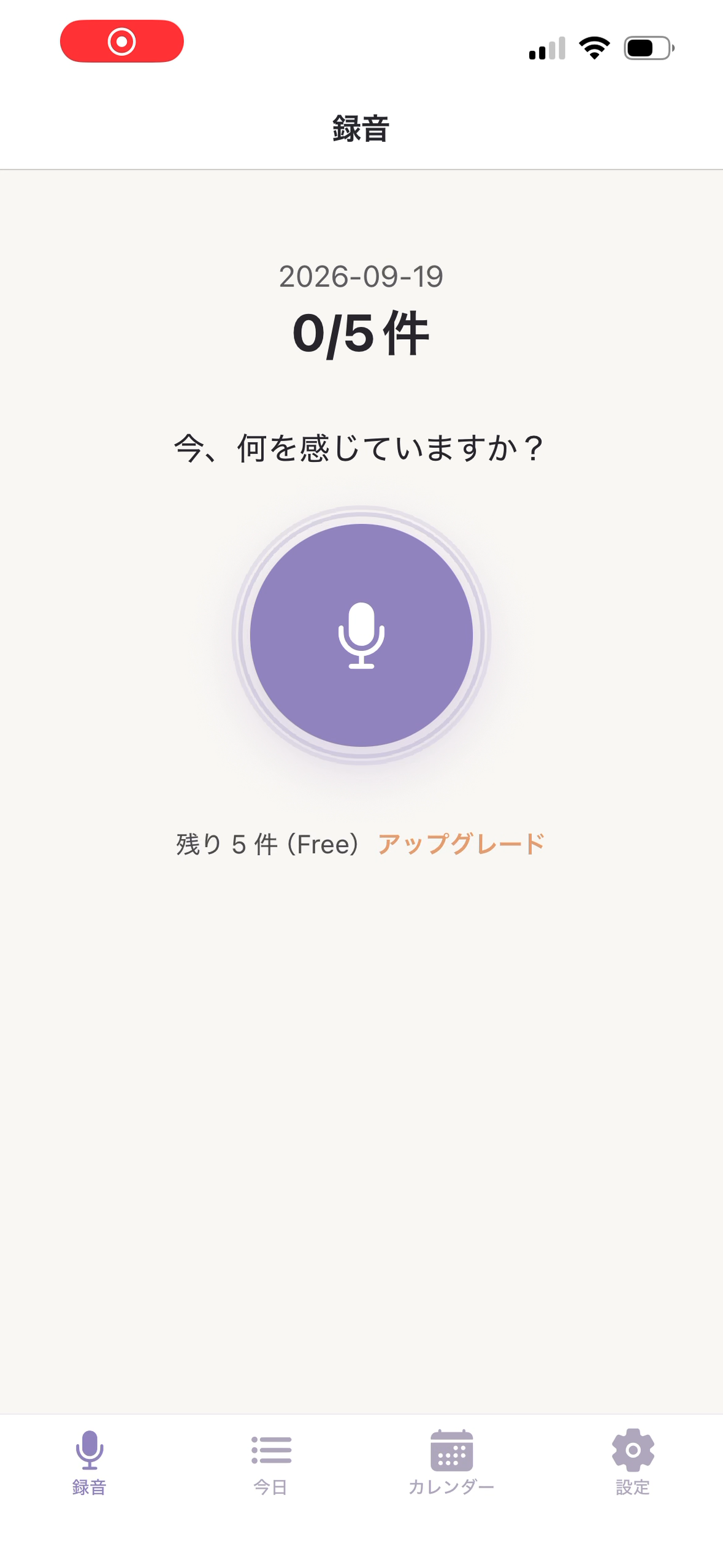
The central design challenge is making a recording useful without turning a quick journal entry into a long form to complete. Kokorino starts with one prompt—“How are you feeling right now?”—and a prominent microphone control. The result has a clear reading order: recording, summary, emotions, suggested tasks and transcription. Today and Daily Report then let the user move from one moment to the wider day.
A second challenge is keeping generated interpretation connected to what the person actually said. The original recording remains available beside the generated content, while a visible consent step explains the AI processing before it begins.
What is working today
Kokorino’s first public iPhone release was August 27, 2026. The released app brings recording, organized entries, Today, Daily Report, Calendar and a RevenueCat-backed Premium subscription into one experience. The submission demonstrates that flow using a synthetic presentation-practice entry.
What’s next
The next priority is learning which parts of the recording-to-review flow people find useful and improving the experience from that feedback. English localization, Weekly Reports and Monthly Reports are planned directions; they are not available in the current release.
Built With
- expo.io
- exporouter
- ios
- openai
- reactnative
- revenuecat
- sqlite
- supabase
- typescript

Log in or sign up for Devpost to join the conversation.