-
-
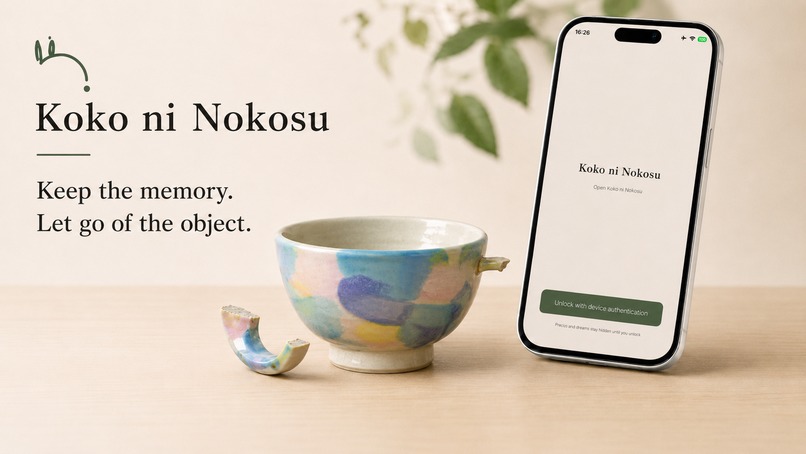
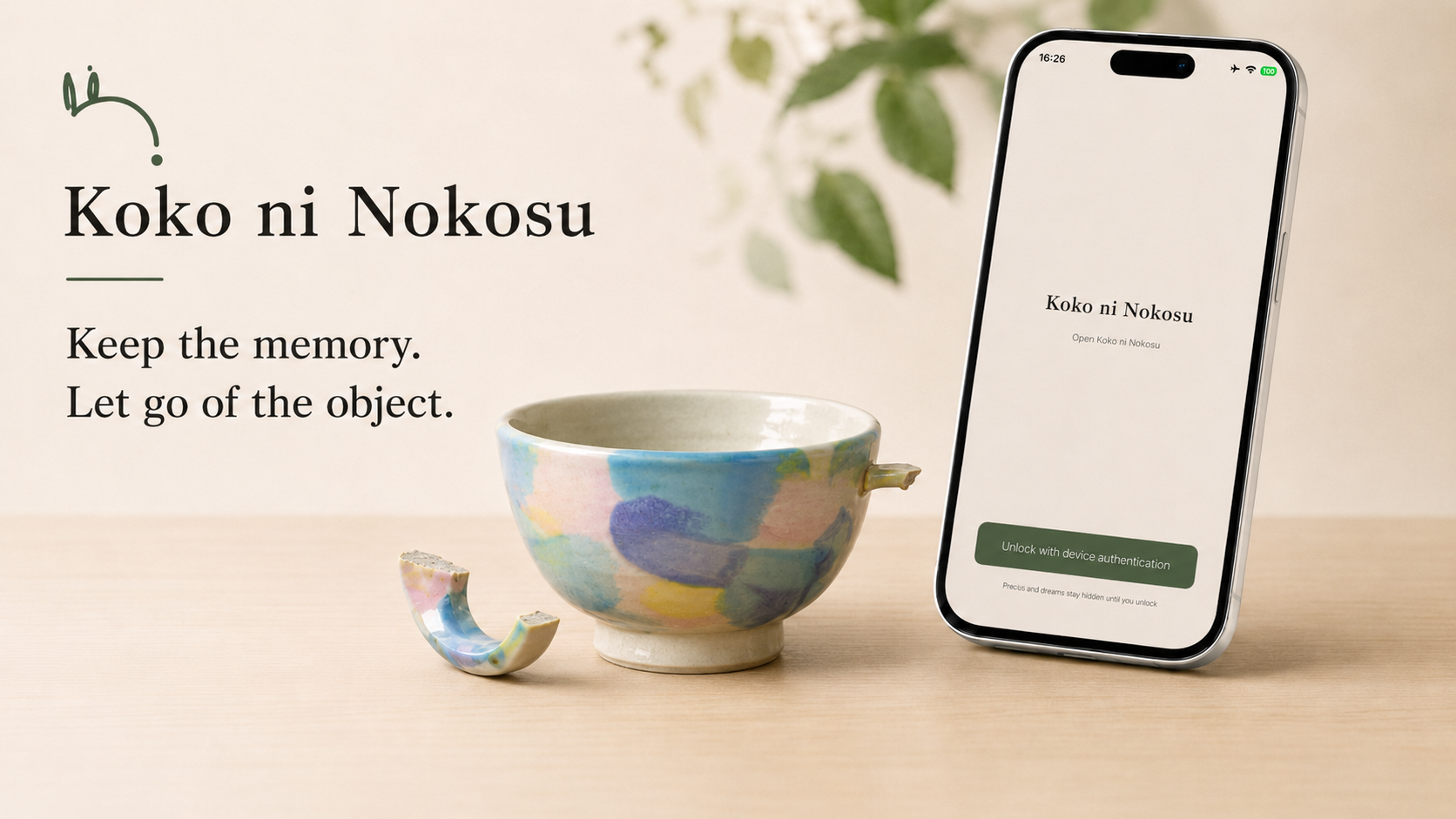
Koko ni Nokosu — Keep the memory. Let go of the object. A private home for sentimental objects before saying goodbye.
-
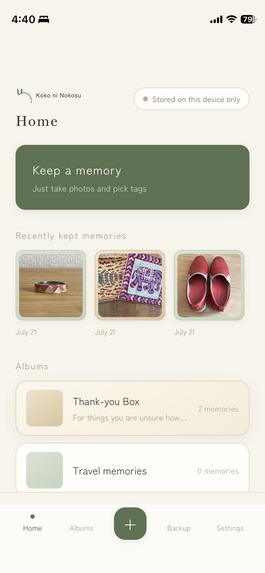
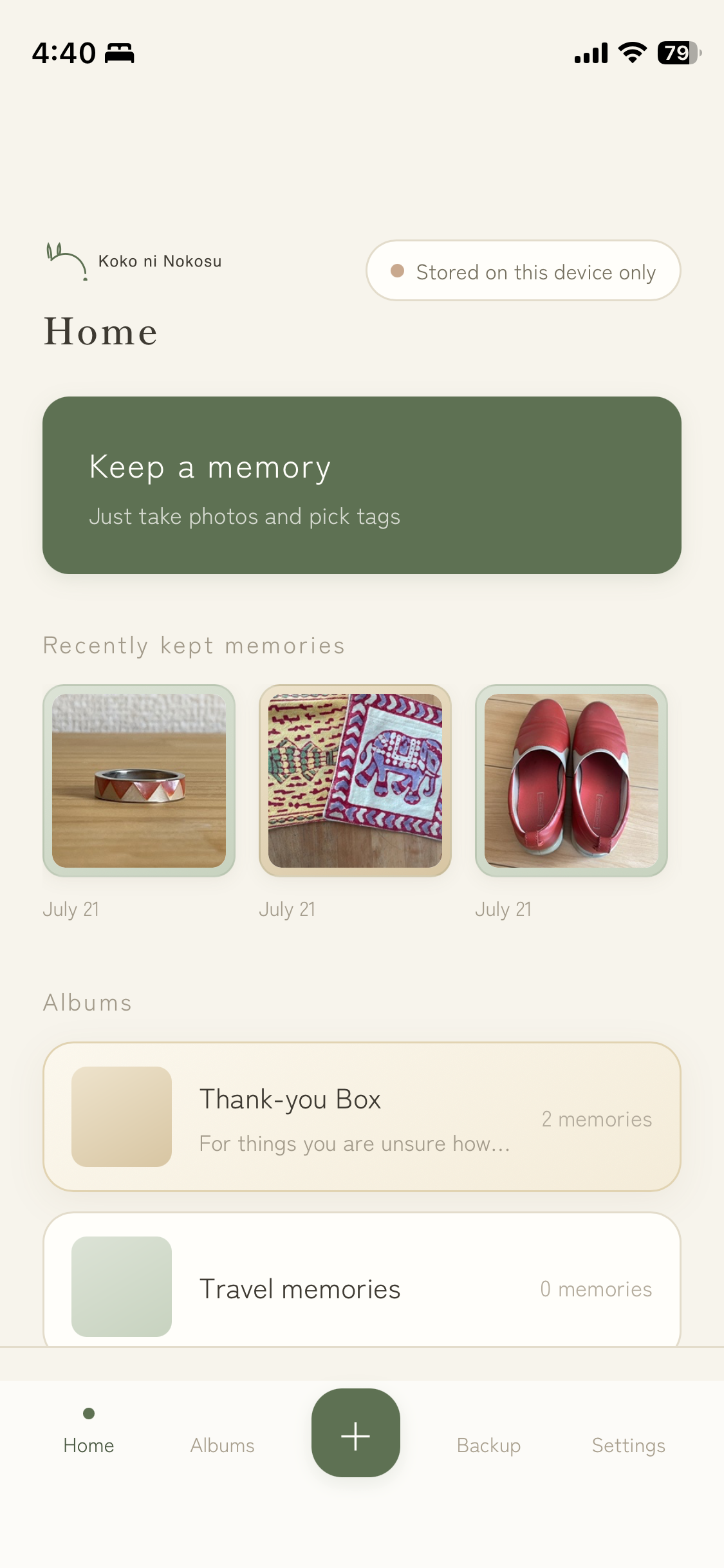
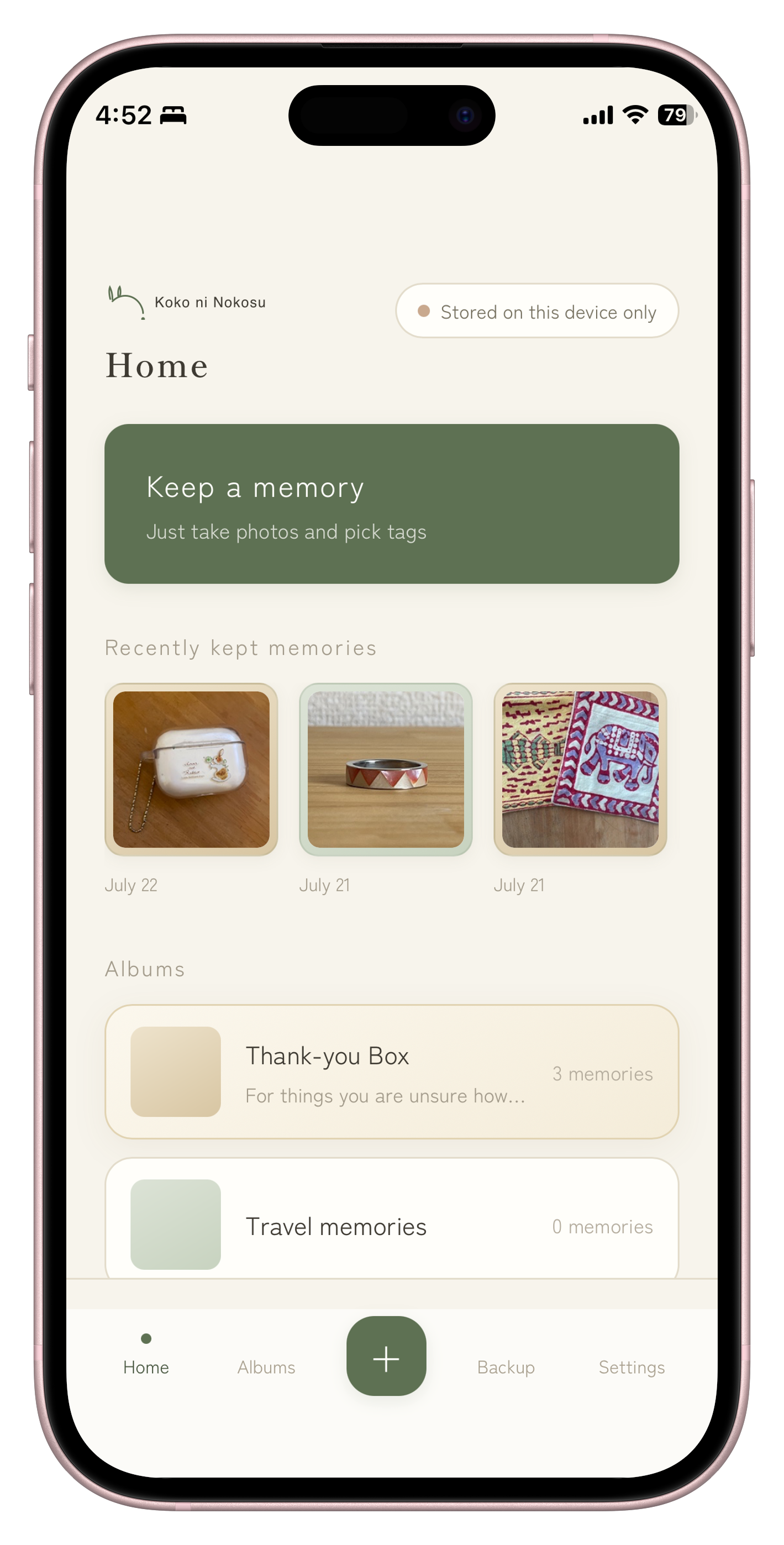
The English home screen: memories stay on this device, with a gentle one-tap path to preserve a new one.
-
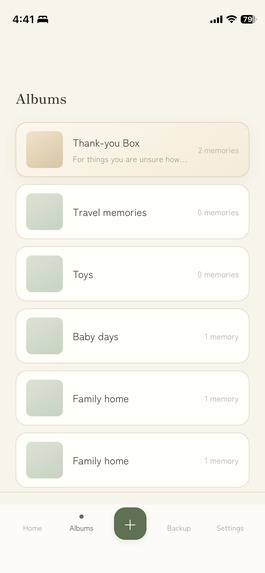
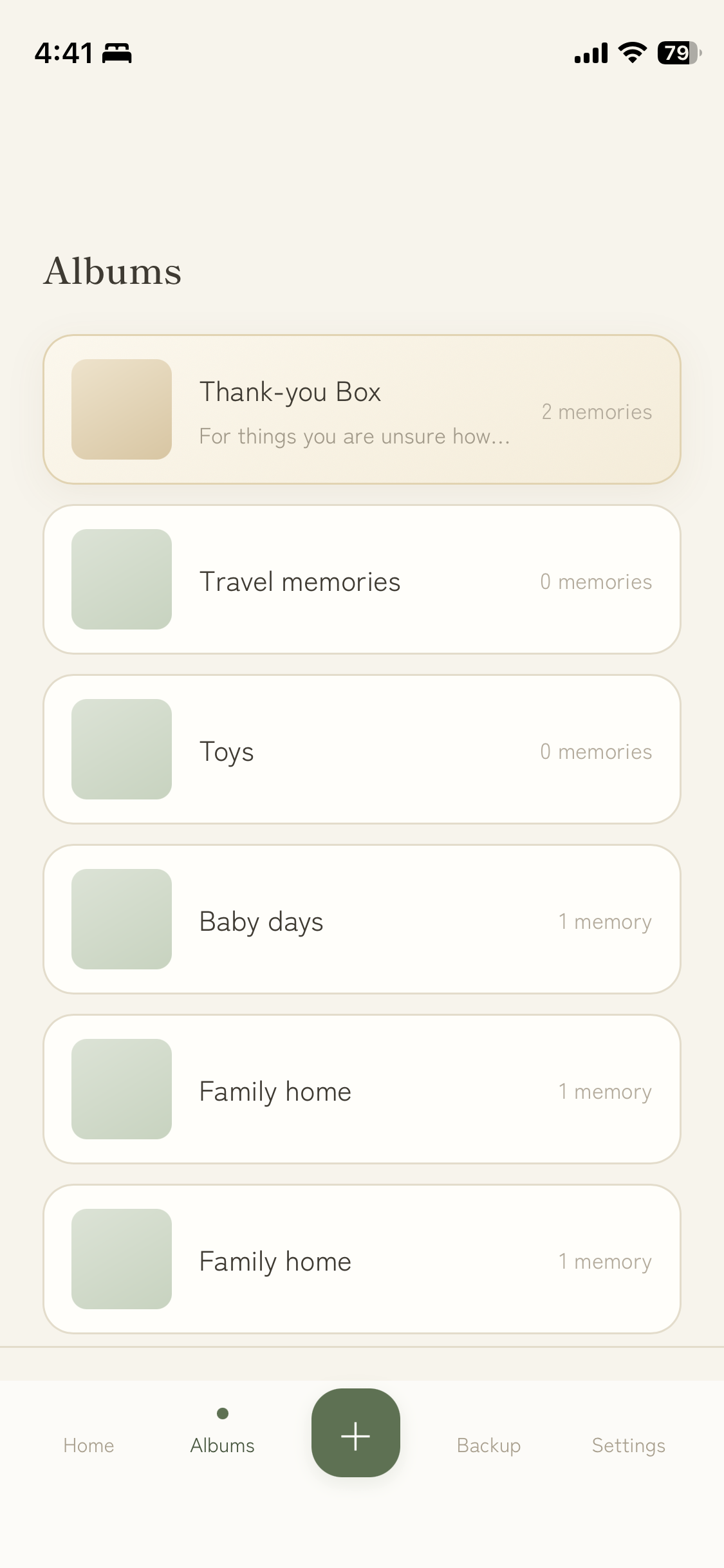
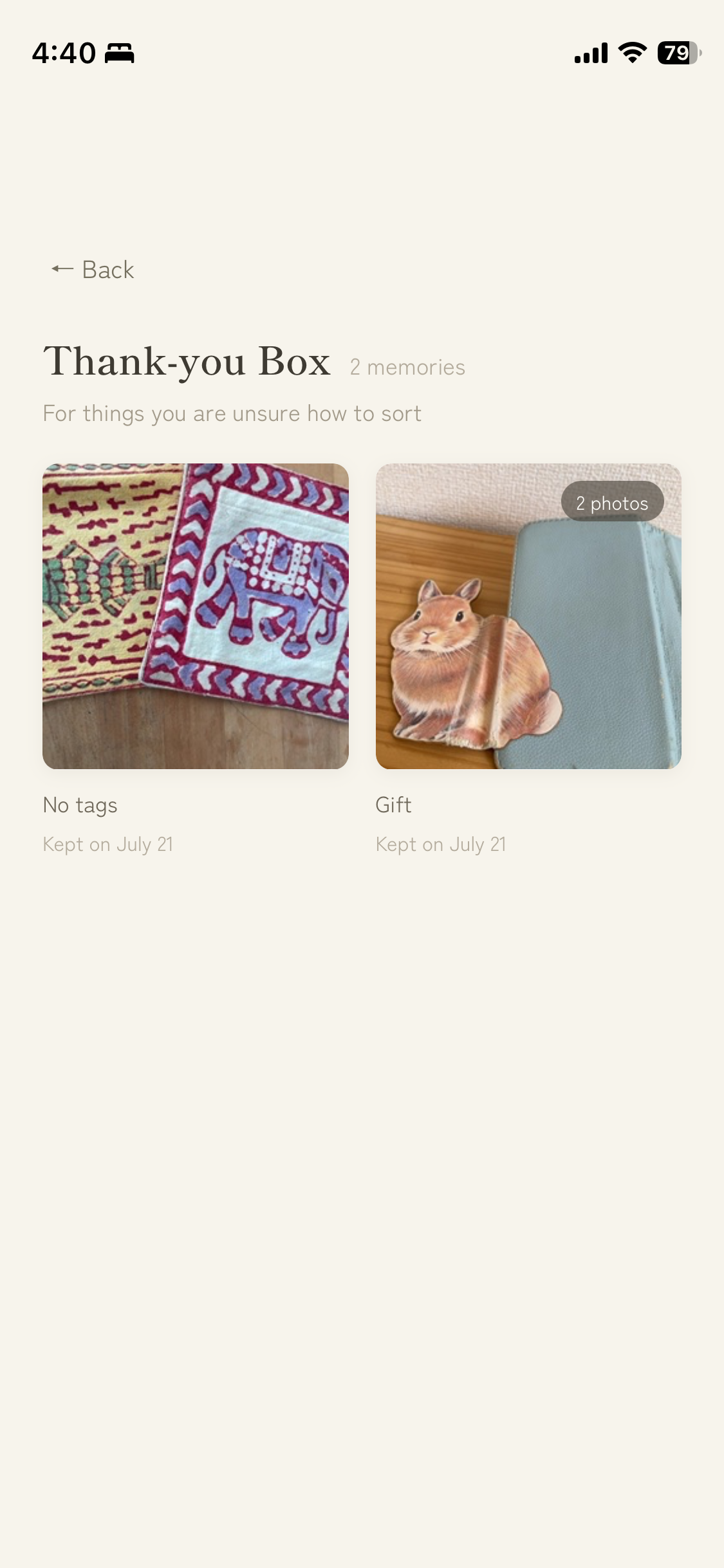
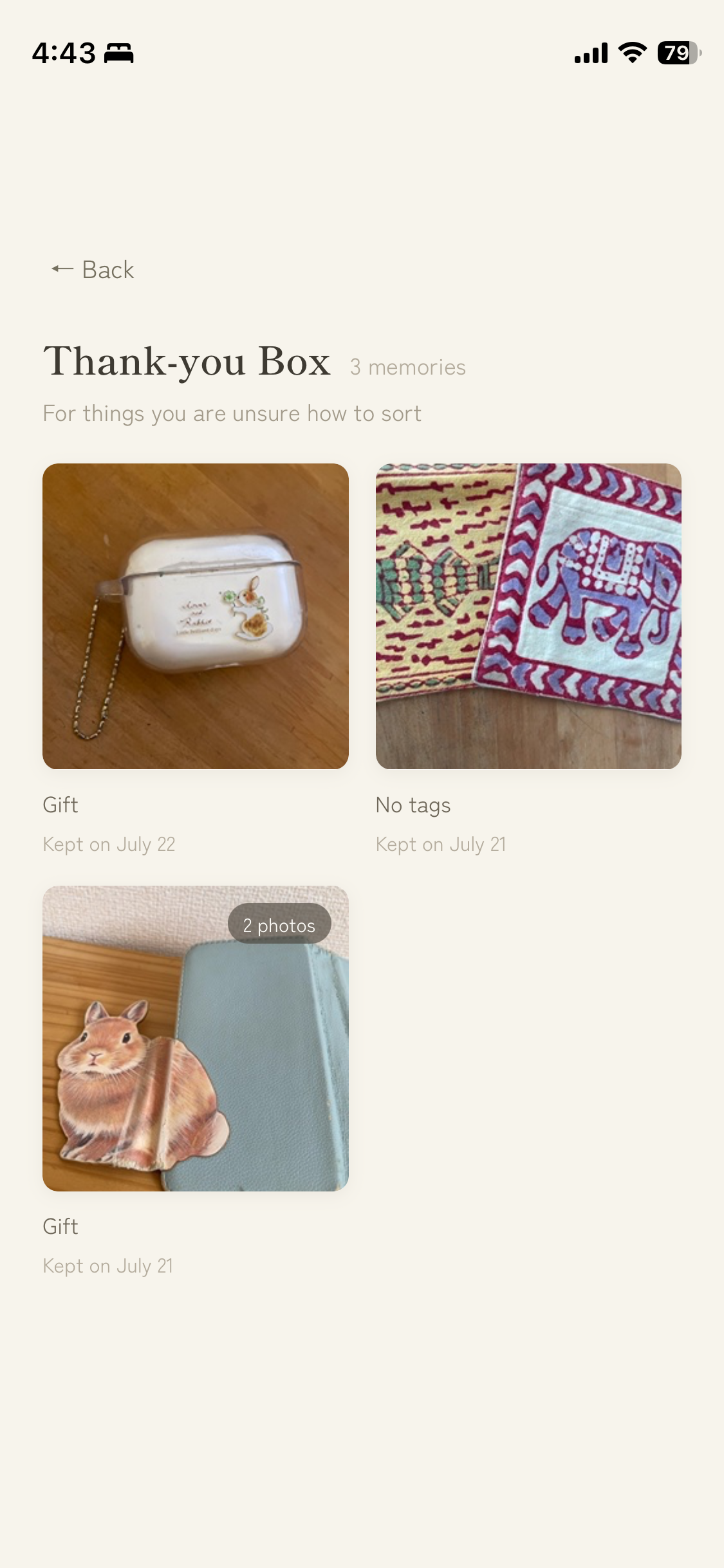
Albums keep memories easy to revisit. The Thank-You Box welcomes objects that do not need a perfect category.
-

The Thank-You Box: a pressure-free home for memories the user is not ready—or does not need—to categorize.
-
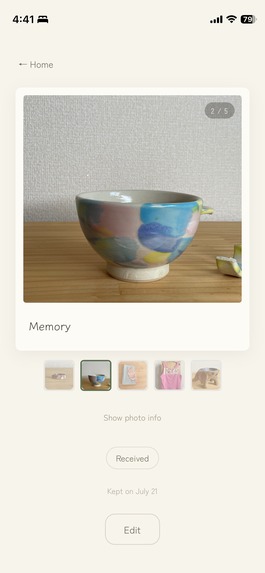
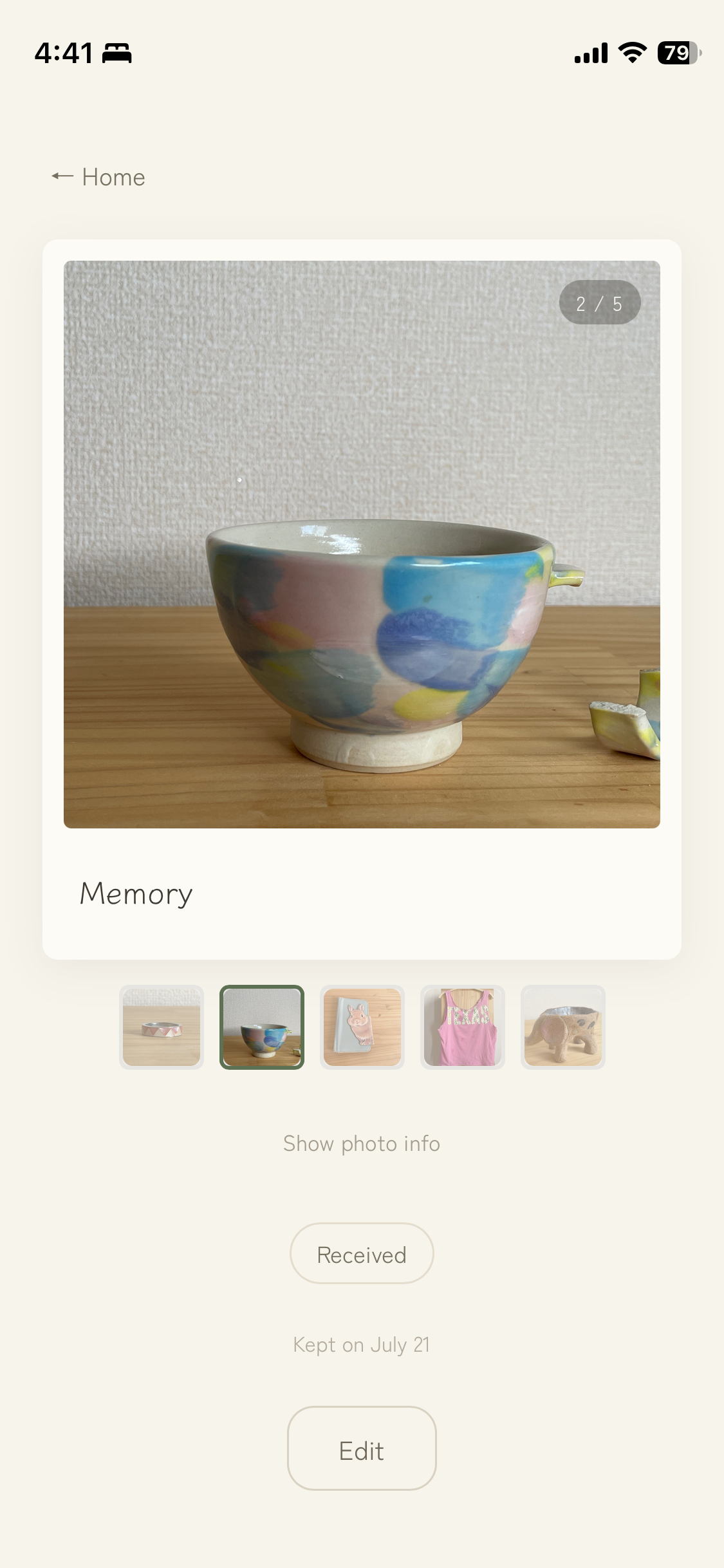
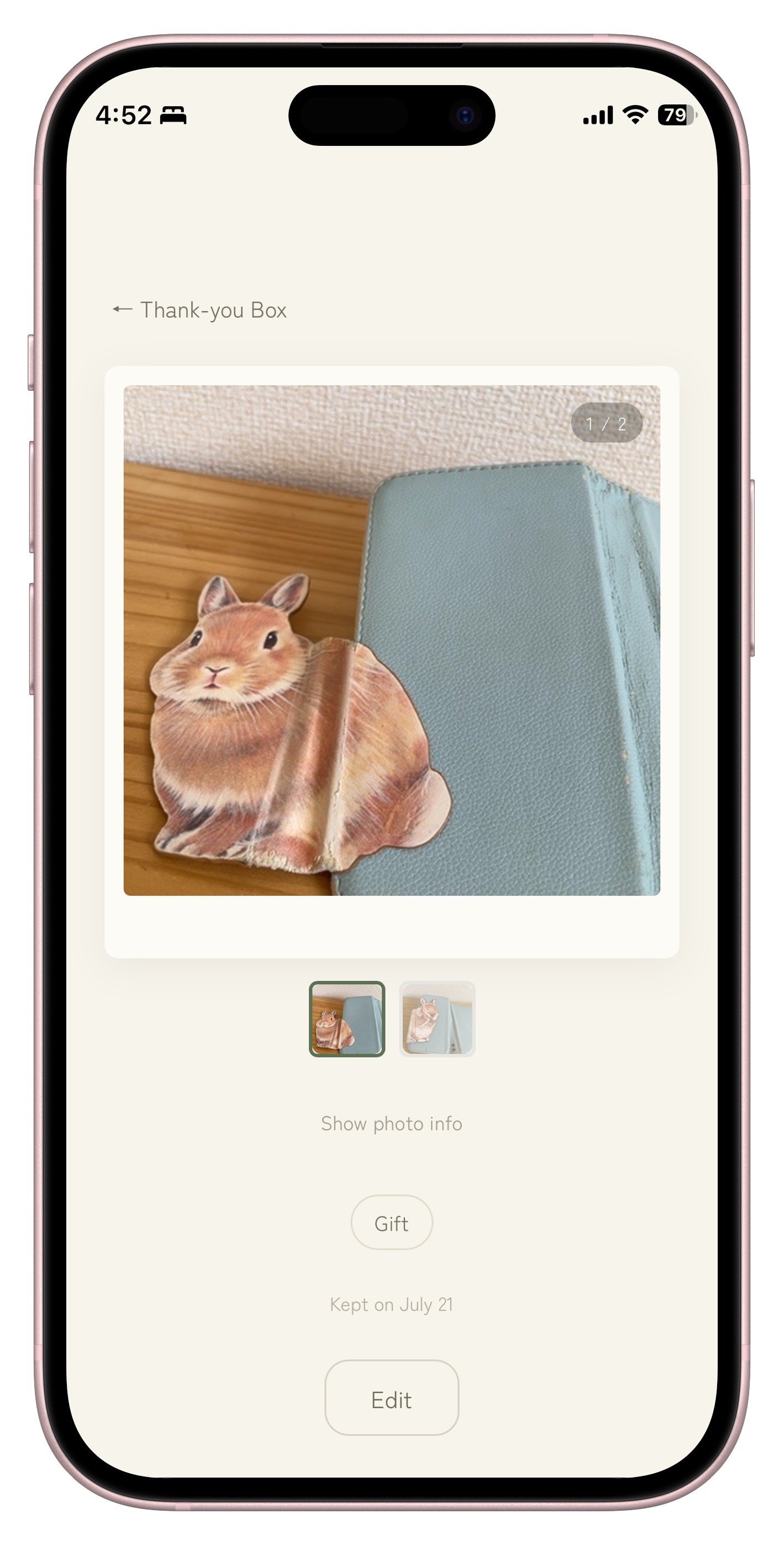
Memory detail supports swipeable photo galleries, a clear counter, thumbnails, optional tags, and editing.
-
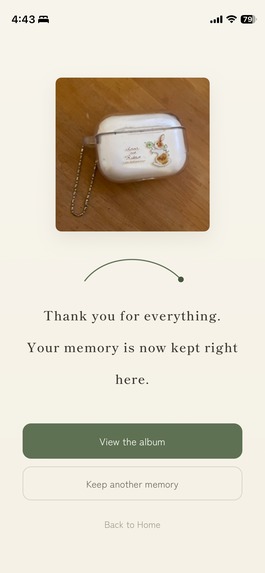
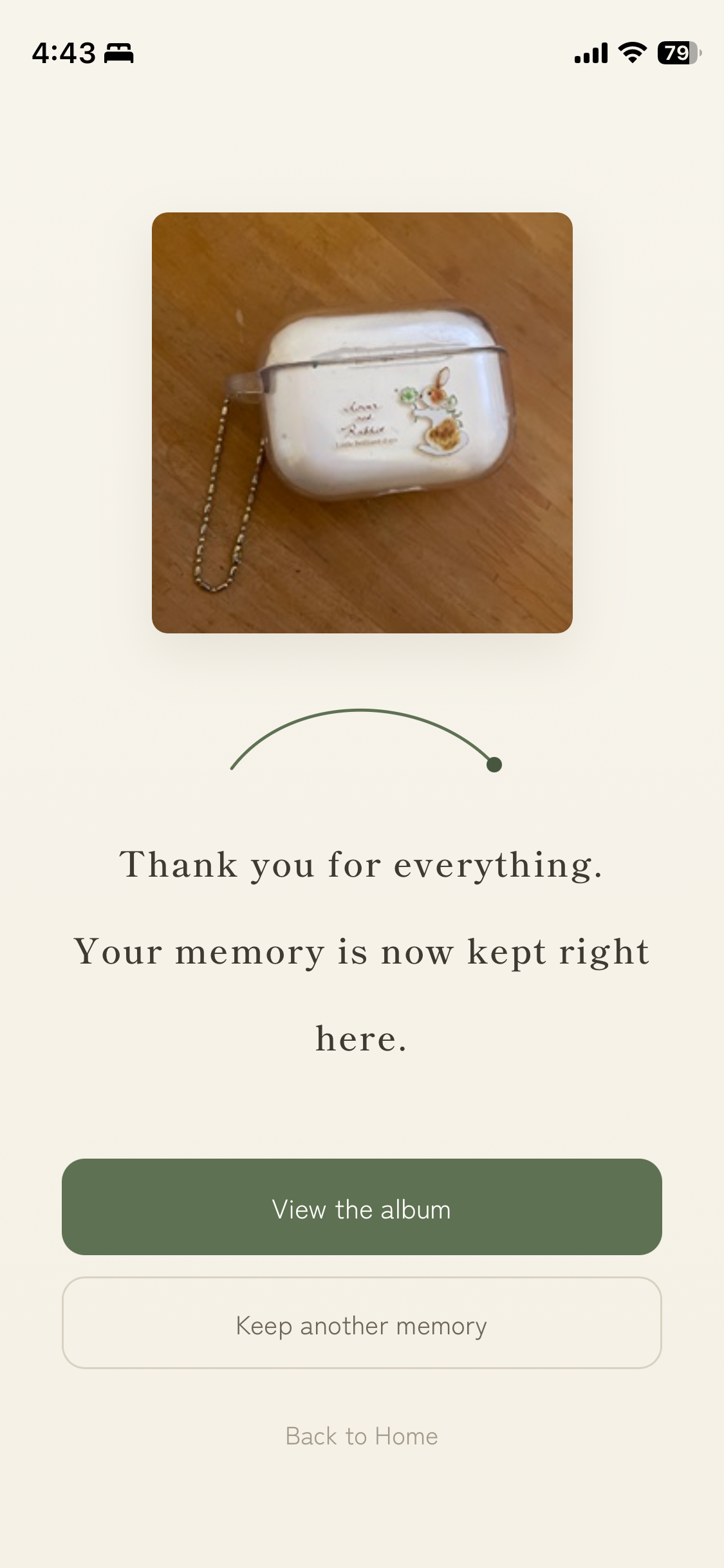
After saving, the user can view the album, keep another memory, or return home—without pressure to discard anything.
-
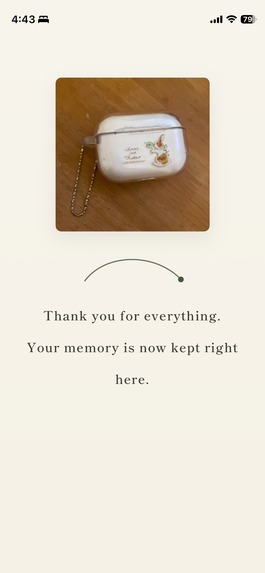
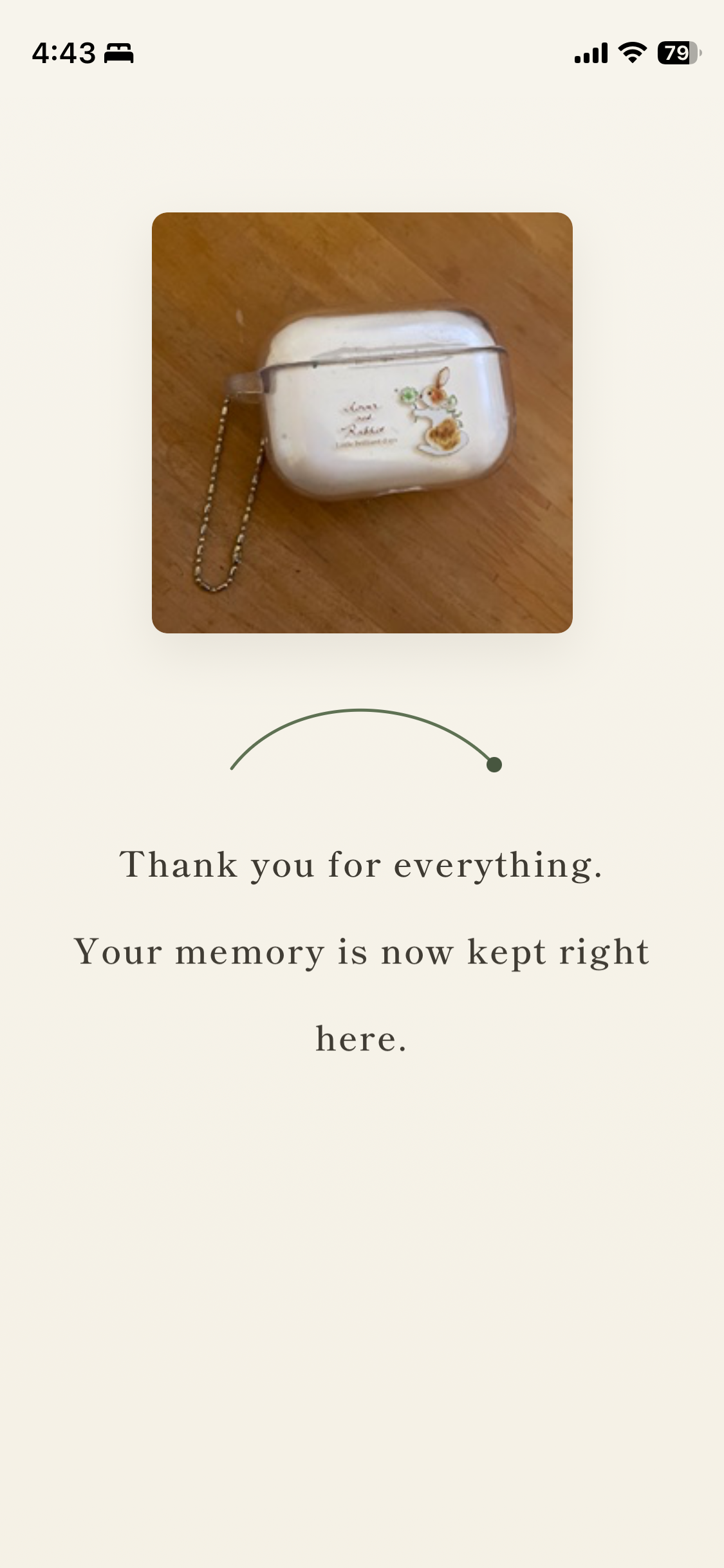
The heart of the experience: “Thank you for everything. Your memory is now kept right here.”
-
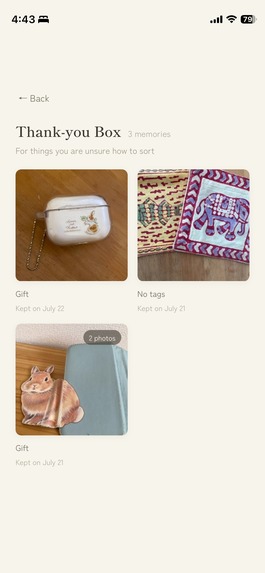
A newly saved memory appears in the Thank-You Box, completing the journey from capture to a safe place to remember.
-
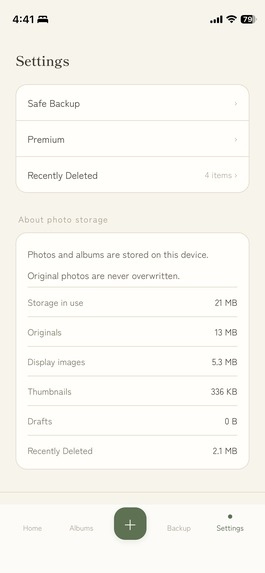
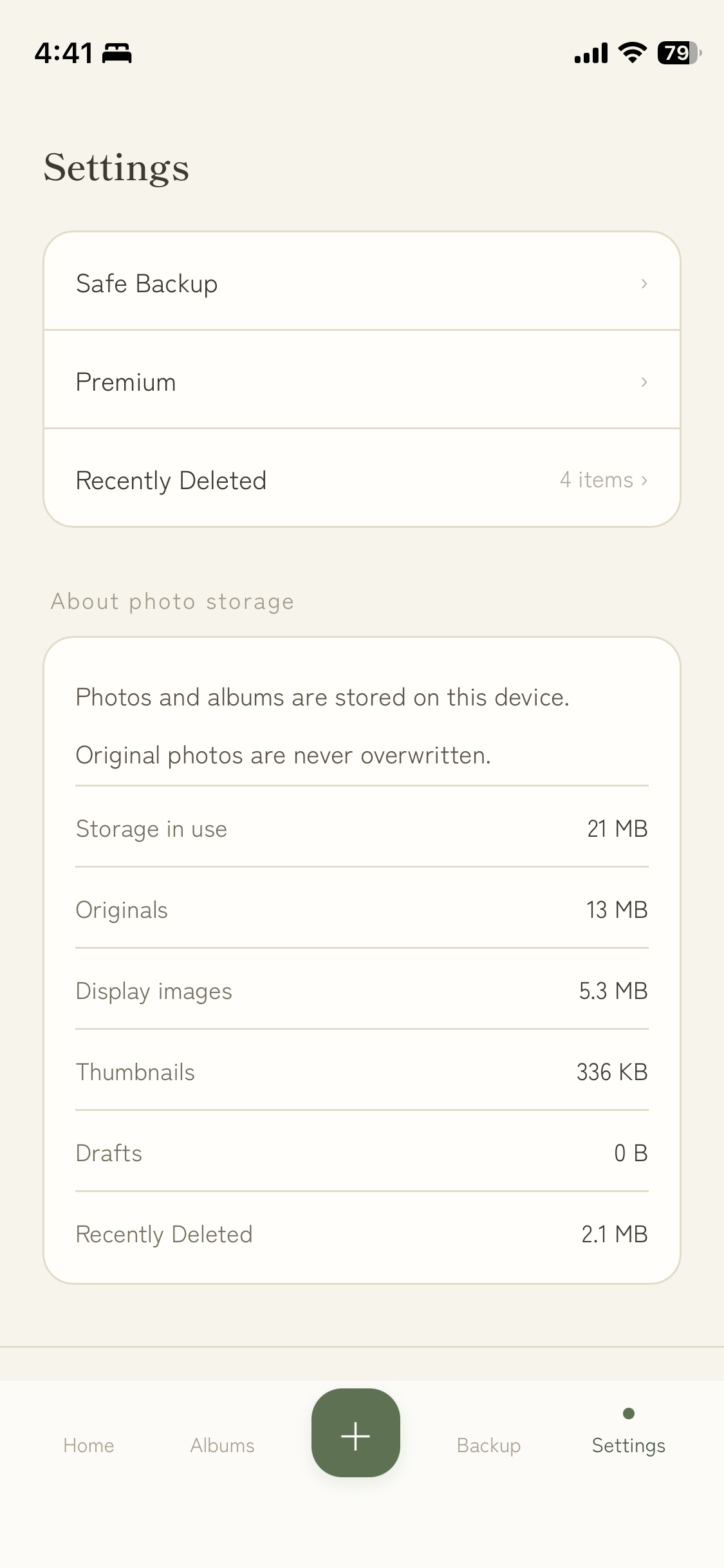
Privacy is visible: photos stay on-device, originals are never overwritten, and storage use is transparent.
-
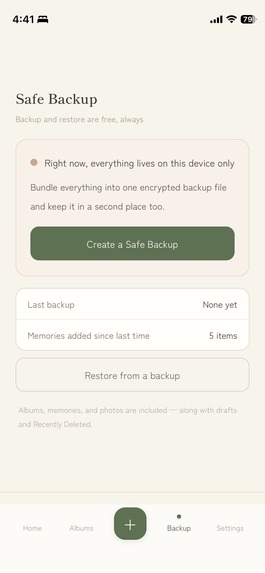
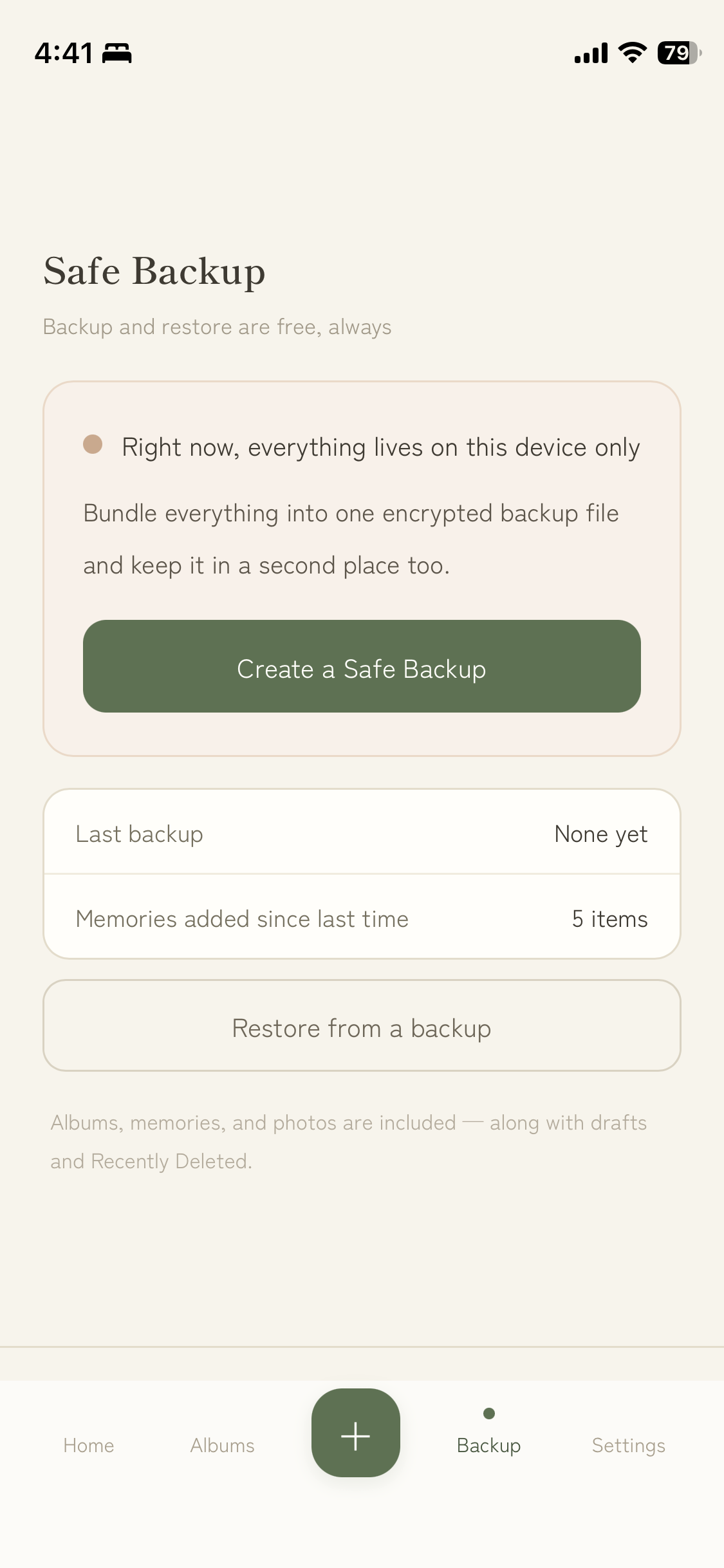
Encrypted backup and restore are always free, protecting memories without an account or server-side photo storage.
-
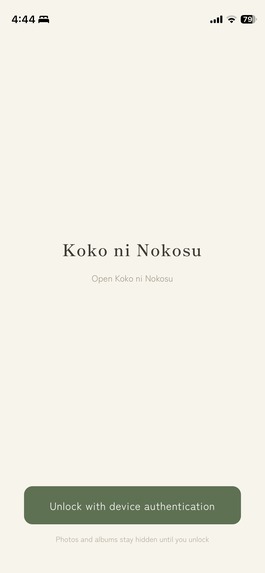
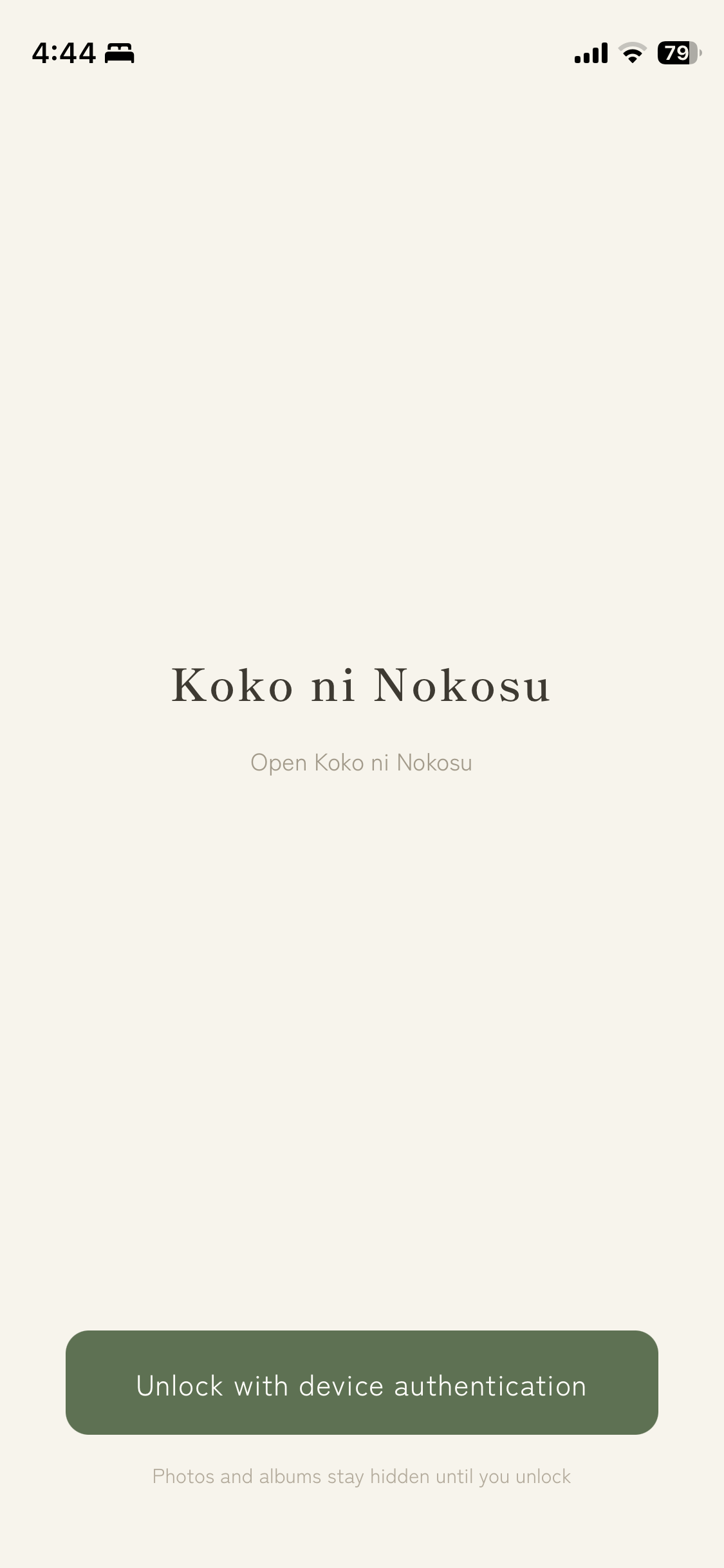
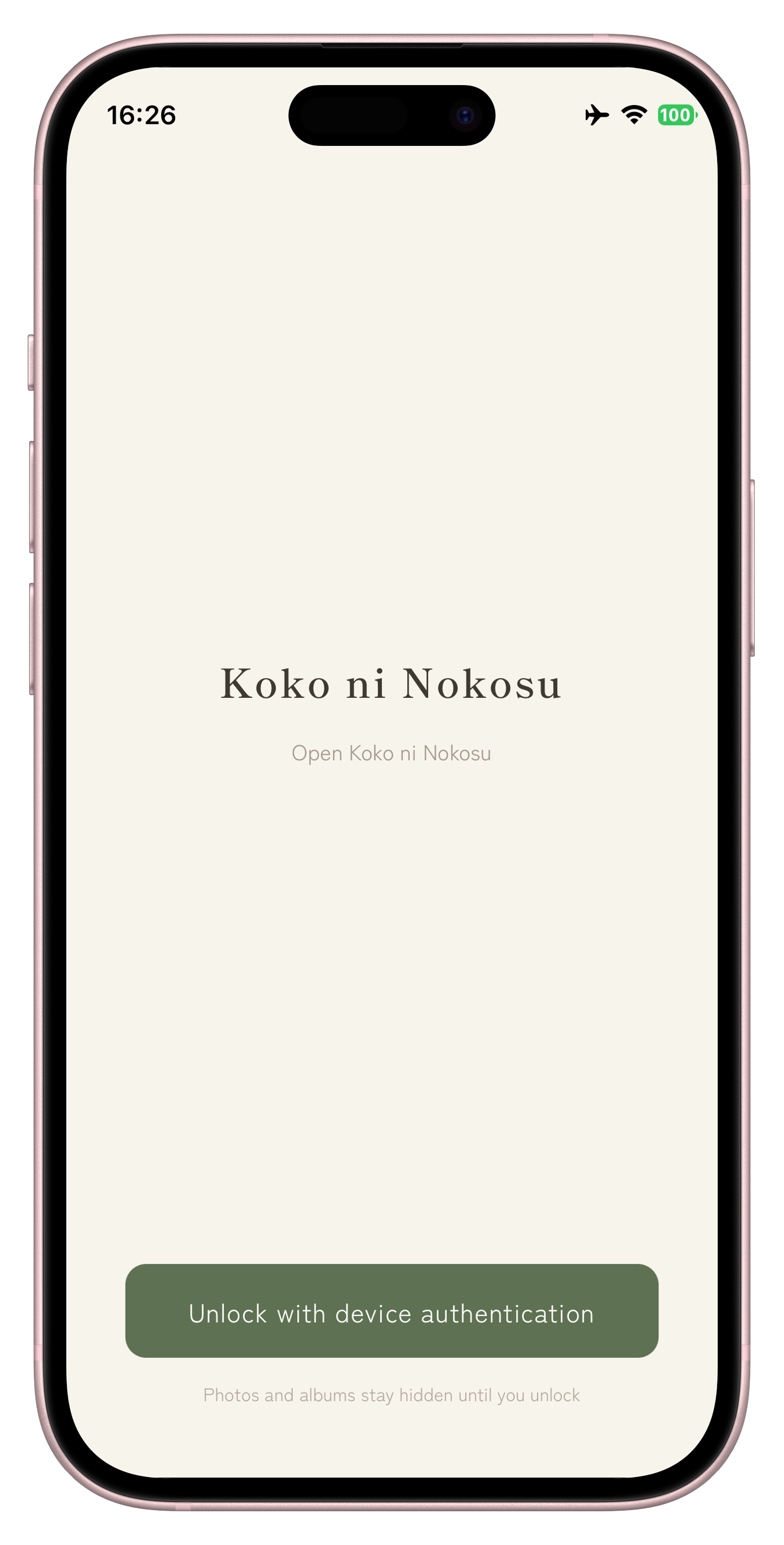
WebAuthn app lock protects private memories with device authentication and hides photos until the user unlocks.
-
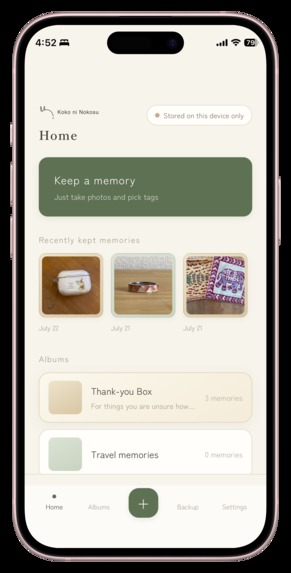
Koko ni Nokosu running as a mobile-first PWA on iPhone, with local-only storage clearly shown in the interface.
-
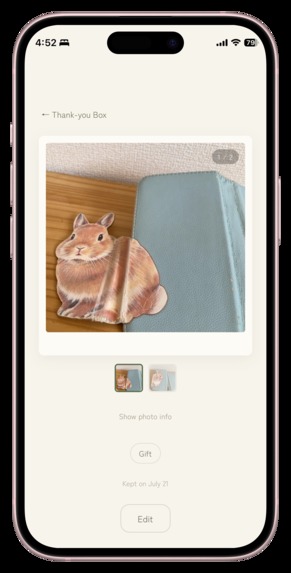
The mobile memory-detail experience: two photos of one keepsake, swipeable and kept together in the Thank-You Box.
-
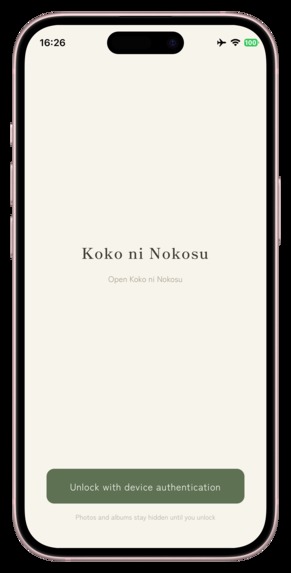
The installed PWA uses device authentication while keeping private photos and albums hidden until unlock.
-

The Koko ni Nokosu app icon: a quiet rabbit-mark motif in the product’s warm ivory and deep sage palette.

Inspiration
Koko ni Nokosu is a privacy-first, local-only app for people who are ready to part with a sentimental object, but not with the memory attached to it. It turns one emotionally difficult moment into a gentle, complete flow: photograph the object, preserve what matters, say thank you, and decide for yourself when to let it go.
This project began with a broken mug. My husband bought it for me on one of our first trips together. Its handle broke years ago, but I could never throw it away.
Holding it brought back an older regret. During a move, surrounded by boxes and deadlines, I threw away a bird-shaped tape dispenser that I had made and loved in elementary school. I did not take even one photograph. The object now exists only in my memory.
Many people meet the same problem while moving house, sorting a family home, watching a child outgrow treasured belongings, or trying to live with less. The object is no longer useful, yet discarding it can feel like discarding part of a life.
Decluttering apps tell us what to remove. Photo apps store pixels. Neither helps with the moment of saying goodbye. That is the gap Koko ni Nokosu fills. It is not a decluttering app, and it never tells anyone to throw anything away. It gives a digital home to a familiar ritual many people already understand: thanking an object before letting it go.
The demo film opens and closes with the real broken mug. In the final shot, its chipped handle gently sways to a stop.
What it does
Koko ni Nokosu means “leave it here” or “keep it here” in Japanese.
The complete experience works end to end:
- Add one or several photos from the camera or photo library.
- Keep different views of the same object together as one memory.
- Choose a simple, fixed tag if useful, and add a short note—or add nothing at all.
- Save the memory to an album or to the Thank-You Box, a home for memories that are not ready to be categorized.
- Finish with: “Thank you for everything. Your memory is now kept right here.”
- Return later to browse, swipe through photos, edit, move, delete, or recover the memory.
An optional experimental AI feature compares a newly added photo with earlier photos to identify whether they may show the same item. It runs entirely on the device. A strong match can be undone, an uncertain match asks the user, and failure returns silently to the complete manual flow. The AI does not generate tags, invent a story, upload a photo, or make an irreversible decision. It can be turned off at any time.
Everything is local-first: no account, no server-side photo storage, no analytics, and no external photo AI API. Original images are kept separately from display and thumbnail versions. Deleted memories remain recoverable for 30 days. App lock, encrypted backup and restore, automatic drafts, and recovery protections are core features rather than paid upgrades.
Design principles
The product had to feel emotionally safe as well as technically safe.
- Never rush and never command. There are no streaks, targets, scores, or prompts telling the user to discard an object.
- Never demand an explanation. A photograph can be enough. Tags are optional user choices, and the note is optional.
- Give uncertainty a home. The Thank-You Box removes the pressure to choose the perfect category.
- Protect against regret. Deletion means 30-day recovery before permanent removal.
- Keep the human in control. AI may suggest that photos belong together, but the user always has the last word.
- Make safety free. Privacy, backup, restore, recovery, and app lock should not depend on a subscription.
Every screen, every word, and every color follows one principle: the app should make space for a decision, never make the decision for the user.
How we built it
I am not a professional engineer. I brought the lived experience, product vision, and final decisions; GPT-5.6 and Codex helped me turn them into a working product during Build Week.
GPT-5.6 helped explore the emotional problem, define the product’s non-goals, challenge design decisions, and shape specifications for the Thank-You Box, optional input, deletion and recovery, privacy, and the tone of the experience. Because photos must never leave the device, GPT-5.6 was used in the development workflow rather than as an external photo-processing API inside the product.
Codex did not merely autocomplete snippets; it implemented the application from those specifications. It built the complete 20-screen experience, data model, transactional photo pipeline, local persistence, automatic drafts, bilingual interface, WebAuthn app lock, encrypted backup format and three restore modes, tests, browser verification, and safety hardening.
The app is a mobile-first installable PWA built with React, TypeScript, and Vite. Dexie and IndexedDB provide local storage. The photo pipeline preserves separate original, display, and thumbnail assets while handling orientation, metadata removal, and mobile formats. Backups use Argon2id-based key derivation and Web Crypto encryption. Recovery and repair operations use staged writes, integrity checks, journaling, and atomic commits so an interruption cannot leave half-applied data.
The optional on-device comparison feature uses Transformers.js, ONNX Runtime Web, and a quantized SigLIP2 vision model inside a Web Worker. Only image-derived comparisons happen there; photos are not sent to a server. The model is isolated behind a removable provider boundary, never writes to the database itself, and the ordinary manual experience remains fully functional without it.
Quality was treated as part of the product, because a photo may become irreplaceable after the physical object is gone. The frozen hackathon release passed 594 automated tests: 550 application unit tests, 23 encrypted-backup-format tests, and 21 end-to-end tests. Type checking, lint, brand, Japanese/English, production-build, and browser gates also passed. Seven additional WebKit Blob cases are documented test-runner skips rather than counted as passes; equivalent flows were checked on real Safari.
An early independent read-only audit of the Stage 0–7 implementation found 16 issues: 3 Critical, 8 High, and 5 Medium. After structured remediation and re-verification, the final audit of that safety-hardening work closed with Critical 0, High 0, Medium 0, Low 0—0 confirmed defects. A later full-release adversarial audit returned HACKATHON READY: PASS, with Critical 0, High 0, and six explicitly documented non-blocking observations. A separate English AI runtime audit also passed after reaching both the merge suggestion and ask-the-user paths, verifying manual fallback, and observing no photo-upload request.
Claude/Fable was used as an independent adversarial reviewer and safety-design partner. The repository’s Build Week diary records the roles of the human owner, GPT-5.6, Codex, and independent reviewers with dated evidence and commits.
Challenges we ran into
Making something emotional without making it demanding
Questions such as “Who gave this to you?” may produce richer archives, but they also create work at the exact moment a person may have the least time or emotional energy. The hardest design work was deciding what the app should not ask.
Protecting memories without a cloud account
Keeping data on the device removes server-side exposure, but it also means the application must take direct responsibility for interruption safety, original-file preservation, encrypted backup, restore verification, deletion recovery, and storage consistency.
Making browser-based capture trustworthy
Camera lifecycle, photo-library selection, app switching, WebAuthn, IndexedDB Blob handling, and HEIC behavior differ across mobile environments. Automated tests caught many regressions; real iPhone Safari and standalone-PWA checks caught behavior that a desktop simulator could not.
Using AI with restraint
Visual similarity is not proof that two photographs show the same physical object. The implementation therefore describes the result as a suggestion, keeps the user’s decision reversible, exposes a manual path, and fails safely when the model is unavailable. The goal is less effort, not more authority.
Accomplishments that we're proud of
- A complete, coherent 20-screen product experience—not a technical proof of concept—from onboarding and capture through organization, recovery, encrypted backup, and restore.
- A privacy architecture in which photos and memories stay on the device, with no account, analytics, server-side storage, or external photo AI API.
- A real bilingual Japanese/English experience, including carefully reviewed emotional copy rather than literal machine translation.
- A removable on-device AI experiment that helps with grouping while preserving the full manual flow and the user’s final decision.
- A final gate of 594 passing automated tests, real-device verification, and independent adversarial audits.
- A product built by a non-engineer with Codex, without lowering the bar for data integrity or test evidence.
Most of all, I am proud that Koko ni Nokosu does not try to turn every memory into content. One private photograph can be enough.
What we learned
Personal memory does not always need metadata or a polished story. A familiar shape, faded color, scratch, or broken handle may be enough to bring an entire moment back.
I learned that simplicity in an emotional product is not the absence of design; it is a form of care. Every field removed is one less demand placed on someone making a difficult decision.
I also learned that a responsible AI feature is defined as much by its boundaries as by its capabilities. Here, the AI does one narrow task, stays on-device, admits uncertainty through the interface, never mutates stored memories on its own, and steps aside when it cannot help.
Finally, working with Codex showed me that a non-engineer can build a non-trivial implementation—but only when product judgment is paired with explicit specifications, evidence, testing, adversarial review, and the willingness to fix what the agents get wrong.
What's next for Koko ni Nokosu
The Build Week version is hackathon-ready, but it is not presented as production-certified. Before a wider release, I want to complete the exhaustive device, permission, background/kill, JPEG/HEIC, and large-backup test matrices.
For the optional on-device AI, the next step is evaluation on a broader real-photo dataset, device-specific performance measurement, and object-focused comparison that is less influenced by backgrounds or composition. The user-control and manual-fallback boundaries will remain unchanged.
Longer term, I want to add durable export options, including a beautifully designed private book or PDF, and a secure way to move memories to a new device—without turning the product into social media.
Koko ni Nokosu is built on one quiet promise:
You can let the object go. What mattered can stay here.
Built With
- argon2id
- claude
- codex
- dexie.js
- exifreader
- gpt-5.6
- hash-wasm
- i18next
- indexeddb
- onnx-runtime-web
- openai
- pbkdf2
- pica
- playwright
- pwa
- react
- serviceworker
- siglip2
- transformers.js
- typescript
- vite
- vitest
- web-worker
- webauthn
- webcryptoapi

Log in or sign up for Devpost to join the conversation.