Inspiration
Limited time and ingredients can make meal prepping challenging, especially for college students. Our app solves this problem by helping users search for recipes based on the ingredients they already have at home.
What it does
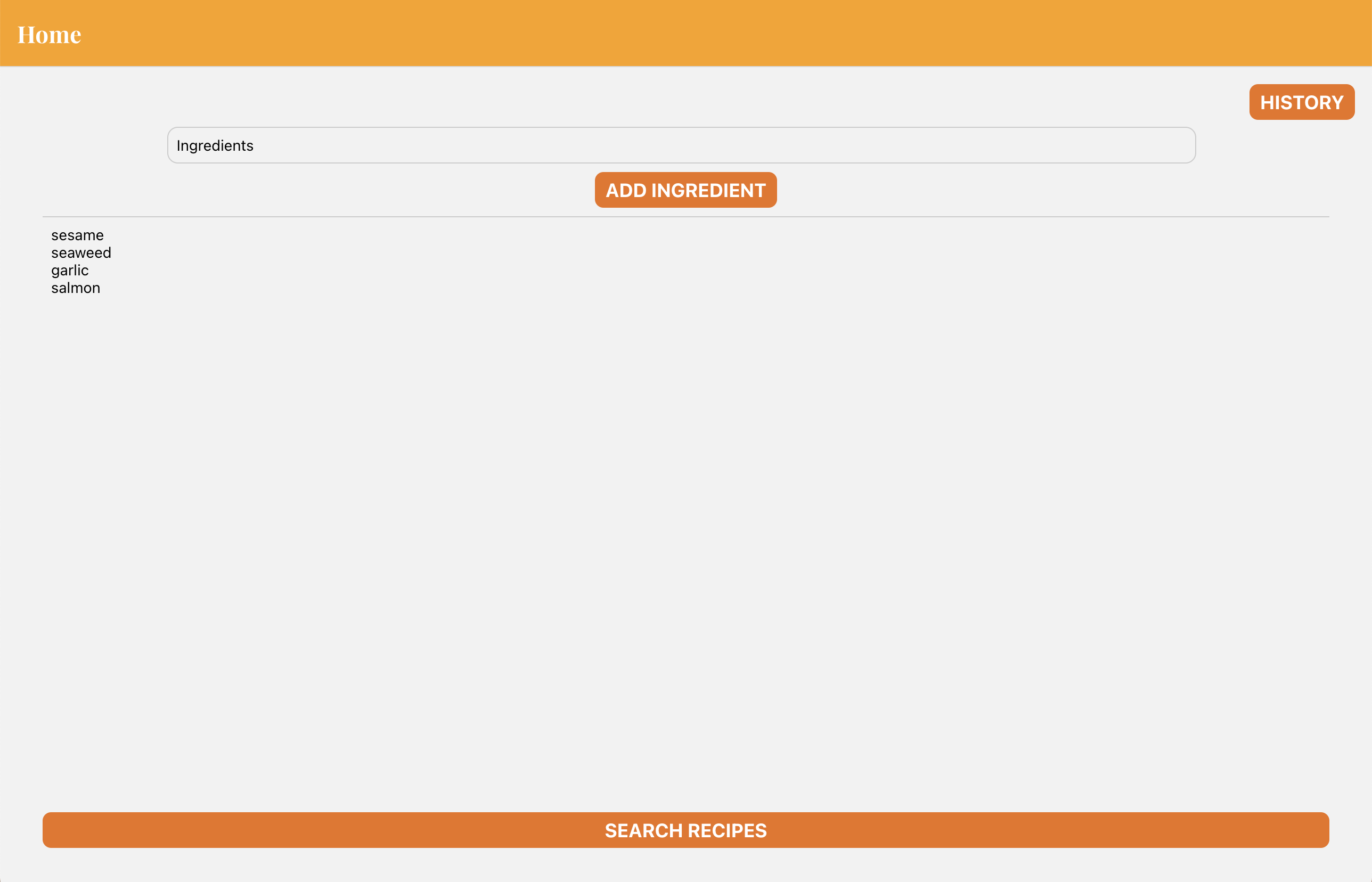
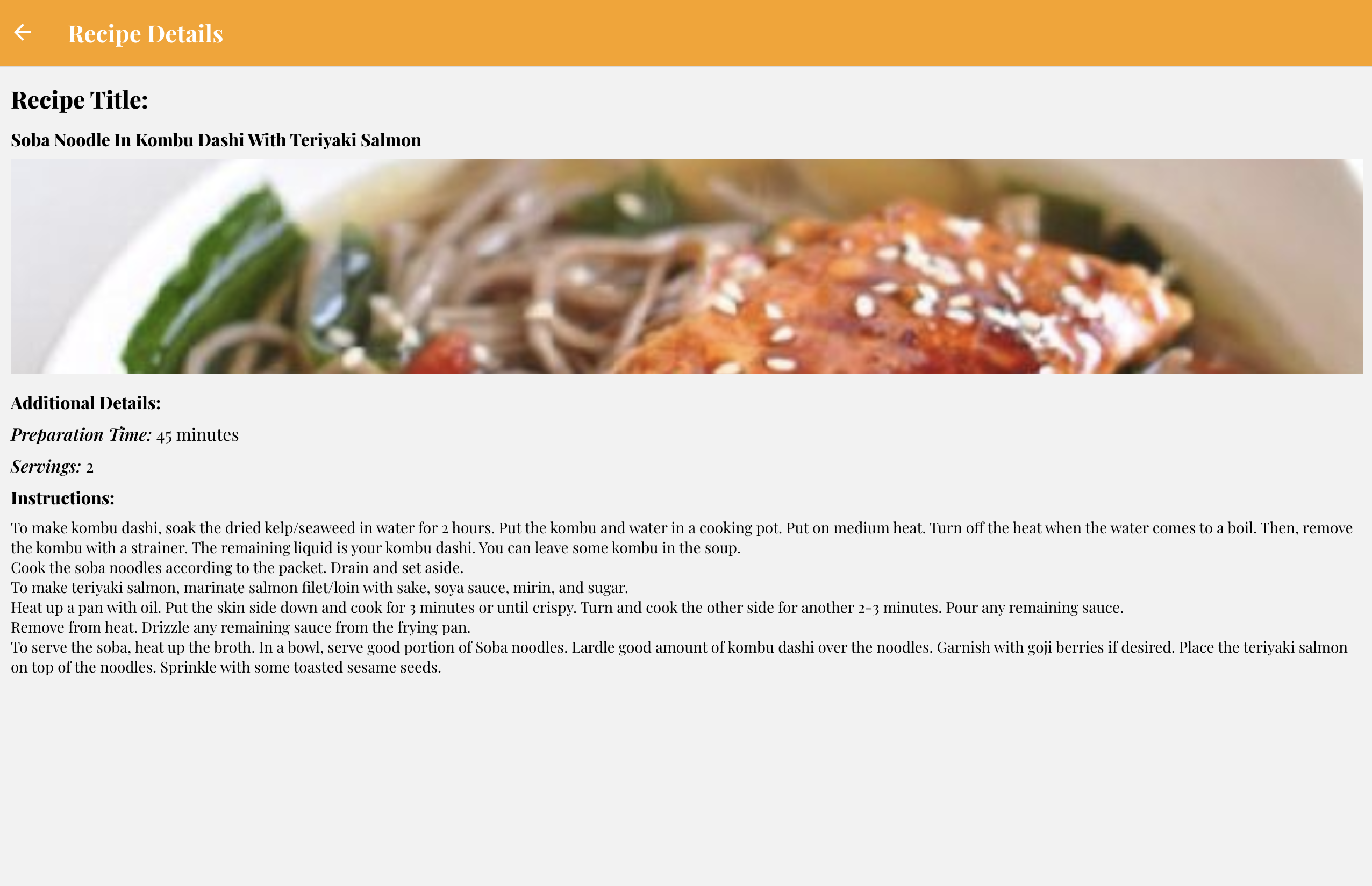
Our app simplifies the recipe search process. Users can easily input their available ingredients, and the app suggests recipes using the Spoonacular API's "What's in My Fridge" endpoint. With just a few taps, users can view suggested recipes, complete with titles, images, preparation time, servings, and instructions. The app intelligently selects recipes with the fewest missing ingredients. Plus, the scroll function ensures that users can comfortably read lengthy instructions. On the home page, users can access a history of their previous dishes, and in the future, we plan to make each title a clickable button for quick access to full recipe information.
How we built it
Our app was built using React Native for the frontend and Node.js for the backend. We leveraged the power of the Spoonacular API and tested our API calls using Postman. Although our team consisted of beginners, we quickly learned JavaScript, React Native, and API integration. We also honed our collaboration skills using GitHub for version control, branches, pull requests, and merging. Overcoming challenges and resolving conflicts along the way, we successfully developed a reliable and efficient app.
Challenges we ran into
During the development process, we faced challenges such as learning the complexities of mobile app development and exploring different frameworks like Flutter. Ultimately, we opted for React Native due to its faster setup process. Additionally, integrating custom fonts into the app presented some initial difficulties, but we overcame them successfully.
Accomplishments that we're proud of
We take pride in our app's exceptional functionality and the significant improvements we made to the user interface (UI) for an enhanced user experience (UX). Our core features, including ingredient input, recipe search, and recipe detail display, work seamlessly. We also successfully incorporated a history button on the home page, allowing users to track their previous dishes. Our future plans to make each dish title clickable will provide users with easy access to full recipe information.
What we learned
Throughout this project, our team acquired valuable skills and knowledge in mobile app development, JavaScript, React Native, and API integration. We also gained hands-on experience in collaborative work using GitHub, learning more about version control and conflict resolution.
What's next for KOKE Ingredients to Recipe App
Our next steps include suggesting multiple recipes instead of just one, providing nutrition information through the Spoonacular API's "Nutrition by ID" query, and allowing users to filter recipes based on dietary restrictions. To accommodate a larger user base, we will upgrade our plan to handle increased API requests as well as integrate a database such as MongoDB to store previous user data. Additionally, we will implement the ability to view full recipe information directly from the history page, enabling users to easily recreate their favorite dishes.
Relevant MLH Prize Categories
Beginner, Mobile, Student
Built With
- github
- javascript
- postman
- react-native
- spoonacular-api


Log in or sign up for Devpost to join the conversation.