-
-
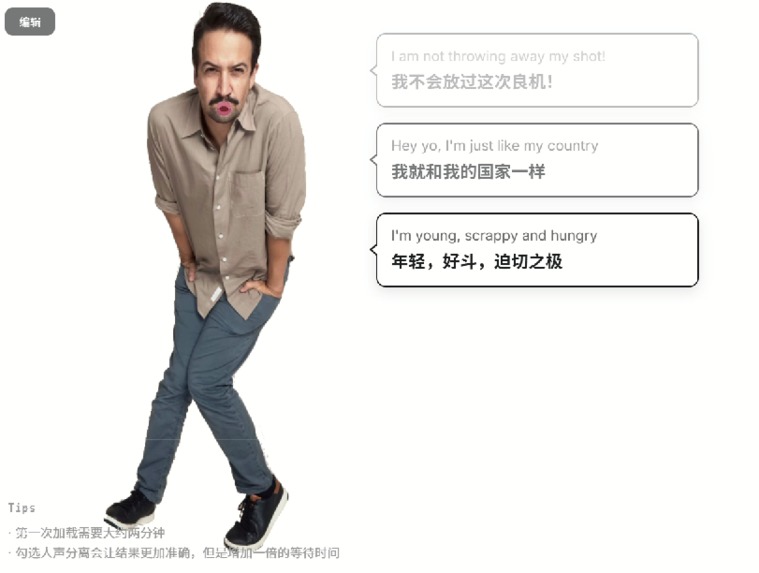
Example
-
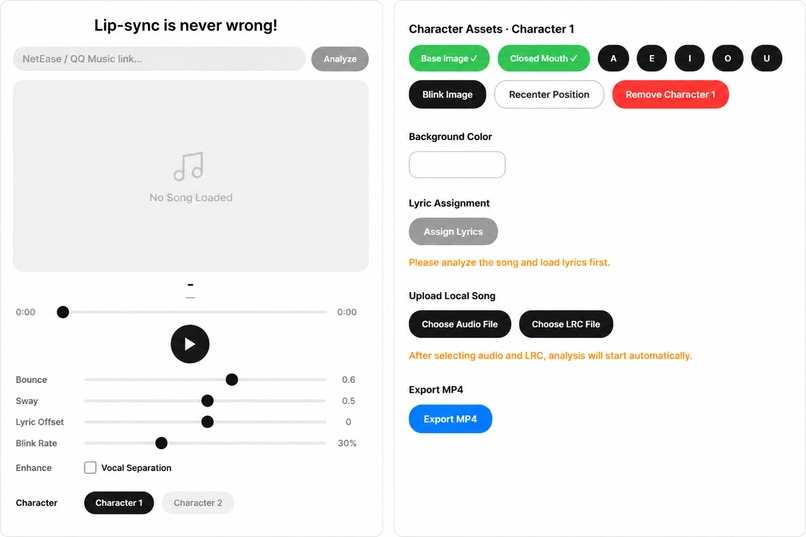
Customization
-
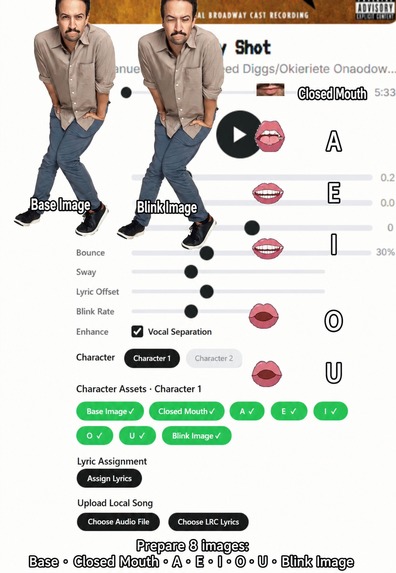
Before
-
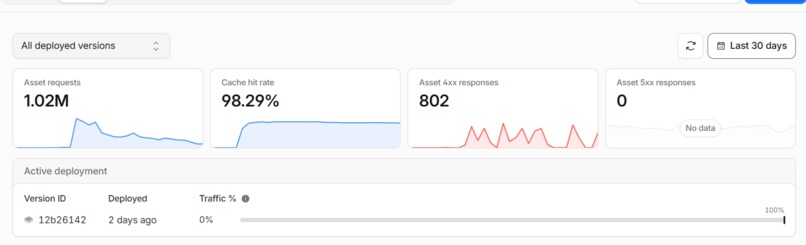
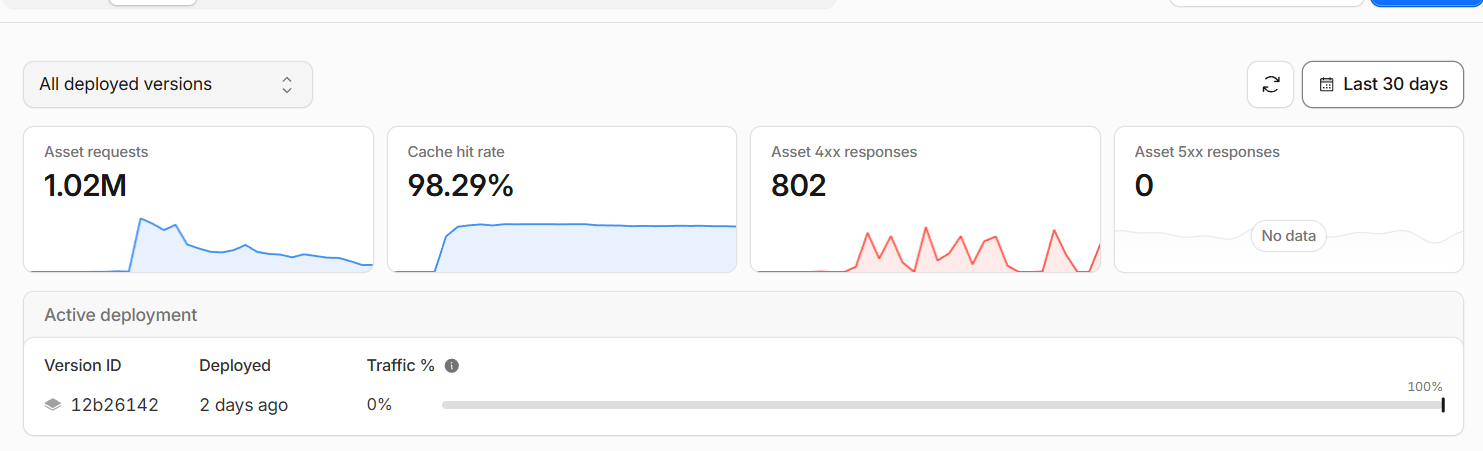
Visits in first month
-
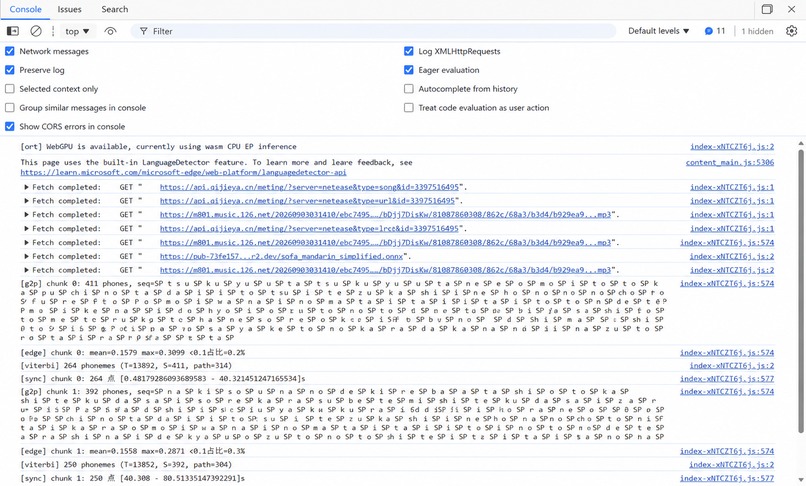
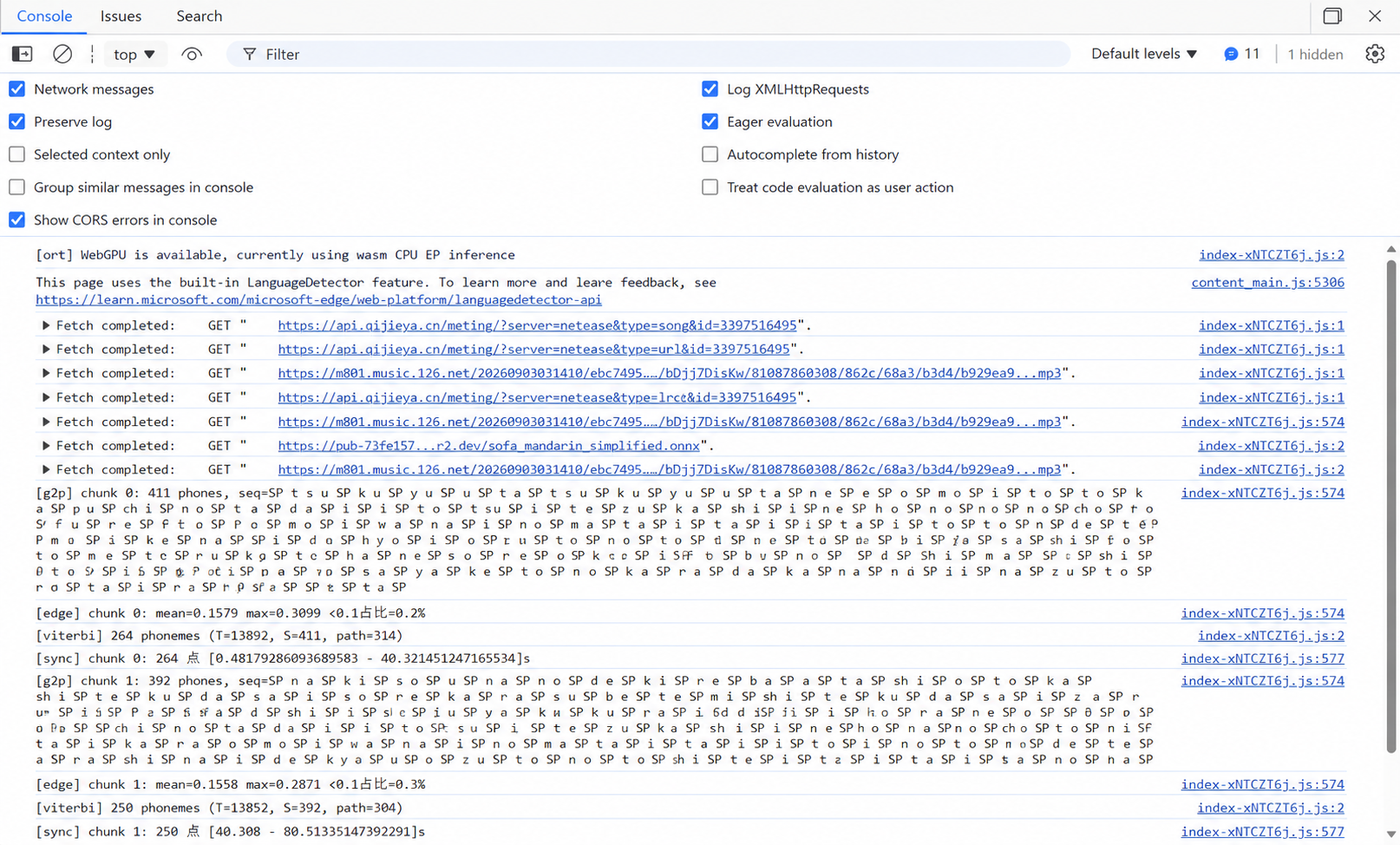
Lip-sync analysis results
-

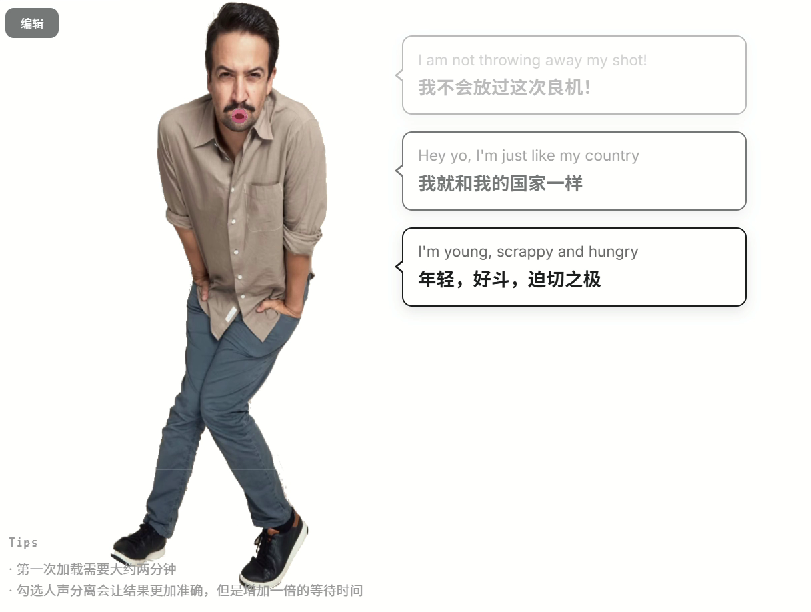
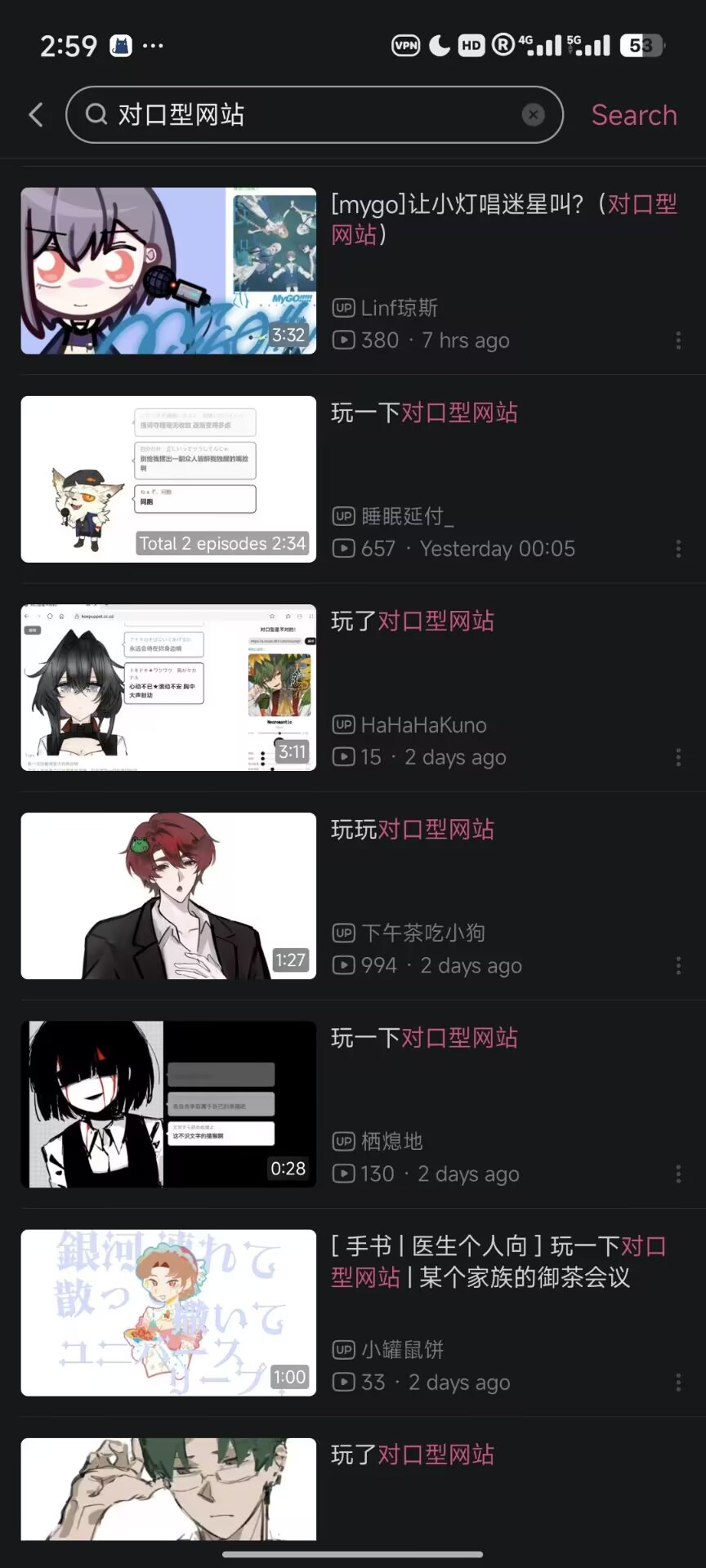
User Case in social media (bilibili)
-
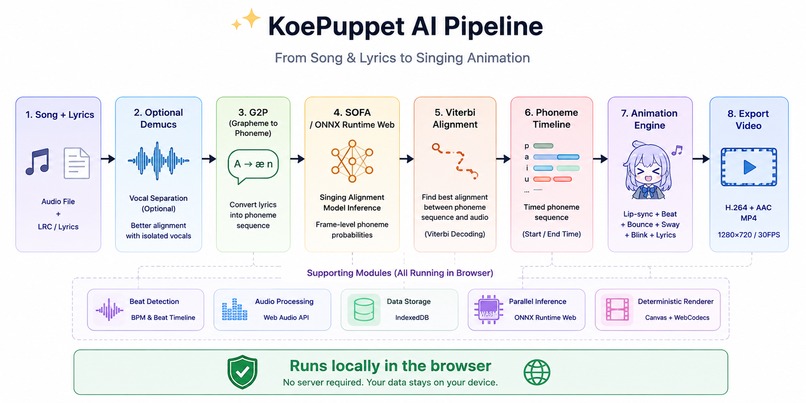
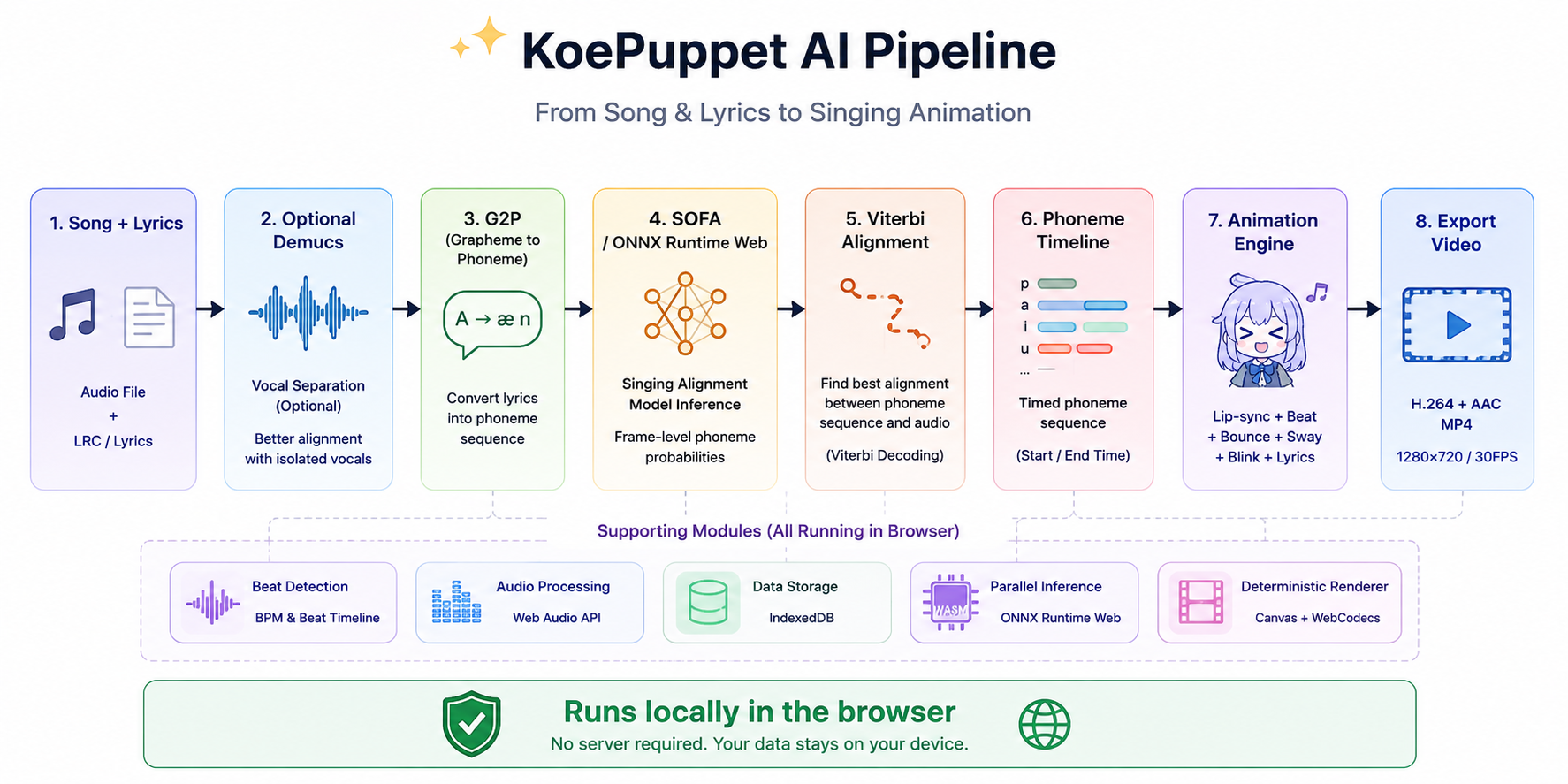
System map
KoePuppet
Turn any character into a virtual singer — automatically synced to any song, right in your browser.
Inspiration
KoePuppet started from a very simple frustration: making a character sing is way harder than it looks.
For a short singing animation, a creator normally has to prepare different mouth shapes, listen to the song frame by frame, manually decide when each mouth should appear, animate the character to the beat, synchronize lyrics, and finally render everything into a video.
I wanted to see how much of that process could be automated.
The original idea was simple: give the app a song and a character, and let it figure out the animation automatically.
That idea eventually became KoePuppet — a browser-based virtual singer generator that analyzes a song, aligns lyrics to the vocals, converts the result into mouth movements, detects the beat, animates the character, and exports the finished animation as an MP4.
What it does
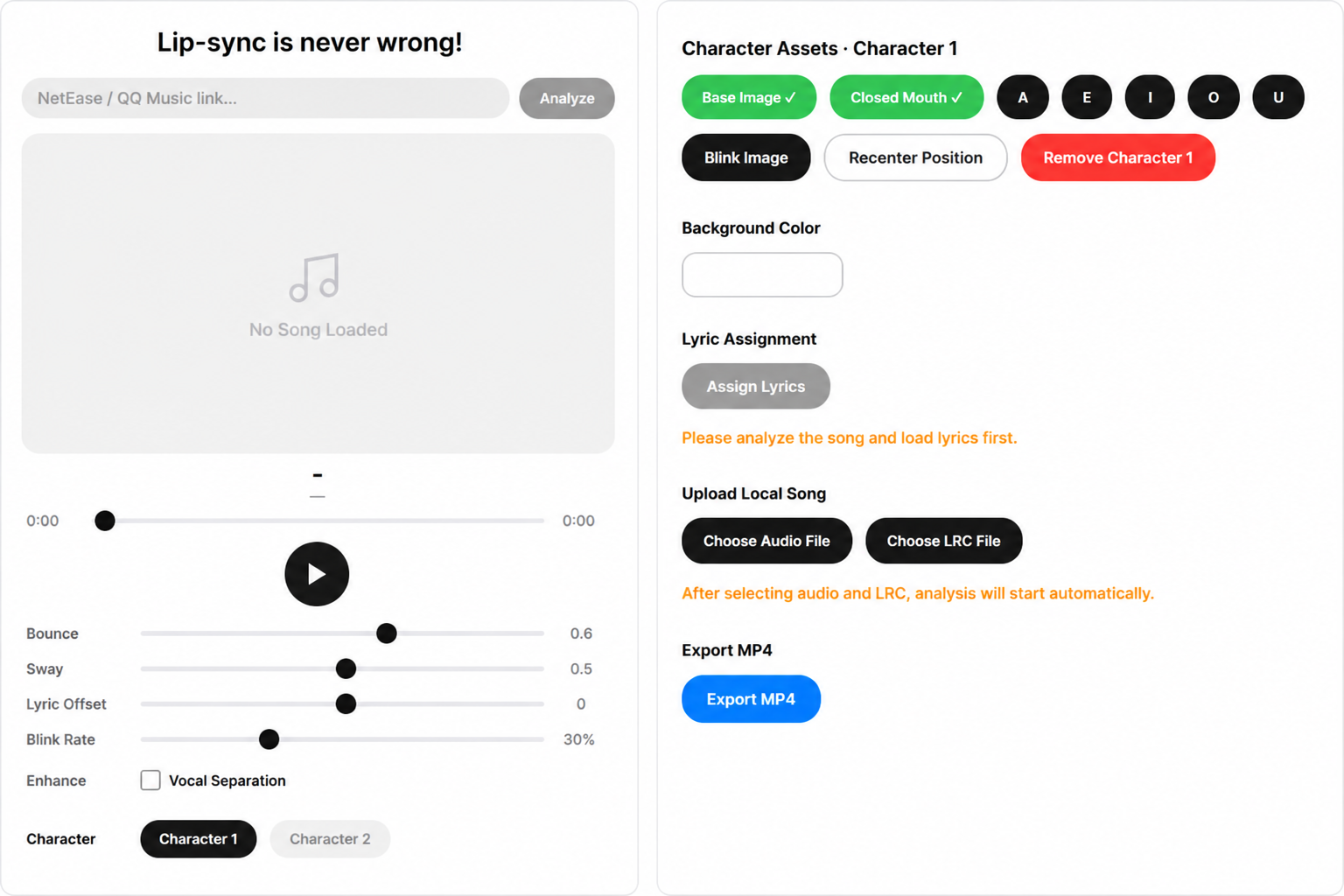
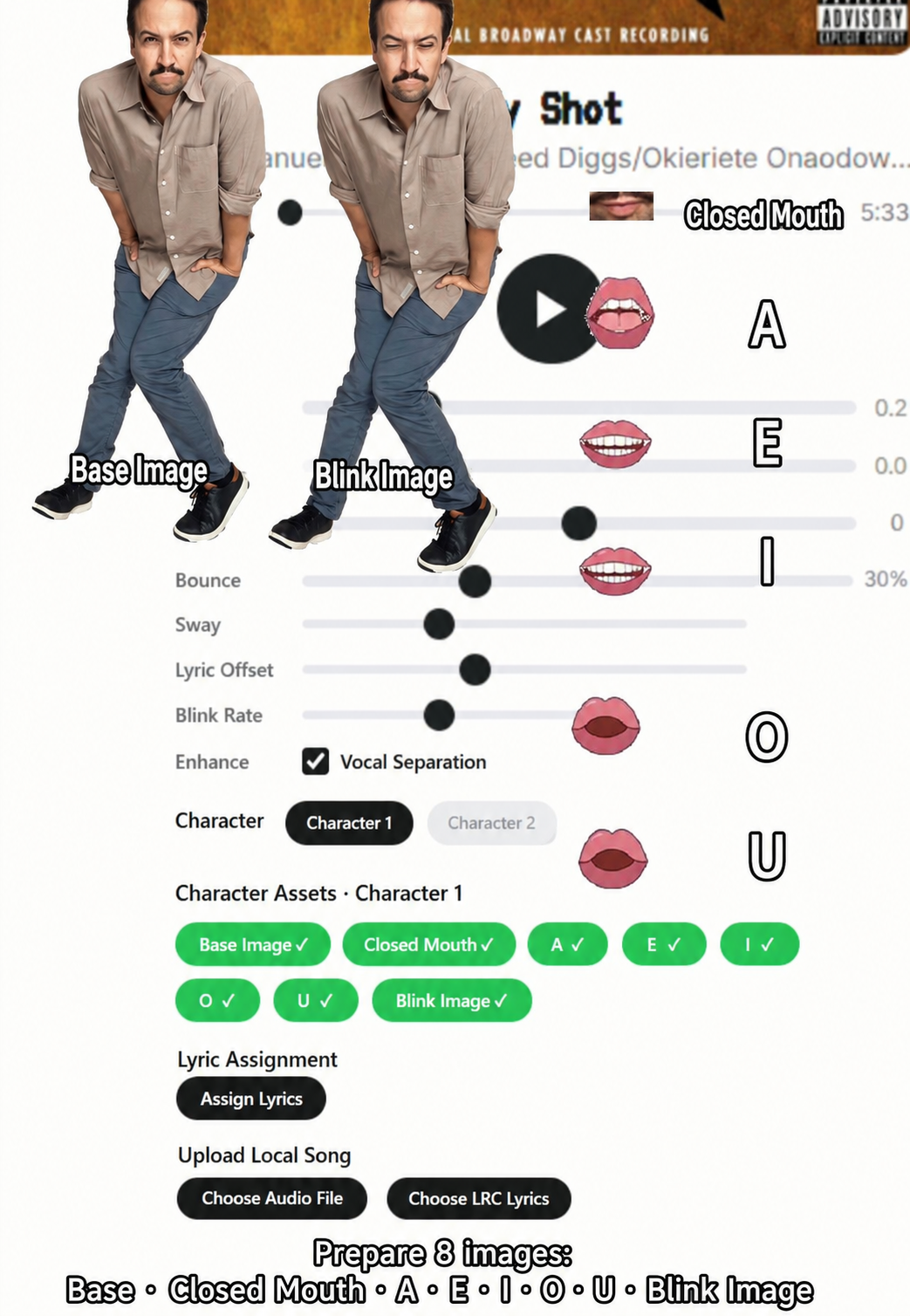
A user can paste a NetEase Cloud Music or QQ Music link, or upload a local audio file together with .lrc lyrics.
They then upload:
- a base character image
A / E / I / O / Umouth shapes- a closed-mouth image
- an optional blinking image
KoePuppet analyzes the music and automatically generates the animation.
The character:
- lip-syncs to the vocals
- bounces and sways with the beat
- blinks naturally
- displays synchronized lyric cards
It also supports two-character duets, where individual lyric lines can be assigned to either character or both.
Everything can be previewed and adjusted visually before being exported as a real H.264 + AAC MP4 video at 1280×720 / 30 FPS.
🧠 How I built it
KoePuppet is built with React 19, TypeScript and Vite, but most of the interesting work happens in the audio-analysis and rendering pipeline.
1. Lyrics → phonemes
The first problem was that lyrics alone are not enough for lip-sync.
KoePuppet uses a grapheme-to-phoneme (G2P) pipeline to convert lyrics into a phoneme sequence, with support for Chinese, Japanese and English pronunciation.
Those phonemes can then be mapped to the character's mouth shapes.
2. Finding when each phoneme is actually sung
This was the core technical challenge.
The timing in an .lrc file only tells us approximately when a lyric line begins. It does not tell us when individual sounds such as vowels occur.
KoePuppet runs a SOFA speech/singing alignment model through ONNX Runtime Web directly inside the browser.
The model produces frame-level phoneme probabilities. I then use Viterbi decoding to find the most likely alignment between the expected phoneme sequence and the audio.
The result is a timeline containing the start and end time of each phoneme.
That timeline drives the mouth animation.
For difficult tracks, users can optionally run Demucs vocal separation first to isolate the vocals and improve alignment accuracy.
3. Making the character move with the music
Lip-sync alone still looks surprisingly lifeless.
A Web Worker analyzes the audio to estimate BPM and beat timestamps. Those beats drive two procedural animations:
- Bounce: squash-and-stretch motion on the beat
- Sway: a progressive horizontal body twist that eases between beats
Blinking is randomized separately so the character feels less mechanical.
The result is not just a mouth opening and closing — the entire character reacts to the song.
4. Keeping everything in the browser
One of my main goals became making the deployed version work without a backend.
The entire analysis pipeline — including G2P, neural alignment, optional vocal separation, beat detection and animation generation — can run locally in the user's browser.
The ML models total roughly 490 MB, so I host them separately and load them at runtime instead of bundling them with the application.
Audio is processed in chunks and results are streamed back into the interface so long songs do not require the entire analysis to finish before progress becomes visible.
Uploaded character assets and settings are stored with IndexedDB, so refreshing the page does not destroy the user's setup.
🎬 Building the video exporter
Exporting the animation turned into another major engineering problem.
Simply recording the preview would make the final result dependent on browser performance. A dropped frame during playback could become a dropped frame in the exported video.
Instead, I built a deterministic offline renderer.
For every output frame, KoePuppet reconstructs the animation at an exact timestamp from the phoneme, beat and character timelines.
The video pipeline uses:
- Canvas for rendering
VideoEncoderfor H.264AudioEncoderfor AACmp4-muxerto combine them into an MP4
This means the exported video is independent of real-time playback performance.
Even randomized effects such as blinking use a seeded schedule, so the same project produces the same animation during export.
One particularly difficult browser compatibility issue was H.264 metadata. Some browsers do not provide the decoder configuration required by the MP4 muxer. I ended up parsing the first encoded frame's SPS/PPS data and reconstructing the AVCDecoderConfigurationRecord myself so the export pipeline would remain reliable.
🚧 Challenges I faced
Running ML locally
My biggest challenge was moving what would normally be a Python/server-side ML pipeline into the browser.
Models are large, browser memory is limited, and a long-running inference task can easily make a web application feel frozen.
I had to restructure the analysis around ONNX Runtime Web, WASM, chunked processing and streaming progress, rather than treating inference as one large blocking operation.
Lip-sync is an alignment problem, not just an audio problem
At first, it was tempting to map mouth movement directly from audio volume.
That works for detecting whether someone is singing, but it cannot tell the difference between sounds.
The project became much more interesting once I reframed the problem as forced alignment: given the lyrics and the audio, determine when each expected phoneme occurs.
That led to the G2P + SOFA + Viterbi pipeline that now powers KoePuppet.
Preview and export consistency
Another surprisingly difficult challenge was making sure:
what the user sees is what the exported video contains.
The preview runs in real time, while export renders offline. Bounce, sway, blinking, mouth shapes and lyrics therefore all needed to be functions of the same underlying timelines rather than side effects of live playback.
Designing the system around deterministic state made the renderer much more reliable.
📚 What I learned
KoePuppet started as a small creative tool, but it became one of the most technically diverse projects I have built.
I learned how to connect several areas that I had previously treated separately:
machine learning inference, speech alignment, digital audio processing, animation systems, browser performance, and video encoding.
More importantly, I learned that bringing an ML model into a product is very different from simply getting the model to run.
A useful system also has to deal with model downloads, memory constraints, progress feedback, imperfect inputs, browser compatibility, deterministic output and a UI that hides most of that complexity from the user.
The biggest lesson from KoePuppet was that AI does not have to generate the final creative work itself.
Instead, it can remove the repetitive technical work between an idea and its execution.
The user still chooses the character, artwork, song, composition and visual style.
KoePuppet handles the tedious part:
making the character perform.
Built With
- aac
- api
- audio
- canvas
- demucs
- digital
- h.264
- indexeddb
- learning
- machine
- mp4-muxer
- onnx
- pinyin-pro
- react
- runtime
- signal
- sofa
- typescript
- vite
- web
- webassembly
- webcodecs
- workers


Log in or sign up for Devpost to join the conversation.