-
-
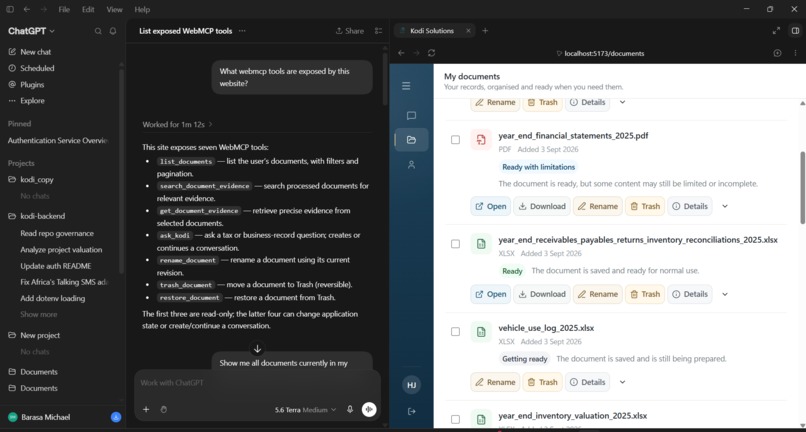
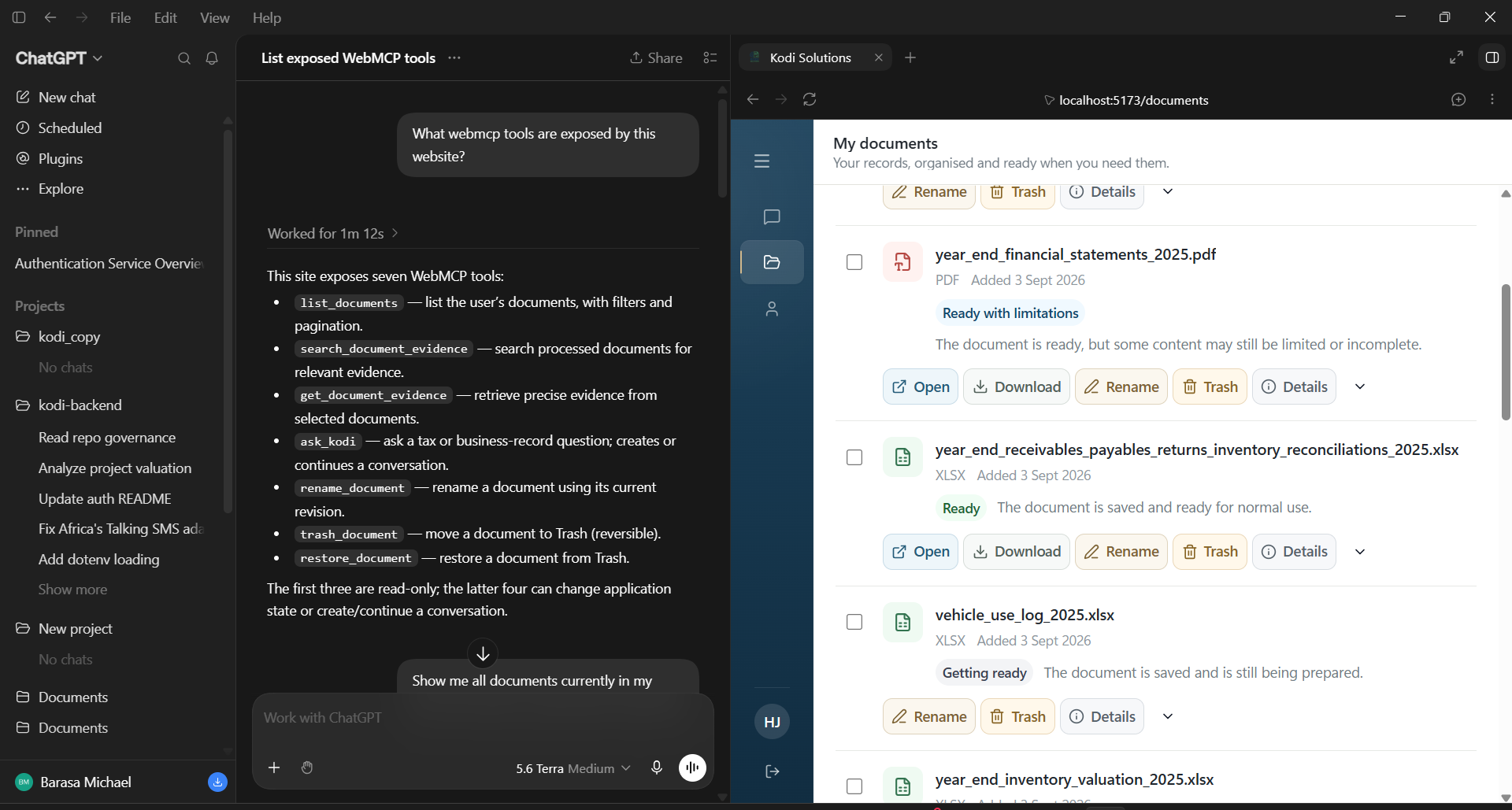
ChatGPT discovers Kodi’s seven WebMCP tools while the Kodi document library remains visible side by side.
-
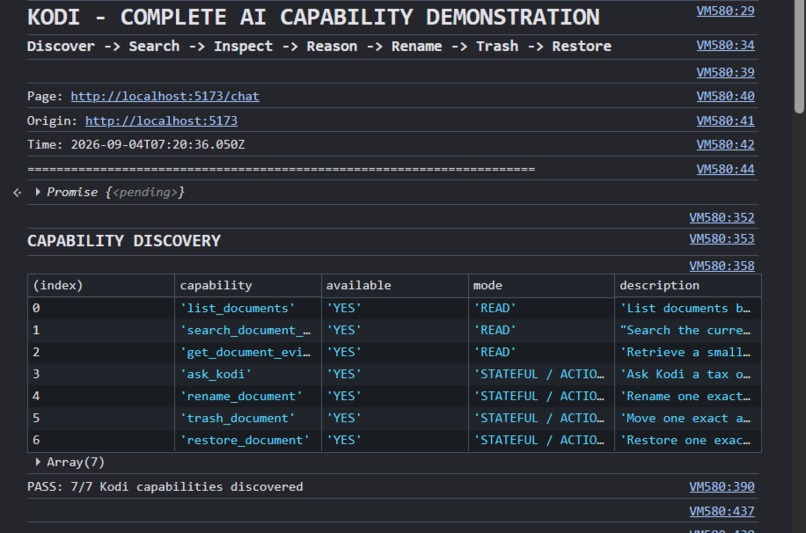
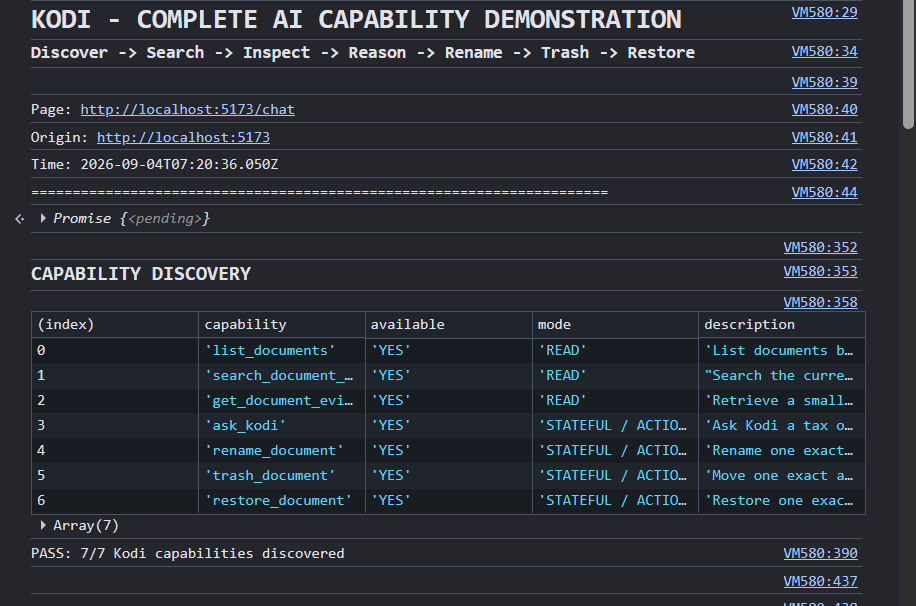
Kodi exposes all seven WebMCP capabilities for document discovery, evidence access, reasoning, and reversible actions.
-
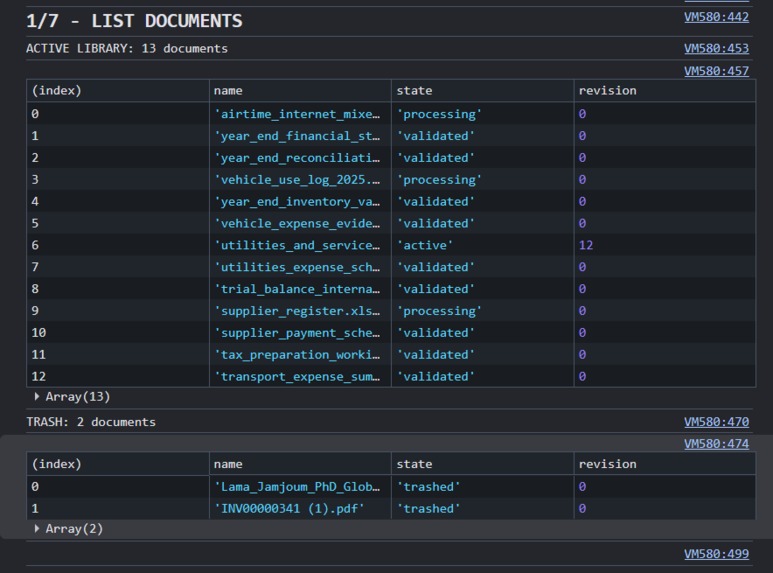
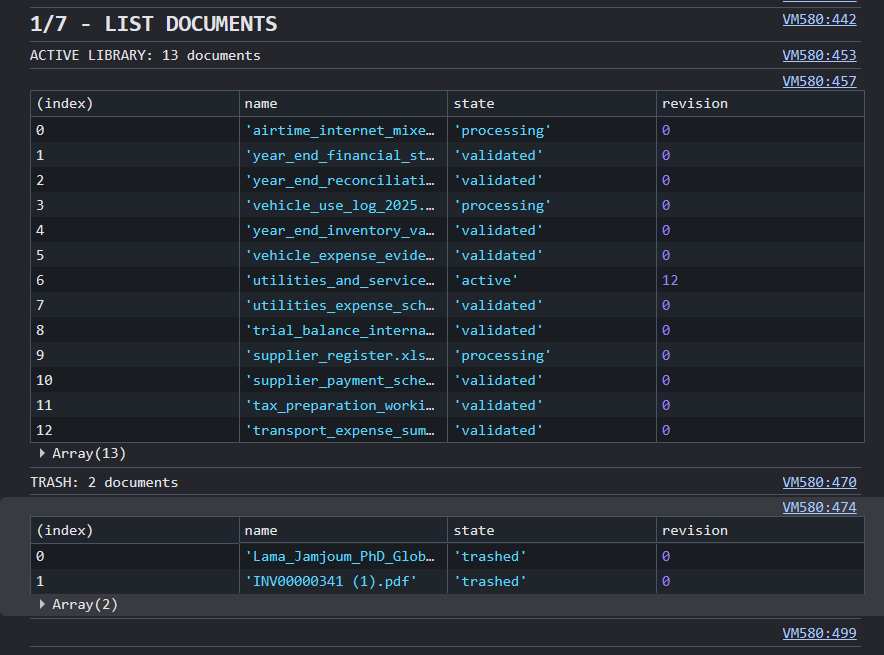
Live Kodi library showing 13 active documents with states and revisions, plus two records currently in Trash.
-
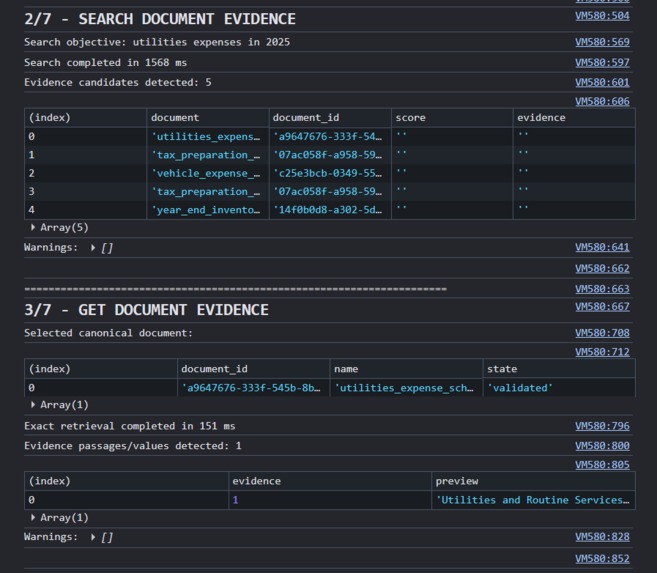
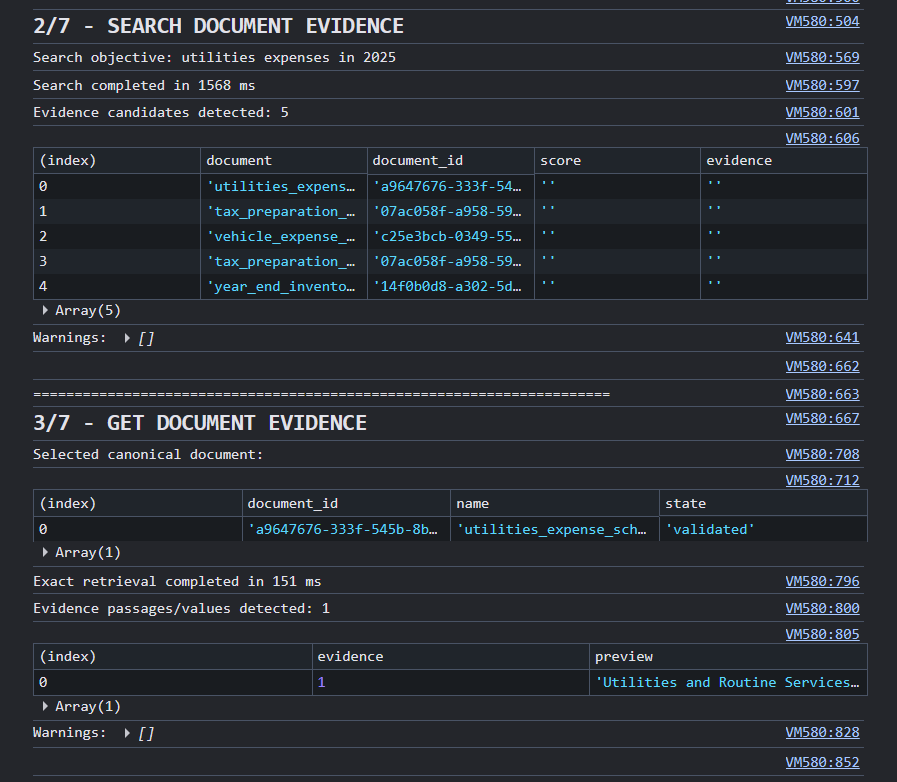
WebMCP searches 2025 utility-expense evidence, then retrieves exact canonical evidence from a selected Kodi document.
-
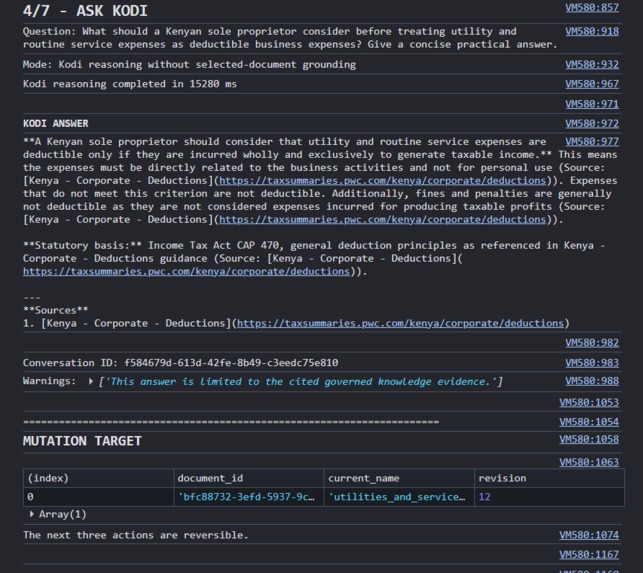
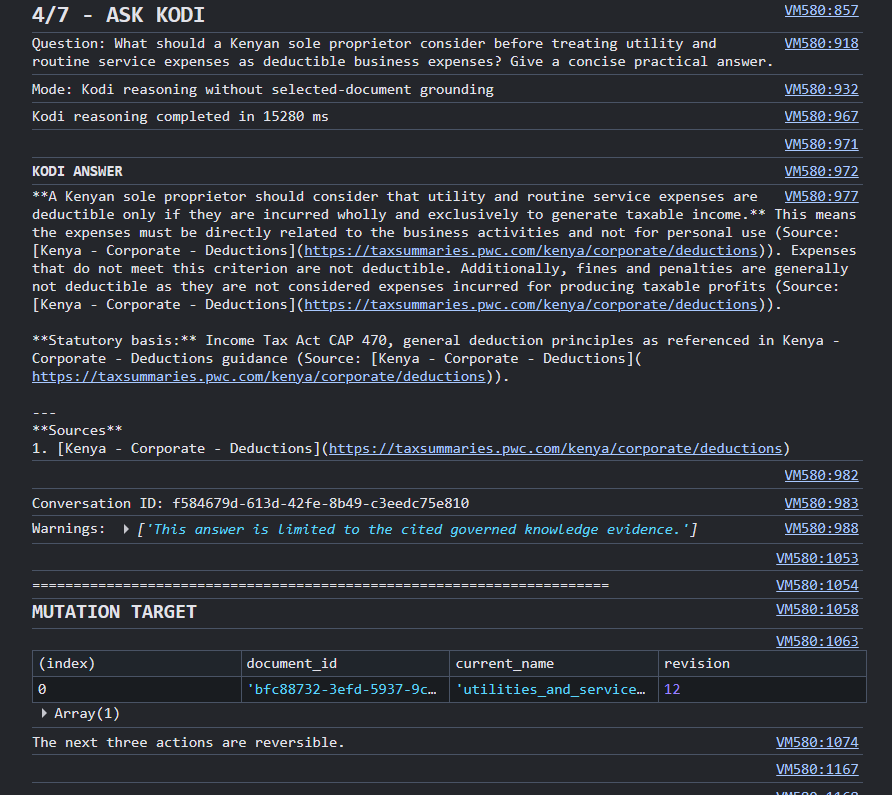
Kodi answers a Kenyan sole-proprietor tax question using governed knowledge, citations, warnings, and conversation state
-
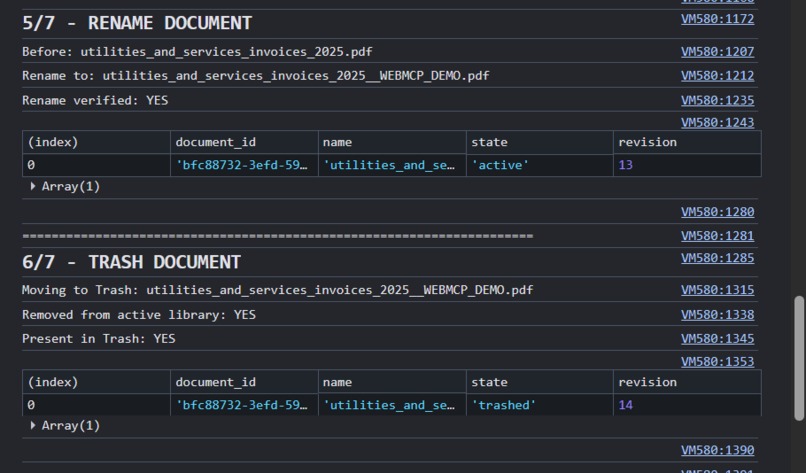
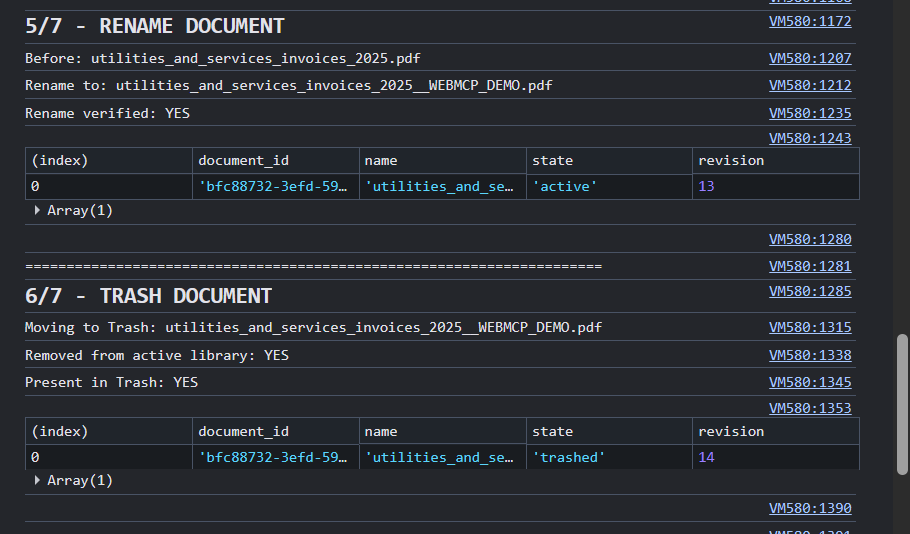
WebMCP renames a document, verifies the revision, then moves the same canonical record safely into Trash.
-
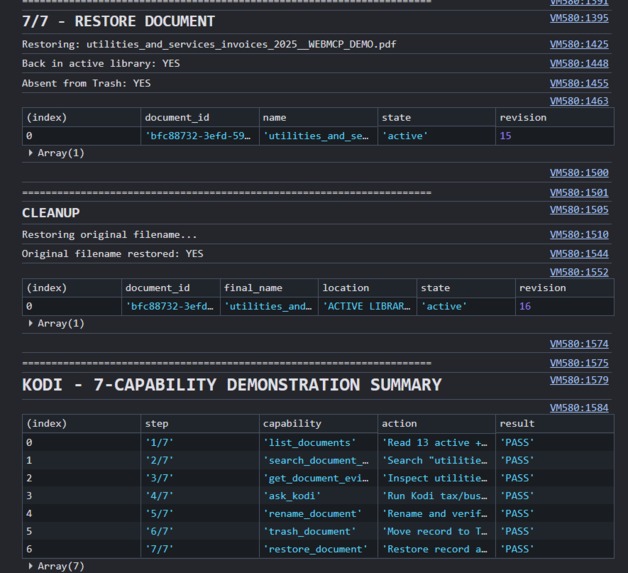
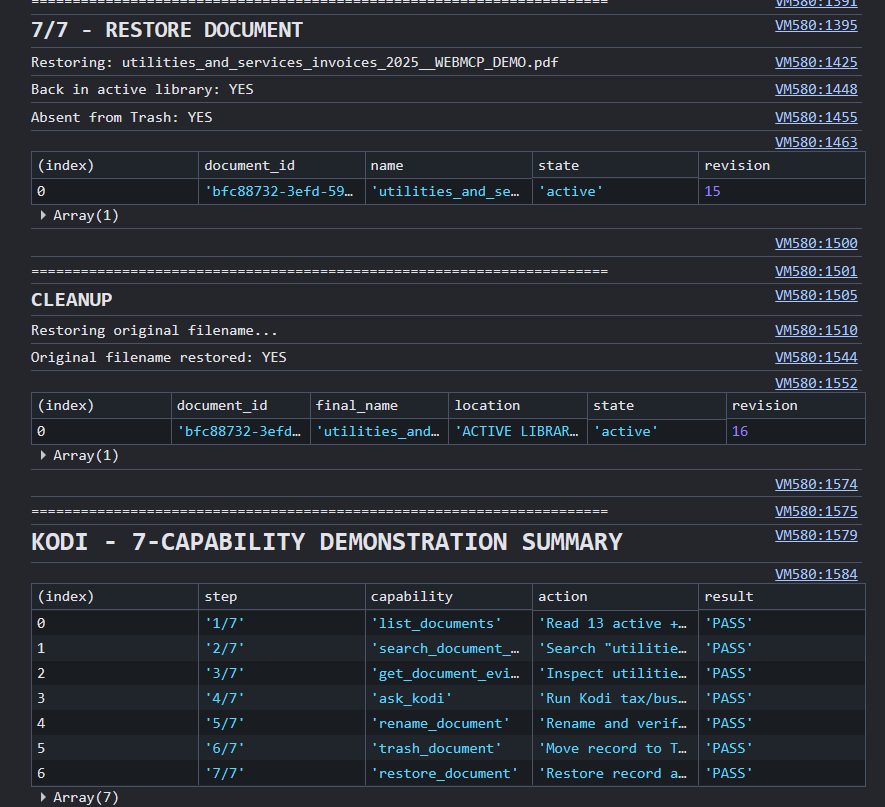
The trashed record is restored, its original filename recovered, and all seven WebMCP capabilities complete successfully.
-
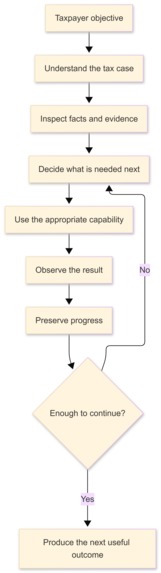
Kodi Tax Workflow: Kodi works through a tax objective by inspecting evidence, taking actions, preserving progress, and continuing as needed.
-
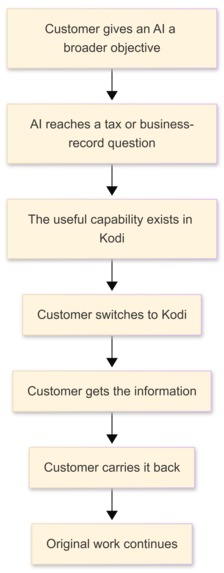
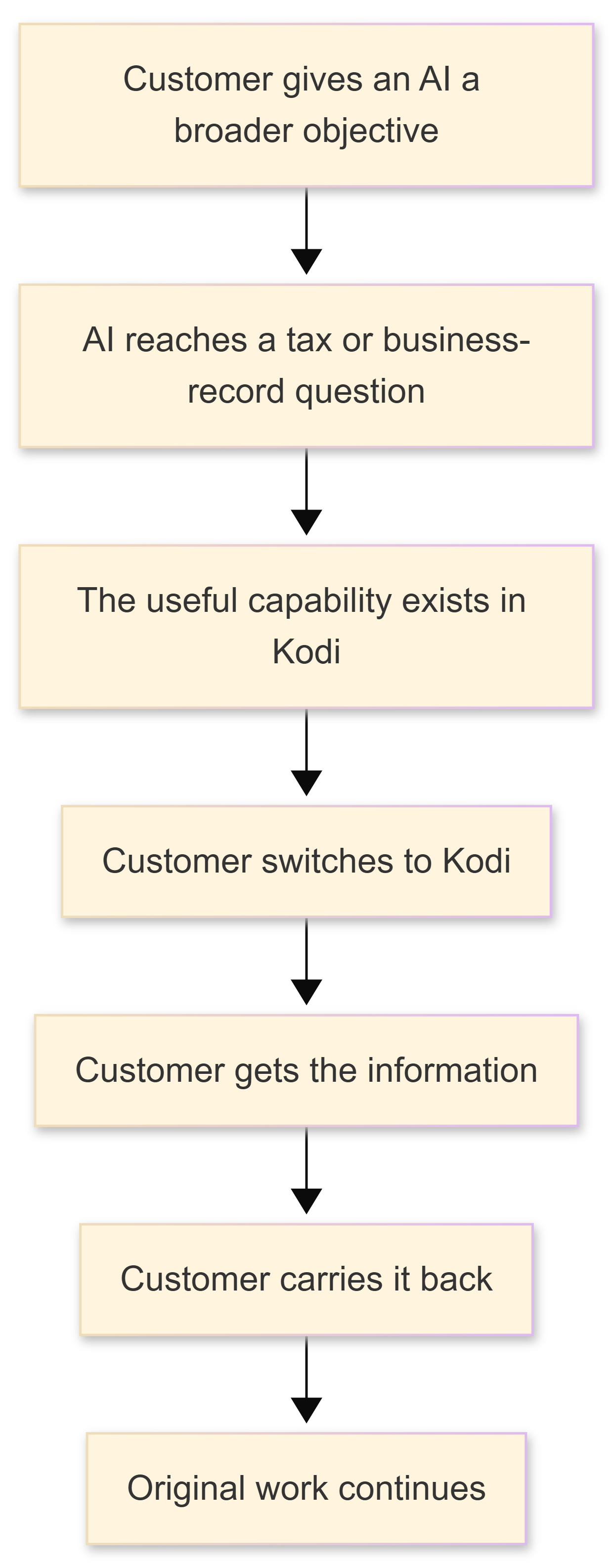
Manual AI Handoff: Without WebMCP, customers must switch to Kodi, retrieve needed information, and manually carry it back to their AI.
-
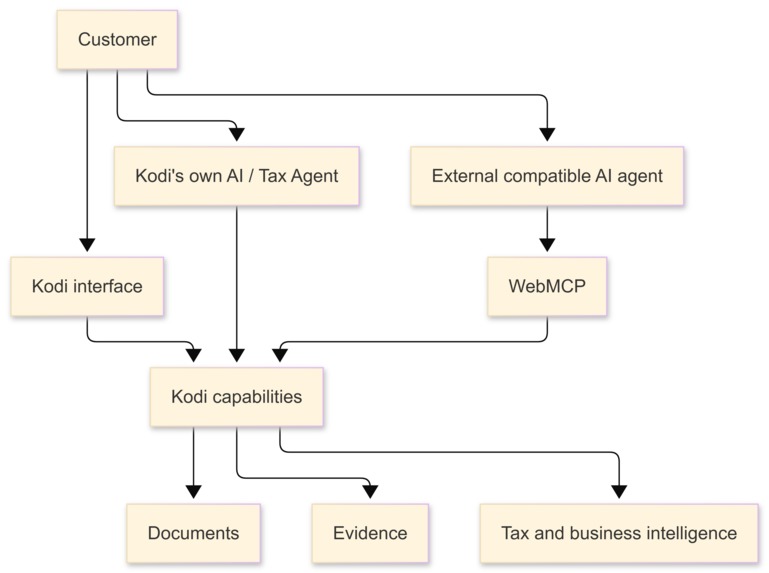
Three Ways to Use Kodi: Customers can use Kodi directly, use Kodi’s own AI, or let a compatible external AI access Kodi through WebMCP.
The problem
Kodi existed before the WebMCP Challenge.
I originally built it around a simple idea: what if working through tax could feel more like working with a modern coding agent?
When I give a coding agent an objective such as “fix the authentication bug,” I do not have to tell it which file to open, which function to inspect, which command to run or which test to try first. The agent can inspect the environment, use the tools available to it, observe what happens and continue working toward the objective.
Tax has many of the same characteristics, only with a very different environment.
There are taxpayer facts, documents, evidence, tax rules, calculations, missing information, forms, validations and actions. Traditionally, much of the burden of connecting those pieces falls on the taxpayer or the professional helping them.
Kodi was my attempt to change that.
Instead of treating tax as a series of screens that someone has to understand and operate manually, Kodi treats it as work to be done.
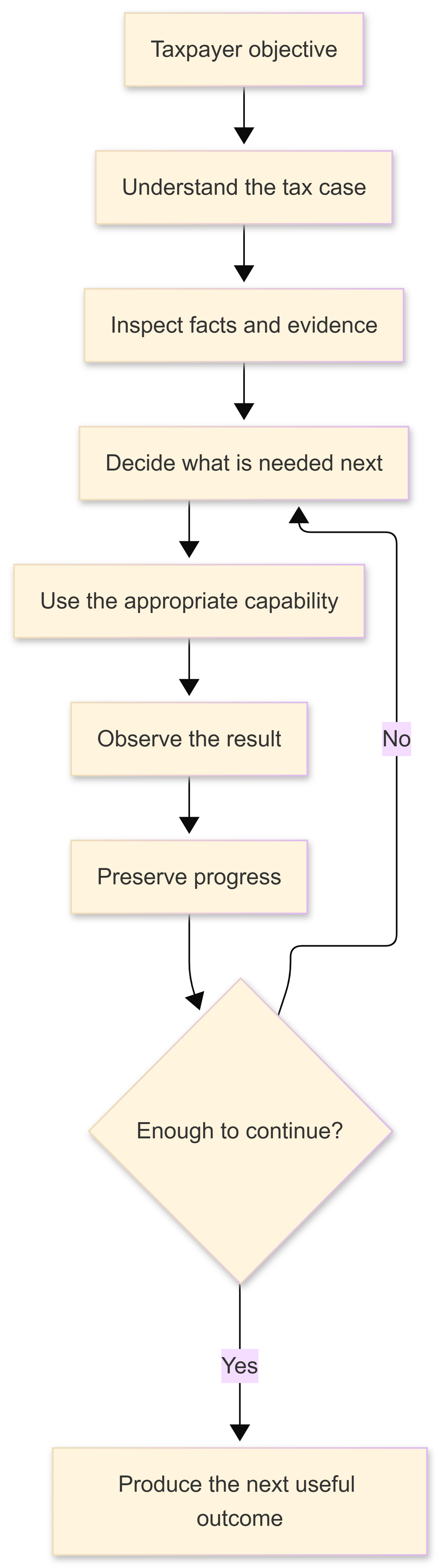
A user can give Kodi an objective. Kodi can work with their documents and evidence, determine what is known, identify what is missing, use tax capabilities where appropriate, ask the taxpayer when information genuinely cannot be resolved, and preserve the state of that work as it progresses.
That was already Kodi before this challenge.
The WebMCP Challenge started from a different problem.
Kodi had become capable of doing useful tax work, but most of that capability was still available only when the customer was actively working through Kodi itself.
And the way people are using AI is changing.
A business owner may already be working with a general AI assistant while reviewing their business. An accountant may have an agent helping prepare for a client meeting. Someone may be working through a larger financial task that touches email, accounting systems, calendars, business records and tax.
If that agent reaches a point where it needs something Kodi already knows how to do, the customer can still end up acting as the connection between them.
The capability exists.
The intelligence exists.
The customer's data exists.
But the customer is still doing the integration.
That is the problem I wanted to address in this challenge.
Why this happens
Kodi was designed to be used directly by its customers.
Its document library is available through Kodi.
Its evidence retrieval is available through Kodi.
Its tax intelligence is available through Kodi.
Its autonomous Tax Case is available through Kodi.
That is exactly what a normal product should do.
But there is now another kind of user emerging: the AI agent acting on behalf of the customer.
A browser agent should not have to reverse-engineer the meaning of every button, search box and rendered table just to use a capability that the application already understands internally.
And the alternative should not be handing an external AI unrestricted access to Kodi's backend.
What I wanted was something in between:
Give the agent useful capabilities, while Kodi continues to control identity, permissions, data and execution.
That is where WebMCP fits.
The WebMCP approach
For the WebMCP Challenge, I did not rebuild Kodi.
I extended the existing product with a new agent-facing interface.
WebMCP allows Kodi to describe selected capabilities in a structured form that a compatible external AI agent can discover from the authenticated application.
So Kodi can now be approached in three ways:
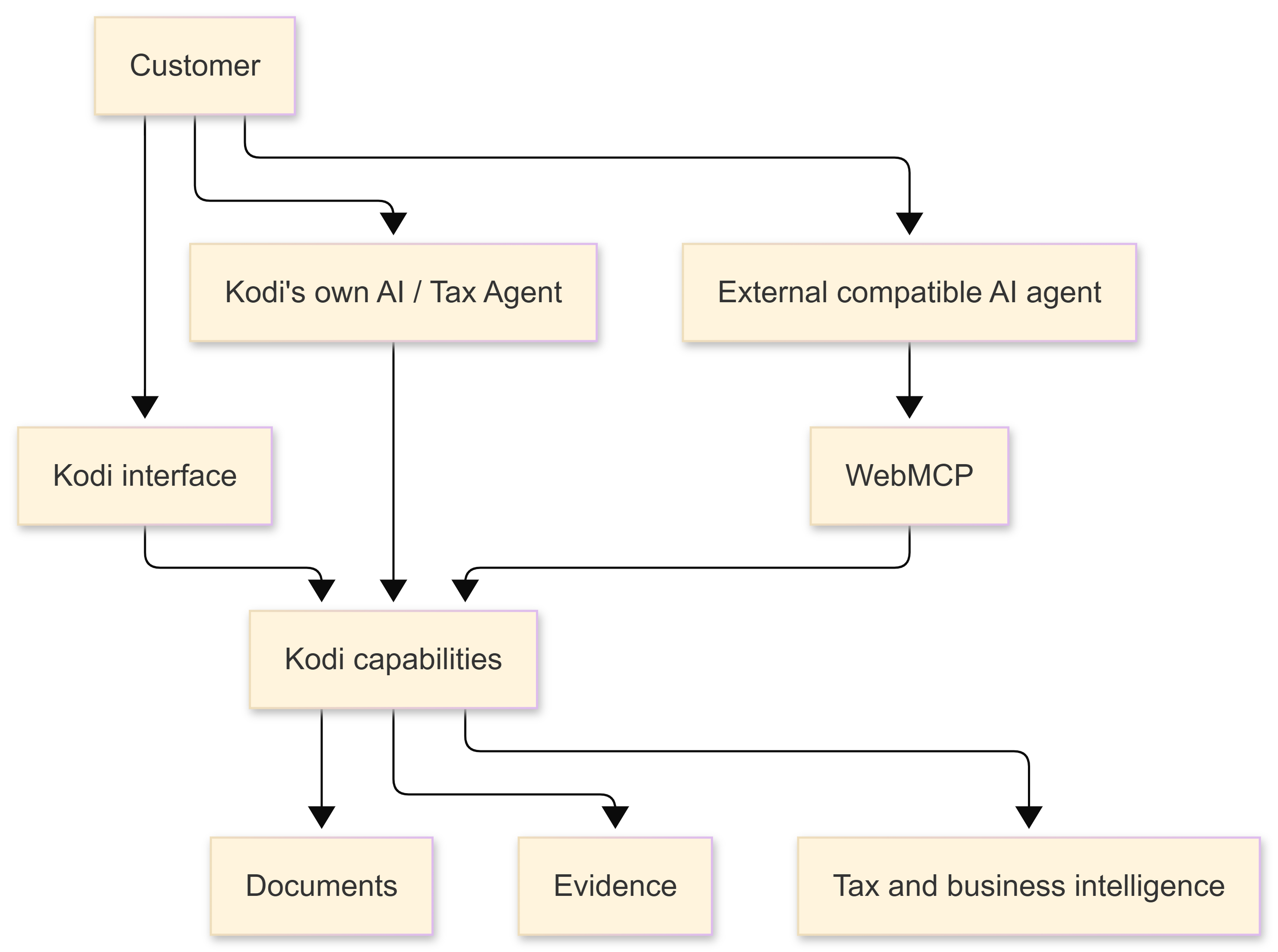
The first two already existed.
The third path is what I added for this challenge.
And that is where the additional customer value comes from.
I am not replacing Kodi's AI with another AI.
I am not saying customers should stop using Kodi.
I am making the capabilities that already make Kodi valuable available in another context when that is more convenient for the customer.
If someone is already inside Kodi, they can continue using Kodi.
If they want Kodi to autonomously work through a Tax Case, they can use Kodi's Tax Agent.
And if they are already working with another compatible AI agent on a broader objective, that agent can now use selected Kodi capabilities when it needs them.
The product stays the same. Its utility expands.
Built With
- axios
- chrome
- cloudflare-r2
- docker
- fastapi
- nginx
- openai-api
- postgresql
- pydantic
- pytest
- python
- react
- react-router
- sqlalchemy
- tanstack-query
- typescript
- vite
- vitest
- webmcp
- zustand


Log in or sign up for Devpost to join the conversation.