Project Summary
KoClip is an AI-powered tool that automates basketball highlight generation using Gemini 3 Pro's multimodal video understanding. It addresses the frustration of manual editing by automatically identifying key plays from raw footage.
Inspiration
As a solo developer who plays basketball, I noticed a common frustration: hours of game footage sitting on phones with no easy way to extract highlights. Professional editing is expensive, and manual editing takes forever. I wanted to explore Gemini's multimodal video understanding to automate this process.
What it does
KoClip is an AI-powered sports highlight generator that analyzes basketball videos and automatically identifies key moments.
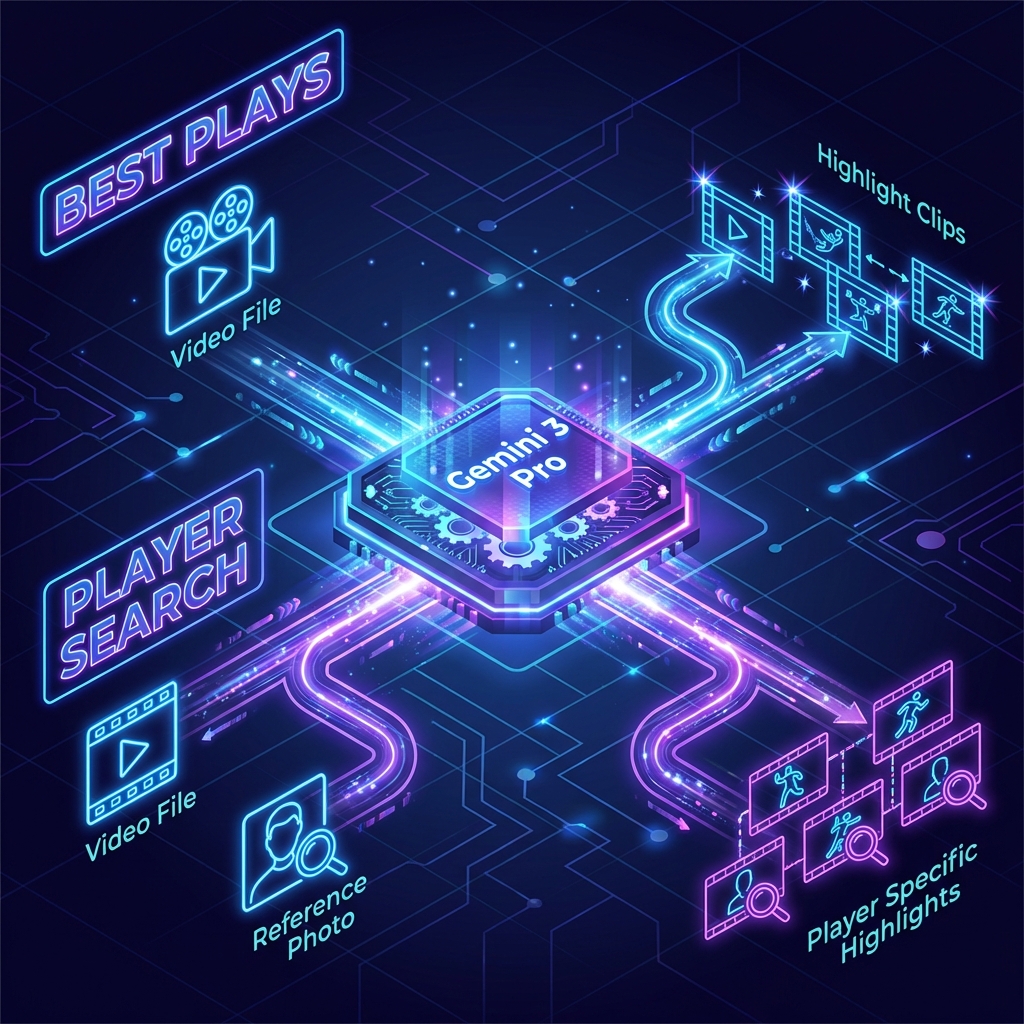
Current Features:
- Best Plays Mode: Upload a basketball video, and KoClip automatically identifies scoring moments, assists, and exciting plays using Gemini's video understanding. ### In Development:
- Player Tracking Mode: Upload a reference photo to track a specific player's moments (currently experimental).
How we built it
Tech Stack
- Frontend: Next.js 15 (TypeScript)
- AI Engine: Gemini 3 Pro API (Multimodal Video Understanding)
Technical Approach
- Frame Rate Tuning: Default Gemini video sampling is 1 FPS, which misses fast plays. I increased it to 5 FPS for better sports coverage, though this increases API processing time.
- Two-Stage Player Search (Experimental): Instead of passing reference images directly to video analysis, I first extract a text description of the player's appearance (jersey, shoes, accessories), then use that description for matching. Still testing which approach works better.
Challenges I ran into (and how I addressed them)
Timestamp Hallucination
- Problem: Gemini frequently returned timestamps exceeding video duration (e.g., 1800s on a 600s video).
- Solution: Added explicit duration info in prompts and implemented post-filtering to automatically reject invalid timestamps.
Action Misattribution
- Problem: The AI confused "player visible in frame" with "player performing the action."
- Solution: Restructured prompts with explicit ACTOR vs VISIBLE distinction and added examples of correct/incorrect identifications. Improved but not fully solved.
Player Identification with Similar Jerseys
- Problem: Multiple players with the same jersey number caused false positives.
- Solution: Implemented two-stage analysis: extract detailed player description first (shoes, accessories, build), then match against video. Added confidence scoring to filter uncertain matches.
Highlight Quality Control
- Problem: AI initially flagged routine plays (simple passes, walking) as highlights.
- Solution: Created strict include/exclude lists in prompts and raised the excitement score threshold to 80+.
Accomplishments I'm proud of
- Built a functional prototype that extracts basketball highlights without manual editing
- Implemented working solutions for timestamp validation and quality filtering
- Developed a two-stage image-to-text pipeline for player tracking (experimental but promising)
- Created a clean, minimal UI focused on the core workflow
What I learned
Video AI requires guardrails - Raw model output isn't production-ready. Post-processing (validation, filtering, scoring) is essential.
Prompt engineering helps, but has limits - Detailed prompts reduced errors significantly, but some issues like hallucination are model-level limitations.
Hybrid approaches outperform single methods - Combining image analysis → text description → video matching worked better than direct image comparison.
Audio context significantly improves accuracy - Videos with clear commentary (e.g., professional broadcasts) produced much better highlight detection compared to silent gym footage. The model appears to leverage audio cues like excited commentators or crowd reactions to identify key moments.
Be honest about limitations - Instead of hiding AI failures, I chose to implement filtering and communicate uncertainty through confidence scores.
What's next for KoClip
- Refine Player Tracking mode with improved prompting strategies
- Implement multi-segment analysis for longer videos (10+ minutes)
- Explore hybrid AI + traditional CV approach for better person re-identification
Built With
- gemini-3-flash
- gemini-3-pro
- gemini-api
- next.js
- react
- typescript
- vercel


Log in or sign up for Devpost to join the conversation.