-
-
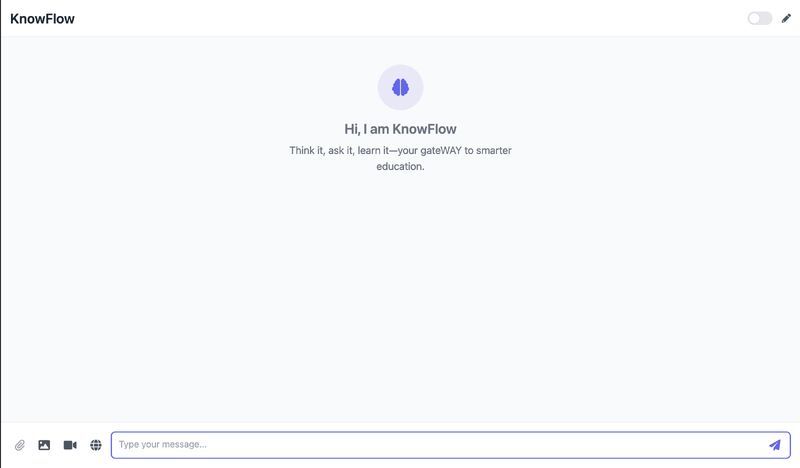
The UI interface
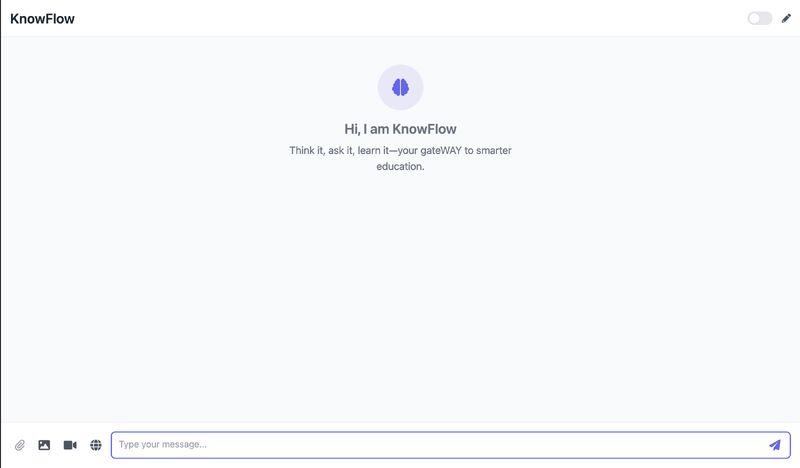
Intro
A cross-platform, on-device multimodal chatbot with RAG, capable of processing six types of documents. It features a built-in data analyst agent and OCR, and is fully deployable on any local machine with a single script.
Note: KnowFlow supports both online and offline modes, and runs smoothly on macOS, Windows, and Linux. It can be installed easily using the included setup.sh script.
In the demo video, the audio responses generated by the model are not audible because the screen recorder did not capture system audio during recording.
Inspiration
The idea for KnowFlow came from a simple but important belief: AI should be accessible, private, and usable even without internet. With the rise of large language models, most tools rely on cloud access, which raises privacy concerns and limits use on low-resource or offline systems. I wanted to build something different — an AI assistant that runs fully offline, supports multimodal input, and works across platforms. That is how KnowFlow was born.
What it does
KnowFlow is a cross-platform, on-device AI assistant that provides the following capabilities
- Chat with both cloud and local large language models
- Document-based question answering using retrieval-augmented generation
- CSV file analysis and visualization using a built-in data analyst agent
- OCR to extract and understand text from images
- Image generation from text prompts
- Visual question answering using the device camera
- Live drawing assistant with voice interaction
- Web search using either Tavily or Playwright depending on mode
- Works in both online and offline modes
- Runs on macOS, Windows, and Linux
How I built it
Model Integration
- Used Google's Gemini Flash model for online chat
- Used Meta's Llama 3.2 3B model (4-bit) via Ollama for local offline inference
- Responses are formatted in Markdown with code highlighting
- Chat history is stored locally in SQLite with semantic search
RAG Pipeline
- Used LlamaIndex to parse and chunk files
- Generated embeddings using all-MiniLM-L6-v2 from Hugging Face
- Stored embeddings in ChromaDB for fast similarity search
- Supported file types include PDF, DOCX, TXT, CSV, HTML, and JSON
Modular Agent System
Each AI feature is implemented as a separate agent
- TextAgent for general chat
- WebAgent for information retrieval
- Two options: Playwright to scrape relevant content or Tavily API for fast, clean search results
- Two options: Playwright to scrape relevant content or Tavily API for fast, clean search results
- RagAgent for document-based answering
- ImageGenAgent for text-to-image creation
- LocalAgent for Llama model inference
- LiveAgent for drawing and voice interaction
- ObjectDetectionAgent for interpreting visual inputs
- DataFrameAgent for analyzing and plotting data from CSV files
Backend and Infrastructure
- FastAPI was used for building all REST and WebSocket endpoints
- Python 3.11 is used throughout the backend
- WebSockets were used for real-time interactions like drawing and voice feedback
- Async handlers were implemented for responsive performance
Frontend and Integrations
- TailwindCSS and JavaScript were used for the frontend
- Google Cloud TTS was used for voice feedback
- Hugging Face was used for embedding and model access
- Camera and microphone integration support live visual Q and A
- Drawing canvas supports real-time sketching with AI guidance
Challenges I ran into
- Managing memory for local inference of Llama 3.2 while maintaining speed
- Chunking documents in a way that preserved meaning without bloating token size
- Creating fallbacks for file parsing errors
- Ensuring one-click install across macOS, Windows, and Linux
- Building an intuitive and unified UI across multiple modalities
Accomplishments that I am proud of
- Built a working on-device AI assistant with no internet dependency
- Achieved local RAG across six file types
- Integrated real-time drawing, OCR, and visual Q and A into one platform
- Designed a single-script installation method for all major operating systems
- Combined multiple GenAI features into one extensible tool
What I learned
- Combining online and offline AI models provides real flexibility
- Local RAG can be efficient and accurate with proper chunking and embeddings
- Modular architecture is essential when scaling a multimodal app
- Real-time interfaces like voice and drawing make AI more usable
- Offline tools can still match enterprise-level performance with the right stack
What is next for KnowFlow
- Add local speech recognition and text to speech using open source models
- Support new file types like XML and EPUB
- Build a lightweight desktop GUI using Electron or Tauri
- Improve dynamic switching between online and offline models
- Add user login for multi-profile local usage
- Open source the CSV analyst agent as a standalone library
Built With
- asyncio
- bash
- chromadb
- fastapi
- huggingfacetransformers
- javascript
- llamaindex
- ollama
- pandas
- playwright
- plotly
- python
- sqlite
- tailwindcss
- tesseract
- websockets

Log in or sign up for Devpost to join the conversation.