Inspiration
The inspiration for Page+ came from a simple but frustrating reality - understanding web pages can takes a lot of effort. Copying, pasting, switching between tabs, taking screenshots, and trying to remember where that snippet came from-it's a constant interruption of focus and flow. I wanted a way to stay on the same page, and bring AI to that context instead of painfully moving it elsewhere.
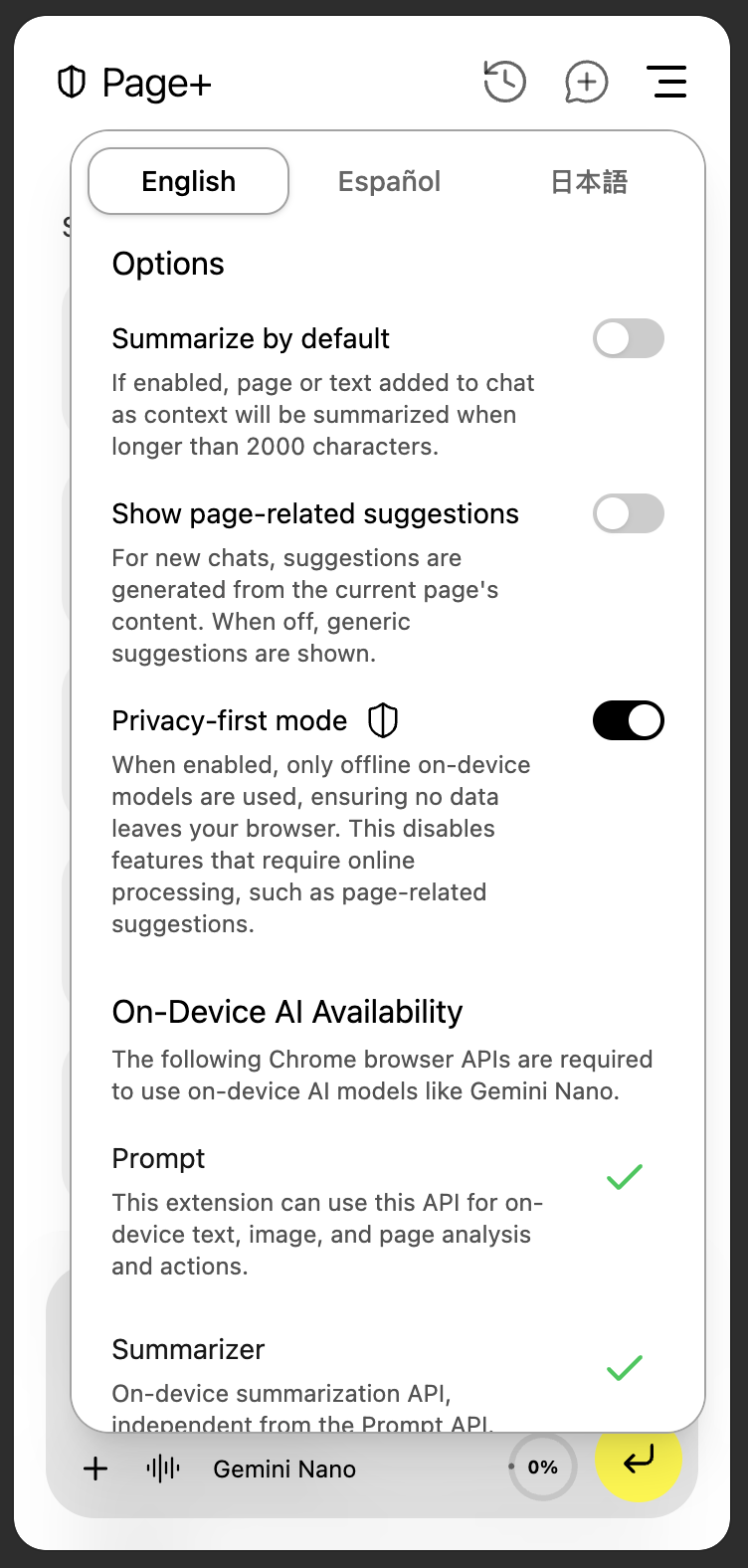
With Google's new on-device AI models, I realized there was an opportunity to make this experience private, instant, and deeply integrated. The idea was to create an assistant that appears on demand, understands the current page, and helps you extract, explain, or act on what's in front of you-all while keeping your data on your device.
What it does
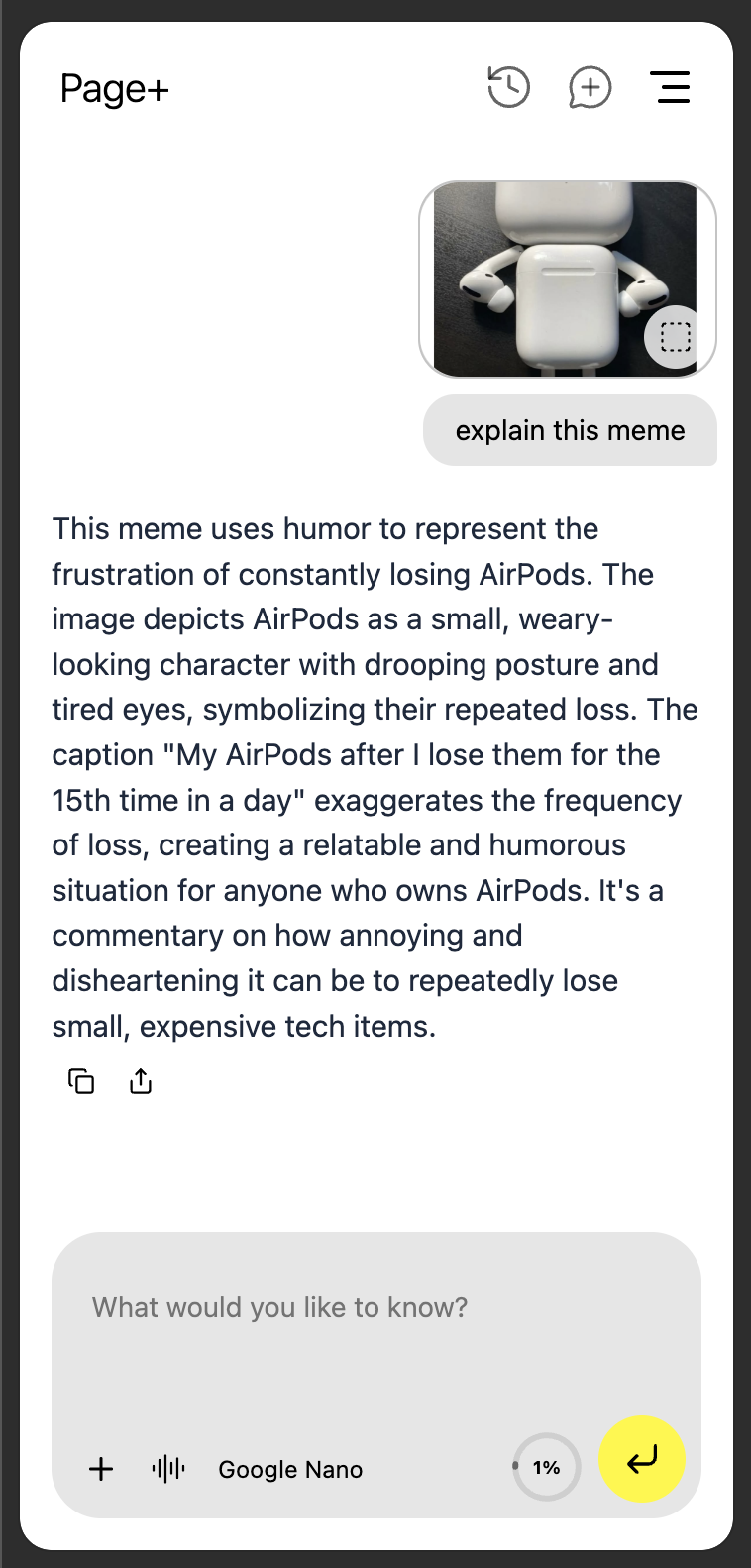
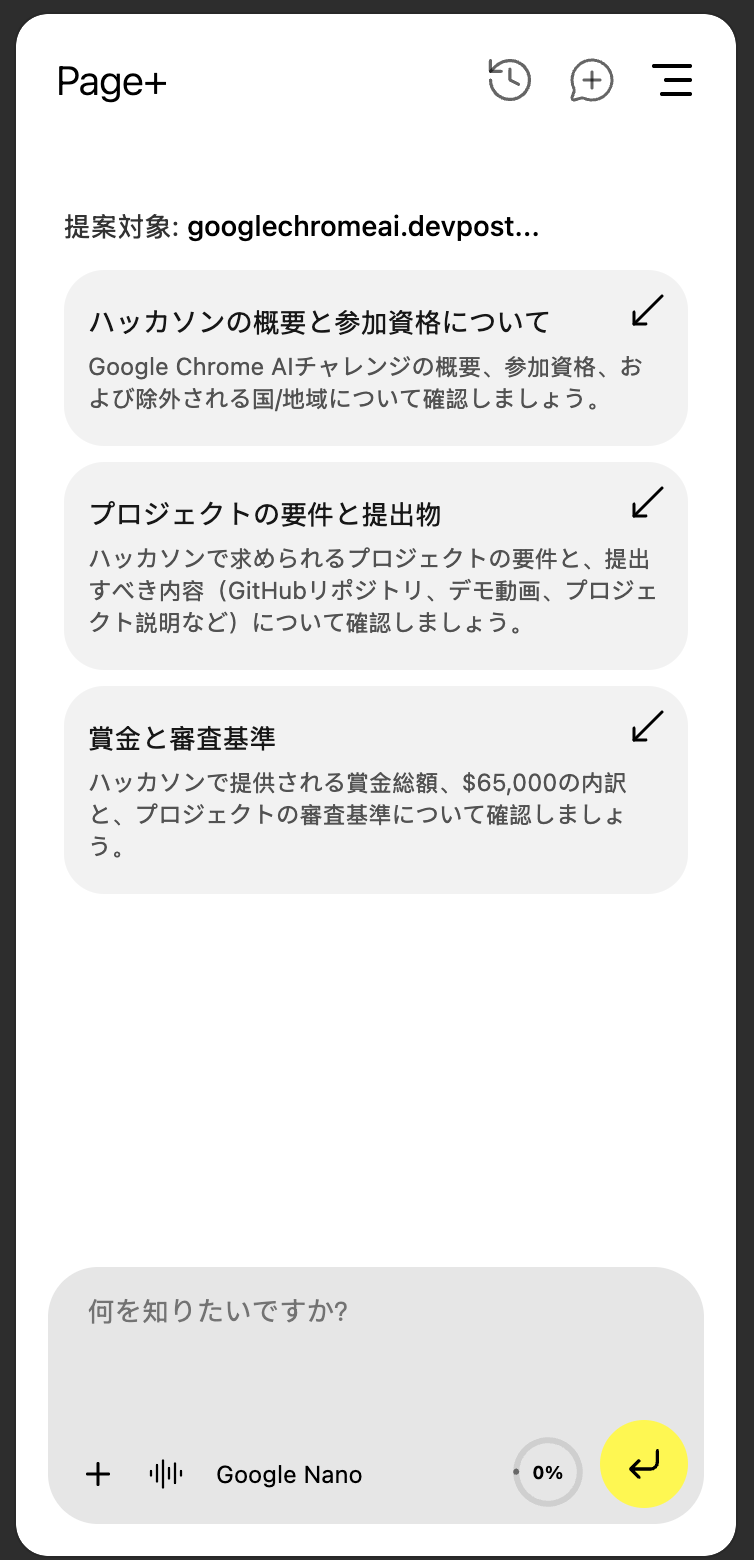
Page+ is an AI-powered Chrome Extension that transforms how users interact with web pages. It allows you to add page content, selected text, or visual snips (screenshots) as context to an AI chat-instantly, and without leaving the page.
From there, Page+ can:
- Summarize a page, extract data, or highlight key takeaways.
- Explain complex information in simple terms.
- Find next steps or key actions available on a site.
- Extract structured data like links, contacts, or prices.
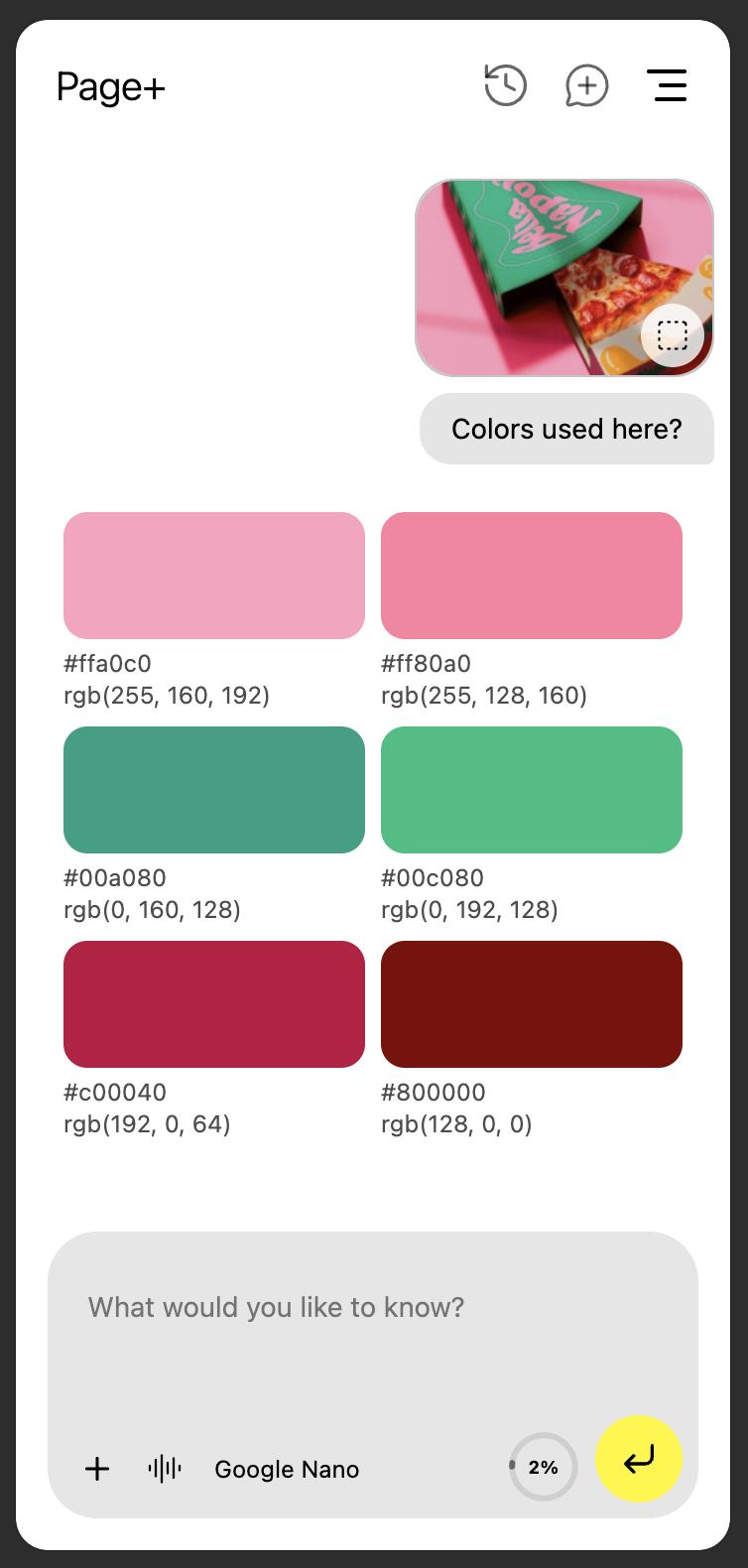
- Identify colors from a snip for design palettes.
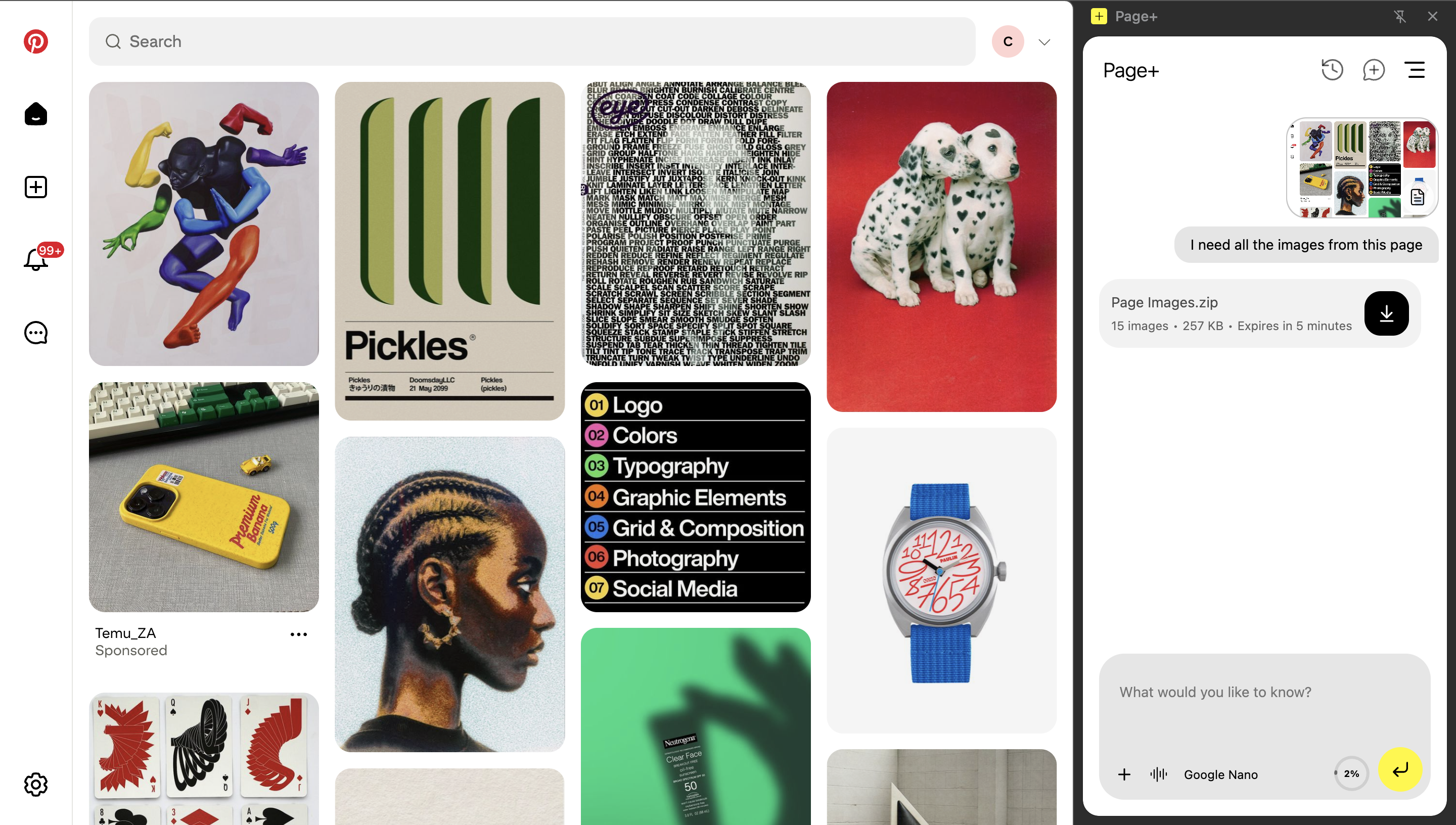
- Collect all page images for quick mood boards.
- Fill form fields automatically from user-selected snips.
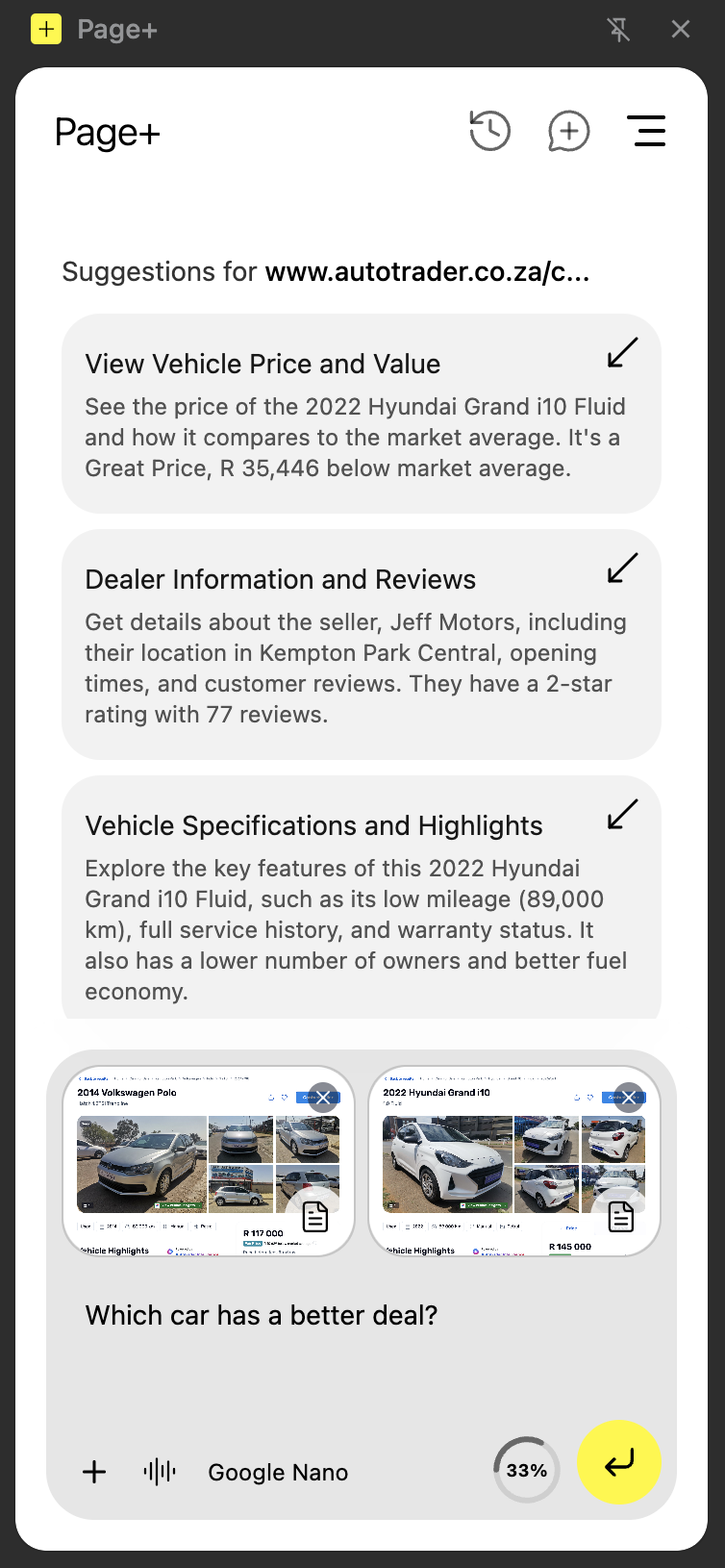
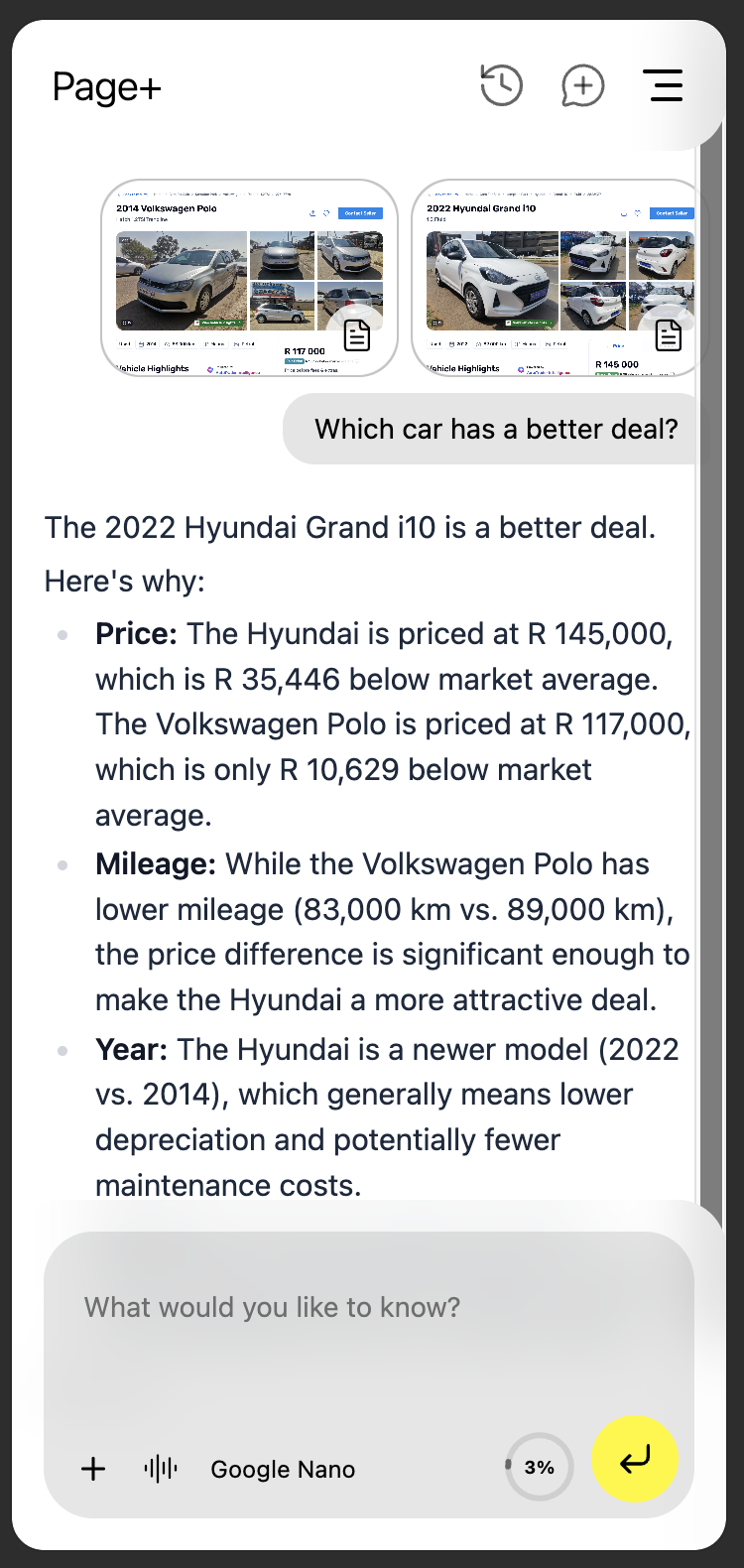
- Compare products, summarize pros and cons, or draft quick replies.
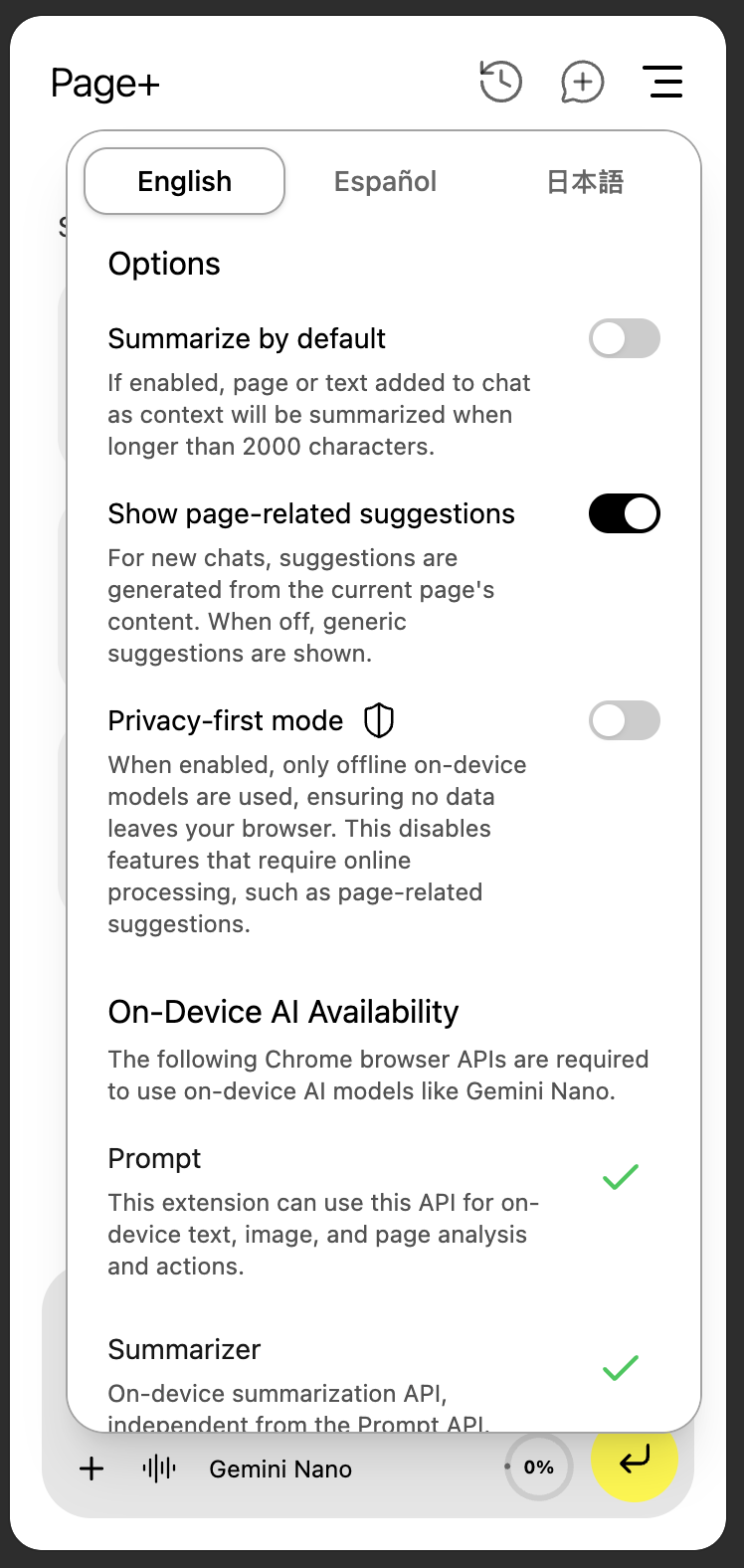
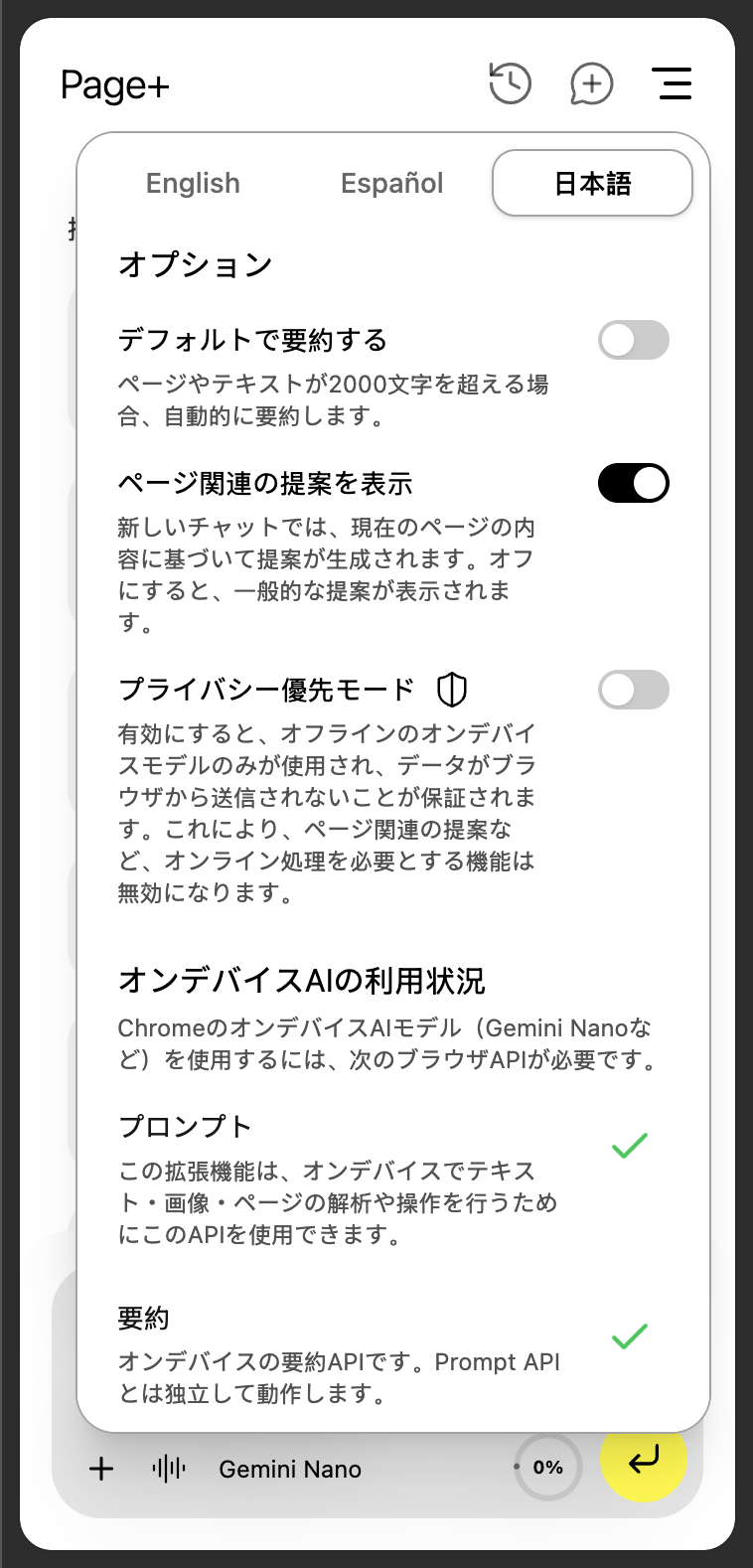
Page+ works completely offline using Gemini Nano via Chrome's built-in AI APIs, ensuring privacy and speed. When Nano isn't available, it automatically falls back to Gemini Flash 2.5 or Gemini Pro 2.5, keeping everything functional through a hybrid model approach. You have the abulity to manually toggle between available models at any point.
How it was built it
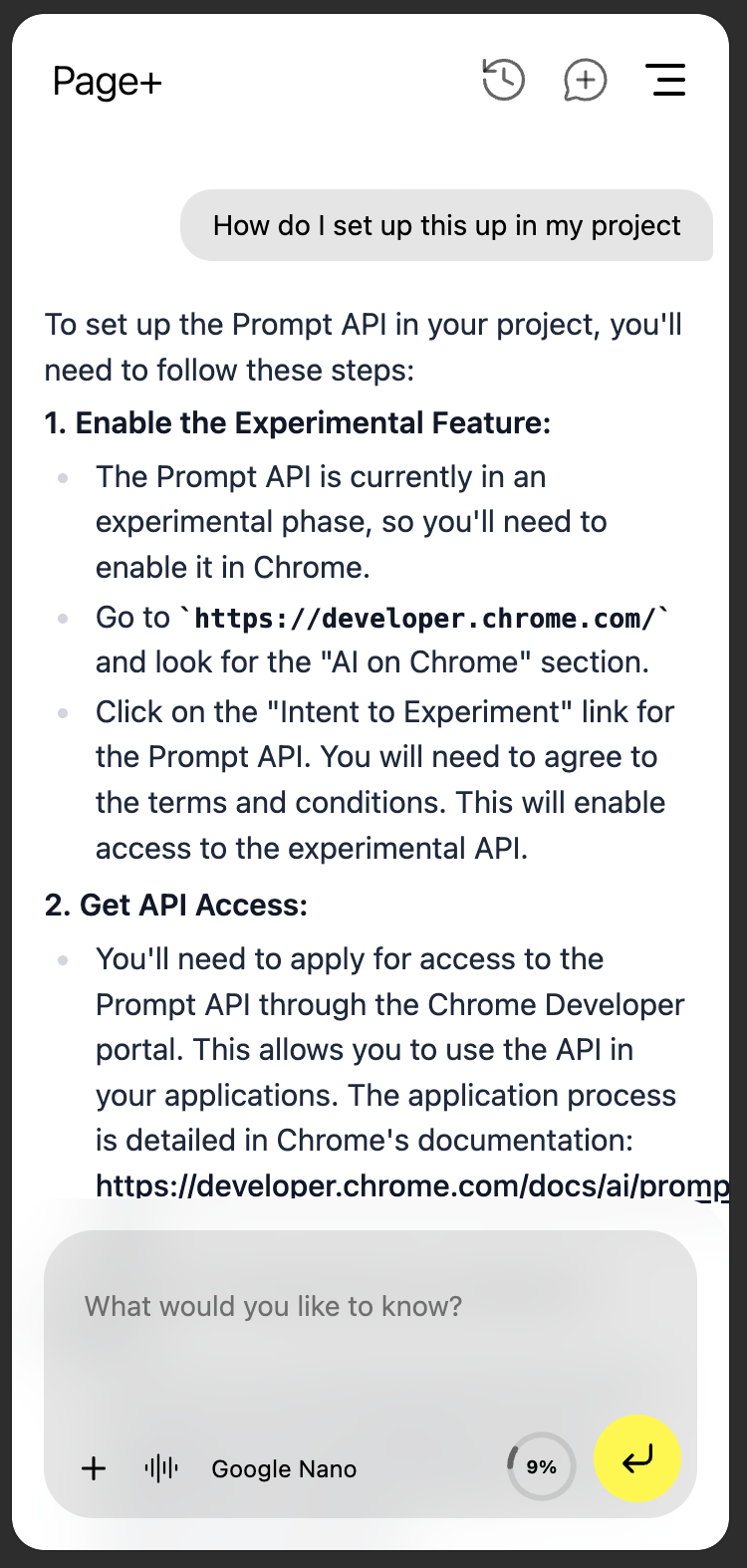
Page+ was built as a React-based Chrome Extension using the new Chrome Sidebar API for an unobtrusive, clean interface.
Key steps included:
- Learning on-device AI capabilities and integrating the Prompt API for local Gemini Nano inference.
- Building a model manager that checks availability of built-in APIs and provides download or enablement guidance.
- Implementing hybrid AI switching between Gemini Nano, Flash, and Pro with stateful UI controls.
- Creating context capture tools:
- Text from selected areas
- Visual snips using canvas and Chrome Capture API
- Full-page extraction using intelligent HTML tag filtering
- Designing a structured output layer, allowing the AI to select specialized tools (color extraction, form filling, summarize or query).
- Adding voice input, multi-language support (English, Spanish, Japanese), and context quota management.
- Persisting conversation history and context with Chrome local extension storage.
Challenges I ran into
- Context window management: Handling multiple context sources (pages, text, snips) without overwhelming the AI required smart summarization and quota tracking.
- Hybrid AI model management: Balancing offline (Nano) and cloud (Flash/Pro) models while maintaining a unified interface was complex.
- Filling form fields dynamically: Capturing inputs inside React-driven web apps and matching AI-generated content to selectors was a huge technical challenge.
- Structured output consistency: Getting Gemini Nano to reliably produce structured responses required careful prompt engineering.
- UX resilience: Users don't care why a model isn't available-they just want it to work. Ensuring graceful fallbacks and helpful guidance was critical.
Accomplishments that I'm proud of
- Created a fully offline-capable browser assistant using Gemini Nano, ensuring user privacy and instant response.
- Built a hybrid AI framework for seamless model switching.
- Developed structured output-based tool selection, letting the AI autonomously decide how to respond to a user's query.
- Implemented context-aware visual input (snips) and automated form filling directly on web pages.
- Delivered an intuitive and elegant user experience that actually reduces cognitive load and context switching - something I personally use daily.
What I learned
- Building with on-device AI fundamentally changes the UX-it's faster, safer, and more personal.
- UX is everything: users value reliability and simplicity over technical brilliance.
- Handling AI model variability (like Nano's structured output differences) requires adaptive, prompt-driven architectures.
- Chrome's Sidebar API + React opens up a new world for assistant-style extensions-clean, persistent, and non-intrusive.
- Context is gold - managing, summarizing, and reusing it effectively is the key to powerful browser intelligence.
What's next for Page+
- Agentic capabilities: Letting the assistant perform actions on pages (e.g., navigating links, completing workflows).
- Integrated Google Search tool: For richer context and augmented understanding.
- Document builder/exporter: Compile extracted content and summaries into formatted docs or PDFs.
- Improved structured output pipeline: For more reliable tool invocation and multi-step reasoning.
- Public Chrome Web Store release: With simplified onboarding and user setup for on-device models.
Ultimately, Page+ is a step toward a smarter, privacy-first browsing experience-an assistant that lives where your work happens: on the page itself.

Log in or sign up for Devpost to join the conversation.