Inspiration
Growing up, I struggled with impatient teachers who rushed topics too quickly or sometimes explained things sloppily. I often needed concepts repeated several times before they finally clicked, but asking for clarification wasn't always easy. And let's face it, so much of learning nowadays happens through self-study. We have access to more educational resources than ever, yet understanding difficult concepts can still feel frustrating and isolating. I wanted to create the kind of teacher I wish I'd had growing up, one who is patient, adapts to your pace, never judges you for asking the same question twice, and makes learning genuinely engaging. That's how and why I came up with Knotwise Live Tutor.
What it does
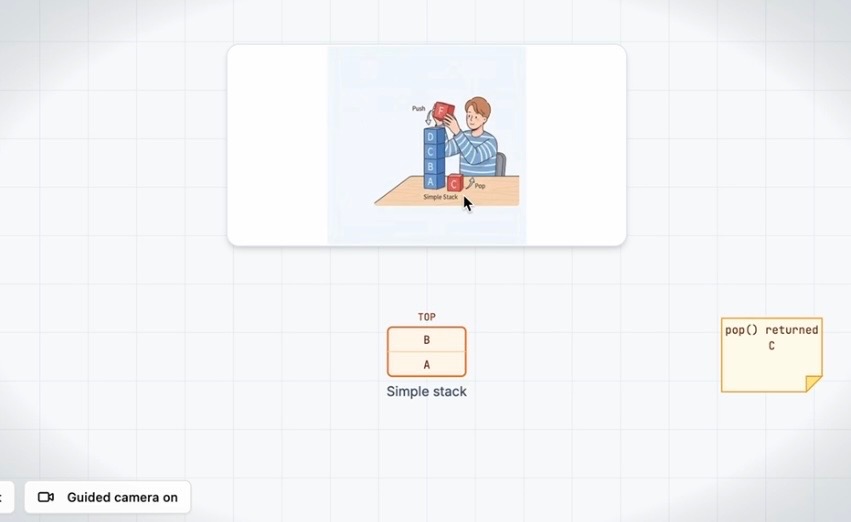
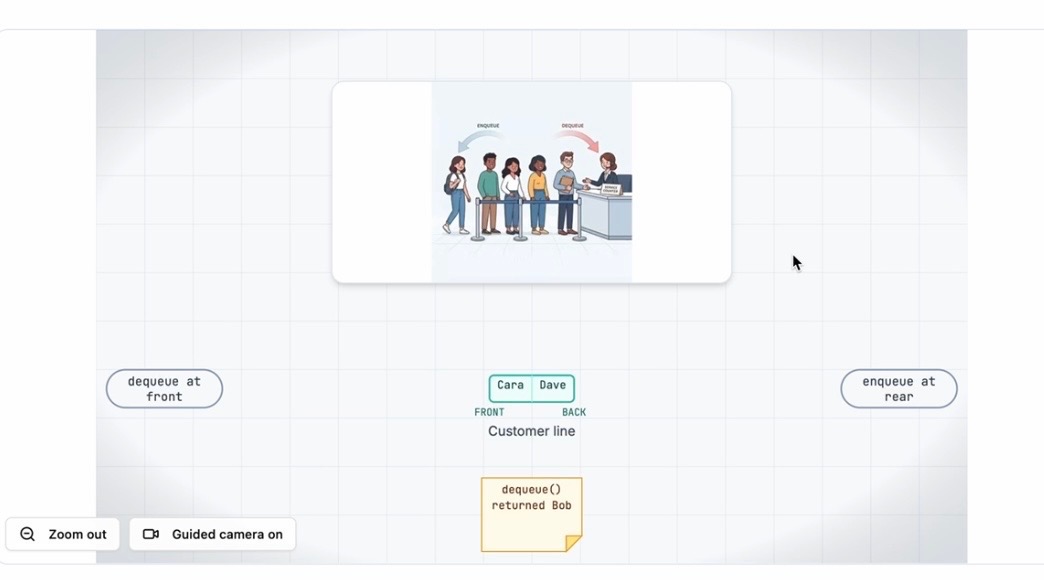
Instead of simply giving students text-based answers, Knotwise combines live voice conversations with dynamic diagrams, animated explanations, and interactive quizzes. Students can ask questions naturally, interrupt the professor, request another explanation, or revisit a difficult concept without feeling rushed or embarrassed. As the professor teaches, visual diagrams can expand and adapt to the lesson, helping students understand how concepts connect rather than just memorizing definitions. Knotwise focuses on three things:
*Adaptive learning: The professor adjusts explanations based on students' questions and understanding. *Visual learning: Animated diagrams and examples make abstract concepts easier to follow. *Active reinforcement: Quizzes and follow-up questions help students check what they've actually learned.
The goal is to give students an accessible, patient learning companion whenever they need one.
How we built it
I developed Knotwise as a solo hacker using Base44, React, JavaScript, OpenAI, and GSAP, with Git and Windsurf supporting the development and debugging workflow. Base44 helped accelerate the initial application development, allowing me to prototype the interface and core learning experience. OpenAI powers the conversational AI professor, enabling students to interact through natural voice conversations and ask follow-up questions during a lesson. For the visual experience, I worked with React-based components, SVG diagrams, and GSAP animations to create an interactive learning environment where concepts can be represented through moving objects, connected nodes, and visual transitions. As development progressed, I brought the project into my own Git-based codebase and used Windsurf and Claude to investigate bugs, refine the architecture, and improve the connection between the professor and the visual learning experience.
Challenges we ran into
My biggest challenge was synchronizing the AI professor's explanations with the visual animations and getting everything to work all simultaneously. Getting the AI to explain a concept while the correct objects, values, and diagrams change on screen sometimes felt surgical. Early versions sometimes had the professor explaining one example while the diagram displayed another. Camera movement could work, but the values didn't always update to match the spoken explanation. I also encountered animation freezes, timing inconsistencies, and difficulties coordinating asynchronous AI responses with the frontend. And as a solo competitor, I had to balance interface design, AI integration, animation engineering, debugging, and the overall educational experience. I eventually realized that repeatedly prompting an AI app builder wasn't enough to solve deeper architectural issues. I needed to approach the project more like a traditional software engineer and inspect the code, trace the data flow, isolate bugs, and make targeted changes.
Accomplishments that we're proud of
I'm particularly happy with the underlying teaching logic and how well the experience comes together. Students can interrupt the AI professor, ask for explanations to be repeated, slow things down, or explore a concept from a different perspective without feeling judged or rushed. The professor responds naturally, and the dynamic diagrams help reinforce what is being taught.
What we learned
One of my biggest takeaways from this hackathon is that it is the effectiveness of the result and receiving feedback from sponsors and other people to understand a common area we all struggle with and how we can make a learning tool so personalized that it works for every student and learning style.
What's next for Knotwise Live Tutor
One of my biggest goals is to introduce a digital whiteboard and interactive mathematical workspace where students can write equations, solve problems, manipulate diagrams, and receive guidance from the AI professor as they work.
Built With
- base44
- claude
- javascript
- openaiapi
- rag
- tailwind
- typescript
