-
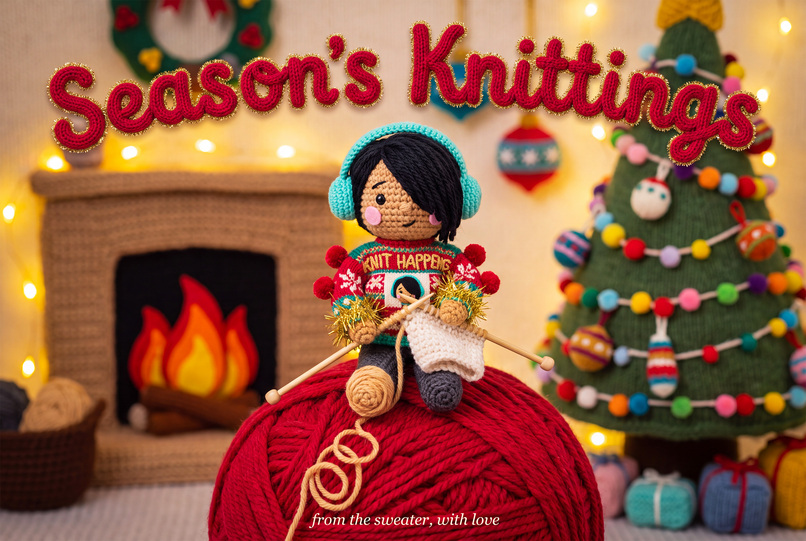
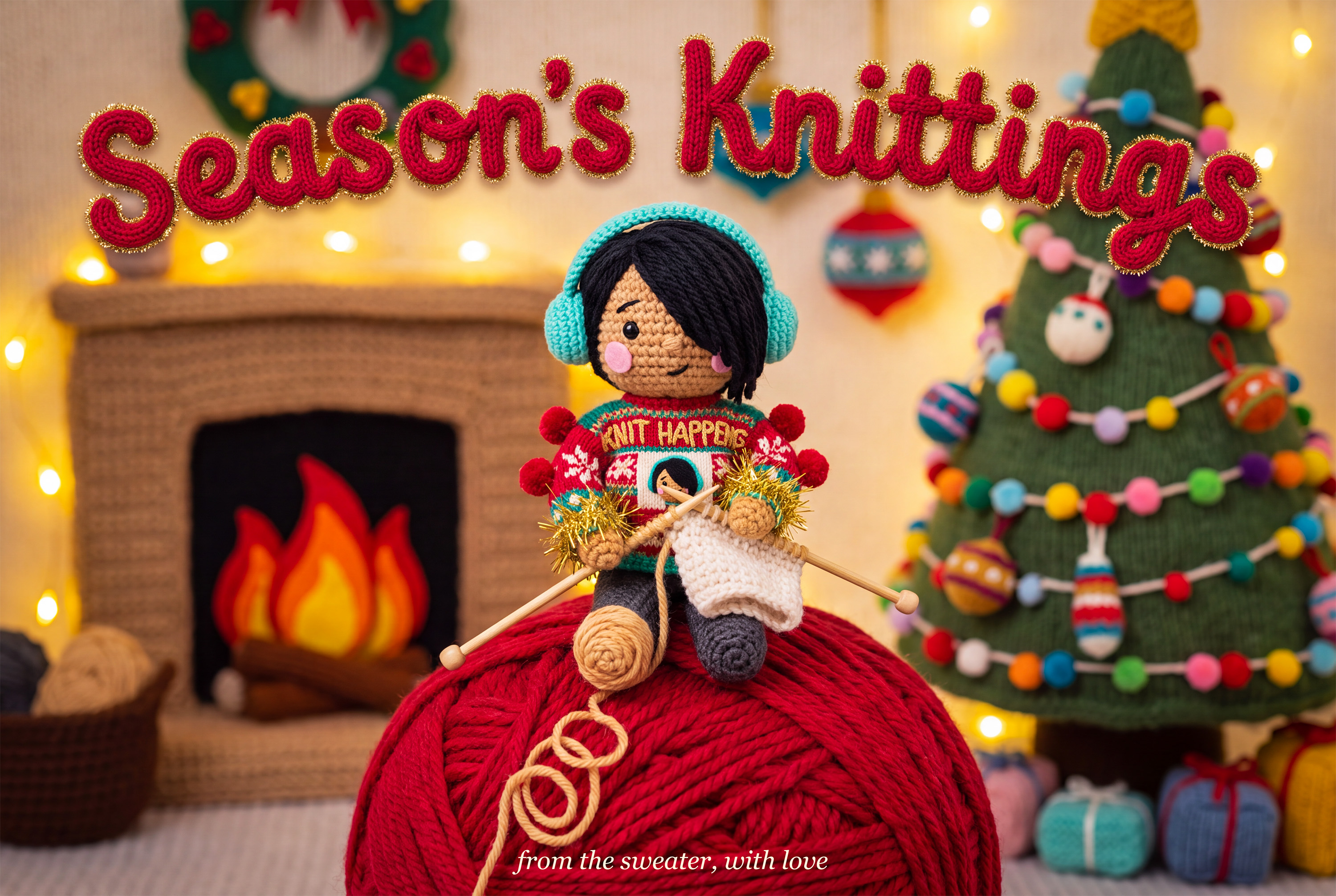
Holiday card: the doll knits its own sweater from yarn unwinding from its own foot
-
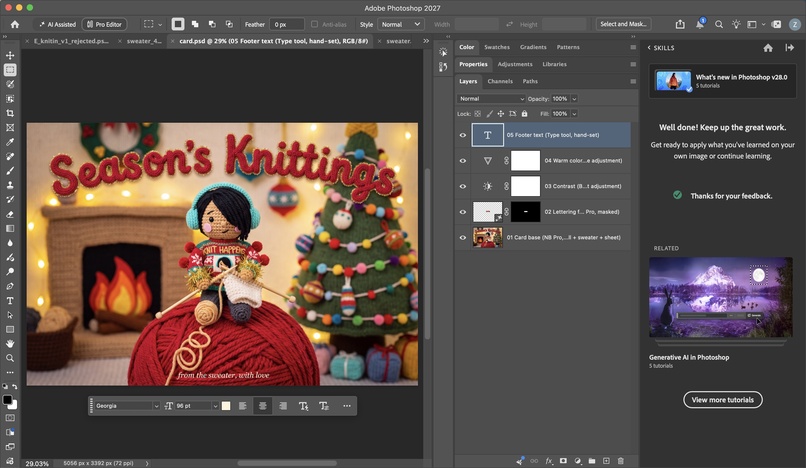
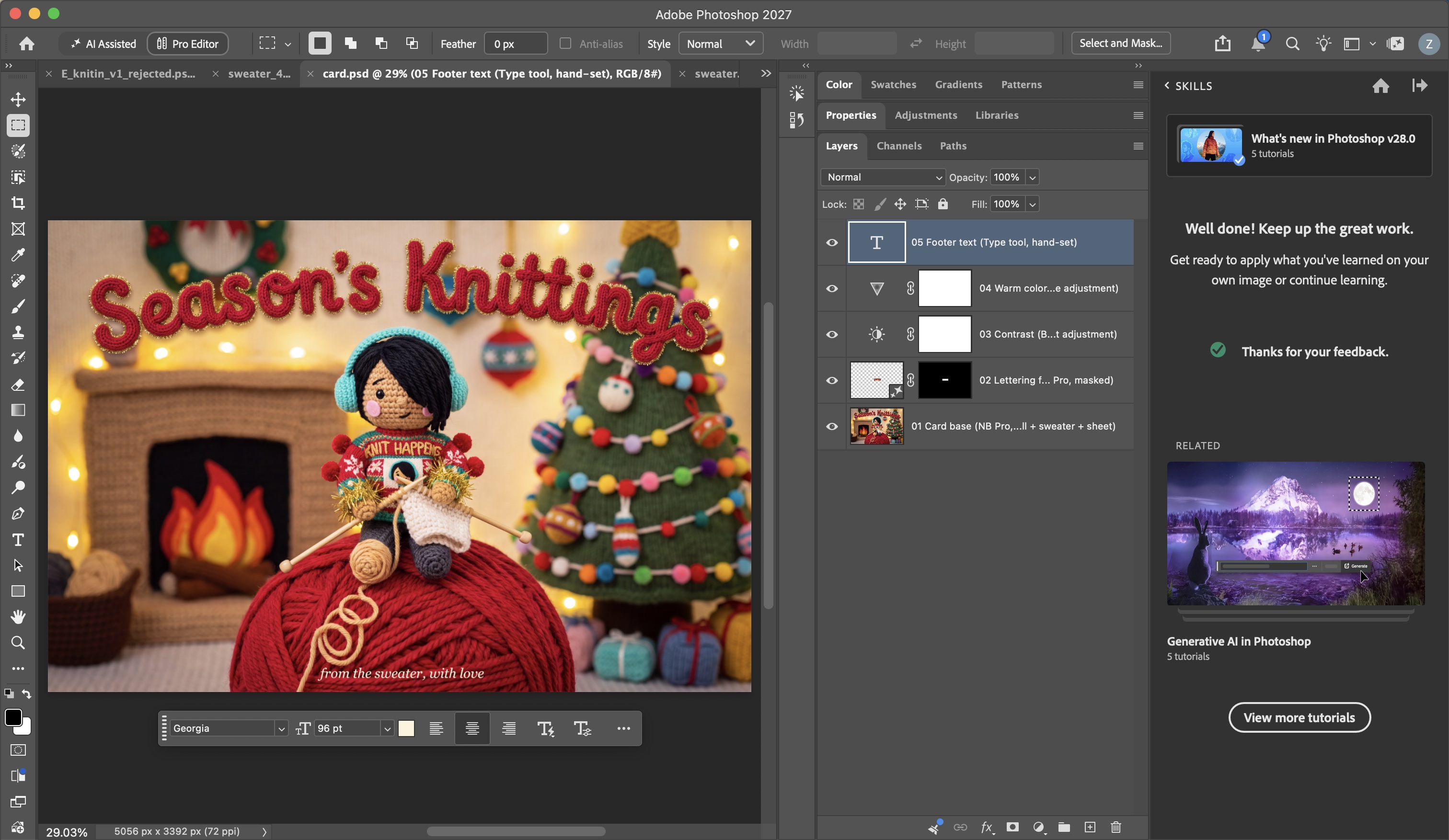
Photoshop Layers panel: card.psd
-
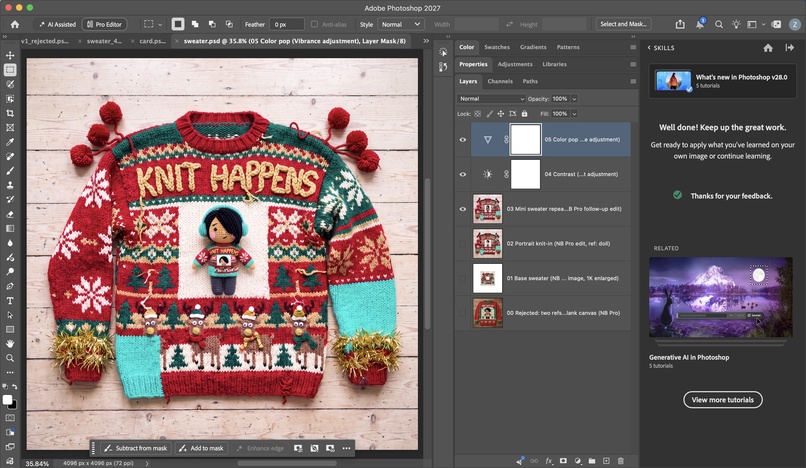
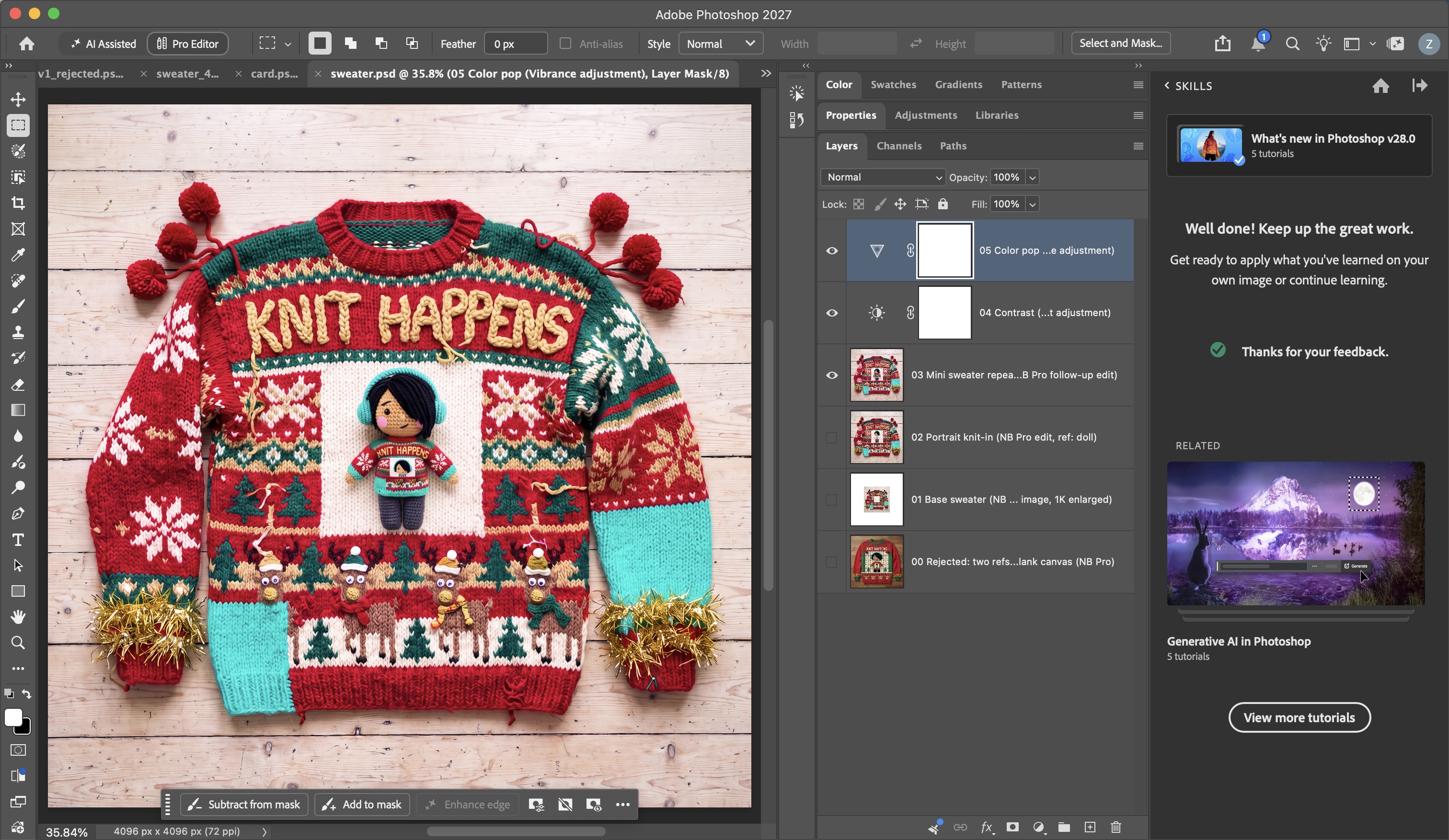
Photoshop Layers panel: sweater.psd
-
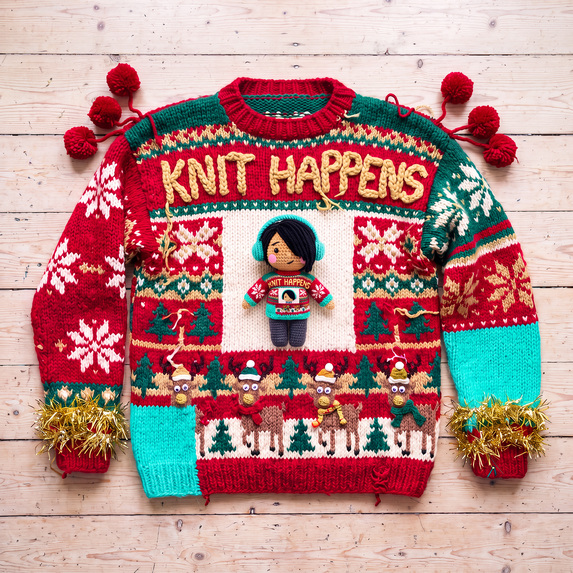
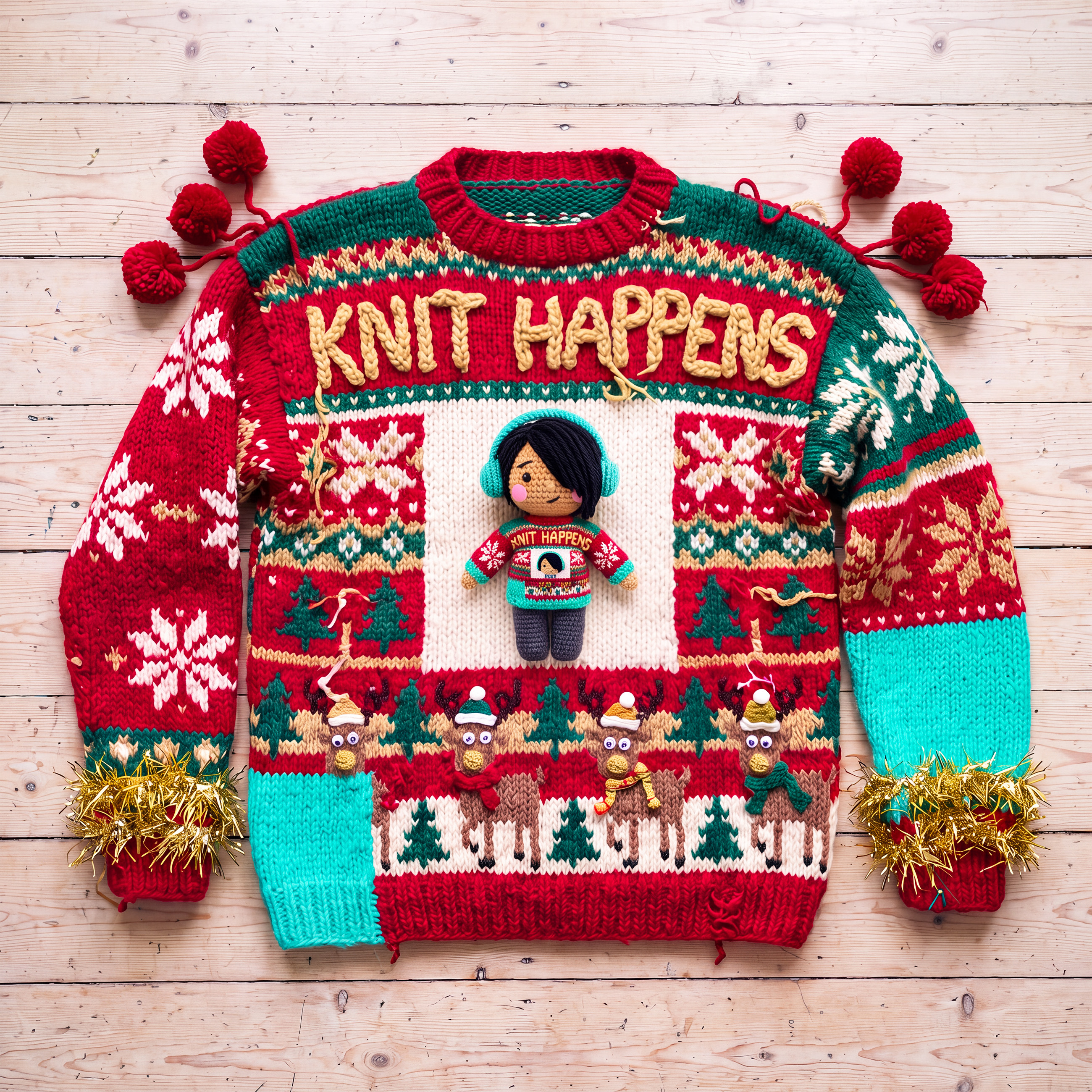
Sweater design: "KNIT HAPPENS", with the doll on the chest wearing the same sweater
Inspiration
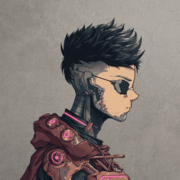
Ugly holiday sweaters are knitted, so I wanted everything in my entry to be knitted too, including me. My avatar is a crocheted yarn doll made from a text description of me. No photo of my face was used anywhere.
What it is
The sweater. A hideous hand-knit sweater that says "KNIT HAPPENS", with cross-eyed reindeer, lopsided snowflakes, pom-poms, tinsel cuffs and one clashing neon teal panel. My doll is sewn onto the chest, wearing a miniature of the same sweater, which shows the doll again.
The card. The doll sits on a giant ball of yarn in a room where the fireplace, tree and ornaments are all knitted. It is wearing the sweater and knitting it, and the yarn it is knitting with unwinds from its own left foot. The greeting reads "Season's Knittings".
How I built it: the sweater
All images were made in Adobe Photoshop 2027 with Nano Banana.
- Avatar, text to image (Gemini 3.1, Nano Banana 2). I described the doll in full sentences: black yarn fringe over one eye, warm tan yarn skin, neon teal headphones, felt cheeks, plain cream sweater, softbox lighting.
- Character sheet, image + text (Nano Banana 2). The doll as a reference image, turned into front, three-quarter and side views so later steps had a consistent character.
- Base sweater, text to image (Nano Banana 2). I named the materials and the flaws I wanted, put the sweater text in quotes with a described lettering style, and left a plain cream square on the chest for the portrait.
- Portrait knit-in, image editing (Gemini 3, Nano Banana Pro, 4K). I opened the sweater as the image to edit, added the doll as a second reference, and said what should change and what must stay the same. The sweater stayed identical and came back sharp at 4096 × 4096.
- Repeat, follow-up edit (Nano Banana Pro). One follow-up instruction replaced only the doll's plain sweater with a miniature of the big one, with its own cream square showing the doll again.
In Photoshop I kept every stage as a named layer in one file (including a rejected attempt), and finished with Brightness/Contrast and Vibrance adjustment layers.
How I built it: the card
- The card, combining three images (Nano Banana Pro, 3:2, 4K). I labelled each reference in the prompt (image 1 is the doll, image 2 is the exact sweater, image 3 is the doll from other angles), then described the new scene, the greeting text in quotes, and the camera and lighting. It came out in one generation with the greeting spelled correctly and the doll and sweater matching the first image.
- Lettering fix, Generative Fill on a selection (Nano Banana Pro). The letters on the doll's sweater wrapped around its body and read "NIT HAPPE S". I selected just that band, chose Gemini 3 (Nano Banana Pro) in Generative Fill, and asked for exactly "KNIT HAPPENS" with everything else unchanged.
In Photoshop I then edited the generative layer's mask (tightened and feathered it to hide the seams of the rectangular fill), added Brightness/Contrast and Vibrance adjustment layers, and set the footer line "from the sweater, with love" by hand with the Type tool.
Challenges
- Keeping the sweater while adding the portrait. My first try gave the model the sweater and a knitting-chart version of the doll as two references on a blank canvas. It drew the repeating portrait but invented a different, plainer sweater and garbled the doll's face. Editing the open image and stating what stays the same fixed that.
- Tiny text. Generative Fill on a very small selection inside a 4K image came back misaligned twice on the sweater, so I discarded those layers and kept the earlier result.
- Keeping one character across two images. The character sheet plus the finished sweater, each labelled in the prompt, made the card match on the first try.
What I learned
Tell Nano Banana what must not change. Fix with a follow-up instruction instead of starting over. Label every reference image and say how they relate.
Credits
Adobe Photoshop 2027 with Gemini 3.1 (Nano Banana 2) and Gemini 3 (Nano Banana Pro). I used an AI assistant (Claude) to help write the prompts and to operate Photoshop for me, including the scripted layer, mask, adjustment and type steps. No stock images and no other image tools.