Inspiration
Every fall, thousands of new Knights show up on UCF's campus and have no idea where anything is — the Library gets confused with the Union, Engineering I feels like a maze, and orientation week is a blur of building names nobody remembers. We wanted campus exploration to feel less like a checklist and more like something students would actually want to do. RPGs have spent decades turning "go talk to the guy in the tower" into something compelling — we figured campus navigation deserved the same treatment.
What it does
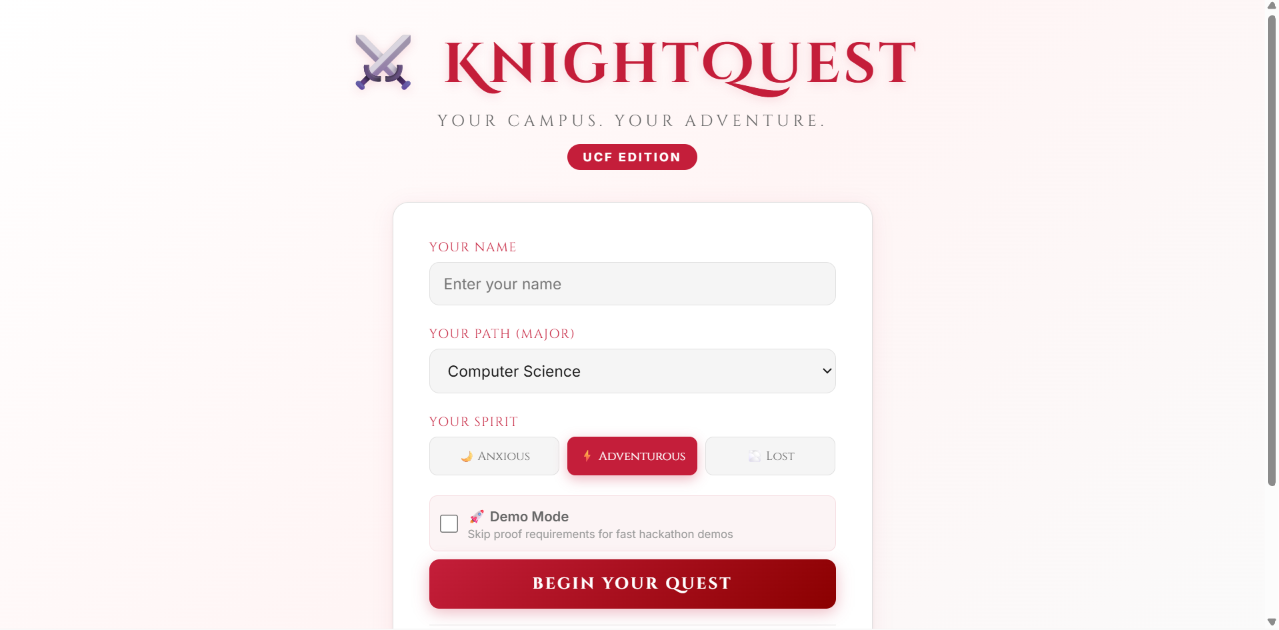
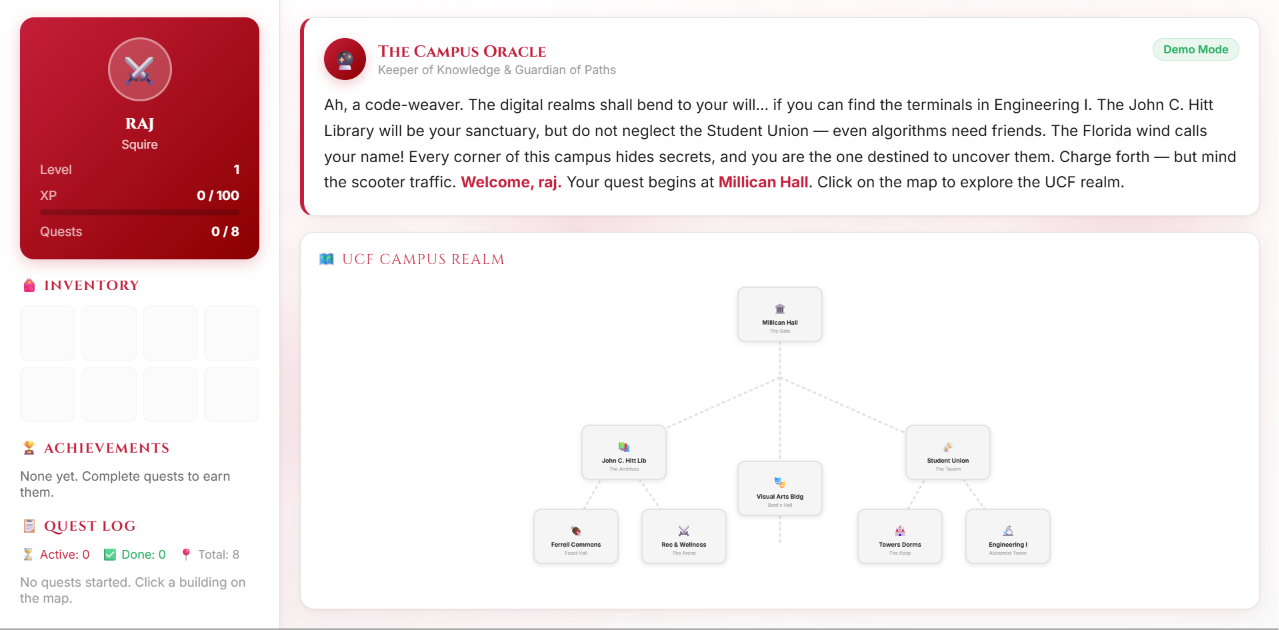
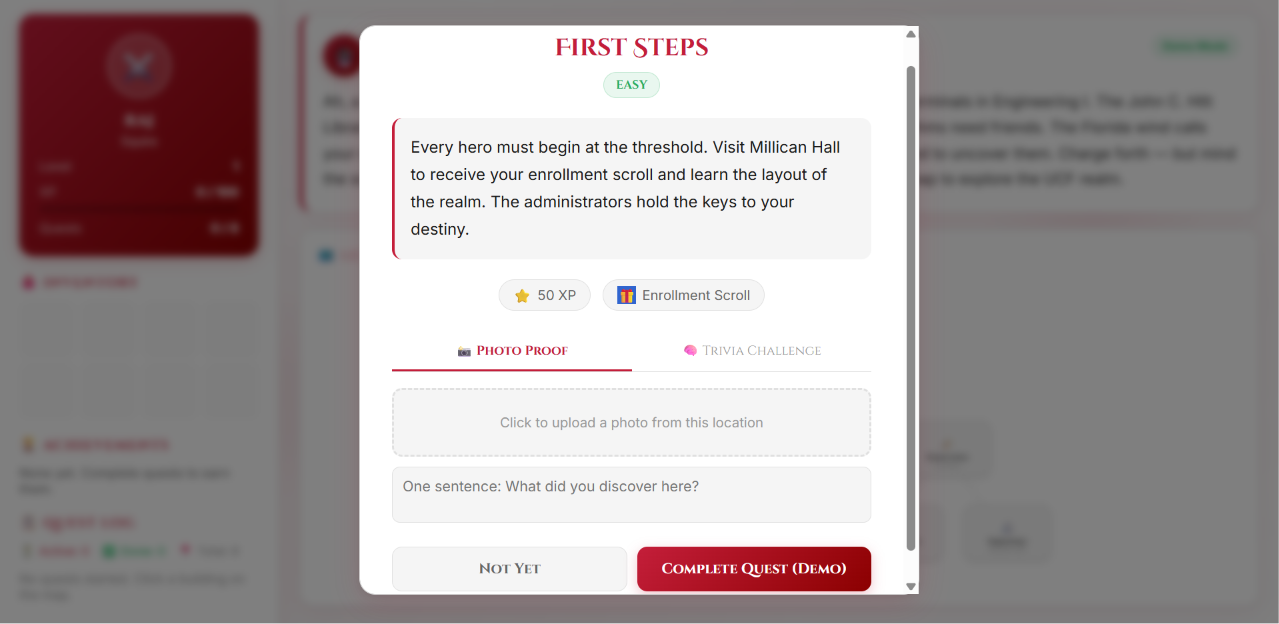
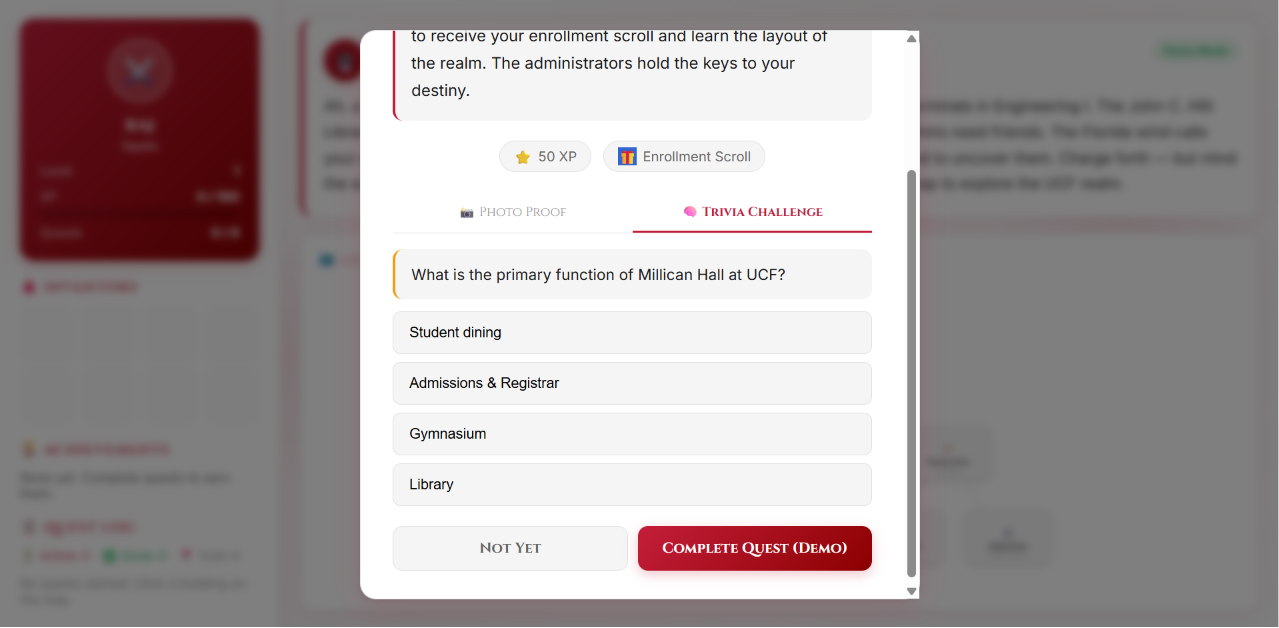
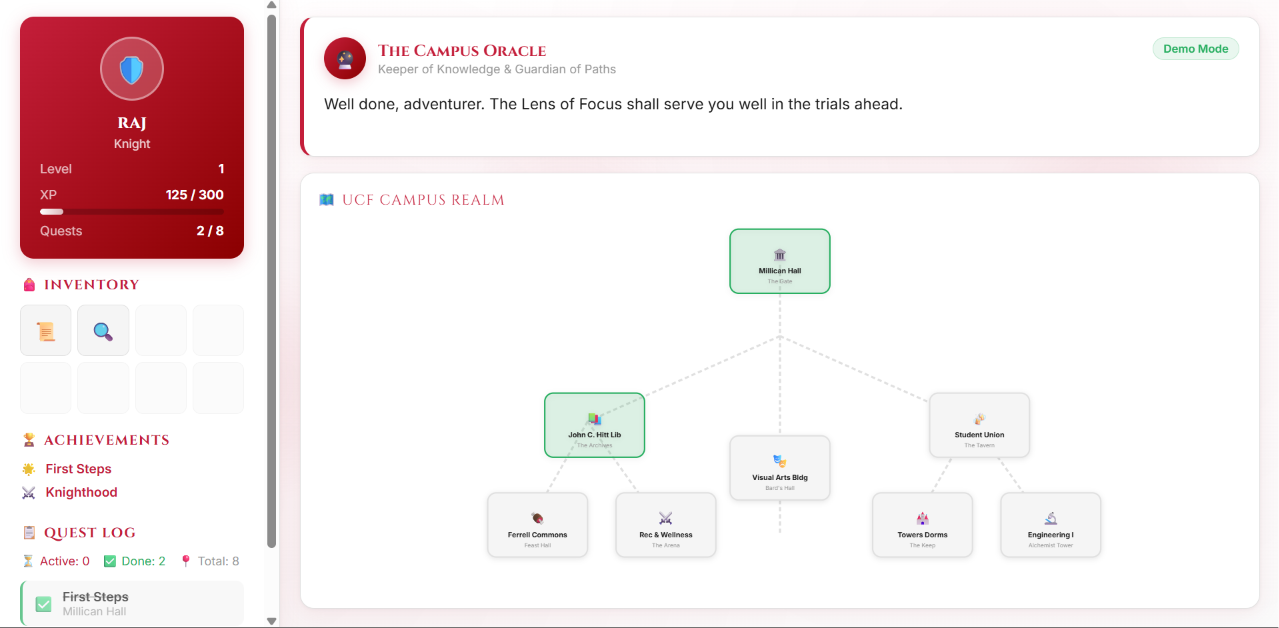
KnightQuest turns the UCF campus into a fantasy realm. Students create a character — name, major, personality — and are dropped onto an interactive map of real campus buildings, each reskinned as a quest location (Millican Hall is "The Gate," the Student Union is "The Tavern," Towers Dorms is "The Keep"). Clicking a building launches a quest: complete it by snapping a photo on location or answering a trivia question about that building. Completing quests earns XP, unlocks inventory items, and levels the player up through titles — Squire, Knight, Champion, and beyond. A "Campus Oracle" narrates the journey with flavor text, achievements pop as milestones are hit, and a quest log keeps track of what's done and what's left across all 8 locations.
How we built it
The whole experience runs as a single self-contained HTML/CSS/JS app — no build step, no backend required to demo. The campus map is hand-built as an SVG with building nodes connected by paths, styled to feel like a fantasy region map rather than a literal campus map. Game state (XP, inventory, completed quests, achievements) lives in-memory and drives a small state machine that updates the player card, XP bar, and quest log in real time. The "Oracle" text uses a typewriter effect for narrative flavor, and a Demo Mode toggle lets quests be completed instantly (bypassing photo/trivia requirements) for fast walkthroughs and presentations.
Challenges we ran into
Getting the layout to hold up across screen sizes was trickier than expected — a full-viewport, no-scroll game UI looks great on one screen size and completely breaks on another. We hit a subtle CSS bug where the sidebar and main content area were being vertically centered instead of stretched, which pushed key UI (like the Oracle panel) off-screen entirely on certain desktop window sizes — a bug that was especially annoying because it only showed up at some resolutions and not others. Balancing "no-scroll, everything visible at once" against "works on a phone" also took a few iterations before we landed on letting each screen scroll gracefully instead of forcing everything to fit.
Accomplishments that we're proud of
A fully playable loop — character creation, quests, XP, leveling, achievements — built without any external backend. A campus map that actually feels like a game world instead of a literal Google Maps screenshot. Flexible quest verification (photo proof or trivia) so the game works whether or not a player is physically on campus. A Demo Mode that makes the whole experience presentable in under a minute for judges, without faking the underlying mechanics.
What we learned
Small UI details — a typing animation, a level-up flash, a toast notification — do a lot of heavy lifting in making a static form-and-button app feel like a game. We also learned firsthand how deceptively fragile "fill the whole screen, no scrolling" layouts are, and how much more resilient the app became once we let content scroll instead of forcing it to fit.
What's next for KnightQuest
Real GPS verification so photo proof requires actually being at the building. Multiplayer leaderboards across dorms, majors, or orientation groups. More building quests covering the full UCF campus, plus seasonal/event-based limited quests. A lightweight backend so progress persists across devices and sessions instead of resetting per browser.

Log in or sign up for Devpost to join the conversation.