
Inspiration
My inspiration came from my personal interest in live sound and DJing, which is a hobby of mine. I was interested in the human-computer interaction side of a modern DJ performance. As we become more intertwined with technology and music, I wanted to push the boundaries of what's possible, and make effects something you feel with your body instead of something you dial in with a knob.
What it does
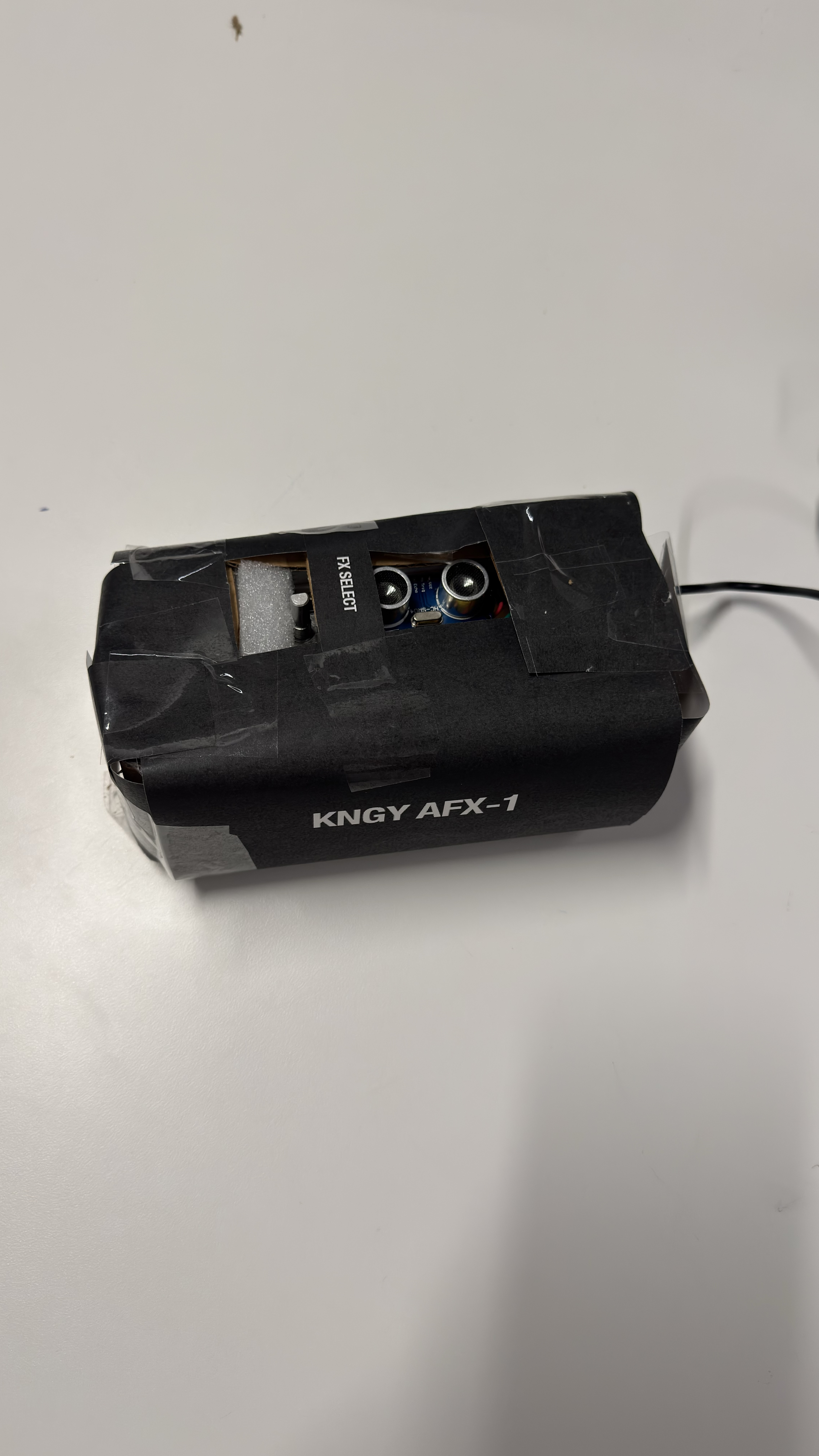
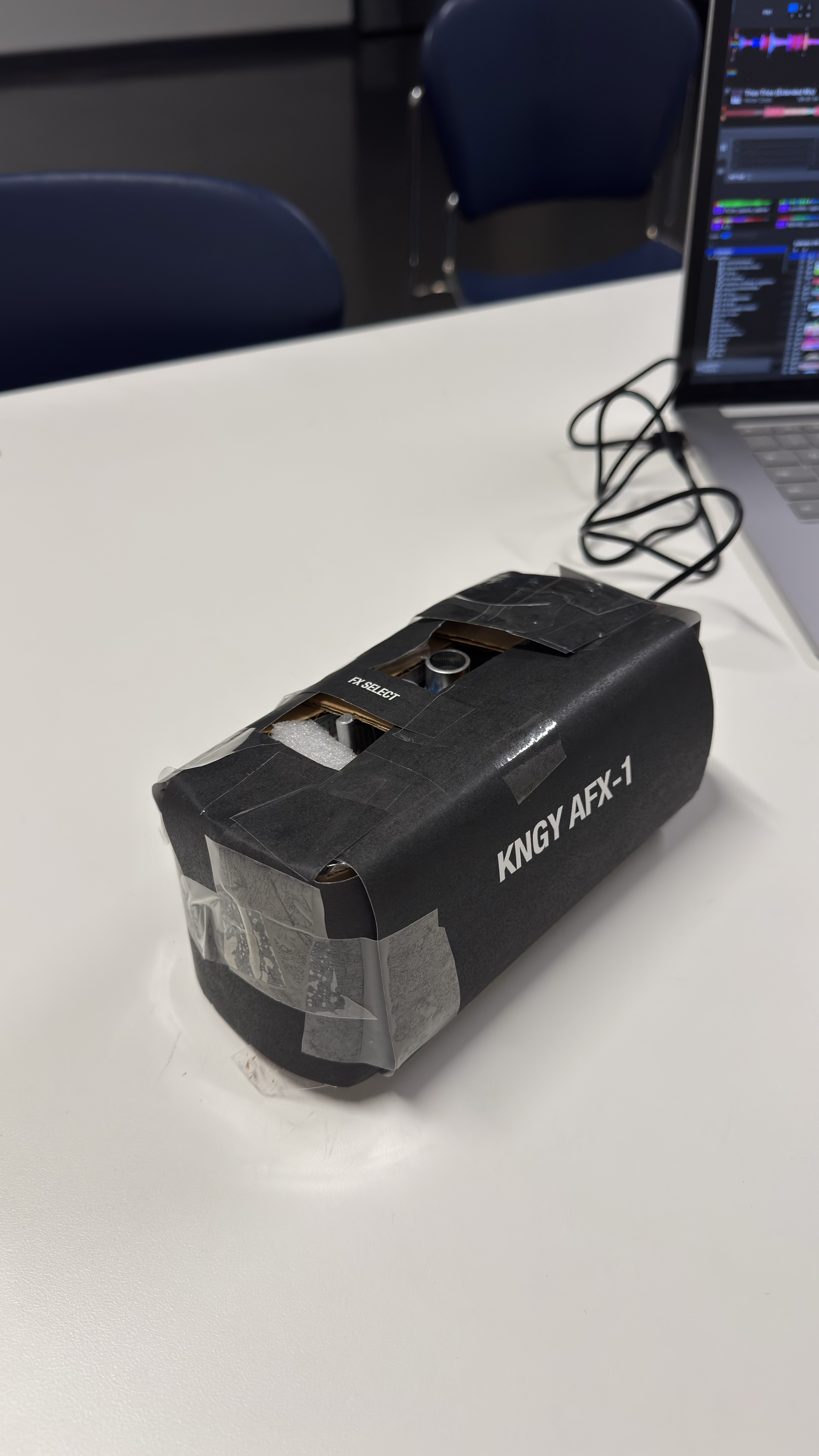
KNGY AFX-1 is a touchless effects controller for rekordbox.
- Turn the dial to step through rekordbox's FX1 effects (Echo, Reverb, Flanger, and more).
- Bring your hand over the sensor and the effect switches on. The closer your hand gets, the harder the effect hits.
- Pull your hand away and the effect drops out, keeping the level you left it at for the next time.
- An RGB light changes colour with each effect, so you can see what's selected without looking at the laptop. It lights up while the effect is playing and turns off when it isn't.
It plugs in over USB and shows up as a standard MIDI device, so there are no drivers to install.
How we built it
- Board: Raspberry Pi Pico W running CircuitPython.
- Hand sensing: an HC-SR04 ultrasonic distance sensor facing up. It runs at 5V, so I built a voltage divider (1kΩ + 2kΩ) to bring its echo signal down to a safe 3.3V for the Pico.
- Effect select: a KY-040 rotary encoder.
- Feedback: an RGB LED driven with PWM, with each of the 26 effects getting its own colour on a colour wheel.
- MIDI: hand distance is sent as a Control Change message (CC 20) mapped to FX1 Level/Depth. Hand in/out presses FX1 ON, and the dial presses FX1 Select Next/Prev.
- Making the gesture feel good:
- The active range is 5–30 cm, soclayd people walking past don't trigger it.
- Readings are smoothed to remove jitter.
- A 0.25-second delay ignores brief sensor dropouts, so the effect doesn't flicker off mid-gesture.
- Case: I built the enclosure by hand during the hackathon.
Challenges we ran into
- A faulty sensor. My first HC-SR04 kept reading about 3.9 cm no matter what. I checked the wiring several times, then swapped in a spare and it worked straight away.
- MIDI mapping. rekordbox's MIDI LEARN kept grabbing the constant stream of hand data instead of the button presses, so I typed in the button mappings by hand.
- rekordbox and the Pico's storage. rekordbox saw the Pico as a USB drive and wrote its library export onto it, filling it up until I deleted it.
- Making it feel natural. I first had "hand higher = more effect", but flipped it to "closer = stronger" after testing because it felt more intuitive. Tuning the range, smoothing and dropout delay took a few rounds.
Accomplishments that we're proud of
- Going from never having used a microcontroller to a working, playable MIDI instrument in one day.
- The interaction feels musical: effects build and drop with your hand, like riding a filter by feel.
- Debugging real hardware problems, including a dead sensor, voltage levels, and MIDI quirks.
What we learned
- Breadboarding, voltage dividers, PWM, and how to read a sensor's datasheet.
- How MIDI works under the hood (Control Change vs. Note messages) and how DJ software maps it.
- HCI design: a gesture controller needs a clear way to "let go", otherwise every movement becomes a command. Pulling away to switch off solved that.
What's next for KNGY AFX-1 Touchless DJ effect controller
- Wireless: the Pico W has Wi-Fi, so it could run without a cable.
- More gestures: a wrist-worn motion sensor for tilt control, or a second sensor for FX2.
- Per-user calibration, so the range fits each DJ's style and booth.
- A proper enclosure: a 3D-printed case with real knobs and a diffused light ring.
Built With
- breadboard
- circuitpython
- embedded
- github
- hardware
- hc-sr04
- midi.js
- pwm
- python
- raspberry-pi
- raspberry-pi-pico-w
- rekordbox
- rgb-led
- rotary-encoder
- ultrasonic-sensor
- usb-midi

Log in or sign up for Devpost to join the conversation.