-
Knewt. - For The Knowledge That Stays
-
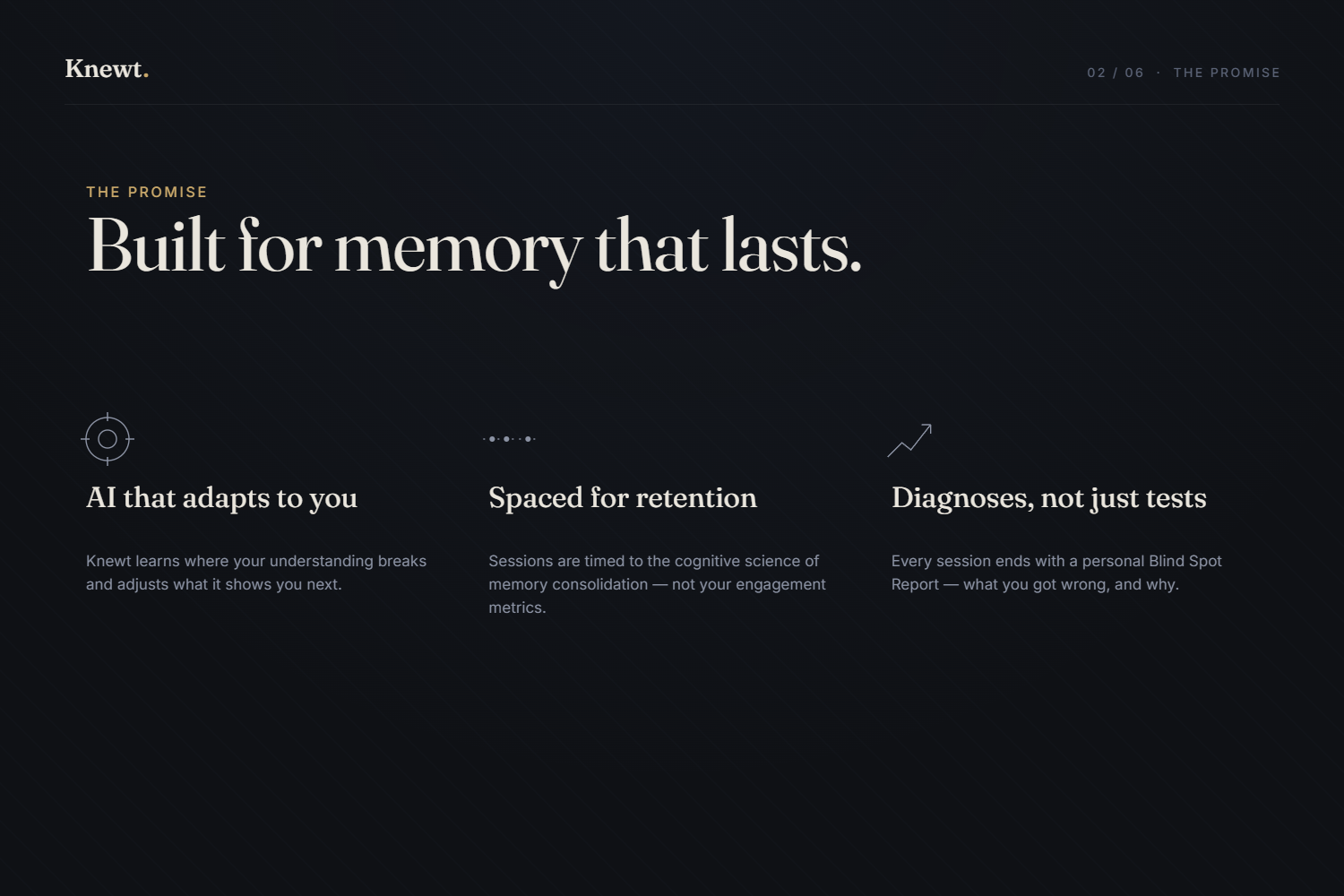
The Promise
-
The Experience
-
The Science
-
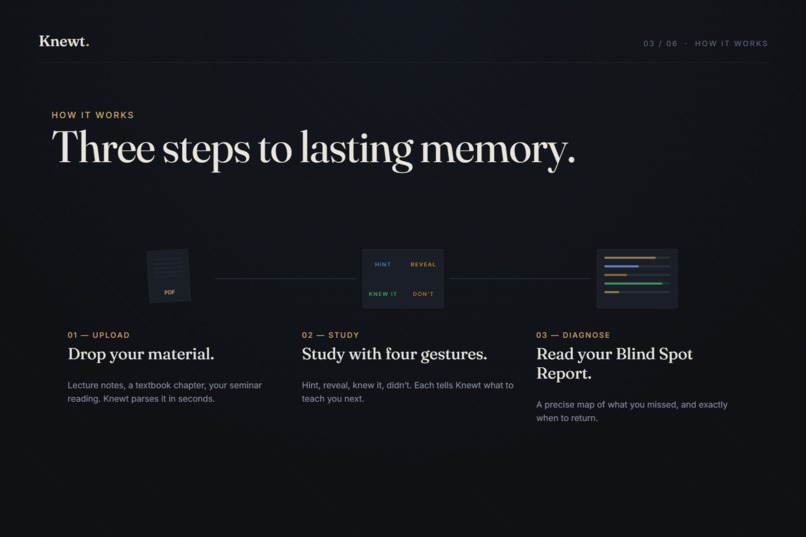
How Knewt Works
-
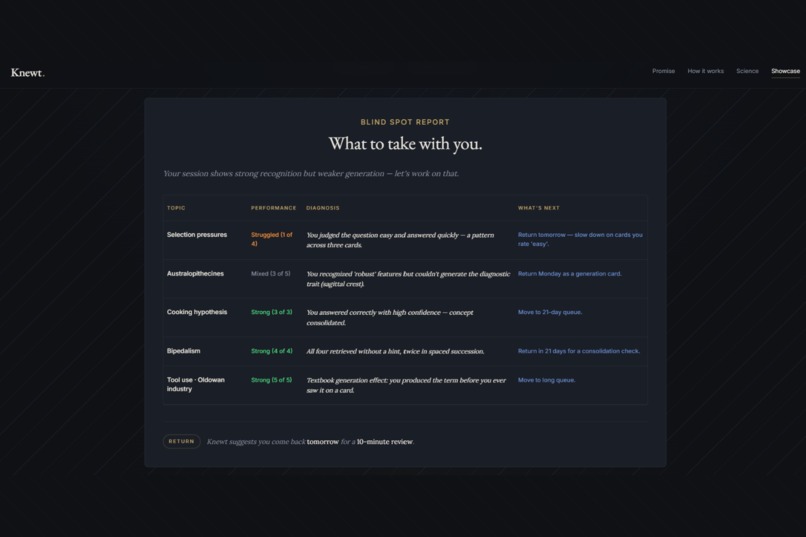
The Blind Spot Report
Inspiration
There's a strange thing about studying. You read something twice. It feels like you know it. By Friday, it's gone.
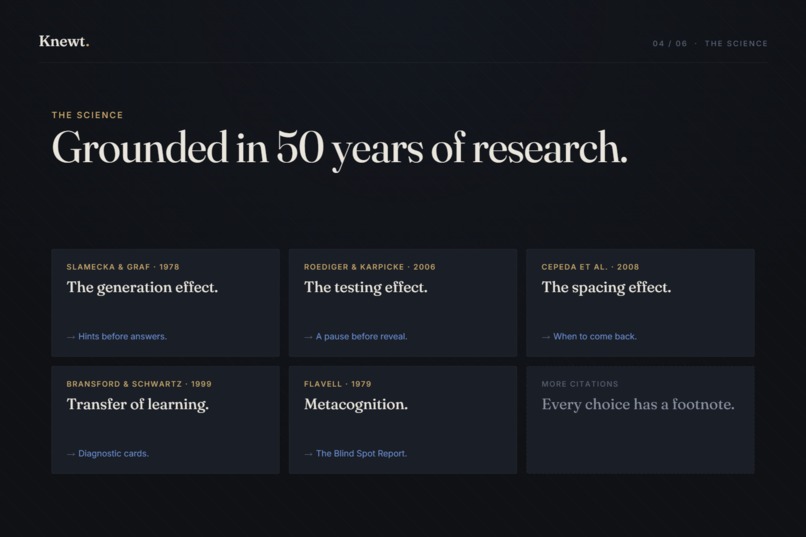
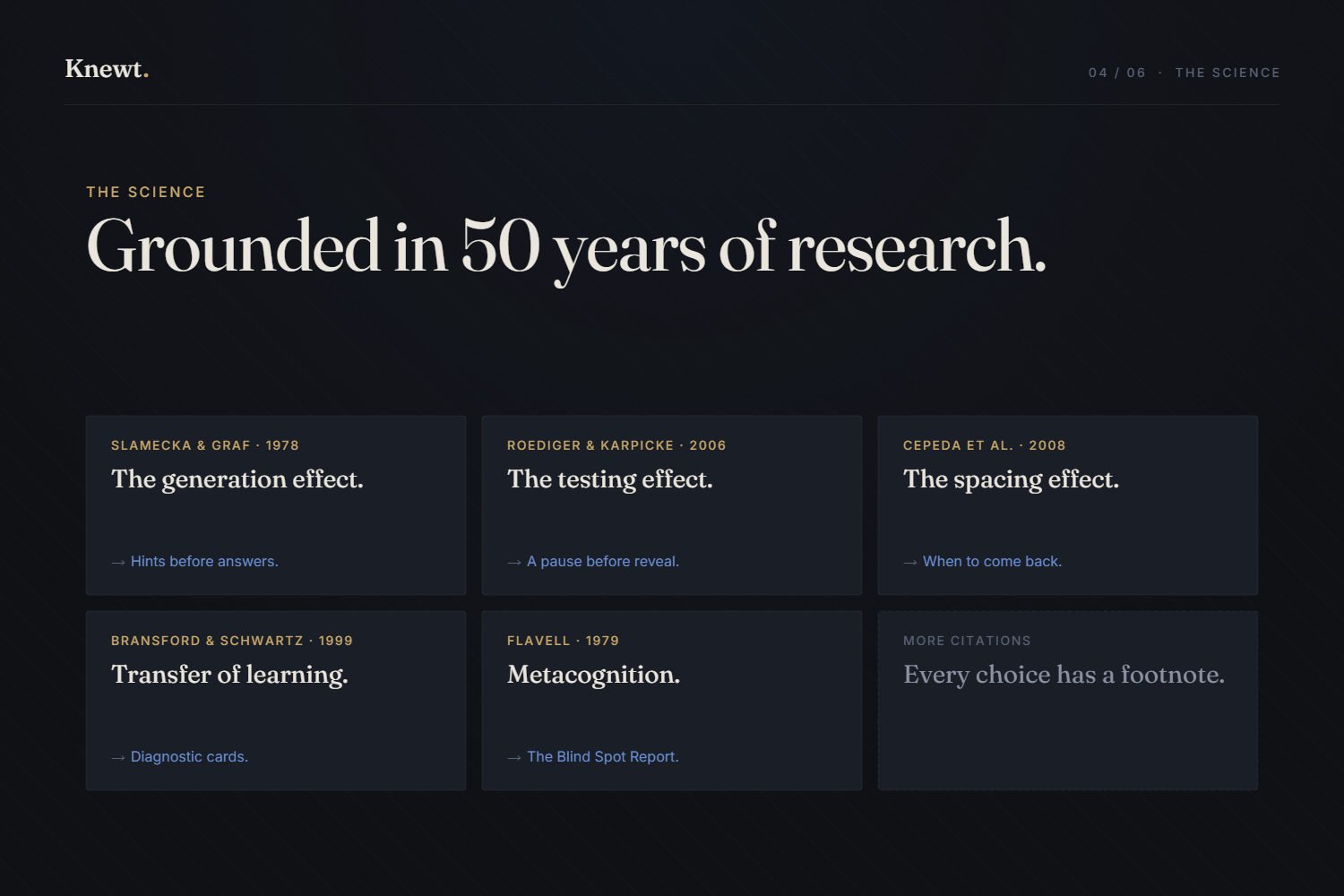
The science of memory has known how to fix this for over a few decades. Hermann Ebbinghaus mapped the forgetting curve in 1885. Slamecka and Graf demonstrated the generation effect in 1978. Roediger and Karpicke proved the testing effect in 2006. Cepeda and colleagues quantified the spacing effect in 2008.
None of this is new science. Yet almost no study app designs around it as a first principle. Instead, they design around engagement: streaks, notifications, gamified loops borrowed from social media. Tools that feel productive while teaching you to optimize for the wrong thing.
And the question itself has gotten harder. We live in an era where almost any fact is one search away. AI can generate explanations, summarize textbooks, answer follow-up questions in seconds. So why remember anything at all?
As retrieval from a screen is not the same as retrieval from your own mind. The doctor who recalls a contraindication mid-surgery is a different doctor than one who needs to look it up. The student who can generate the answer in their head is doing different cognitive work than the student typing it into a chatbot. Internal knowledge shapes how you think - it makes the next thought possible. External knowledge, however accessible, doesn't.
Knewt is built for the moments when you've decided something is worth knowing deeply. A quieter tool that helps you actually do that - with every interaction traceable to a specific finding in cognitive psychology, and an interface that gets out of the way.
What it does
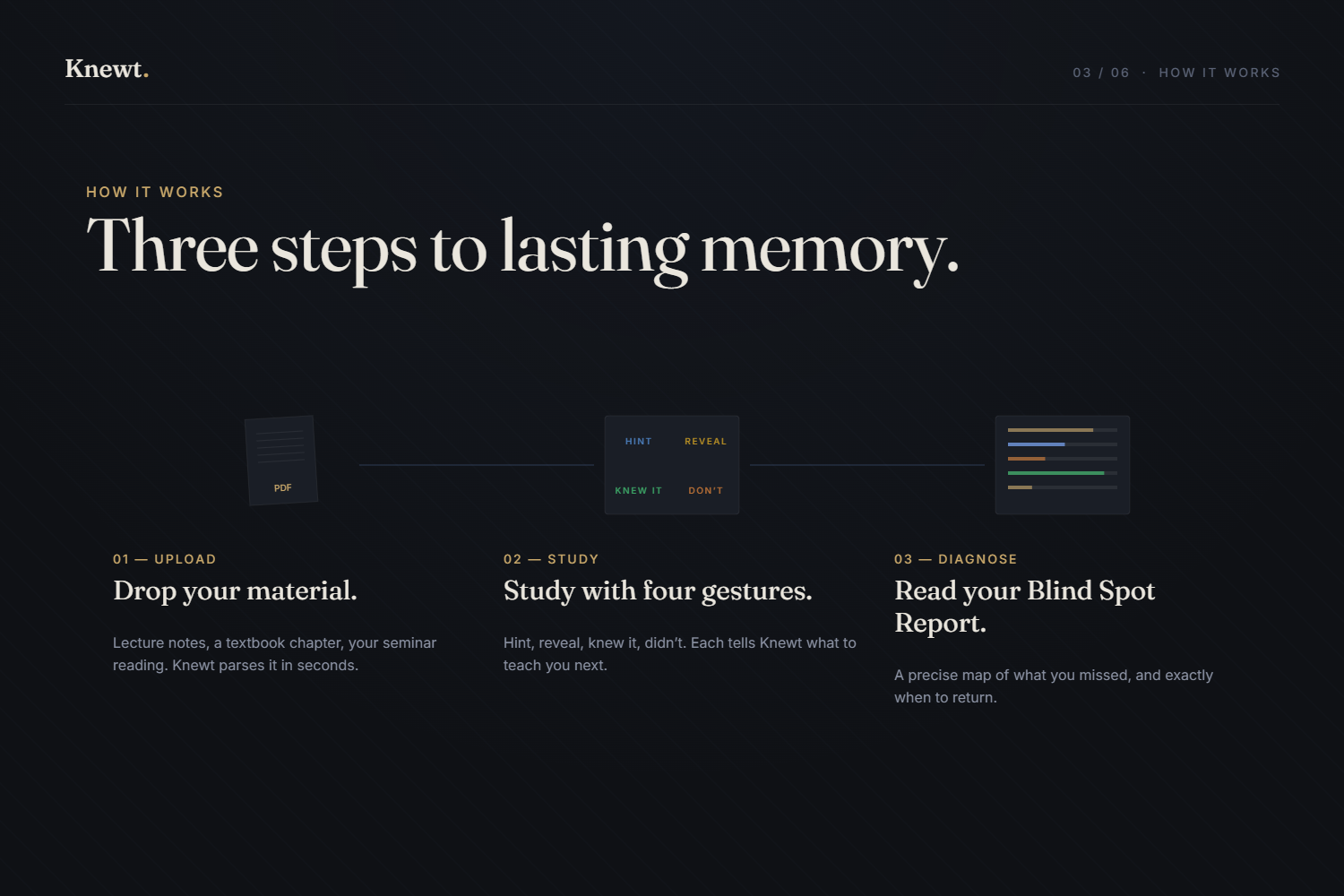
Knewt turns any PDF - a textbook chapter, lecture notes, a seminar reading - into a structured study session built on retrieval practice.
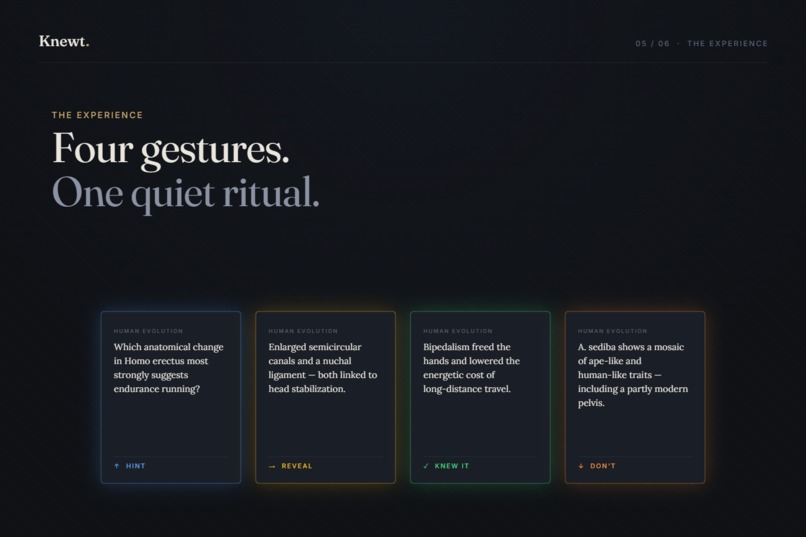
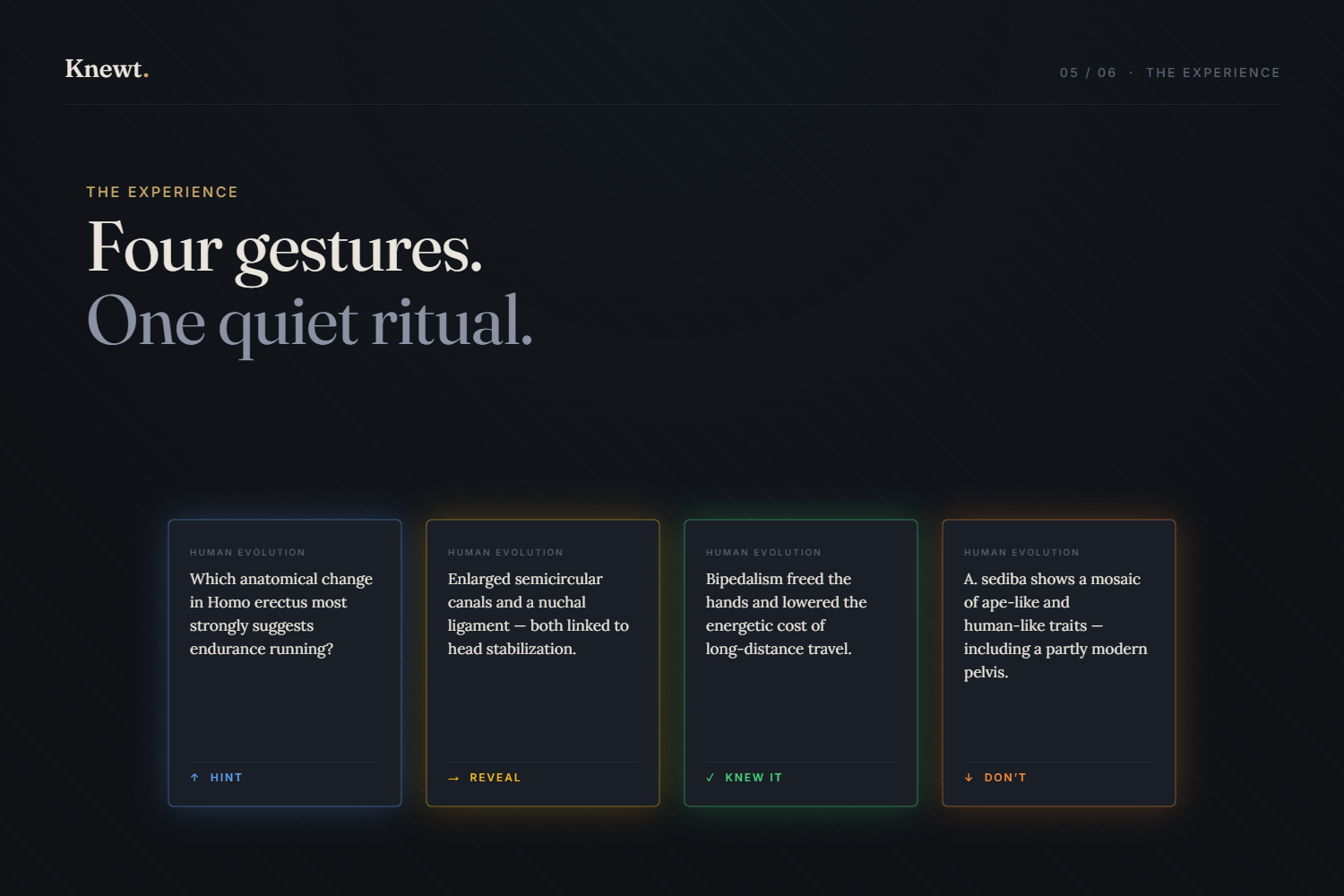
The session is a quiet ritual of four gestures:
- A hint (single tap) - nudges the student to generate the answer themselves
- A reveal (double tap) - holds the answer for four seconds before showing it. The pause is the test
- Knew it (swipe right) - pushes the card out via spaced repetition
- Don't know (swipe left) - pulls it back sooner
Each gesture is bound to one of the four glow colors of Knewt's design language. Each color is consistent across the entire interface - from the marketing showcase to the live study card.
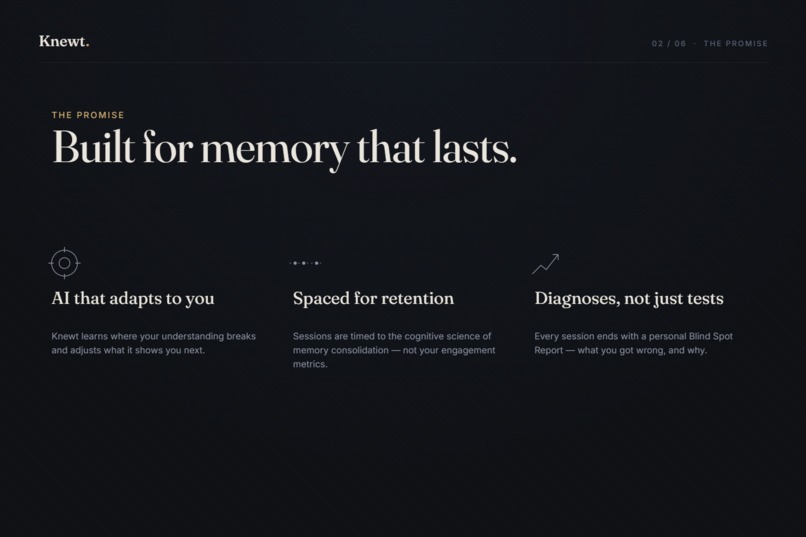
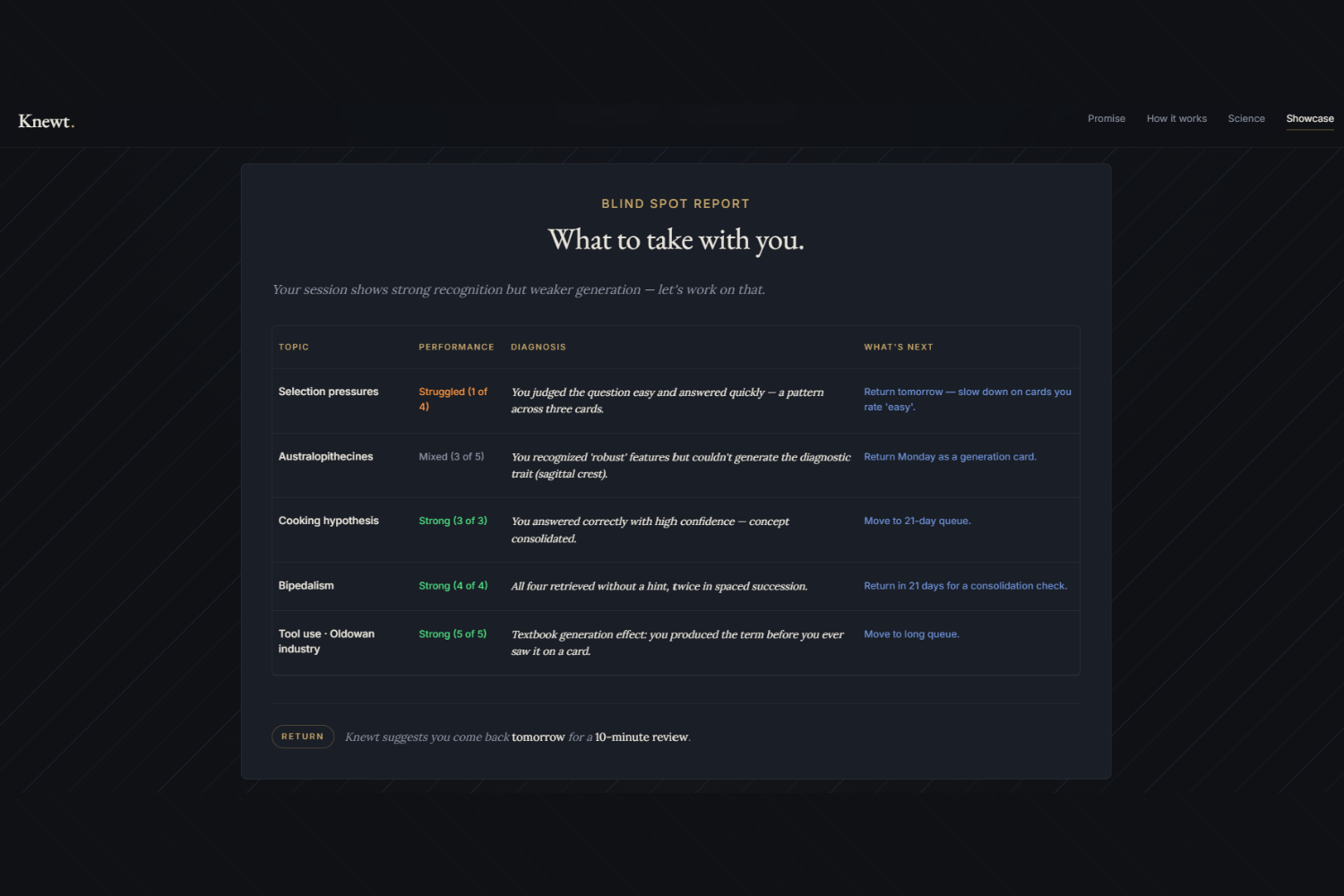
At the end of every session, Knewt generates a Blind Spot Report: a structured diagnosis of which topics the student mastered, which they stumbled on, and exactly when to return for each one. The recommendation comes from the spacing effect, not from a notification engine.
For material with notable gaps, Knewt also surfaces an Honest Card - a card about something the PDF didn't cover but probably should have.
The app has no accounts, no logins, no persistence between sessions. Nothing is saved. End-to-end private.
How we built it
Knewt was built almost entirely on MeDo's no-code platform - which, for a project of this scope, would normally mean writing zero code. The platform generated the initial scaffold from a product spec, provisioned the Supabase backend with three edge functions for LLM work, wired the multimodal Gemini 2.5 Flash integration through MeDo's plugin system, and deployed everything to a live URL within the first hour.
The backend held up remarkably well. The three Supabase edge functions were essentially prompt-engineered from MeDo's chat interface. Iterating on the LLM prompt strings, adjusting JSON response schemas, and tightening the model's output constraints all happened through the no-code flow without touching backend code directly. That part of MeDo's vision works.
The frontend was a different story. MeDo's auto-generated UI for the study experience was functional but not premium - it looked like a generic dashboard, not a tool a serious student would choose. Trying to push it further through chat instructions hit diminishing returns. Each iteration produced slightly different generic-dashboard, never the considered, scholarly product the spec called for.
So I made a deliberate decision to break out of pure no-code: I exported the MeDo-generated code to my local environment. From there, I:
- Iterated on rendering details - animations, typography, alignment, scroll-reveal timing - roughly a dozen targeted refactor passes
- Kept the backend prompts, Supabase wiring, environment configuration, and deployment pipeline fully managed by MeDo
The result is hybrid: a MeDo-managed backend with a partially hand-tuned frontend transplant. About 20% of the work was on the visual layer; the underlying product logic - PDF parsing, card generation, gesture handling, spaced repetition weighting, Blind Spot Report generation - sits inside MeDo's infrastructure unchanged.
If MeDo's generative UI had landed closer to a premium design out of the gate, the entire project would have been buildable in chat. The platform clearly could host that experience; the question is whether the design generation can produce something that feels considered rather than templated. For Knewt, the answer was: not yet - but the platform's strength elsewhere made the hybrid approach worthwhile.
Challenges I ran into
Several worth mentioning honestly.
LLM length constraints don't work via prose alone. Telling the model "max 30 words" produces a 60-word question every time. The fix required combining three independent layers: prompt-level imperative instructions with good-versus-bad examples, schema-level maxLength enforcement at the API, and frontend stripping of stray markdown.
Two views of the same data will diverge. The end-session screen had four stat boxes showing "9 mastered, 2 to review" while the topic breakdown bars below summed to "8 green, 3 orange." Same swipe history, different counting rules. The fix was extracting a shared helper so every view uses the same lens.
Diagnostic transfer questions resist constraint. Despite extensive prompt work - temperature lowered to 0.2, hard length limits, structured response schema, good/bad examples - the diagnostic card prompt kept producing 200-word multi-part essays. After multiple iterations, I made the deliberate choice to disable that feature for v1 rather than ship something that contradicted the rest of the product's discipline.
A subtle but important design tension. Pedagogically, a student who needs the answer revealed didn't truly know the card - so should it auto-swipe left? After reflection, no: forcing retroactive self-evaluation after seeing the answer triggers hindsight bias (Flavell, 1979). Students consistently overestimate how much they knew once shown the answer. Knewt's Earned Answer pause is the test; the reveal is the lesson; what comes next is the student's honest swipe - not a second-guessed one.
A bug appeared only after the first deployment. PDF uploads worked perfectly while building locally (preview) but broke immediately on the published MeDo URL - users saw a "PDF engine failed to load" error and couldn't get past the upload screen. After some investigation, the cause turned out to be how the PDF reading library was set up: a configuration that worked in development quietly failed in production. I described the symptoms to MeDo's chat, it applied a small fix to the configuration, and the deployment worked after a couple of tries. A useful reminder that some issues only appear once the project leaves your own machine - and that having a chat-based platform able to apply a targeted fix made the difference between a 30-minute debug session and a half-day outage.
Accomplishments I'm proud of
The product feels like a single composed thing, not a collection of features. Typography, color, motion, copy, and pedagogy all align. When you watch a card flash blue on a hint, then yellow on the reveal, then green on a right swipe - the same colors you saw demonstrated on the landing page - there's a quiet consistency between the marketing and the experience that most products never reach.
The Blind Spot Report is genuinely useful. Not a dashboard of statistics, but a four-column diagnosis: what happened, why, and what to do next, with a per-topic return schedule derived from the spacing effect. A student who finishes a session walks away with an actual plan, not a vanity number.
The voice of the product is restrained. There are no streaks, no notifications, no badges. The footer just reads "Nothing is saved." Everything in the app traces back to a citation, but the citations don't preach - they just appear, small and credited, in the science section. The whole thing feels like it was made by someone who has a strong opinion about how studying should feel.
What I learned
Three things stand out.
Prompt engineering is real engineering. Telling an LLM what you want is not the same as constraining what it can return. The difference is schemas, examples, defensive validation, and accepting that some constraints will simply not hold no matter how strongly you state them.
Coherence is the difference between premium and forgettable. When two views of the same data disagree, when the marketing mockup differs from the live experience, when a font is right on one page and wrong on another - each individual instance is small, but together they're the difference between a product that feels considered and one that doesn't. The discipline of system-wide token sweeps, shared components, and single sources of truth pays compound interest.
Anti-engagement is a real position. It's tempting to add notifications. To add gamification because everyone else has it. The harder choice - and the right one for serious learners - is to design against engagement. Knewt is built for the student who wants to learn, not the student who wants to feel like they're learning.
What's next for Knewt
Several directions, in honest priority order.
Smarter diagnostic cards. The transfer-test feature is disabled in v1 because of prompt-engineering challenges. With more time to tune Gemini's structured output, this is fixable.
Multimodal PDF parsing. Knewt currently extracts text only. Diagrams, charts, and figures in scientific PDFs are ignored. Adding vision-based parsing would substantially improve question quality for STEM material.
An OCR layer. Scanned PDFs currently fail validation. Adding OCR would open Knewt to historical material, handwritten notes, and older textbooks where digital text isn't available.
Optional session persistence with email-based return. Knewt's spacing recommendations are useful only if students remember to come back. An optional email follow-up - without requiring an account - would close the loop between the science and the behavior.
Long-form material handling. The current 20 MB file size cap and ~100-card session limit work for chapters. They don't yet work for full textbooks. Chunking long PDFs across multiple sessions, with cross-session retrieval testing, is a natural extension.
The fundamental architecture is right. Everything from here is iteration.
Built With
- gemini
- llm
- medo
- pdf.js
- prompt
- react
- supabase
- typescript
- vite


Log in or sign up for Devpost to join the conversation.