-
-
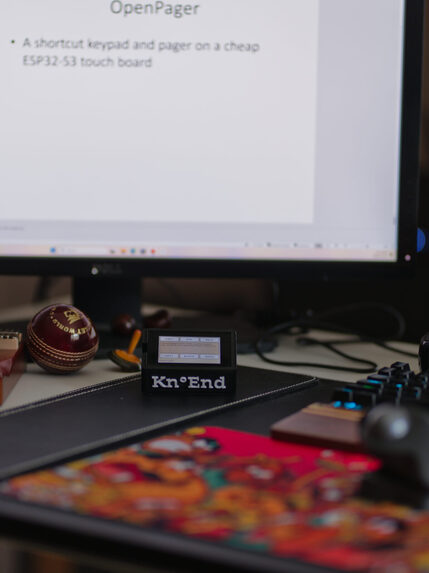
Kn°End on Desk
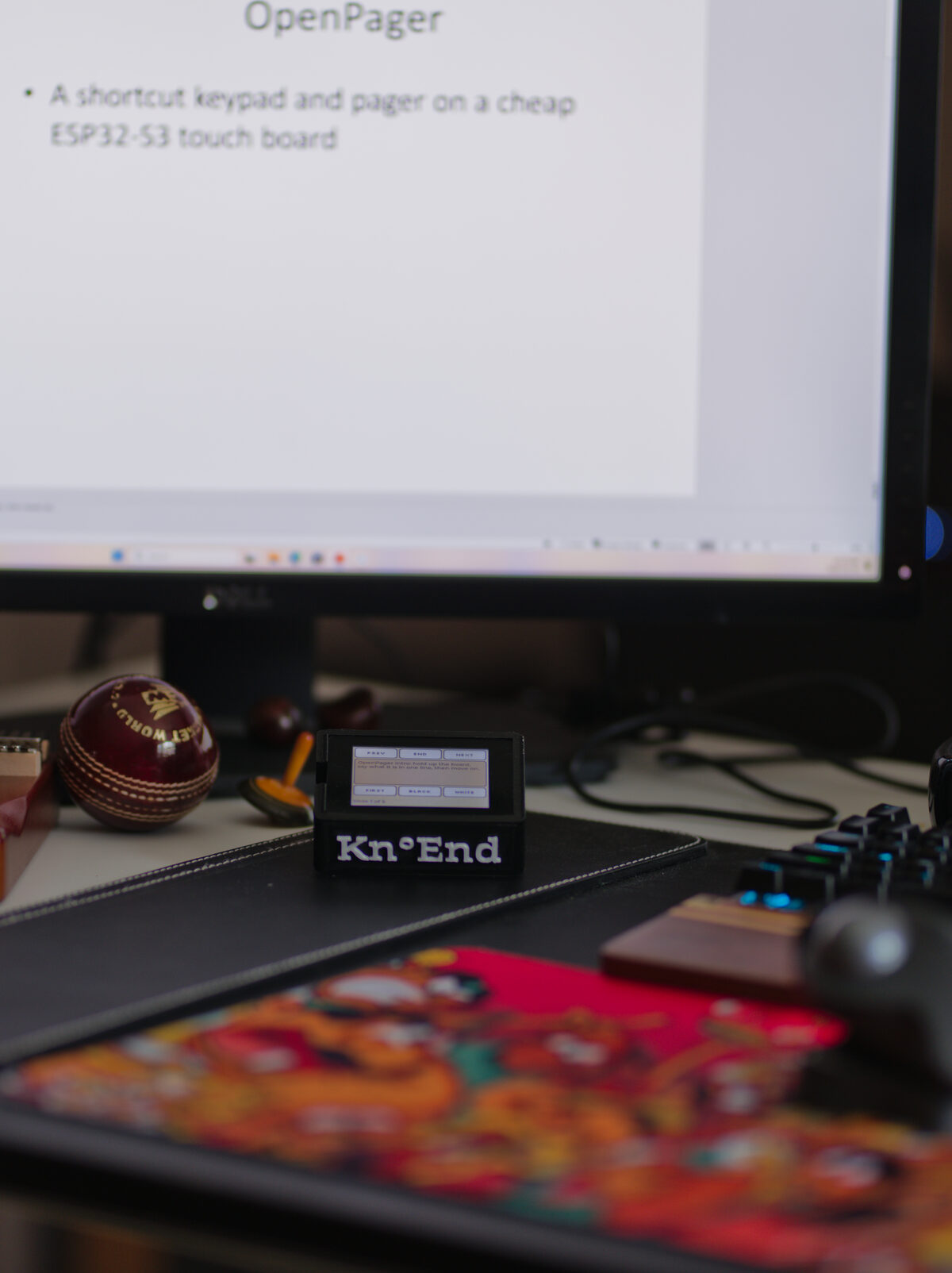
Inspiration
We love tools that do many jobs from one small body. A Swiss Army knife has the right blade for the moment. A Flipper Zero shows how much a pocket-sized, open, hackable gadget can do when people are free to tinker with it. We wanted that for the desk: one cheap board that becomes whatever the moment needs, whether that's a shortcut pad, a pager, a teleprompter or a music input.
Desk tools do this already, but only partly. The Logitech MX Keypad and the Elgato Stream Deck switch keys by app, but they run through vendor software on Windows and macOS, skip Linux, and only help in apps someone has already set up. Open ESP32 decks such as FreeTouchDeck and open-screen-deck are open, but they don't follow the app you're using. Keypads for AI agents (ClaudePad, orchestrator-pad) showed that coding agents need a button of their own. And KDE Connect showed how a small device can pair safely with a computer over Wi-Fi. We borrowed its ideas, not its code.
Sundar works on Arch Linux; Tom on a Mac. When Sundar described a keypad whose keys follow whatever is in front of you, Tom said he would use it himself. We are the first users: every day for VS Code, Claude Code, YouTube, PowerPoint and MuseScore.
The name: Kn°End is said "no end". Said aloud it is close to the Tamil நோண்டு (nōṇḍu), "dig, poke at", colloquially "tinker": a cheap board, poked at until it does more.
What it does
Kn°End turns an inexpensive ESP32-S3 touchscreen board ($20–40) into a shortcut keypad and pager.
- Keys that follow you. The keys change with the focused app (Linux X11, macOS, Windows), the website (Chrome, Edge, Firefox extension) and the program in a terminal tab.
- Keys for apps nobody set up. The service lists the apps installed on your computer, and an AI drafts keys for them, marked unreviewed until you check them. Gemini, OpenAI, Anthropic, OpenRouter, a local Ollama model, or a Claude Code / Codex CLI you are already signed in to.
- A pager. Over Wi-Fi or Bluetooth, Claude Code permission requests and questions appear on the board: Allow, Always, Deny, Stop, from another room.
- Speaker notes. In a PowerPoint slide show the board shows the slide's notes, paged to fit, with Prev, Next, First, End, Black and White.
- It listens. Boards with a microphone hear a sung or played note and send it to MuseScore as MIDI.
- Works alone. Paired over Bluetooth the board is an ordinary keyboard on any computer, with nothing installed.
- Set up without a developer. A web app identifies the board, backs up its flash, installs firmware, pairs, adds Wi-Fi and drafts keys, with a setup assistant that sees what the service sees, runs checks and offers one-click fixes.
- KnoEnd at all. Virtually limitless!
How we built it
- Firmware: C on ESP-IDF 5.4.4 with LVGL and Bluedroid. One universal image; a small JSON definition per board describes display, touch, pins and buttons, so a new board is usually a definition, not new code. Five boards: ONX2432G028 and Freenove FNK0104B tested, a Waveshare 2.06" AMOLED run on the board, two more unverified.
- Companion service: Rust (tokio, axum, tokio-tungstenite, btleplug, serialport). It watches the focused app, matches it to a layout, pushes it over USB, Bluetooth or Wi-Fi, flashes boards, runs the AI agents and serves the web app.
- Layouts are data: a TOML recipe per app or site, checked by one validator against a JSON Schema. Keys can only trigger allowed actions (shortcuts, same-site pages, page elements, media, named commands), never raw command lines; buy, send and delete need a second tap.
- Security: board and computer pair once over USB; the key never travels over the air, and every Wi-Fi message is HMAC-signed and bound to its session. Replayed and tampered frames are refused.
- Shared contract first:
spec/(packets, schemas, examples) was written on day one so firmware and companion could be built in parallel. - AI coding agents: Claude Code for planning, research and most of the code; OpenAI Codex reviewed pull requests; Google Antigravity built some features and a release. Every entry in our running log names the agent used and what was tested on which hardware.
Challenges we ran into
- The board maker's example code has no licence, so we rewrote the board support from the schematics and Espressif's open-source components.
- On macOS the focused app never changed:
NSWorkspace.frontmostApplicationonly updates with a main run loop. We read the window server instead. - A board's mirroring setting was stored correctly but overwritten later in start-up by the display library; reading the flash back byte for byte found it.
- The ONX's USB chip has no macOS driver by default. The setup assistant now spots "on the USB bus but no serial port" and walks you through a verified driver install.
- Browsers refuse to start a video from a page script, so media keys go through the operating system's media controls (MPRIS) instead.
- Speaker notes are longer than the board's 241-byte detail packet, so notes are paged on word boundaries.
Accomplishments that we're proud of
- The same board follows apps on Linux, macOS and Windows, from a tagged release with a Windows installer.
- Answering a coding agent from another room, over an authenticated Wi-Fi link.
- A setup assistant grounded in the same knowledge base our coding agents use, so a fix we found by hand becomes something anyone can do from the web app.
What we learned
"Compiles in CI" is not "works": platform code needs a run on that platform. The service's own log explained nearly every "nothing happens". And a setup problem should be fixed by the setup, never by asking someone to rebuild.
What's next
Try to make the firmware building as universal as possible using AI-Agents - that autonomously takes over the process of getting an unknown ESP-32 S3 up and ready for any user.
Partner platforms
Anthropic's Claude is one of the AI providers for drafting keys and for the setup assistant (by API key or a signed-in Claude Code), and Claude Code permission requests are answered from the board. We did not use Expo, Clerk, Eon or SurrealDB.
Team
Sundararajan Mohan and Tom Grabowski.
Thank you, Skanda. Sundar's son Skanda designed the enclosure and 3D-printed it, Kn°End lettering included. It is what turns a bare circuit board into something you want on your desk.
Prior work
Before Build Week: In August 2026 I built sidebar, a private voice intercom for a few kids on the same ONX2432G028 board. Seeing it work was what got me excited enough to try a keypad on that board. On 13 October I built a bench prototype from it: one button over USB serial, plus a Bluetooth keyboard. No code from sidebar or the prototype is in this repository. The prototype’s board drivers were the board maker’s example code, so we wrote the board support again from the schematics and Espressif’s components. What carried over was experience with the board and ESP-IDF. Skanda designed the Kn°End enclosure from scratch.
During the week: everything in the repository (first log entry 16 October 2026). Third-party code: Espressif’s esp_hid_device example (Unlicense / CC0) and display and touch components (Apache-2.0), Waveshare’s board support package for the AMOLED’s pins (Apache-2.0), and the AXP2101 register map from XPowersLib (MIT). Details in the README and docs/log.md.
Built With
- 3d-printing
- antigravity
- axum
- bluetooth
- c
- chrome
- claude
- claude-code
- codex
- css3
- esp-idf
- esp32-s3
- gemini
- html5
- javascript
- json-schema
- lvgl
- midi.js
- ollama
- openai
- rust
- tokio
- toml
- websockets

Log in or sign up for Devpost to join the conversation.