-
-
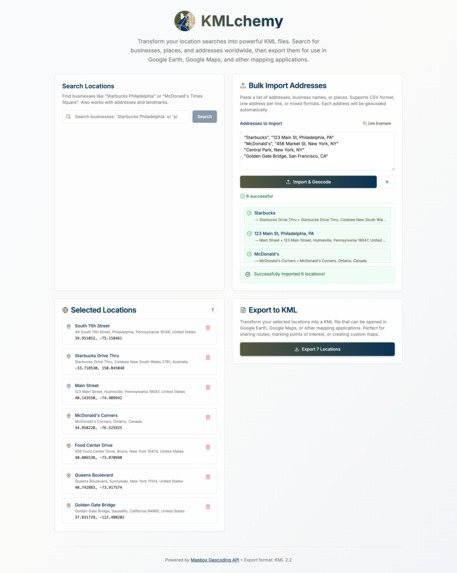
Screencap of KMLchemy
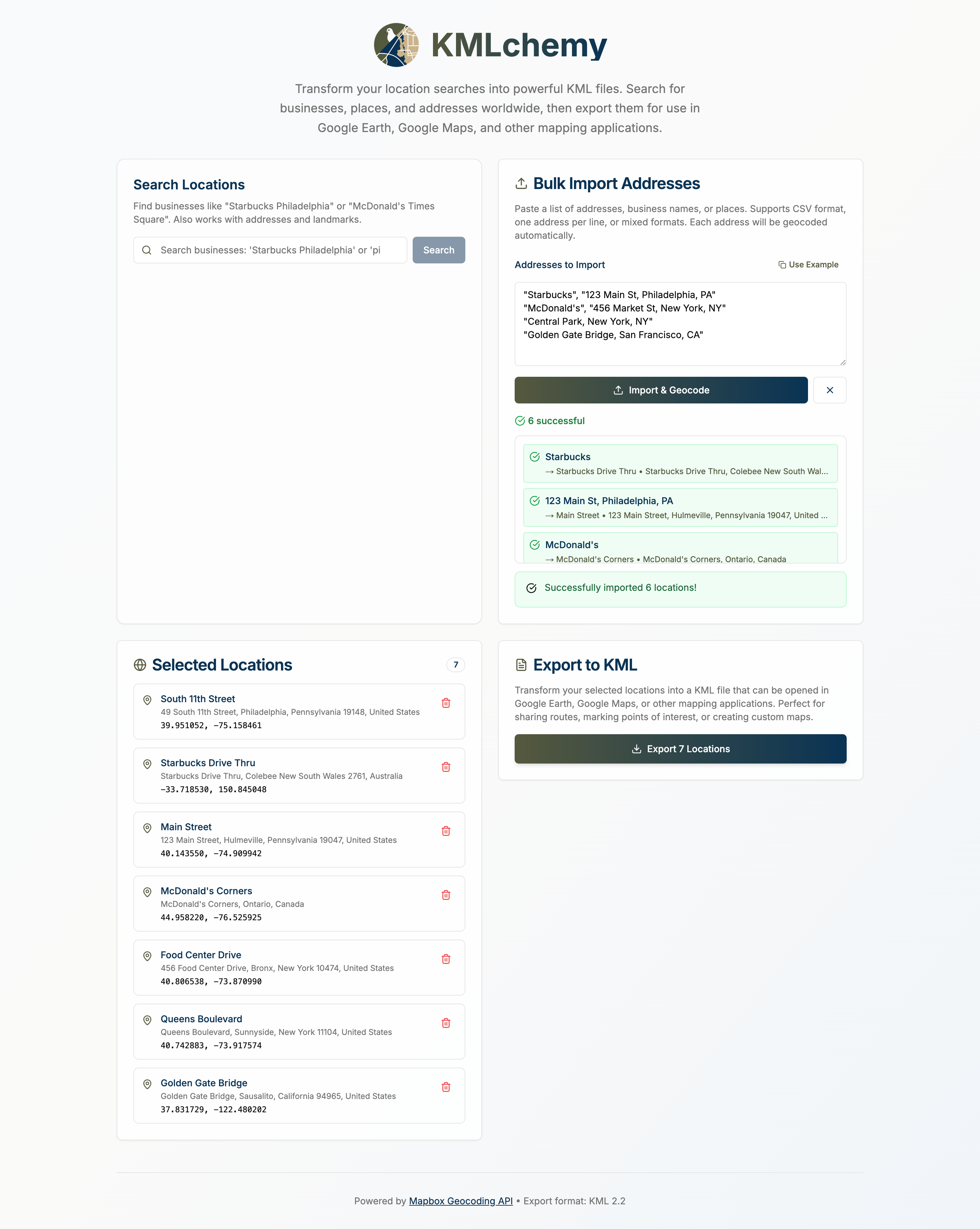
KMLchemy
Inspiration
Maps are powerful, but building tools around them often means wrangling APIs, geographic file formats, and clunky interfaces. We wanted to simplify one part of the process: getting a list of named locations into a clean, exportable KML file, without needing a map UI or complex setup. Whether you're creating custom overlays, defining territory boundaries, or prepping data for another geo-enabled tool, KMLchemy makes it easy to go from words to waypoints.
What it does
KMLchemy is a browser-based tool that allows users to:
- Enter plain-text location queries like “Starbucks in Philadelphia”
- Search and select matching results using the Mapbox Geocoding API
- View and manage a list of chosen places
- Import addresses from CSV files, which are automatically geocoded into coordinates
- Export all selected or imported places as a valid .kml file, ready for use in tools like Google Earth, GIS platforms, or custom map apps
No maps, no drag-and-drop — just a focused tool for converting human-readable location data into structured geographic files.
How we built it
Using bolt.new's chat-based AI agent, this application was written in only a few prompts, the first one being:
Goal: Build a single-page application (SPA) in Next.js (App Router) that allows users to input a list of places or address queries (e.g., “Starbucks in Philadelphia, PA”), resolve them to geographic coordinates using the Mapbox Geocoding API, and export them as a .kml file.
🔧 Tech Stack Framework: Next.js 14+ (App Router)
Language: TypeScript
Styling: TailwindCSS
Geocoding: Mapbox Geocoding API (client-side, using public token)
KML Generation: Custom XML string output
🎯 Features ✅ Location Search + Input Allow user to enter any natural-language search string, including:
Full addresses (e.g. “1600 Pennsylvania Ave”)
Named places (e.g. “Statue of Liberty”)
Business queries (e.g. “Starbucks in Philadelphia, PA”)
Call the Mapbox Geocoding API to fetch search results
Display a dropdown of matching places (name + address)
Let user select one result to add it to their location list
✅ Location List Show selected locations in a list with:
Name (from Mapbox) Address (if available) Coordinates Option to remove entry
✅ Export to KML Generate a .kml file with a for each selected location Use Blob to trigger download Ensure valid coordinates and names
✅ Environment Config .env.local
NEXT_PUBLIC_MAPBOX_TOKEN=pk.YOUR_PUBLIC_TOKEN_HERE📤 Example KML Output
<Placemark>
<name>Starbucks</name>
<description>Market St, Philadelphia, PA</description>
<Point>
<coordinates>-75.1652,39.9526,0</coordinates>
</Point>
</Placemark>
🧠 Additional Notes Use Mapbox’s geocoding/v5/mapbox.places/{query}.json endpoint
Include autocomplete=true and limit=5 for real-time dropdown suggestions
Show loading state while fetching
Let user retry failed queries or provide fallback messages
✅ Acceptance Criteria
✅ Search supports arbitrary place/business queries
✅ User can select a result to add to their export list
✅ Clicking “Export KML” downloads valid .kml with all selected results
✅ App runs locally via npm run dev with a working .env.local token
That prompt got us 90% to the finished product.
Additionally, the logo was created via Canva AI.
Challenges we ran into
We had some issues handling both address searches and POI searches.
Accomplishments that we're proud of
We created a fully functional MVP with real-world utility in a short timeframe.
The tool works entirely client-side — no backend needed.
Exported KML files load immediately in mapping tools, with accurate locations and clean structure.
We kept the app laser-focused and easy to use — the opposite of bloated GIS tools.
What we learned
How to leverage Mapbox’s Geocoding API for flexible place queries (not just addresses)
How KML structure works under the hood — especially placemarks, coordinate ordering, and styling
The value of scoping tools to a single, powerful use case, rather than overloading with features
What's next for KMLchemy
Mosty importantly, we want to integrate it into our existing map-based tooling and get real product feedback!
Additionally functionality that might be added includes:
- Support for batch import of names, coordinates (CSV, JSON, or pasted data)
- Grouping and categorization (e.g., export in folders, color-coded layers)
- Polygon and path support, not just point placemarks
- Lightweight location preview or validation, without embedding a full map
- LocalStorage drafts or history, for recurring workflows
- Option to import KML/GeoJSON back in for editing
Built With
- bolt
- mapbox
- nextjs
- tailwindcss

Log in or sign up for Devpost to join the conversation.