-
-
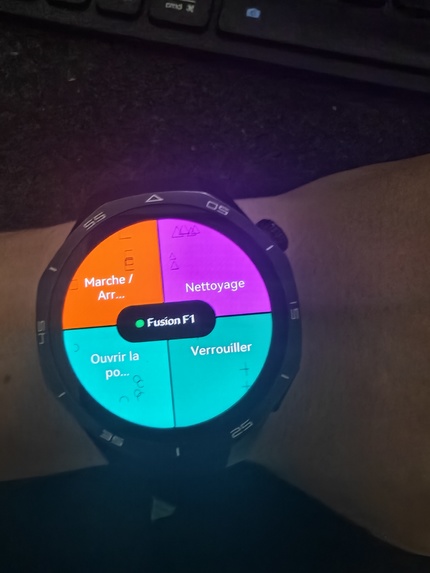
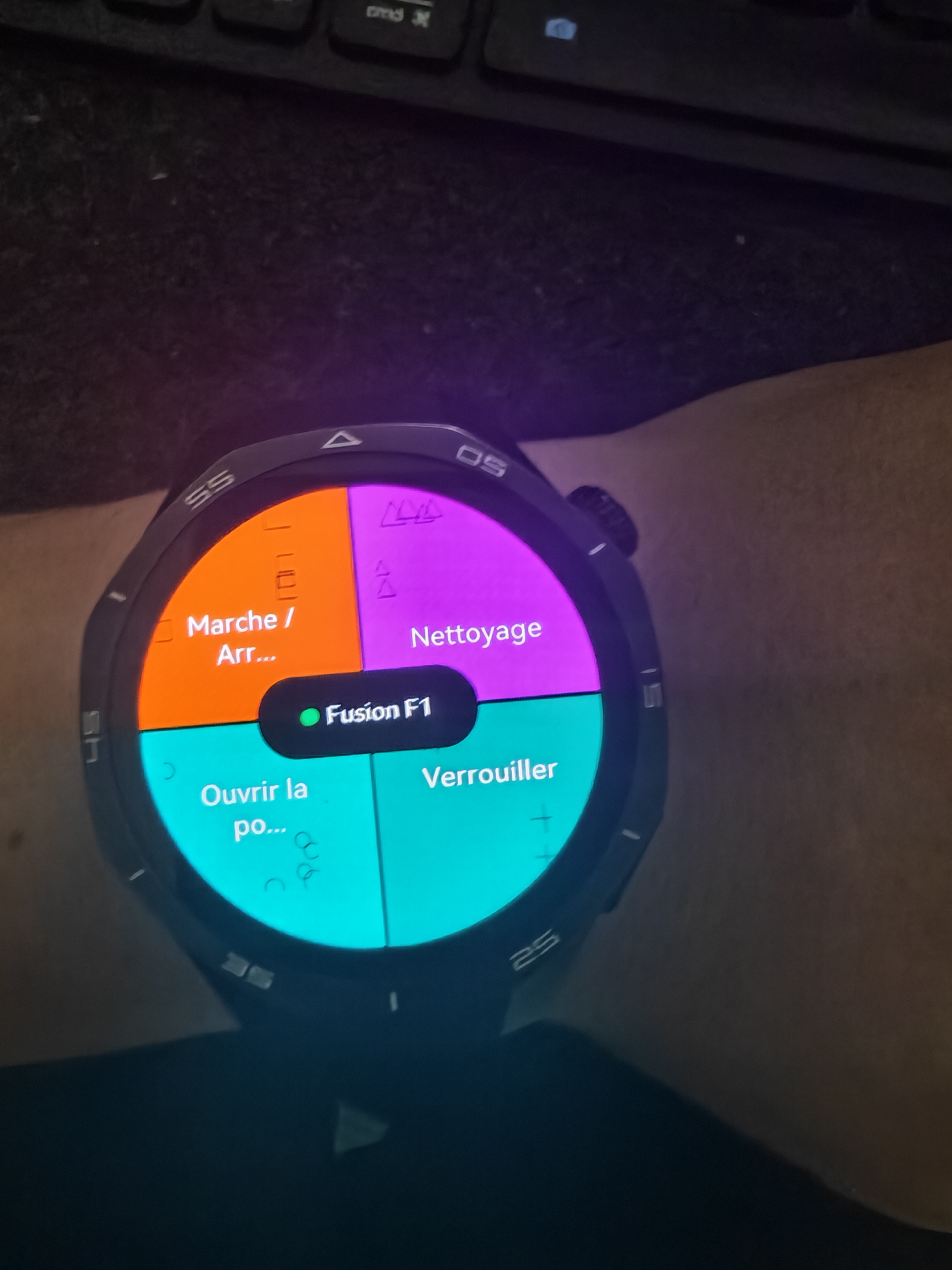
Klok on a real Huawei Watch GT5 Pro — unlock your door from the wrist, on a watch its own brand never supported.
-
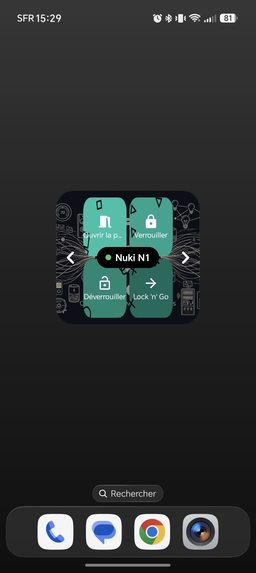
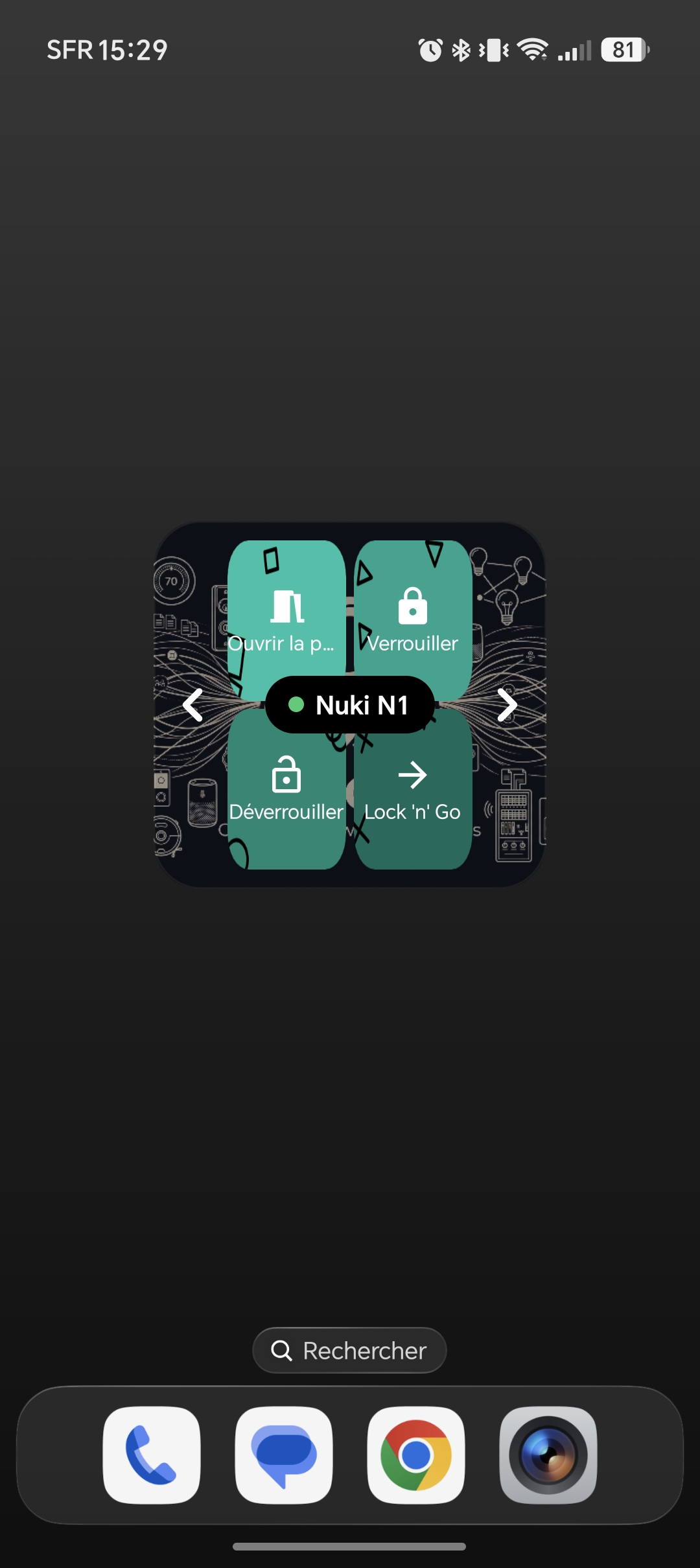
The home-screen widget: your devices and actions as a button grid — one tap, no app to open, Klok stays closed.
-
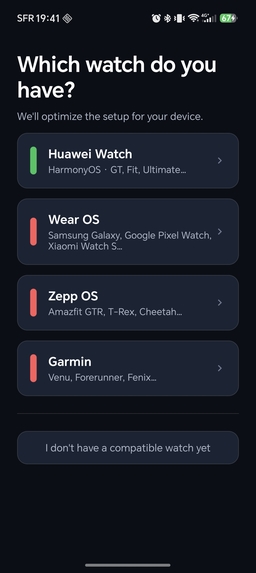
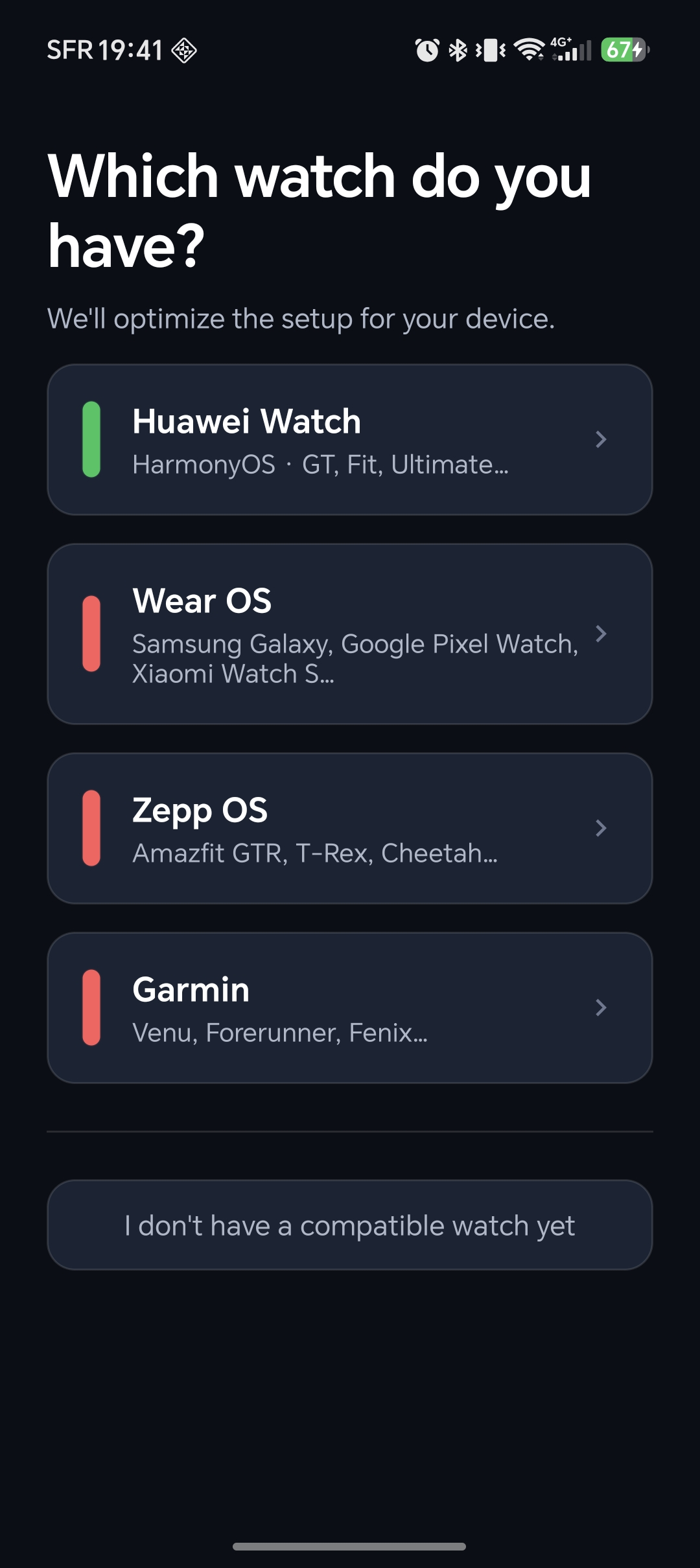
One app for every watch: pick Huawei (HarmonyOS), Wear OS, Amazfit (Zepp OS) or Garmin, and Klok sets itself up for it.
-
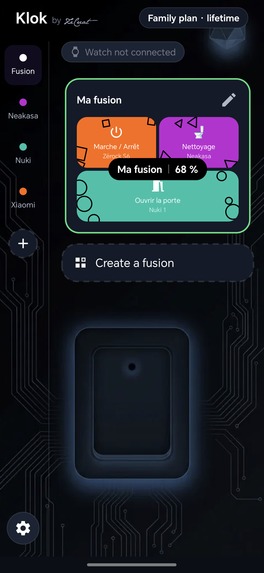
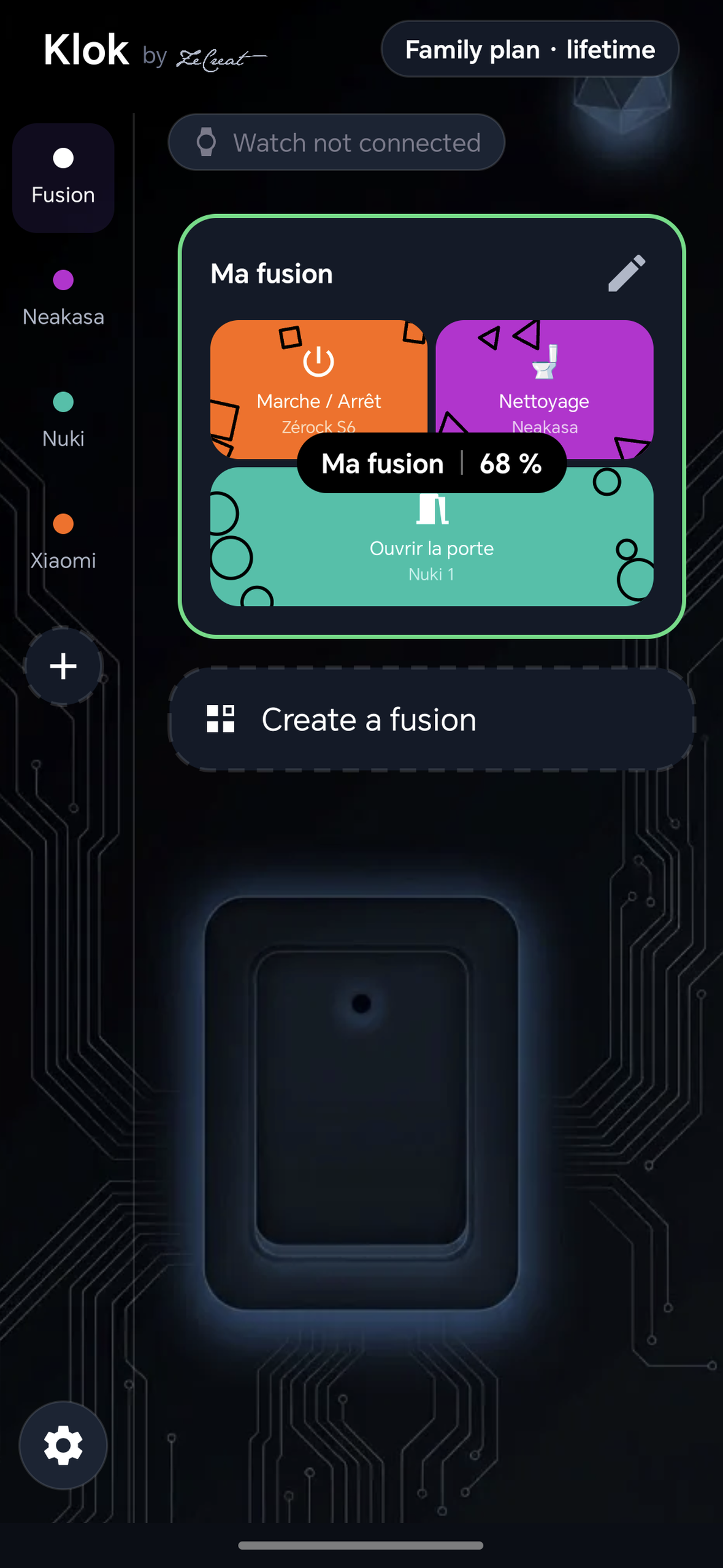
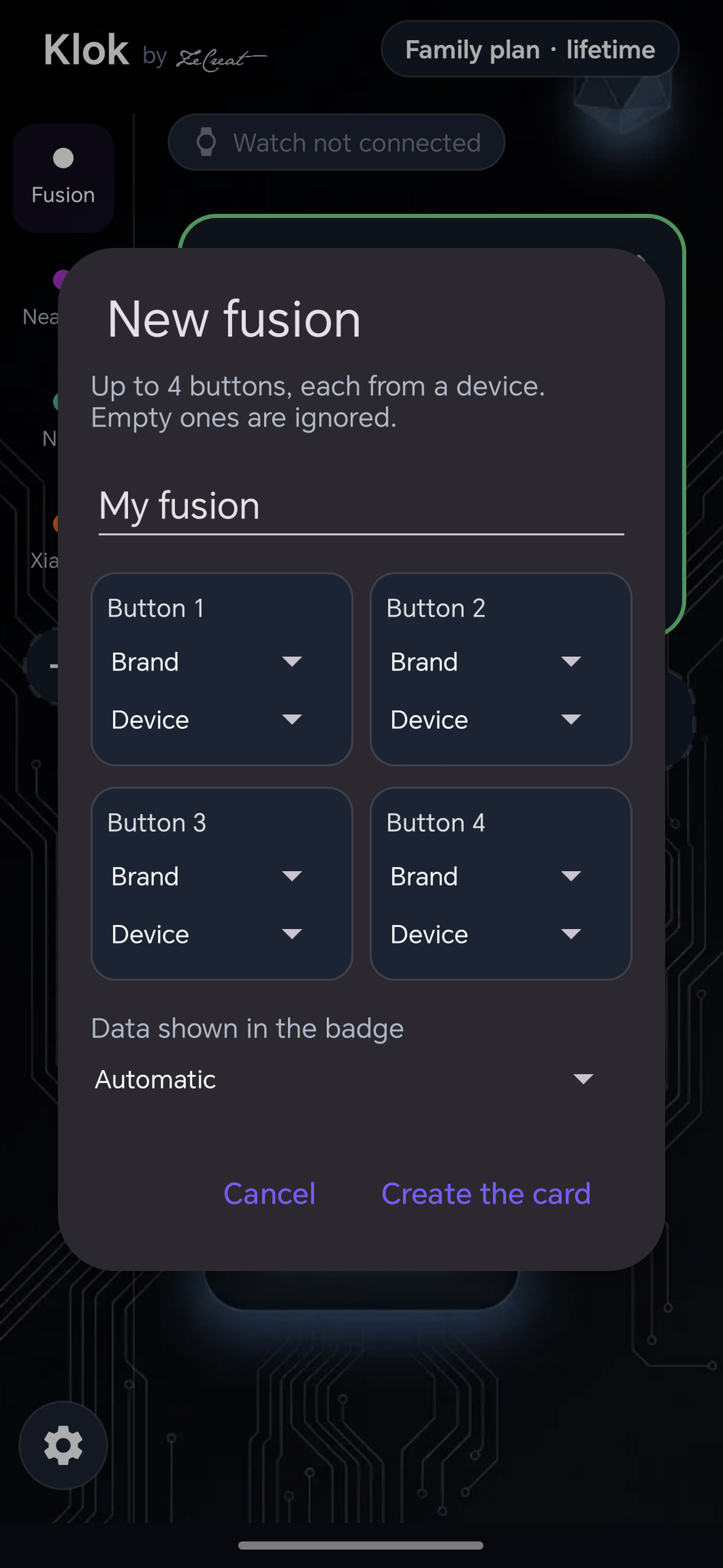
Brand Fusion: buttons from different brands (Xiaomi, Neakasa, Nuki) on one card, with the lock battery right in the badge.
-
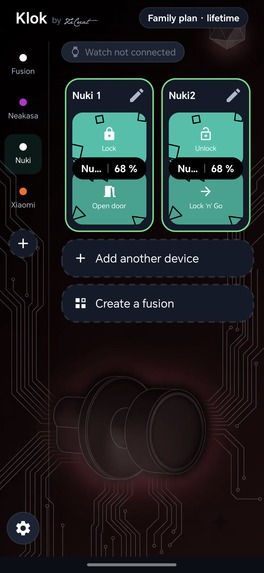
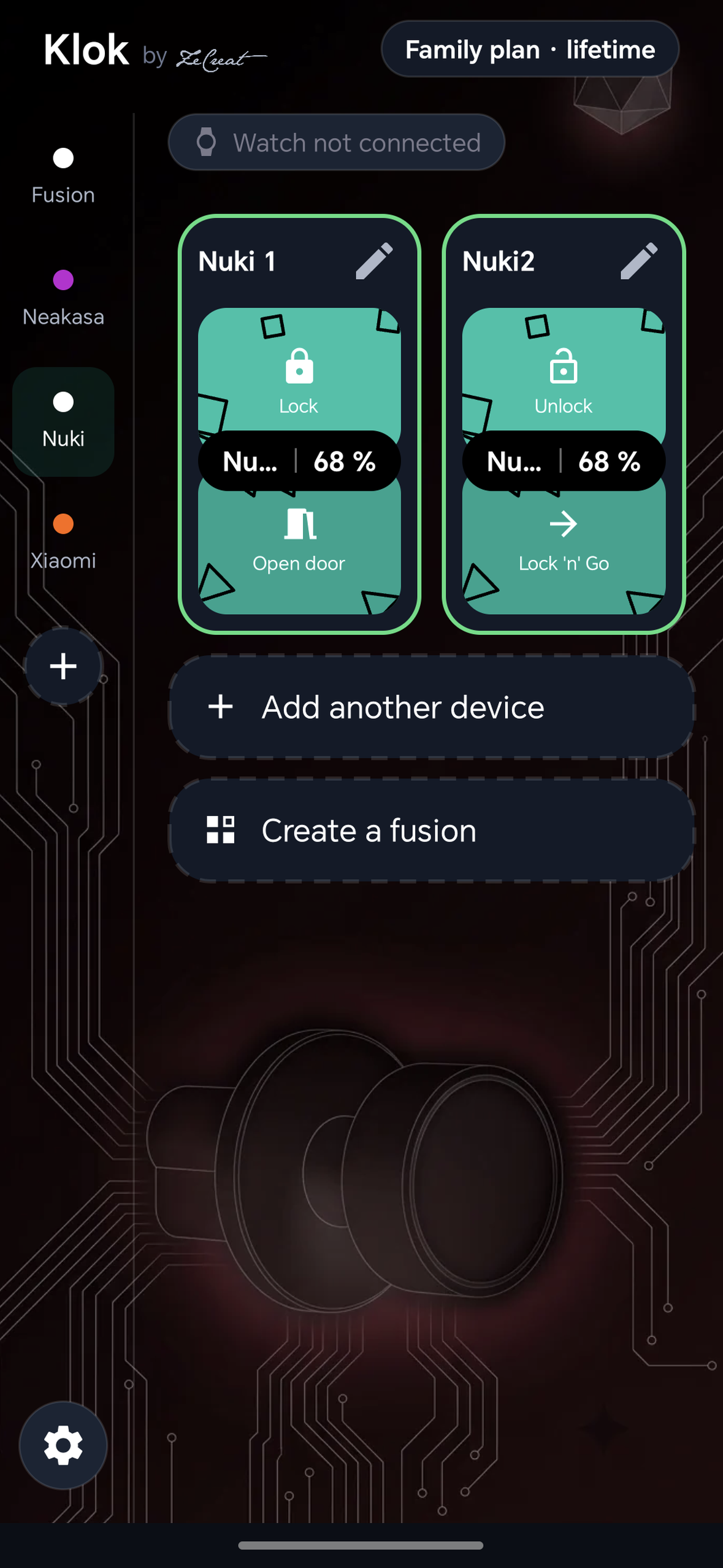
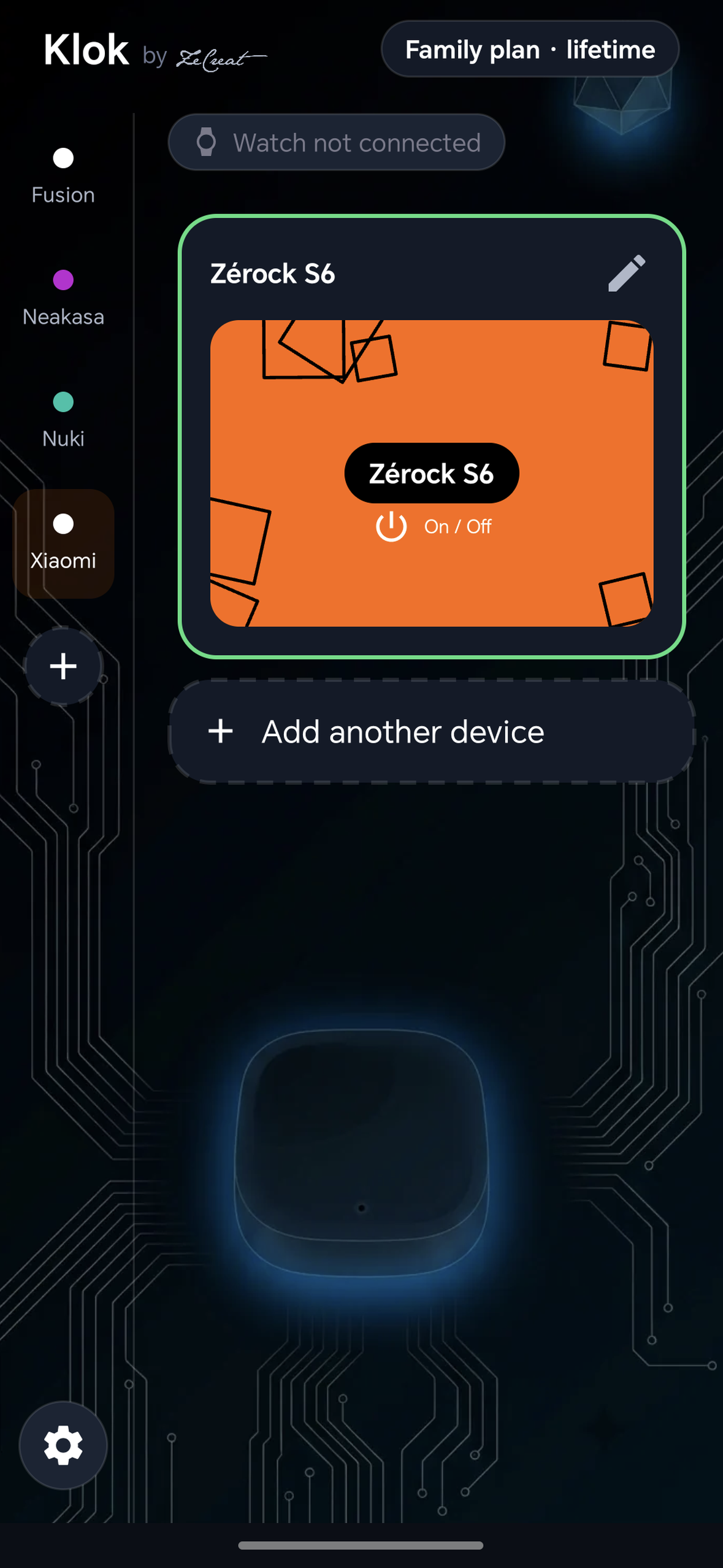
Each device gets its own card with one-tap actions, and the badge shows live battery read from the brand's own widget.
-
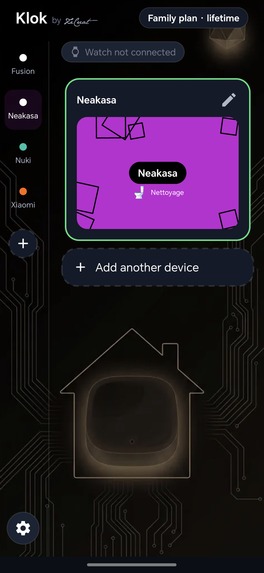
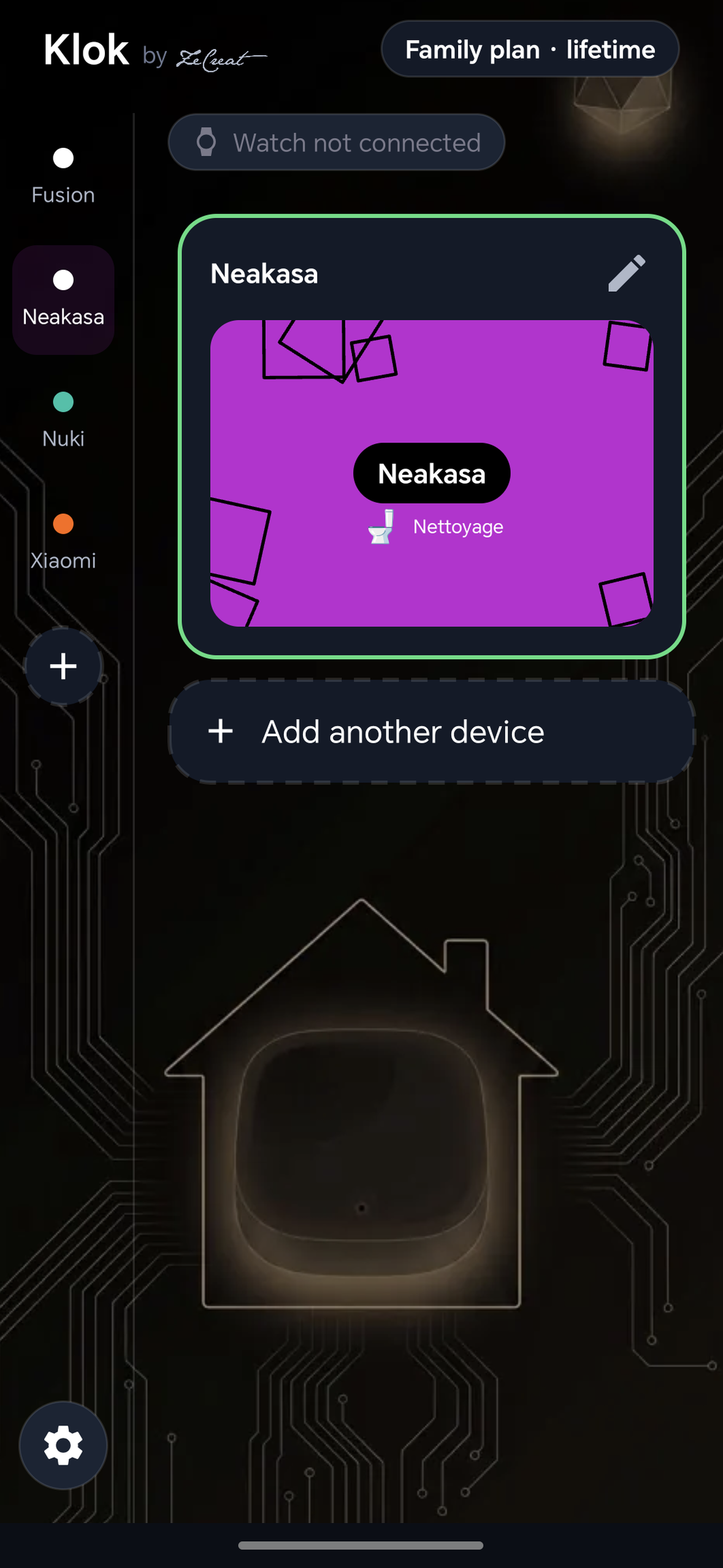
Robot vacuum: start cleaning in one tap from the phone, the home-screen widget or the watch.
-
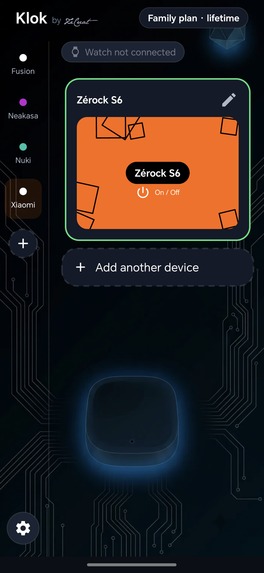
Any brand, same simple card: Xiaomi devices work right alongside your lock and vacuum.
-
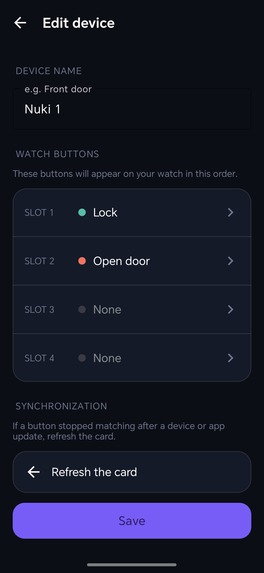
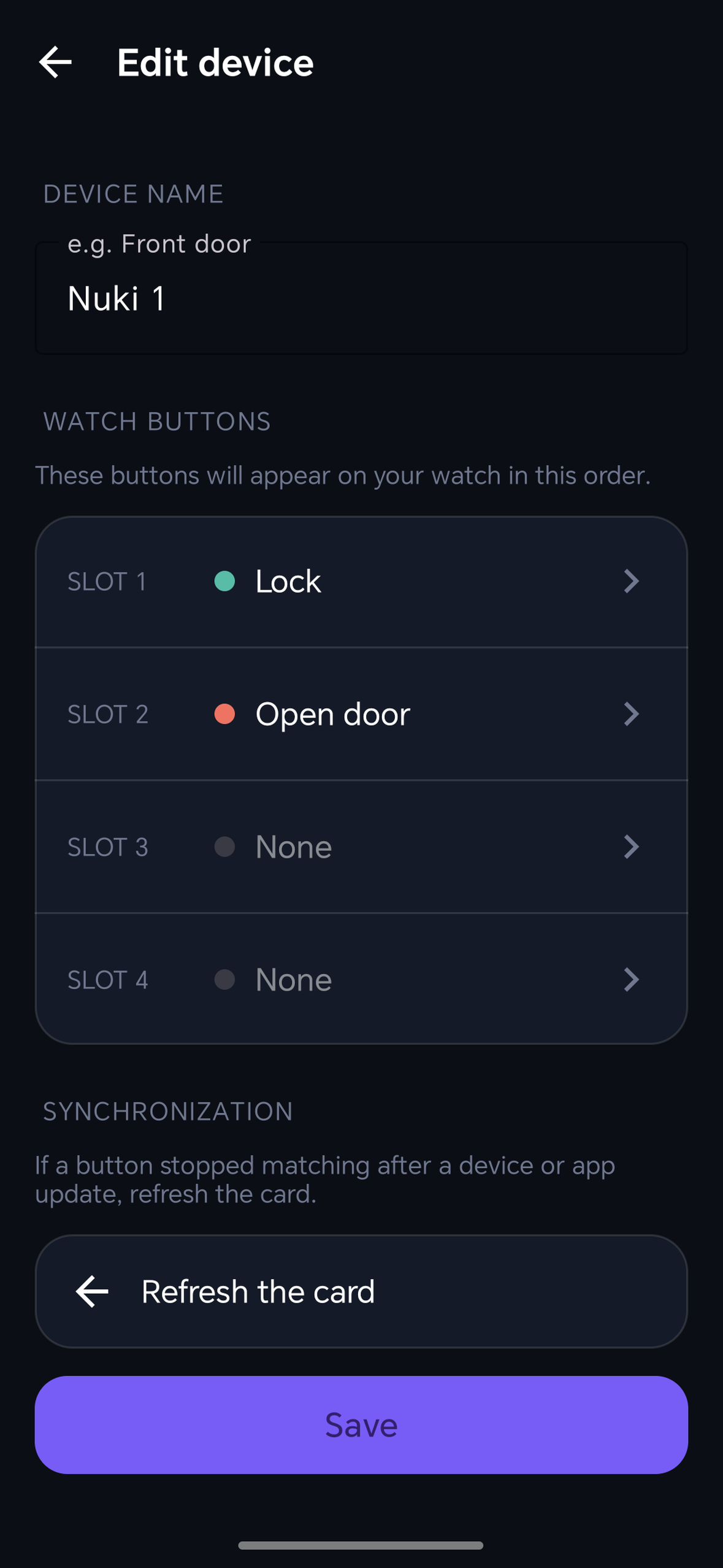
Choose which actions appear on your watch, and in what order. Up to 4 buttons per device.
-
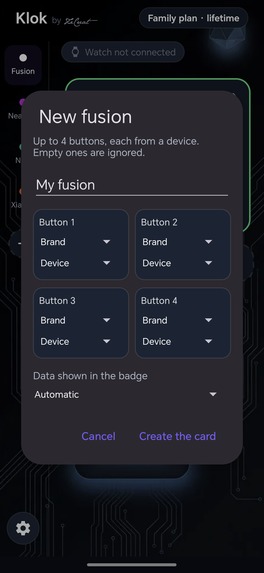
Create a fusion: pick up to 4 buttons from any devices, and choose which device's data shows in the badge.
-
Klok — one tap for your whole smart home, on any watch
Inspiration
It started with my own home. I wear a Huawei Watch GT5 Pro and I have a Nuki smart lock on my door. One day I simply wanted to unlock it from my wrist — so I went looking for a watch app that could control my Nuki. Nothing like it existed on the market. My watch doesn't run Wear OS, and that's exactly the problem: smart-home brands don't build for it.
So I decided to build the app myself. But the setup was far too technical — and that was the real insight: if it was this complicated for me, a developer, it would be even more complicated for an everyday user. I kept searching until I found an approach that makes it simple for anyone to set up — and, crucially, one that's reusable across other smart-home brands, not just Nuki. That's how Klok became a true smart-home hub you actually use, on both the phone app and the watch.
What it does
Klok lets you control your smart-home devices — locks, lights, robot vacuums and more — from a phone home-screen widget or your watch. One tap, no app to open. It's multi-brand (Nuki, Xiaomi, and more coming), it keeps working even when Klok is closed, and from the watch it works even with the phone locked, screen off, in your pocket.
How I built it
Native Android (Kotlin) with a brand-agnostic core, so adding a new brand is just adding an adapter. A lightweight background bridge relays a tap from the watch or the home-screen widget to the right device. Accounts and family sharing run on Supabase, and subscriptions run on RevenueCat.
Klok is 100% ad-free. The free tier lets you try the app with one brand and two devices (no widget, no watch). Two 7-day trials then let everyone make sure Klok works in their home before paying: a Widget trial (widget + multi-brand) and a full trial including the watch.
Challenges I ran into
The hardest part wasn't making it work once — it was making it work for everyone. My first attempts were far too technical: the kind of setup only a developer could push through. Turning that into something an everyday user can get running in a couple of taps was, by far, the biggest challenge.
The second was universality. I didn't want a fragile, one-off integration for each brand. I kept pushing until I found a single, universal method that works across the whole smart-home space — so the same approach powers Nuki, Xiaomi, and any brand I add next, without reinventing everything each time.
The third was making the watch work while the phone is locked, screen off, deep in a pocket. Android does everything it can to stop an app from acting in that state — yet that's exactly when you need to open your door from your wrist. Making it reliable took an enormous amount of work.
And the watch world itself is fragmented — Wear OS, Huawei/HarmonyOS, Amazfit/Zepp OS and Garmin each have their own SDKs and limits — so delivering one consistent experience across all of them was a challenge on top of the challenge.
Accomplishments that we're proud of
- A universal method that works across smart-home brands without ever touching or weakening the security of your devices — it rides on top of the brands' own official apps rather than bypassing anything.
- Making it genuinely easy to set up — no developer skills, no tinkering; a regular user gets it running in a couple of taps.
- Filling a real gap: bringing smart-home control to the watches the brands themselves ignore — Amazfit/Zepp OS and Garmin (both already live), Huawei/HarmonyOS (in review) and more watch brands to come — not just Wear OS.
What I learned
A lot about cross-ecosystem wearable development, and about shipping a real freemium product end to end: billing, entitlements, privacy, and store compliance on four different stores — not just the app.
What's next for Klok
More smart-home brands and more watch platforms. The Huawei/HarmonyOS build is done and awaiting AppGallery approval; the immediate focus is growing the user base from this first public launch.
Availability (live now)
Klok is live on Google Play for both Android (home-screen widget) and Wear OS, live on the Zepp App Store for Amazfit watches (Zepp OS), and live on the Garmin Connect IQ Store. The Huawei (HarmonyOS) watch app is built, working — it already runs on my own Huawei Watch GT5 Pro — and is the last one still in store review on AppGallery; it may well be live by the time you're judging this project. More brands are on the way — subscriptions are powered by RevenueCat.
How RevenueCat powers Klok
Klok is freemium with two paid tiers (Widget and Klok+), plus Duo/Family plans. RevenueCat is the backbone of all of it:
- Subscribe once, unlocked everywhere — the user subscribes on the phone (Google Play), and RevenueCat entitlements unlock the feature across every surface: the home-screen widget and all the watch apps (Wear OS, Zepp OS, HarmonyOS, Garmin).
- Entitlements as the source of truth — features gate on RevenueCat entitlements, synced server-side to Supabase via RevenueCat webhooks, and every purchase is verified against the RevenueCat API before anything is unlocked — so a subscription bought on the phone instantly unlocks the widget and the watch, and can't be faked.
- Automated founders offer — the first 500 subscribers keep 50% off for life. Two RevenueCat offerings live side by side (founders and standard): while spots remain, the paywall serves the founders offering, then switches on its own to the standard one — no app update, no promo codes. Each founder stays on their product and keeps their price forever.
- Offerings + remote paywall config — pricing and the "then X/month after trial" copy come straight from RevenueCat offerings, localized per store, with no hard-coded prices (this also fixed a real store-compliance rejection).
- No ads, ever — Klok's business model is 100% subscriptions through RevenueCat.
Built With
- admob
- android
- app-widgets
- google-play-billing
- gradle
- harmonyos
- huawei-wear-engine
- jetpack-compose
- kotlin
- material-design
- oauth
- postgresql
- revenuecat
- supabase
- supabase-edge-functions
- wear-os
- zepp-os


Log in or sign up for Devpost to join the conversation.