-
-
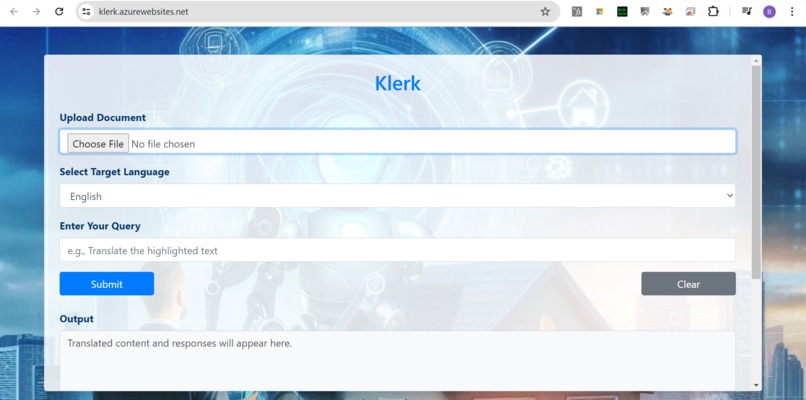
Klerk's Main Interface
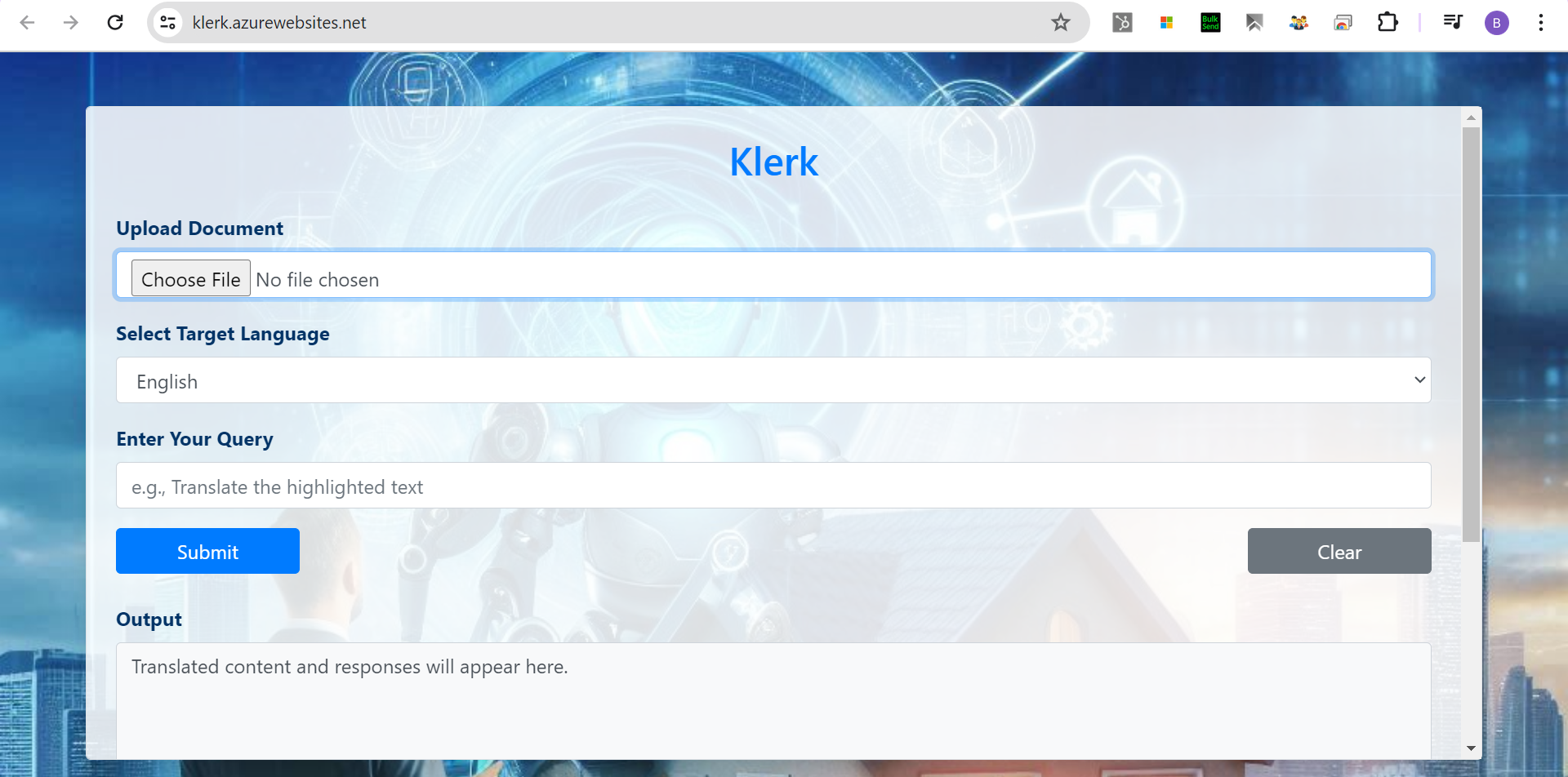
Project Overview: Klerk 2.0
Inspiration
The inspiration for Klerk stemmed from the need to simplify interactions with government services, especially in regions with high linguistic diversity. Recognizing the challenges posed by language barriers in accessing government and legal services, we aimed to create a solution that bridges these gaps, providing clear and accessible information to all citizens. Klerk is designed to make official work less daunting and more efficient for everyone, regardless of their language proficiency. Klerk 2.0 leverages Azure AI Speech Service to Text to Speech and Speech To Text , in order facilitate more seamless experience and quite helpful for someone who is not much literate with his writing skills.
What It Does
Klerk is a multilingual assistant that facilitates seamless interactions with government services globally. Users can upload documents or input queries, select their target language, and receive translated responses. The application processes the input using Azure OpenAI, enhances it with relevant data from a Cosmos DB vector search, and provides accurate, context-aware responses in the desired language. Klerk supports a wide range of Indian regional languages and several international languages, making it a versatile tool for diverse linguistic needs.
Use Cases
Bridging Regional Language Barriers
Language barriers can significantly hinder people dealing with government or private institution paperwork if they do not understand the local language. This issue often discourages people from investing, purchasing land, or availing benefits of government schemes. Similarly, individuals who do not understand widely spoken languages like English but are fluent in a regional language face challenges. Klerk addresses this issue by translating documents into the user’s preferred language, making official paperwork accessible and understandable.
Assisting Non-Regional Language Speakers
Imagine a person who only knows English, Hindi, and French visiting a government office in Karnataka, India, where all paperwork is in Kannada. This individual would struggle to understand the forms and documents. By inputting the document into Klerk and selecting the target language as English or another familiar language, they can easily understand the content and process.
Providing Updated Government Information
Klerk’s backend logic accesses an Azure Cosmos DB populated with the latest government rules, regulations, and policies for various departments, collected from official departmental websites. These documents are vectorized and indexed. When a user has a query related to a government scheme, Klerk provides updated, relevant, and specific details, ensuring the information is comprehensive and current. The current version focuses on documents related to "Will" processing, providing detailed and updated information for related queries.
Specific Information Retrieval
Klerk's system and user prompt optimization facilitate quick and precise information retrieval. For example, if a user needs only the name and address from a sale deed document or types "detailed information" as a query, Klerk will display a response tailored to the user’s specific request. This system and user prompt optimization facilitate quick and precise information retrieval.
Facilitating Government Office Work
Government office work is often not organized enough for individuals to complete tasks independently. People typically seek help from official/unofficial clerks to initiate processes. Klerk assists by providing information about professional and knowledgeable clerks who can guide users through their intended work. Users can gather information about government departments, office locations, and clerks with just a few clicks, enabling them to communicate with clerks in advance and understand the requirements before visiting the departmental office. Klerk’s team maintains ratings for unofficial clerks ( associated with Klerk's team) based on past services, allowing users to choose the most suitable clerk for their needs.
Voice-Based Interaction in Klerk 2.0
Klerk integrates Azure Speech Services to enable seamless voice-based interaction, ensuring accessibility for users with limited literacy. This voice-based interaction enhances user engagement by allowing them to speak instead of typing, making it easier to interact with government services, legal documents, and policy-related queries. The Klerk 2.0 has following additional feature.
Speech-to-Text (STT): Converts user speech into text using Azure Speech SDK. Supports multiple languages, allowing users to interact using their preferred language. Processes voice commands and queries to facilitate communication with Klerk.
Text-to-Speech (TTS): Converts the generated response into natural-sounding speech. Uses Azure Speech Synthesis with language-specific neural voices for enhanced user experience. Supports multiple regional languages, including Hindi, Kannada, Tamil, Telugu, Marathi, Urdu, and more.
Language Adaptability: Klerk dynamically selects the appropriate speech code and synthesis voice based on the target language. This ensures that users receive responses in their native or preferred language, improving accessibility.
How We Built It
Azure AI Cosmos DB for Vector Search: Employed Cosmos DB's vector search capabilities to augment user queries with relevant information from our knowledge base.
Azure AI LLM Model GPT-4: to power natural language processing and response generation.
Azure AI Embedding Model text-embedding-ada-002: has been used for vectorizing text queries for similarity searches.
Azure AI Form Recognizer: to extracts key information from scanned government documents.
Azure AI Document Intelligence Read Model: for OCR-based text extraction and Incorporated this model to process input files and return their content accurately.
Azure AI Speech: to convert text responses into speech for text-to-speech (TTS) translation.
Azure OpenAI Integration: Leveraged Azure OpenAI for processing and translating documents and queries, ensuring high accuracy in language processing.
Azure WebApp Deployment: Deployed the application on Azure WebApp, ensuring reliable and scalable access.
Frontend Development: Utilized HTML, CSS, and JavaScript to create a user-friendly interface, allowing users to upload documents, input queries, and select target languages.
Backend Development: Implemented with Flask, our backend manages user requests, processes documents, and interfaces with AI and database services.
CI/CD with GitHub: Integrated GitHub with Azure WebApp for continuous integration and deployment, facilitating seamless updates and maintenance. User Interface: Focused on crafting an intuitive interface that is accessible to users from diverse backgrounds, ensuring ease of use.
Challenges We Encountered
Handling Multilingual Data: Ensuring accurate and contextually appropriate translations was challenging. We addressed this by refining our prompts and iterating on the AI's responses. Efficient Vector Searches: Initial vector searches were slow and less accurate. We optimized database queries and indexing strategies to improve performance. Technical Integration: Seamlessly integrating multiple technologies (Azure OpenAI, Cosmos DB, Flask, Azure AI Document Intelligence, Azure WebApp) posed challenges, particularly in data flow and response times.
Accomplishments We’re Proud Of
Multilingual Support: Successfully enabling the application to provide accurate translations in multiple languages, breaking down significant communication barriers. Users can interact with Klerk in their preferred language, making government services more accessible to diverse communities.
Voice-Based Interaction (Speech-to-Text & Text-to-Speech): Integrating Azure Speech Services to enable seamless voice-based communication. Users can speak their queries instead of typing, making it easier for those who are not comfortable with written text. Klerk responds with natural-sounding speech in the selected language, ensuring accessibility for users with limited literacy. This feature enhances user engagement and inclusivity.
Efficient Query Augmentation: Implementing an advanced vector search mechanism in Cosmos DB to deliver highly relevant and precise information. By leveraging AI-powered embeddings, Klerk can retrieve contextual information efficiently, improving response accuracy.
User-Friendly Interface: Developing an intuitive and accessible user interface that caters to a diverse user base. The interface is designed to accommodate users of varying technical expertise, ensuring a smooth and engaging experience.
Seamless Integration and Deployment: Achieving seamless integration of various Azure AI services, OpenAI models, and Cosmos DB to create a robust and scalable solution. Additionally, automated deployment using GitHub and Azure WebApp ensures a streamlined workflow, enabling rapid updates and improvements.
Lessons Learned
Natural Language Processing (NLP): I gained more insights into leveraging Azure OpenAI for advanced natural language processing tasks. This involved understanding how to use pre-trained models for generating human-like text and incorporating these capabilities into the application.
Language Translation and Summarization: I learned more to use Azure OpenAI for translating text between different languages and summarizing lengthy documents, making the application more user-friendly and versatile.
Azure AI Document Intelligence: I explored how Azure AI Document Intelligence can automate the extraction of information from various types of documents. This included processing structured and unstructured data to streamline workflows. I learned how to integrate document intelligence capabilities into a web application, allowing for real-time document analysis and information retrieval.
Vector Databases: Learned the intricacies of using Cosmos DB for efficient and accurate vector searches. I learned to implement RAG using Azure services, ensuring that the application could retrieve relevant information from a large corpus of documents and generate coherent and contextually appropriate responses.
User Experience Design: I gained more insight in creating responsive web interfaces using HTML and CSS. This included designing user-friendly forms, implementing loading messages, and ensuring the application works well on different devices, use JavaScript for adding dynamic content and interactivity to the web application. This included handling form submissions, displaying real-time data, and providing a seamless user experience.
CI/CD Practices: Enhanced our understanding and implementation of continuous integration and deployment practices using GitHub and Azure WebApp.
Adherence to Azure Responsible AI Principles
Fairness: Klerk ensures fairness by providing translated document content detail and answer to query for users from diverse linguistic backgrounds. This reduces language barriers and ensures equal access to government services and legal information for all users, regardless of their native language.
Reliability and Safety: Klerk leverages Azure AI Document Intelligence Read Model and Azure OpenAI for reliable and accurate content processing. Rigorous testing and validation ensure that translations and information retrieval are dependable and safe for users, minimizing the risk of errors.
Privacy and Security: Klerk adheres to strict privacy guidelines by not storing or retaining any uploaded documents or it's content on its servers, ensuring that sensitive information remains secure and private.
Inclusiveness: Klerk supports multiple languages, including various Indian regional languages and several international languages, ensuring inclusiveness. The user-friendly interface is designed to be accessible to people from diverse backgrounds, including those with minimal understanding of source language to used with Klerk.
Transparency: Klerk maintains transparency by clearly informing users about the application's functionalities, limitations, and data processing methods in the terms and conditions. Users are aware that the application is in the Beta version, and the translation accuracy may have minor imperfections.
Accountability: Klerk provides a feedback loop where users can share their experiences and suggestions to Klerk's given email logistic given on terms and conditions page. This feedback mechanism allows for continuous improvement of the system, ensuring that the developers are accountable for the application's performance and user satisfaction.
What's Next for Klerk
Expand Knowledge Base: Continuously add more departments and regions to provide comprehensive assistance.
Improve AI Capabilities: Enhance the AI's understanding and response accuracy with more training data.
User Feedback Integration: Implement a feedback loop to improve the system based on user inputs and experiences.
Mobile Application: Develop a mobile version of Klerk to increase accessibility and convenience for users on the go.
Global Reach: Expand language support and localization to cater to a global audience, making Klerk a universal tool for overcoming language barriers in government services.
Disclaimer:
Office and Clerk details are not actual, including Name, Address, Mobile No, ratings. Retry Recommendation: Retry may help sometimes with desired results. Klerk aims to be a reliable and efficient assistant for anyone navigating the complexities of government services, breaking down language barriers and simplifying processes for a smoother experience.

Log in or sign up for Devpost to join the conversation.