-
-
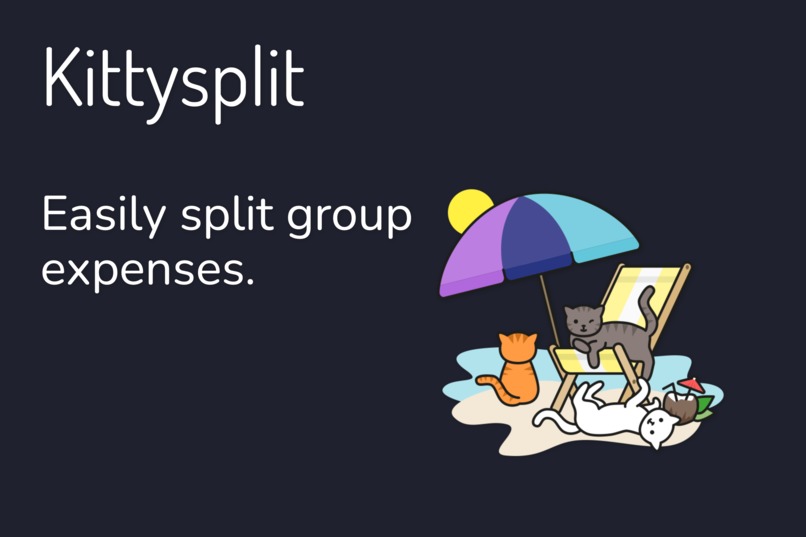
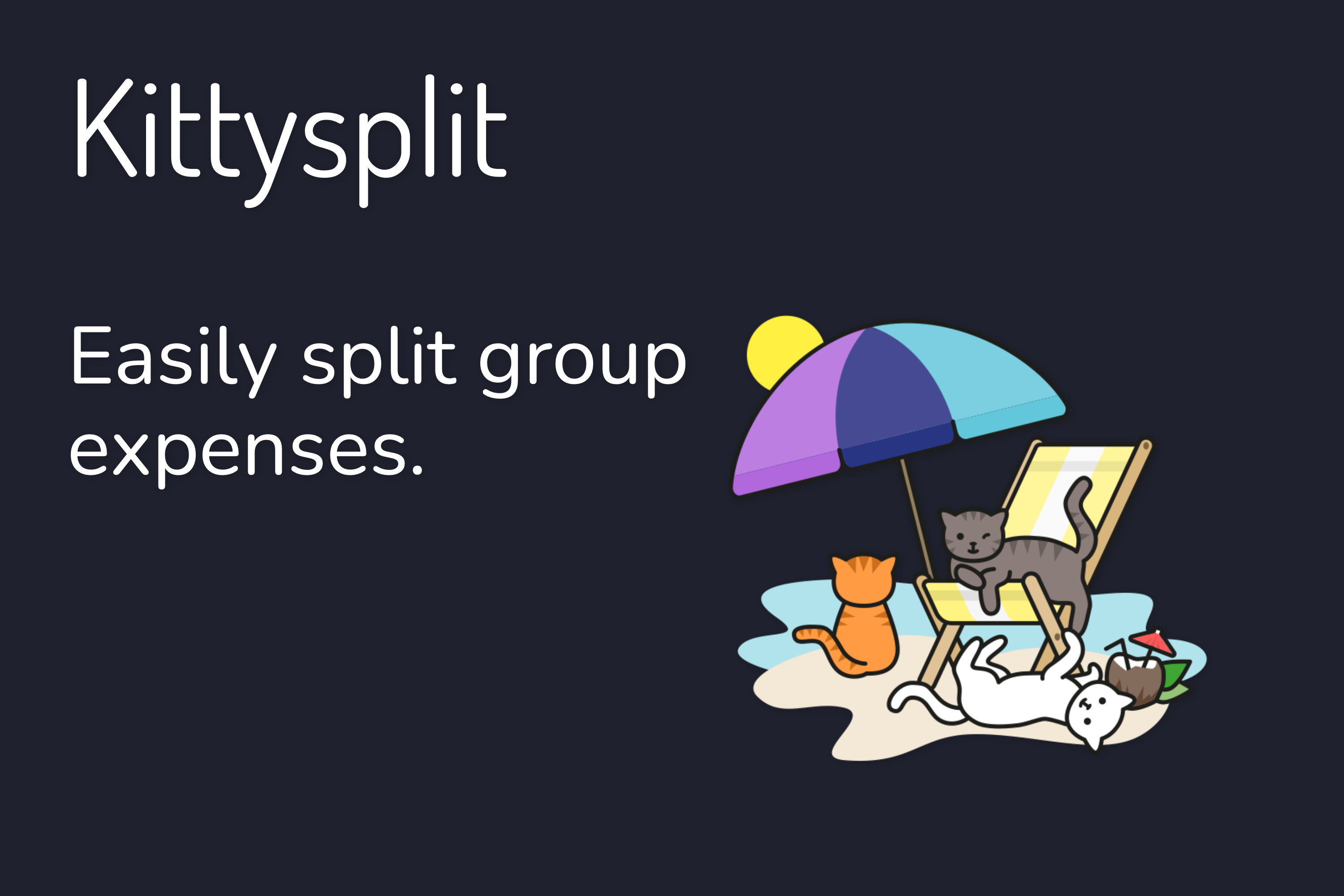
Kittysplit: Easily split group expenses.
-
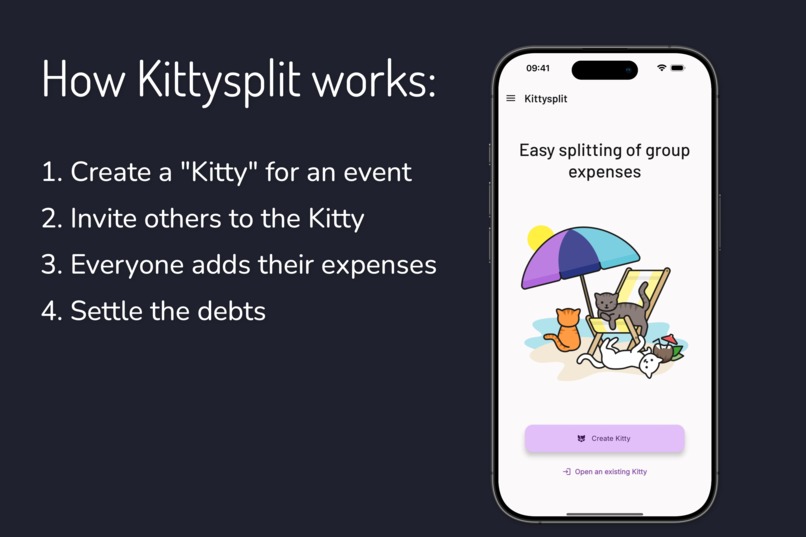
How Kittysplit works
-
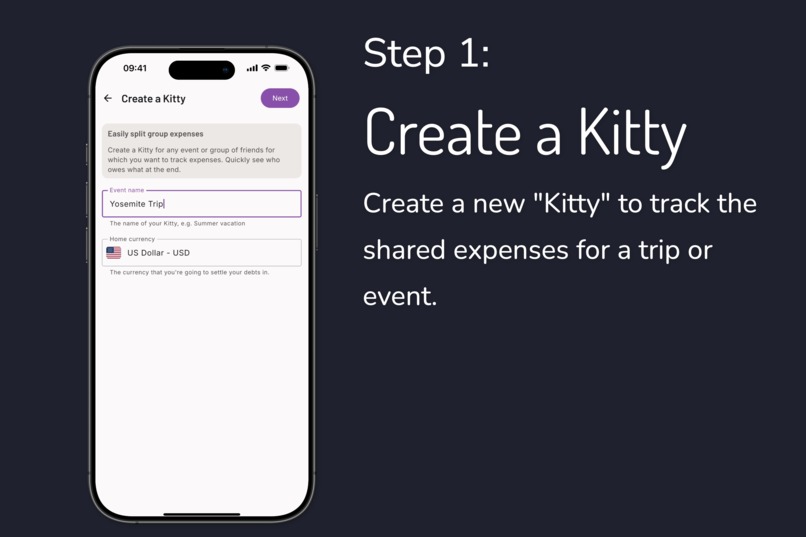
Step 1: Create a Kitty
-
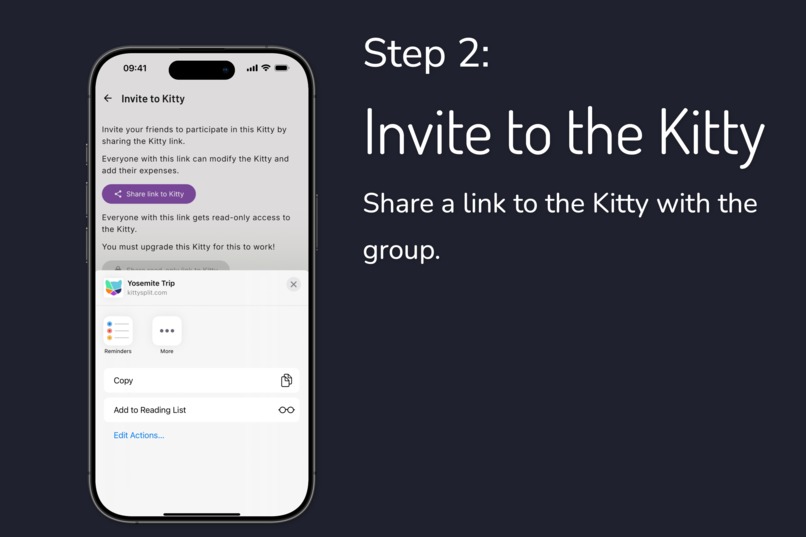
Step 2: Invite to the Kitty
-
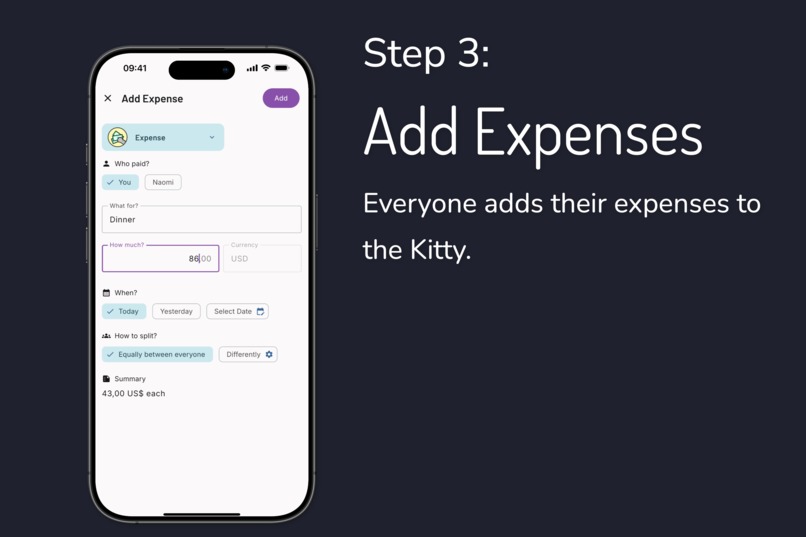
Step 3: Add Expenses
-
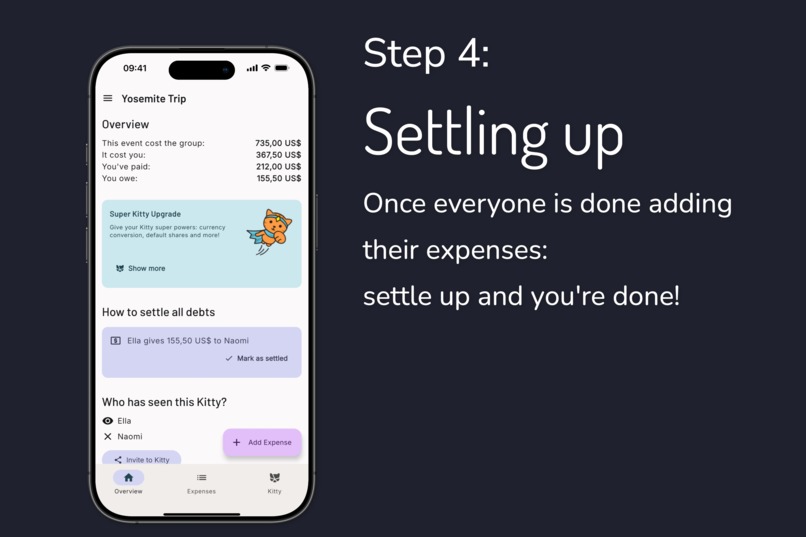
Step 4: Settling up
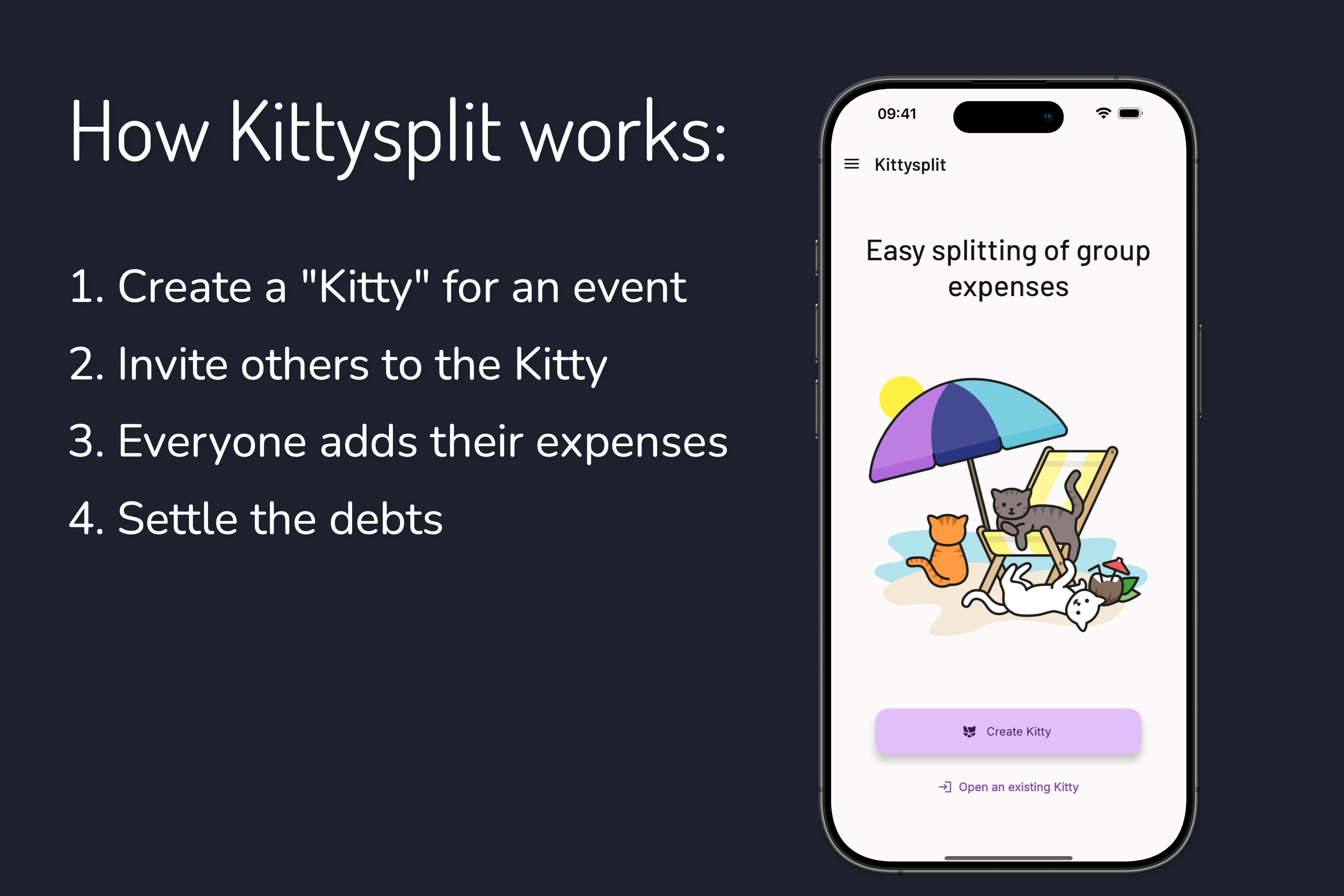
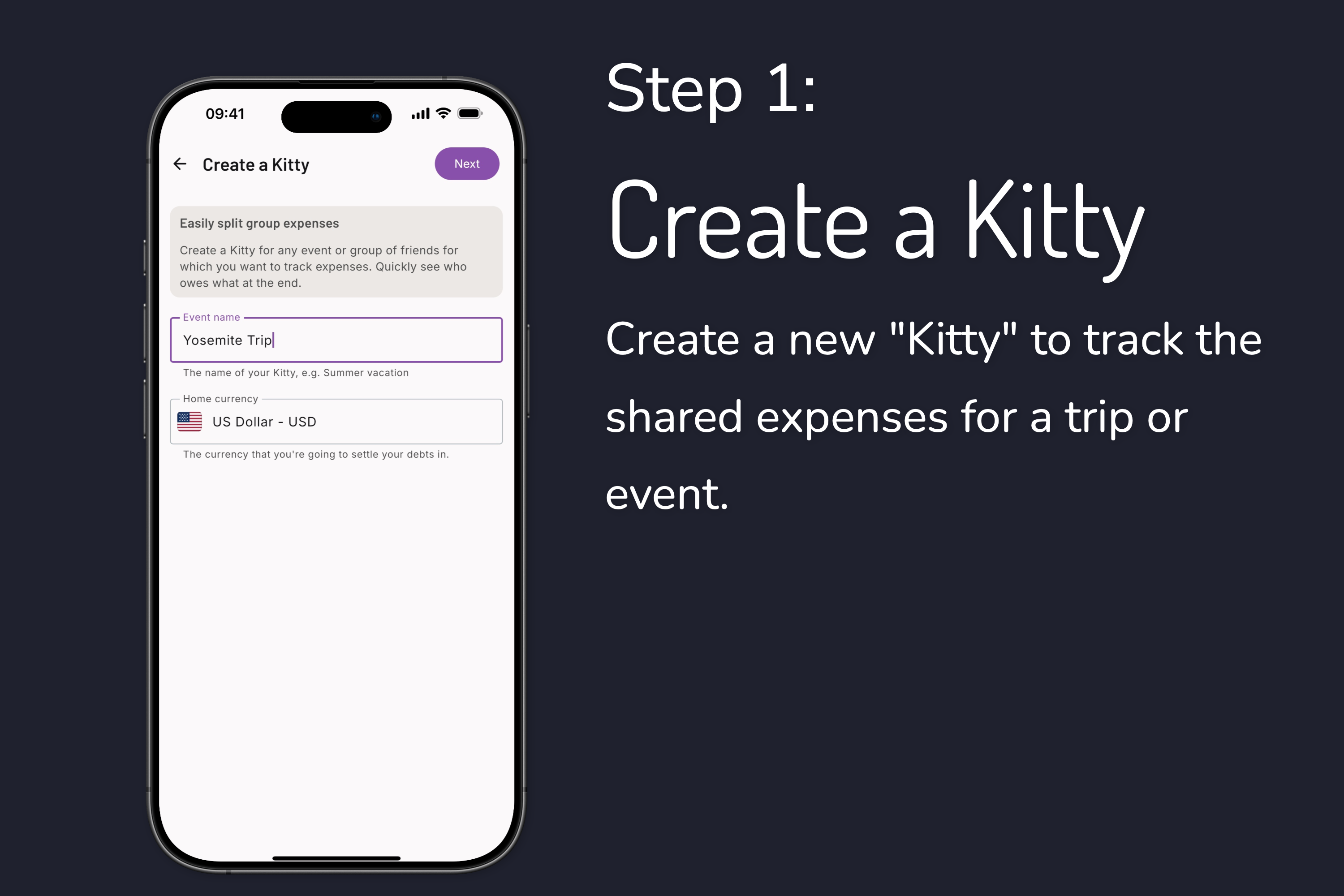
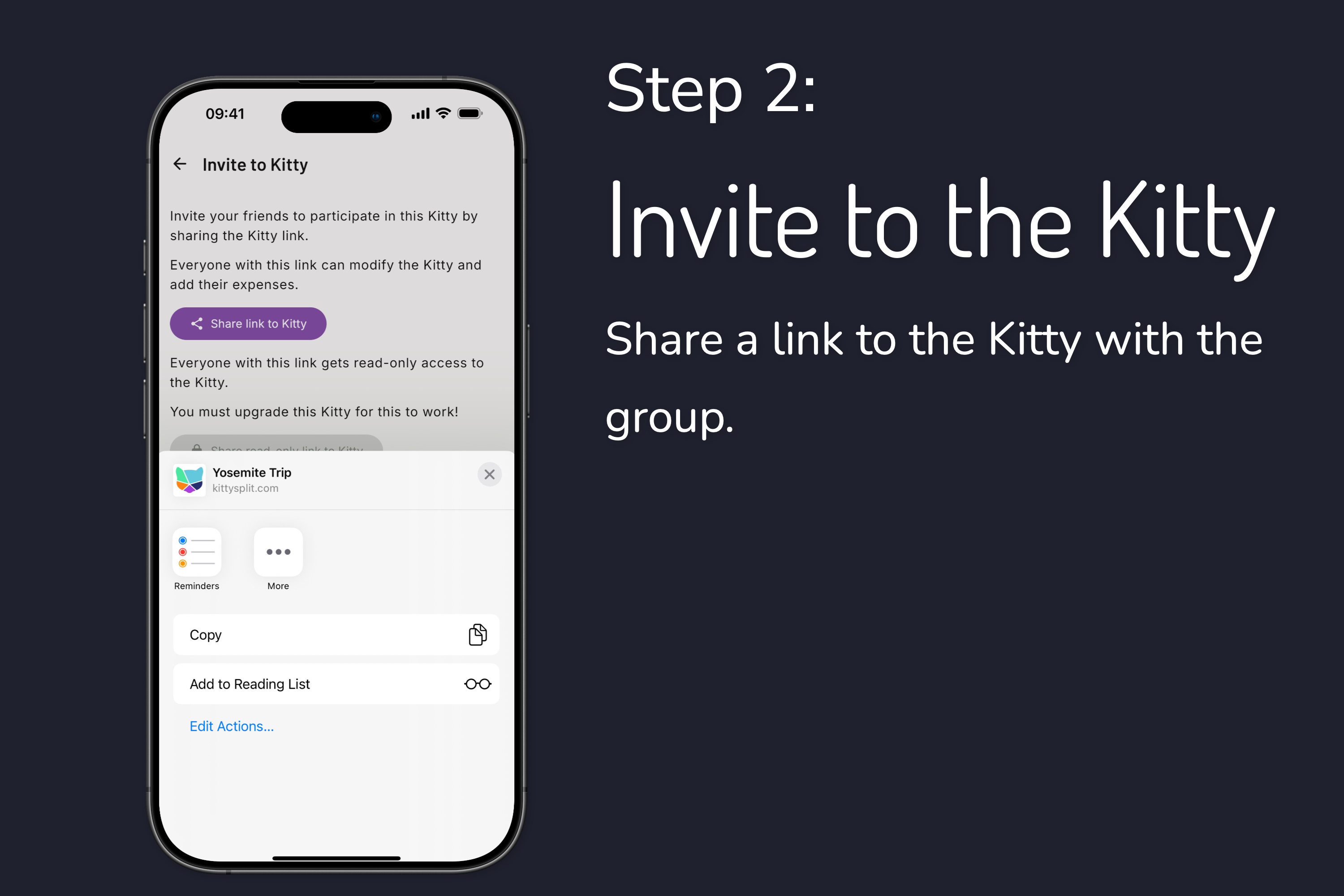

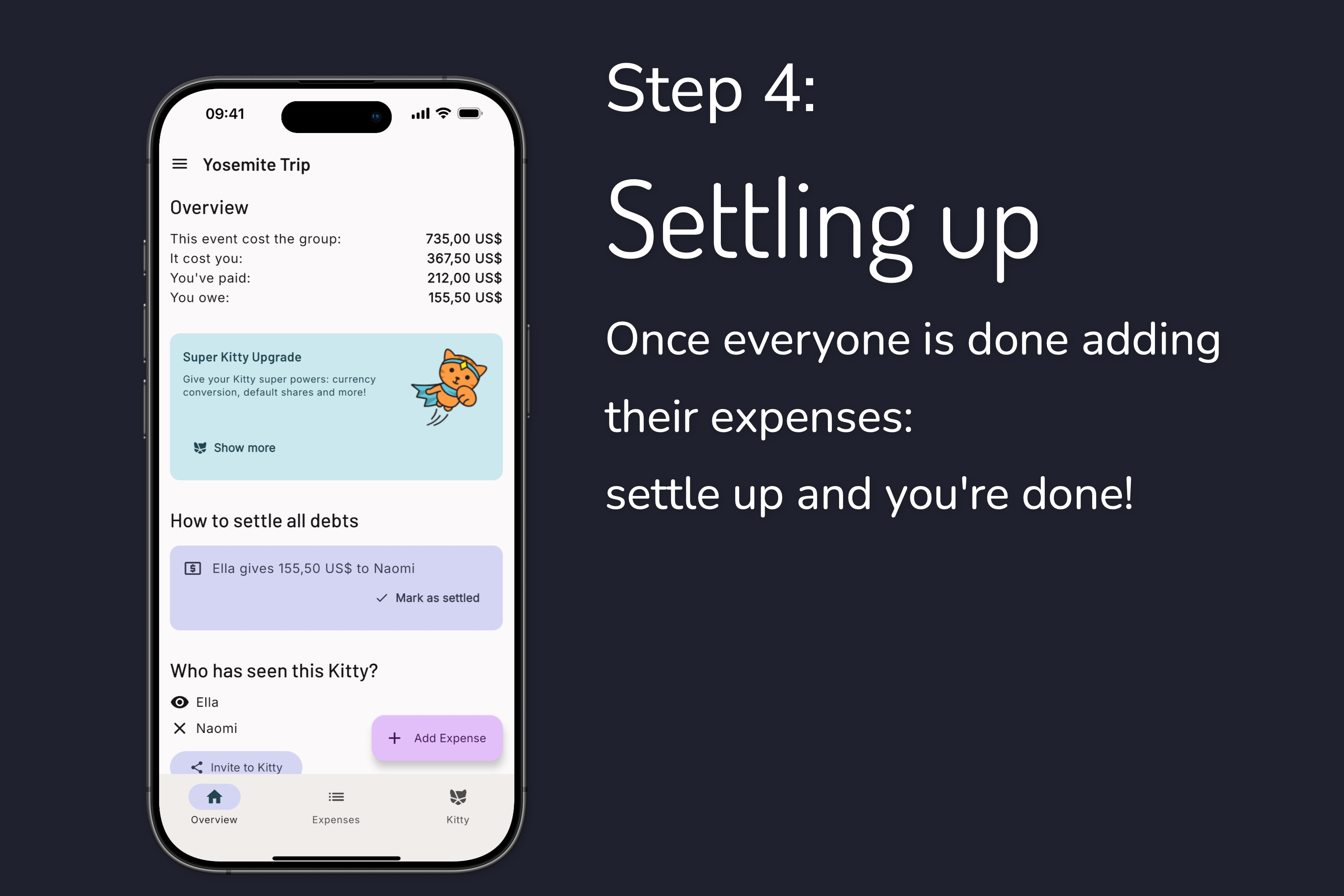
Kittysplit: Easy splitting of group expenses
Inspiration
Kittysplit started as a side project born from a real problem we faced during a ski trip with friends years ago. We were struggling to split our expenses fairly and efficiently. Excel felt clunky and overcomplicated for what should be a simple task. When we couldn't find an existing tool that was truly easy to use, we decided to build our own.
What began as a web-only solution has grown organically over the years. We've continuously improved the platform based on constant feedback from our users, who have been incredibly helpful in shaping what Kittysplit has become today. As our user base grew, one request kept coming up:
"When will you have mobile apps?"
We started working on the apps when we had time, but participating in the Shipaton gave us the final push to finish and ship them to the app stores.
What it does
Kittysplit solves one problem really well: making group expense splitting effortless. Whether you're on vacation with friends, sharing household costs with roommates or your partner, or organizing a group dinner, our app provides the simplest way to calculate who owes what to whom. No overcomplicated features, no confusing interfaces: just straightforward expense splitting that anyone can understand.
How we built it
The journey to mobile started with building an API to integrate with our existing web application. Our initial plan was ambitious: use Kotlin Multiplatform for shared business logic, networking, local storage, and calculations, and build two separate user interfaces: a Jetpack Compose UI for Android, and a native SwiftUI frontend for iOS.
Since we already had Android development experience, we began with the Android app and built the multiplatform part and the Compose UI for Android. The UI is built in Compose using Material 3 components. We took great care to keep our client side business logic fully separate from the UI implementation by using ViewModels with StateFlow in Kotlin multiplatform. This allowed us to easily reuse all business logic for our iOS app. For the multiplatform payment system integration, we used RevenueCat - it turns out that Kittysplit and RevenueCat are a purrr-fect combination!
Then we started working on the SwiftUI client. Initially, it seemed quite straightforward and using our KMP ViewModels from SwiftUI code worked really well. However during the process, it turned out to be a lot more work than expected. We also realized that building our UI in Compose was much easier than in SwiftUI, and that Compose Multiplatform would save us significant development time and effort. This pivot allowed us to share not just the business logic, but also most of the UI code between platforms.
Challenges we ran into
Most of our challenges were product-focused rather than technical. The biggest question was how to translate the simple, intuitive flows that work well on the web into mobile app experiences. We spent considerable time ensuring that the mobile version maintained the same simplicity that makes our web app successful. Keeping the product simple sounds easy, but the big challenge is hiding the technical and mathematical complexity from the user and make it all work intuitively.
On the technical side, we took great care to build a solid application using clean architecture and making client side business logic reusable for iOS using Kotlin multiplatform ViewModels. The main challenge was realizing that building and maintaining a separate iOS frontend in SwiftUI - besides our existing backend, web UI, API, and the Android Compose app - was simply too much work for us, as a small team of 3 people working part-time on this project. So we ditched our half finished SwiftUI app even though we already spent a lot of time on it. The switch to Compose Multiplatform was easier than expected and crucial to get the iOS app released soon after Android.
Accomplishments that we're proud of
The user response has been incredibly encouraging. Already during the beta phase, we received a lot of positive feedback from users. Many of our existing web users are actively switching to the mobile apps, which validates that our concept translates well to mobile. And new users already say that after trying several established competitor's apps, they are happy to have found the Kittysplit app.
What makes us most proud is that users immediately understand how to use the app. The simplicity and intuitive design we worked so hard to achieve on the web has successfully carried over to mobile. Users can start splitting expenses within seconds of opening the app.
What we learned
The technical transition from Android Compose to Compose Multiplatform turned out to be surprisingly smooth. We learned a lot about both technologies throughout the process. Creating a mobile UI in Compose with Material3 components is the most fun we ever had building a UI. And to be able to just reuse the UI across platforms without much extra effort is a new level of mobile development. We're super enthusiastic about the Kotlin/Compose Multiplatform environment, it has taken mobile UI development to a whole new level and we expect this to become the standard for most mobile apps in the near future.
Another interesting learning curve was diving into the iOS ecosystem for the first time. We spent considerable time learning Swift and SwiftUI, only to eventually abandon that code when we switched to Compose Multiplatform. While it felt like wasted effort initially, understanding iOS development principles helped us make better decisions for the multiplatform approach.
We also learned the intricacies of iOS app publishing which was a completely new world for us as primarily Android developers.
What's next for Kittysplit
Our immediate focus is on App Store Optimization to grow our mobile user base.
We're committed to continuing our user feedback driven development approach. Our feature roadmap includes several highly requested additions:
- Expense attachments (receipts, photos)
- Expense categories for better organization
- Push notifications to keep everyone updated
- Improve monetization strategy (using RevenueCat subscriptions, paywalls, etc.)
The goal remains the same: keep Kittysplit the easiest way to split group expenses, whether you're using our web app or mobile apps. It's just the start of our app journey - we want to make Kittysplit the best cost splitting app in the visible universe!
Built With
- android
- cmp
- compose
- compose-multiplatform
- elixir
- ios
- jetpack-compose
- kmp
- koin
- kotlin
- multiplatform
- phoenix
- postgresql
- sqldelight


Log in or sign up for Devpost to join the conversation.