🍳 Building Kitchly: A Journey from Idea to App Store
The Vision
What started as a simple idea from Eitan —"wouldn't it be cool to turn cooking videos into actual recipes?"—evolved into Kitchly, a full-featured cooking companion app that brings together AI, voice to text, and smart kitchen management into one delightful experience.
The goal was clear: help home cooks level up their kitchen game by removing friction from the cooking process. No more pausing videos to scribble down ingredients. No more forgetting what's in your pantry. No more chaotic grocery runs. And the joy of discovering new recipes from what is already in your kitchen.
🚀 The Tech Stack That Made It Possible
Frontend: React Native + Expo (SDK 52)
Choosing Expo with the new architecture was a game-changer. The developer experience is incredible—hot reloading, easy builds with EAS, and access to a rich ecosystem of native modules.
Key libraries that powered the experience:
- Expo Router for file-based navigation (feels like Next.js for mobile!)
- expo-image for blazing fast image loading
- react-native-safe-area-context for pixel-perfect layouts across all devices
- NativeWind/Tailwind for rapid styling iteration
Backend: Vercel Serverless + Firebase
The backend runs on Vercel's serverless functions with TypeScript, giving us:
- Zero cold-start worries for most endpoints
- Easy deployment with Git pushes
- Automatic scaling when users flood in
Firebase handles authentication and provides the real-time backbone:
- Email/password authentication
- Apple Sign-In (required for App Store!)
- Secure token-based API authentication
🤖 The AI Magic: Claude + Deepgram
This is where things get exciting.
Video-to-Recipe Extraction with Claude
The crown jewel of Kitchly is the ability to paste a TikTok, Instagram, or YouTube cooking video URL and get a fully structured recipe back. Here's how it works:
- Fetch video metadata and extract audio/transcript
- Send to Claude (Anthropic's API) with a carefully crafted prompt
- Parse the structured response into ingredients, steps, times, and nutrition
- Generate a beautiful recipe card with Unsplash fallback images
The prompt engineering was crucial—we needed Claude to understand cooking terminology, infer missing information (like prep times), and structure everything consistently.
Voice Input with Deepgram
Hands covered in flour? No problem. Deepgram's speech-to-text API powers voice input throughout the app:
- Add pantry items by speaking: "I have eggs, milk, butter, and some cheddar cheese"
- Add grocery items naturally: "We need bread, tomatoes, and maybe some basil"
The real magic is in the natural language parsing—we take messy voice input and intelligently categorize items, detect quantities, and even infer storage locations.
🔍 Recipe Discovery: Spoonacular API
The Spoonacular API opens up a world of culinary possibilities:
- Pantry-based suggestions: "You can make 12 recipes with what you have!"
- Cuisine exploration: Browse Italian, Mexican, Asian, and more
- Nutritional data: Calories, macros, and dietary info for every recipe
- Ingredient matching: Find recipes that use 80%+ of your pantry items
One challenge was handling the API's rate limits gracefully—we implemented smart caching and queuing to keep the experience smooth.
💰 Monetization: RevenueCat + App Store Subscriptions
Implementing subscriptions was a journey in itself. RevenueCat abstracts away so much complexity:
- Handles receipt validation
- Syncs subscription status across devices
- Manages entitlements cleanly
- Works seamlessly with App Store Connect
Free tier gets users hooked:
- 10 video imports
- 25 pantry ingredients
- Core features
Kitchly Chef ($5.99/month or $59.99/year) unlocks:
- Unlimited video imports
- Unlimited recipes & ingredients
- Premium AI features
- Coming soon: Cookbook scanner, grocery price estimation
The paywall design went through many iterations—carousel of features, clear value proposition, and those satisfying haptic taps when selecting a plan.
🎨 Design: The Warm Cookbook Aesthetic
Early versions looked too "techy." I wanted Kitchly to feel like a warm, inviting kitchen—not a cold productivity app.
The breakthrough came with the chef illustration—a whimsical character with a terracotta polka-dot hat that became our mascot. From there, I built a cohesive color palette based on the mascot:
- Terracotta (#C75B47) - Primary actions, warmth
- Golden Yellow (#E8C874) - Highlights, premium
- Sage Green (#6B8E4E) - Success states, fresh ingredients
- Cream backgrounds (#FAF8F2) - That cookbook paper feel
- Rich browns - Text, grounding elements
Even the custom chef hat icon in the tab bar reinforces the brand at every interaction.
📱 Key Features Built
🏠 Home Screen
- Featured recipe hero card
- Quick actions (Import Video, Discover Recipes)
- Recently viewed recipes
- Pantry-based "What Can I Cook?" suggestions
- Cookbook overview with recipe counts
🔍 Discover
- Search your personal recipe collection
- Pantry-based recipe recommendations
- Cuisine category browsing (Italian, Mexican, Asian...)
- Trending recipes from Spoonacular
🥬 Smart Pantry
- Categorized ingredient storage
- Collapsible sections by category
- Voice or text input
- Quantity tracking
- Low-stock awareness
🛒 Grocery Lists
- Multiple lists support
- Auto-categorization of items
- Check-off syncs to pantry (optional)
- Voice input for quick adding
- Recipe-based list generation
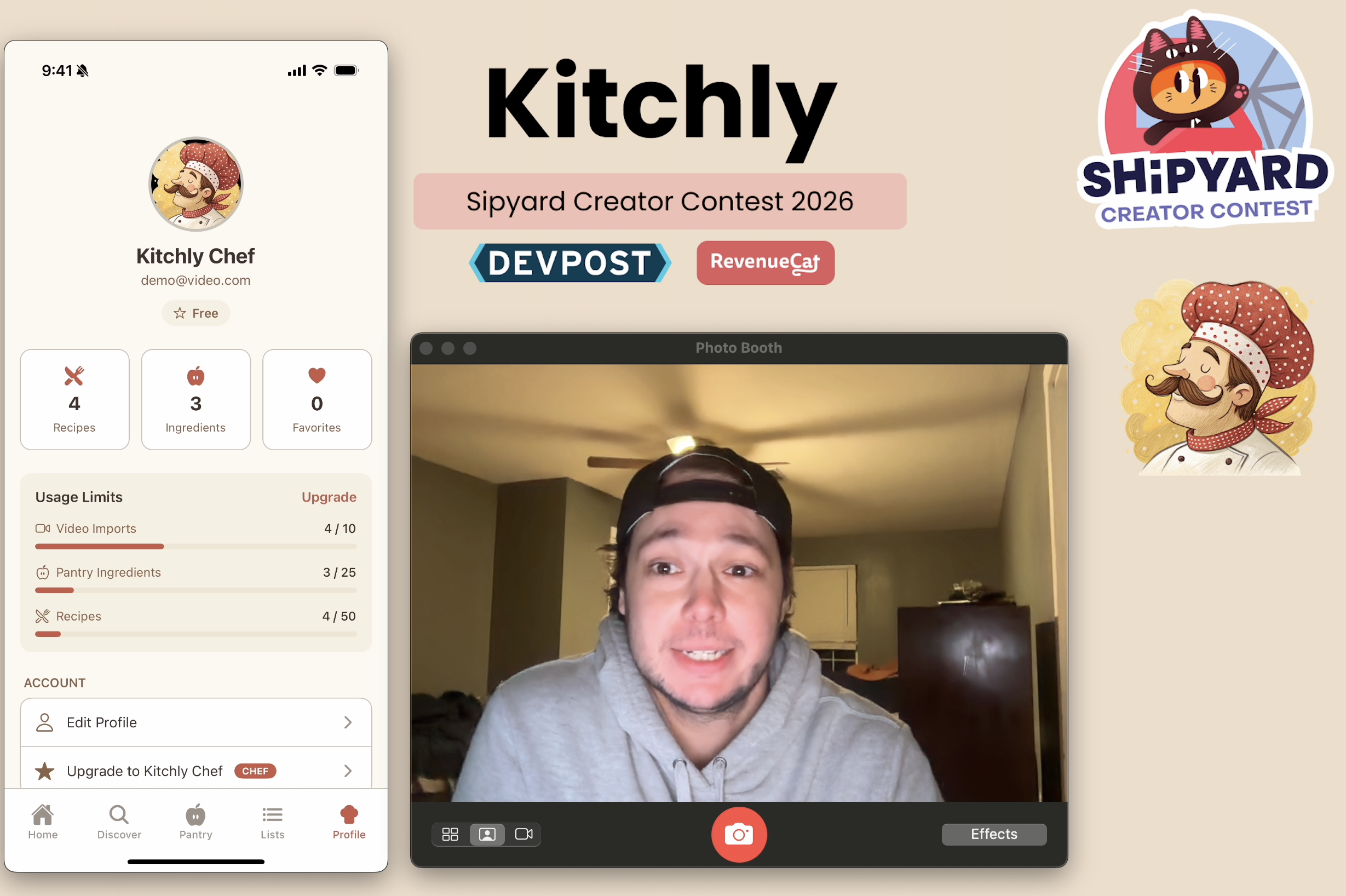
👤 Profile & Settings
- Chef avatar placeholder (photo upload coming!)
- Usage stats (recipes, ingredients, favorites)
- Subscription management (deep links to App Store)
- Dark mode toggle
- Legal documents (Terms, Privacy)
🐛 Bugs Squashed & Lessons Learned
The FREE_VIDEO_IMPORT_LIMIT Saga
A typo (FREE_IMPORT_LIMIT vs FREE_VIDEO_IMPORT_LIMIT) crashed the entire video import screen. Lesson: consistent naming conventions matter, and TypeScript saved us from worse.
Safe Area Insets
Content was cramped against the notch/Dynamic Island. Adding paddingTop: insets.top to all tab screens gave everything room to breathe. Lesson: design for the notch from day one.
Subscription Management for App Review
Apple requires easy subscription management. We deep-link directly to https://apps.apple.com/account/subscriptions—clean, compliant, and user-friendly.
Display Name Not Saving
The signup flow updated Firebase but didn't explicitly send the name to our backend. Fixed by passing displayName through syncUserProfile. Lesson: don't assume services sync automatically.
📋 App Store Submission Checklist
What we needed for a successful submission:
- [x] App icons (1024x1024 + adaptive icons)
- [x] Splash screen with brand colors
- [x] Apple Sign-In implementation (required!)
- [x] Privacy Policy & Terms of Service
- [x] Subscription products in App Store Connect
- [x] RevenueCat integration & entitlements
- [x] Sandbox tester for payment testing
- [x] Nutrition data disclaimer in legal docs
- [x] Proper subscription management UI
- [x] Screenshot assets for all device sizes
🔮 What's Next
The roadmap is exciting:
- Cookbook Scanner - Snap a photo of a cookbook page, get a digital recipe
- Grocery Price Estimation - Know what your list will cost before shopping
- Meal Planning - AI-powered weekly meal plans based on your pantry
- Social Features - Share recipes with family and friends
- Android Launch - RevenueCat makes cross-platform subscriptions easy
💡 Final Thoughts
Building Kitchly taught me that the best apps feel like magic because they combine multiple technologies seamlessly. Users don't care that Claude is parsing their video, Deepgram is transcribing their voice, or Spoonacular is matching recipes—they just know that cooking got easier and more fun.
The intersection of AI, mobile development, and thoughtful design is where incredible products live. Kitchly is just the beginning.
Here's to everyone leveling up their kitchen game! 🍳👨🍳
Built with ❤️ using React Native, Expo, Firebase, Claude AI, Deepgram, Spoonacular, and RevenueCat
Built With
- anthropic-api
- deepgram
- expo.io
- firebase
- github-actions
- react-native
- spoonacular
- typescript
- vercel

Log in or sign up for Devpost to join the conversation.