Kitchen Relay
Inspiration
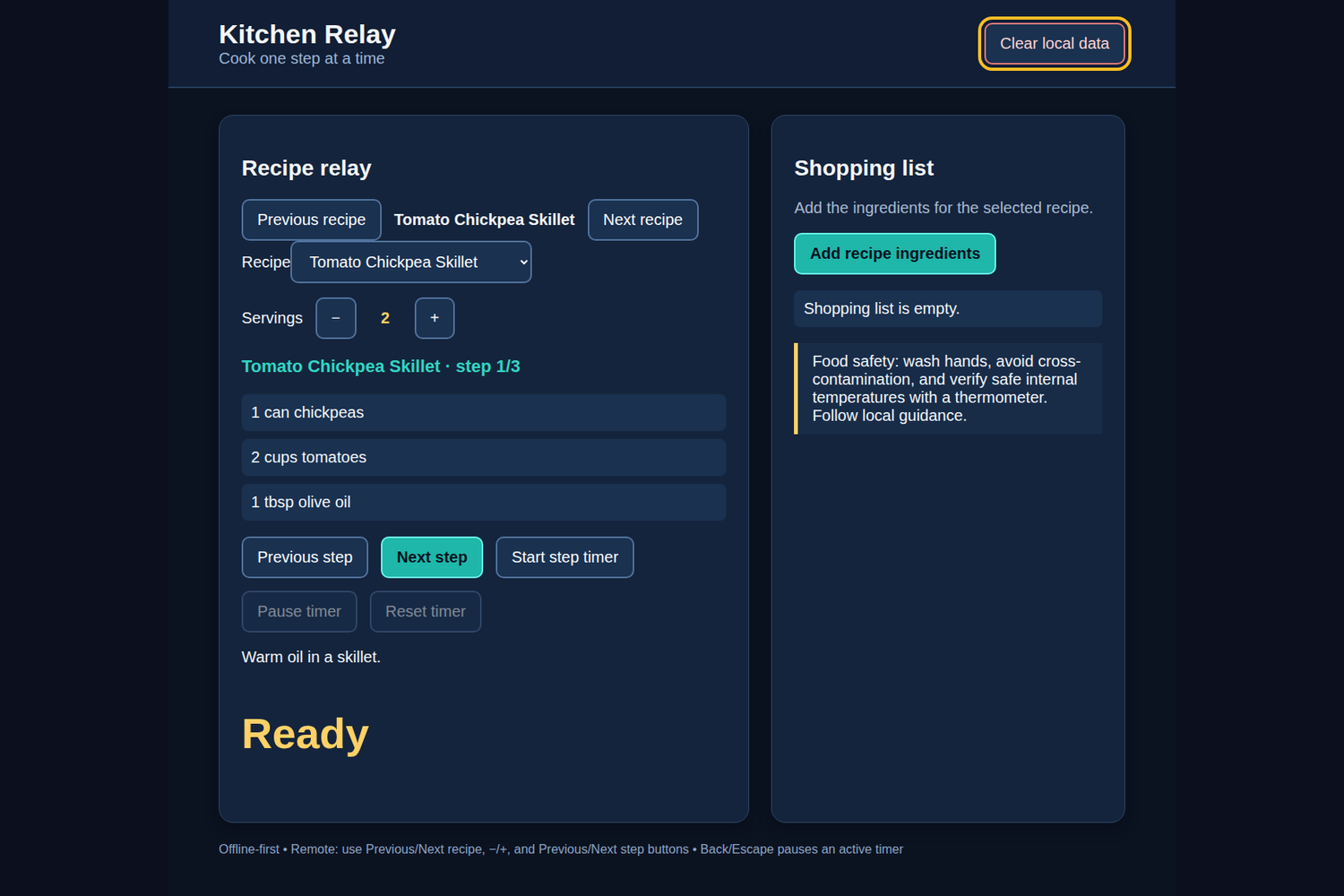
Kitchen Relay is designed for the moment when a cook wants a recipe visible at a distance without touching a phone. It keeps the active instruction, ingredients, serving adjustment, and a practical step timer in one remote-friendly screen.
What it does
The app contains six local recipes: Tomato Chickpea Skillet, Lemon Herb Couscous, Sheet-Pan Root Vegetables, Apple Oat Crumble, Ginger Rice Bowl, and Cool Cucumber Soup. Previous recipe and Next recipe move between them. Serving controls scale ingredient amounts, while Previous step and Next step move through each recipe’s three steps. Ingredient names can be added to a local shopping list, which is sanitized when loaded and can be cleared. The selected step has one active wall-clock timer: it can start, pause, resume, and reset. Changing the recipe or step resets that timer; there are not independent simultaneous timers.
How we built it
Kitchen Relay uses a native Android WebView host with bundled offline HTML, CSS, and JavaScript. The Java host blocks external resources and supplies packaged assets only. A domain module handles serving scaling, step bounds, timer formatting, and shopping-list merging; the interface uses explicit buttons rather than native select or number-input behavior. Large controls, high contrast, visible focus rings, and the shared TV runtime support DPAD and keyboard use. No network calls, analytics, external fonts, or runtime frameworks are included.
What we learned
A cooking interface benefits from explicit state transitions: the selected recipe and step define the one timer, and changing either must have an obvious reset rule. Sanitizing locally stored shopping data prevents malformed old values from breaking the screen. Remote-first controls are more dependable than assuming touch-like interactions.
Challenges
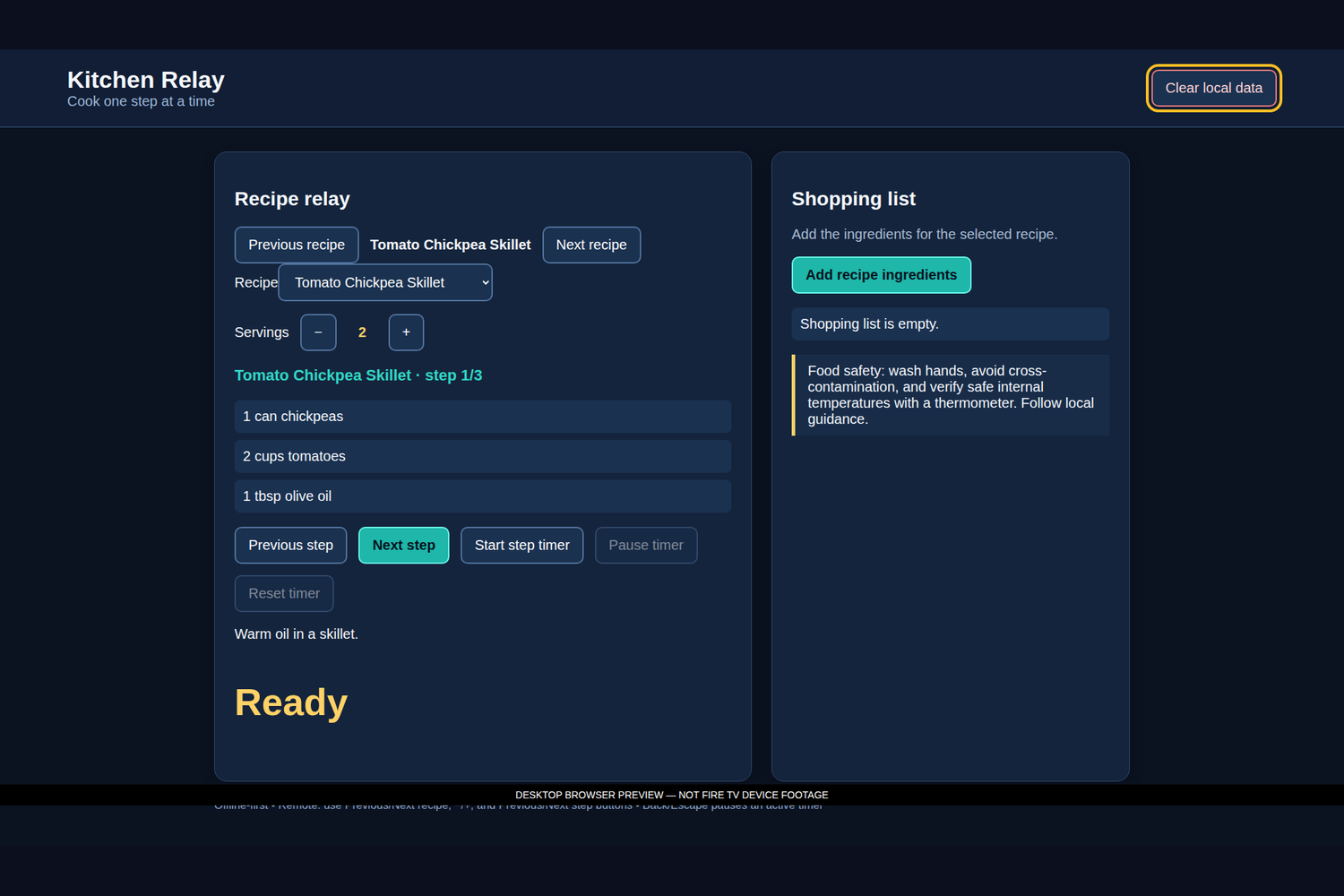
The UI has to keep recipe navigation, serving math, shopping data, and timer state legible without crowding the screen. Back/Escape pauses an active timer but remains normal navigation when idle. The included caption/media files are desktop local previews, not real-TV capture, and recipe content is local demonstration content rather than a live service.
Verification and next steps
Node domain tests and desktop Chromium flows were executed for scaling, step bounds, timer formatting, and shopping-list behavior. Physical FireOS hardware was not tested. Next steps are device acceptance for D-pad reachability, pause/resume, recipe and step resets, sleep/resume, persistence, overscan, text legibility, clear data, and no-internet behavior. This entrant-review draft was AI-assisted and should be checked against the source before submission.

Log in or sign up for Devpost to join the conversation.