-
-
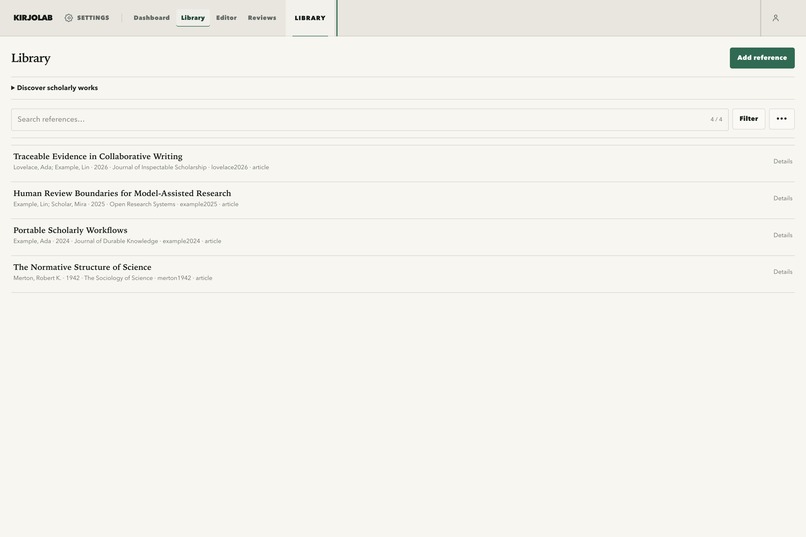
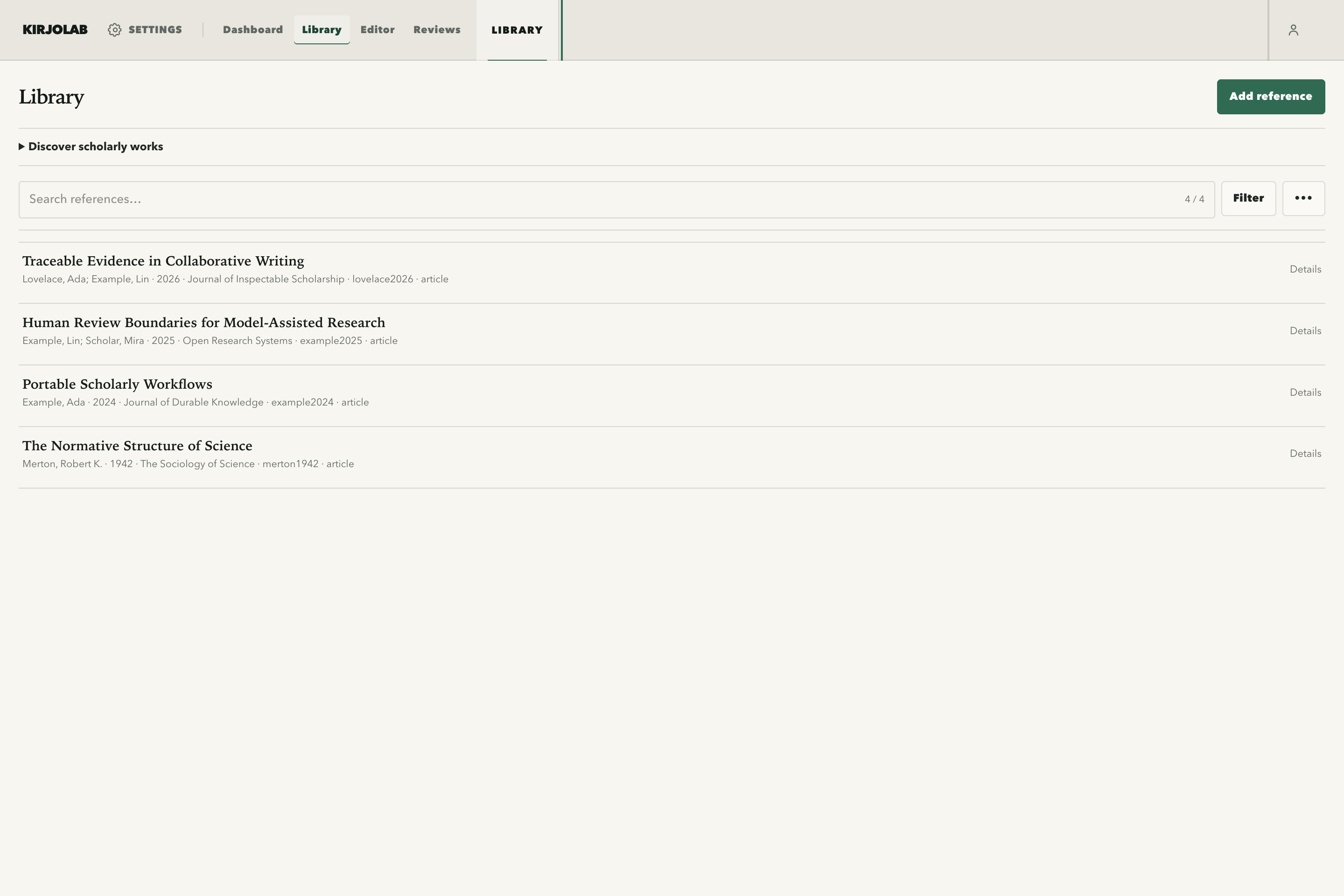
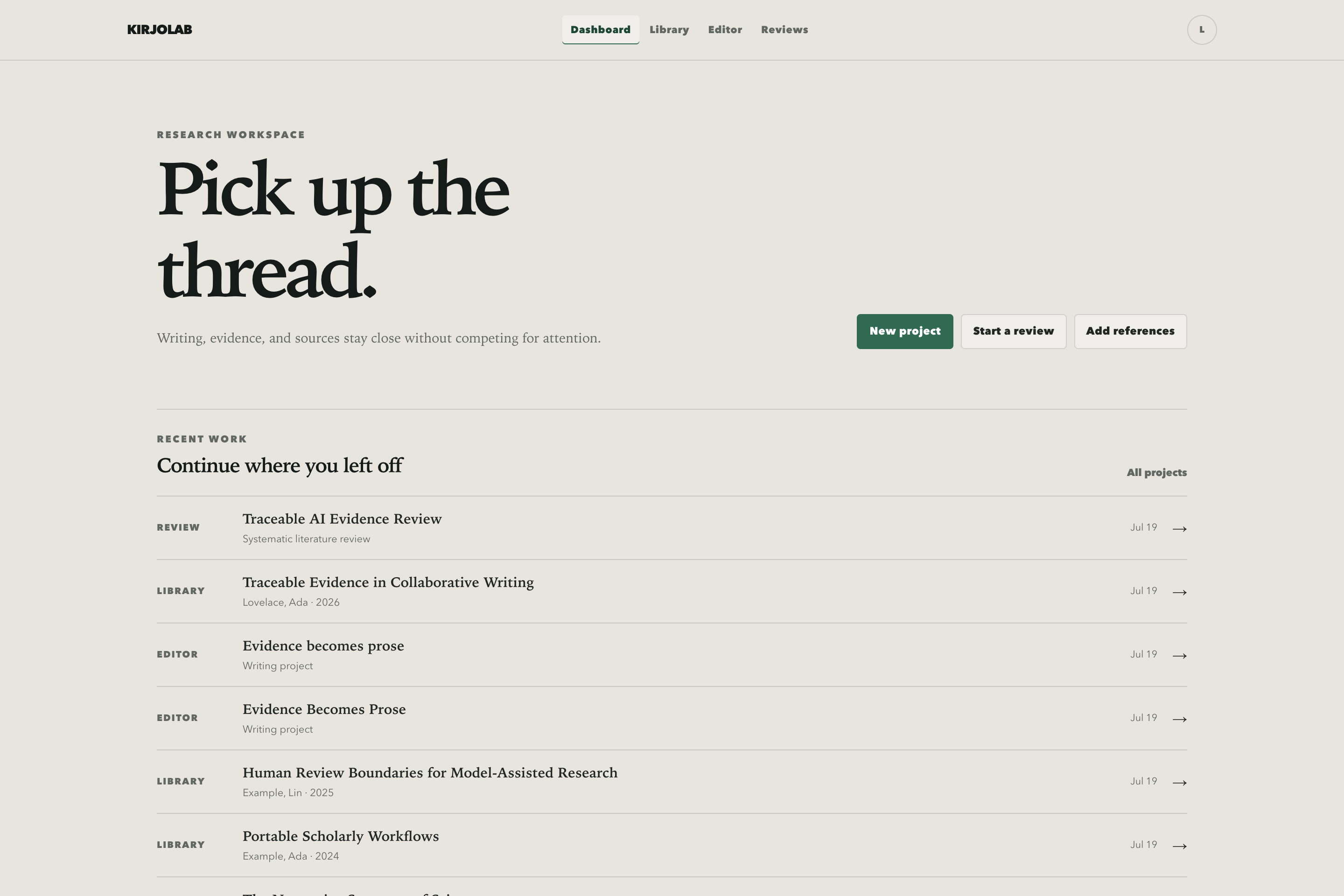
Organize references, PDFs, web captures, annotations, and reading state without tying research to a project.
-
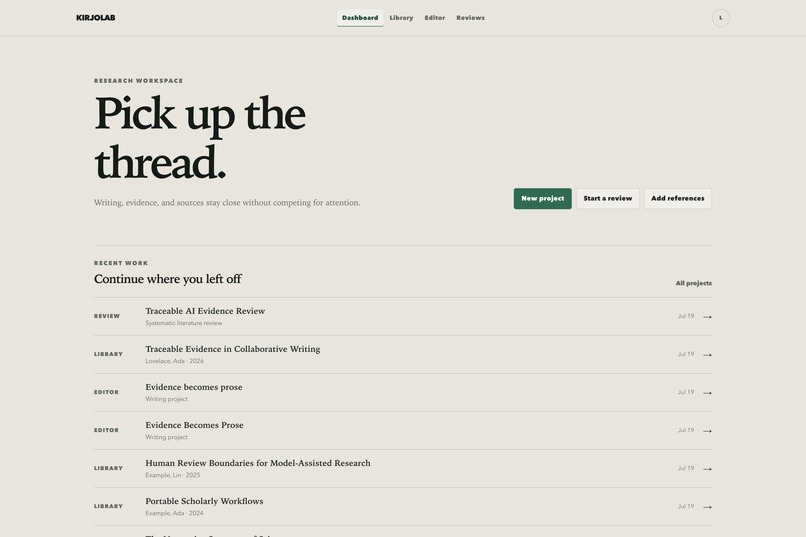
Recent projects, sources, and independent reviews stay condensed into fast paths back to the work that matters.
-
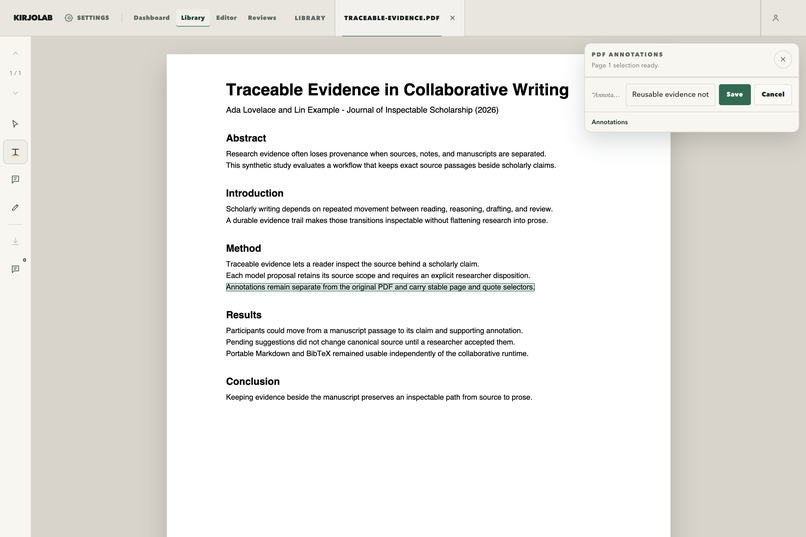
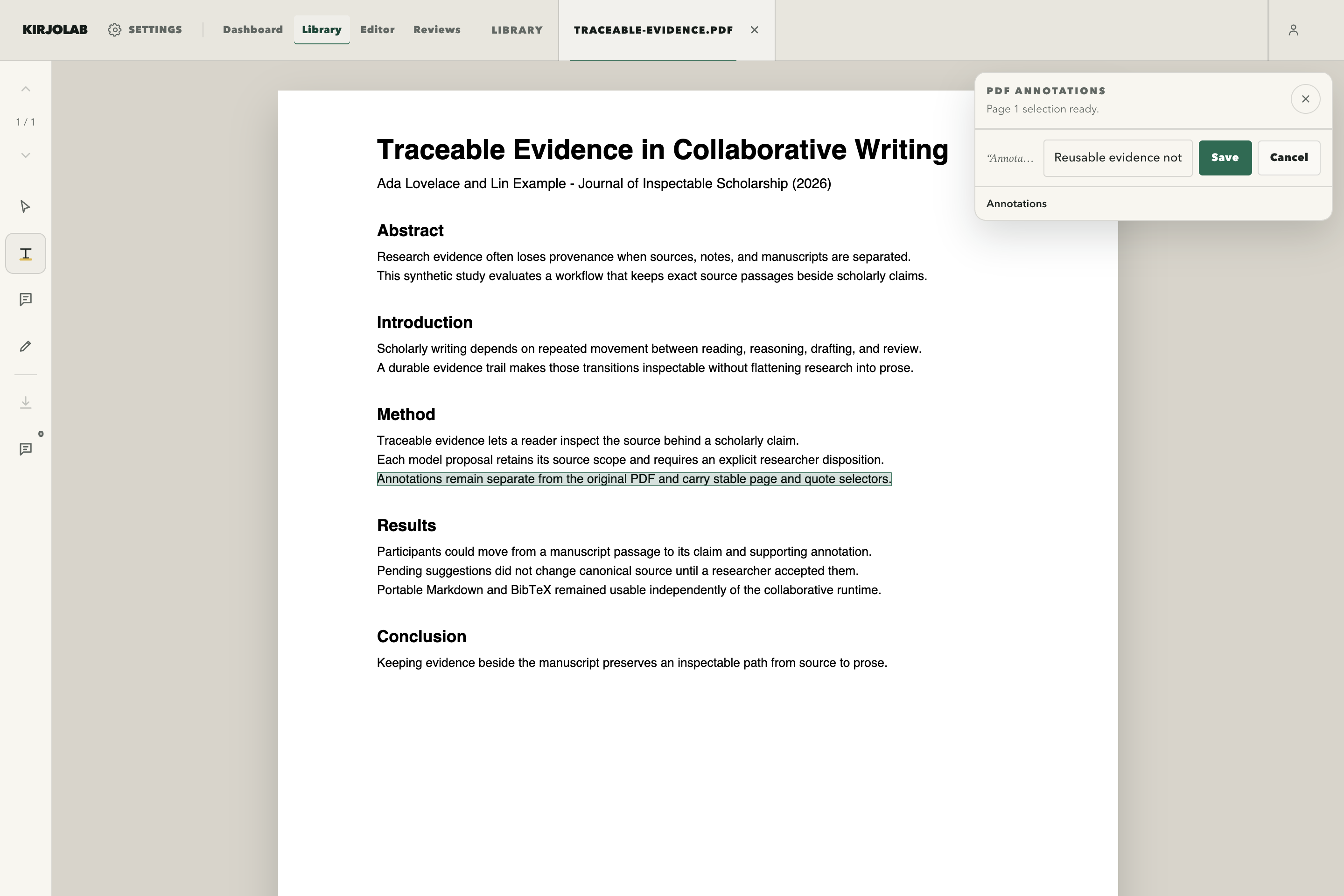
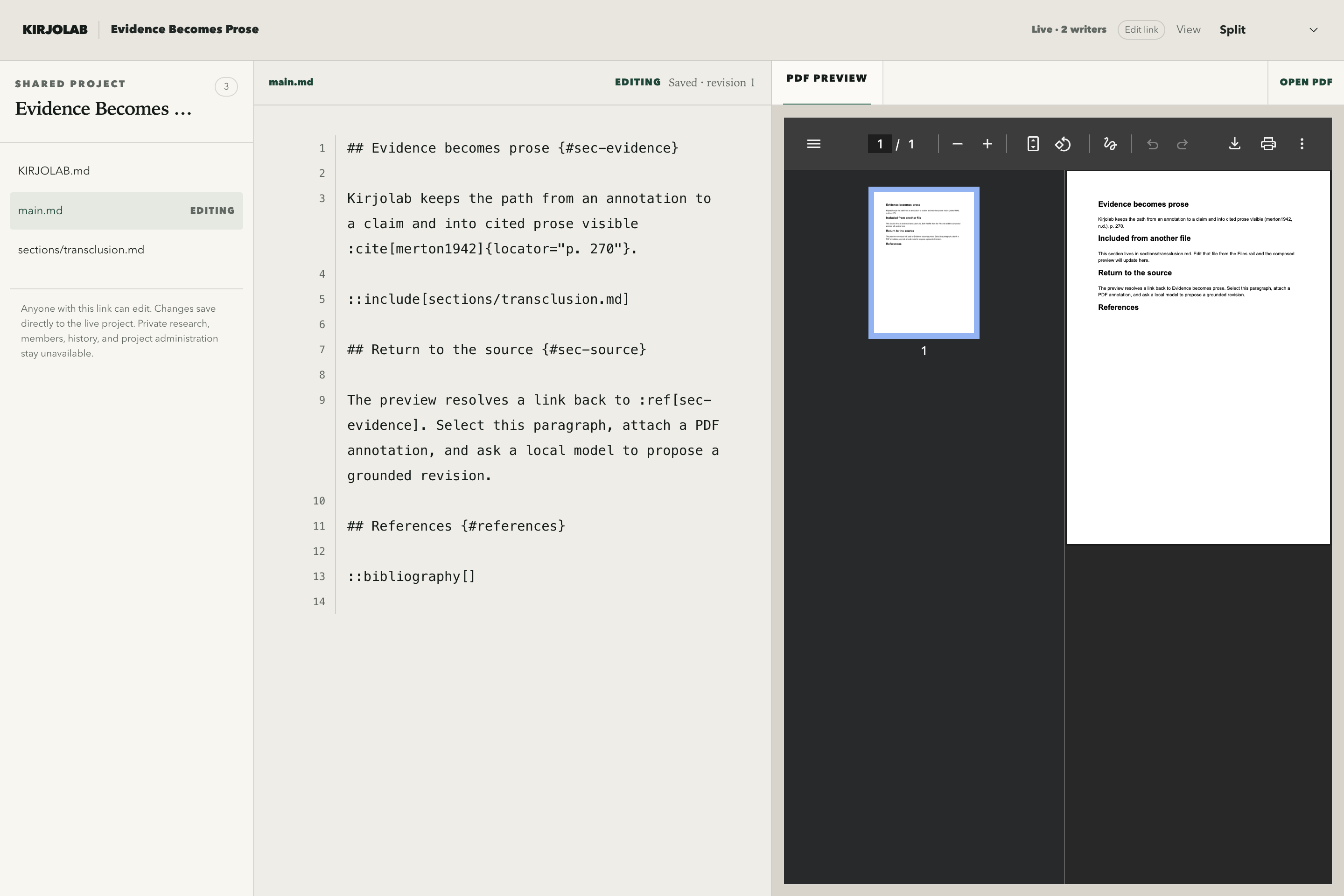
Select a passage, add a private note, and save its page and geometry without modifying the original PDF.
-
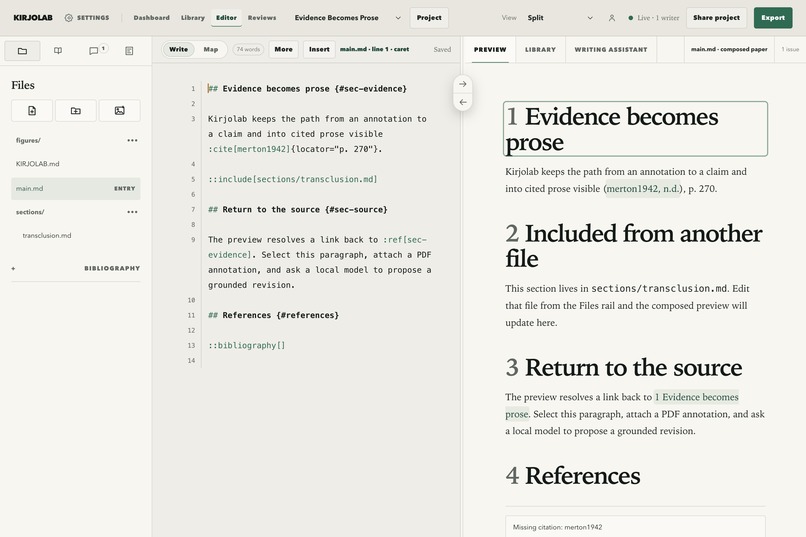
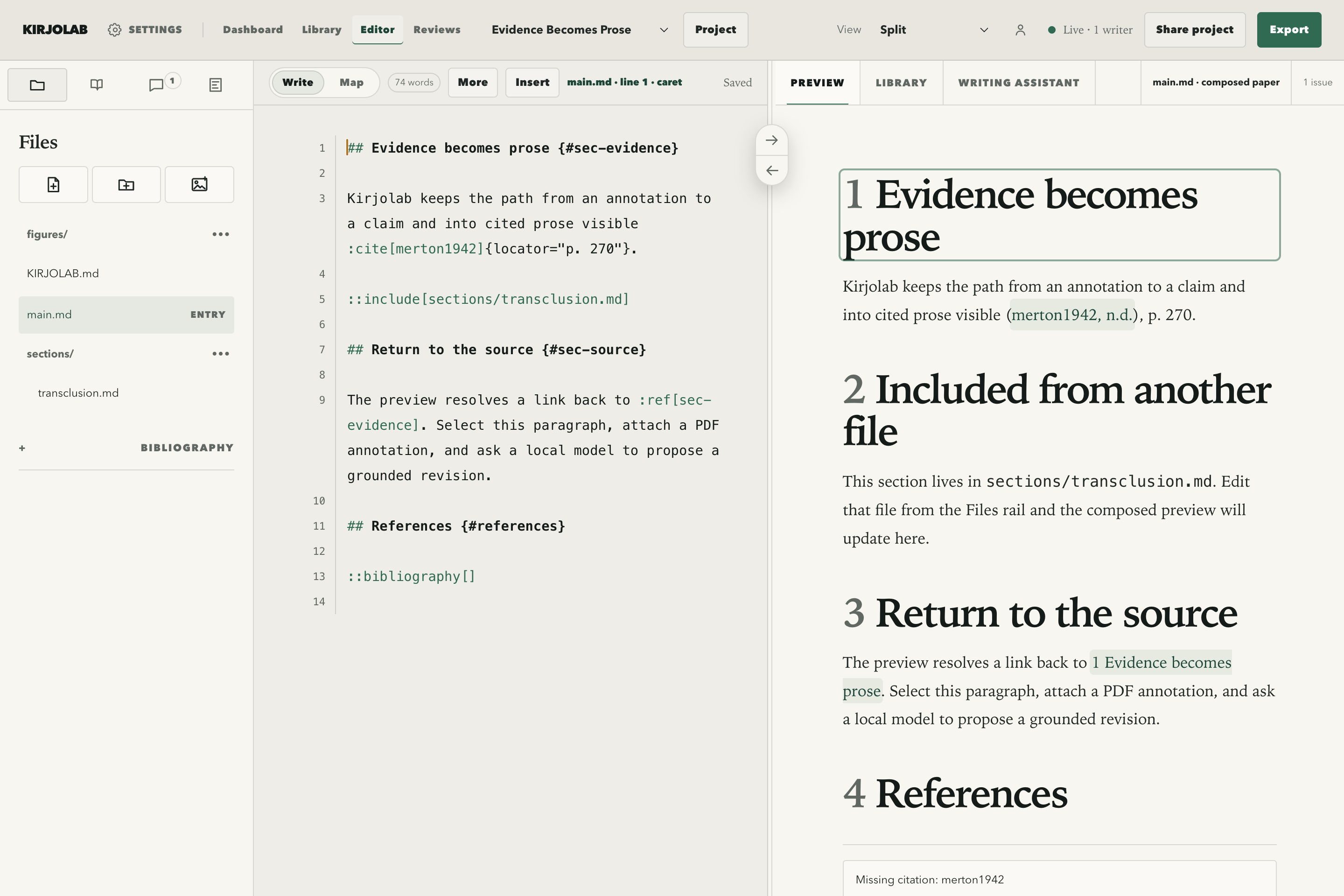
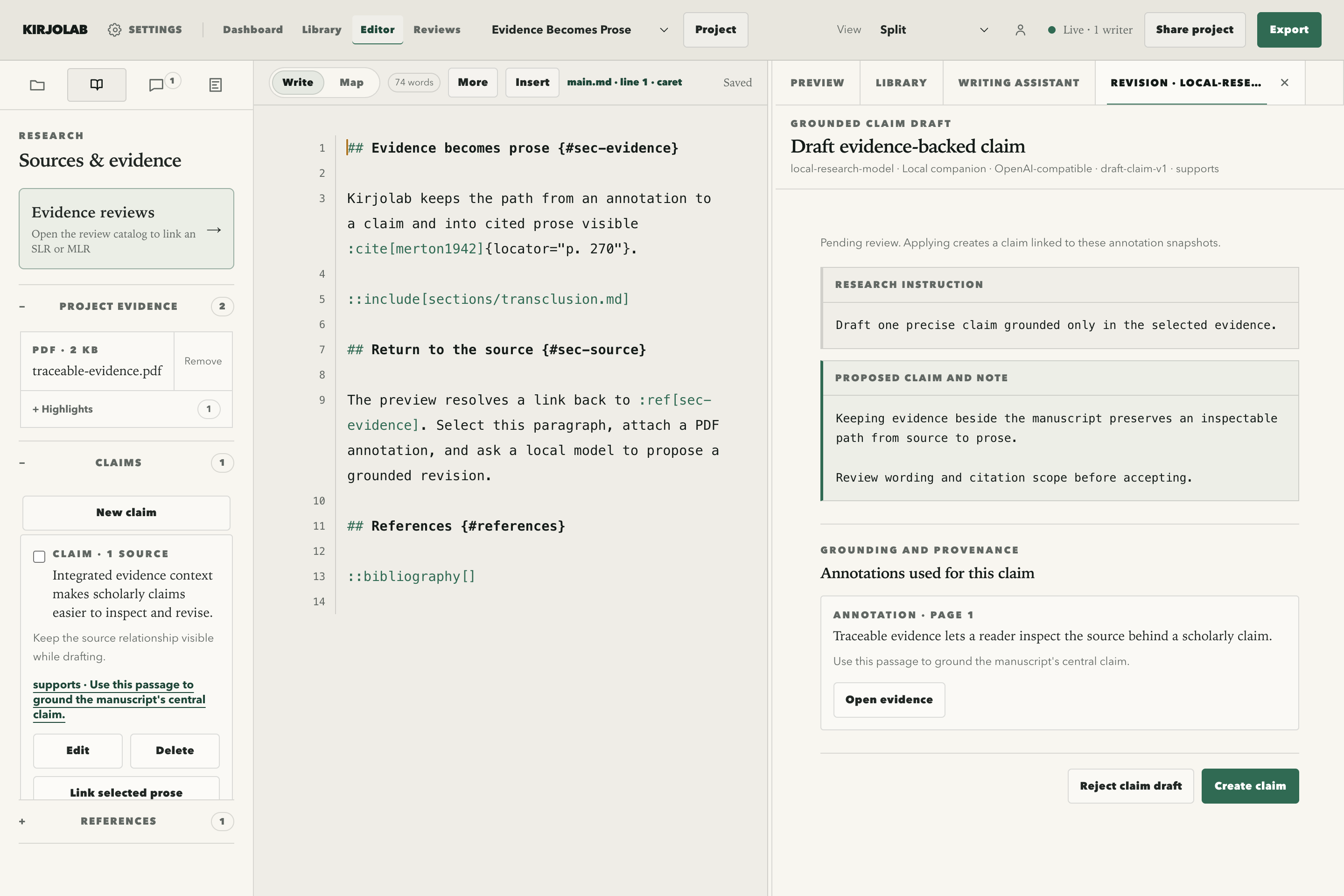
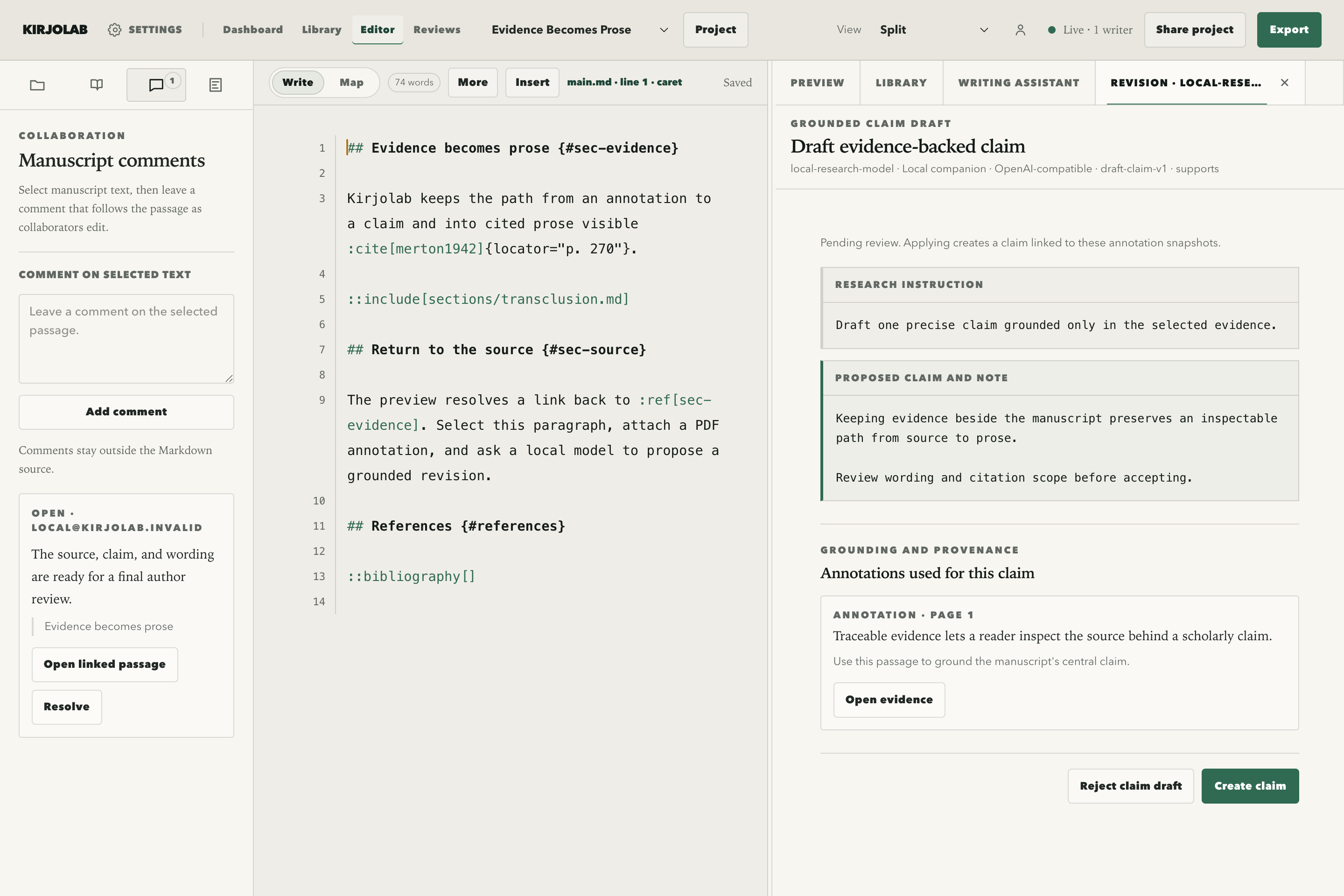
Plain Markdown and BibTeX sit beside a live scientific preview with citations, sections, and included files.
-
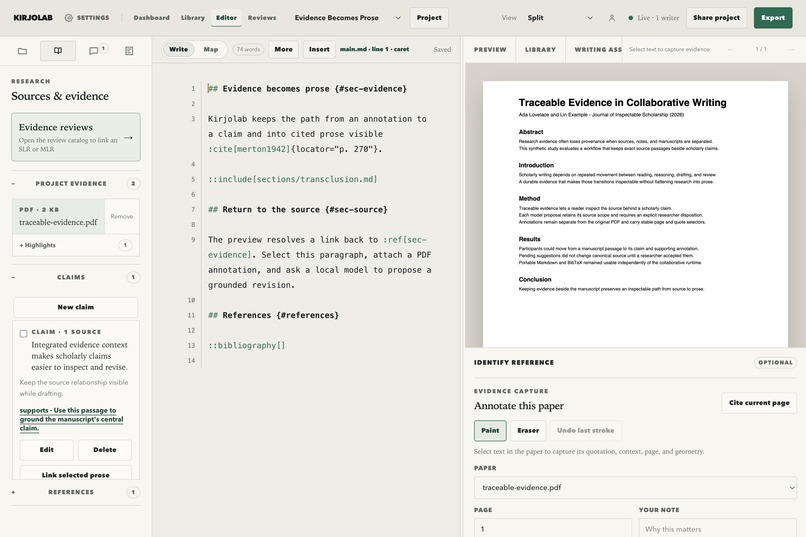
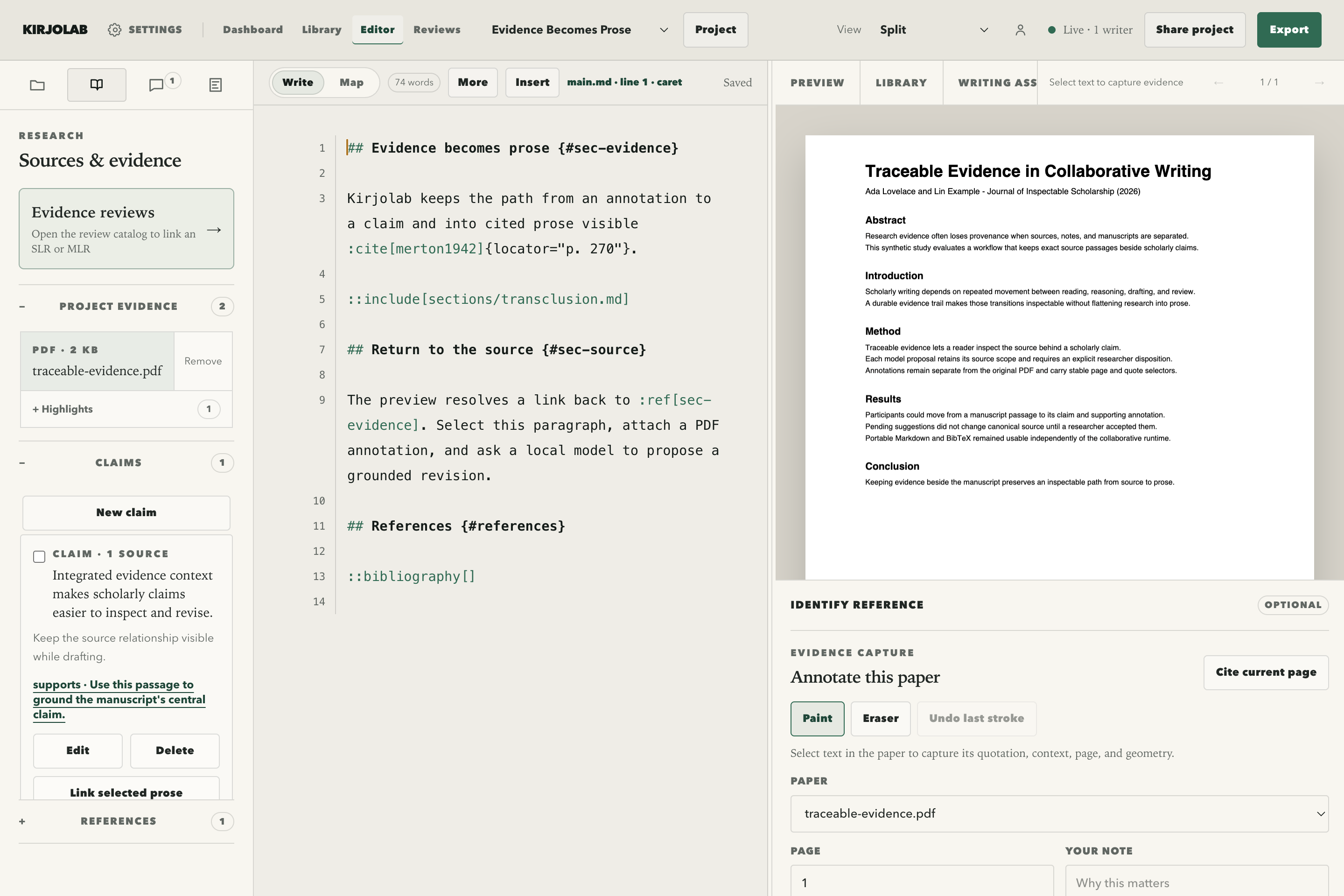
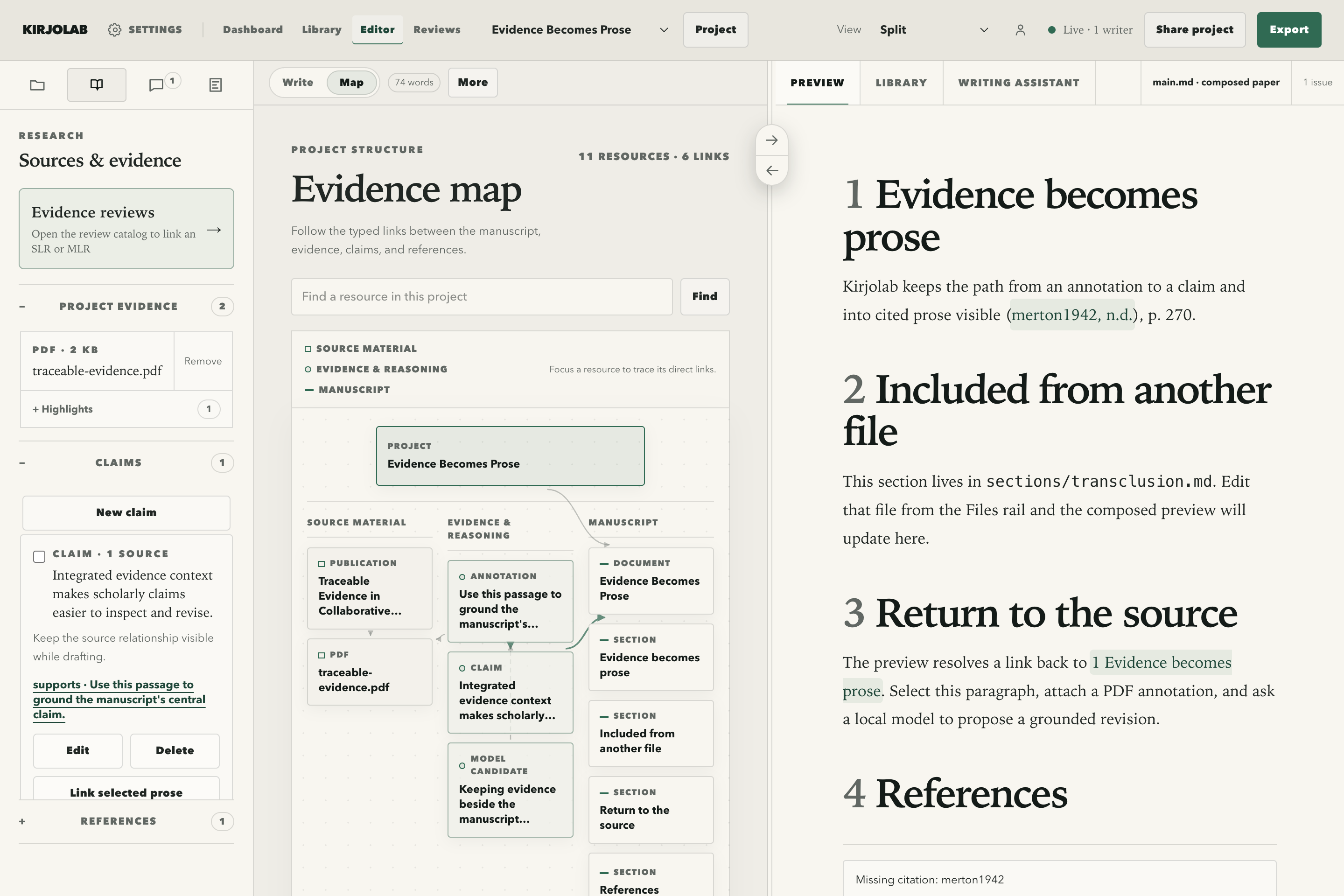
A manuscript claim stays linked to the exact PDF highlight that supports it, so provenance remains inspectable.
-
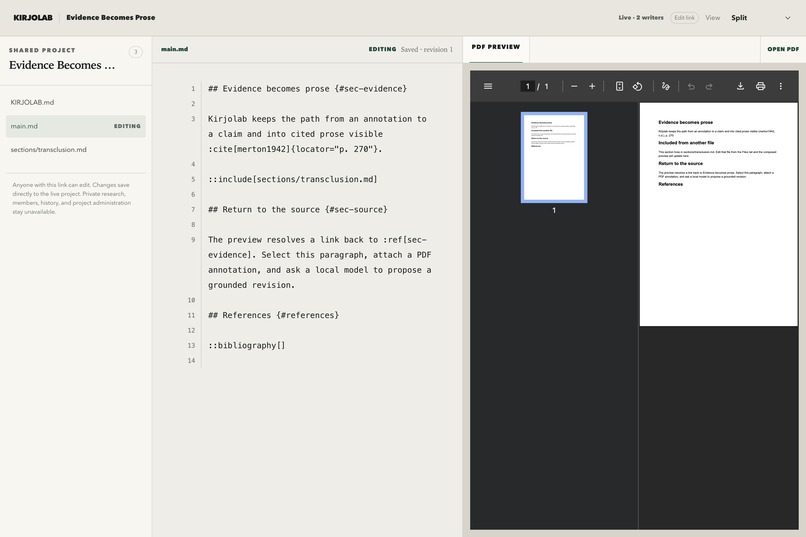
An edit link opens the familiar source-and-PDF workspace while private research, history, and settings stay hidden.
-
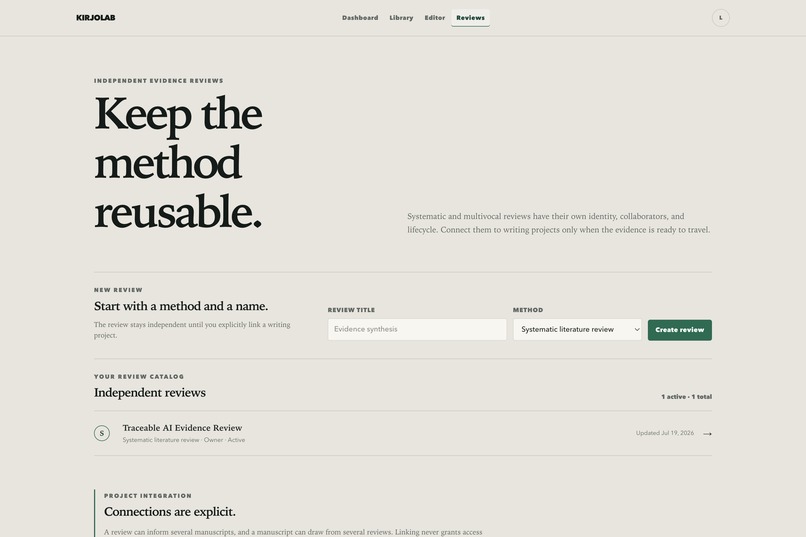
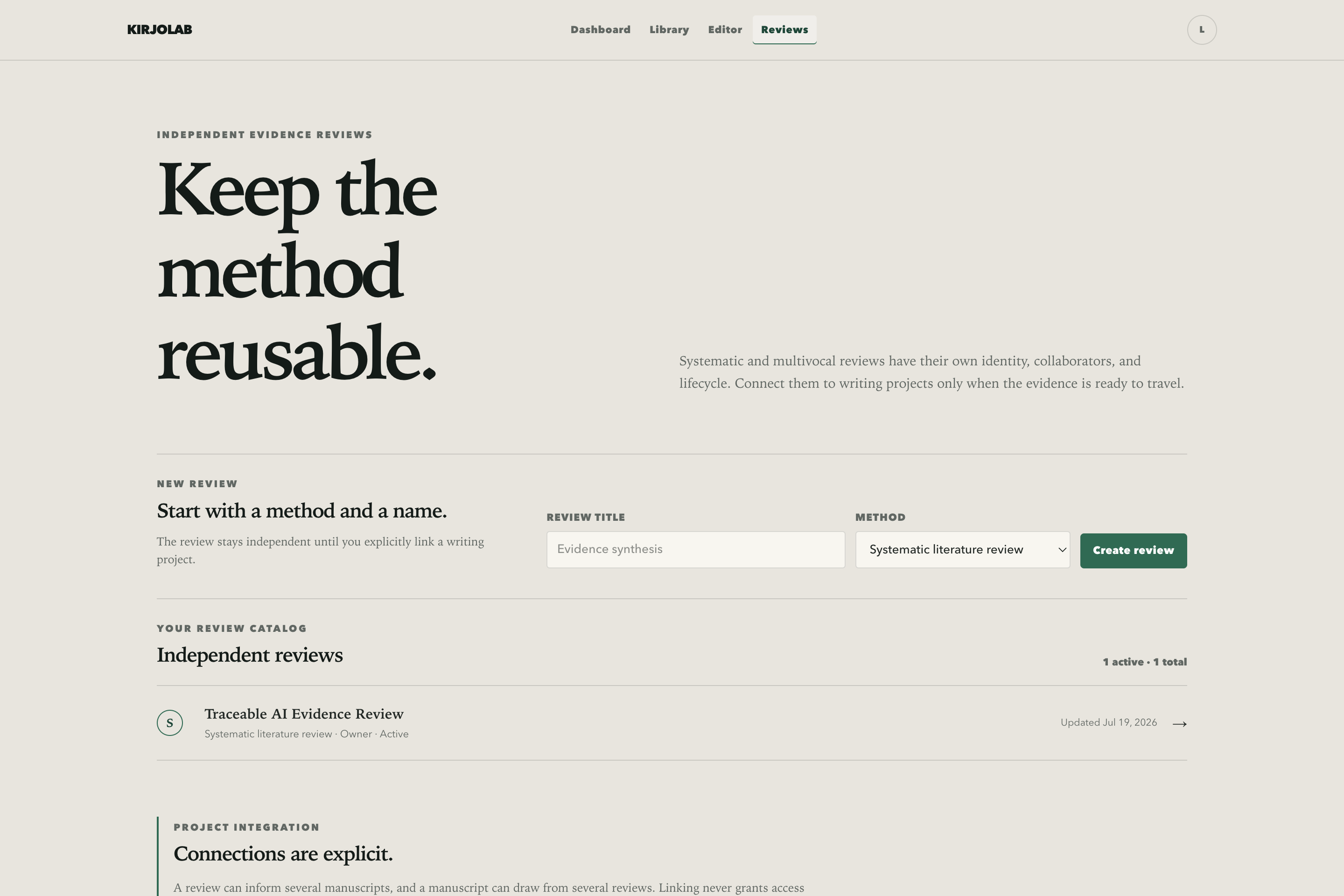
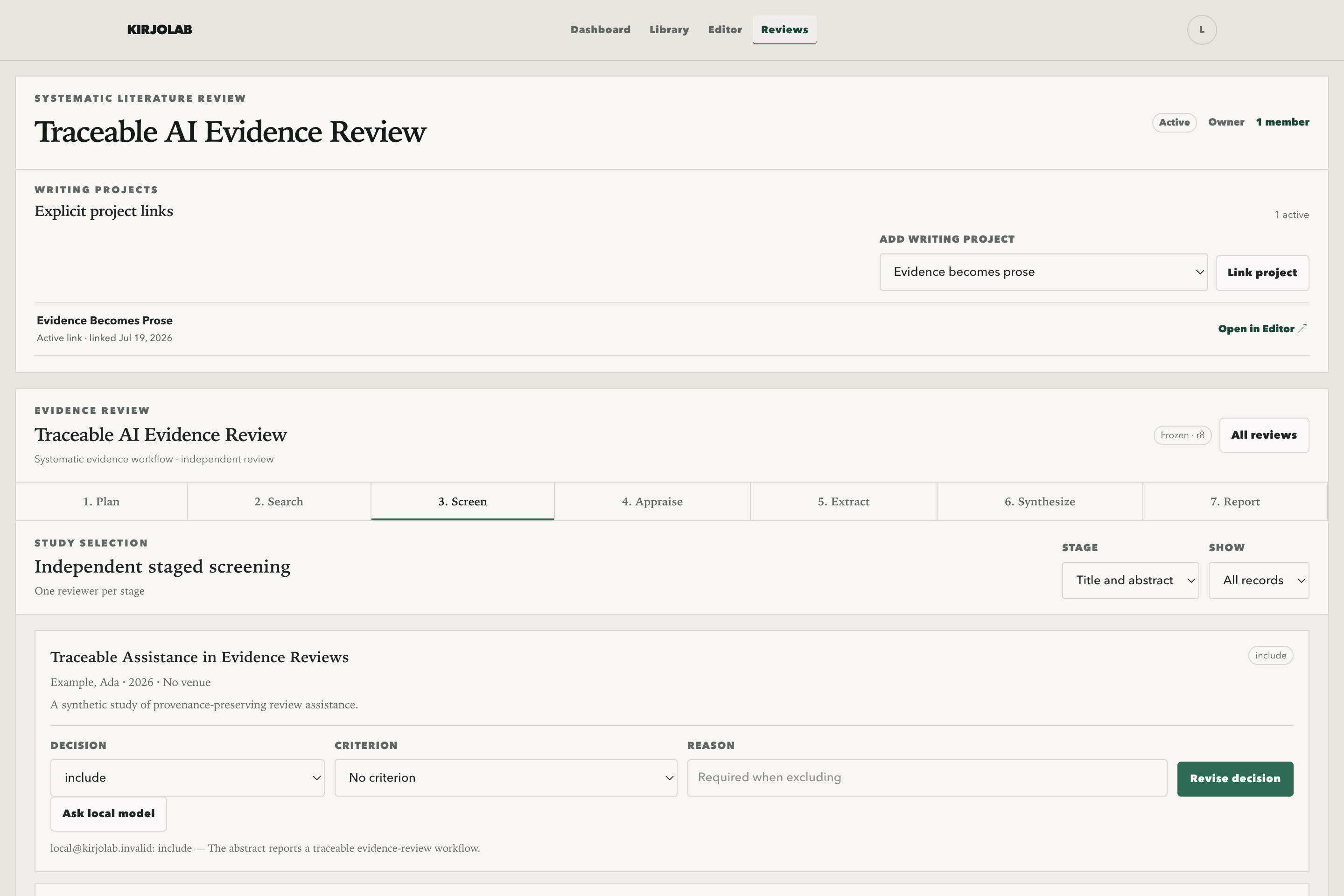
Systematic and multivocal reviews now have independent identities, roles, lifecycles, and entry points.
-
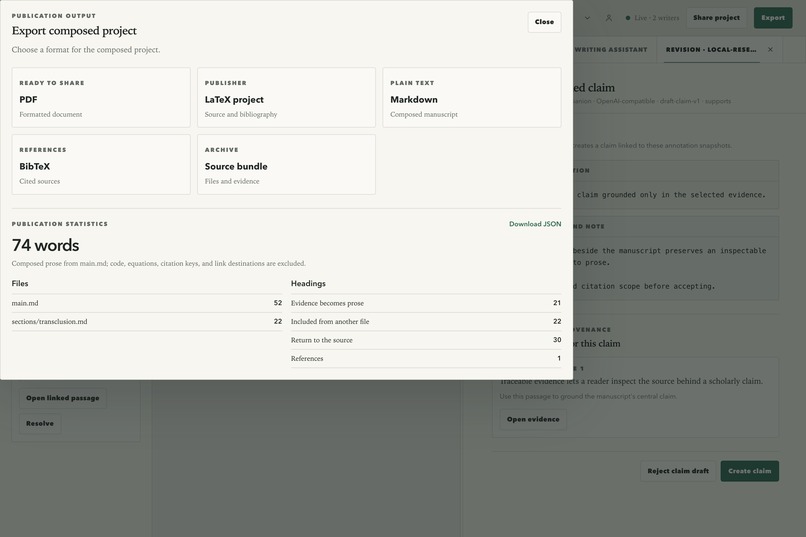
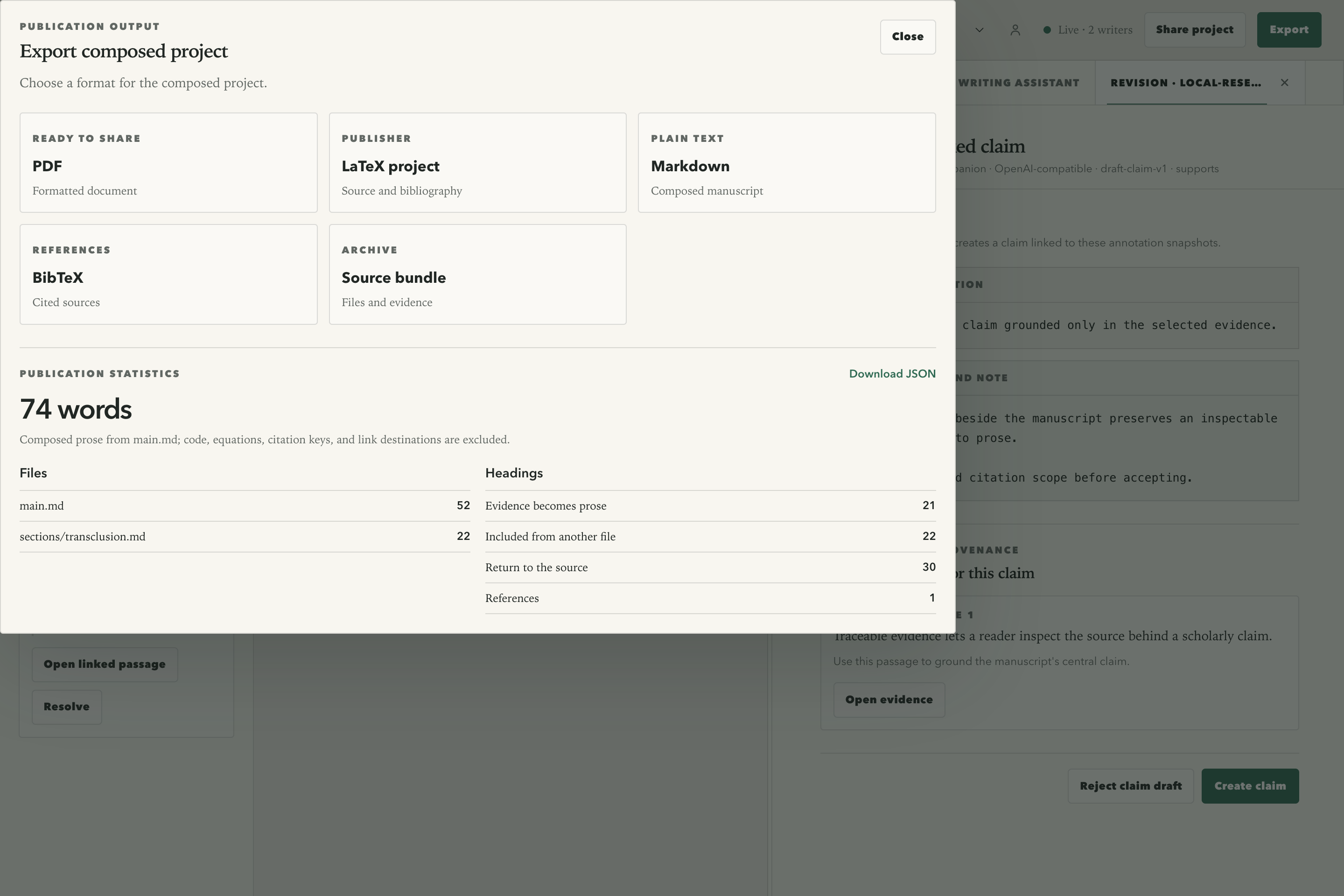
Download publication-ready PDF and LaTeX, readable Markdown and BibTeX, or the complete source bundle.
-
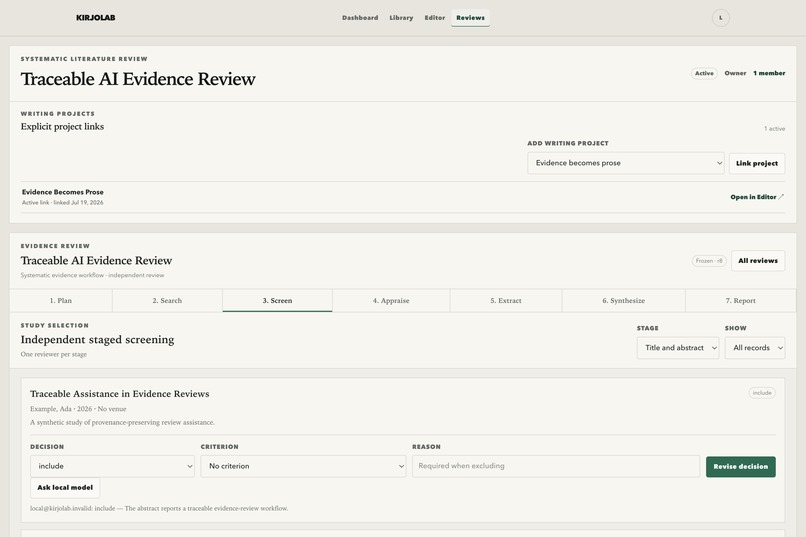
An SLR or MLR links explicitly to projects, then carries frozen criteria through append-only screening.
-
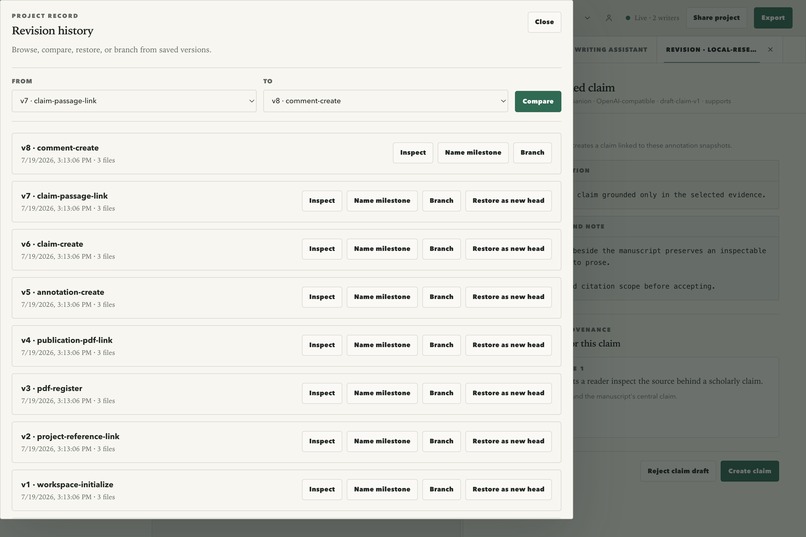
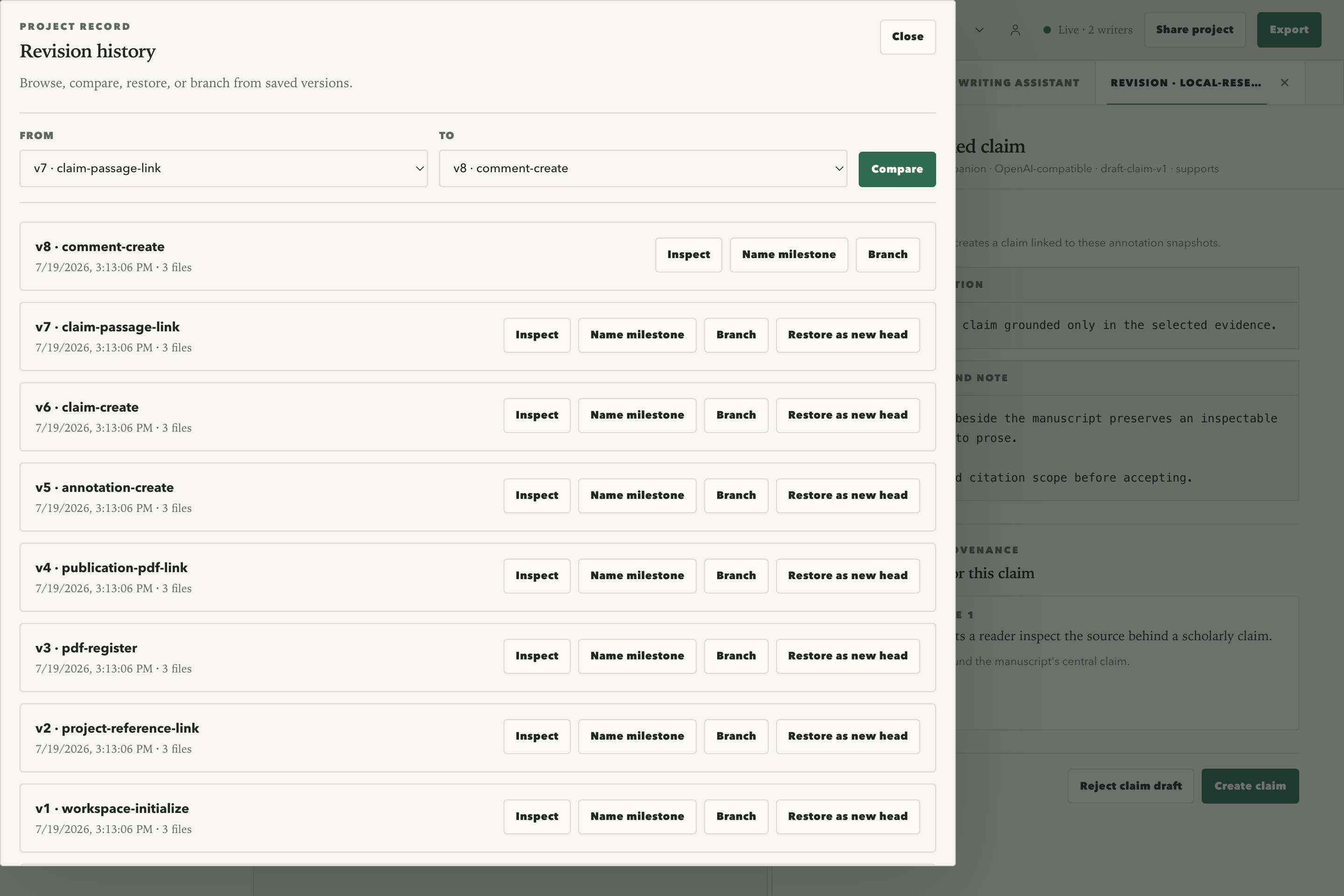
Compare, name, branch, or restore project revisions without giving up the current draft.
-
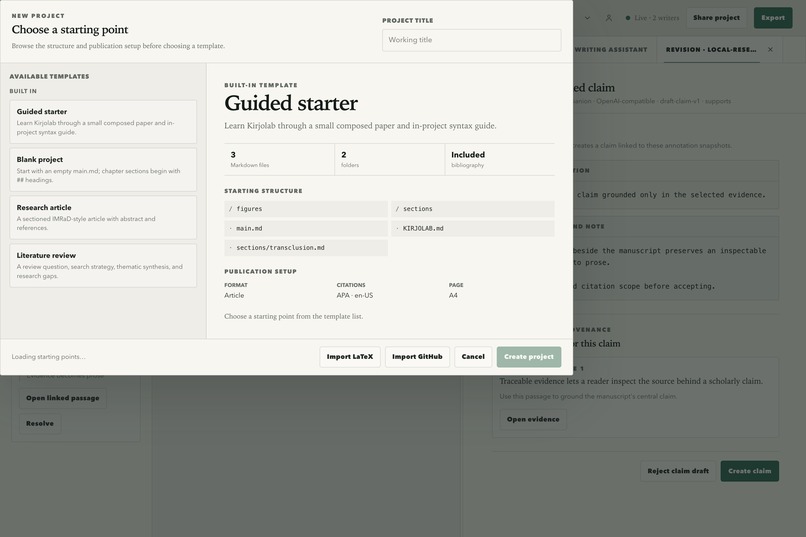
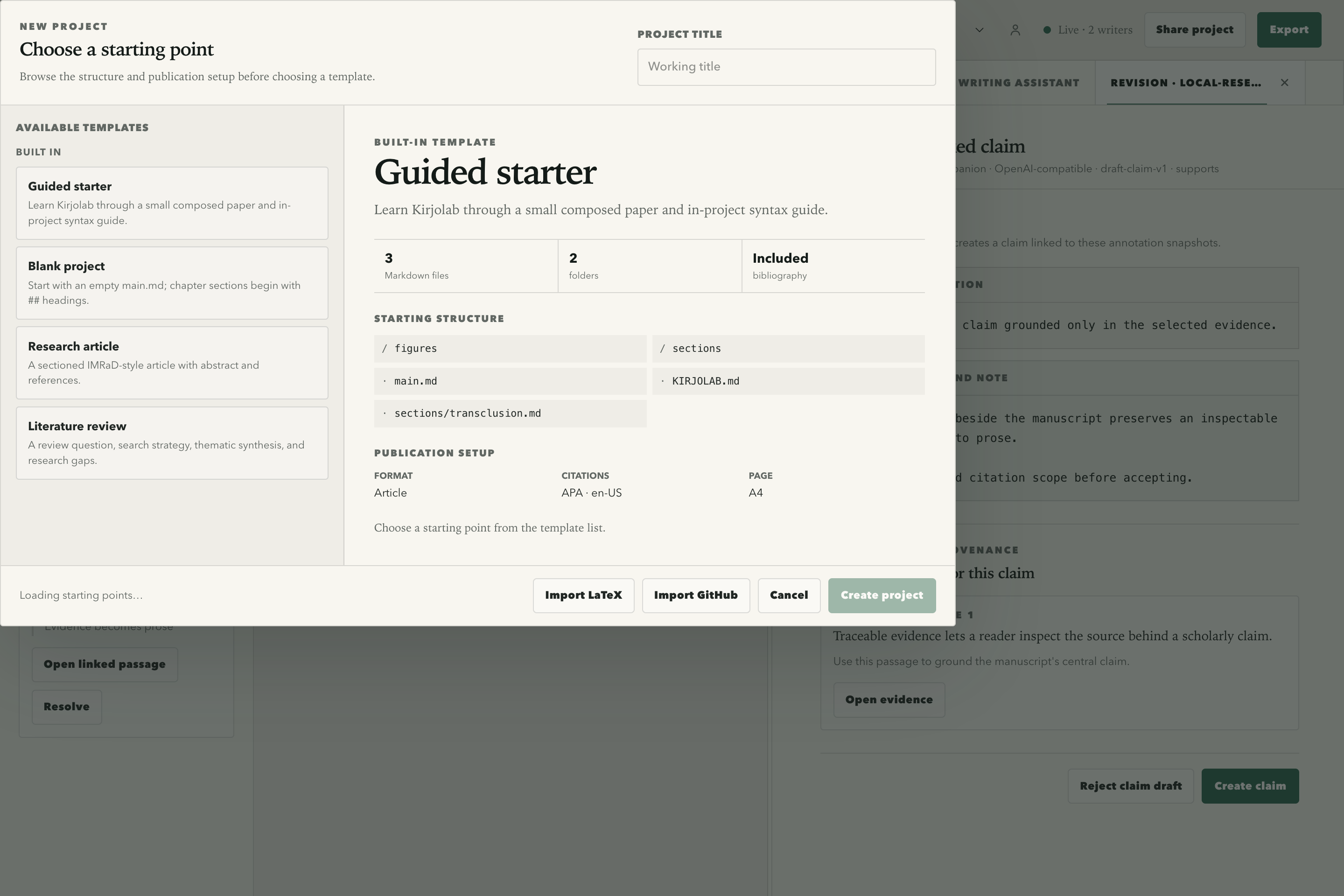
Preview structure and publication settings before choosing a template or importing LaTeX or GitHub content.
-
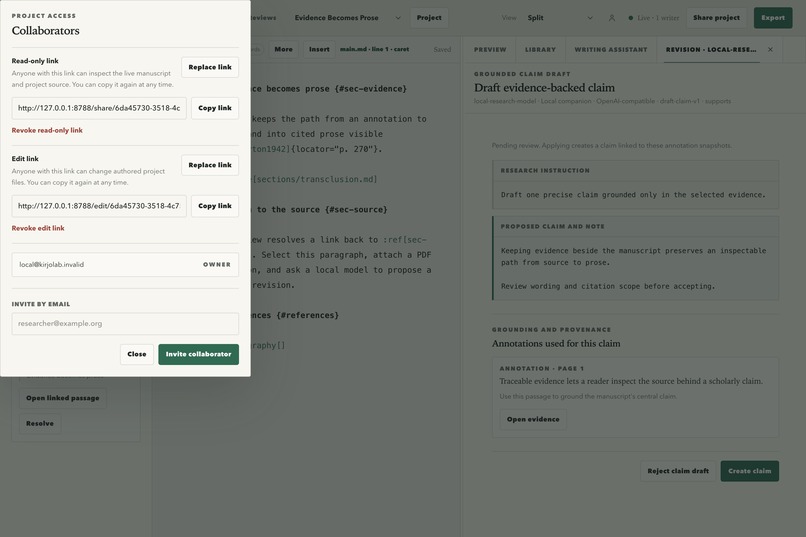
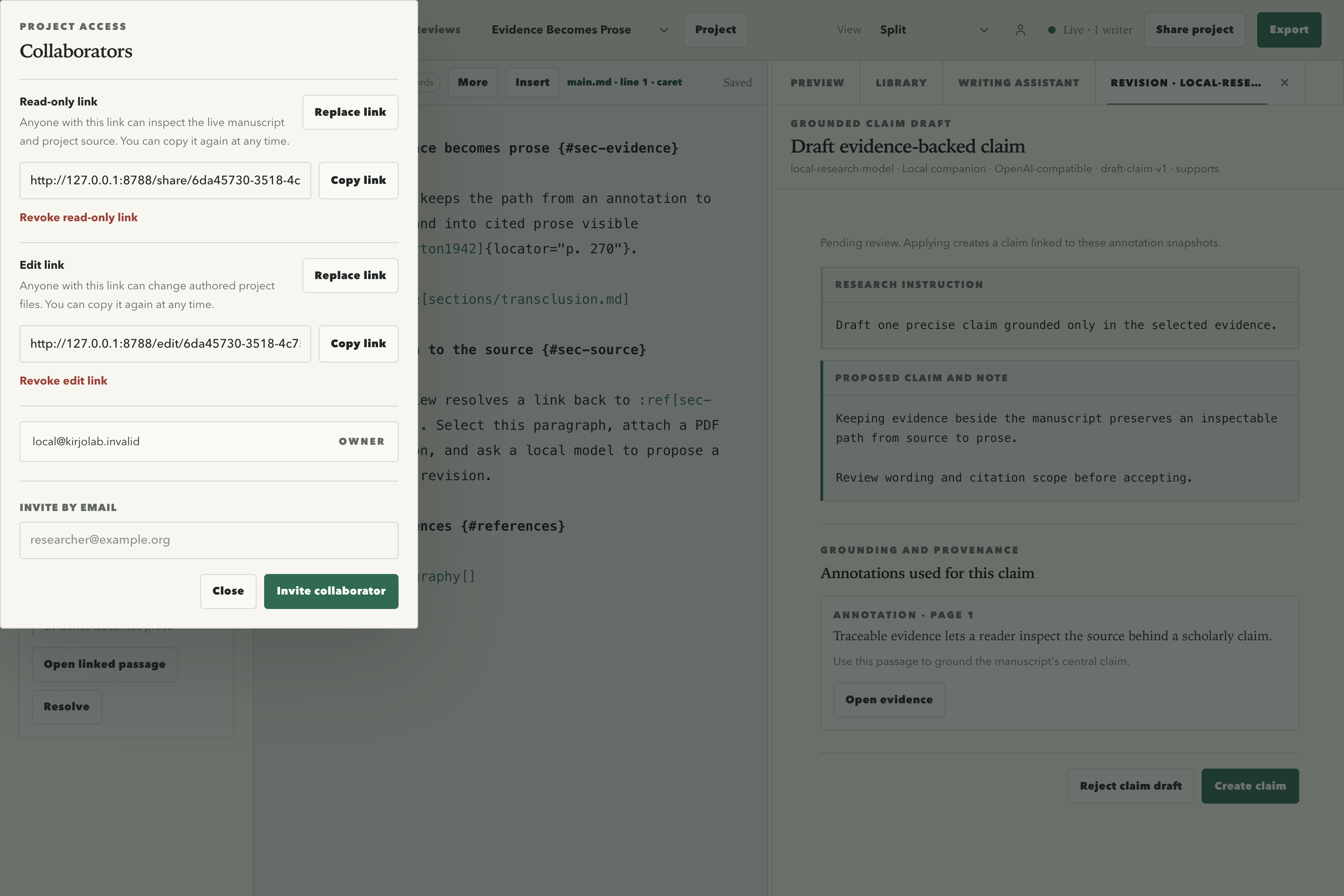
Create or revoke separate read-only and edit links without asking collaborators to make accounts.
-
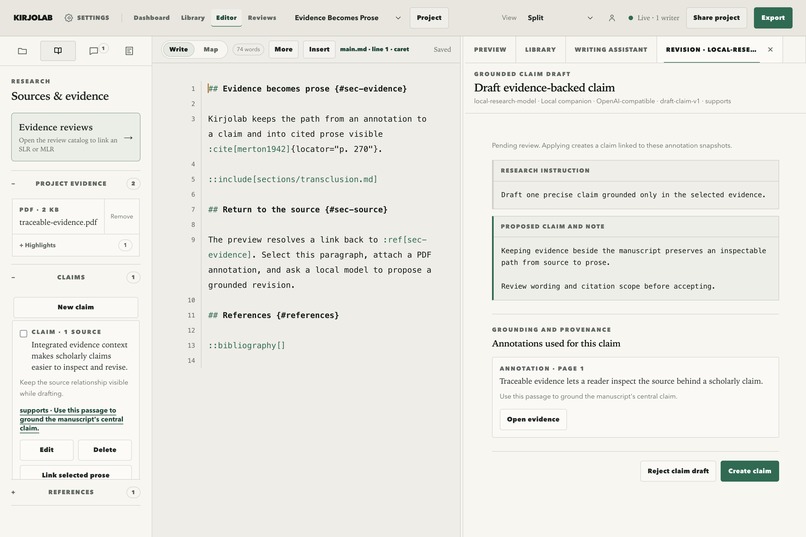
Every local-model suggestion shows its target, evidence, model, and provenance before a researcher accepts it.
-
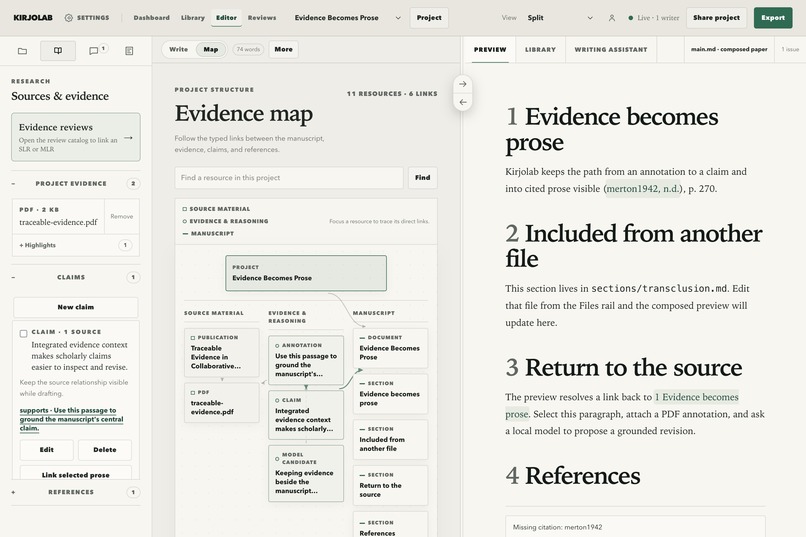
Typed links reveal how projects, manuscript sections, publications, claims, and model candidates connect.
-
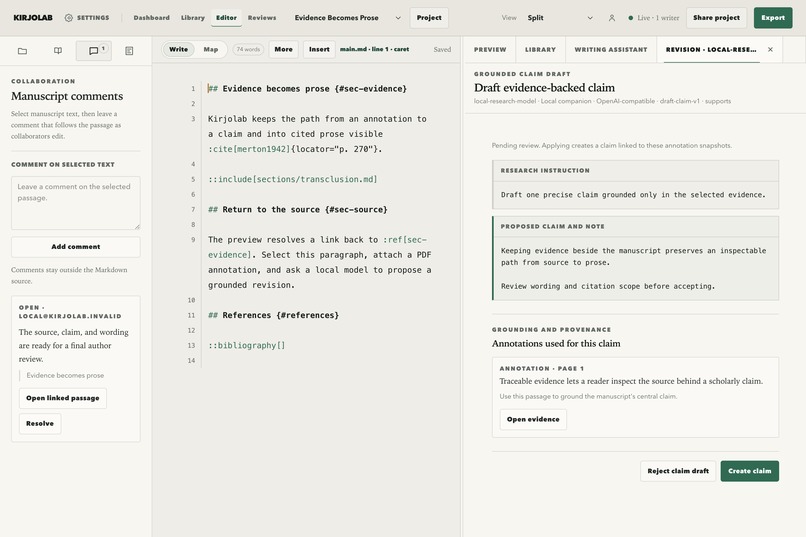
Anchored comments, live presence, and pending suggestions stay outside portable source until reviewed.
Inspiration
I've been active in web development research since 2022 as I started my doctorate completed in 2025. During this time I learned to use tools like Overleaf, Zotero, and Parsifal but the integration between these tools felt strained at best. Besides my personal research, I advise students and teach so there's a pedagogical aspect to my work.
I've been experimenting with GPT models during the past few months and building small applications for myself while being increasingly impressed by the models and becoming more confident in my building skills. As GPT-5.6 was launched, I was excited to try to use it to build the scientific authoring application of my dreams. That is how the idea for Kirjolab was born.
What it does
Essentially Kirjolab takes some of the best ideas from Overleaf, Zotero, and Parsifal and packages them to a single application. Instead of commonly used LaTeX, it uses a scientific variant of Markdown for authoring which I find more pleasant to use. In addition I added LLM integration to enable smooth collaboration with the latest tools to support my workflow. In short, Kirjolab makes my life as a researcher easier as now I have a single surface where to have it all.
How we built it
I have developed a project bootstrap I call vibe-template over the past few months. vibe-template captures what I consider the best practices for developing web applications on top of Cloudflare stack and I keep improving it based on my learnings. Essentially this harness keeps models straight and helps them avoid common issue through strong validation although there are always gaps in this process especially at the UI side.
Before the project, I had been playing with the idea of a scientific variant of Markdown in another project. That spike helped me understand that Markdown can be a good scientific authoring format especially when extended. To go from there, I used GPT-5.6's new Ultra mode that spawns subagents to come up with a strong initial plan and over the past week I iterated on the functionality to reach a feature complete version that works well for my workflows and usage patterns (for example annotating on iPad and using the application offline).
Challenges we ran into
I have to admit I didn't have any bigger challenges during the project. There were some UI glitches where I had to literally show GPT what's wrong and I ended up using Chrome integration (CDP, likely should have gone with MCP) to get certain UI bits fixed.
I think the biggest challenge with GPT has to do with UI right now but with some guidance even UIs are possible. It's likely the ambiguity related to UI design that makes it a hard task as it relies on your personal taste and often there is something subjective to UI design.
Accomplishments that we're proud of
I was surprised I was able to build a working application with valuable functionality so fast. I think I could not have done this even a few months ago as I was not so well versed with agentic development and the tools weren't as mature as now. For me, GPT-5.6 seems like a gamechanger in a good way.
What we learned
Doing this project helped me to appreciate the capabilities of the latest models while showing me the value of having strong scaffolding around it. Most likely the project would have taken far longer without a strong starting point and design vision. Even the strongest model needs careful thinking around it.
What's next for Kirjolab
I have several writing projects to finish so I'll trial my application personally. I might try to get a researcher or two interested in testing it to gain further feedback. I have initial functionality for SLR/MLR style research but likely that will require more iteration to see especially how integration with AI can work in a transparent and responsible manner.
Built With
- cloudflare
- codex
- gpt-5.6
- pdf.js
- tailwind
- typescript
- xstate
- yjs

Log in or sign up for Devpost to join the conversation.