Inspiration
I post photo roundups of sushi counters, and I share VRChat screenshots. One dinner ends up as three different posts. A wide shot of the counter gets chopped into three unrelated squares by a profile grid. Four close-ups that belong in one post arrive at four different sizes and sit there as a ragged block. And a dozen more photos that should have been one image stay a dozen photos.
The web tools that fix this are ad-heavy, and they upload your photos to someone else's server. I wanted the measuring to happen on the photo, on the phone, and nowhere else.
What it does
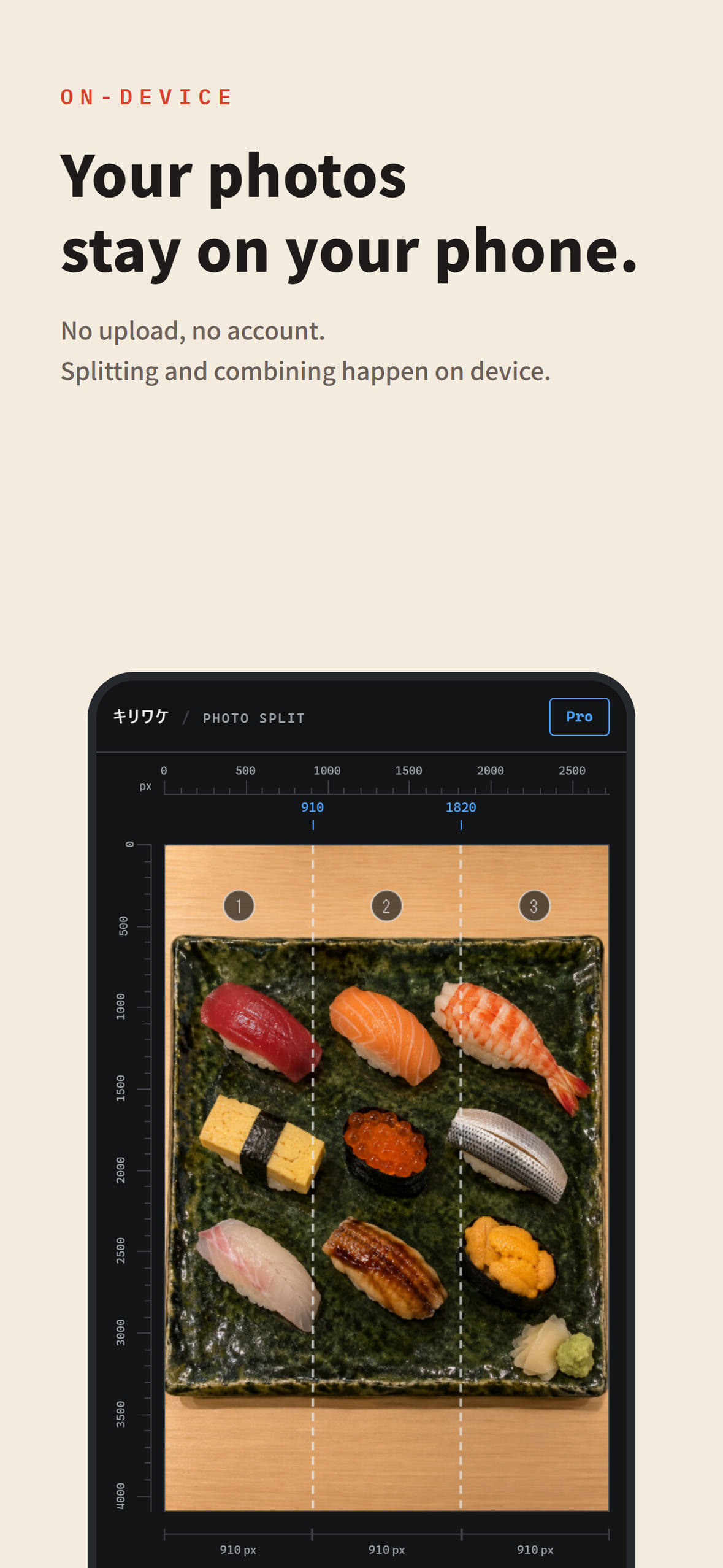
Kiriwake ("cut and divide" in Japanese) has three modes, and all three draw their numbers on top of your photo. Split and Align hand back files numbered in the order you should post them; Combine hands back one image.
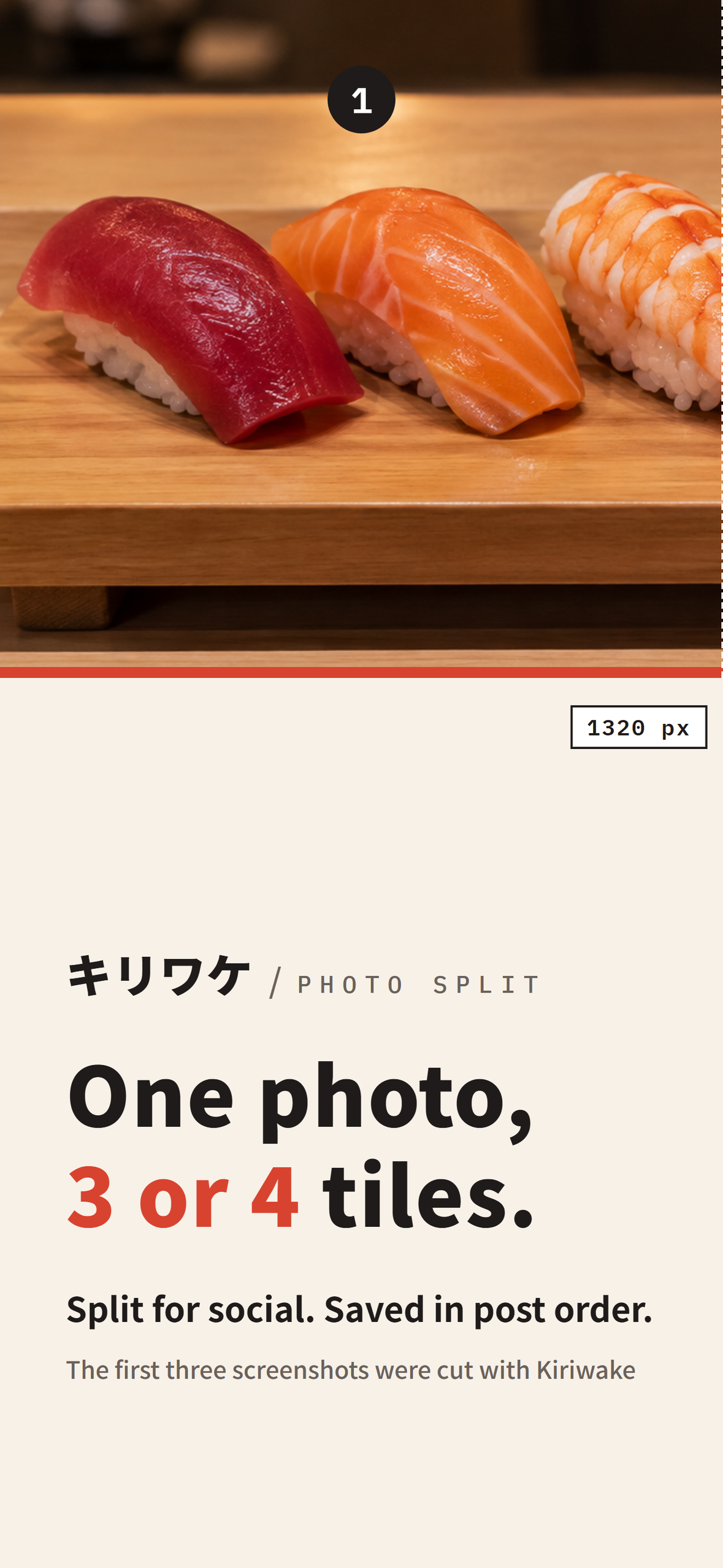
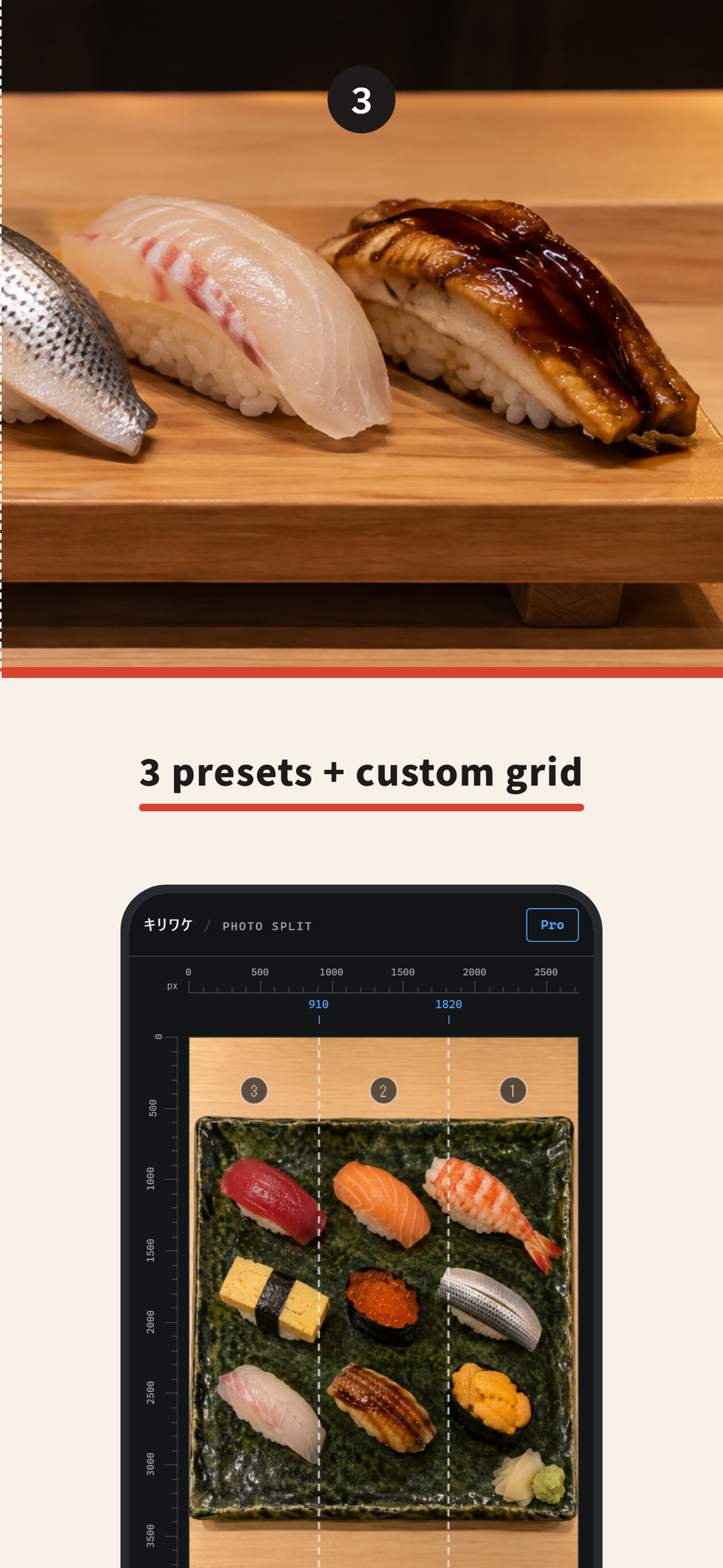
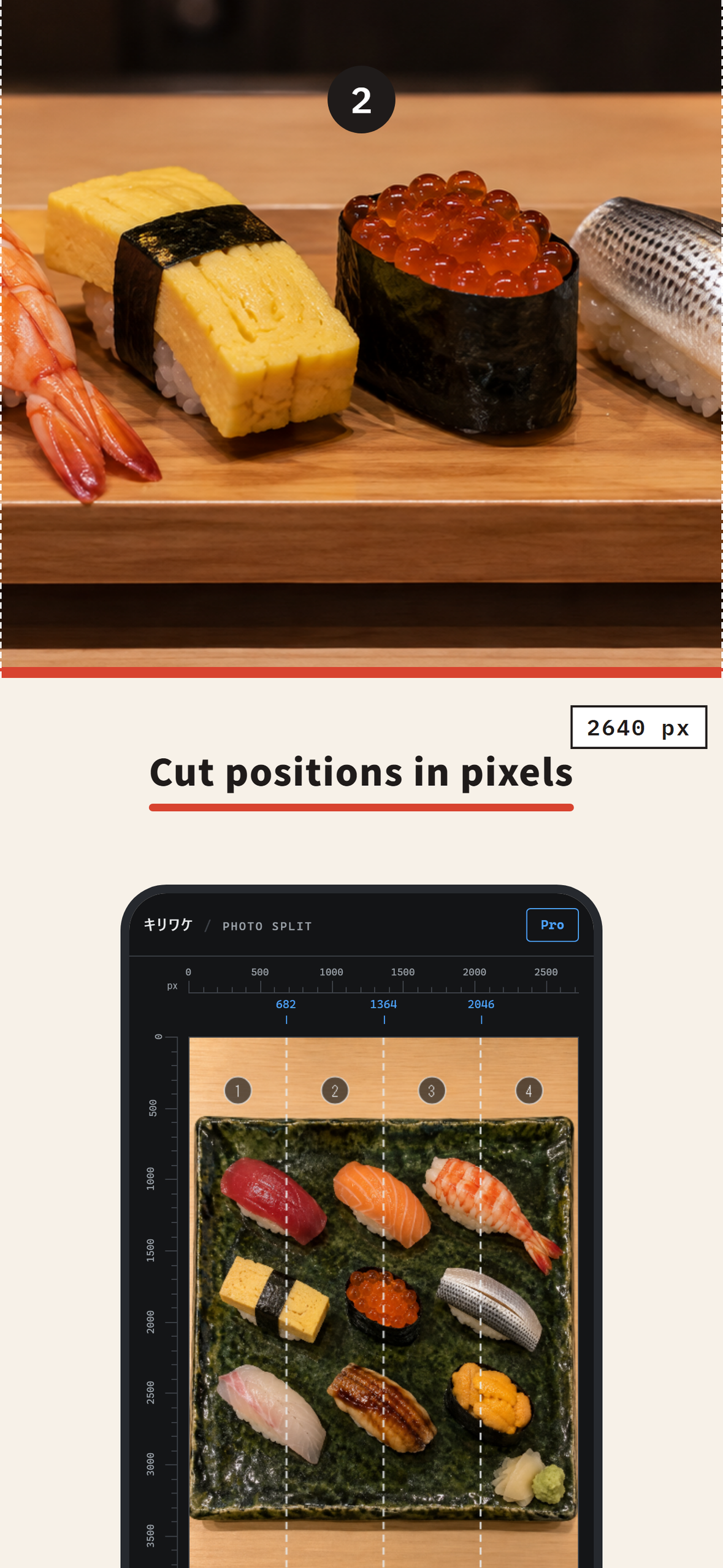
- Split: one photo becomes 3 or 4 tiles, or up to 4 by 4 with a custom grid. Four presets, named for where the tiles are going: IG Grid, IG Carousel, X Stitch 4 and X Stitch 3. The custom grid (Pro) sets rows, columns, gap and cell aspect by hand. Each cut is a dashed line drawn on the photo with its position in pixels beside it. Each file is named for its place in the set, ending in -part-01, -part-02, -part-03 after a session stamp, so they cannot go out of order. Output is re-encoded on device, and EXIF and GPS are not carried into the new files.
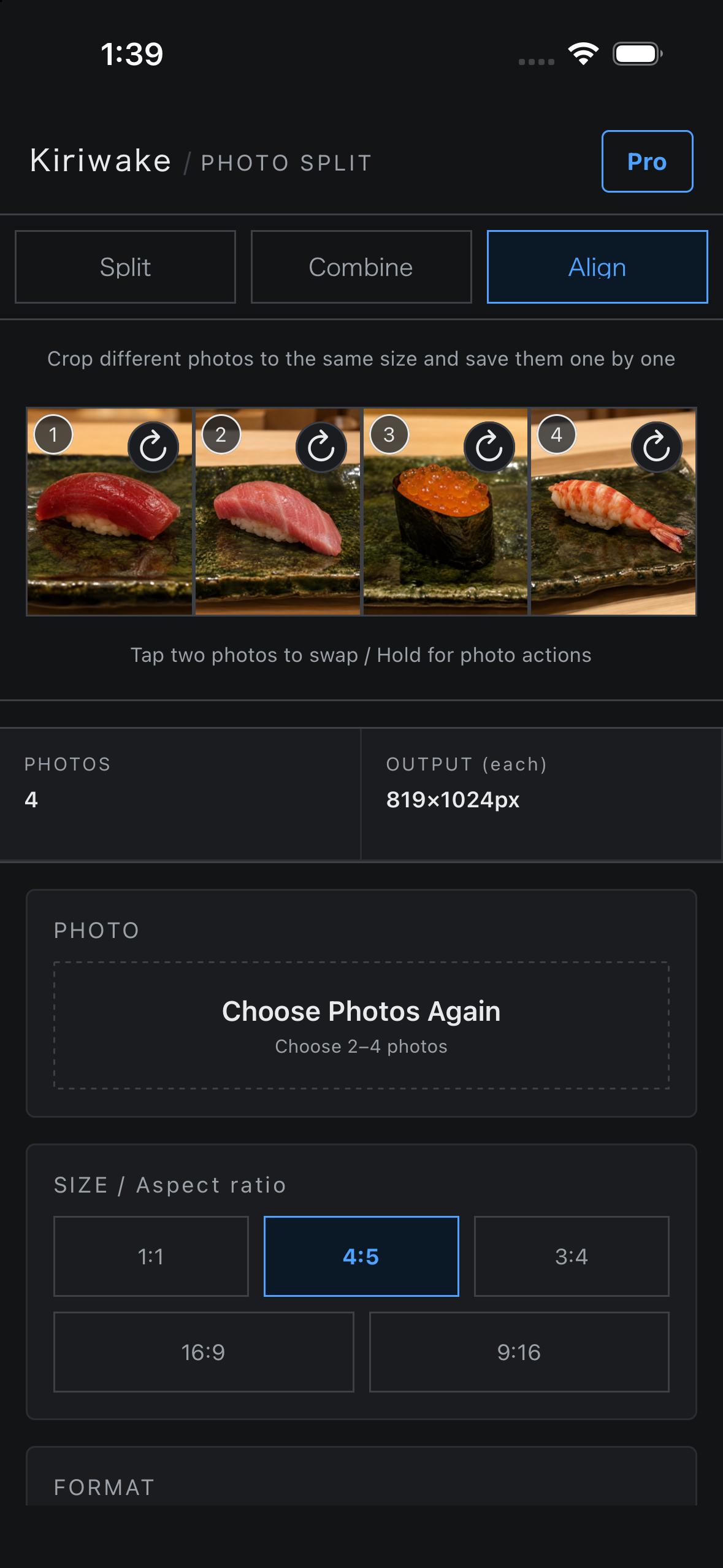
- Align (new in 1.2): 2 to 4 photos of different shapes are cropped to one shared output size at 1:1, 4:5, 3:4, 16:9 or 9:16, then saved one by one in order. The shared size is the largest crop every chosen photo can satisfy, so every saved file has the same pixel size. Long-press a photo and choose "Adjust position" to drag and pinch its crop inside that size. Tap two photos to swap their order, and each photo's crop travels with it.
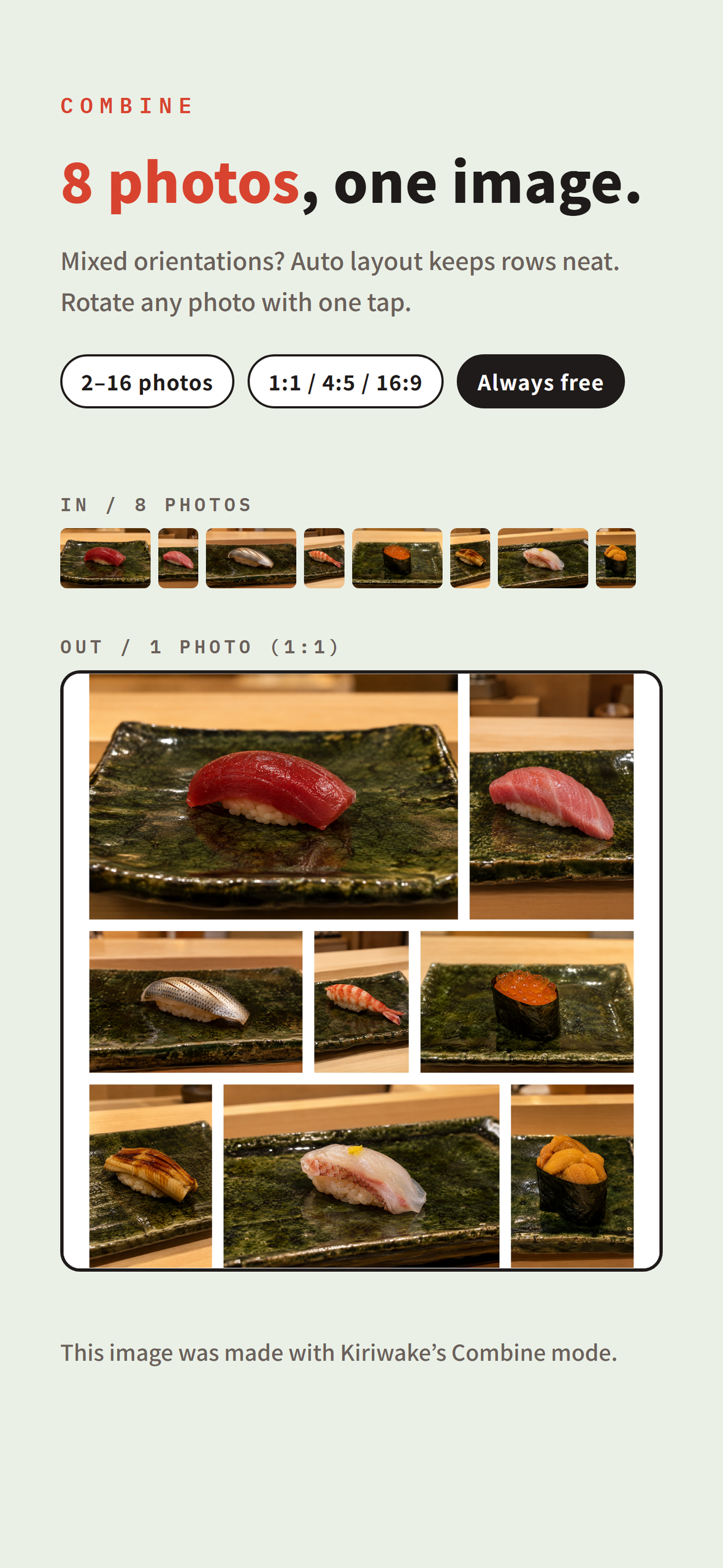
- Combine: 2 to 16 photos become one image. Auto layout evens out the row heights, so a mix of portrait and landscape works without cropping. A rotate button on each cell turns that photo in place.
After a successful save in any of the three modes, a Share button appears and hands the saved photos to another app with the text #Kiriwake, lowest number first, up to the four a post takes.
No photo is uploaded. There is no account, no onboarding and no settings screen. Besides the purchase itself, which goes through RevenueCat, the app sends only a few anonymous usage events (an export finished, the paywall opened, a purchase completed). It opens on the Split canvas with the pixel ruler edges already on screen.
How I built it
Expo (React Native, TypeScript) for the interface. A small native module in Swift and Kotlin does the decoding, cropping and encoding on the phone. The split geometry, the justified-rows layout and the tile numbering are pure TypeScript functions shared with the web version, and the two suites around them run 317 unit tests (120 in web, 197 in mobile). RevenueCat (react-native-purchases) handles the single Pro purchase: one product, one entitlement, and no subscription code anywhere in the app.
Challenges I ran into
- Cut positions. X does not document how it lays out several images in one post. I posted test images and checked them on a phone and in a browser until the tiles joined back into one picture.
- Big photos on a phone. Decoding a 48 MP HEIC in JavaScript is a crash. Decode, crop and encode moved into the native module, which downsamples only past 8192 px on the long edge or 40 million pixels.
- Mixed orientations in Combine. Cropping is the easy answer and the wrong one. The justified layout solves for row heights instead, and hands the encoder each photo's full rectangle, so nothing is cut off. The rows-and-columns layout is still there when you want square cells, and that one crops.
- One size for photos that are not the same shape. Align decides the output size once, before anything is exported, and the photo with the least room at that ratio decides it. X rejects a JPEG over 5 MiB, so an oversized export cannot simply shrink the one file that failed. When one photo does not fit, all of them are re-exported one step smaller together and the partial attempt is thrown away, so a mixed-size set never reaches Photos. The export also fails outright if any two finished files come back at different sizes.
Accomplishments that I'm proud of
Three releases inside one Shipaton month: 1.0 on September 7, 1.1 (Combine, rotation, auto layout, English UI) on September 16, and 1.2 (Align and Share) on September 27. The photos in the App Store screenshots were cut and combined with the app itself, and the screenshots say so.
What I learned
What made me trust my own app was not a feature. It was holding a full-size saved file's info panel next to the TILE SIZE readout and finding the same two numbers. That is what most of the test suite is for: not that the buttons work, but that the arithmetic on screen matches the bytes on disk.
The other lesson was about the paywall. In Combine the Pro line is one link beside the OUTPUT number it would change, and in Align it appears only when the export is actually capped. Next to the number it reads as information; anywhere else it reads as a pitch.
What's next for Kiriwake
An Android build, and a "Series" mode that plans several posts at once instead of one. Align is the mode I want to extend first. It stops at 4 photos because that is the size of a four-image post, not because the arithmetic stops there.
Built With
- expo.io
- kotlin
- react-native
- revenuecat
- swift
- typescript

Log in or sign up for Devpost to join the conversation.