-
-
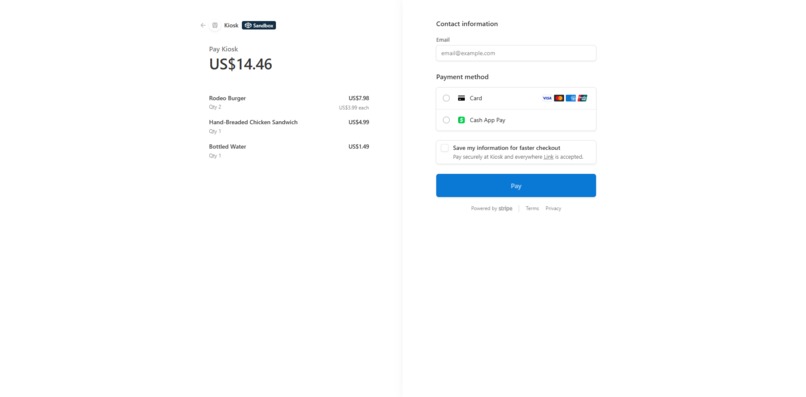
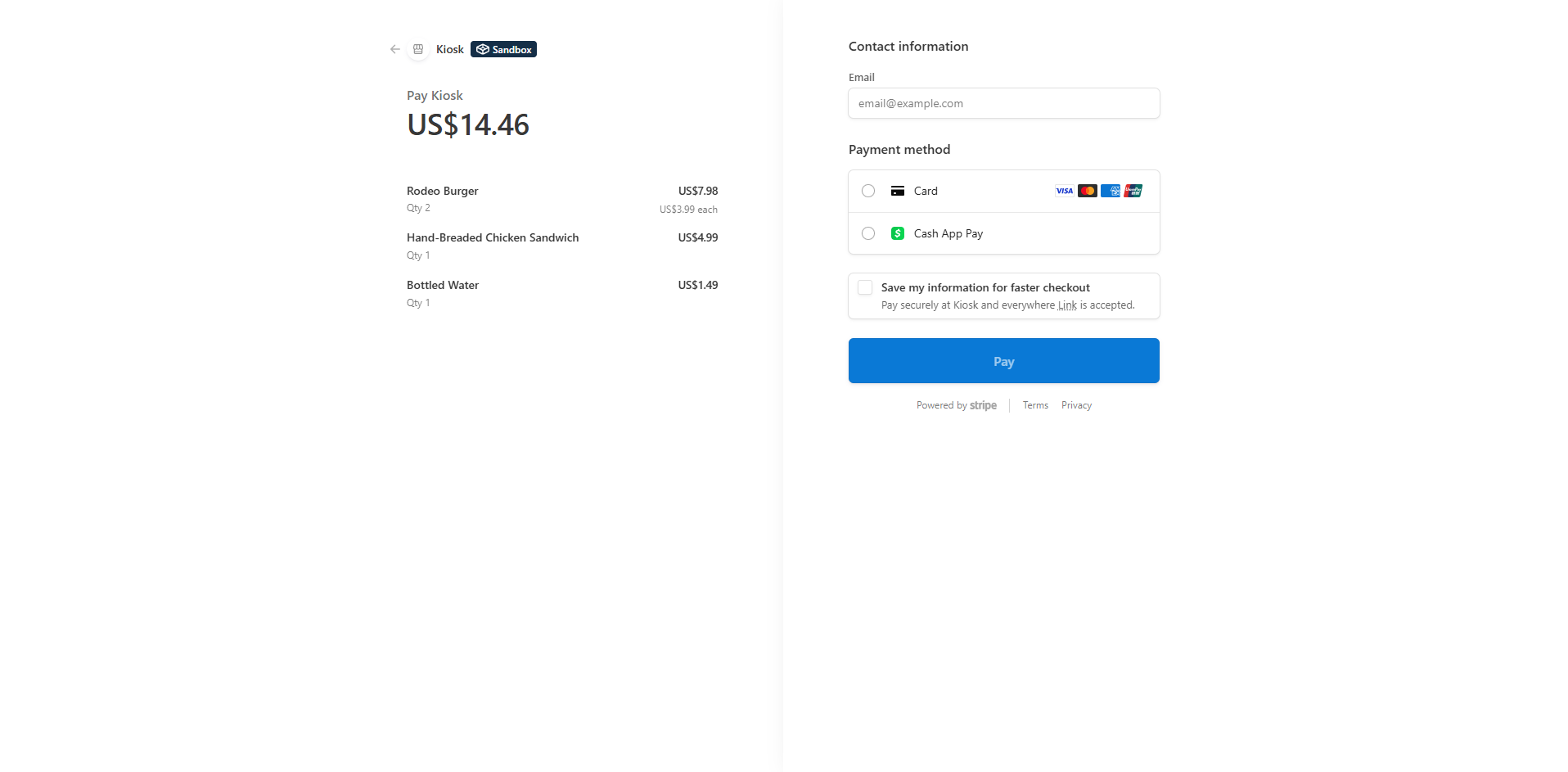
Stripe Payment
-
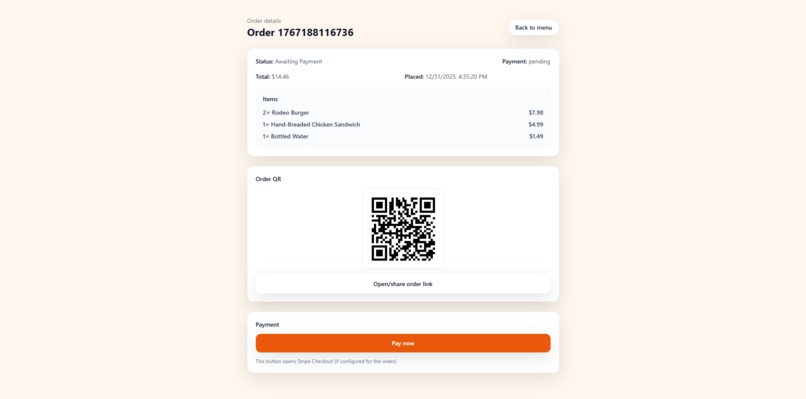
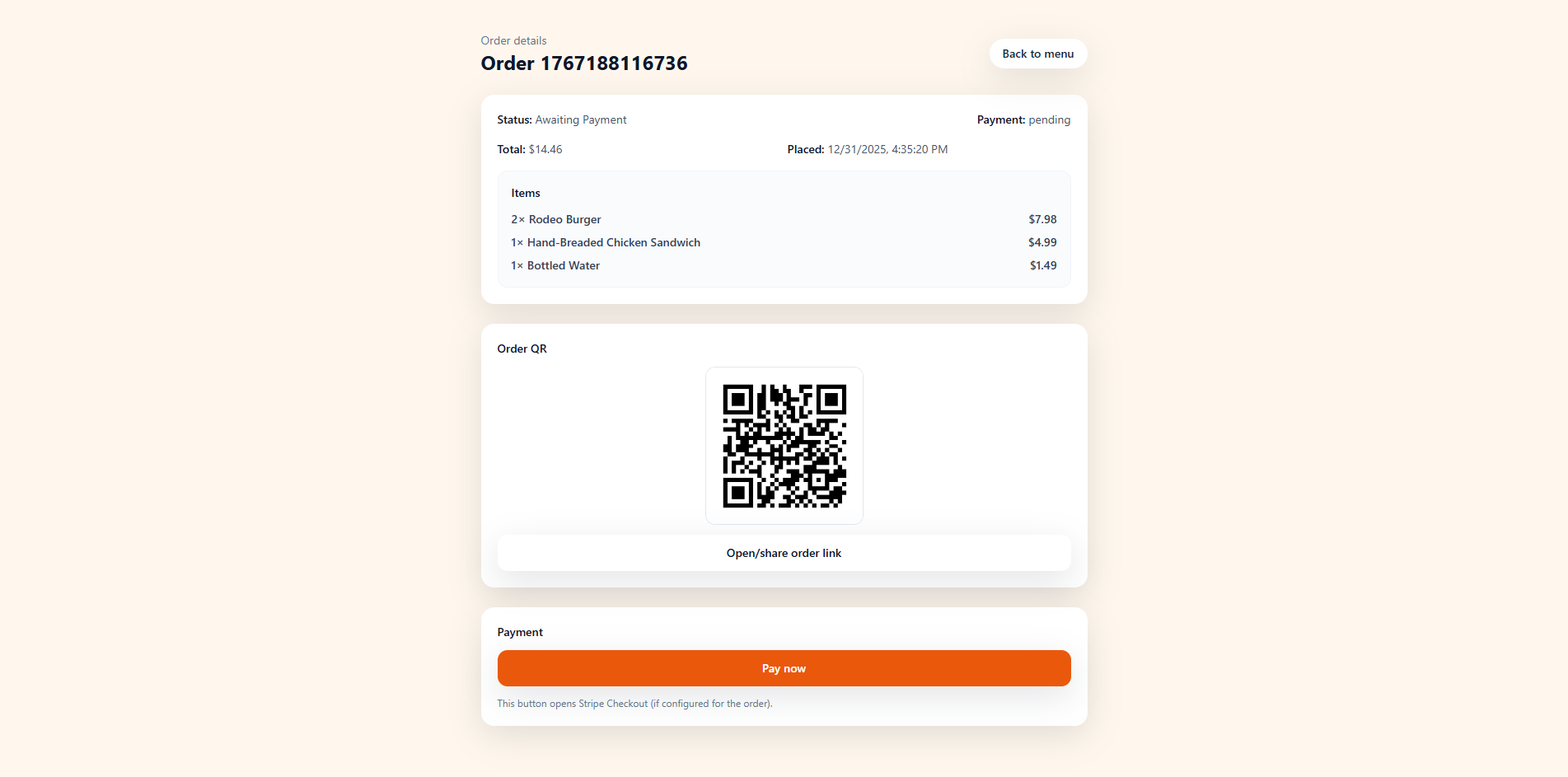
Order Scanned
-
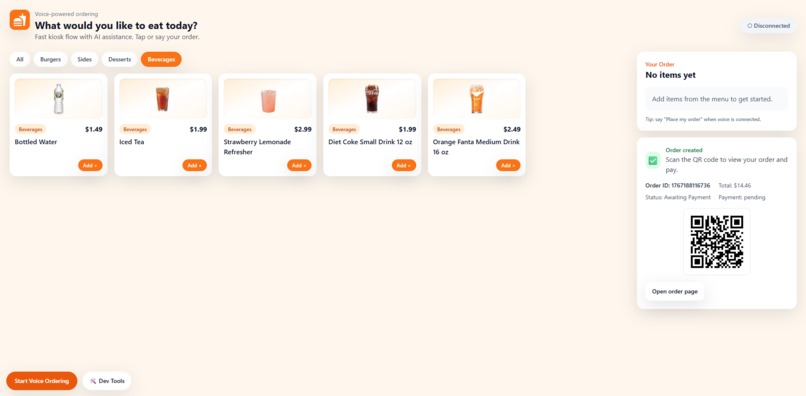
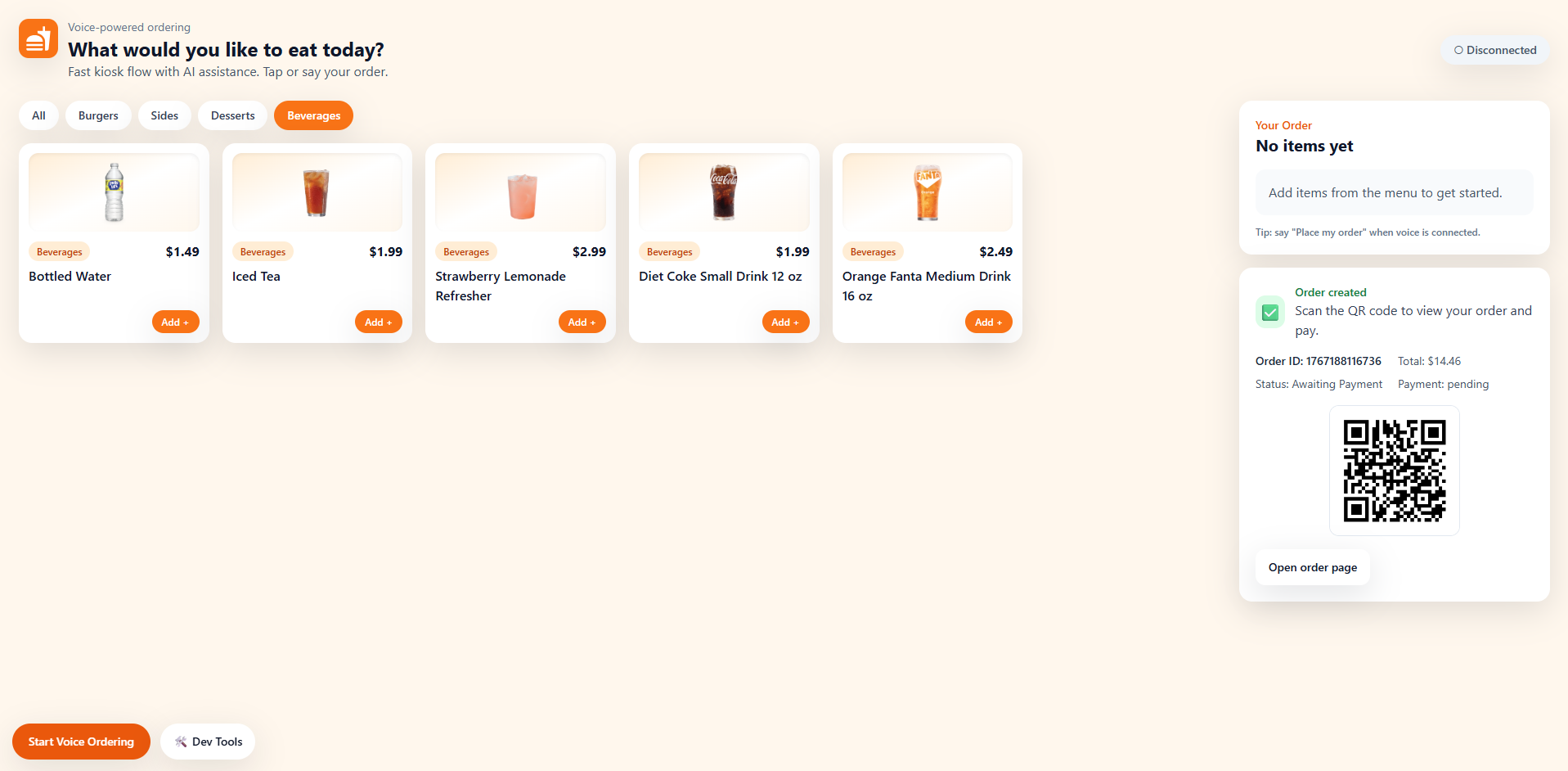
Menu Selected
-
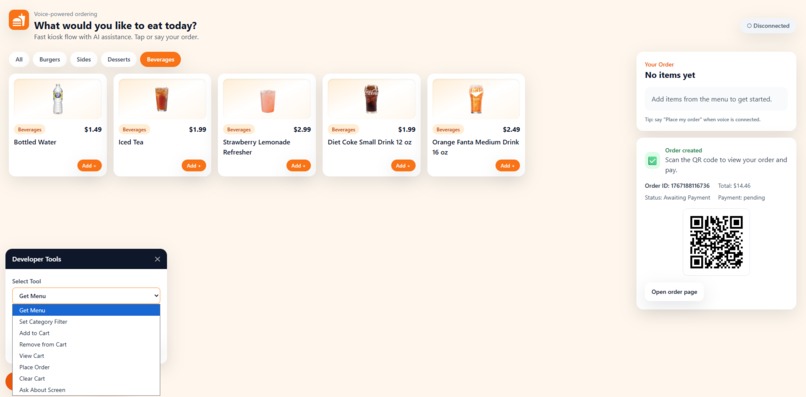
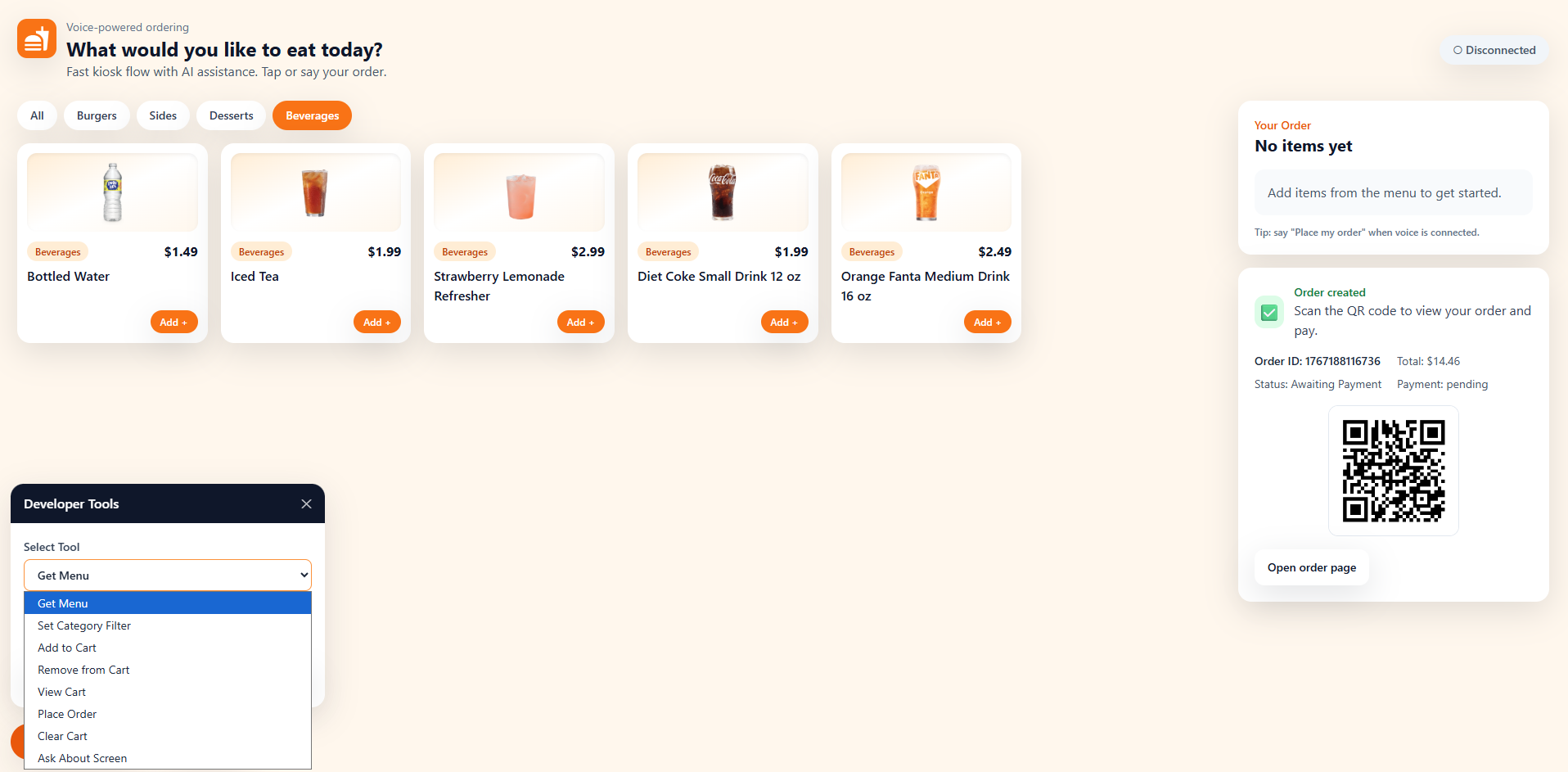
Dev Tool (For Internal Testing of client tools)
-
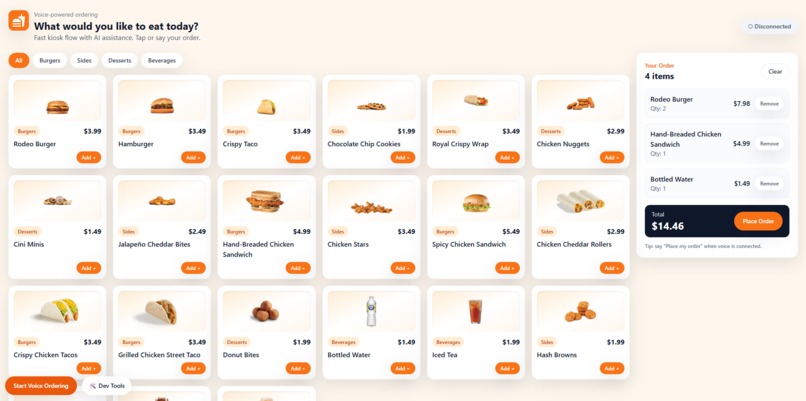
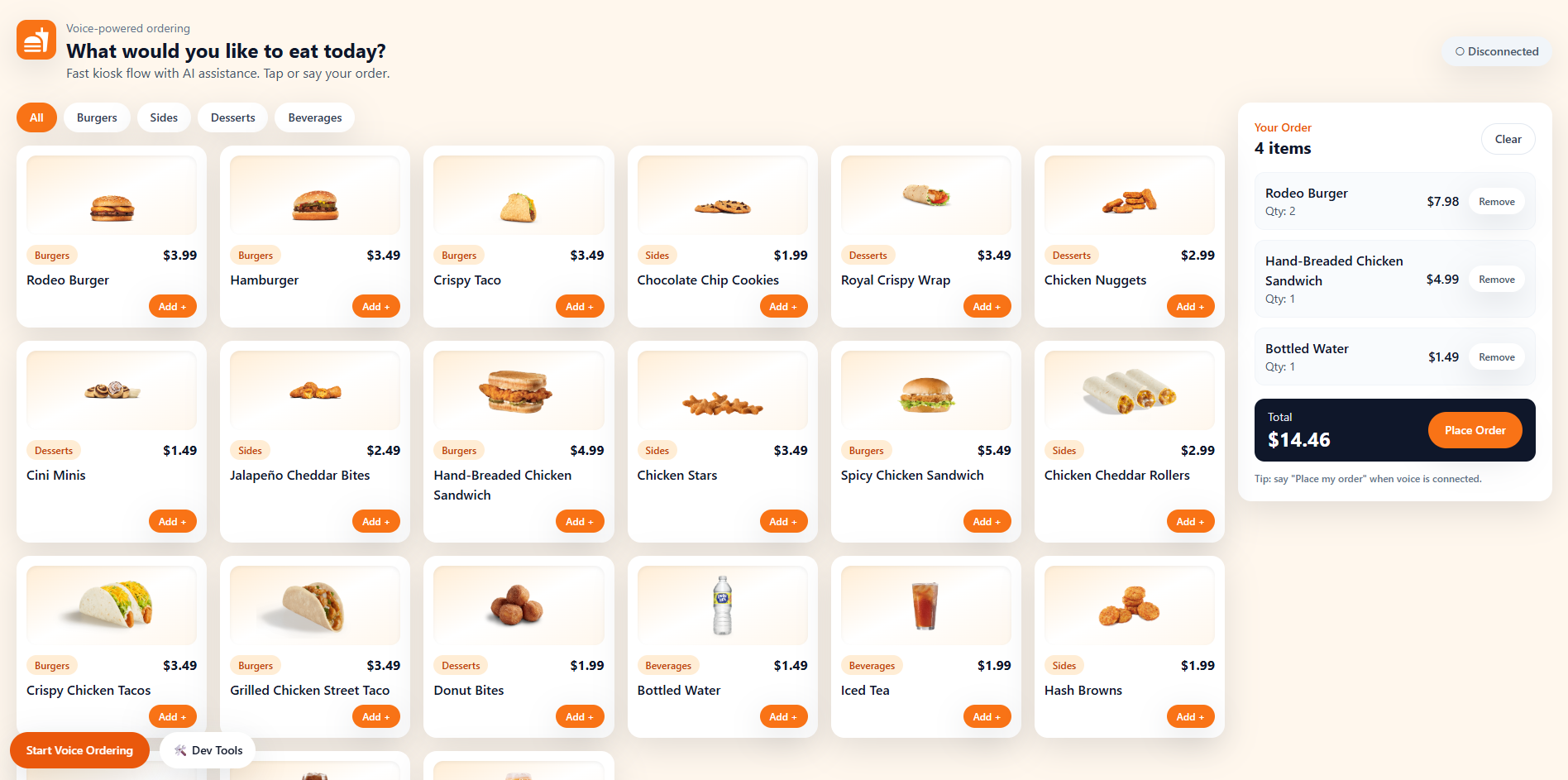
Cart
-
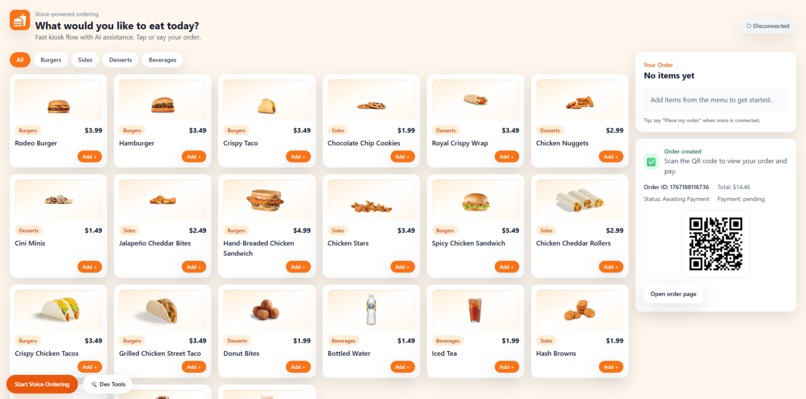
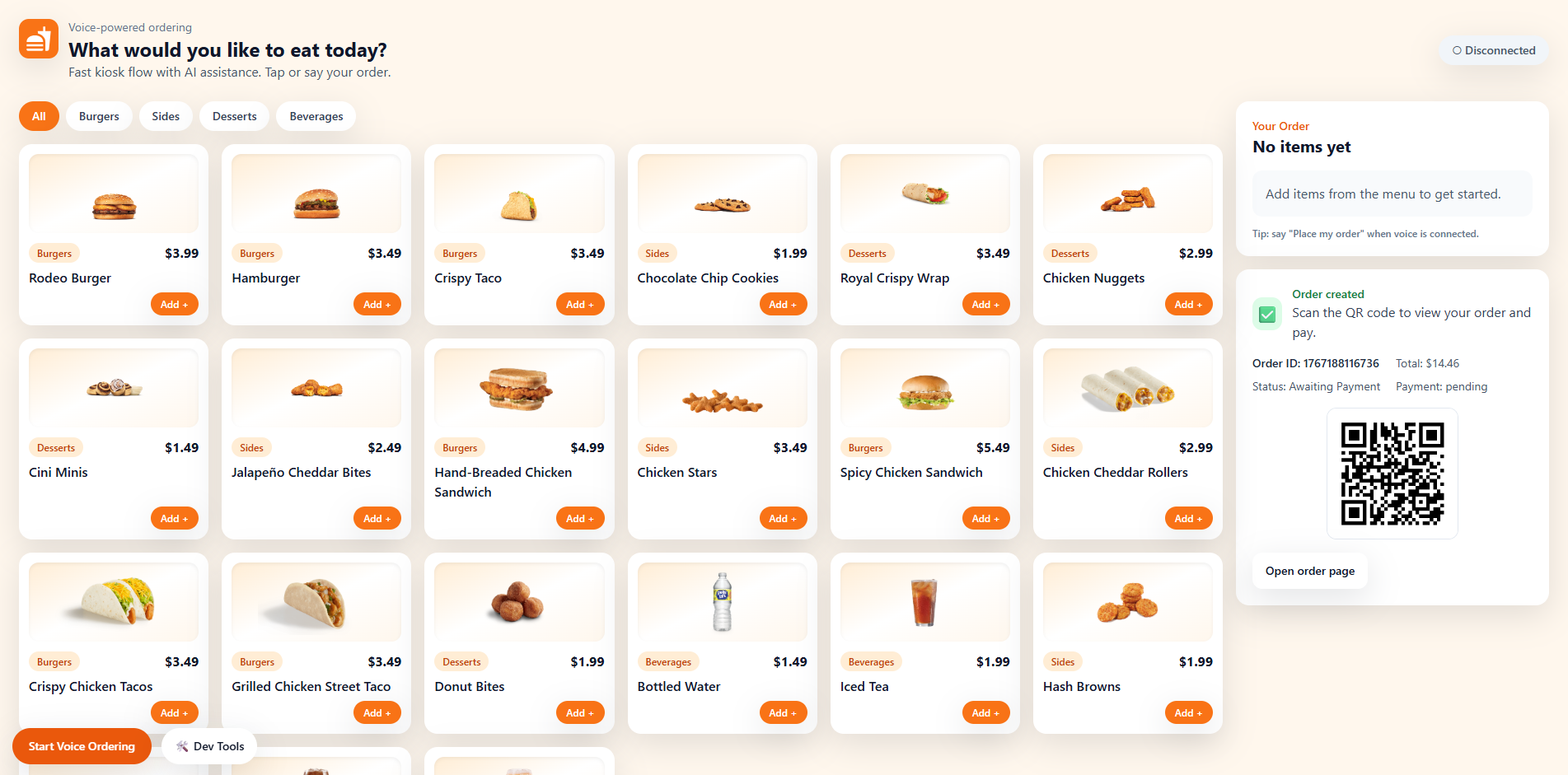
Order
-
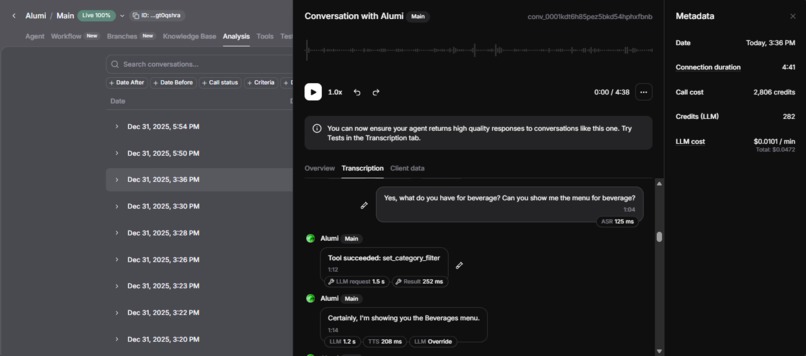
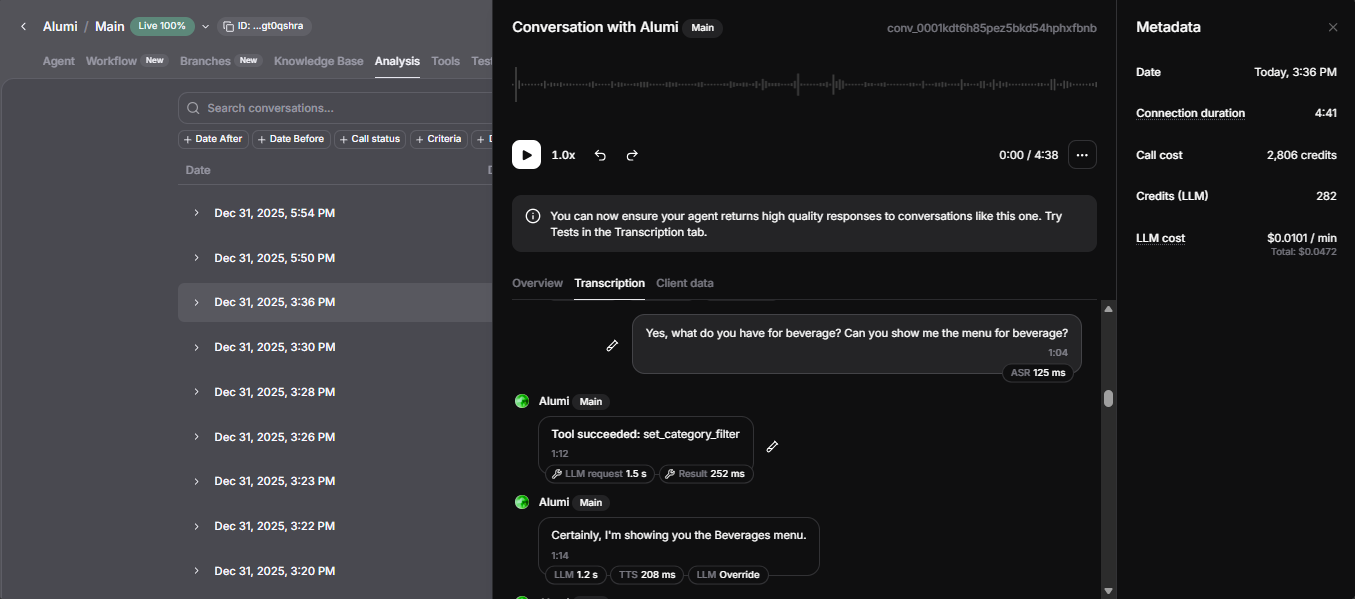
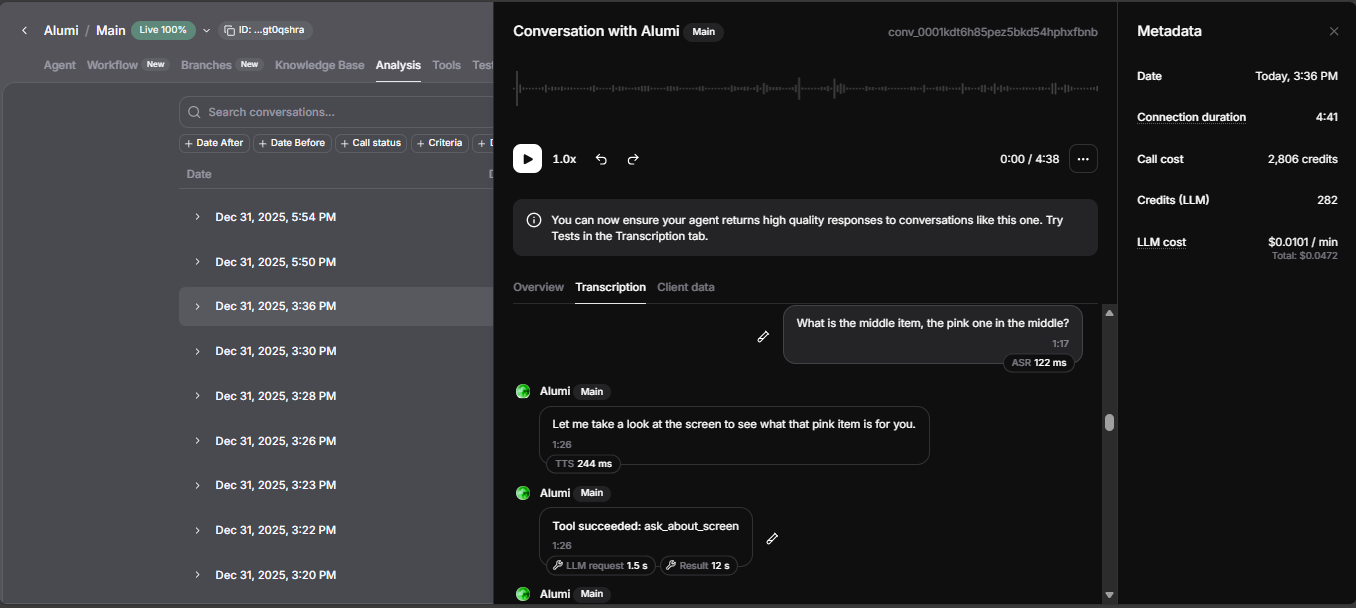
ElevenLabs Analysis screenshot from the demo
-
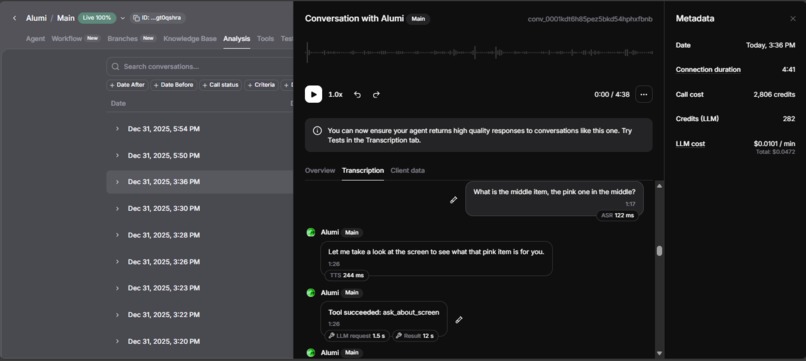
Another ElevenLabs Analysis screenshot from the demo
-
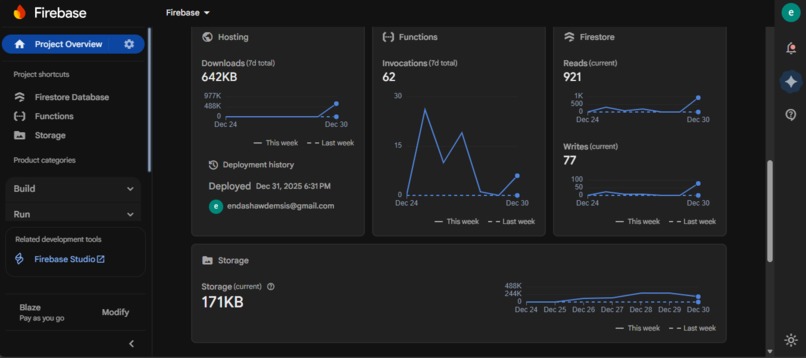
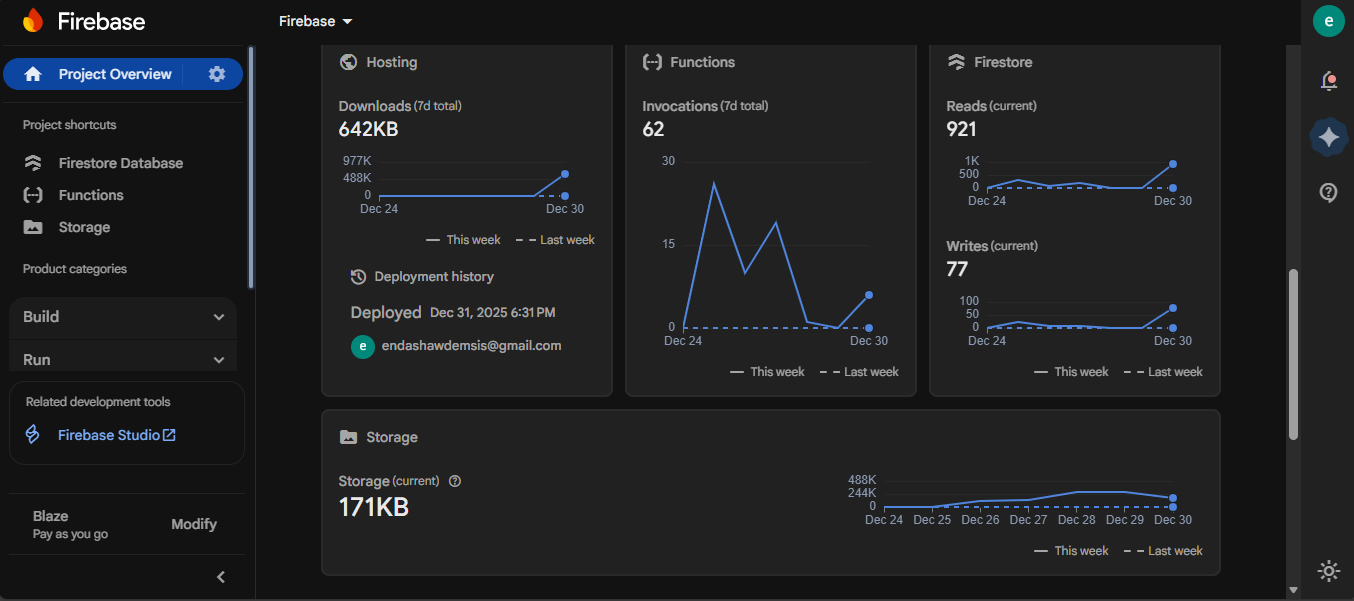
Firebase dashboard of this project
Inspiration
Self-service kiosks are everywhere, but they’re still touch-first and can be frustrating when you’re rushed, don’t know the menu, or can’t easily say an item name.
Kioska explores a more natural kiosk experience: you speak like you would to a cashier, and an AI agent performs UI actions (show menu categories, add items, remove items, confirm cart totals) via client tools.
What it does
Kioska is a React kiosk UI connected to an ElevenLabs Conversational AI Agent (powered by Gemini). When the user taps Start Voice Ordering, they can speak naturally to:
- Browse the menu and filter categories
- Add items to the cart (including quantity)
- Remove items, clear the cart, or ask what’s currently in the cart
- Place an order and generate a Stripe Checkout URL via Firebase Cloud Functions
Bonus (small) feature — “What item am I looking at?” Some menu item names can be hard to pronounce/spell. Kioska includes a lightweight “ask about the screen” tool that helps the user refer to items visually, e.g.:
- “What is the dark drink at the bottom?”
- “Which burger is the one with the spicy label?”
The client captures a screenshot and sends it (with the user’s question) to a Gemini Vision-backed function to return a short, practical answer. This feature is intentionally scoped to identifying items the user is pointing out, not full UI navigation.
Client tools implemented for the ElevenLabs agent:
get_menu— returns menu items (optionally filtered by category)set_category_filter— updates the kiosk UI’s active category filter (e.g., All, Burgers, Sides, Drinks)add_to_cart— adds an item byitemIdand optionalquantityremove_from_cart— removes an item byitemIdget_cart— returns cart contents + totalsclear_cart— clears the cartplace_order— triggers the order/checkout flow from the current cartask_about_screen— answers a question about which menu item the user is looking at (screenshot + question)
How we built it
- Frontend kiosk UI: React + Vite (Menu/Cart/Order flow).
- Voice agent: ElevenLabs Conversational AI Agent using Gemini as the LLM, configured with client tools.
- Tool-driven UI control: The agent calls client tool handlers that update React state (cart, category filter, order flow).
- Payments: Firebase HTTPS Function creates a Stripe Checkout Session and returns a hosted payment URL.
- Health Q&A webhook: Firebase HTTPS Function uses Gemini (text) to answer health-related questions about a menu item and can optionally pull Firestore menu context. Which is connected to elevenlabs ai agent.
- Menu item identification (vision): The client captures a screenshot with
html2canvasand calls a Firebase HTTPS Function that asks Gemini Vision to identify/describe the referenced item. - Data Storage: Firestore stores
menuItemsandordersfor the kiosk.
Challenges we ran into
- Payload and reliability constraints: Screenshot capture and base64 payload sizes require careful limits and robust request parsing.
- Payments end-to-end: Creating a Stripe Checkout Session server-side (in test mode for the hackathon) while keeping a clean kiosk UX (redirect URLs, order metadata).
Accomplishments that we’re proud of
- End-to-end voice ordering where the agent performs actions through tools (menu → cart → order).
- A practical “identify the item I’m looking at” capability that reduces friction when names are hard to say.
- Health Q&A that’s cautious by design and can use menu context when available.
- Stripe Checkout integration (test mode) through Firebase Functions.
What we learned
- Creating Voice AI Agent is easier that I expected to be when using ElevenLabs with Gemini
- Firebase Functions are a strong “glue layer” for agent apps: secrets stay server-side, integrations live in one place, and the client stays simple.
What’s next for Kioska
- Add order status + receipts (and optionally confirm payments via Stripe webhooks).
- Support modifiers and combos (e.g., “no onions”, “make it a meal”).
- Improve grounding with richer menu data (images, allergens/nutrition fields) for better health answers and item identification.


Log in or sign up for Devpost to join the conversation.