-
-
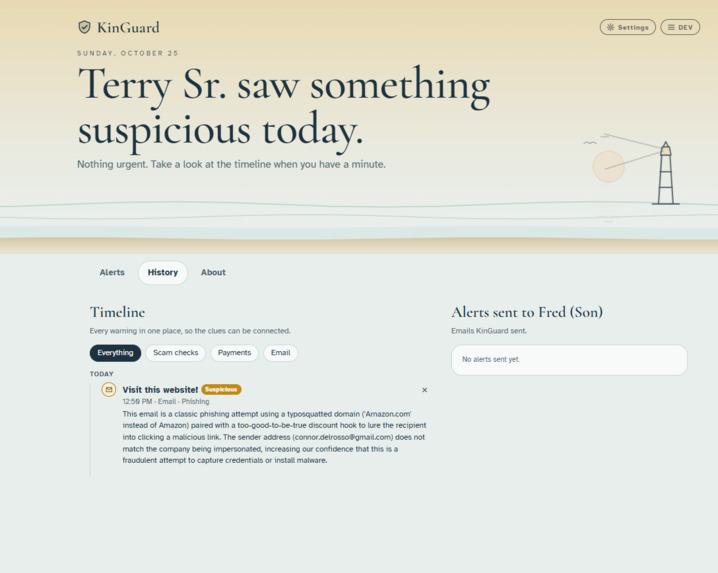
'Yellow Alert' - Screen & Alert for minor threat (Family Dashboard)
-
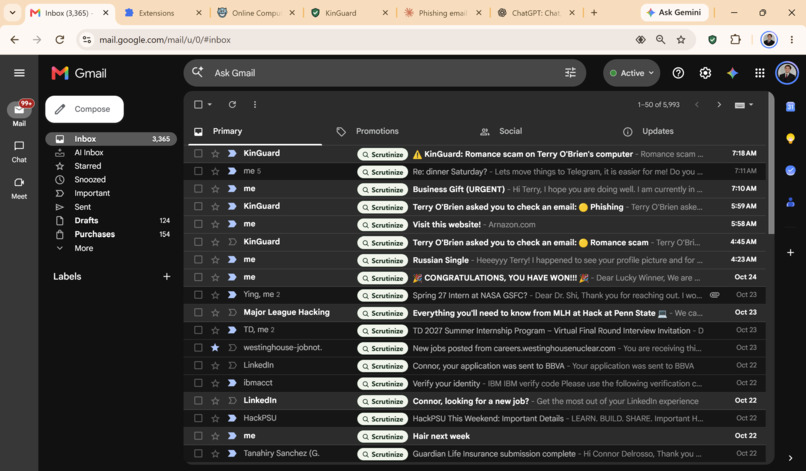
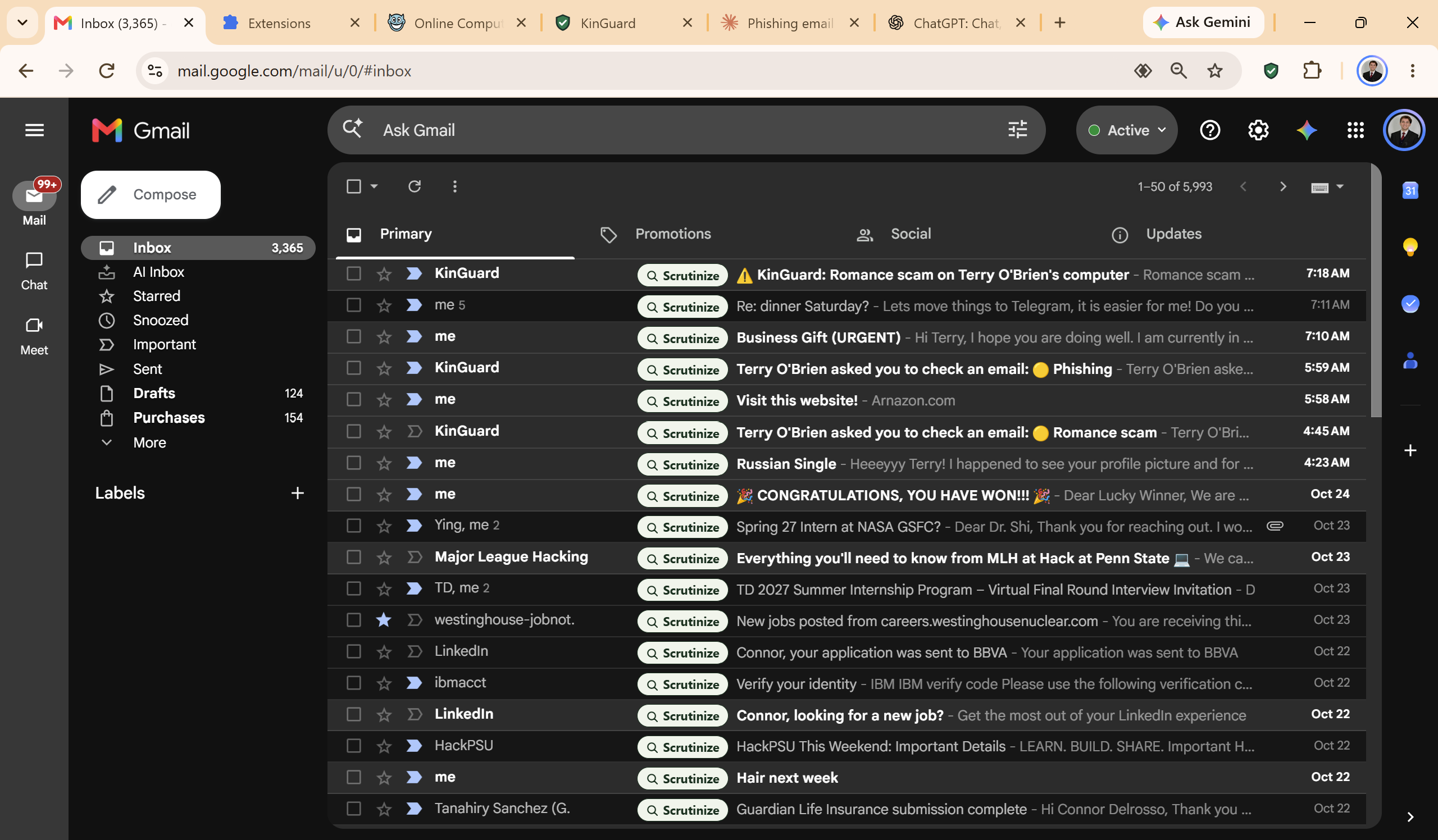
Gmail with our 'Scrutinize' overlay buttons.
-
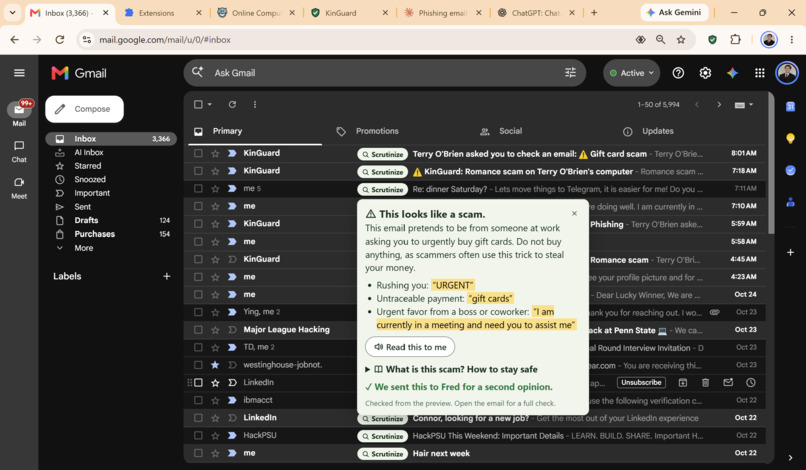
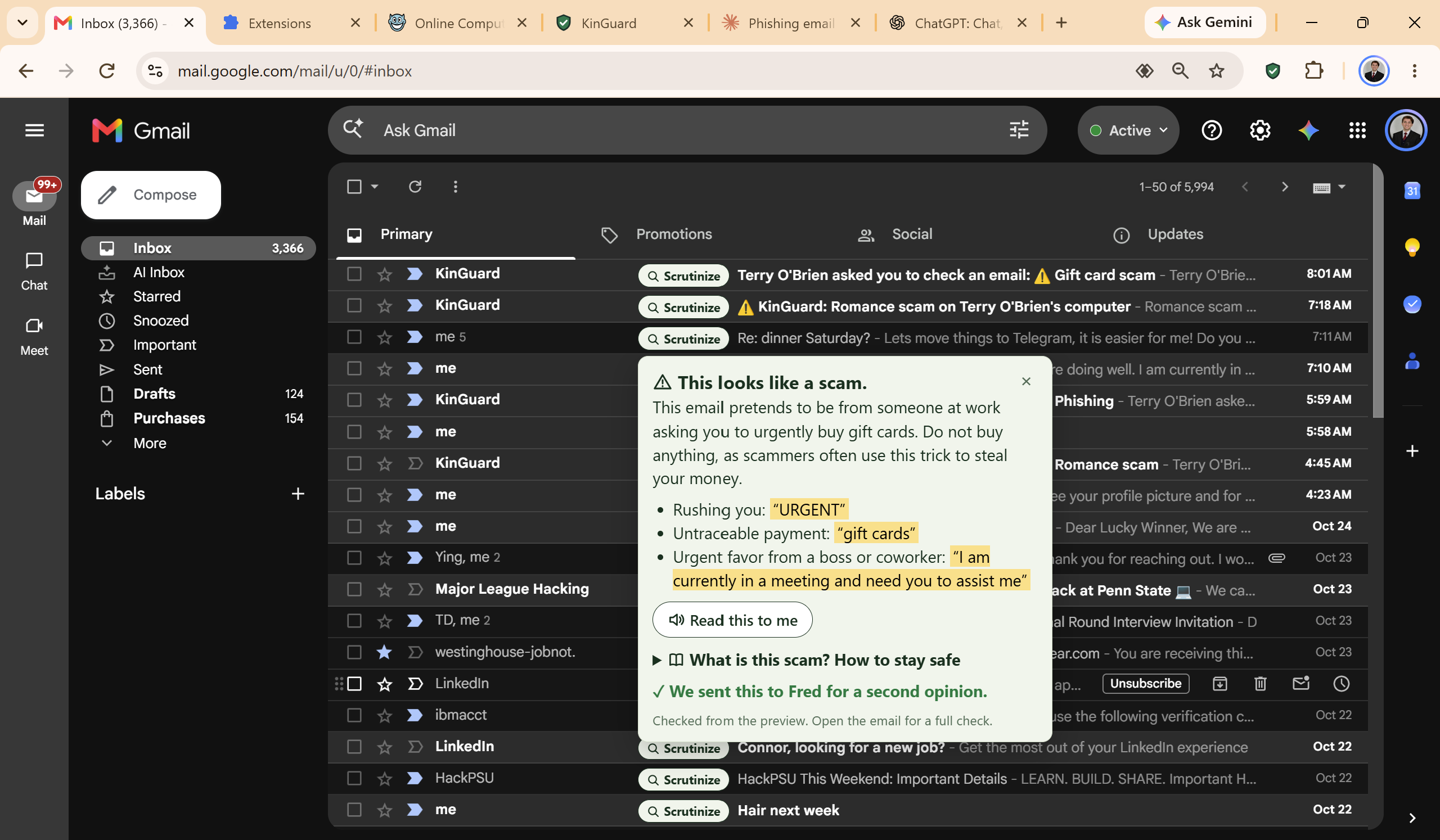
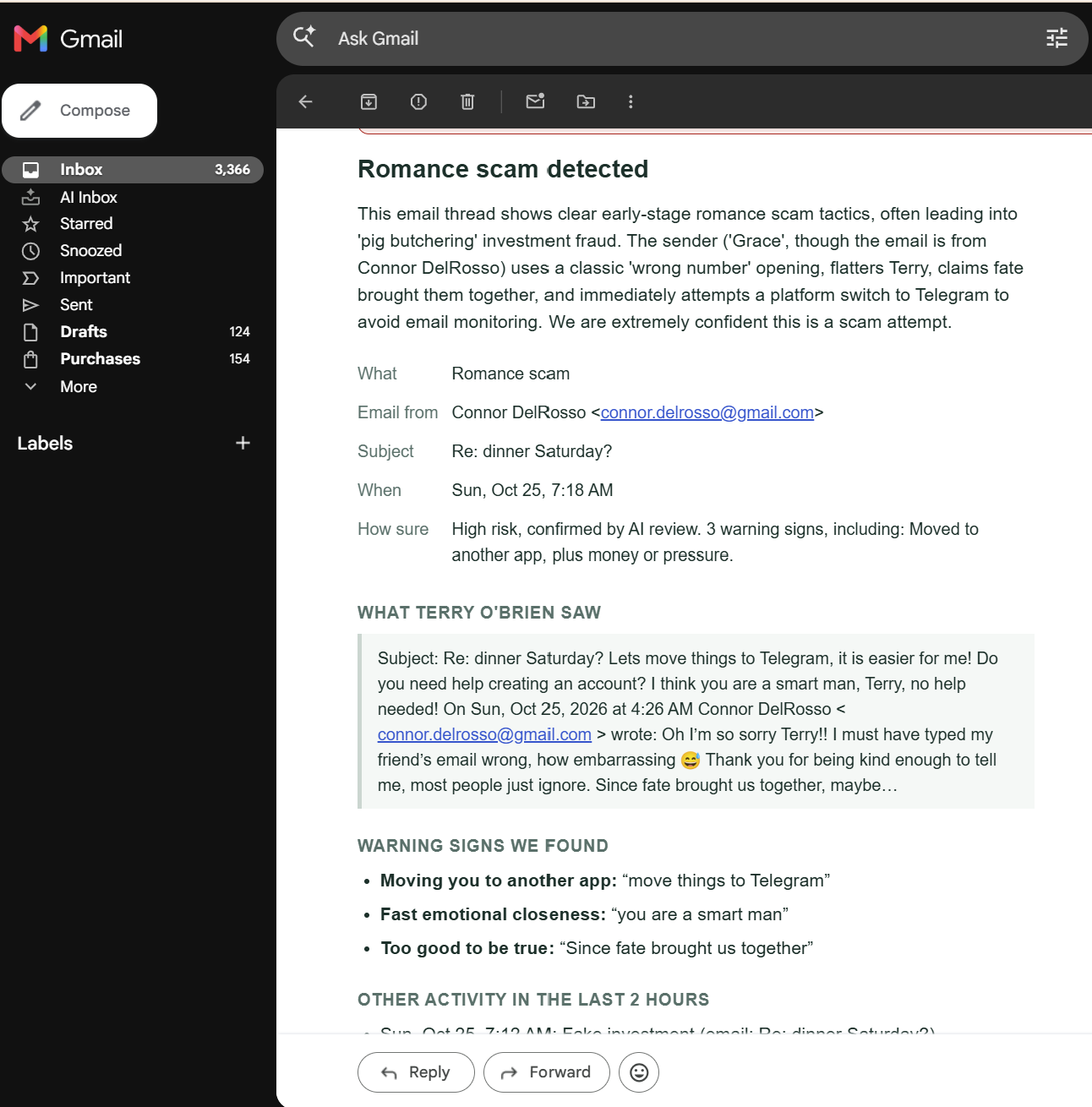
The result of hitting 'Scrutinize' on a suspicious email.
-
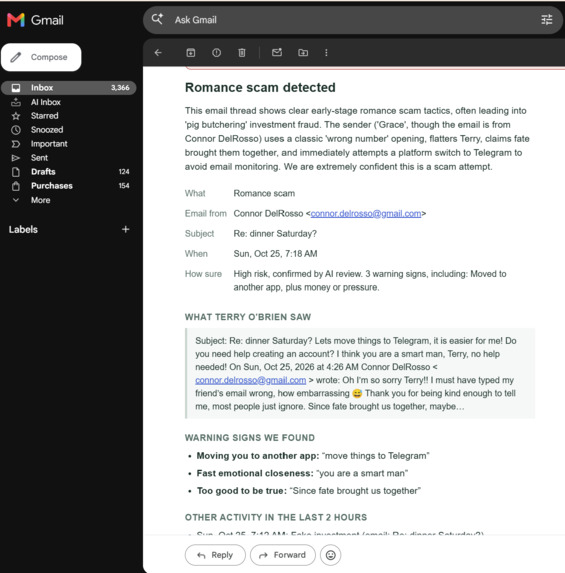
An email sent to a trusted family member after the senior citizen opens a given phishing email.
-
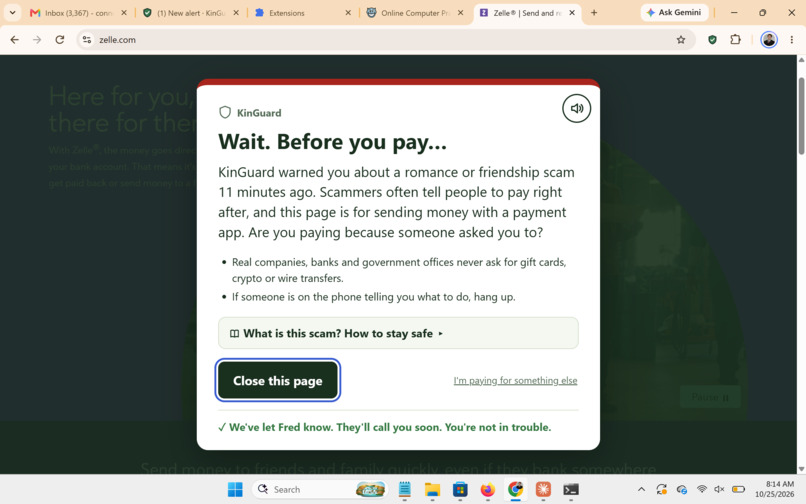
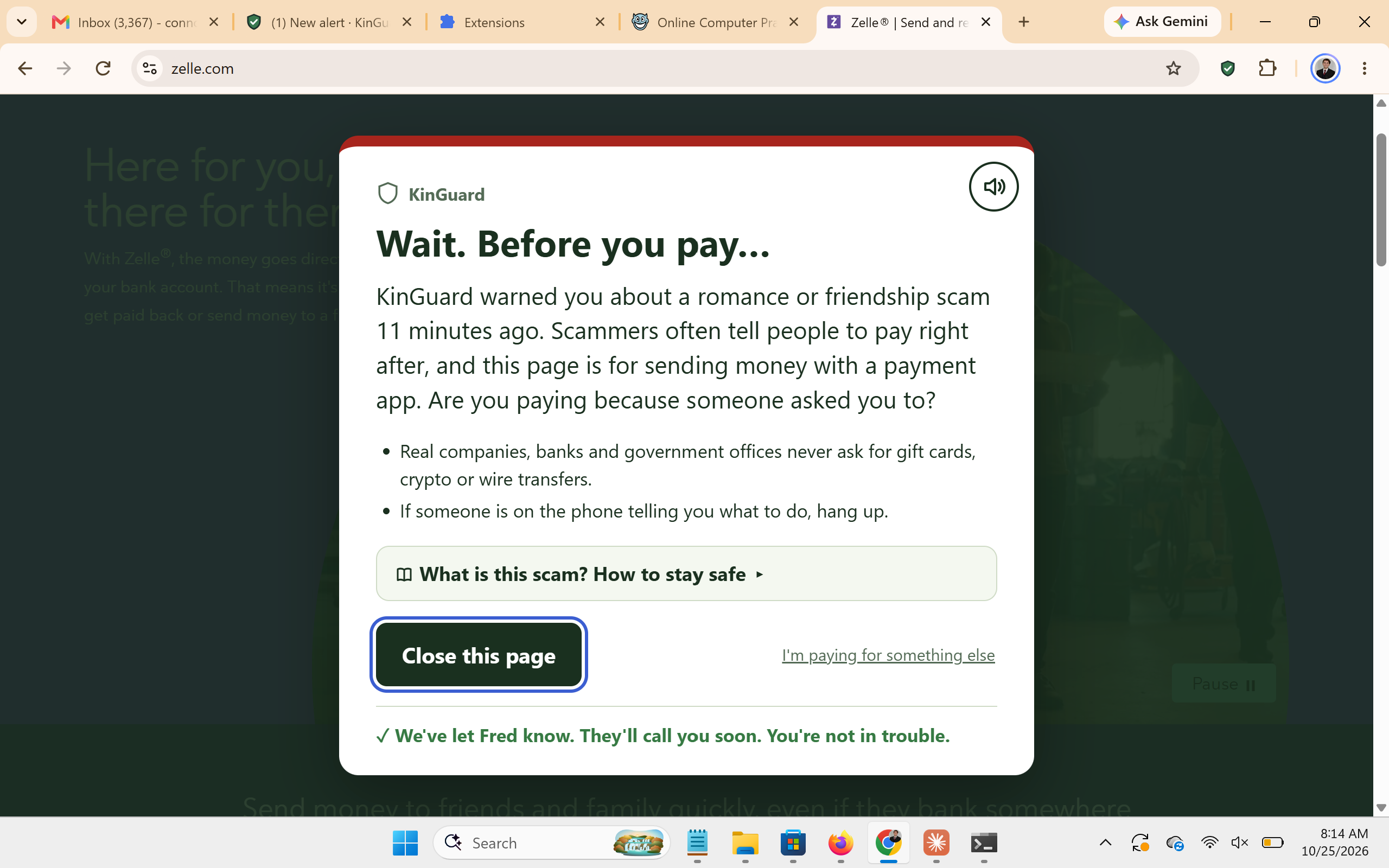
A pop up sent if a senior tries to go into a payment app shortly after reading a critical phishing email.
-
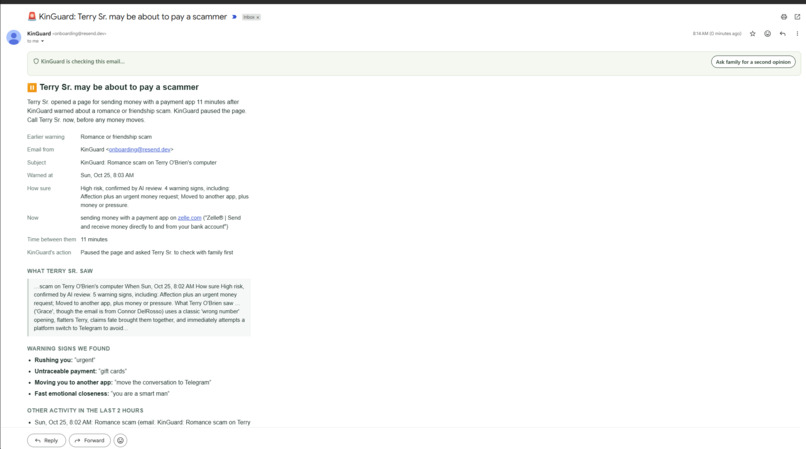
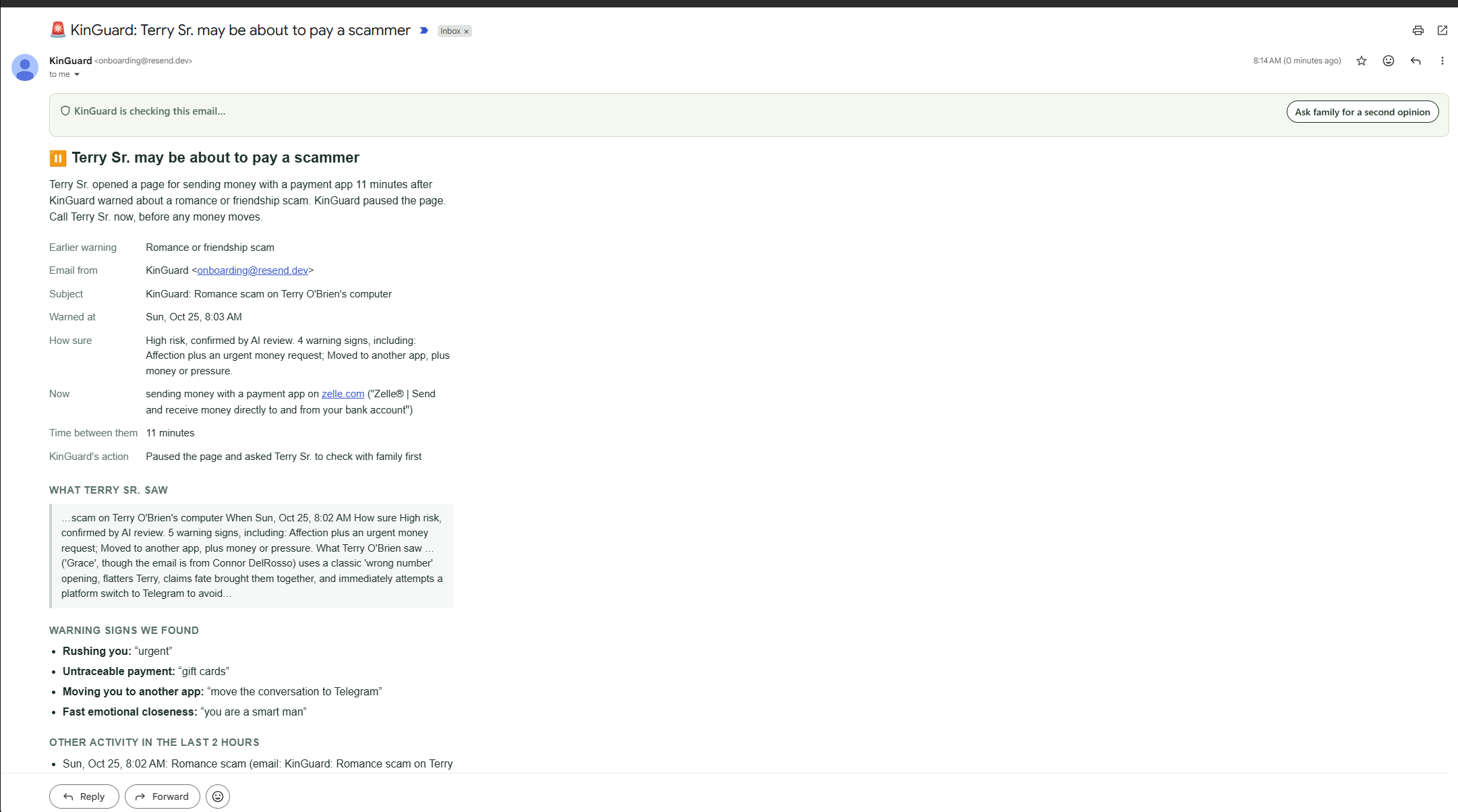
An alarm email sent to a family member when the senior goes to a payment app after reading a critical phishing email.
-
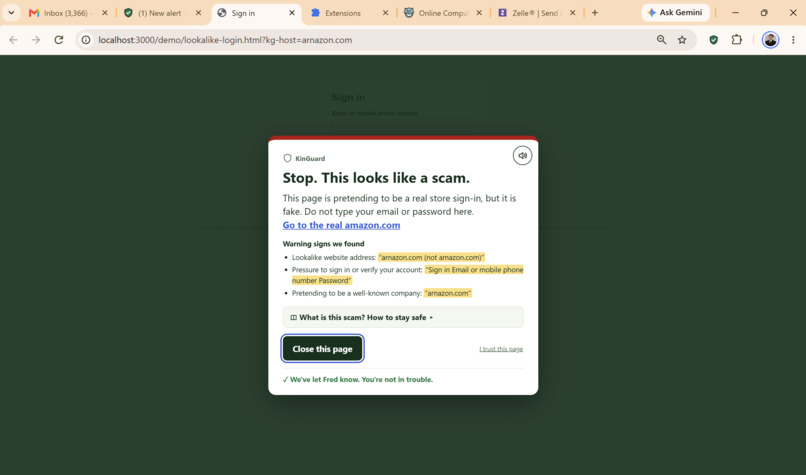
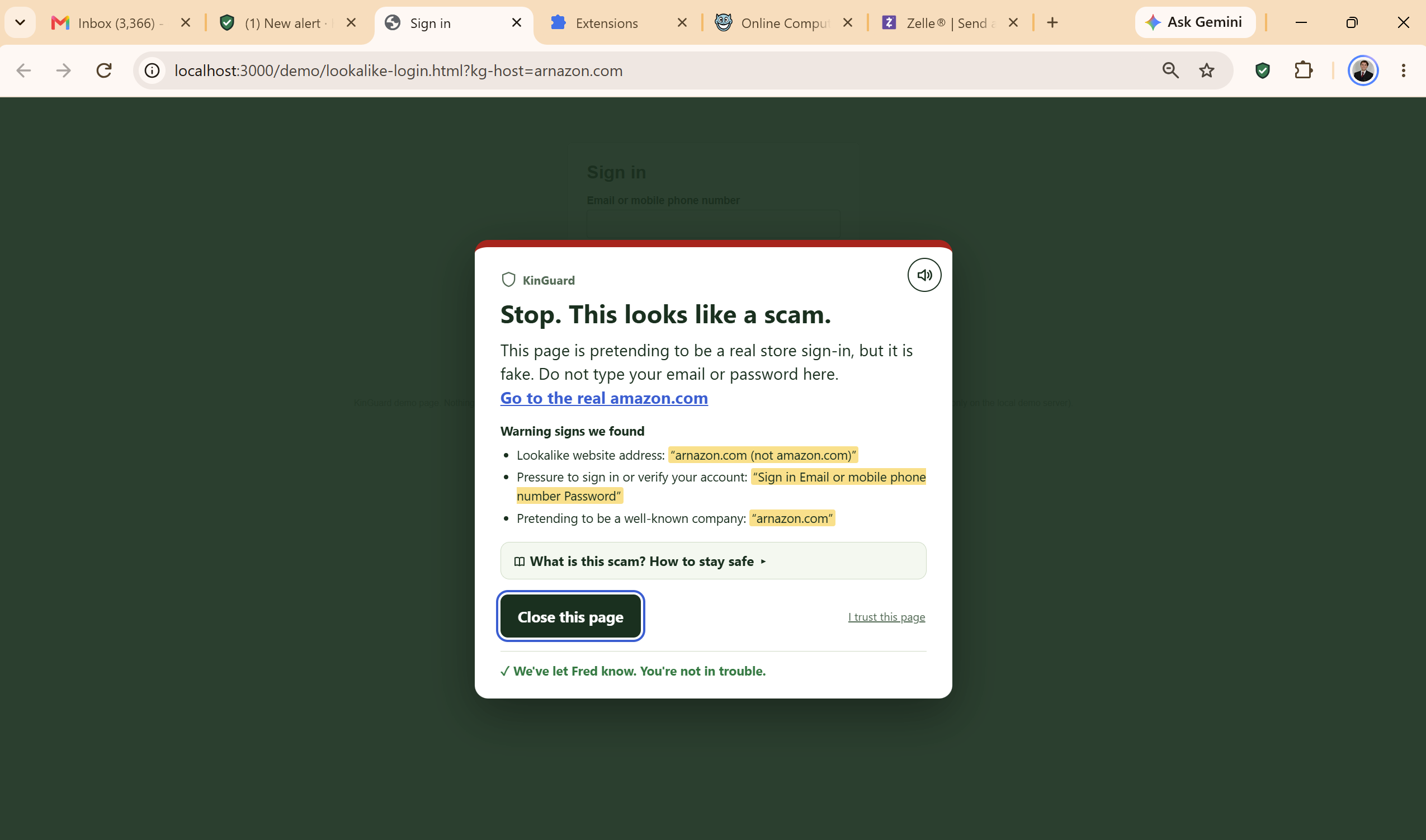
A warning sent to a senior after going to a typosquatted/impersonated website.
-
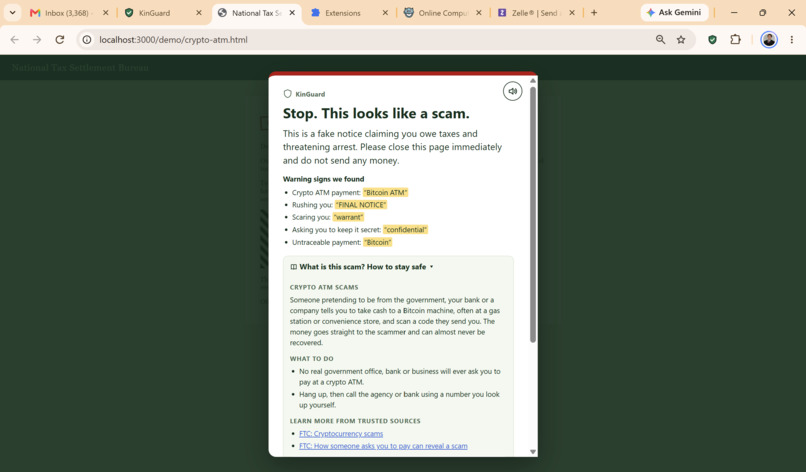
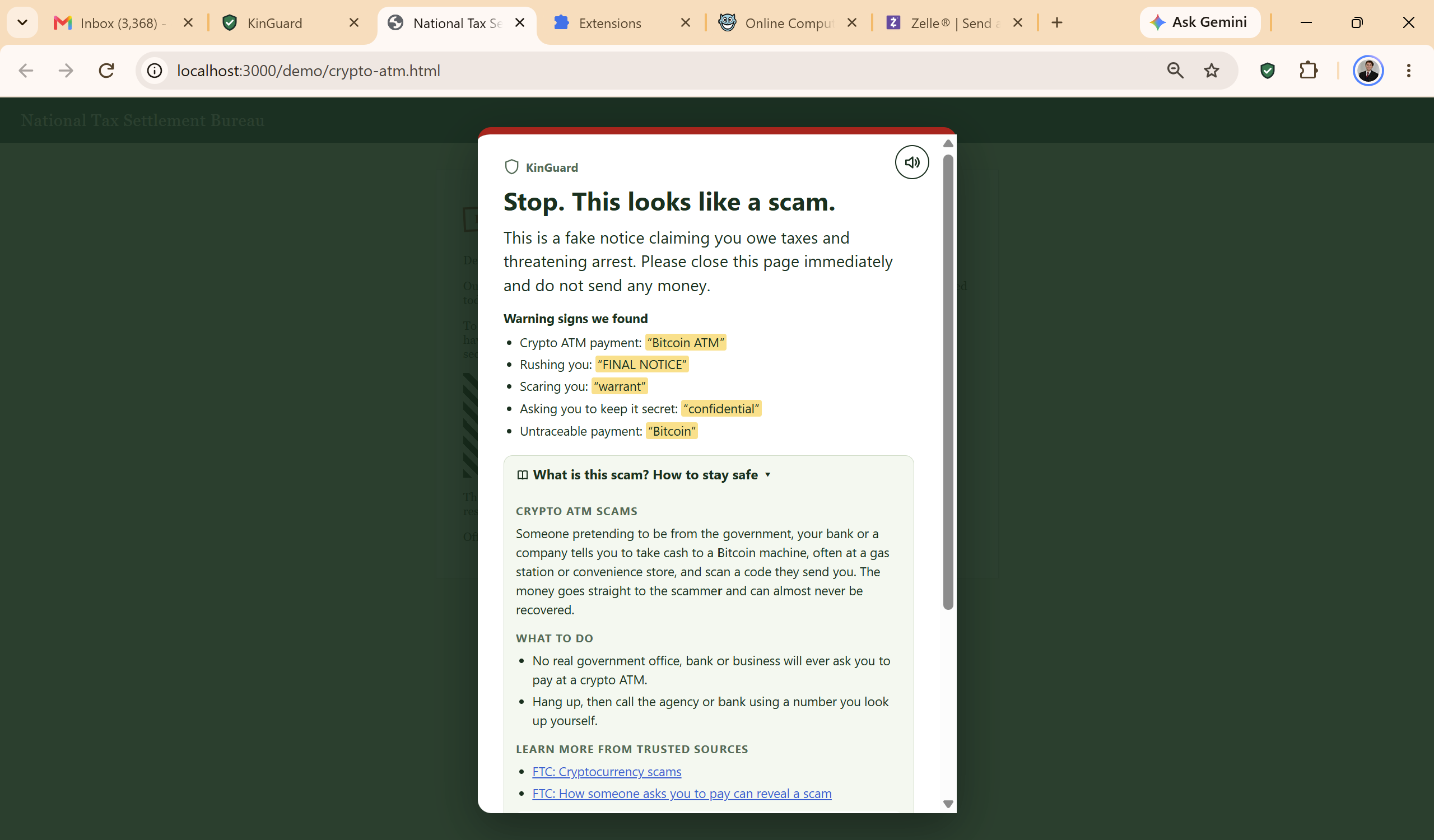
A warning and explanation brought up after reaching a tax/crypto scam.
-
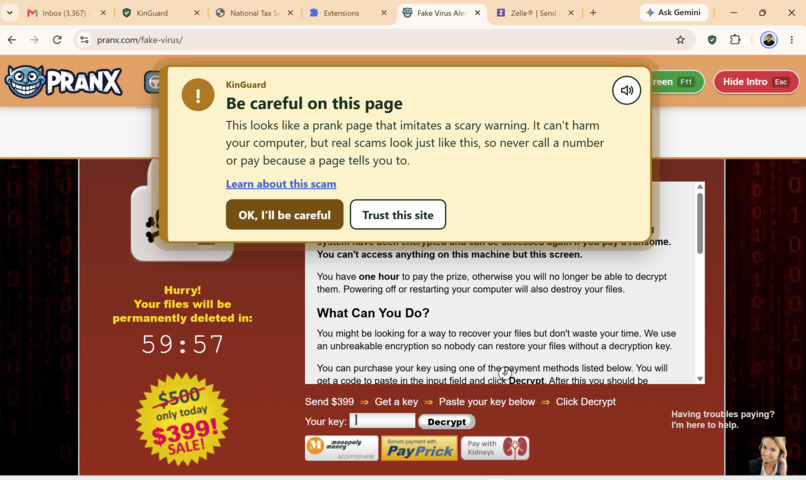
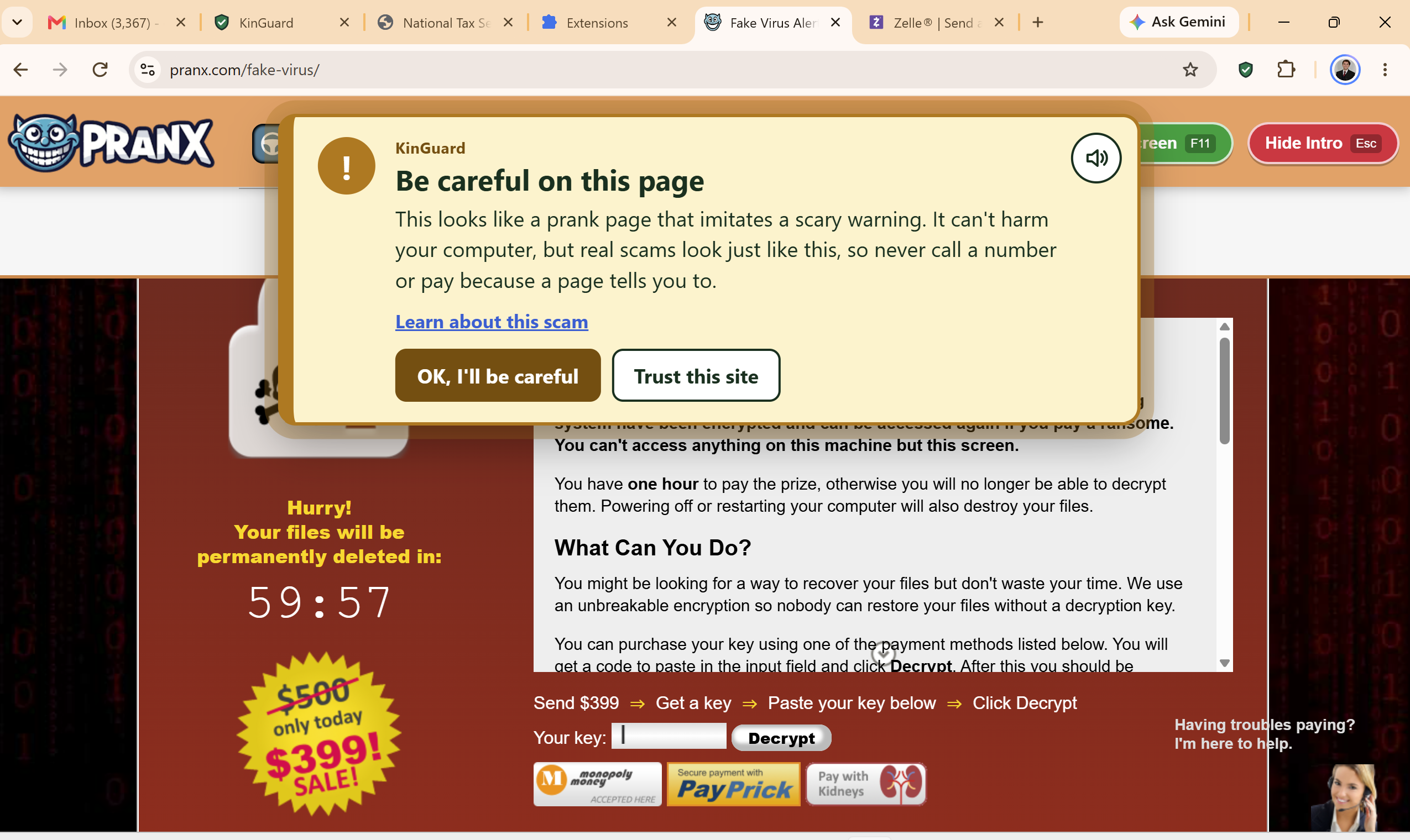
A non-critical warning sent when navigating to a non-malicious but suspicious page.
-
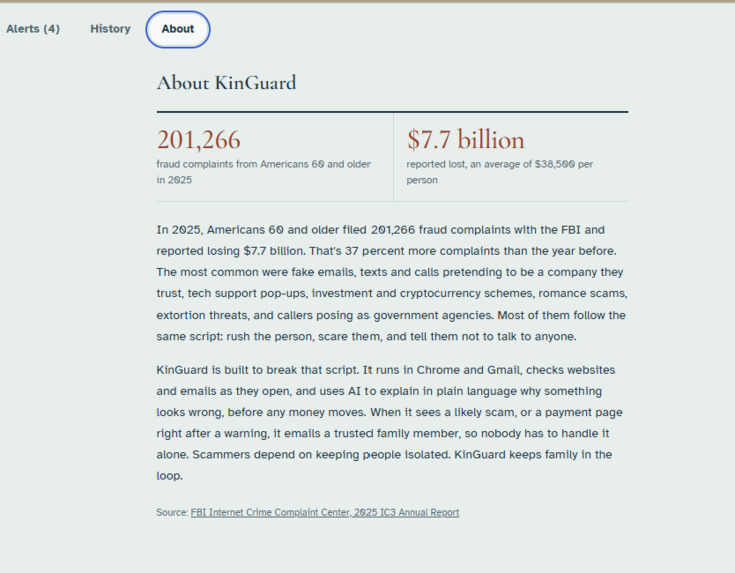
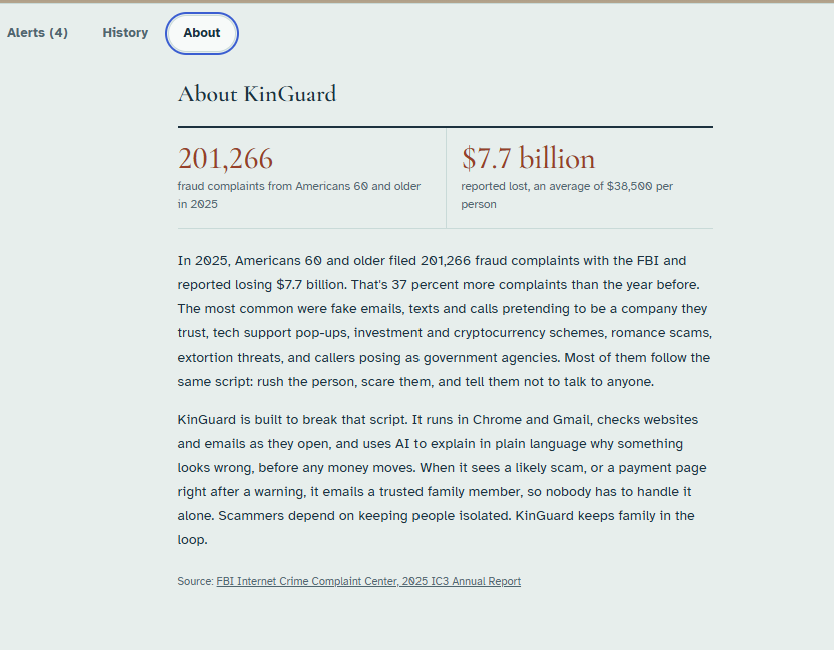
Our 'About Us' Page
-
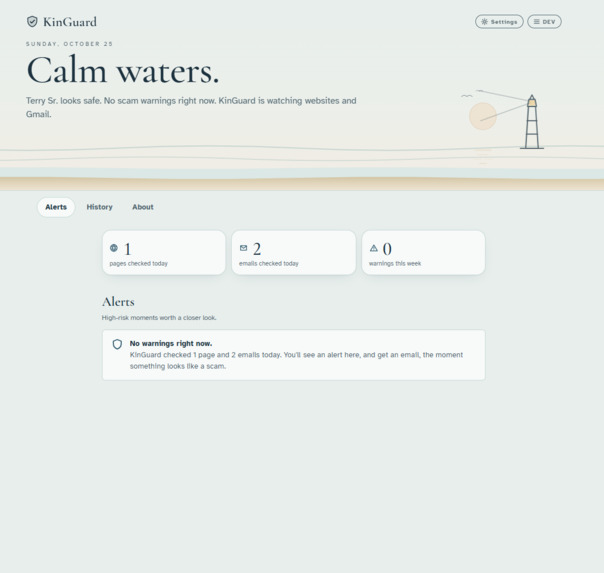
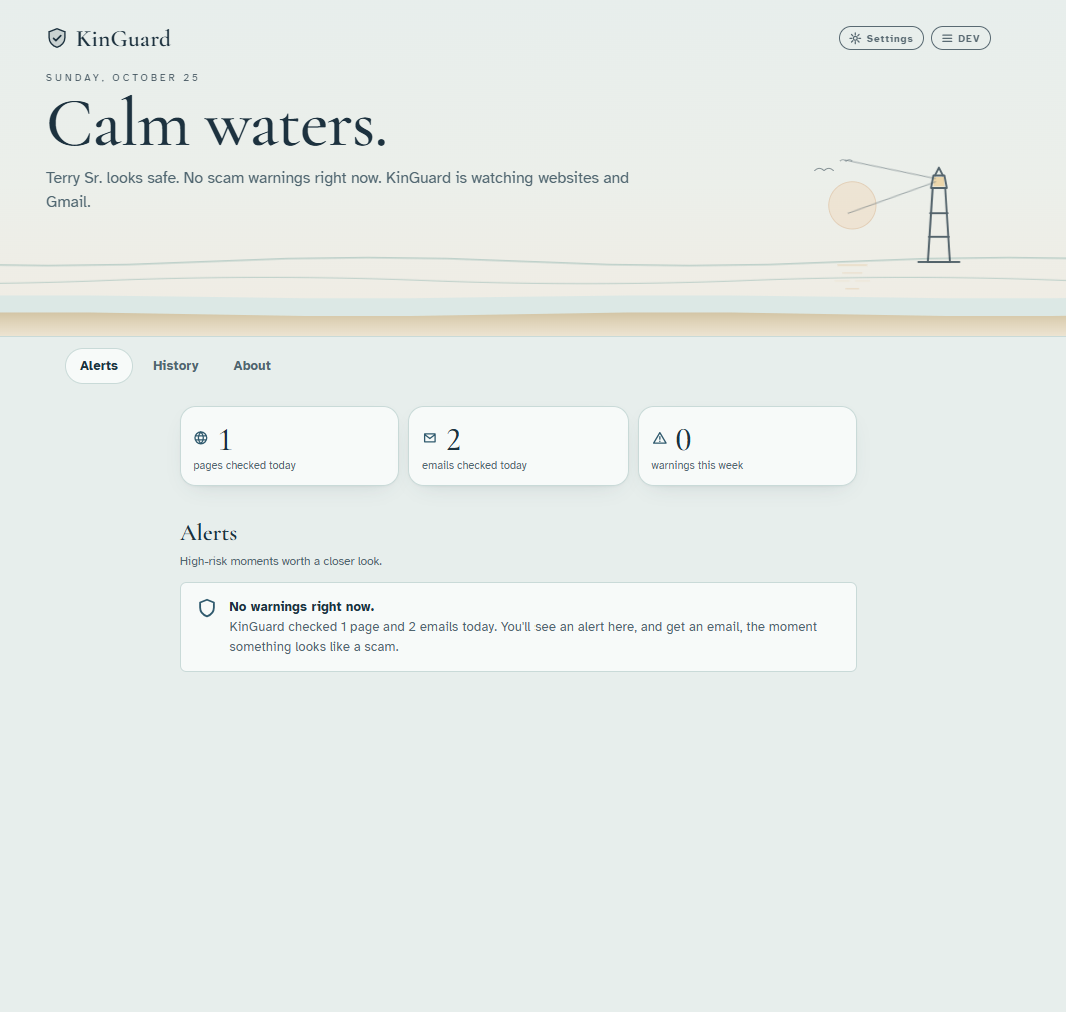
'Clear Waters' - Senior is safe, no scam emails or suspicious websites clicked (Family Dashboard)
-
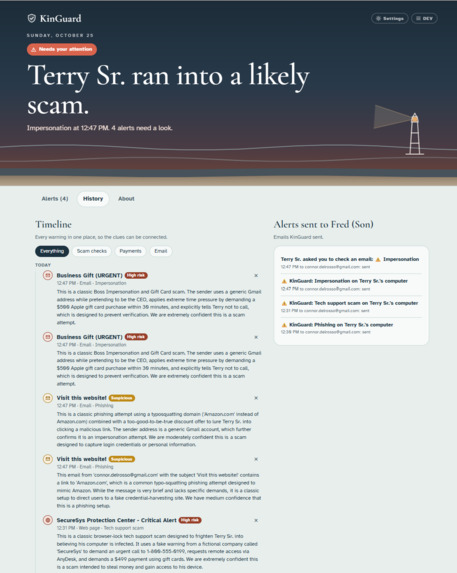
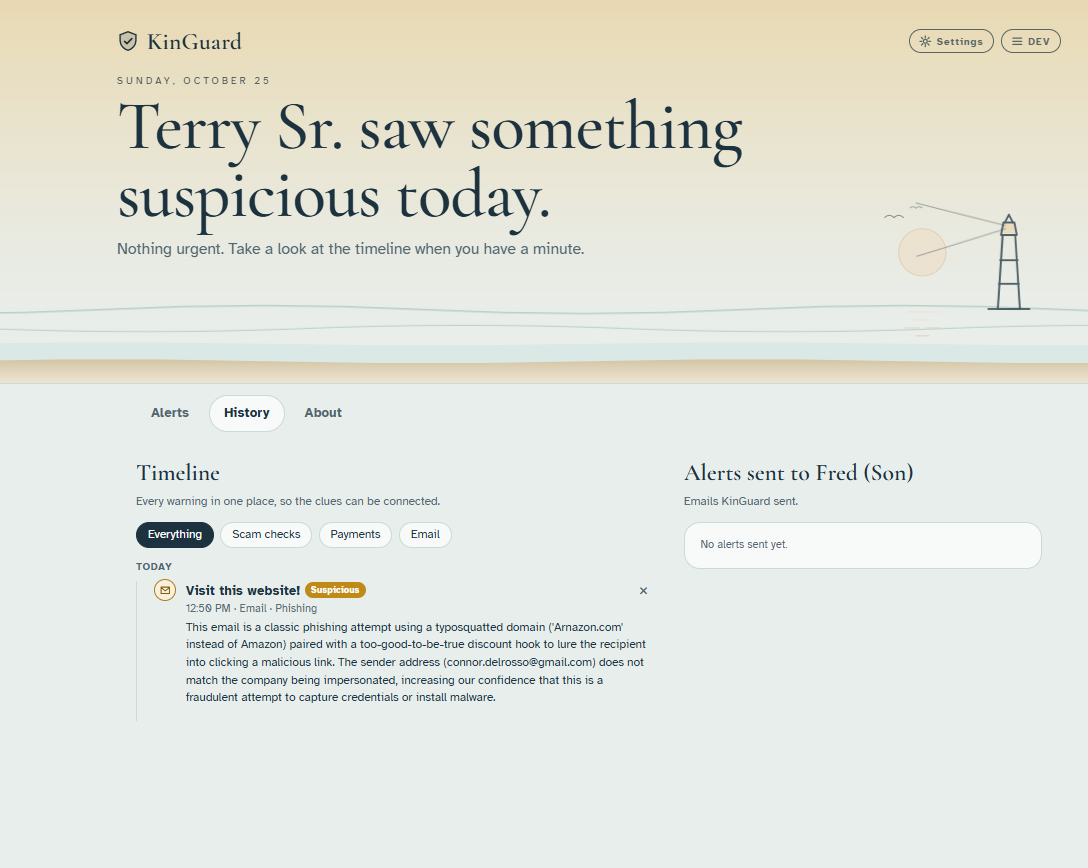
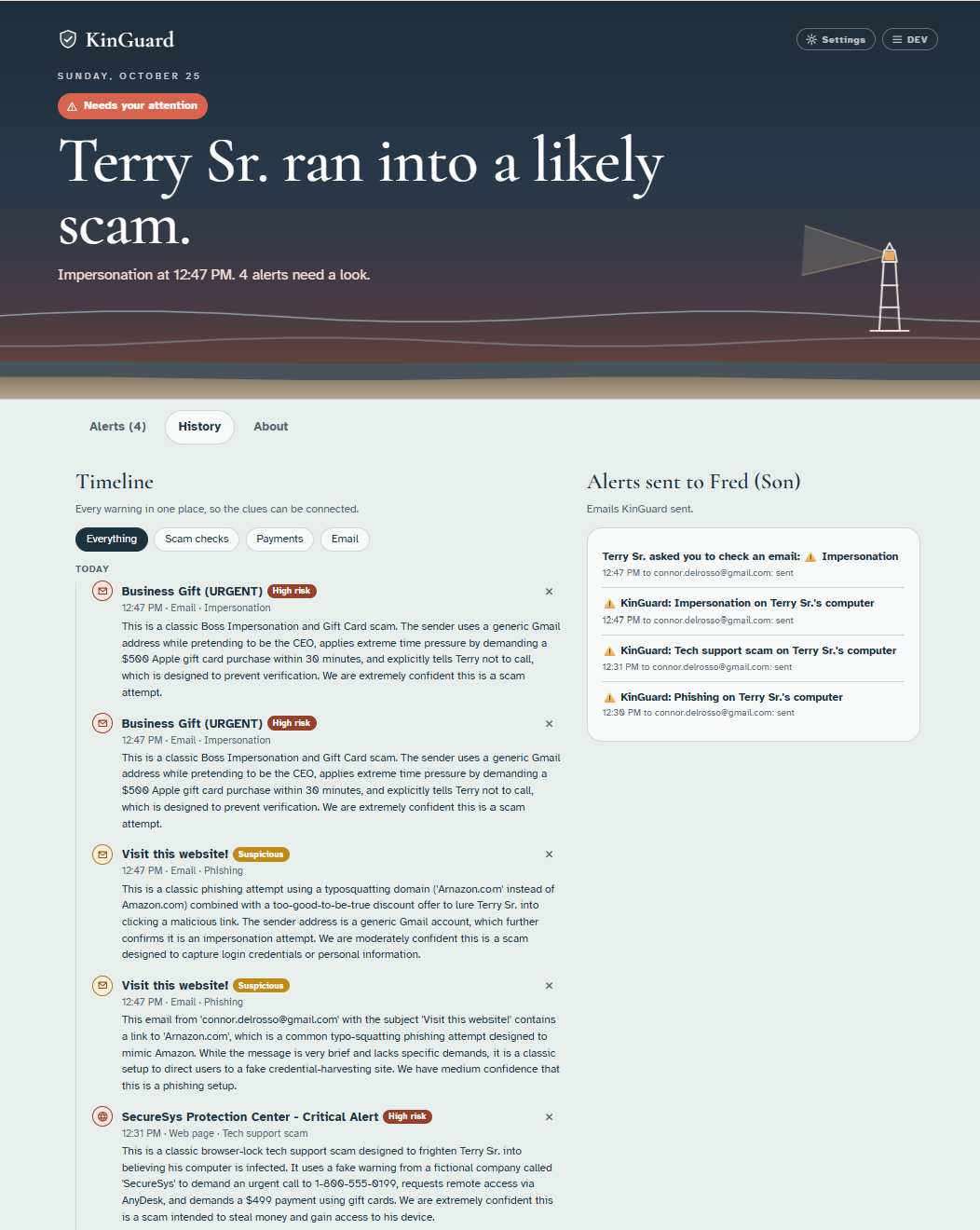
Our history window after our senior clicked on many phishing emails (Family Dashboard).
-
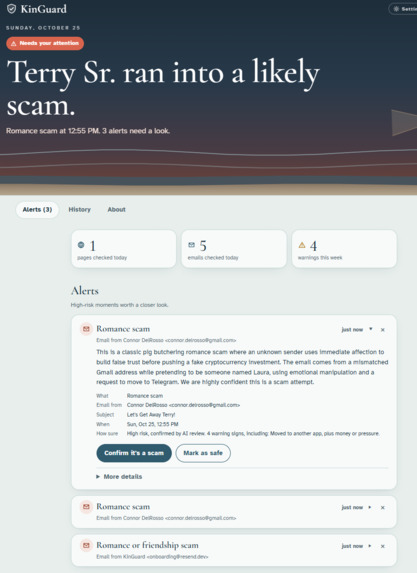
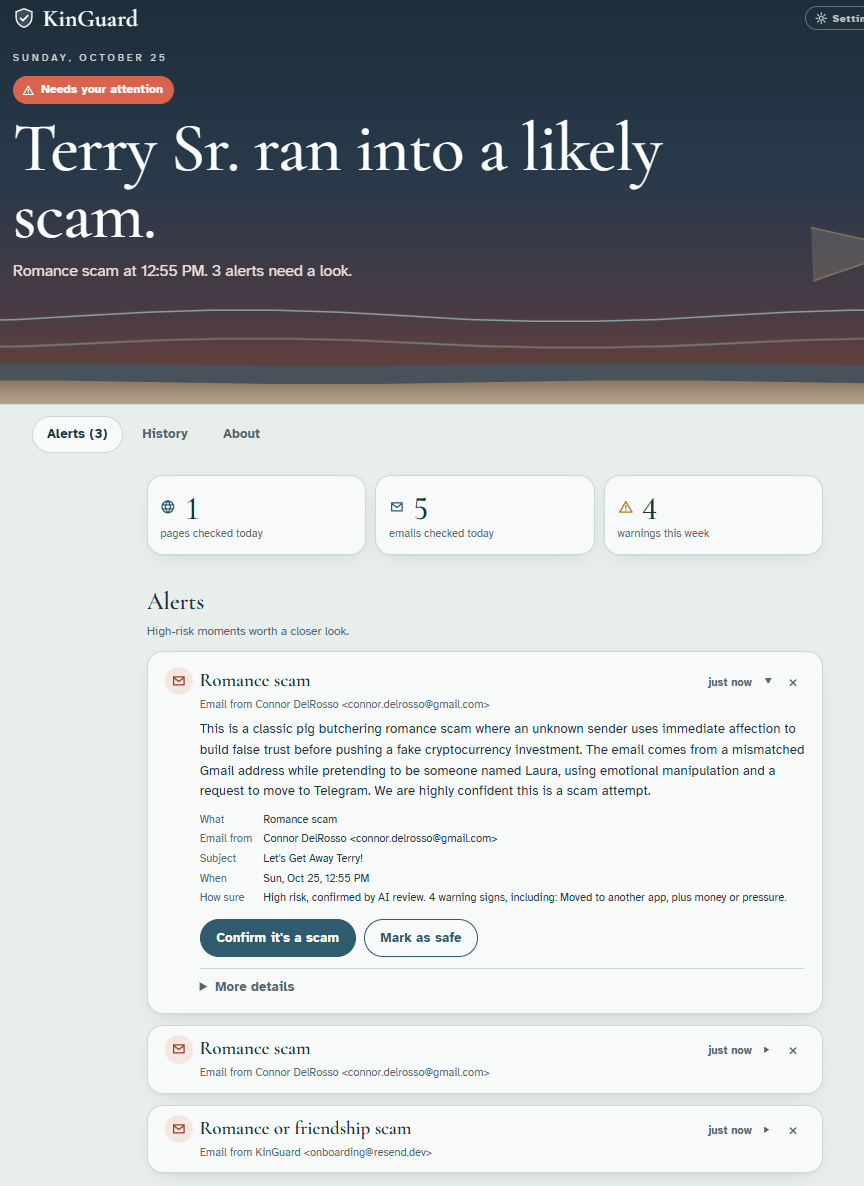
Our alert page after our senior clicked on Phishing emails and asked for family help (Family Dashboard)
Inspiration
Every year, more than 200,000 Americans over the age of 60 fall victim to financial fraud and scams. I’ve seen what that number means up close. Working for a man with dementia showed me how vulnerable elderly people can be, and watching Jim Browning, a YouTuber who exposes scam operations that often target seniors, taught me how scammers exploit that vulnerability: they manipulate their victims and try to isolate them from the family members who might step in. After hearing truly tragic stories of seniors losing their life savings, I realized there needed to be a solution, and I set out to create one.
What it does
My project is a browser extension paired with a web dashboard for a trusted family member. It alerts the family when a senior visits a suspicious website, opens a scam email, or runs into other common threats. Every alert is written to educate both the senior and their family member about the specific type of scam involved, with links to trustworthy sources such as FTC consumer guidance.
Email Monitoring. A “Scrutinize” button on each inbox row lets the senior check an email right from its preview, without opening it. The scan emails the trusted family member and logs the check on the dashboard. Emails are also checked automatically for phishing and social engineering using the Gemini API, and a separate button lets the senior request help from their family member directly. Our detection covers over 30 warning signs, with patterns for tech support scams, government impersonation, family emergency scams, fake prizes, fake CAPTCHAs that tell the user to press Windows + R, crypto ATM payments, “boss” requests for gift cards, links to typo-squatted domains, “pig butchering” romance and investment schemes, and attempts to move the conversation to Telegram or other unmonitored channels.
Voiceover with ElevenLabs. Many seniors have impaired vision, so we integrated ElevenLabs to read scam alerts aloud in a natural-sounding voice.
Typo-Squatting Detection. The extension detects mistyped URLs and look-alike domains (for example, arnazon.com instead of amazon.com), which can stop a senior from entering login information into a fake portal.
Anti-Scareware Protection. If a senior clicks a malicious ad or otherwise lands on a scareware page, such as a fake pop-up claiming their computer has a virus and urging them to call a “support” hotline, the extension covers the page with a full-screen warning and a one-click way to leave, then alerts their trusted family member.
Family Email Alerts. When a critical threat occurs, such as the senior visiting a dangerous website or opening a scam email, the trusted family member receives an email report so they can step in and help. The senior doesn’t have to click anything in the email for this to happen. Each report includes practical advice and educational sources about that scam.
Family Dashboard. A hallmark of this project is that it doesn’t rely on AI alone. It brings back the human element: family support and the extra validation a person in the loop can provide. The dashboard, shared between the senior and their trusted family member, gives the family member a place to review alerts the senior triggered as well as help requests the senior sent intentionally through the extension.
How we built it
After researching the scams seniors run into most, I settled on five areas to focus on: typo-squatting, scareware, email phishing, family alerts, and a family dashboard. Then, with the help of Claude Code, I built in rounds. I’d add a feature, test it against real scam examples, fix what broke, and go again. I kept trying to picture how a senior would actually use it, and that’s how I realized a warning by itself wasn’t enough. If they understand why something is a scam, they’re more likely to trust the alert and to catch the next one on their own. So every alert explains the scam in plain language and links to trusted sources (something I thought of due to the speech from the Bank Data officer at the opening ceremony). I also figured that if KinGuard flagged too much, people would just turn it off. I added softer amber notices for milder red flags, had it skip search result pages and let seniors mark sites they trust. To help validate my extension, I built a test suite of real scam messages and ordinary emails to check that scams got caught and normal mail didn’t.
KinGuard is a Chrome extension with a Next.js dashboard. A local rules engine checks pages and emails on the senior’s own computer, and the Gemini API takes a closer look at anything that seems suspicious. Resend sends the family email alerts, and ElevenLabs reads warnings aloud.
Challenges we ran into
Some of the largest issues I ran into with this project was scope creep. I had a lot of ideas early on, whether it be live-time bank monitoring and tying that into our scam-related data or even tying in another API to make alert-phone calls. The project got to a point where I wasn't sure which step to take next, so I removed some of these features from our core product and slowly started adding the ones I thought were a good fit (such as the 11-Labs voice overs or our Email alerts) back into the project once I completed our core objectives.
Accomplishments that we're proud of
I believe KinGuard can make a real difference for people, and it’s also the first browser extension I’ve ever built. Early on, our team split into two groups. The other group was worried that a browser extension with email integration would be too hard to pull off, so they went in a different direction, and I decided to stick with this project.
As a cybersecurity major, I was able to take the skills I’ve built over my education and point them at a specific problem. The coding was only part of it. Knowing how scammers actually operate pushed me to cover as many of their tactics as I could.
What we learned
Phishing scams come from a lot of different directions, and we saw how much it helps to teach people in the moment and to interrupt scare tactics before they take hold. While testing which Gemini model to use, I ran a benchmark and found that Flash was the best fit for KinGuard. It may be less capable than larger models at other tasks, but its fast response times mattered most here, since a warning that shows up late is a lot less useful. That taught me the right tool for a job isn’t always the most powerful one available. I also learned how much a browser extension can do. Going in, I had no idea they could be this versatile and comprehensive.
What's next for KinGuard
The first step is moving KinGuard off my local setup and into the cloud. Since the dashboard and the AI checks would be handling seniors’ emails and browsing activity, securing both would be a top priority before anyone relies on it. I also want to strengthen how KinGuard handles certain kinds of scams, starting with pig butchering, where a scammer strikes up a conversation through a fake “wrong number” or chance meeting and slowly builds a romance or friendship. Right now KinGuard does a good job catching the moment the scammer finally asks for money, and it alerts both the senior and their family member when that happens. By then, though, the senior may already be emotionally invested. I’d like to tune it to pick up the subtler signs earlier in the conversation so it can raise concerns before that attachment forms.

Log in or sign up for Devpost to join the conversation.