KineSpace
Neck and hand physio in AR, for Spectacles.
KineSpace is a Lens for Snap Spectacles that guides short home-physiotherapy sessions for the neck and hands. It was planned, built and tested with an AI coding agent working directly inside Lens Studio.
Inspiration
Physio only works if you actually do it. At home, people forget their exercises, get bored, or rush the movements with no one there to correct them. A printed sheet can't tell you that you turned your head too fast, or that today you should go a little easier. We wanted a coach that sits right in front of your eyes, keeps you moving at the right pace, and stops you when something hurts.
What it does
KineSpace guides a session of about seven minutes, two or three times a day.
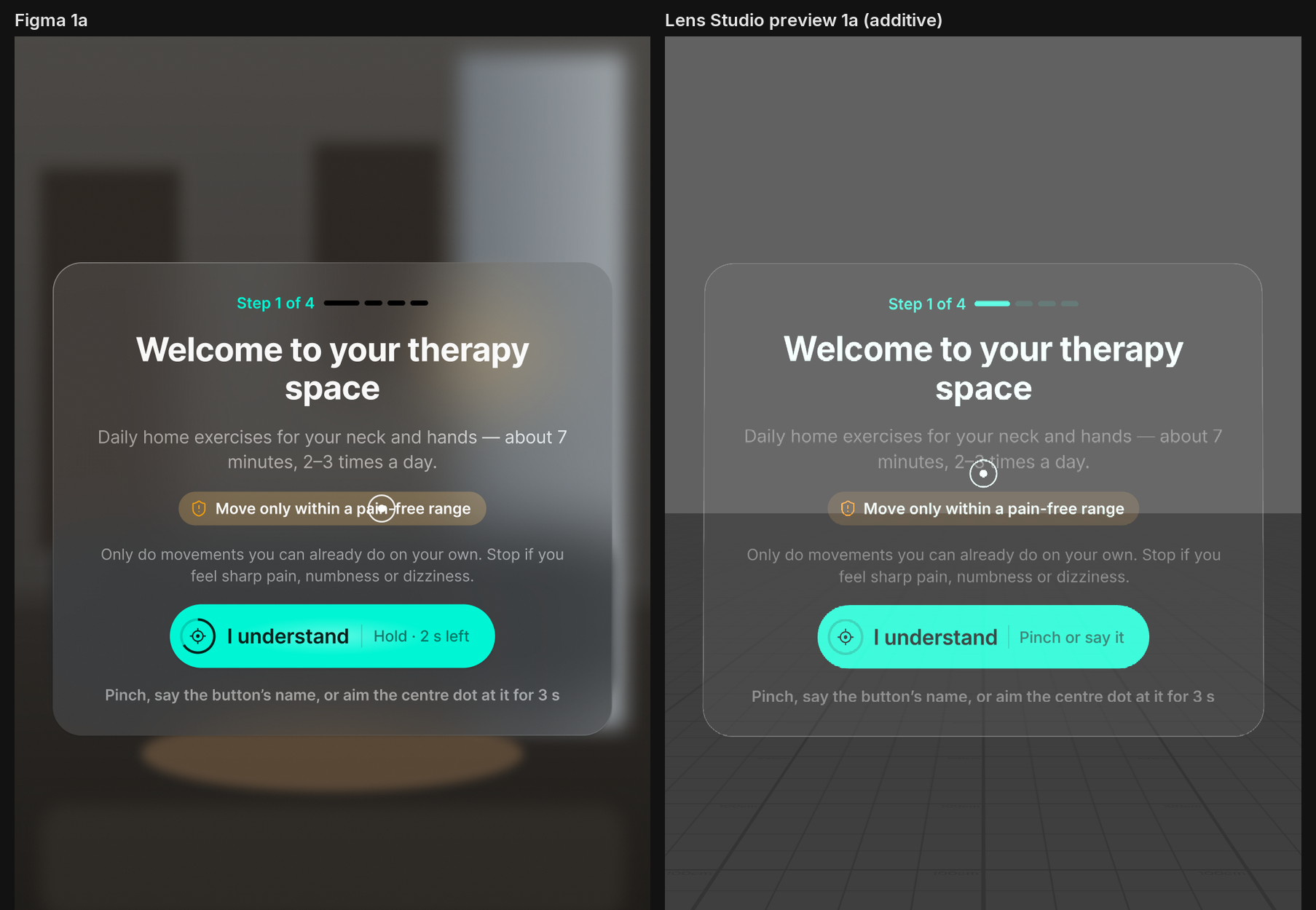
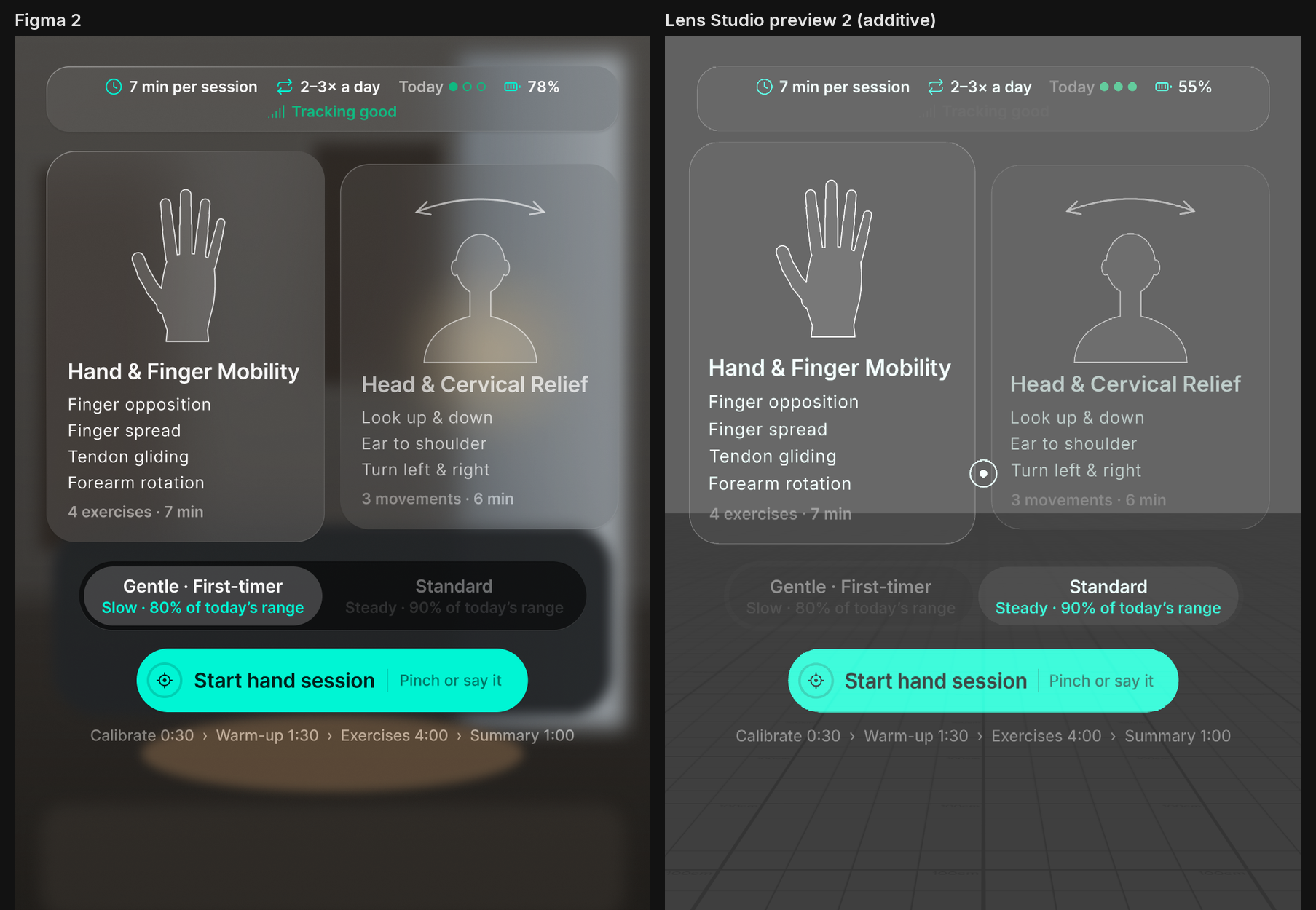
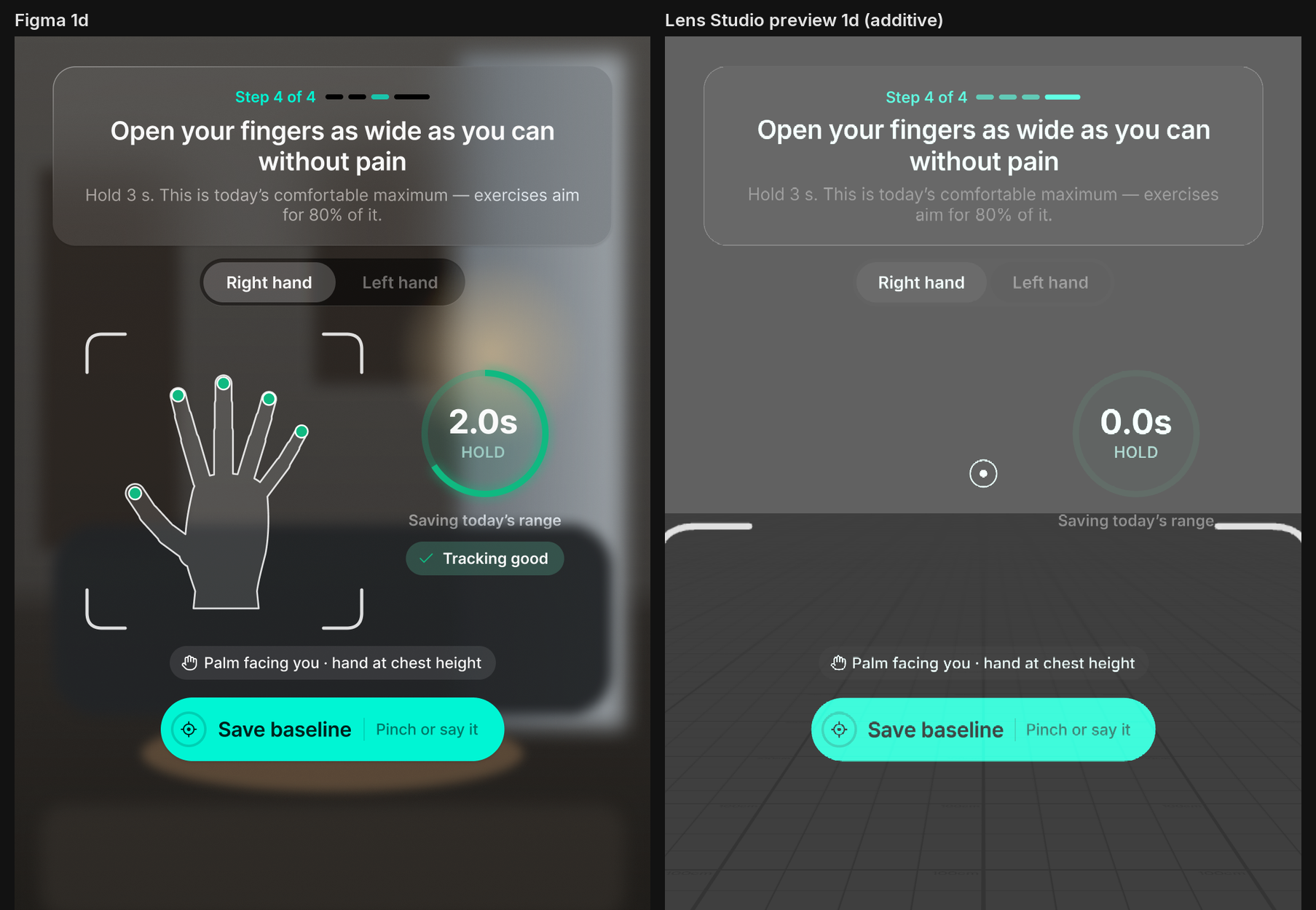
- Hands-free controls. Every button works three ways: pinch it, say its label, or hold your head on it for three seconds (head-aim dwell). Spectacles have no eye tracking, so a visible aim dot and a filling ring show what you are pressing.
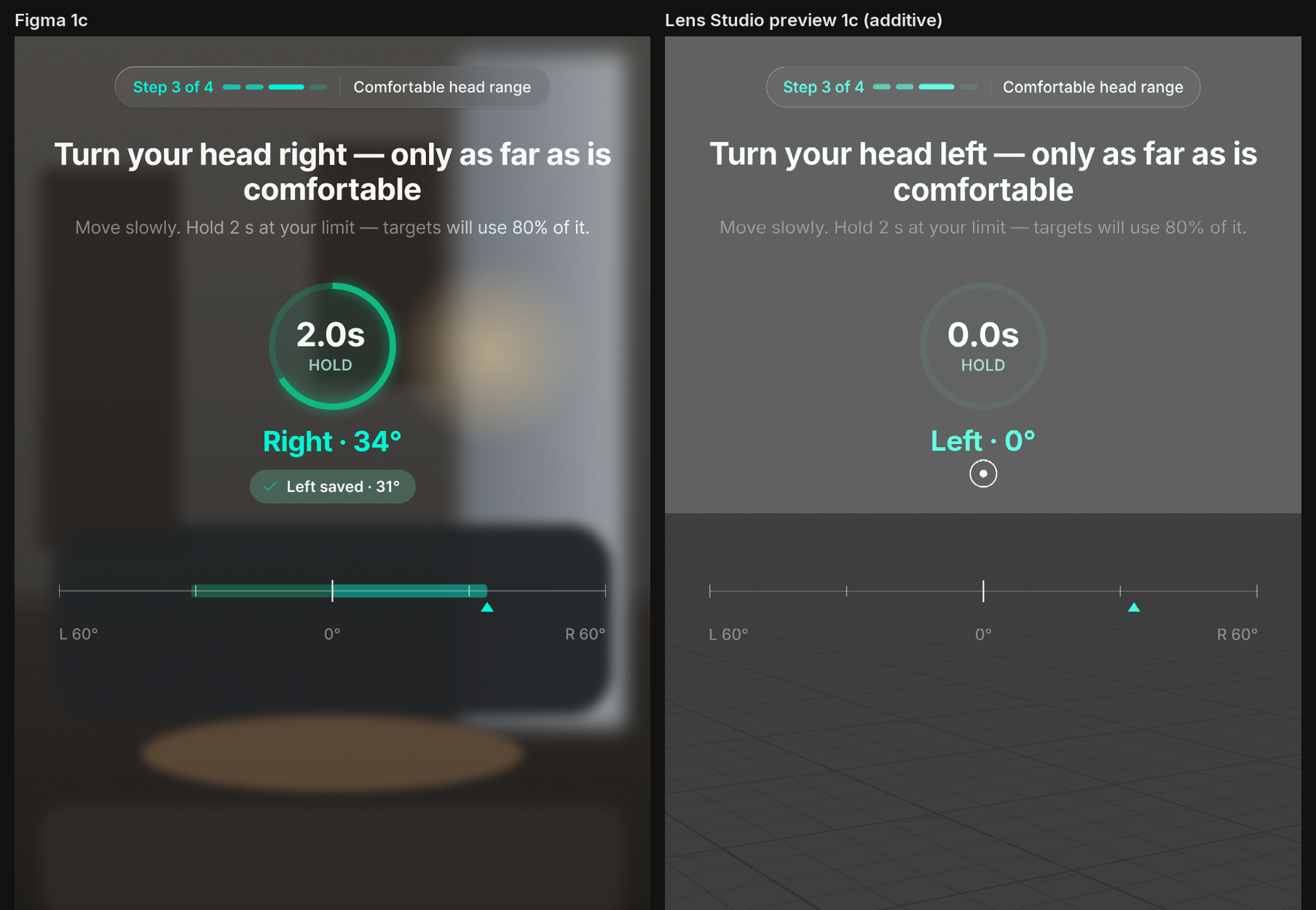
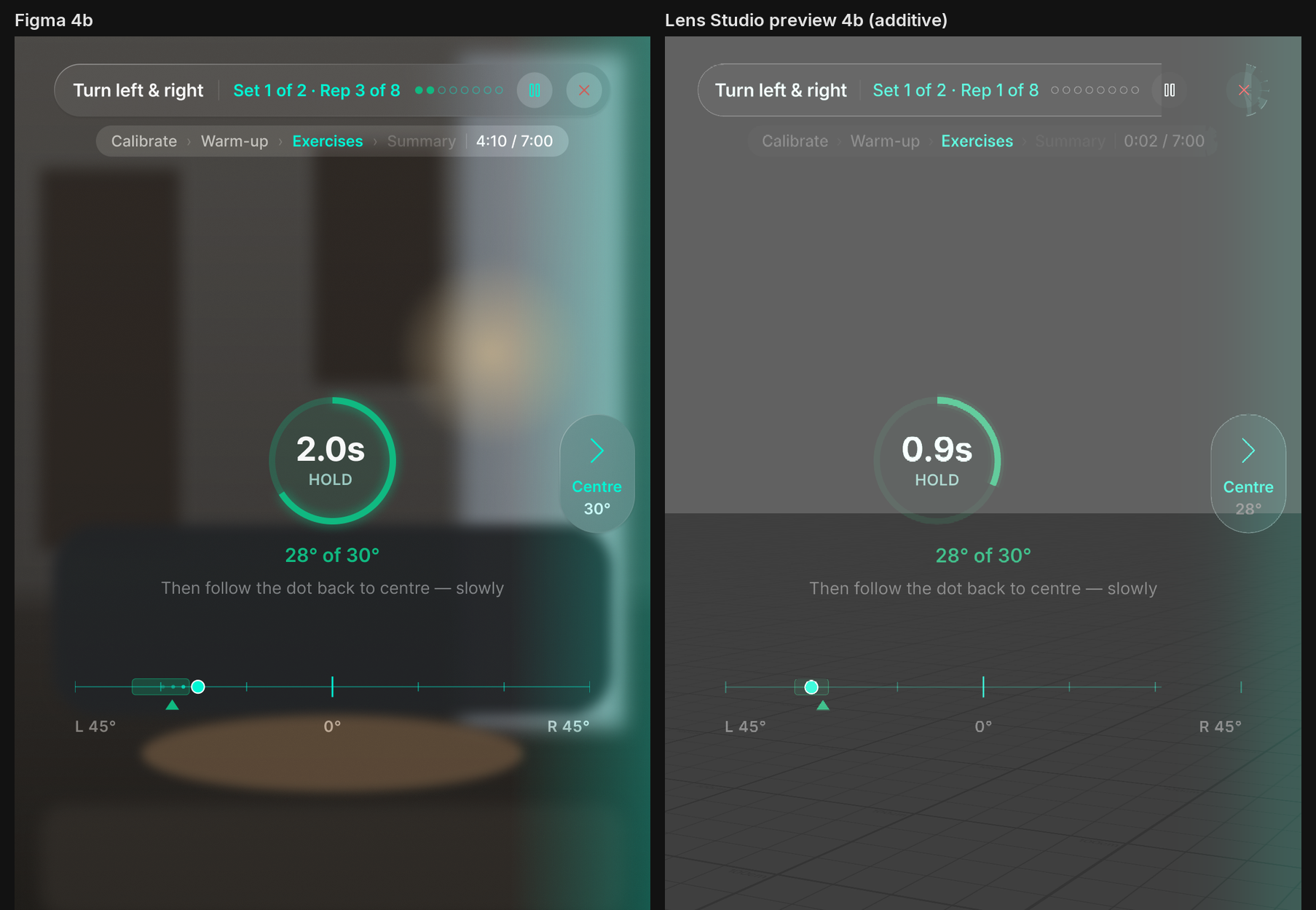
- Daily calibration. The Lens records your neutral head position and how far you can comfortably turn, look up and down, and tilt today. Every target is a fraction of today's range, never an absolute angle.
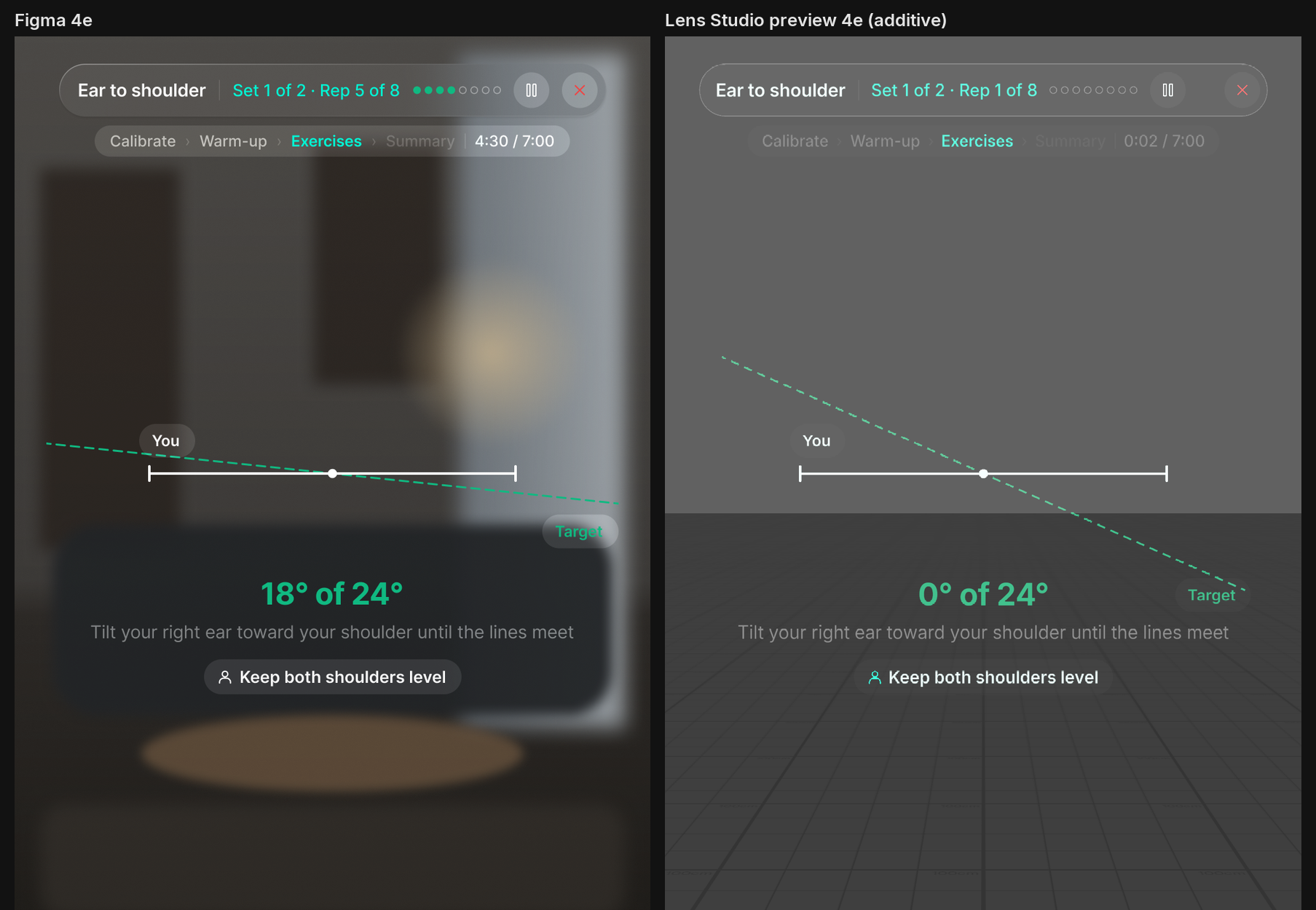
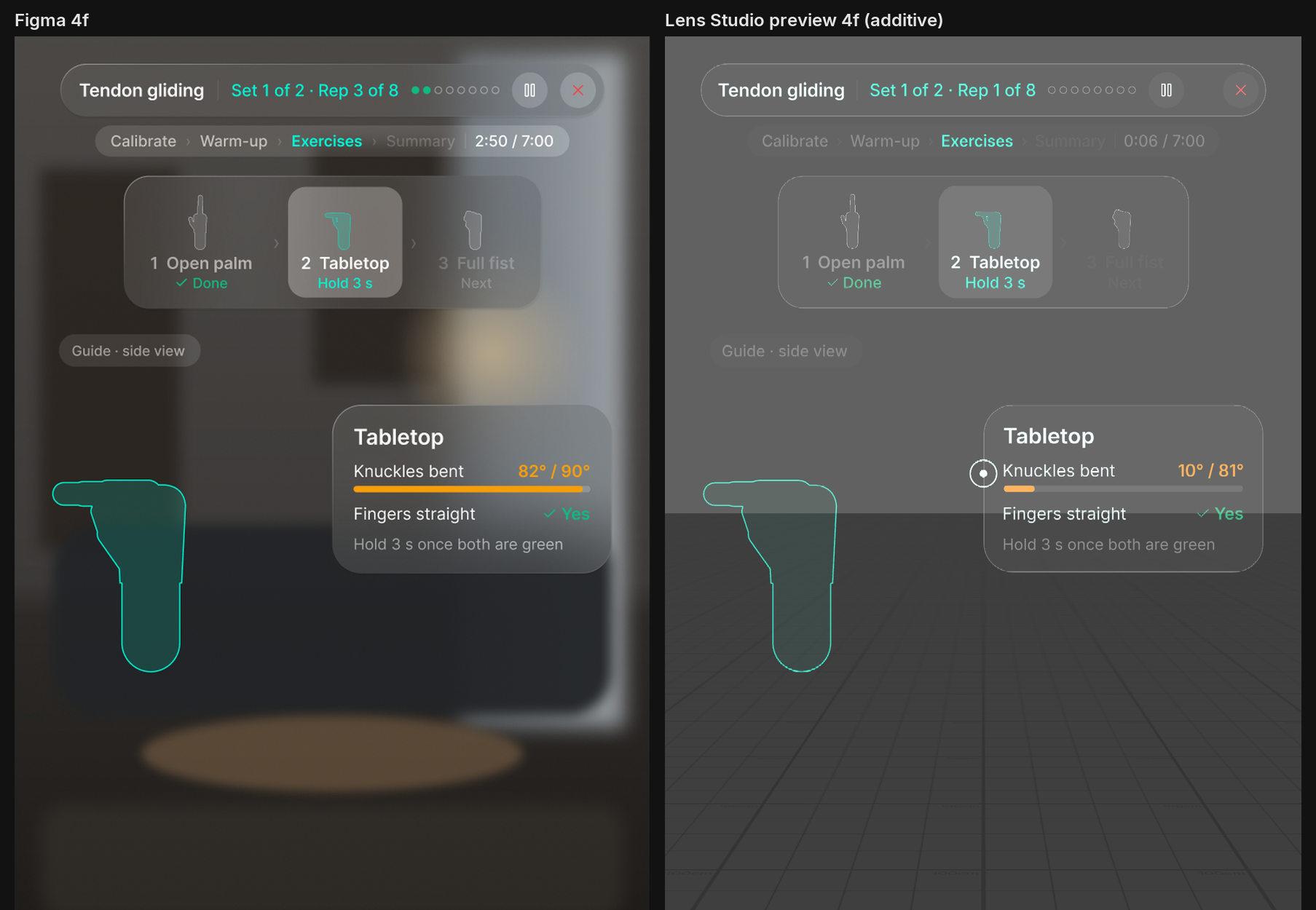
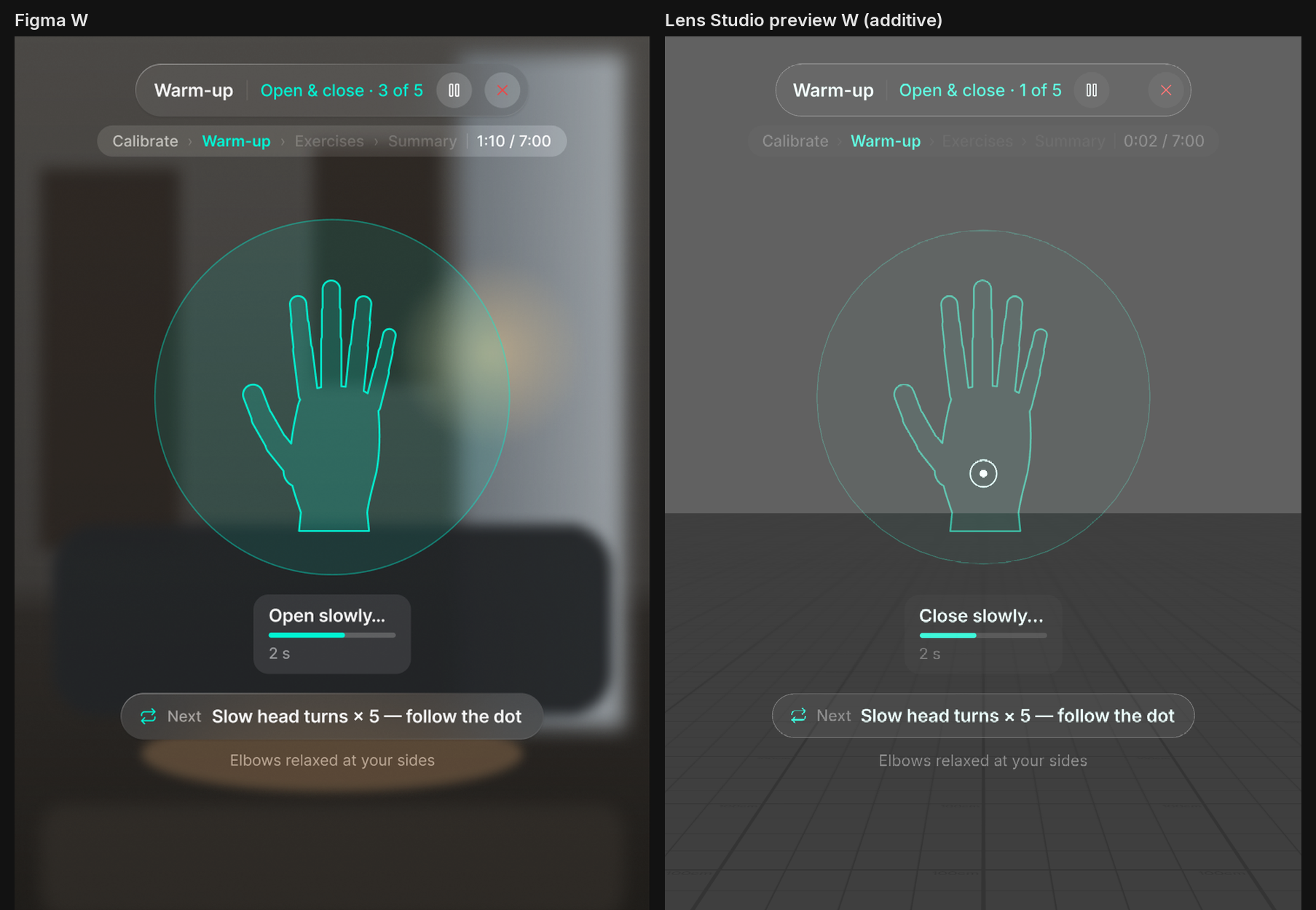
- Two modules and two paces. Hand & Finger Mobility covers finger opposition and tendon gliding. Head & Cervical Relief covers looking up and down, ear to shoulder, and turning left and right. Gentle aims at 80% of your range and Standard at 90%.
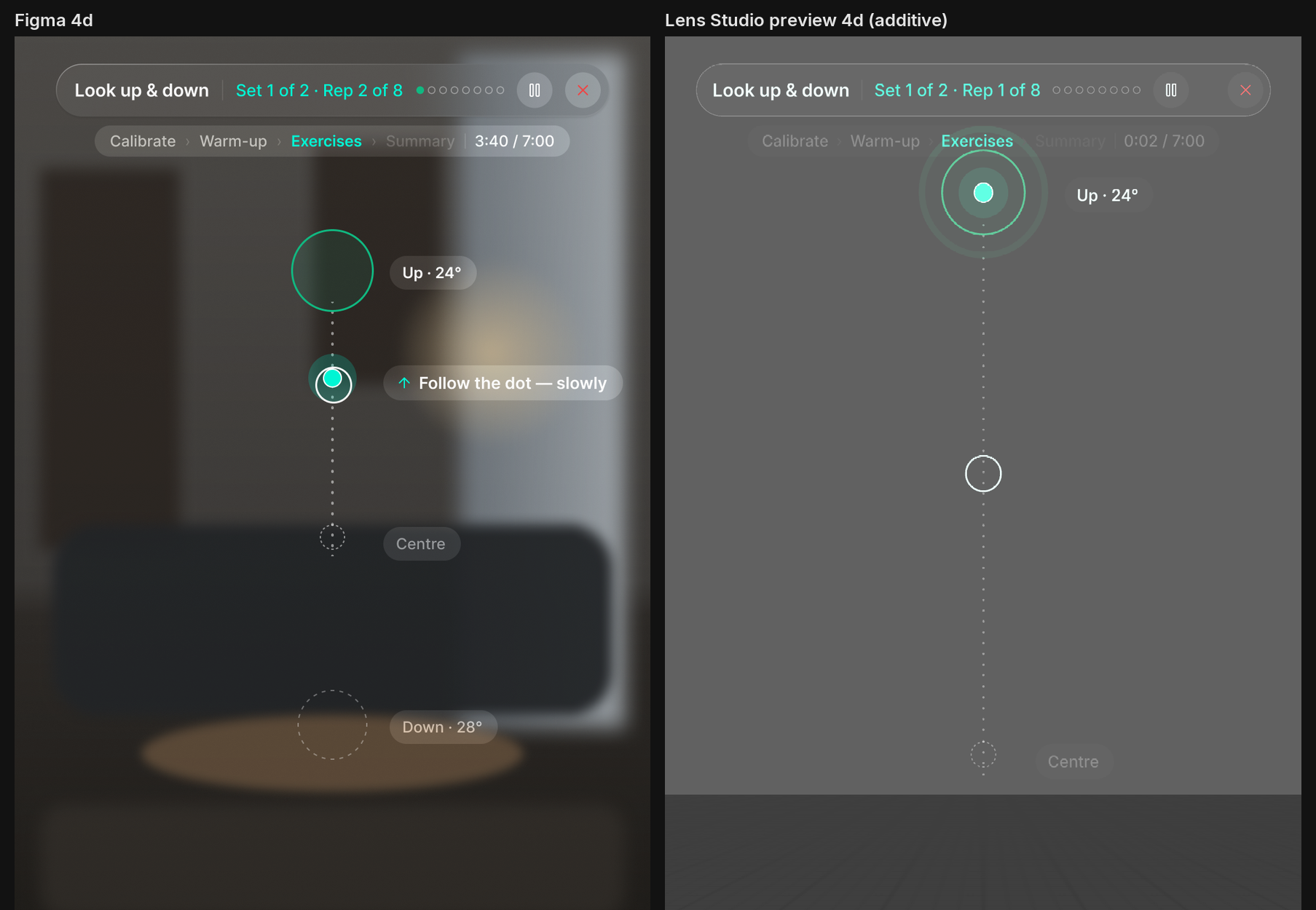
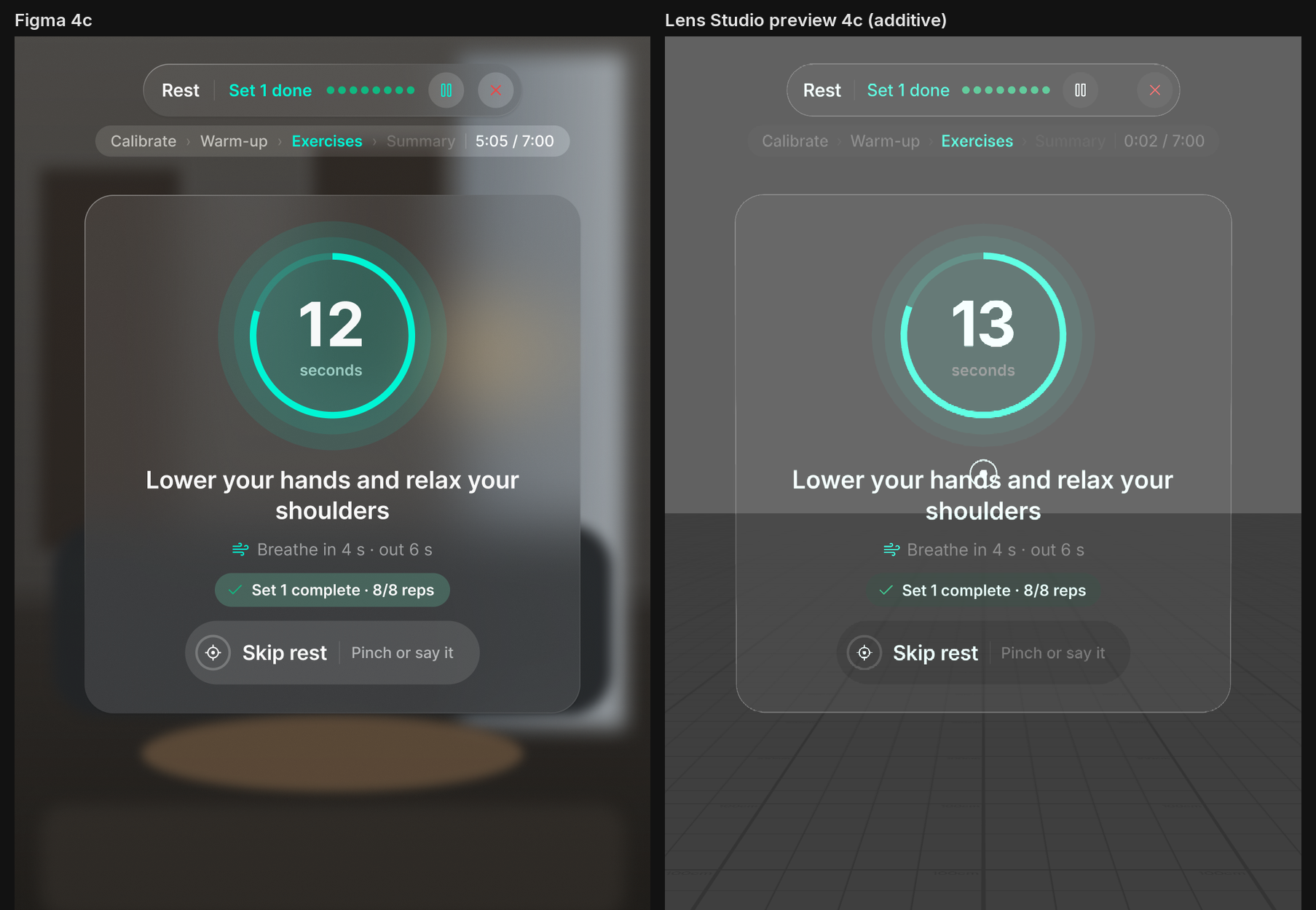
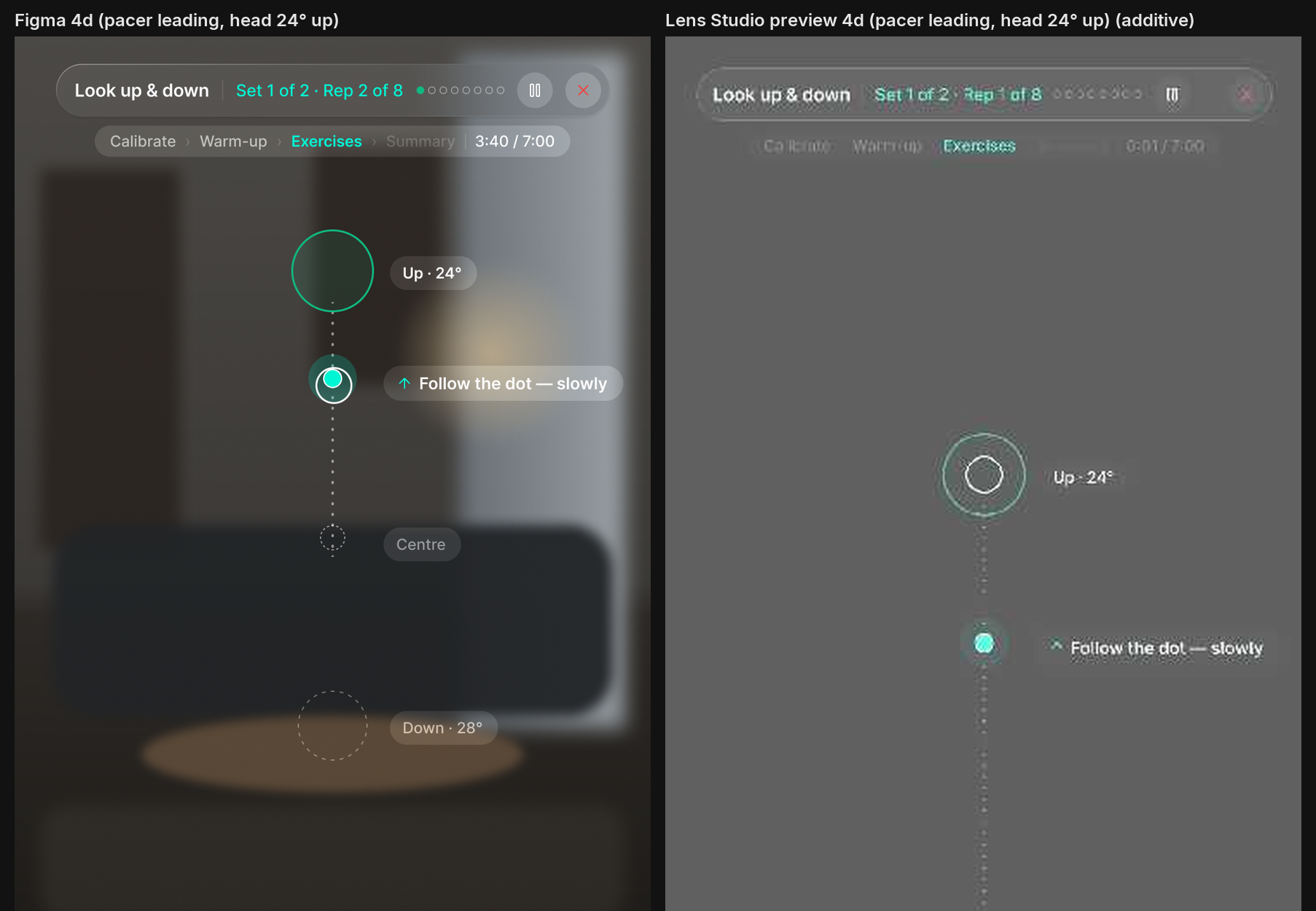
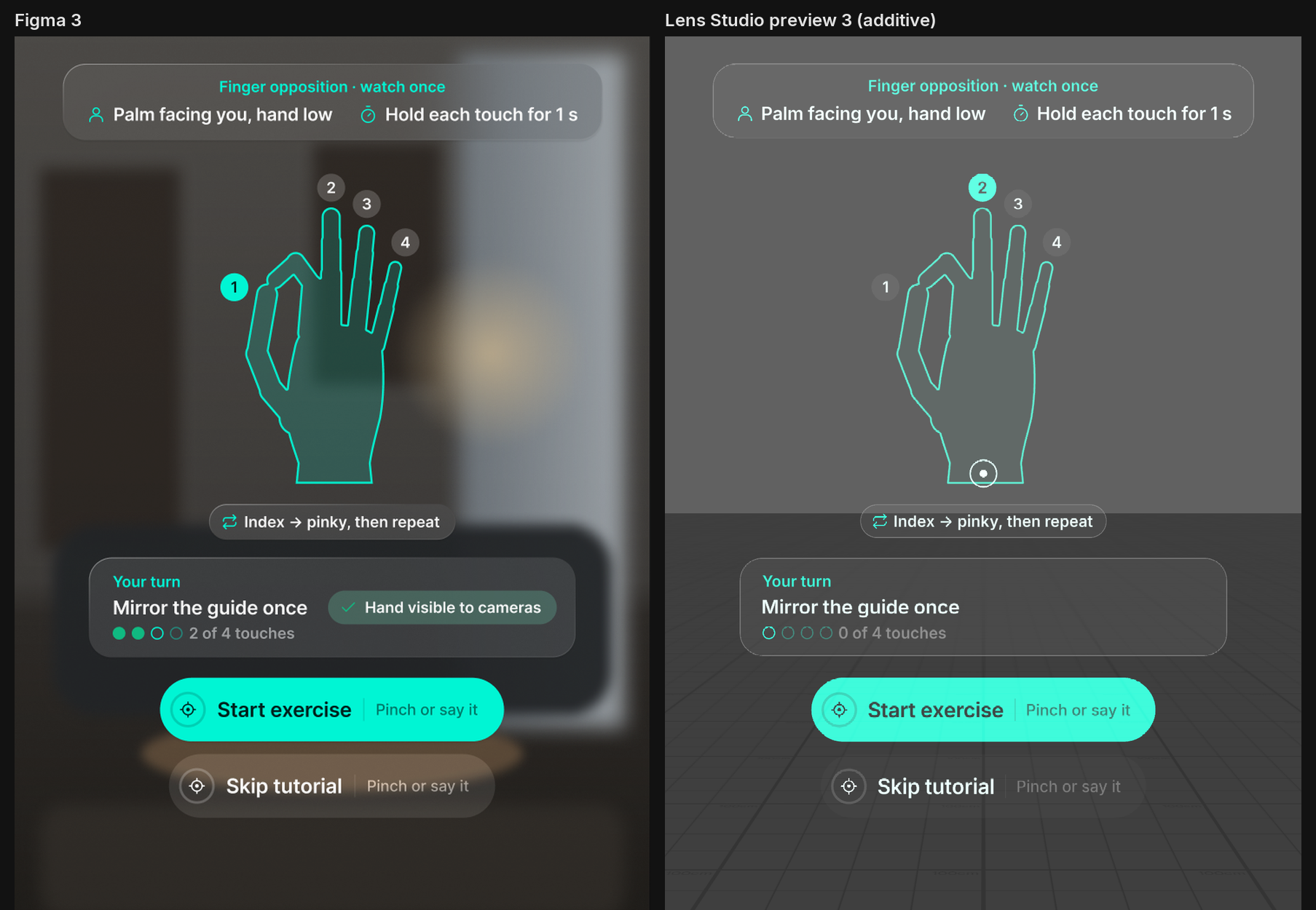
- Guided exercises. A warm-up comes first, and on your first session a tutorial shows the move before you try it. During the exercises, a pacer dot leads every head movement. Rushed reps don't count: you get an amber "Slower, please" instead. Between sets there is a 15-second rest with a breathing halo.
- Progress and comfort check. Each session ends with your range and smooth-rep stats, plus a question: Good, A bit sore, or Pain.
- Safety first.
- Pain: reporting it from the summary, the HUD Stop button or the voice command "stop" ends the session at once, and the next session starts easier (70% of the range).
- Soreness: "A bit sore" lowers the next target slightly.
- Limits: a 10-minute cap and a low-battery guard end the session cleanly.
- Tracking: if hand tracking is lost, the exercise freezes and resumes on its own.
- Private by design. Progress is saved with Persistent Storage on the device only. There are no network calls.
How we built it
1. Plan before code. We started from a 16-screen design and three planning documents from the skill pack:
- An agent brief (
lens-studio-agent.md) with the platform's hard rules:- The display is additive, so there is no blur and black is transparent.
- There is no eye tracking, and the left palm is reserved by the system.
- Interactive targets must be at least 2° wide and spaced at least 1° apart.
- Every button must accept pinch, voice and dwell.
Config.ts, the single home for every threshold. Each value cites its source, and every therapy value is taggedTODO: validate with physiotherapist.DEVIATIONS.md, which logs every place the build differs from the design and why. It holds 30 platform deviations and 38 conflicts found inside the design itself.
2. Build with an AI agent inside Lens Studio. Claude Code worked through the Lens Studio MCP server:
- It selected objects and edited the scene.
- It flipped dev settings, restarted the Preview and read the Logger.
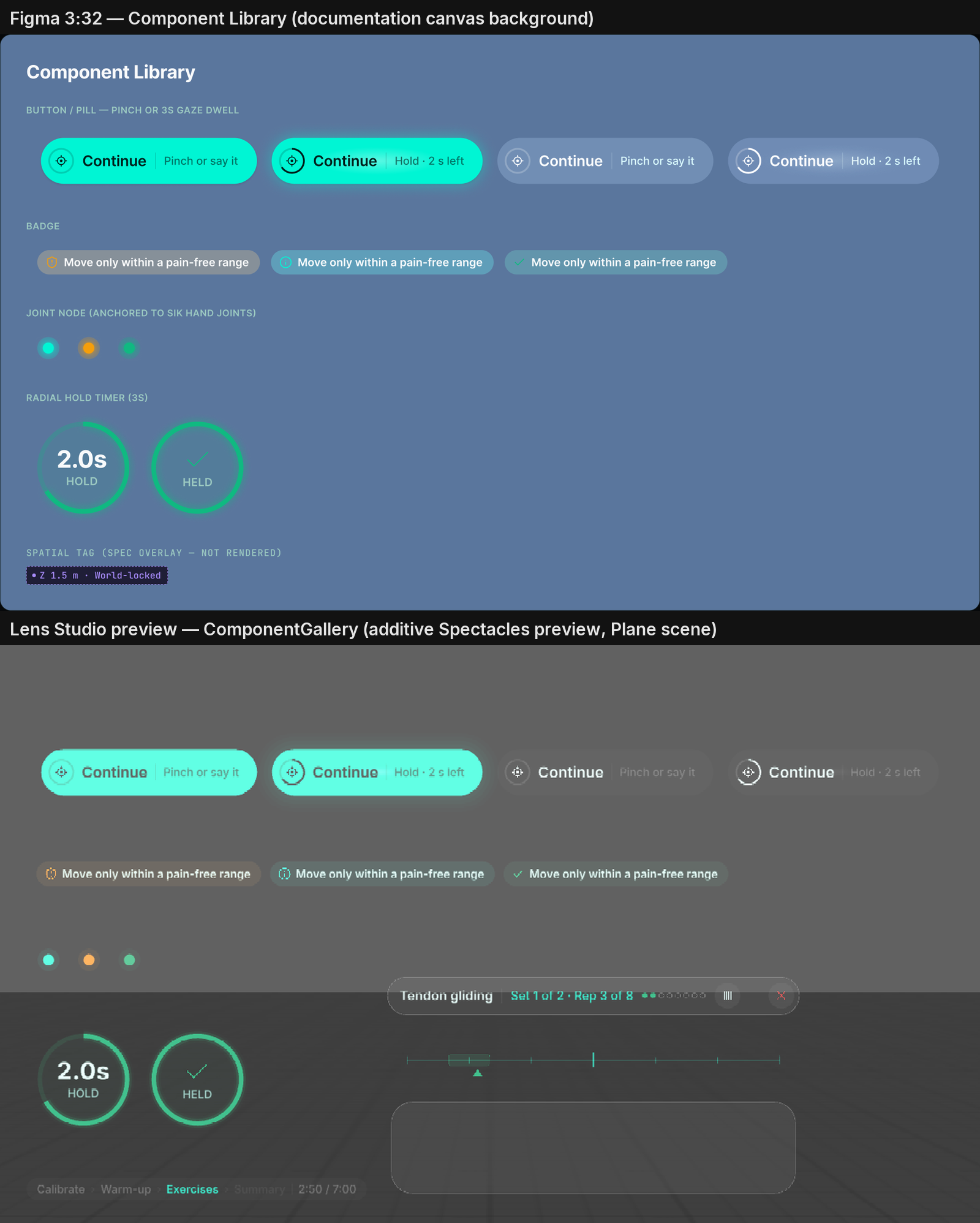
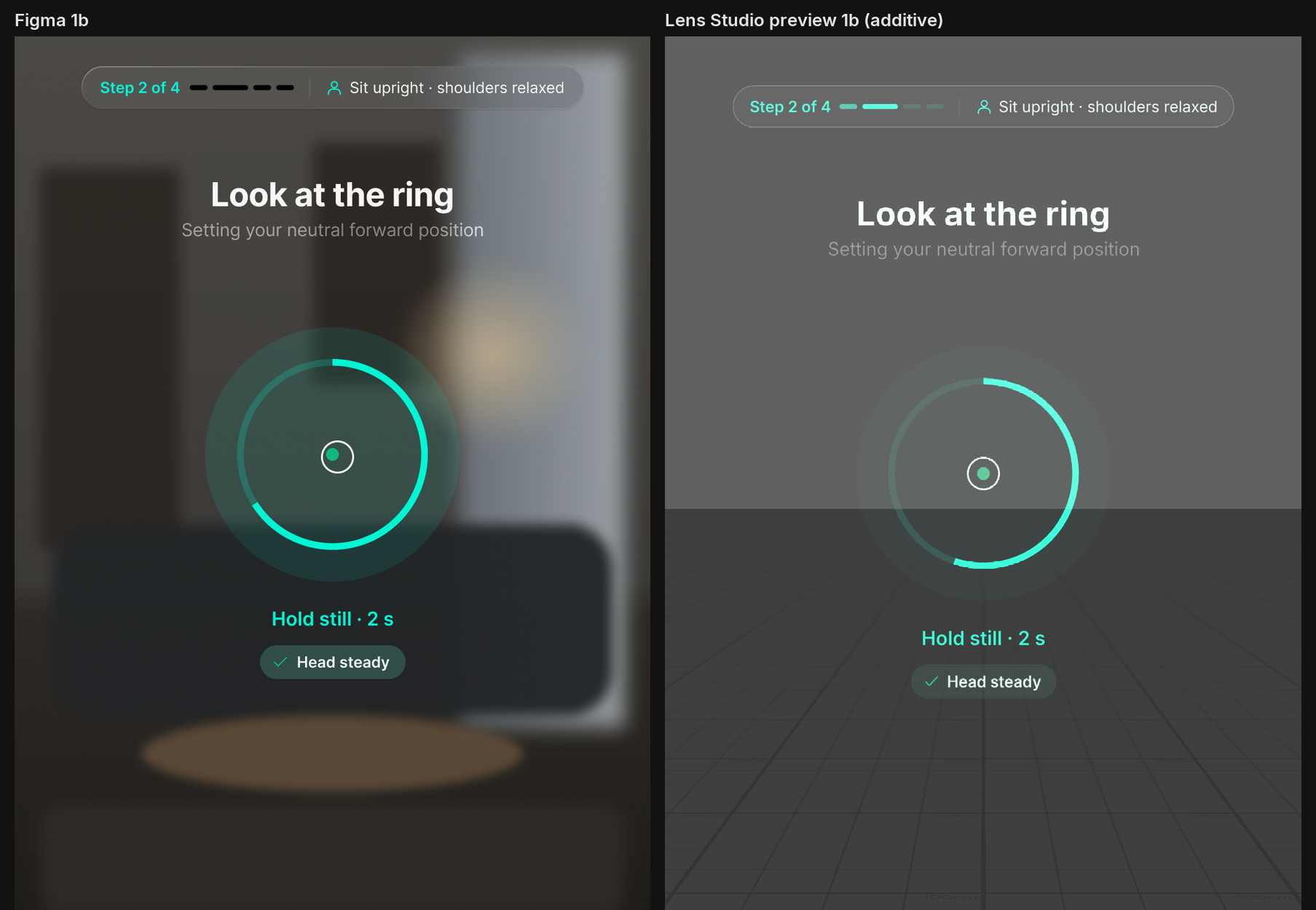
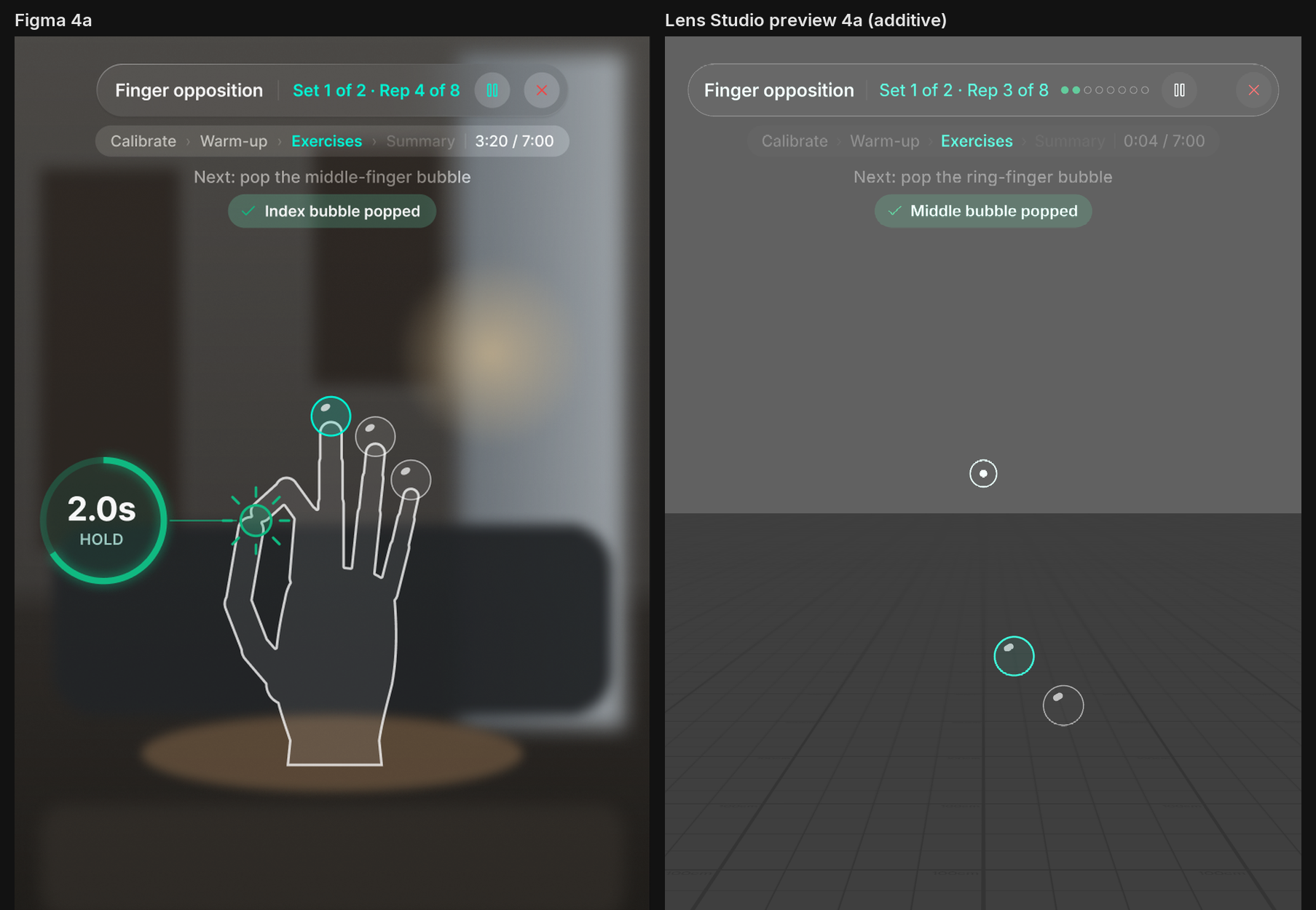
- It screenshotted the Preview to compare each screen against the design (the
Docs/Reviewimages).
The work went phase by phase: the UI component gallery, then calibration and the hub, then the hand exercises, then the head exercises.
3. Test the whole flow automatically. FlowSelfTest drives the real state machine one action per frame. Its 41 checks cover:
- the full hand and head flows
- pause, rest skip, tracking loss and auto-resume
- pain, low battery and the session cap
- voice routing and dwell presses
- pacer speed and the target maths
All 41 pass.
The result: 51 TypeScript scripts and almost 9,000 lines of code. The code is organised as eight services, 17 UI modules on top of Spectacles UI Kit, and one component per screen.
Challenges we ran into
- No eye tracking. The design asked for a "3-second gaze dwell". We built head-aim dwell instead: a ray through the display centre, a head-locked aim dot, a 300 ms grace period, and re-arming only after you look away.
- An additive display. Glass blur, shadows and darker-than-background wells cannot be shown. Every material was remapped to low-alpha tints that read the same on the real display.
- No text-to-speech. The design planned spoken guidance, but on-device TTS is deprecated in this Lens Studio version. Spoken lines are wired to per-locale recordings, which are still to be supplied.
- A simulator without hands. The Preview has no real hand tracking, so we added dev-only tools that are off by default:
- a simulated hand that touches each fingertip
- sample head ranges, so head exercises run without calibrating
- a debug overlay with flow buttons
- Platform minimums. The design's HUD buttons were smaller than the 2° minimum. Their colliders were enlarged while the visuals stayed exactly as drawn.
Accomplishments that we're proud of
- The full session runs end to end in the Lens Studio Preview, from safety screen to summary, with all 41 automated checks passing.
- Every deviation from the design is written down with its reason, so a designer or physiotherapist can review each decision.
- Every therapy number lives in one file, ready for a clinician to tune without touching the code.
- Safety is built into the flow itself: pain always stops the session and makes the next one gentler.
What we learned
- Good planning documents make an AI coding agent far more reliable. Writing the platform rules down first meant fewer wrong turns later.
- On an additive display, "matching the design" means matching how it looks, not copying its effects.
- A self-test that drives the real state machine catches flow bugs that screenshots never show.
What's next
- On-device testing on Spectacles, using the device checklist in the repo. This covers real hand tracking, the palm menu, power and battery. So far KineSpace has run only in the Lens Studio Preview.
- Clinical review of every therapy threshold with a physiotherapist.
- Voice recordings for the spoken guidance.
- The remaining hand exercises: the hand module card lists four, and two are built.
Built with
Lens Studio 5.24.1 · TypeScript · Spectacles Interaction Kit · Spectacles UI Kit 2.0 · Lens Studio MCP server · Claude Code (AI coding agent) · Persistent Storage · ASR (voice commands)
Links
- Code: github.com/vickyir/KineSpace
- Demo video: (https://youtu.be/TB69HRZvudU)
Built With
- claude
- lensstudio
- typescript
