-
-
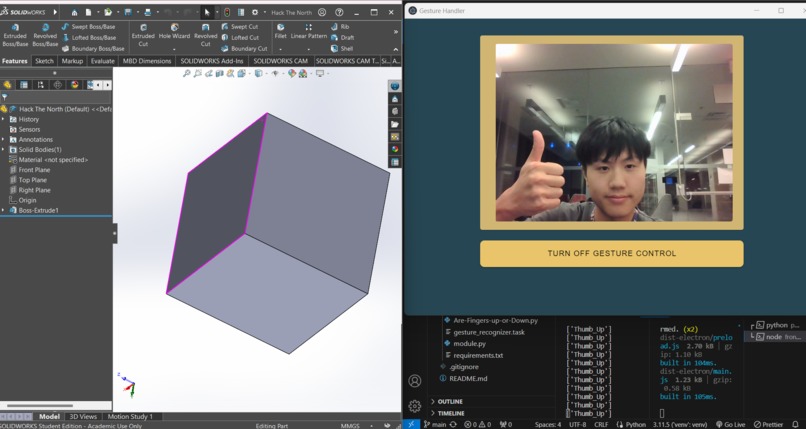
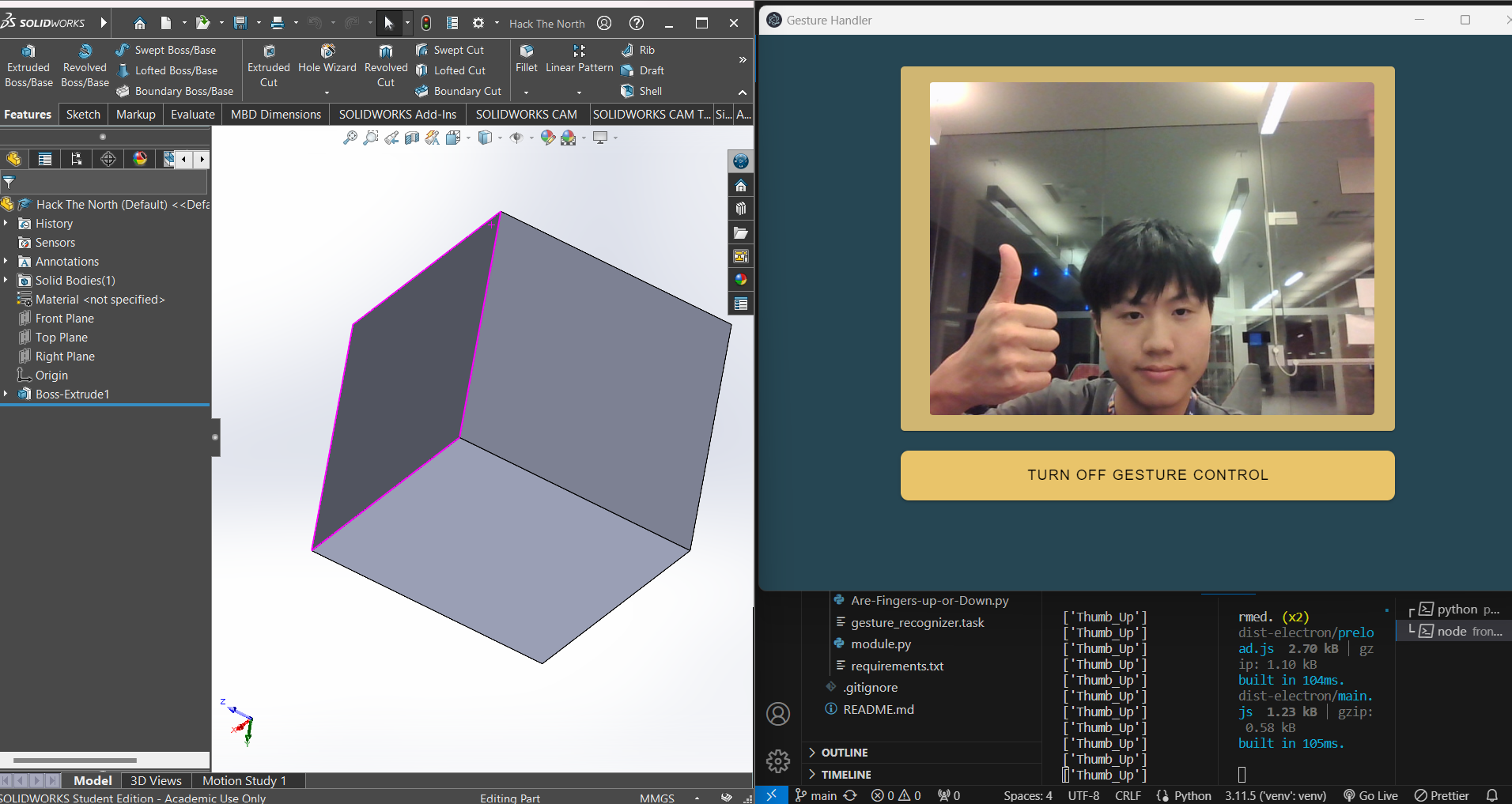
Thumbs_up --> Rotate Right!
-
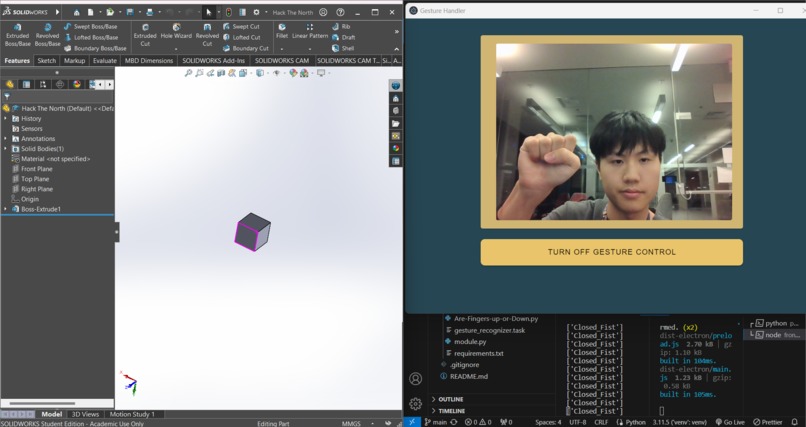
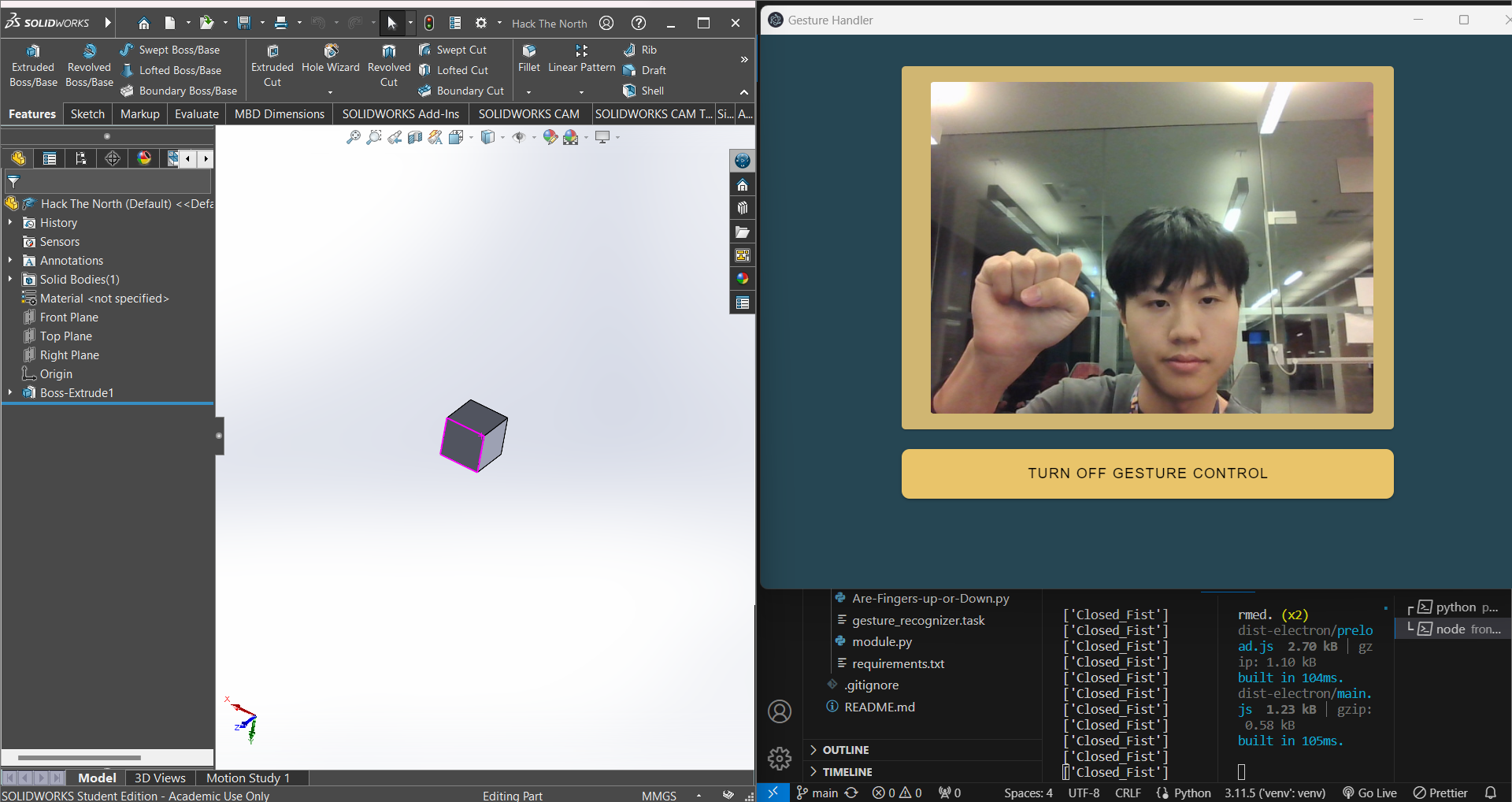
Closed_fist --> Zoom Out!
-
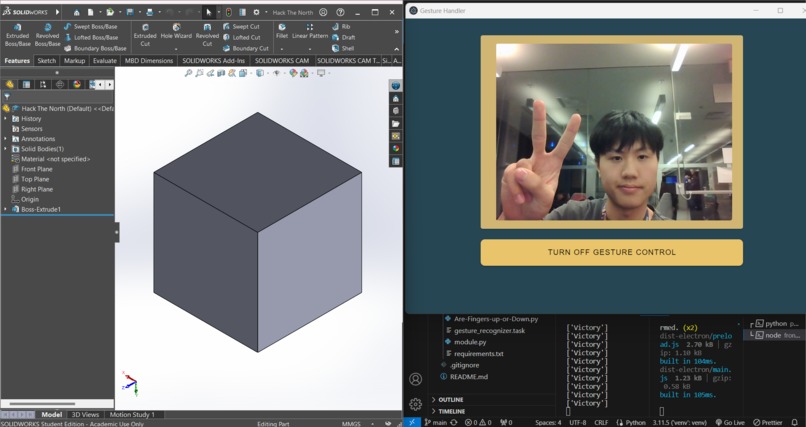
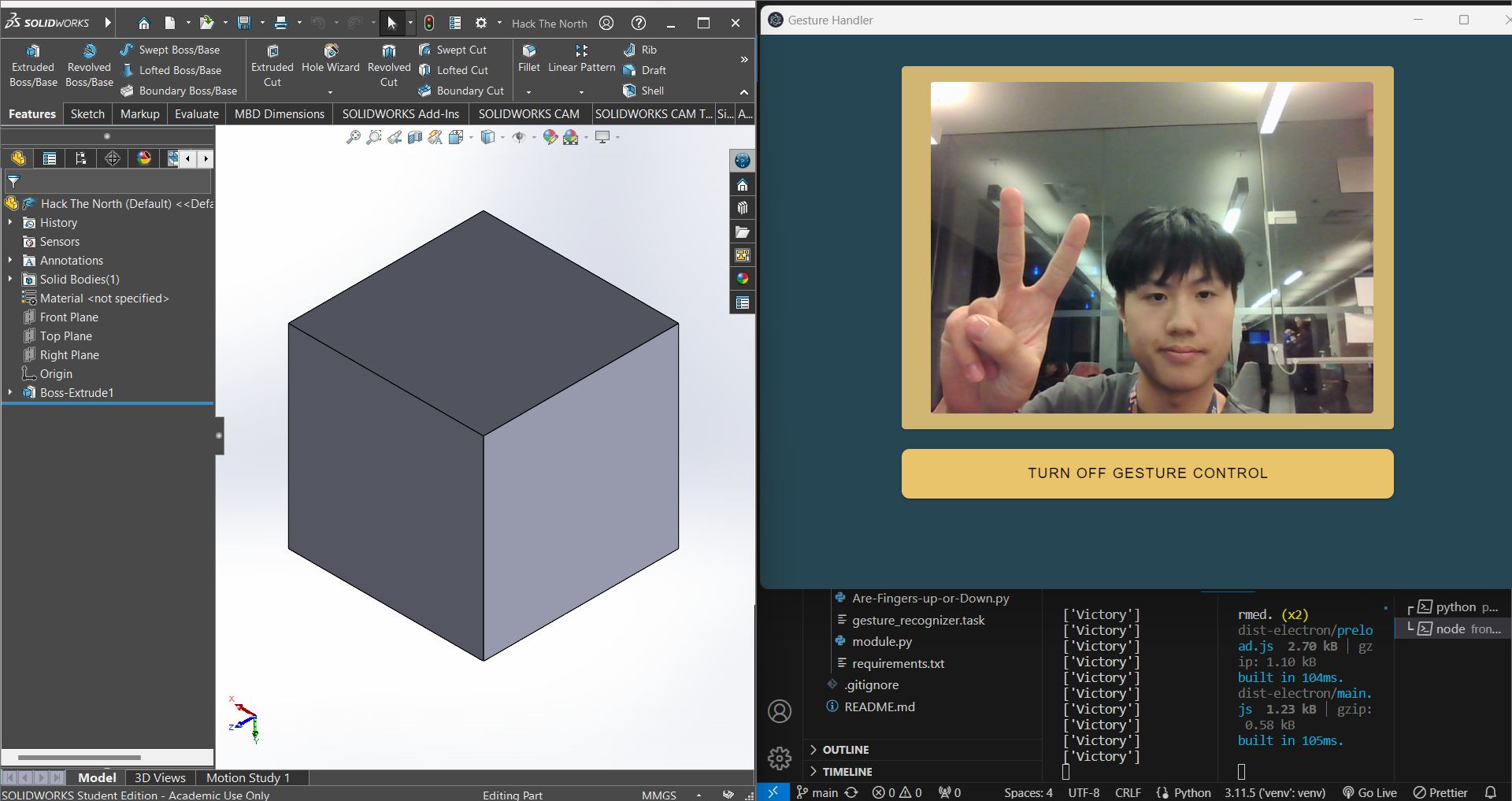
Victory --> Return to home view!
Inspiration
Every year, thousands of mechatronics engineering students across the world endure unintuitive controls for their favourite 3D modelling software. Whilst they may be gaining professional and academic experience during their time in post-secondary education, they graduate and move on to greater things suffering from chronic illnesses such as Repetitive Strain Injury (RSI), Carpal Tunnel Syndrome from constant use of poorly designed peripherals, and relentless work stress. The well-respected program of Mechatronics Engineering is a study that we, as the team behind Kinemodel, hold dear to our hearts, and thus, we had a dream of finding a way to save countless innocent freshmen from a harrowing life with chronic pain.
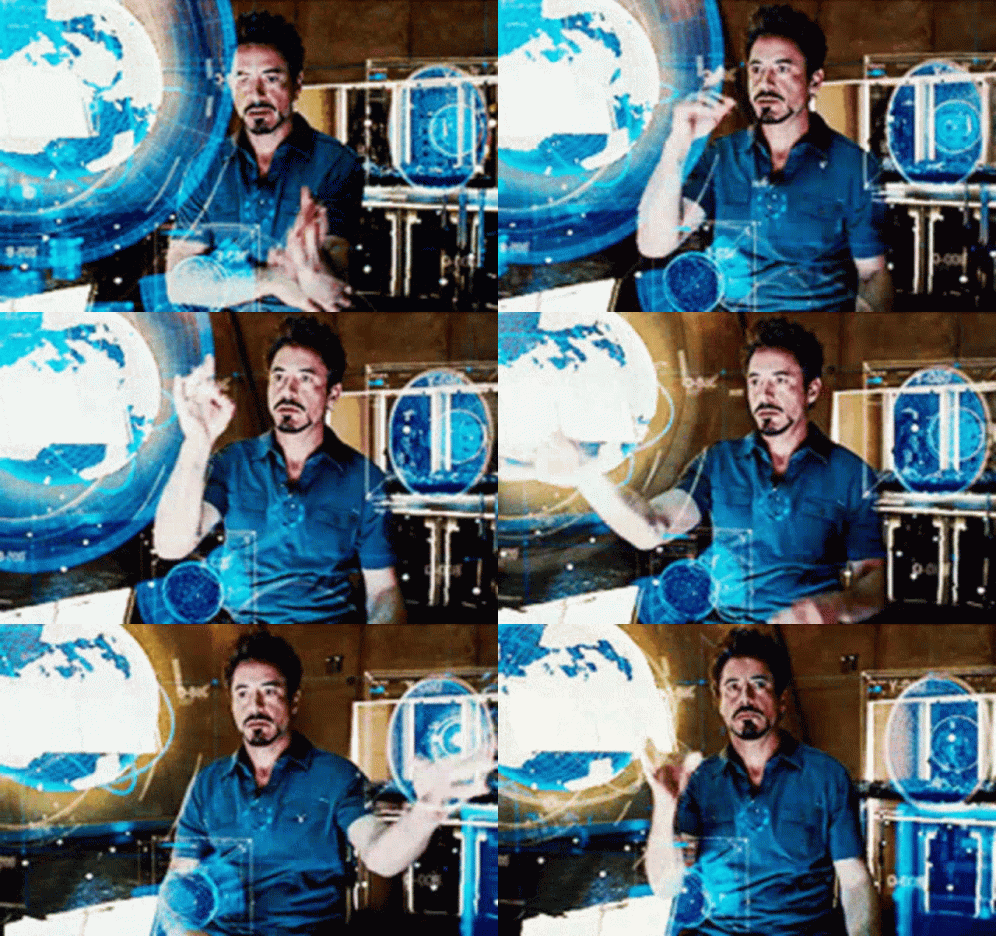
To aid us in this task, we were initially inspired by the iconic scene in Iron Man 2 where Tony Stark discovers a new element whilst navigating through his hologram projections by gesturing with his arms and hands, allowing panels of information to move and morph to his will.
With this idea in mind, we set out to find a way to enable the use of gesture controls within the modelling software environment.
What it does
Kinemodel allows the user to manipulate drawings and models in a CAD software environment without the need for inputs from the traditional mouse and keyboard combo. Using Kinemodel’s gesture recognition technology, users will be able to channel their inner Iron Man and rotate, pan, and zoom to their heart’s content using nothing but hand movements. This is possible with the power of Google’s MediaPipe machine learning gesture recognition.
How we built it
We began by researching the world of computer vision and landed on a relatively released Google’s MediaPipe ML library. Their functionality was a large inspiration for this project. We connected each built-in gesture to commands in the Solidworks environment, allowing for intuitive manipulation of viewpoint and perspective. We built a simple front end desktop app on Electron using Vue.js, which we connected to a Python script that ran the MediaPipe algorithm.
Challenges we ran into
We ran into two major problems during our hacking. Firstly, we struggled to find a reliable method to analyse a user’s hand. We began by looking at the joints to figure out the position, relative rotation, and gesture of the hand. We quickly found out that creating such an algorithm was out of the scope of this hackathon. We shortened our idea to hand gestures only to keep our idea viable. Secondly, we began our project in a very non-linear way. Min worked on the front end experimenting with Electron and Vue.js while David and Richard worked on writing the MediaPipe algorithm in Python. Naturally, both programs had to be integrated in the end. We researched for long how to connect the NodeJS codebase to Python into one buildable app. Although a bit overkill, we landed on using a local machine websocket connection to connect our two codebases. Accidentally, we made a potentially scalable backend if we ever wanted to grow this project to completion.
Accomplishments that we're proud of
During this event, we were proud of how quickly we learned and applied many different topics in such a short amount of time. All of us took on a task that we had little to no experience in and were able to effectively create a functional product within 36 hours. Successfully integrating the front end with the python scripts and finally interacting with the computer itself to input commands was something that felt amazing once it was completed. Overall, we made many small accomplishments and had lots of fun along the way.
What we learned
During our time at Hack the North 2023, we as a team learned many things. From the perspective of AI systems, we learned how to use pre-trained computer vision models to our advantage, specifically how to make use of Google’s MediaPipe technology to fulfil a specific purpose. We also learned how to implement Node.js front-end frameworks to build Windows applications, as well as how to set up communication between a Python-based backend and a JavaScript-based frontend. Also, we developed our skills with using Python to emulate keystrokes, which were then inputted into Solidworks, becoming navigation tools. Finally, last but not least, we learned that there is so much more to discover in the world of computer vision and AI recognition.
What's next for Kinemodel
While we believe that as of today, Kinemodel acts as a strong, inspiring prototype for gesture controls for 3D modelling purposes, there are always improvements to be made. As the next steps for the future of Kinemodel, there are several avenues we hope to explore further. Firstly, we hope that we will be able to improve the intuitiveness of the hand gestures corresponding to which cardinal direction of motion – for example, pointing left to go left etc. Furthermore, we hope to further solidify the reliability of the machine vision, and improve consistency. Additionally, we aim to diversify the types of software that Kinemodel can be compatible with, not only other CAD tools such as Catia and Blender, but also other types of academic software such as aerodynamics simulation software or robotics software. Finally, we believe that a good product should be matched with a good UI, thus we hope to spend time in the future improving ease of access and further building a stronger user experience.
Built With
- electron
- html/css
- mediapipe
- node.js
- opencv
- python
- tensorflow
- typescript
- vscode
- vue.js
- websockets

Log in or sign up for Devpost to join the conversation.