-
-
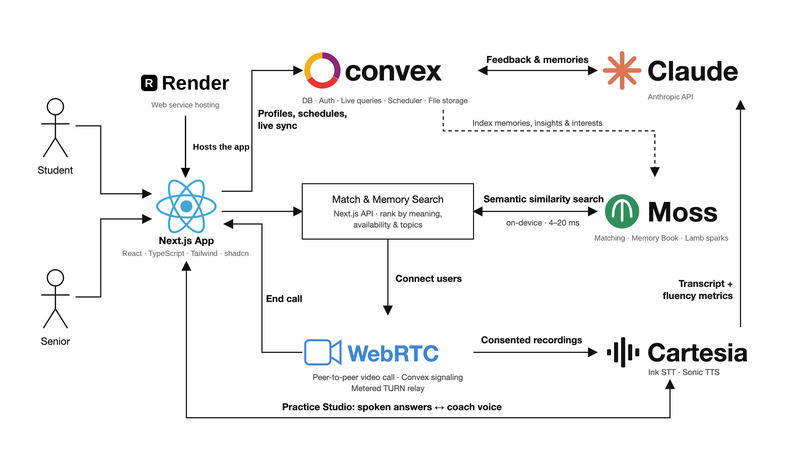
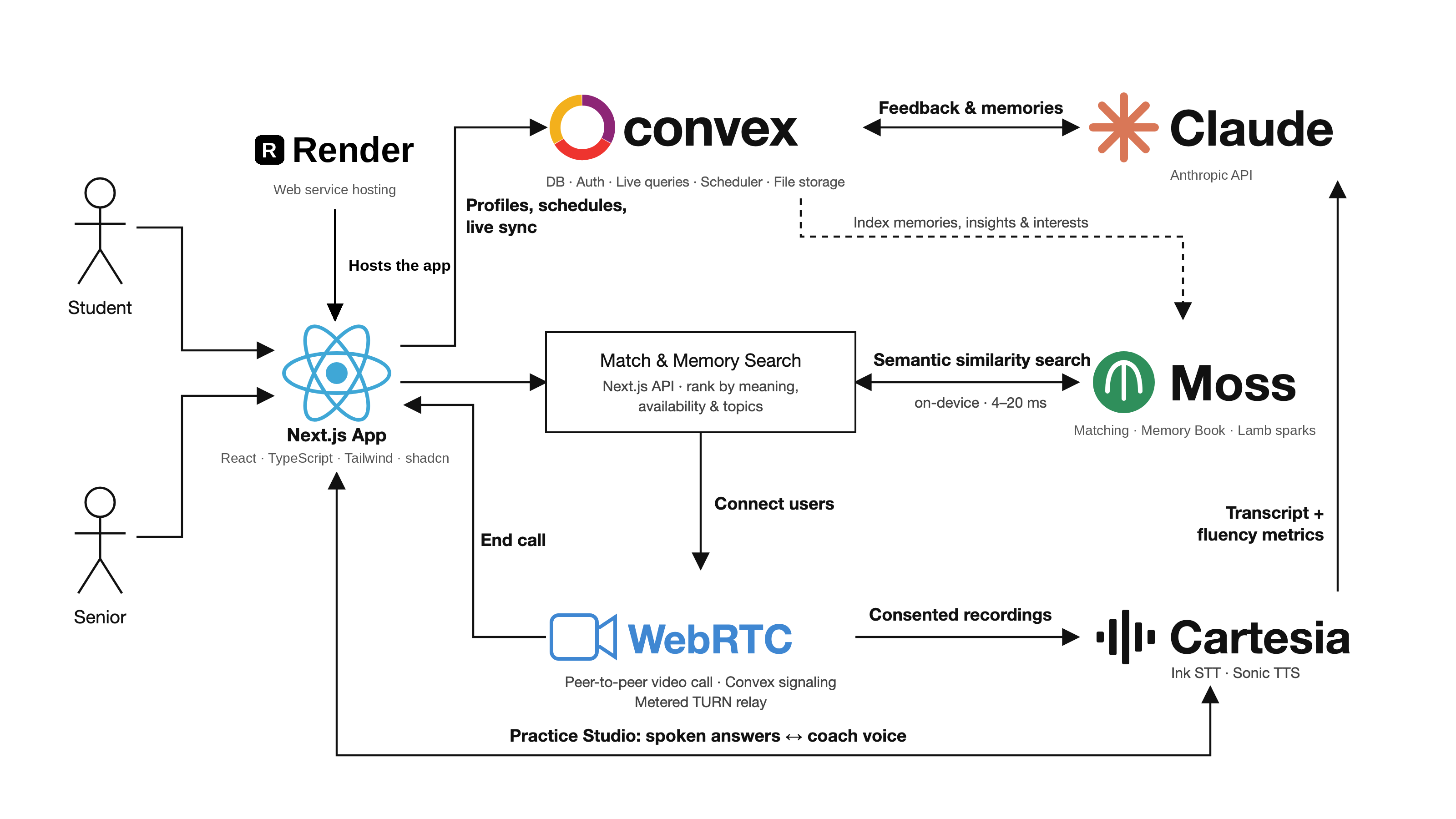
tech stack
-
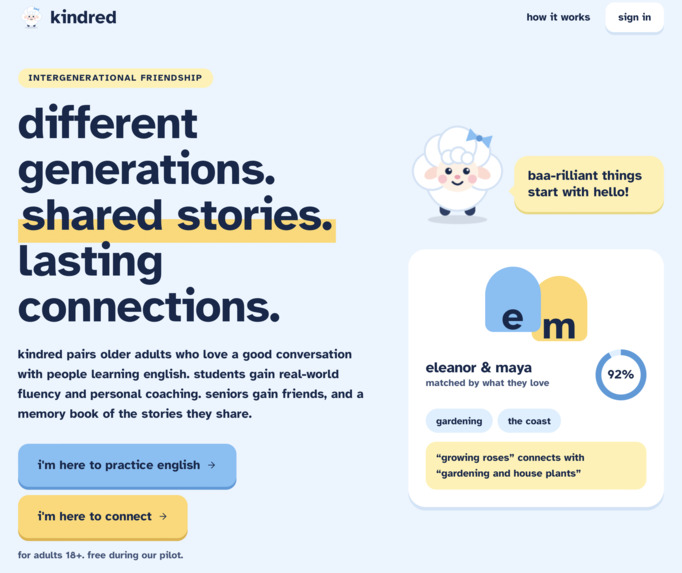
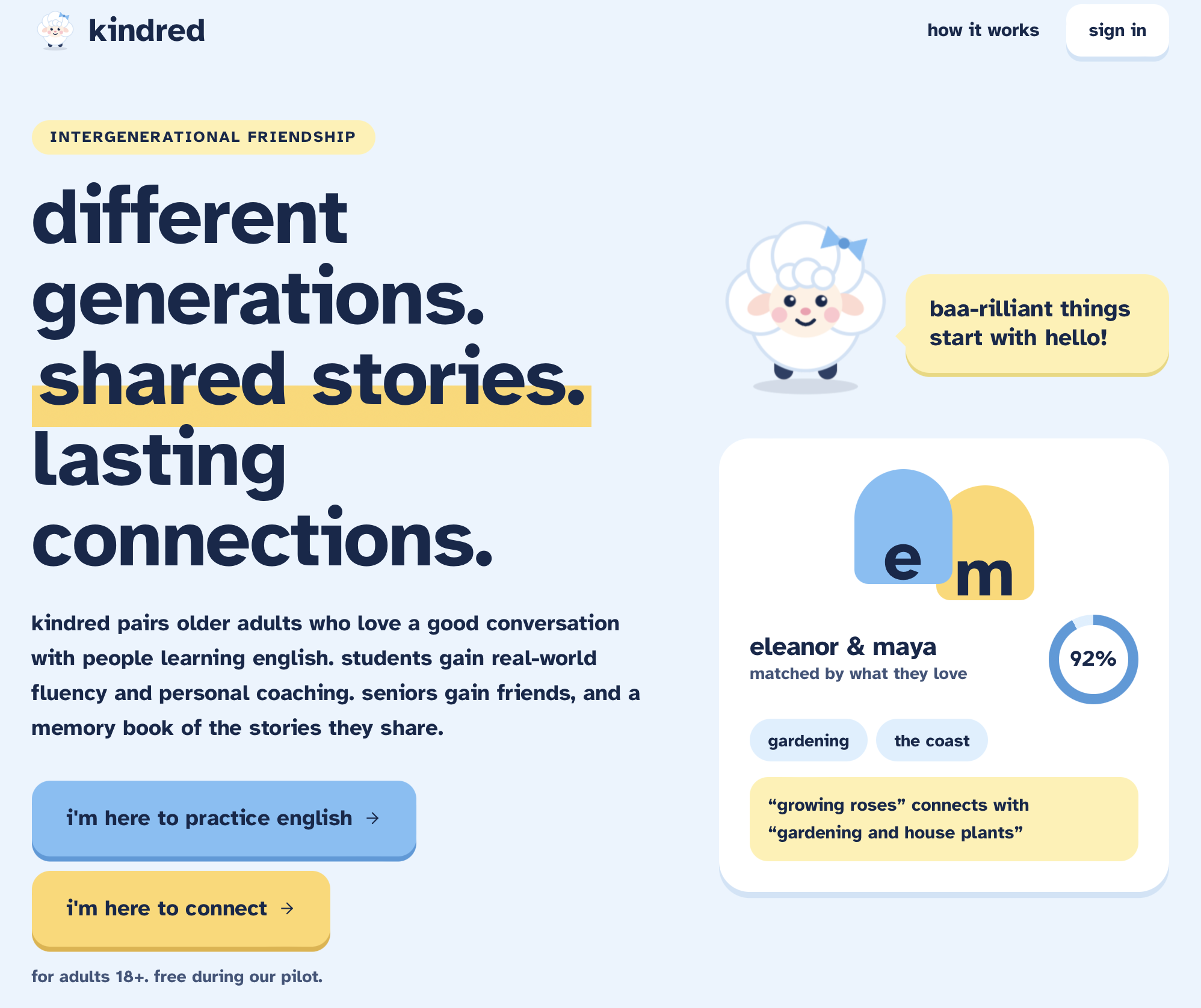
landing page
-
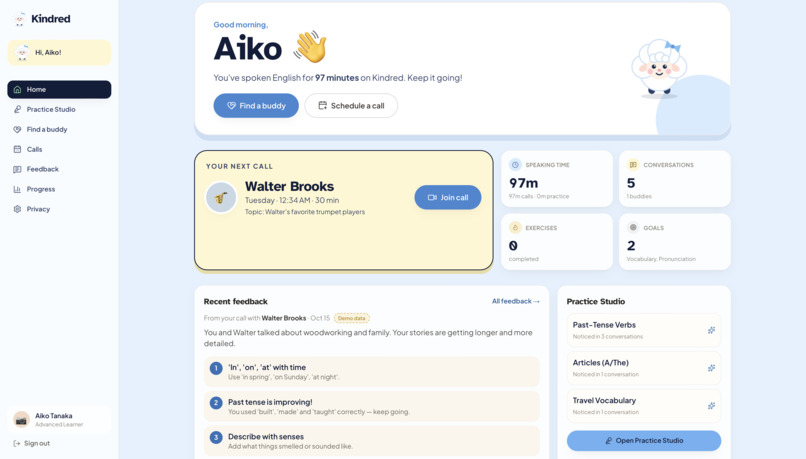
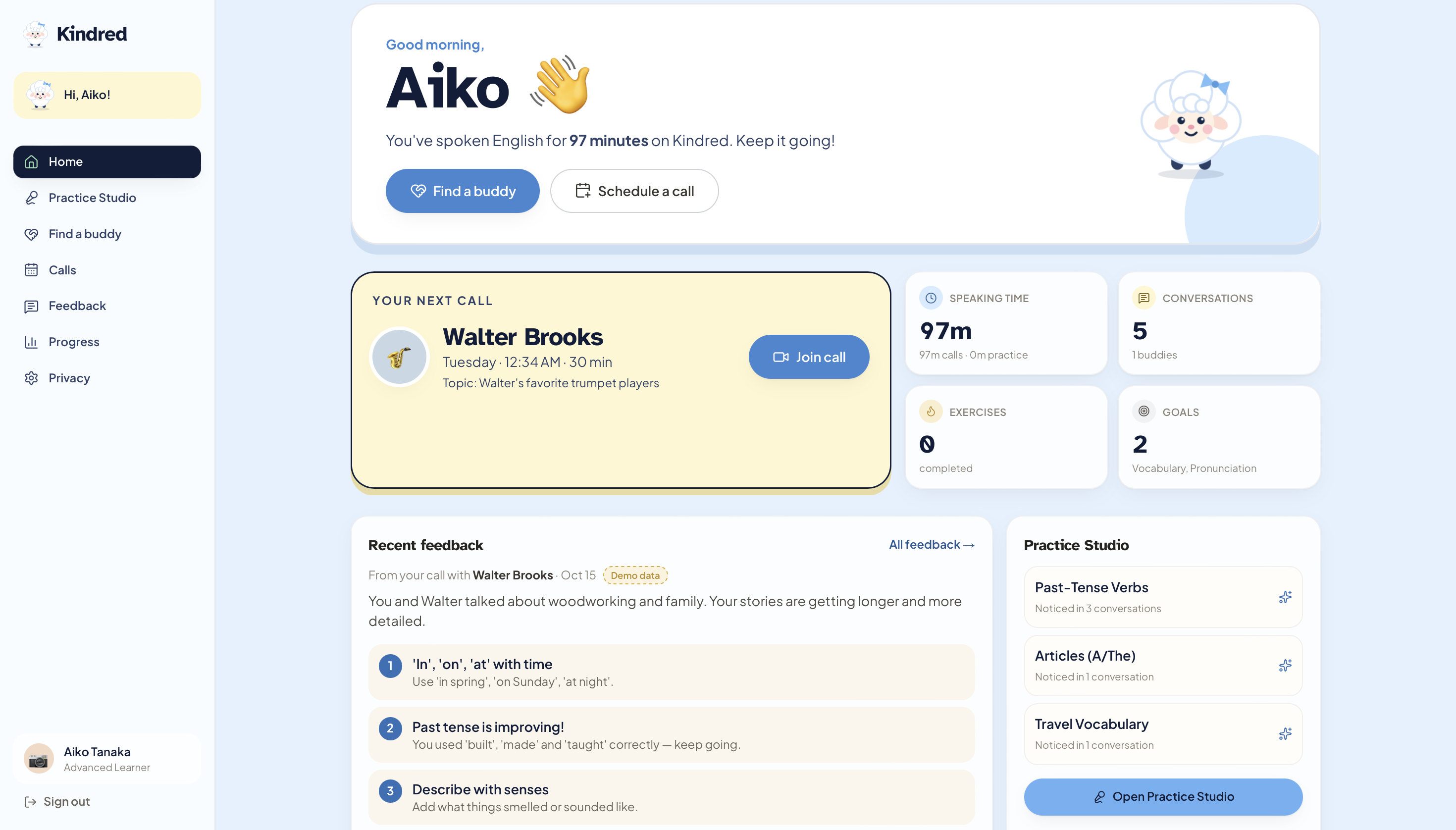
student dashboard
-
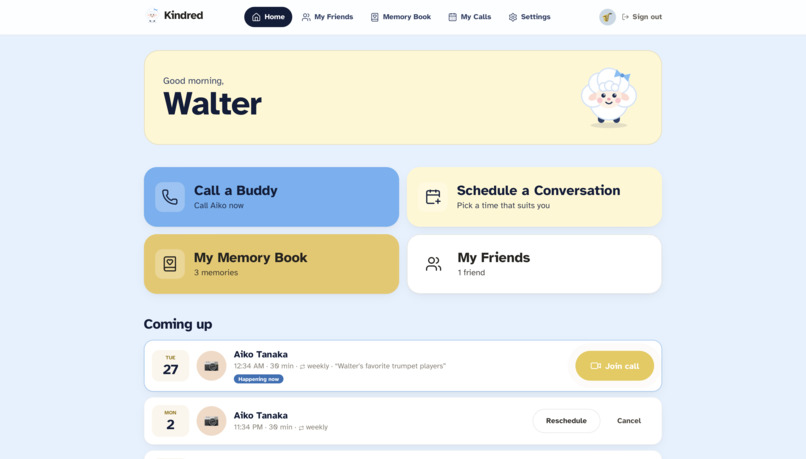
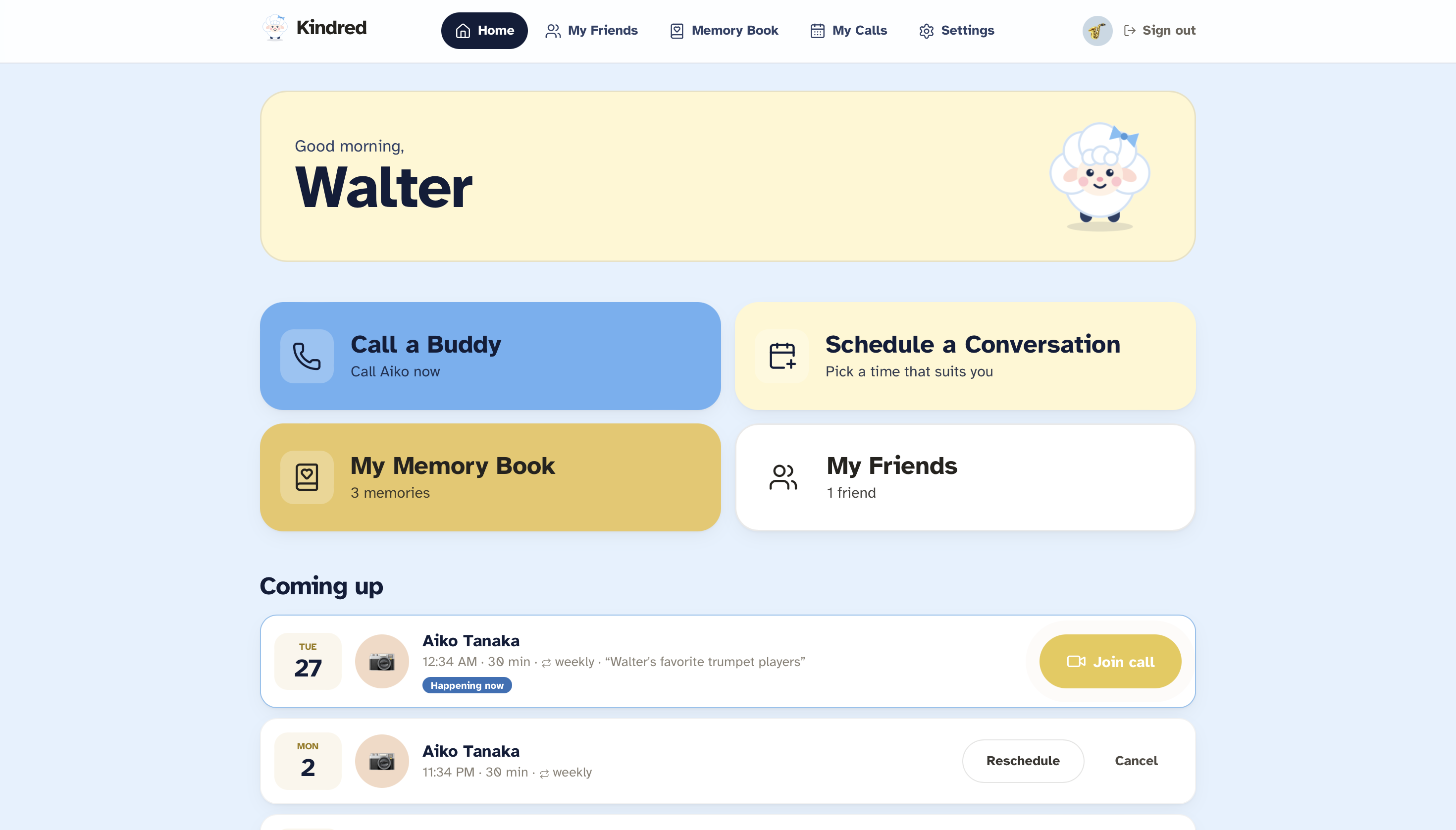
senior dashboard
-
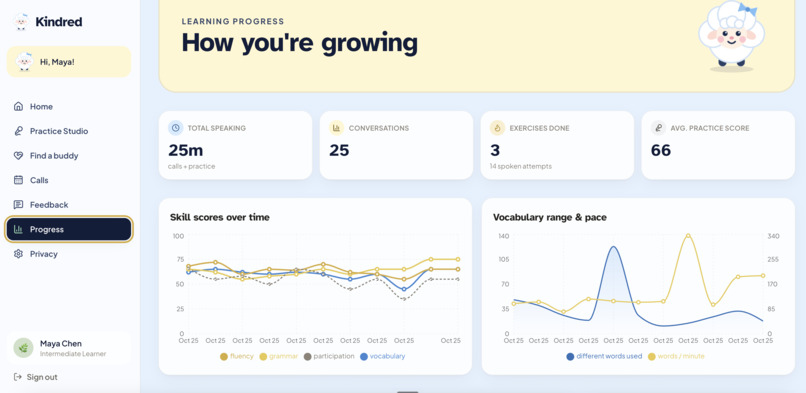
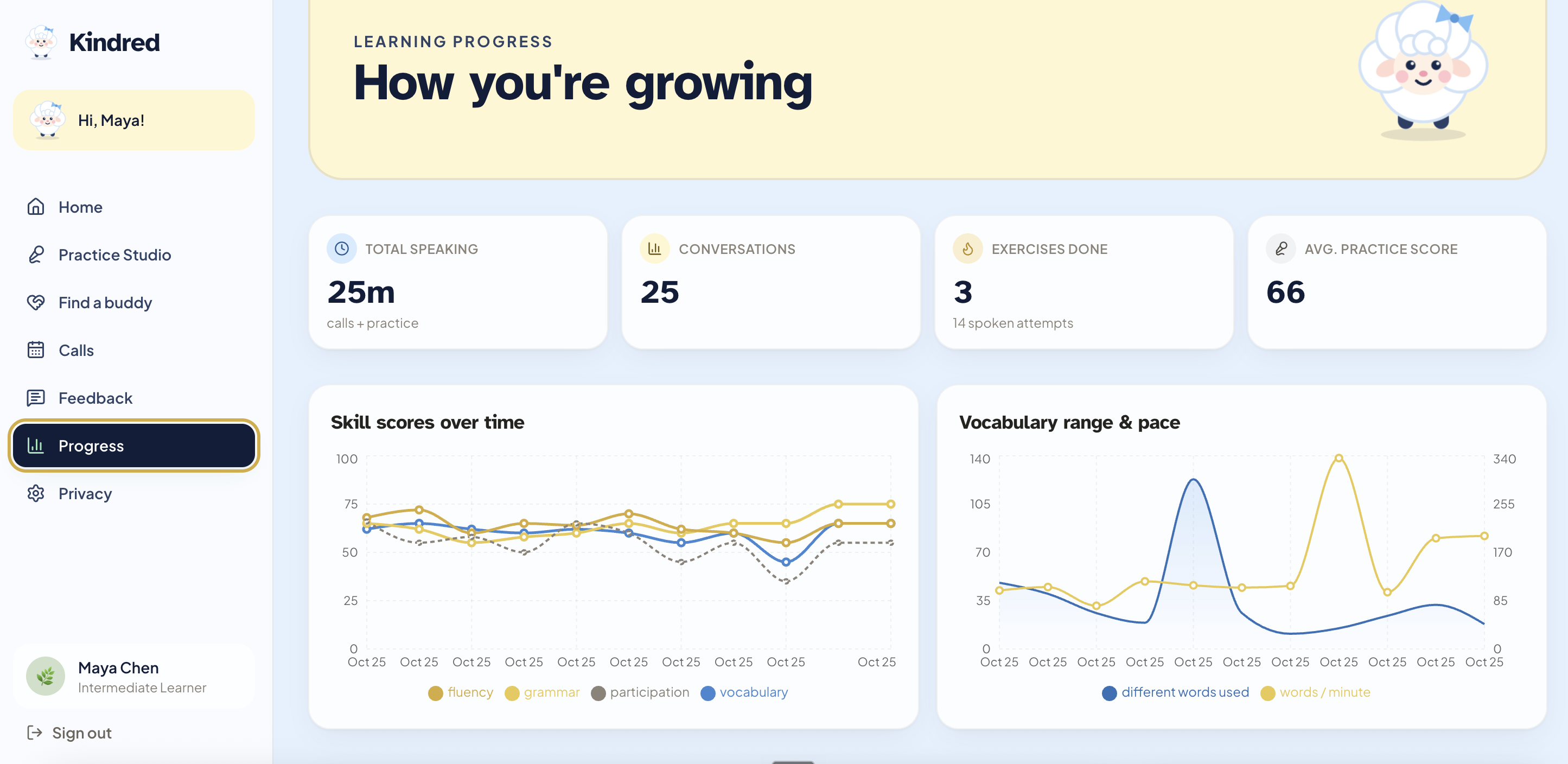
progress dashboard
-
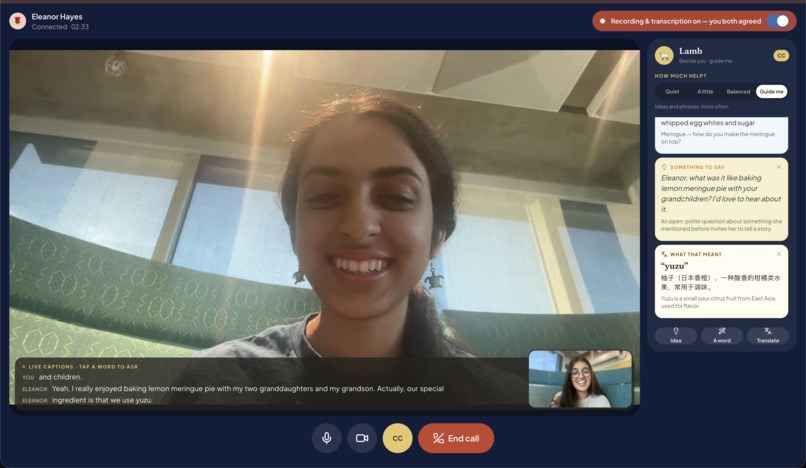
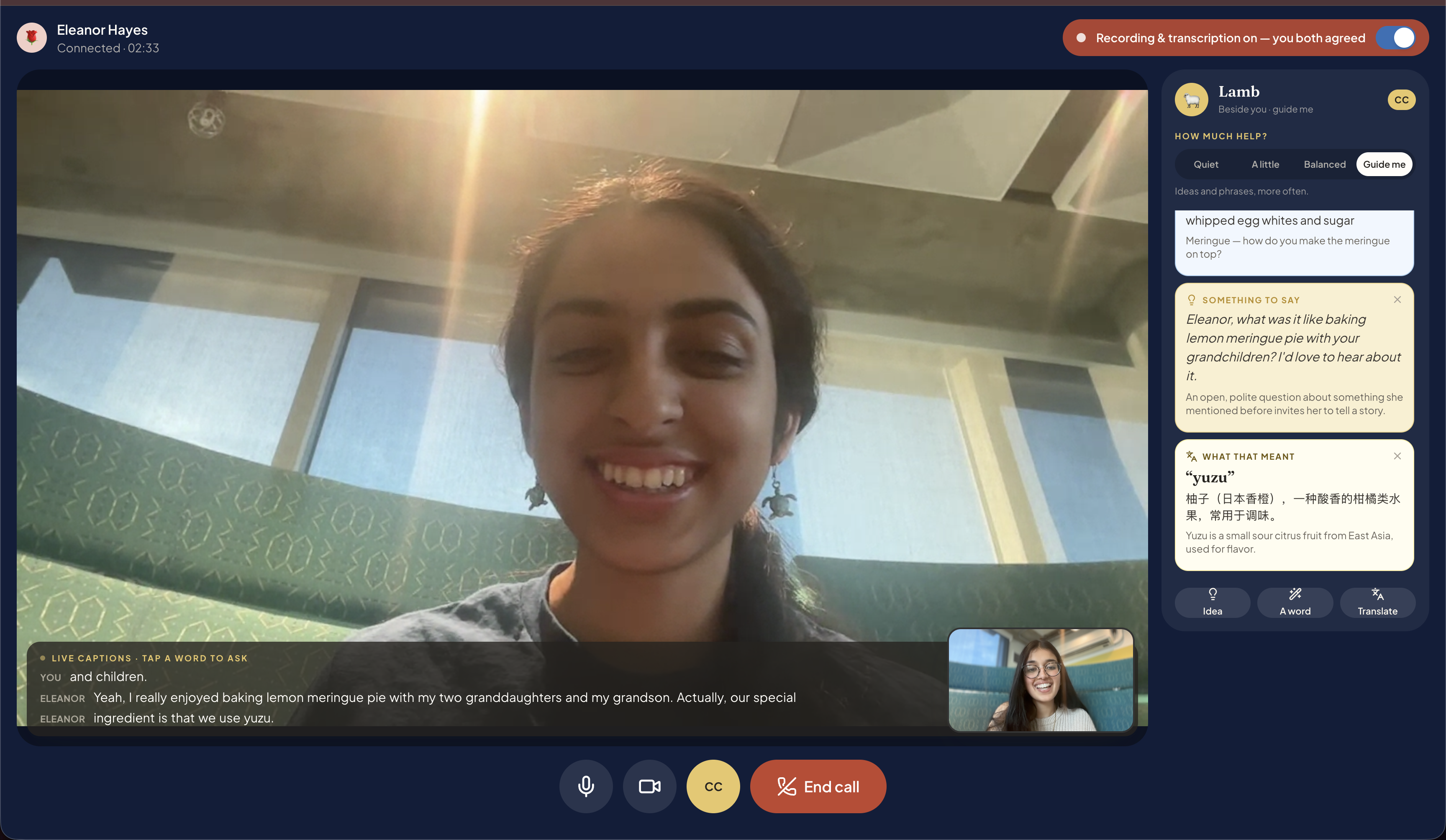
live translation assistance during video call
-
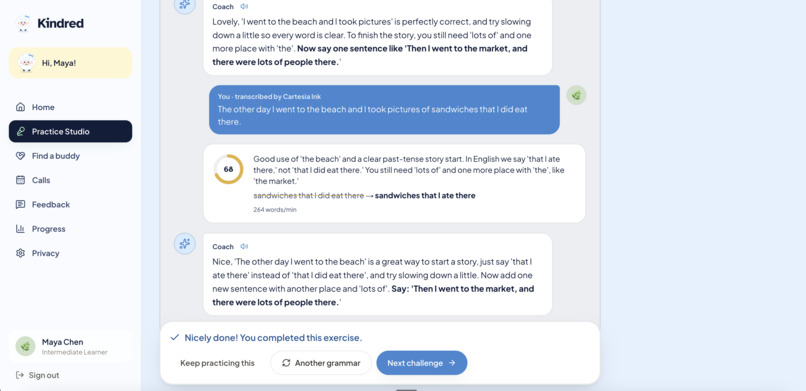
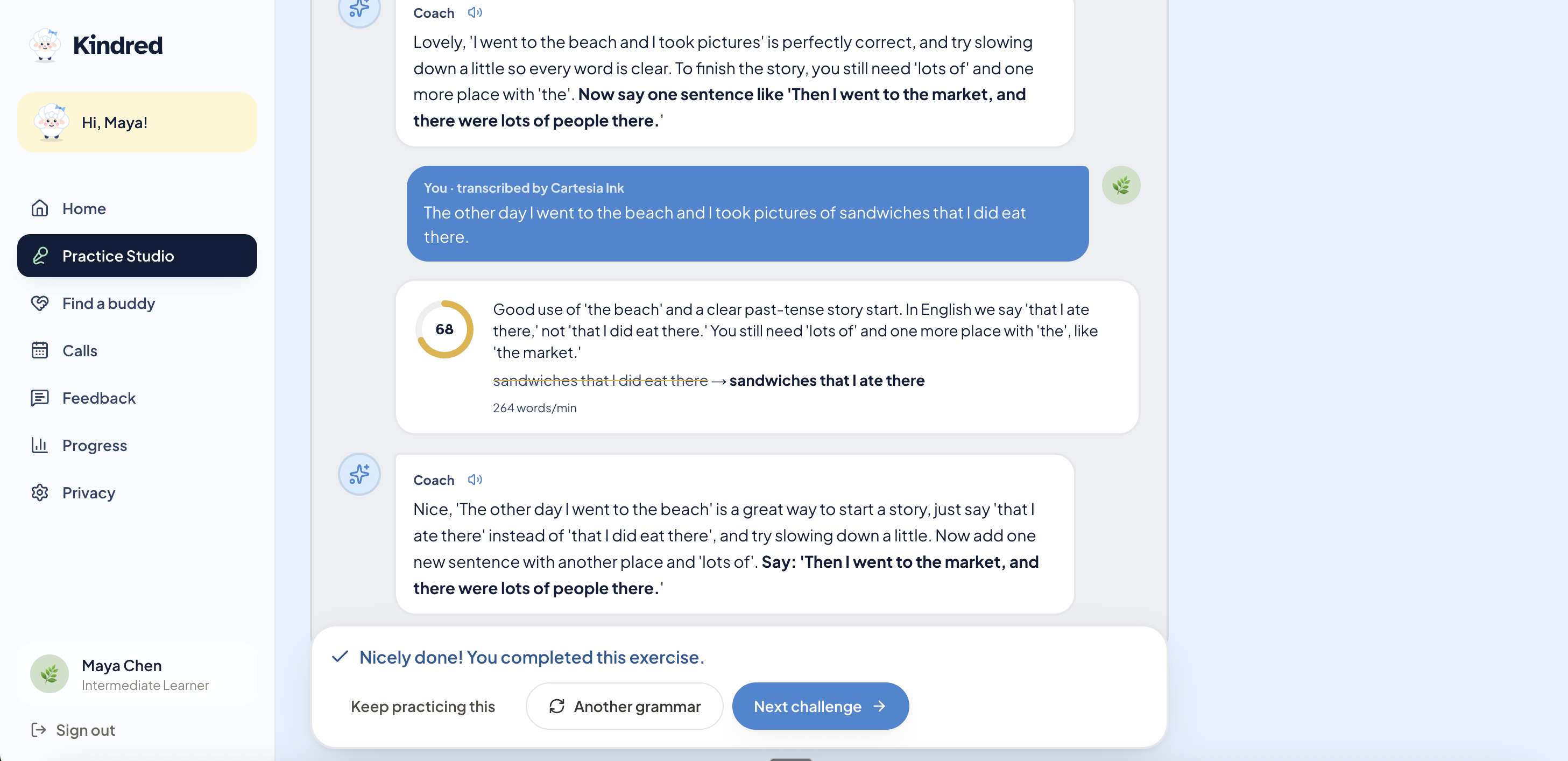
practice Studio Results
-
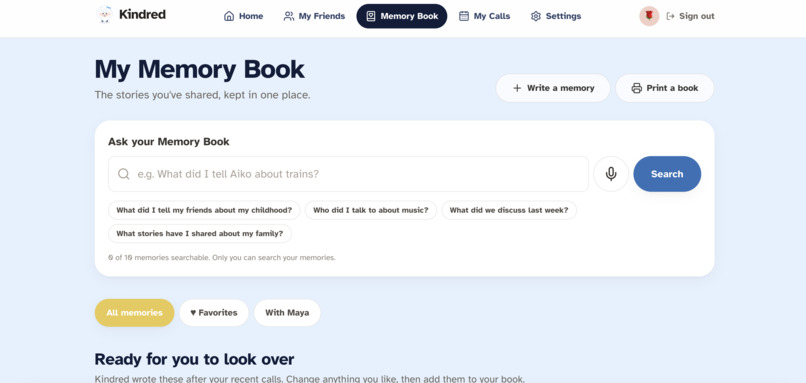
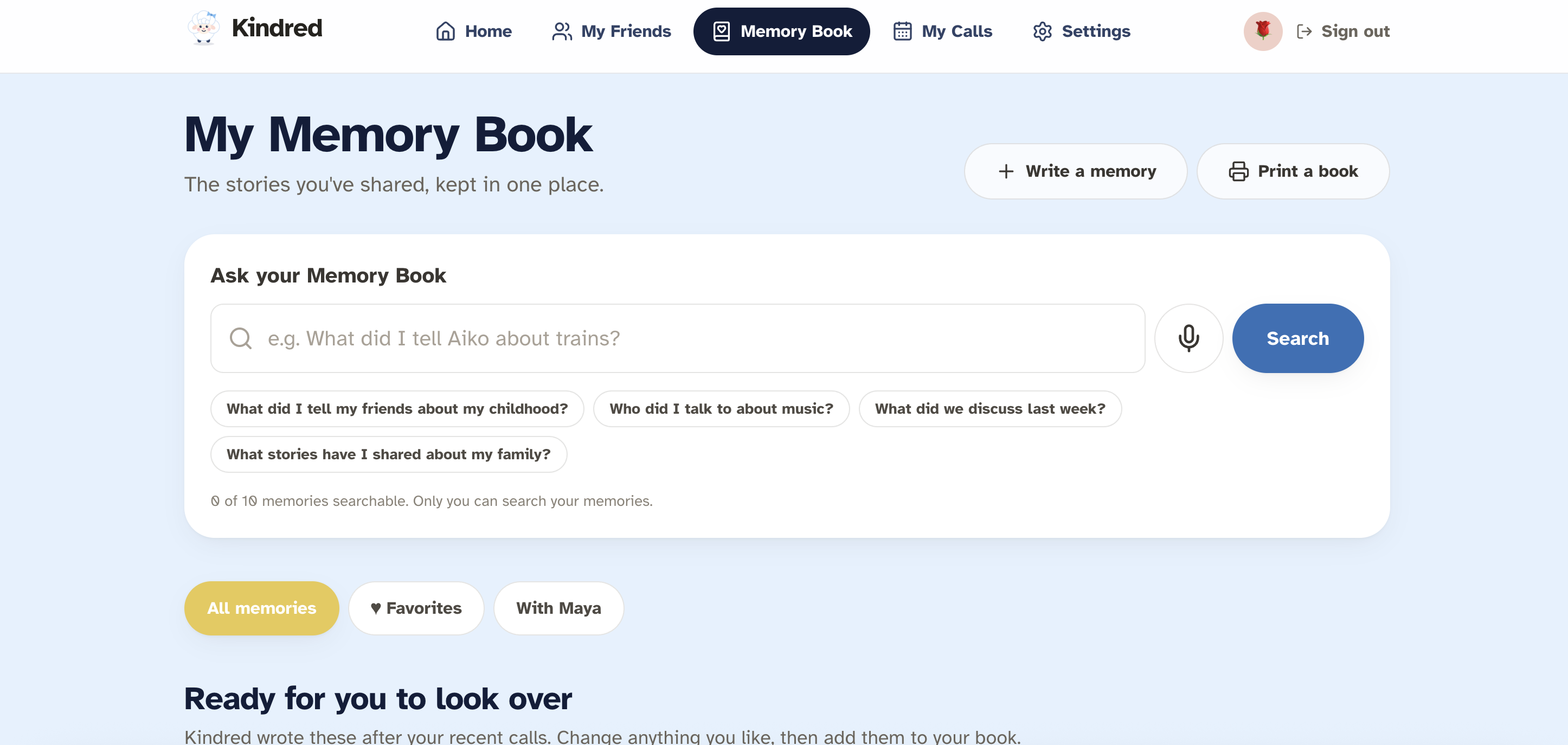
memory book pt. 1
-
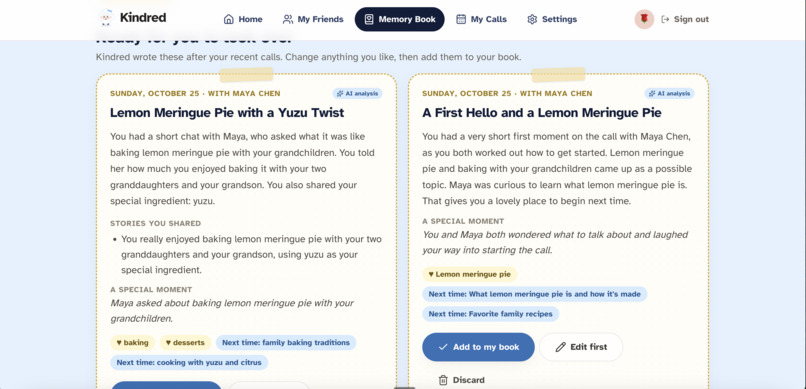
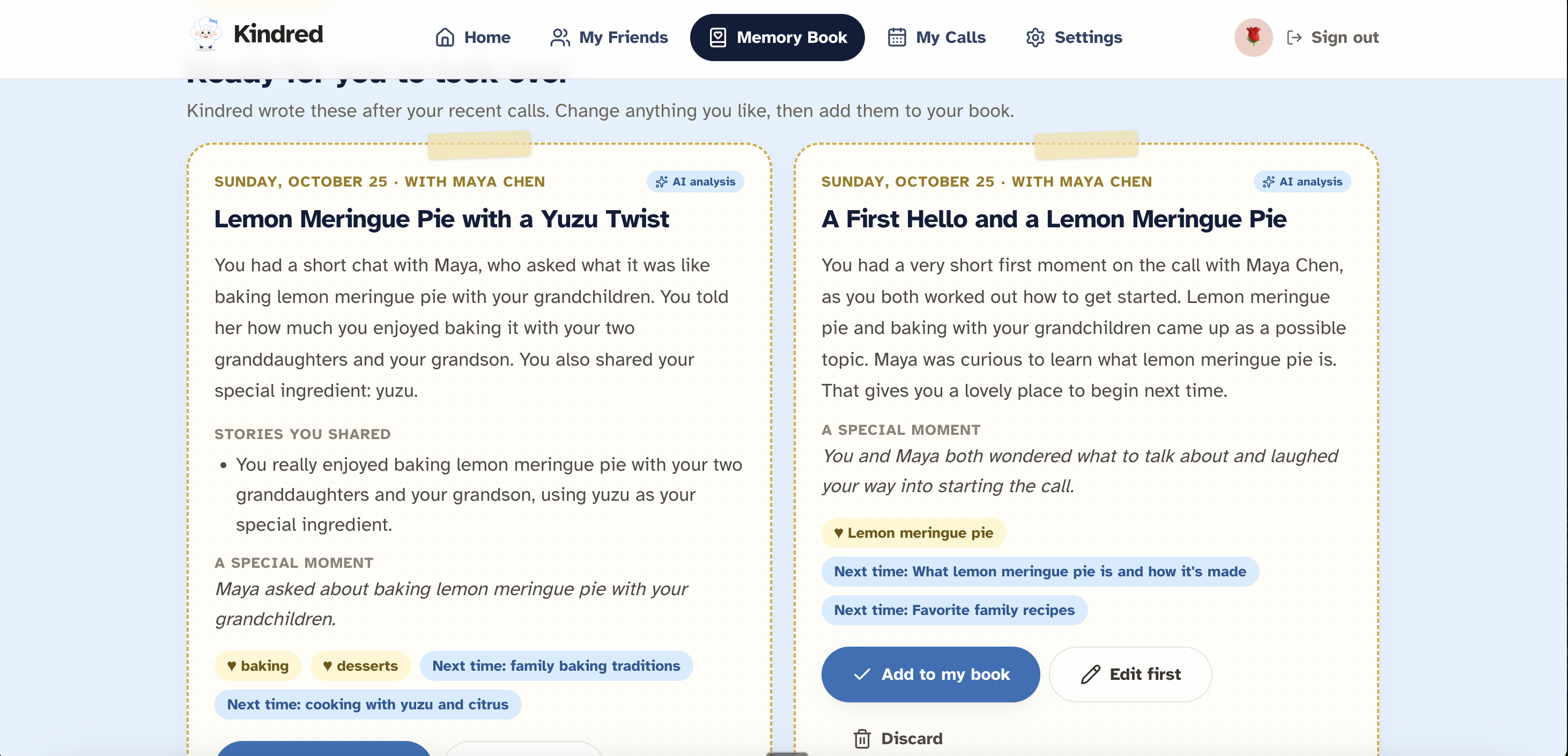
memory book pt. 2
Inspiration
This past summer, one of our team members had the privilege of interning at Senior Sunrise Living as a caregiving assistant. There, she met Eleanor. She grows roses along her back fence and her sisters live states and even countries away. Some weeks, nobody asked her a single question about her life. Unfortunately she's not the only one. One in four senior citizens are socially isolated, and this very isolation is linked to a 50% higher risk of dementia.
Now meet Maya. She's learning English. She's finished all the learning but she still freezes the moment a real person speaks to her. She's one of the three billion people learning a new language right now and most of the tools they use never give them a real conversation.
What it does
Kindred pairs older adults with language learners for weekly video calls. The senior gets a friend and an audience for their stories. The student gets fluency practice aimed at exactly where they struggle. Match. Maya says she loves baking, plants and the ocean. Kindred matches on meaning, so Eleanor's roses connect to Maya's "gardening and house plants" even with no words in common. It also checks both calendars across time zones and explains in plain language why they match. Call. They pick a weekly time, and one click opens a video call in the browser, with nothing to download. The senior screens use large text and simple layouts, because Eleanor is who we designed it for. Consent. Nothing is recorded unless both people say yes. The backend enforces this, not just the screen. Remember. After the call, Kindred saves Eleanor's stories to a Memory Book that she can edit, search and listen to. Searching "ocean" finds her story about driving the coast, even though she never said that word. Practice. If Maya said "Last summer I go to the beach," her Practice Studio gives her a kind correction based on that exact sentence. A voice coach then practices it with her out loud. Reconnect. Before the next call, Kindred suggests where to pick up: "Ask Eleanor about her sisters on Highway 1." One conversation, two outcomes: a friend for Eleanor, and fluency for Maya.
How we built it
Cartesia is the voice of Kindred. Kindred is about speaking, so voice had to be at the core. Ink transcribes every consented call and every spoken practice answer. Its word-level timestamps let us measure fluency (words per minute, pauses and filler words) instead of guessing. In "say it clearly" exercises, we check which words of the target sentence Ink didn't hear, so pronunciation feedback comes from the audio itself. Sonic is the Practice coach's voice, starting to speak in about 120–240 ms, which keeps the back-and-forth natural. It also reads Memory Book entries aloud for seniors who would rather listen than read. Moss is Kindred's memory. Moss matches people on what their interests mean, searches the Memory Book, and suggests conversation starters. It also lets the Practice coach remember you: before each exercise, Moss pulls up your past mistakes so the coach can target them. Queries run on our server in about 4–20 ms. Every result is filtered by owner and re-checked against Convex, so one person's private memories never show up for someone else. A match blends meaning with real availability:
$$match=0.5 S (semantic) + 0.25 A (availability) + 0.15 P (topics) + 0.1 G (pace)$$
Convex is our real-time backend. It holds our database, auth and role-based permissions. Live queries keep schedules, match requests and call status in sync for both people, with no refreshing. Convex also carries the WebRTC signaling, so the two browsers can connect directly to each other. When a call ends, a scheduled workflow runs Ink, then Claude, then Moss indexing. Recordings live in Convex file storage. An admin dashboard shows every Cartesia, Moss and Claude call live, with its latency. Claude does the coaching. Using structured outputs, Claude writes the student's Top 3 things to work on, the practice exercises, the coach's replies and the Memory Book drafts. We thought about where it could go wrong for our users: Claude could invent mistakes, so every correction has to quote the student's own words. It could penalize accents, so we focus on being understood, and seniors are never graded. It could misuse private stories, so memories stay drafts until people approve them. The frontend uses Next.js 16, React 19, TypeScript, Tailwind and shadcn/ui. Calls run over WebRTC with a TURN relay, so they work across campus and home networks. The whole app is deployed on Render.
Challenges we ran into
Our hardest bug was calls that worked on one laptop but sat on "Connecting…" between two different networks. Adding a TURN relay fixed that, and a data-saver mode keeps relayed calls from using too much bandwidth. We also hit Moss's index limit early. We rebuilt around a single shared index with owner filters, and re-check every result against Convex. Consent took real design work. Recording is per person and needs both people to agree. If either person says no, the call still works, but nothing is recorded or analyzed. Finally, we needed to make our website accessible to both English language learners and elderly people. With an approachable design style, large text for seniors, and colorful, character-based interface, we minimized long paragraphs of text and made it easy for anyone to recognize and respond to our core functions.
Accomplishments that we're proud of
Getting a working prototype!! -> Since this was all of our first hackathon, we weren't sure what to expect, and even though the troubleshooting was difficult at times, we were excited to publish a fully developed app.
Integration between features -> The full loop (match, call, remember, practice, reconnect) runs live in production with real API calls. To reduce hallucinations, all feedback is based on Cartesia Ink's timestamped transcripts, ensuring that the suggestions are grounded in the students' own words.
Customer traction -> After posting our idea on X (https://x.com/kindredcalhacks), we are excited to report that we have 30+ followers and 10+ waitlist signups. Seeing that our product has gained this much interest in such a short amount of time is a testament to how much our dual-pronged approach resonated with potential users.
What we learned
We learned that trust is the hardest part of building AI for older adults and language learners. Through prioritizing per-call consent and deleting raw audio after transcription, we ensured that we maintained user trust. Furthermore, we learned how to build robust backends through Convex, where the reactive queries let us build live dashboards and WebRTC signaling in one place. Cartesia Ink allowed us to reliably transcribe student speech and read out exercises in a human voice. Moreover, by learning how to use Moss's semantic retrieval, we are now prepared to integrate semantic retrieval into future projects, allowing us to go beyond simple text matching and instead search for the meaning of words. Finally, we learned how to collaborate on a deliverable within a short timeframe, splitting our responsibilities into backend development and UI design.
What's next for Kindred
Next, we want to pilot Kindred with senior living communities, libraries, and ESL programs to learn what makes a good match. We’ll make calls easier for people less comfortable with technology, add more languages, and strengthen safety with identity checks and moderation. We’re also excited to grow the Memory Book so seniors can share their stories with family or turn them into a keepsake.
Built With
- anthropic-api
- cartesia
- claude
- convex
- convex-auth
- eslint
- moss
- next.js
- node.js
- react
- render
- typescript
- webrtc


Log in or sign up for Devpost to join the conversation.