-
-
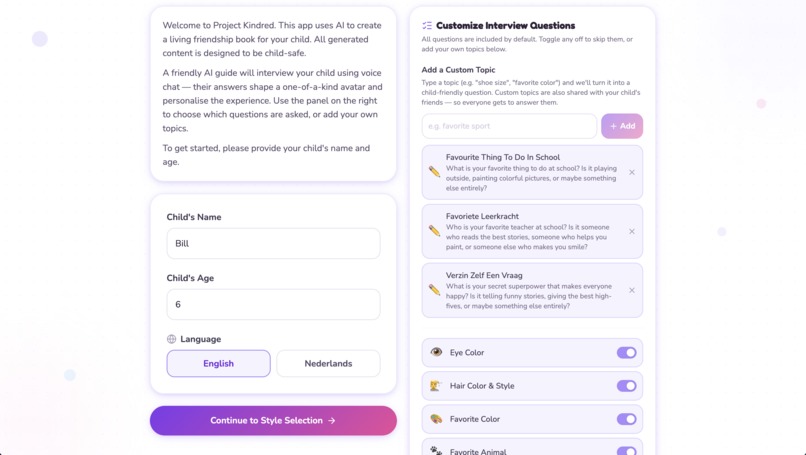
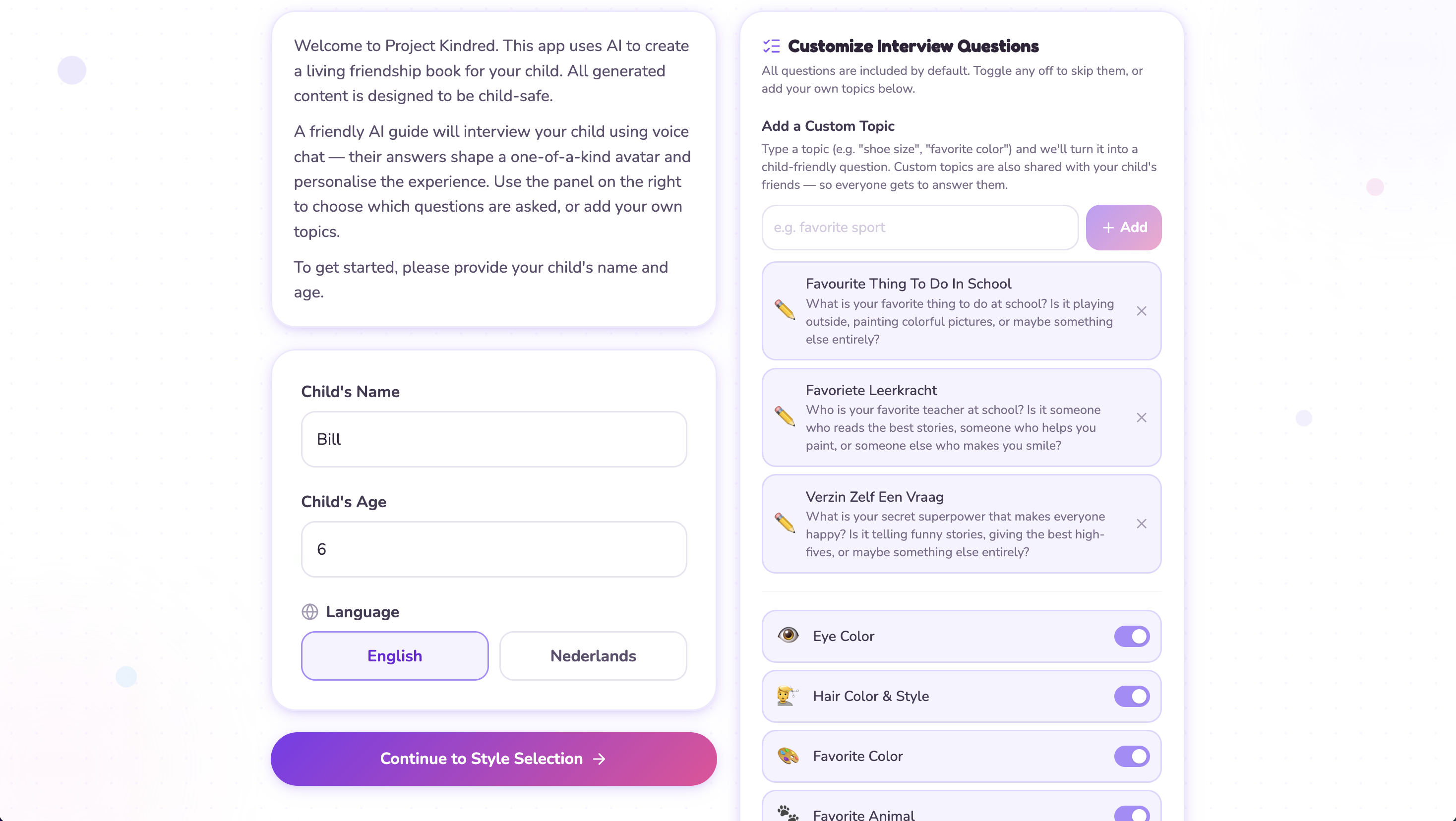
Set up for an interview, choose which questions, add custom questions
-
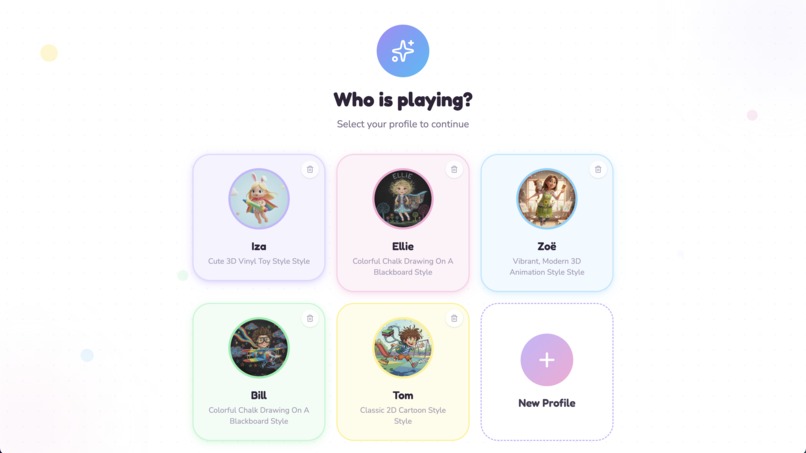
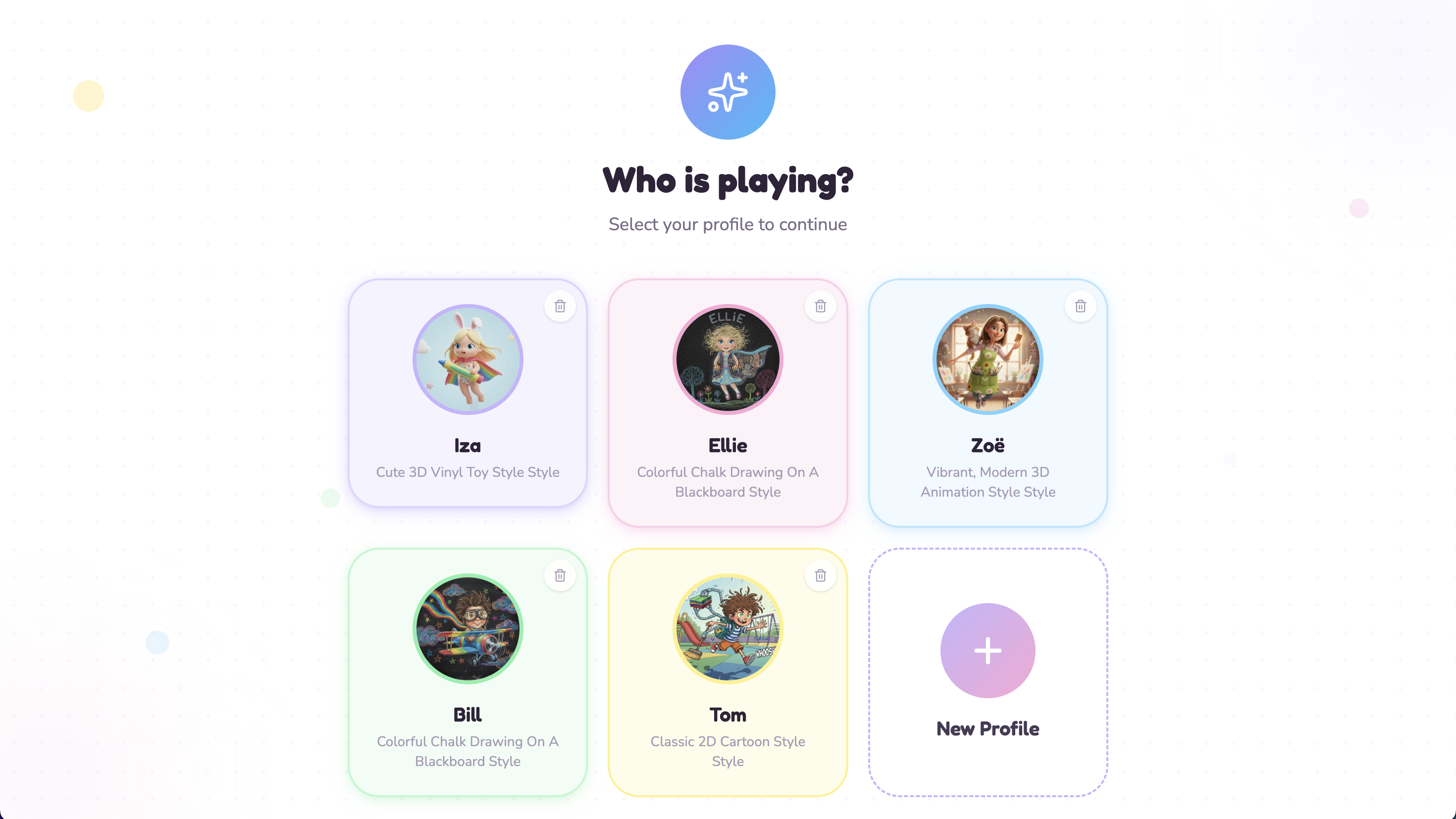
Select a profile (in case you've got multiple children)
-
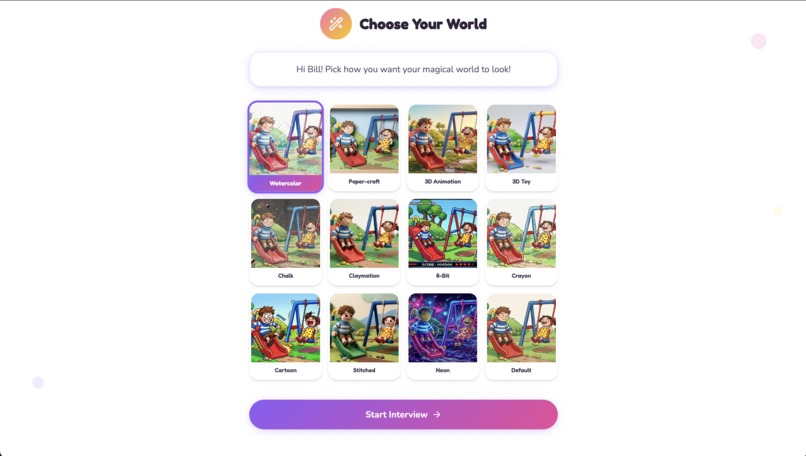
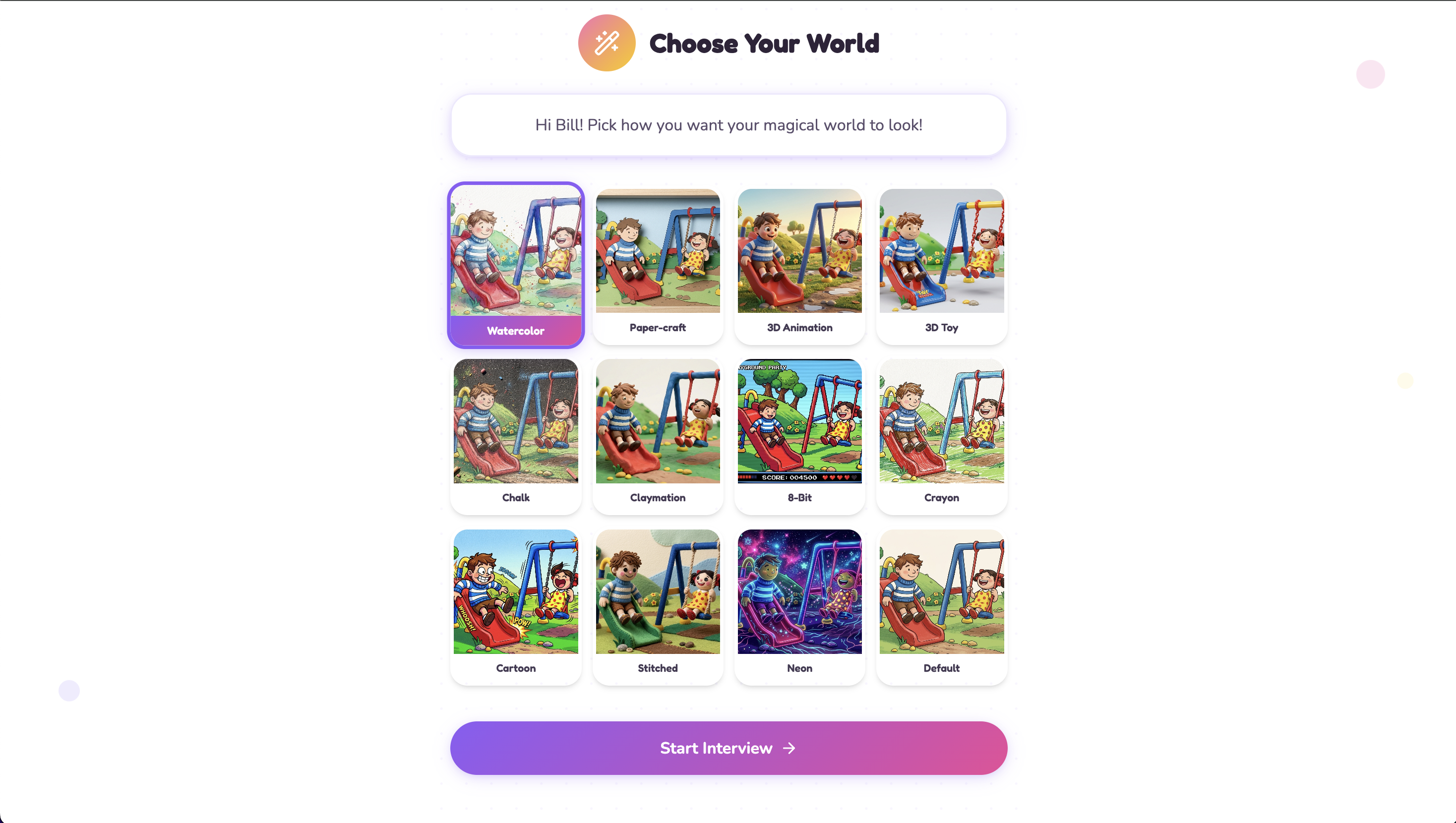
Choose a style for your profile image
-
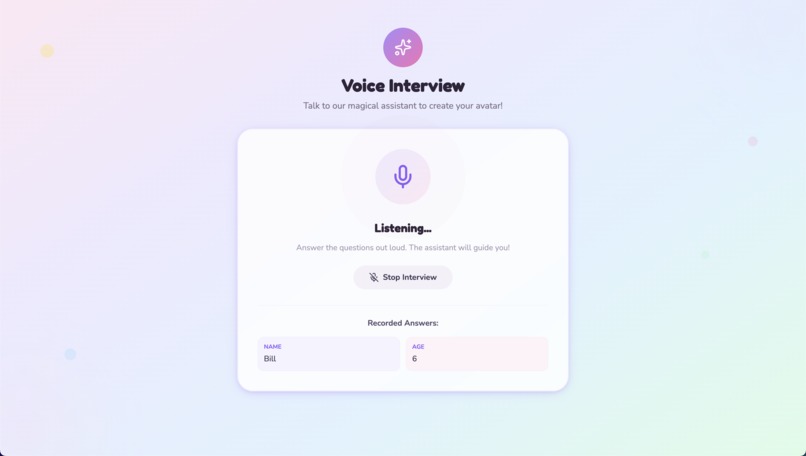
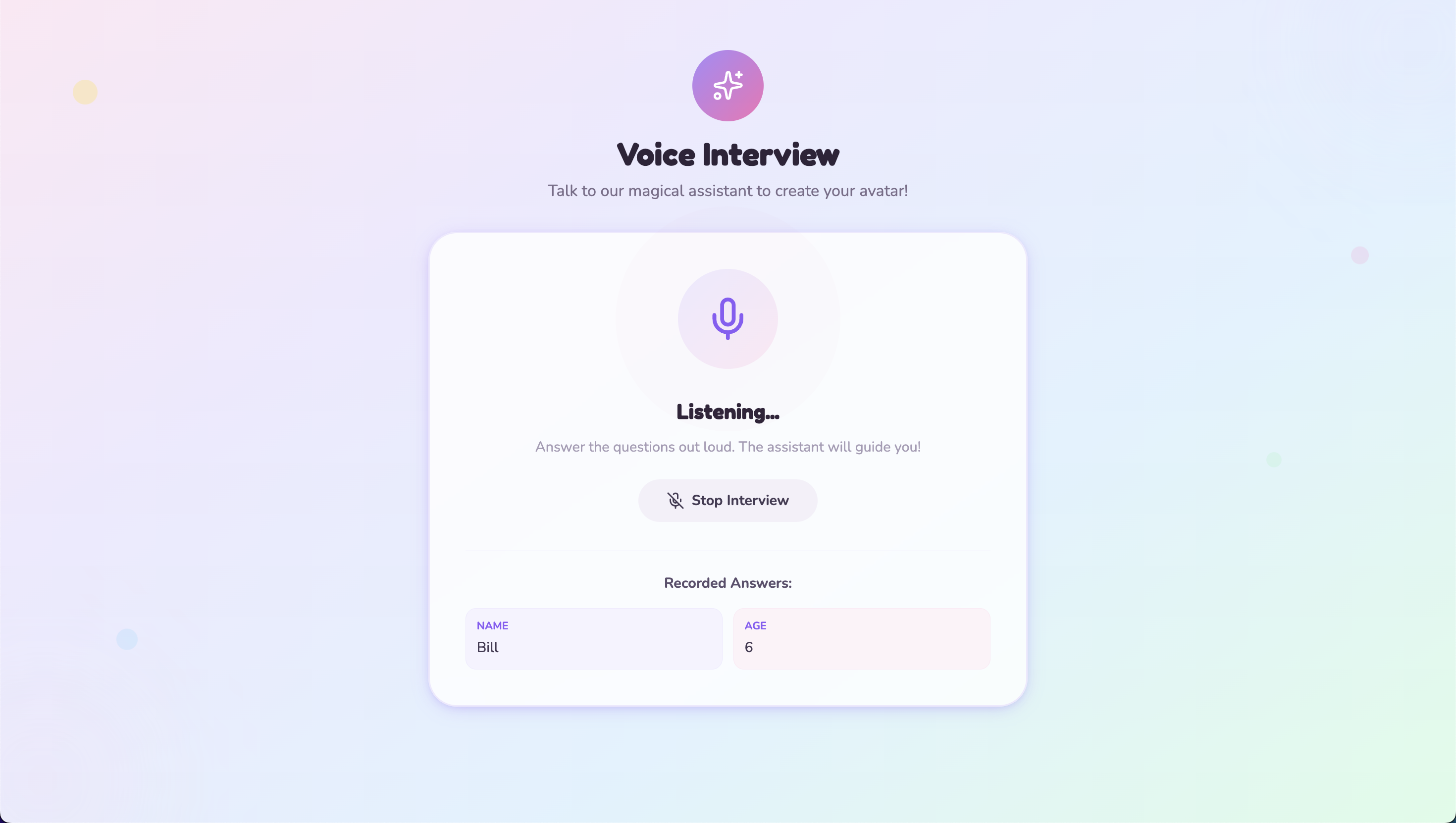
Talk to Gemini Live Agent to build your profile
-
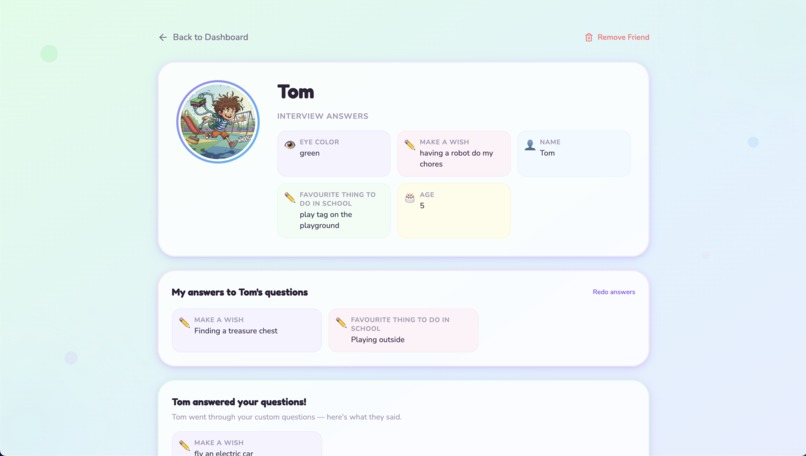
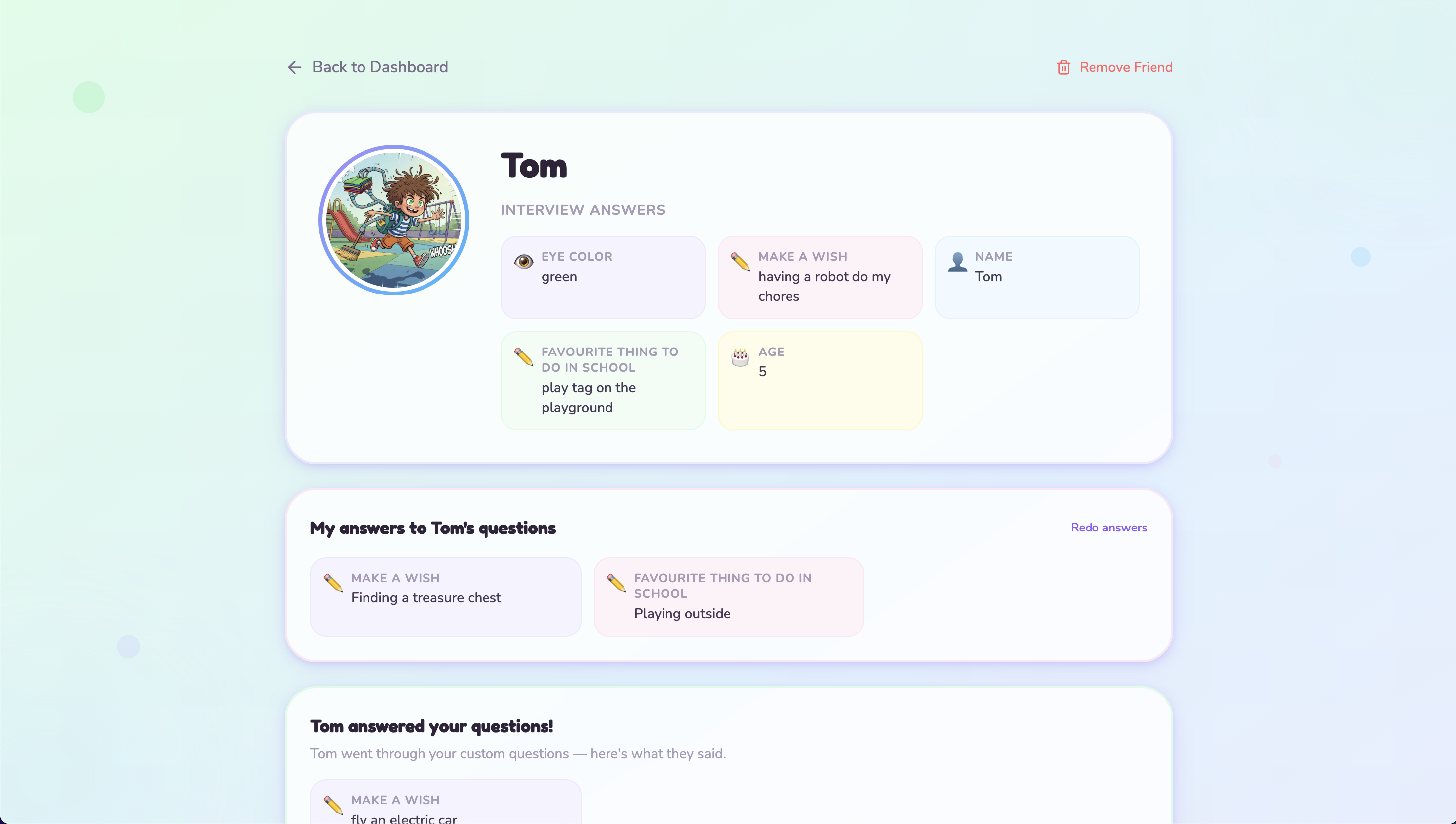
View a friend's profile, answers their custom questions, they answer your custom questions
-
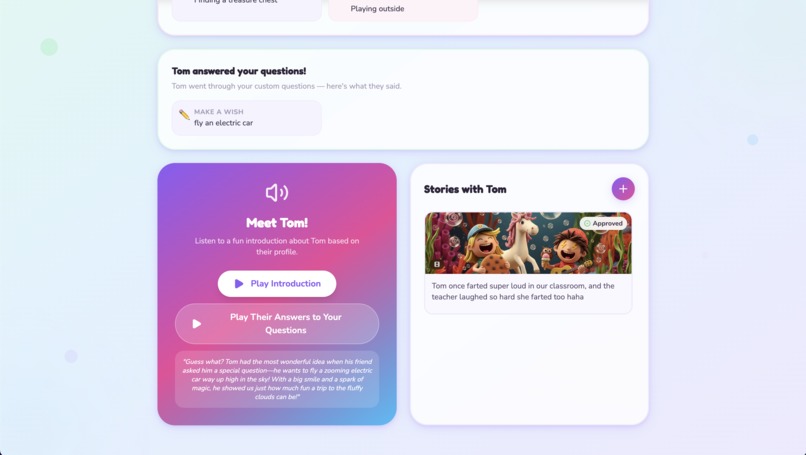
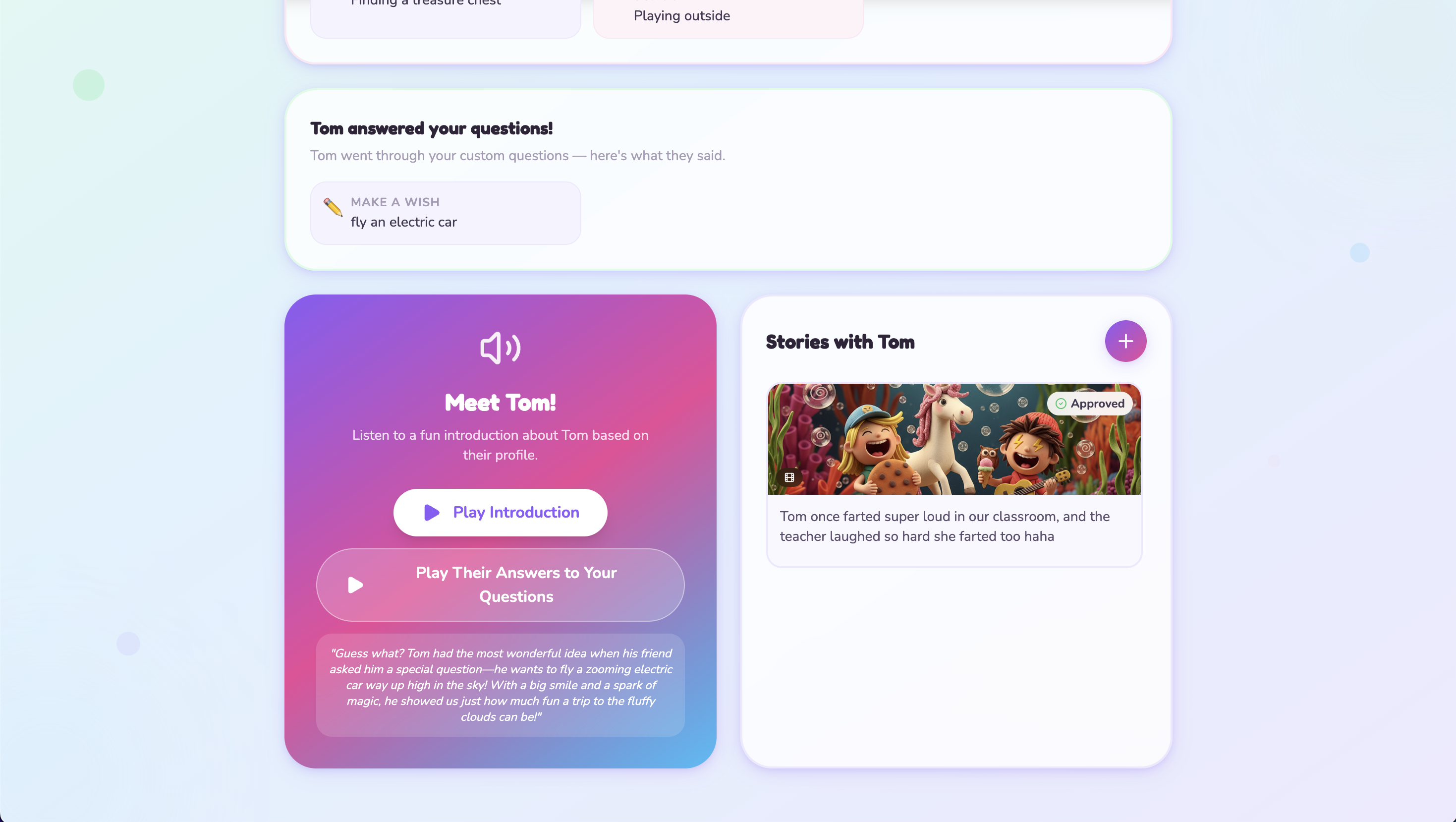
Listen to an introduction of your friend, made by Gemini based on their profile
-
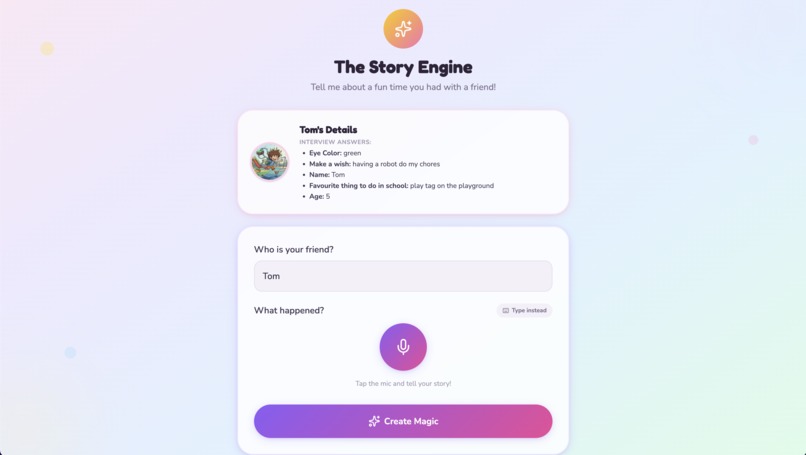
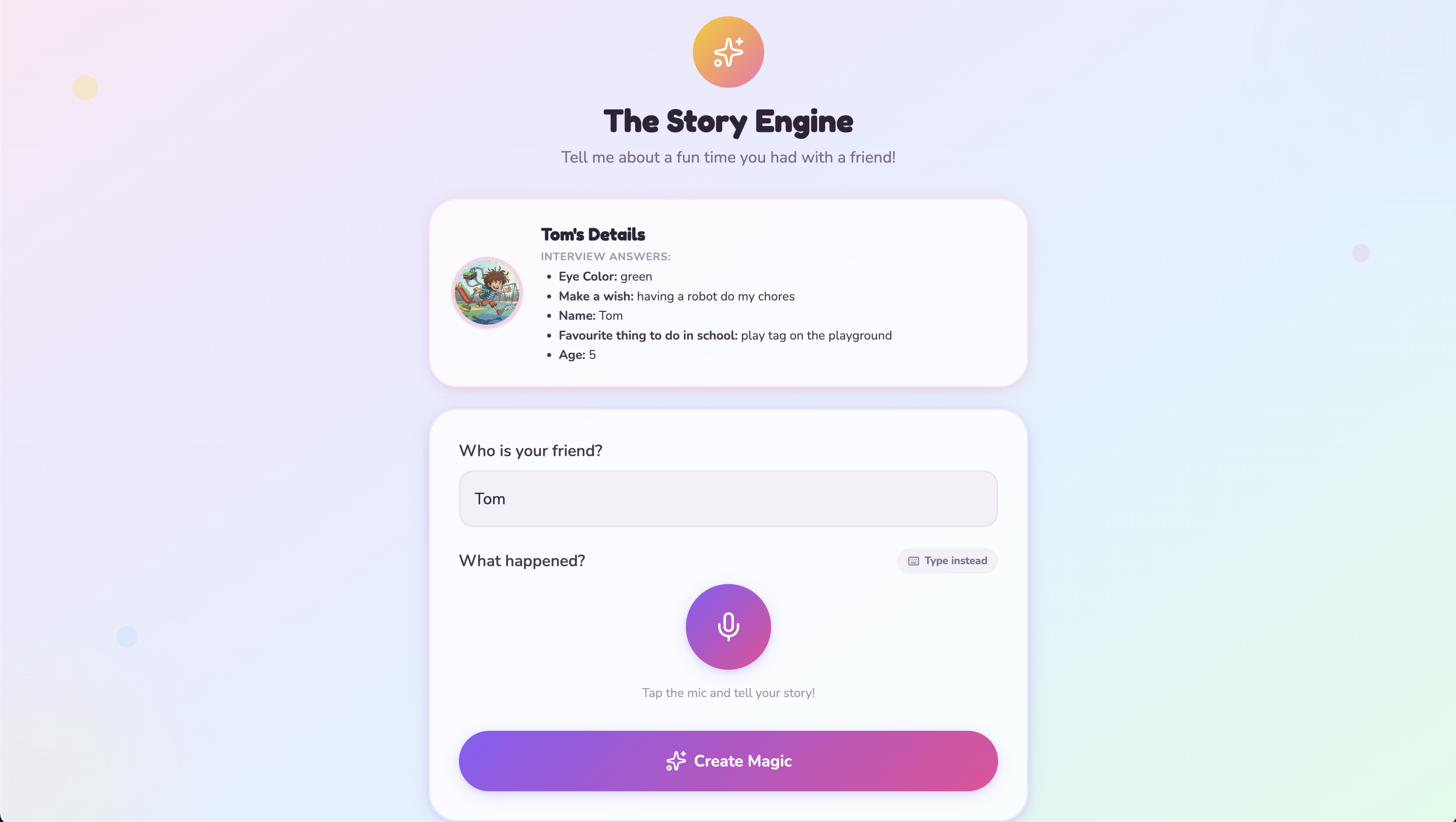
Share a memory of something fun between you and your friend, Gemini turns it into an image and video (with voice over)
-
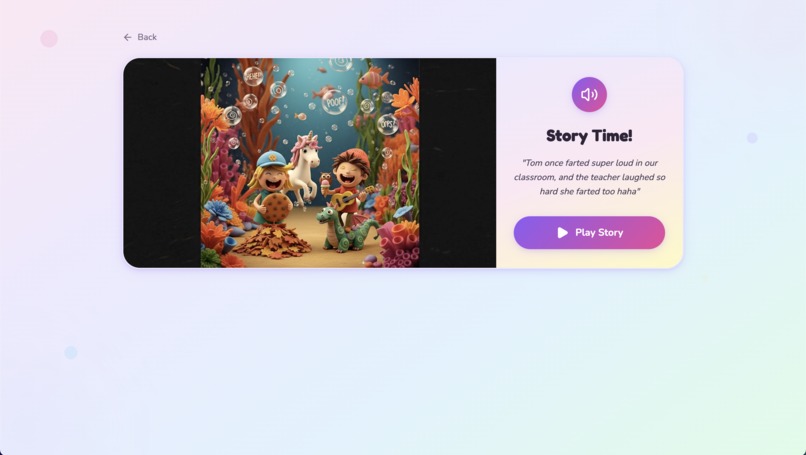
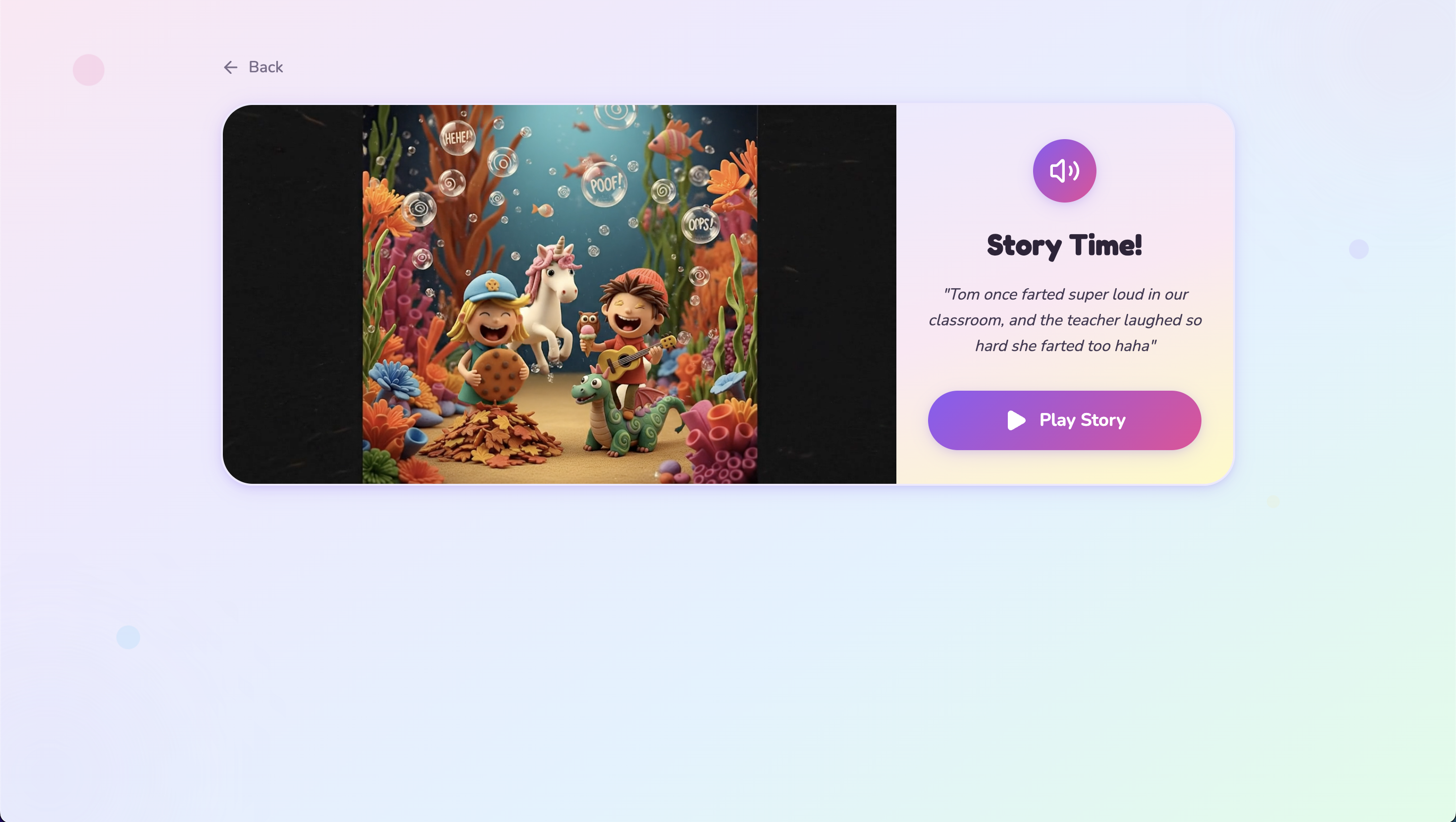
Watch a fun video based on your shared story (with voice over)
Inspiration
A friendship book is a book that the owner passes around to their friends, classmates, or family members. Each person gets a dedicated page (or two) to fill out, answering questions about themselves and sharing memories.
I've got young children that come home occasionally with these friendship books, either their own or those gotten from friends. Reading these is always super fun for our children.
It can be a bummer to give back a friendship book to the owner, because they're losing access to all those fun memories written down in it. It also feels a little weird when our children come home with their own books, which contain roughly the same answers as the books of their friends do. We don't stand for that type of replication in the tech world 😉
It can also feel frustrating for our children that they're unable to easily read and fill out the books they get themselves, or even read their own filled book. If they could only talk to their books...
So I had the idea of creating a shared 'book', where both sides can always access each other profiles and memories. A 'book' that works just by using your voice.
Category decision
When I first came across the contest and read the categories I could create for, I didn't realize I had to choose a specific category to enter.
So I started creating for 2 categories at the same time (live agent and creative storytelling), because both fit so well with my idea.
Only when I got to submitting, I realized I had to choose one, woops.
I choose 'live agent', because I feel that's what the core value is. Allowing kids to experience their friendship, without being able to read or write.
What it does
Kindred allows children to create a profile, add friends and share memories, by talking to Gemini (and a little help from parents).
Profile
There are default questions to answer (like eye color, favourite food and which superpower they'd want). Parents can choose which question to include, and can add any custom question they want. They can also choose which language the app is in, which also directs all Gemini interactions to be in that language.
Children can choose a style for their profile image to be in, and then talk to Gemini Live Agent which will ask questions. The answers they gave are used to create their unique profile image. While they're talking, each answer is shown, letting parents (or the child) validate that it was understood correctly.
Multiple profiles can be created on one account, so parents can let all their children (and themselves) have a profile. You can also add other profiles under the same account as friends, allowing siblings to check each others profiles and share memories.
Friends
Generate a unique code and pass it on to a friend. They paste it in and your friendship is created in Kindred.
Visit a friend's profile and have Gemini tell you about them.
When a friend has custom questions, you can also answer these, and vice versa. Deepening the friendship by answering what is important to your friends.
Memories/Stories
Share your memories and stories, and Gemini turns them into images with narration about the memory or story. Then they can turn it into videos (I split that, because video generation can take a while and I wanted a fast output to give them some 'instant' gratification). Parents are required to accept the image, given that it will be shared with the friend as well (we wouldn't want an image full of poop to be shared).
Your friend can also view and listen to each memory or story.
How I built it
I started off in Google AI Studio to get started quickly and create the prototype. After refinement and testing, I exported it and continued locally by myself (and assisted by Cursor).
As the project grew in complexity, services started getting added to handle the complexity.
Frontend
The prototype was built using Vite and React, which works well until you need persistance across sessions, and security of endpoints and data.
Translations were added using i18n. This was a requirement for myself, so I could test it with my children (who only speak Dutch).
Gemini
Gemini is used in different ways.
- Prompt creation: using 'gemini-3-flash-preview' for creating prompts for other models (such as custom questions, image generation, audio generation and video generation)
- Image generation: using 'gemini-3.1-flash-image-preview' for fast generation of profile and story images
- Speech generation: using 'gemini-2.5-flash-preview-tts' for fast generation of profile introduction and story voice-over
- Video generation: using 'veo-3.1-fast-generate-preview' for fast generation of story video
- Live conversation: using 'gemini-2.5-flash-native-audio-preview-12-2025' for interviewing the user
Interview Agent
The interview agent (using the Live API) asks the user questions and stores the answers.
- I feed the agent the opening text and the first question to ask (it only gets one question at one time)
- Agent asks the given question. It can handle interruptions and is instructed to repeat the question if it is interrupted.
- When user answers, the agent calls a tool to store the answer, and is passed the next question.
- When all questions are asked, the agent is passed the closing statement ('creating your profile') and then stops
- App transitions to showing 'creating your profile' loading state
The agent has access to 2 tools:
- recordAnswer: outputs a JSON containing the questionId and the answer, this then allows the app to store it into Firebase, as well as show it on screen for validation
- finishInterview: outputs 'ready:true', which lets the app know we're done and ready to transition. The app waits for the agent to stop speaking and then closes the session and transitions to avatar generation.
The agent is explicitly instructed to make everything child friendly and has guardrails to steer away from any manipulation or content not fit for children.
Firebase
I started adding Firebase services to quickly handle the necessary parts.
- Authentication: for handling Sign in with Google
- Firestore: for saving profile details, answered questions, friend connections, etc
- Storage: for saving generated images and audio
- Functions: for secured calls to Gemini
- Hosting: for the frontend
- App Check: for extra security
Emulators were used to make local testing easy.
Google Secret Manager was used to give Firebase functions access to the Gemini API key in a safe manner.
I hope Firebase counts as Google Cloud. I did research and read that Firebase uses Google Cloud services as underlying engine.
Deployment
I noticed that deploying via CLI was super easy, but got annoying quickly when I was iterating code to make it work better on production.
So I set up a Github Action (using deploy.yml file) that automatically deploys to Firebase whenever I push to my repo.
Challenges we ran into
Voice agent Getting the voice agent to work reliably was a challenge.
I first tried giving it all of the questions to ask, but it started getting mixed up and would sometimes record an answer based on the question, rather than what the user said.
So I gave the app itself control over the questions and only feed one question at a time. After every answer is recorded, it feeds in the next question. That worked much better.
However, it would still occasionally record an answer before it was actually given by the user. Most of that was solved by extra instructions.
Sometimes it would pick up on ambient sound and view that as an answer. So I added explicit instructions to check if the answer actually fits with what was being asked.
Unfortunately, I still notice that it occasionally will skip to the next question (by prematurly calling the recordAnswer tool) or record an answer itself (instead of what the user gave). Due to time constraints I couldn't spend more time on it.
Ephemeral tokens When I was working locally, connecting directly to the live API wasn't an issue. But when I moved all of the Gemini calls into Firebase functions, this became an issue, cause the functions couldn't stream back and forth fast enough. Luckily, Gemini supports ephemeral tokens that persist for a short time to allow connecting to the Live API without exposing the underlying API key.
Accomplishments that I'm proud of
I read about the challenge pretty late, so I only had a week to build this, while also working full-time. So I'm pretty proud that I got this far in that time, and especially that it does what I envisioned from the start.
I'm also proud that this isn't just a prototype, that is loosely built and full of security and performance issues. I took the time to think about where issues could arise and where security may become an issue. The ephemeral token is an example of that, but also using functions as a secure backend to communicate with Gemini.
I'm also proud that this isn't a 'wild west AI app', where children are let loose with a very advanced AI. There is still parental oversight, which gives parents trust that this app cannot harm their children or the friends of their children.
I'm also proud that I went beyond just one modality of Gemini. I'm using different models to accomplish what I envisioned, and it all happens in a seamless interaction.
Finally, I'm also proud I took the time to create this with translation support, so that my children could play around with it too.
What I learned
I learned that setting up Firebase is actually a lot easier than a thought.
I also learned that the Live Agent feature is really versatile and works much better than I ever would have though. My children did a lot of testing with me, and I noticed that it would pick up on subtle answers, or when they spoke softly. It would also stick to the 'child-friendly' instructions well, letting them know in a kind way when it didn't understand something they said.
I also learned that Dutch is a weird language and that AI isn't quite there yet, in comparison to the English language.
I also learned that deployment via code isn't hard at all. Previously, I would rely on the hosting provider to manage all that, but with just one github action, it's already done.
What's next for Kindred - Friendship World
I'm hoping to make this available for everyone, in different languages.
The cost of running it may be substantive though, so I think I may modify it to allow parents to set a Gemini API key, and then I'll try offer the hosting for free. Or maybe I'll offer it as a self-host alternative.
There are some other cool features I didn't have the time to add, such as:
- Expanding beyond children, sort of like a social media for grownups
- Expanding beyond 1-1, allowing children to create groups of friends that can access each other's profiles and stories
- Create growing profiles, where the profile grows with the child, for example by answering the same or new questions every few months, and being able to see a timeline of how the profile has evolved

Log in or sign up for Devpost to join the conversation.