-
-
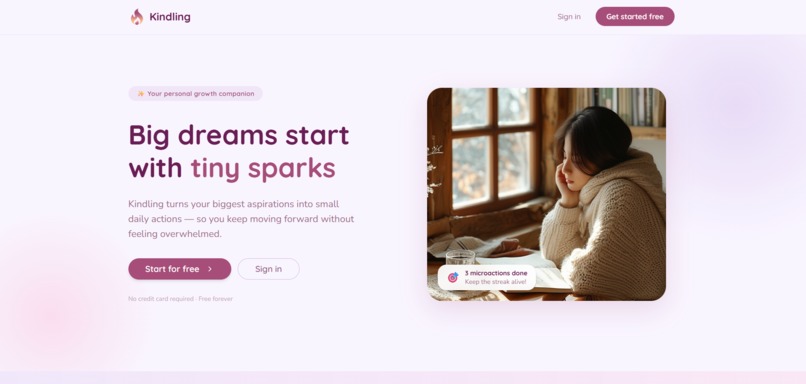
Website
-
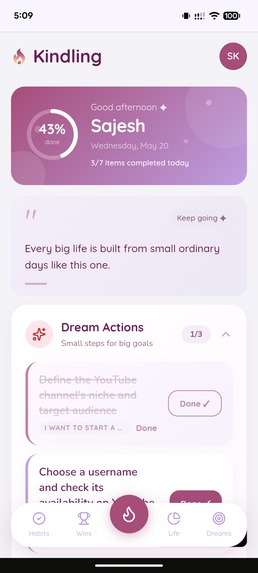
App Homepage
-
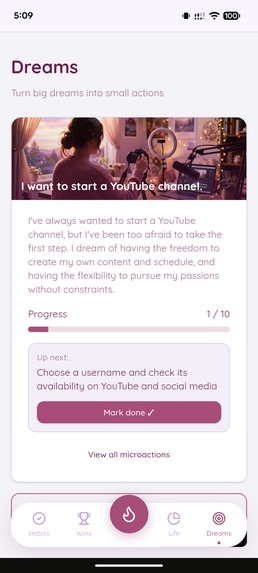
Dreams Page
-
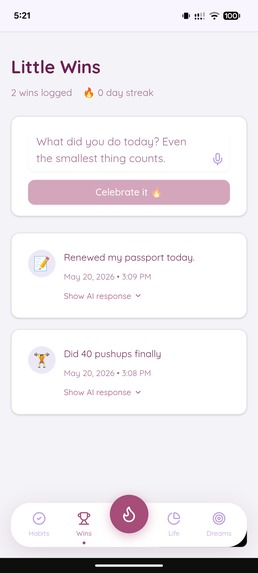
Little Wins Page
-
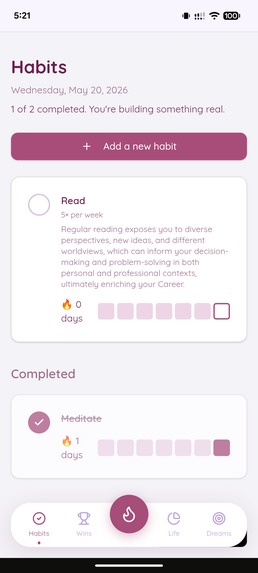
Habits Page
-
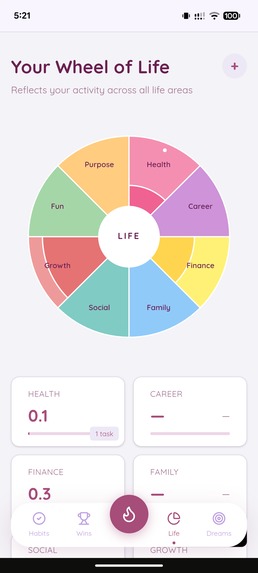
Wheel of Life Page
Inspiration
Most people carry a dream they've never started on. Not because they lack desire — but because the distance between a dream and a first step feels overwhelming. I wanted to build something that bridges that gap.
What if instead of asking people to "set a goal," an AI could interview them like a coach would? Understand their obstacles. Learn their time. Figure out their why. And then build them a genuinely personalised plan made of tiny, doable actions?
And what if every single action they took — every habit, every win, every microaction — automatically showed them their progress across all areas of their life, without asking them to self-rate or guess?
Kindling started from that core belief: people don't need more motivation. They need clarity, momentum, and connection between their actions and who they're becoming.
What it does
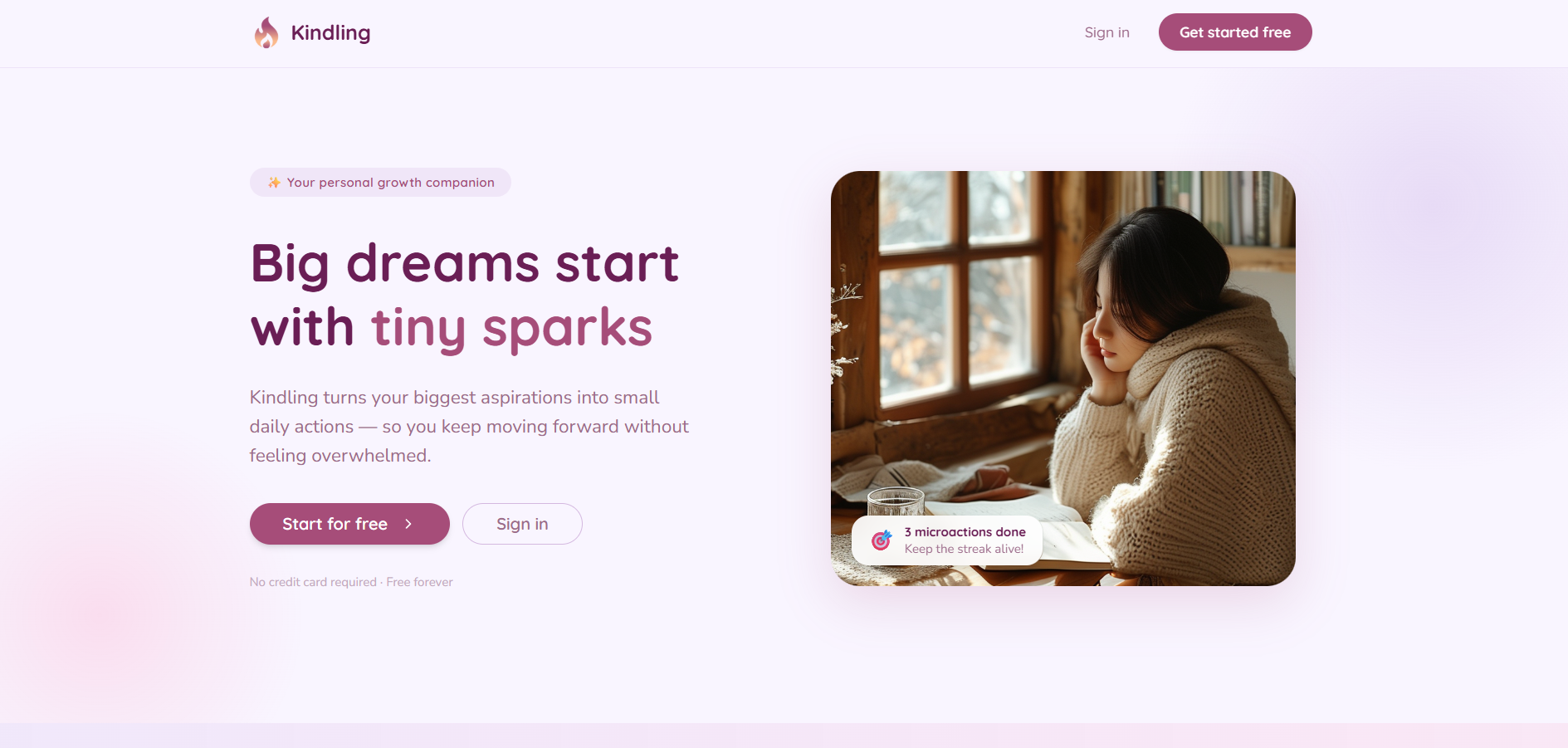
Kindling is a personal growth companion that turns dreams into daily action and tracks progress across your entire life.
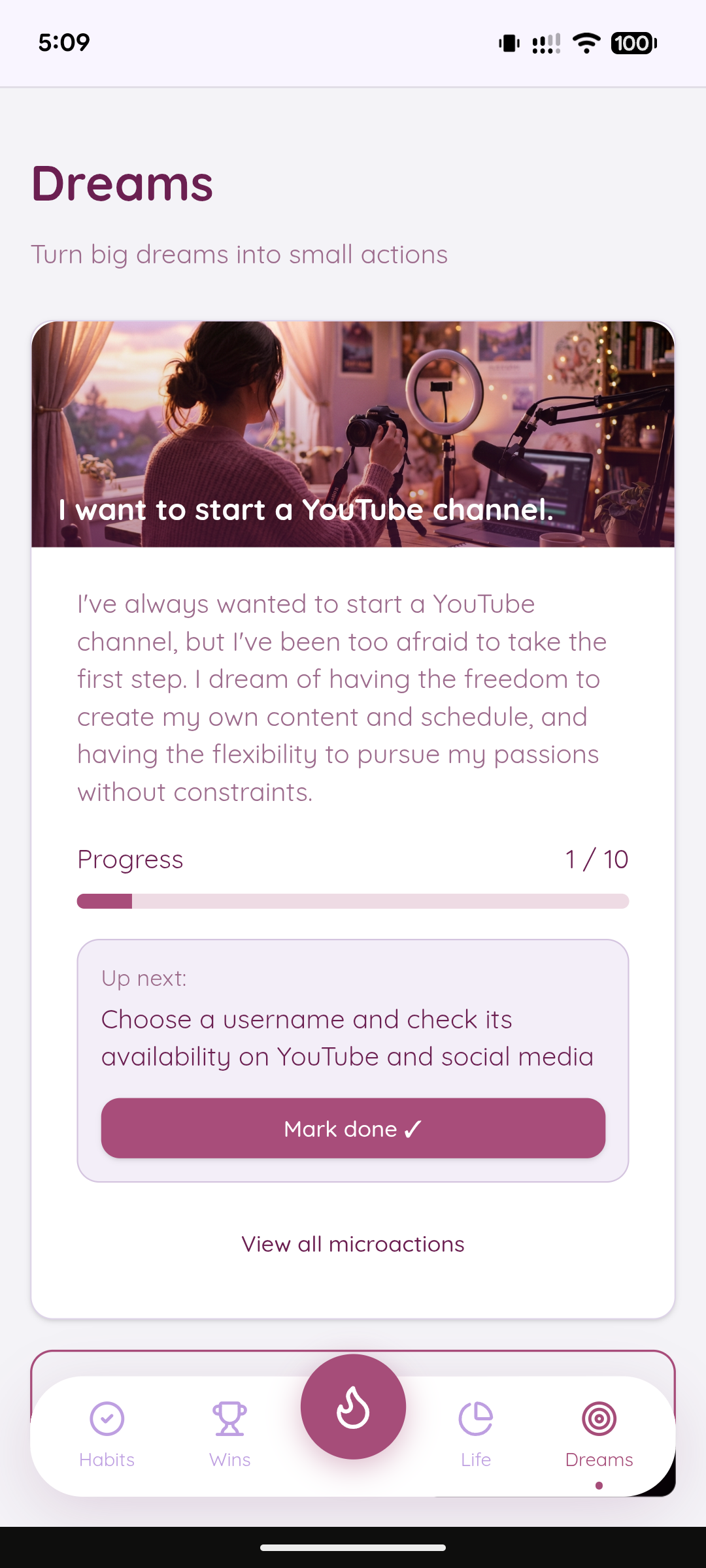
The Dream Interview: Users describe a dream, and the AI interviews them conversationally — asking about obstacles, time, and context. It synthesises the conversation into a personalised plan of 10 microactions, each under 5 minutes.
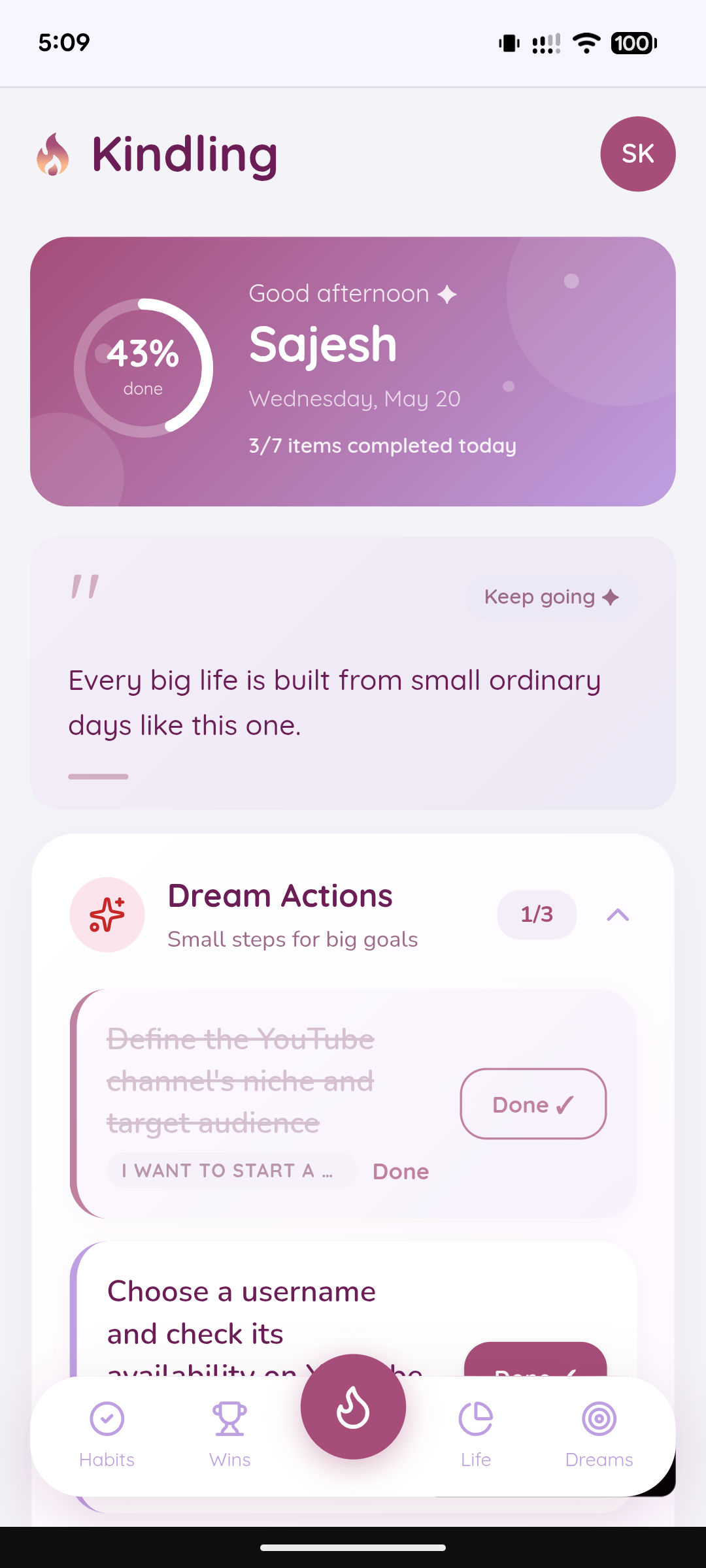
The Daily Home Screen: Every morning shows exactly what matters: dream actions due today, habits, tasks, and a win log. One glance tells you your whole day. Every action you complete moves your progress bar forward.
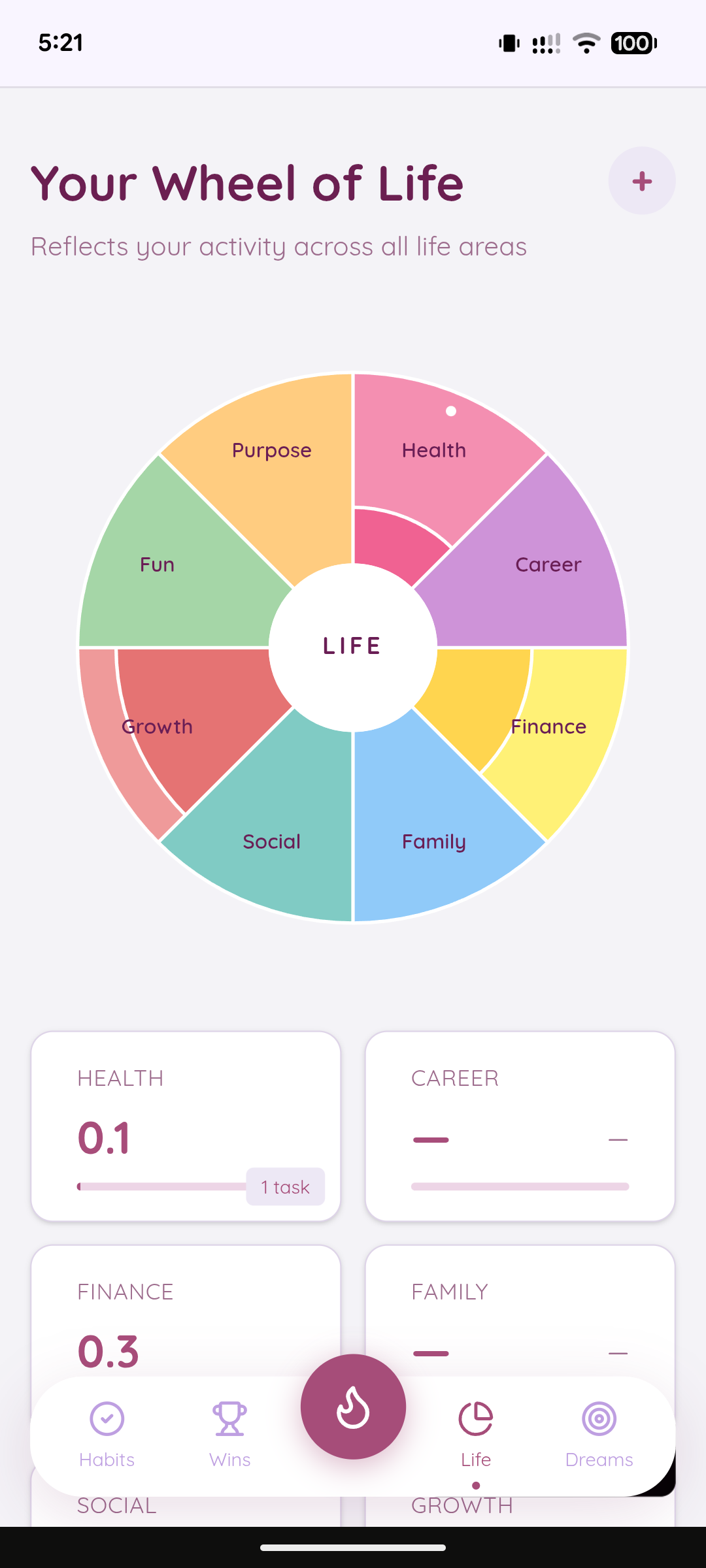
The Wheel of Life: Eight life areas (Health, Career, Finance, Family, Social, Growth, Fun, Purpose). Instead of asking you to rate yourself, Kindling watches: every habit tick, every win, every completed microaction automatically grows the relevant sector. Your life balance updates in real time.
Tasks by Life Area: Add tasks directly to the life area they belong to. Finance tasks live in Finance. Health tasks in Health. Your to-do list, finally organised around your actual life.
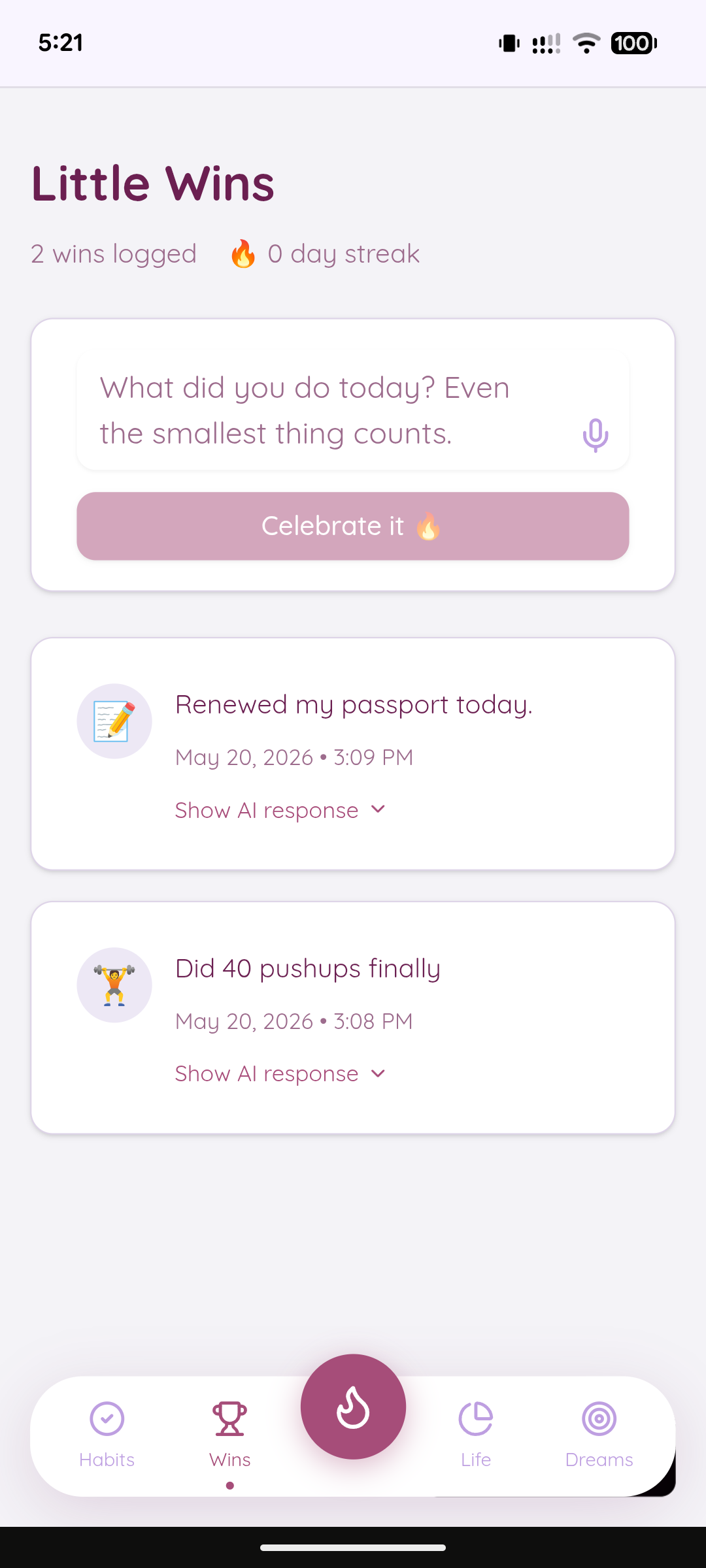
Win Celebrations: Log a small win. The AI reads exactly what you wrote and responds with specific, warm encouragement — never generic.
Mood Tracking: End each day by logging your mood (😔 Tough → 🤩 Amazing) with an optional note. Over time, see patterns in a calendar view and analytics dashboard.
AI Coach Insight: The coach reads everything at once — your mood patterns, habit streaks, dream progress, tasks, and Wheel scores — and surfaces connections you wouldn't notice alone. "Your toughest mood days cluster around Mondays, but your gym habit on those days is your highest streak. That's not coincidence. That's you protecting yourself."
Voice Input: Speak your dream, your win, or your task instead of typing. Speech-to-Text integration makes the app conversational.
AI Dream Images: Every dream gets an AI-generated cover image that evolves as you progress.
Progressive Web App: Install directly from the browser. No app store. Works like a native app on any device.
How I built it
Kindling is built entirely on MeDo — no traditional code written. The entire architecture was designed through natural language conversation with MeDo's system.
Architecture: Six interconnected database modules (Dreams, Microactions, Habits, Tasks, Wins, Mood Logs) all feed into a central Wheel of Life calculation engine. When a user completes any action, the system propagates the score update across all modules in real time using optimistic UI updates and background database sync.
AI Layer: Eight distinct AI call contexts, each with custom prompts and token budgets:
- Dream interviews (multi-turn conversational)
- Microaction generation (structured planning)
- Win celebrations (specific, warm responses)
- Habit "why this matters" notes
- Wheel of Life coach insights (cross-module analysis)
- Mood analytics insights (pattern recognition)
- Dream achievement congratulations
- Habit weekly insights
MeDo Skills Integration:
- Speech-to-Text for voice input in dream interviews, win logging, and task creation
- Image Generation for AI-generated dream cover images
- Text-to-Speech for voice celebration responses (optional feature)
Frontend: Responsive mobile-first design with a gradient-based visual system (purple/pink/lavender). Smooth animations for progress updates, interactive pie chart Wheel of Life, collapsible sections, skeleton loading states.
Data & Real-Time Updates: Implemented optimistic UI patterns where actions update locally instantly while background sync ensures database consistency. Session caching prevents data refetches when users switch between tabs.
Deployment: Full-stack Progressive Web App with manifest file, installable from browser, works offline for reading and syncs when reconnected.
Challenges I ran into
1. Floating Point Arithmetic in Scoring: When calculating Wheel of Life scores from multiple action types, floating-point errors produced results like 0.09999999999999998 instead of 0.1. I solved this with aggressive rounding at calculation time and display-time formatting to 1 decimal place.
2. Multi-Turn Conversation State: The dream interview needed to maintain context across 5+ turns of conversation, with each user response informing the next AI question. Getting the AI to stay on track and synthesise everything into a coherent microaction plan required careful prompt engineering and testing.
3. Cross-Module Data Consistency: When a habit is completed, the score update needed to propagate to the Wheel of Life, the Home screen progress bar, the mood analytics baseline, and the profile stats — all in sync. I solved this with cache invalidation and background refetches.
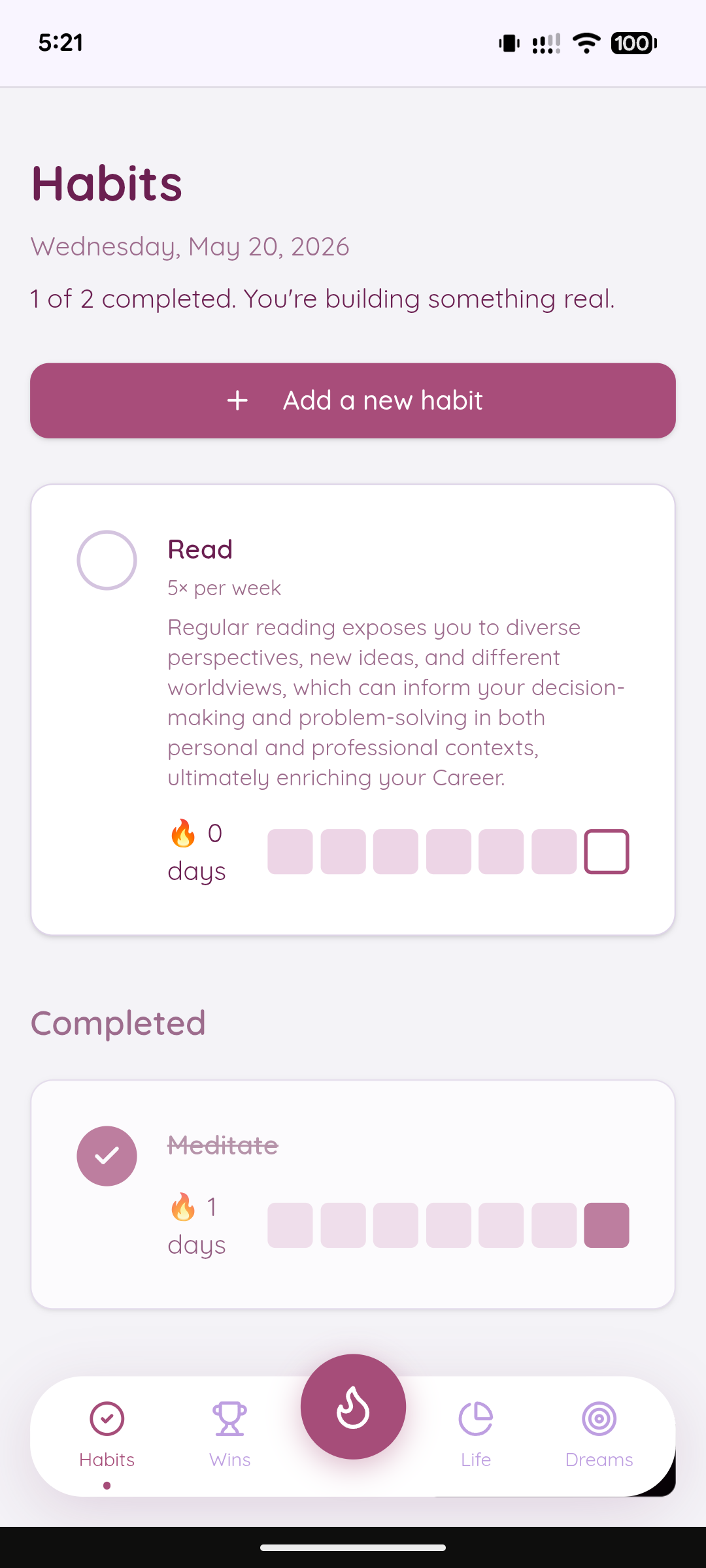
4. Habit Frequency Calculation: Implementing habits that can be set for "5 days a week" without breaking streaks on rest days required rethinking the streak logic from a daily counter to a weekly window-based calculation.
5. Relative vs Absolute Wheel Chart Scaling: Early on, the Wheel of Life scores were so small (0.1 to 0.8) that the pie chart was invisible. I implemented automatic relative scaling that switches between relative and absolute modes based on total score, so the chart always shows meaningful shape.
6. MeDo Credit Limiting: With just 300 credits, it was impossible to build such a vast app. I mostly worked everyday with 100 free credits coming and also invited 2 of my friends on the platform to get some credits to complete the app.
Accomplishments that I'm proud of
1. The Dream Interview: Getting the AI to conduct a genuine interview rather than ask templated questions was the first breakthrough. Users report that having a conversation about their dream feels more real than filling out a form.
2. Real-Time Wheel Updates: Watching the Wheel of Life grow segment by segment as you complete actions throughout the day is deeply satisfying. The visual feedback is immediate and emotionally rewarding in a way generic progress bars aren't.
3. Cross-Module Coach Insight: The moment when the AI reads six different data streams and says something specific about your life that you didn't notice is magic. That's the feature that makes users feel seen.
4. No Code Required: Building a full-stack, multi-database, multi-module app with sophisticated AI orchestration entirely through natural language was the core of the challenge. This app proves that you don't need traditional engineering to build something genuinely complex.
5. Voice Integration: Adding Speech-to-Text to the dream interview made it conversational in a way typing never could. You're literally having a conversation with a coach.
6. PWA Deployment: Having the app installable from the browser with a single tap, living on the home screen like a native app, was the final touch that made it feel real and accessible.
7. Visual Design: The gradient-based purple/pink/lavender aesthetic, the animated pie chart, the emoji-filled mood calendar — everything feels intentional and warm, not clinical or transactional.
What I learned
1. AI for Coaching is Different: The difference between an AI that answers questions and an AI that coaches is the specificity of the insights. Generic "great job" responses feel hollow. But an AI that reads your actual data and reflects back what it sees changes how you see yourself.
2. Momentum Matters More Than Motivation: Users don't need cheerleading. They need to see progress. The real hook in Kindling isn't the motivational quotes — it's the instant visual feedback that their actions matter and are moving them forward.
3. Multi-Module Architecture is Non-Negotiable: Personal growth isn't one thing. It's habits AND dreams AND emotions AND life balance AND celebrating wins. You need all of it, connected. The insights only become powerful when data flows between modules.
4. No-Code Tools Have Real Limits, but Also Real Powers: I hit the ceiling of what's possible without writing code around 40% of the way through. But what I accomplished on MeDo alone — the architecture, the AI orchestration, the real-time calculations — shows that the tool is powerful enough for sophisticated products if you're thoughtful about the design.
5. Voice Changes Everything: The moment I added speech input, the experience stopped feeling like an app and started feeling like a conversation. That's underrated in personal growth tools.
What's next for Kindling - Small Sparks. Real Change.
Phase 1 — Community & Social Features:
- Share dreams publicly with a community that can celebrate progress
- Find users working on similar dreams and follow their journey
- Public win feed so others are inspired by the small moments
Phase 2 — Accountability & Coaching:
- Optional accountability partners who check in on your daily progress
- Streaks visible to partners (motivates consistency)
- AI coach can adapt tone based on your personality profile
Phase 3 — Life Planning:
- Long-term goal mapping: connect dreams to quarterly milestones and weekly tasks
- Automatic microaction regeneration when all actions are completed
- Seasonal goal shifts (health focus in January, career focus in Q3)
Phase 4 — Integration & Export:
- Sync with calendar (tasks appear in your calendar)
- Export mood journal and Wheel of Life charts as reports
- Integration with habit tracking and fitness apps
Phase 5 — Enterprise & Team:
- Organisations can use Kindling for team growth and wellbeing tracking
- Manager dashboards showing team balance across work/health/growth
- Group coaching insights that identify team patterns
Immediate Focus: The immediate next steps are user validation and iteration. I want to put Kindling in the hands of real users living real dreams and refine based on what actually matters to them. The core architecture is solid. The insights are compelling. Now I need to learn what keeps people coming back.
Our hypothesis: if I get the daily momentum right, and the coach insights specific enough, people will use this app every single day. That's the measure of success I'm optimising for.


Log in or sign up for Devpost to join the conversation.