-
-
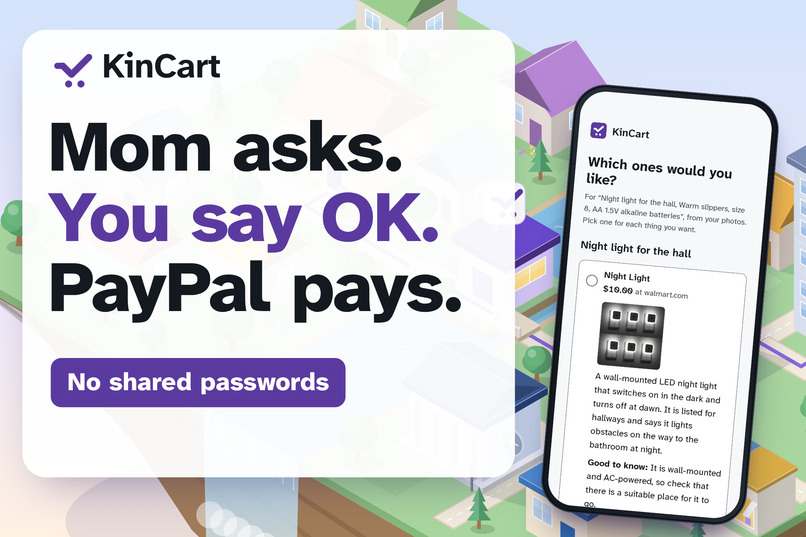
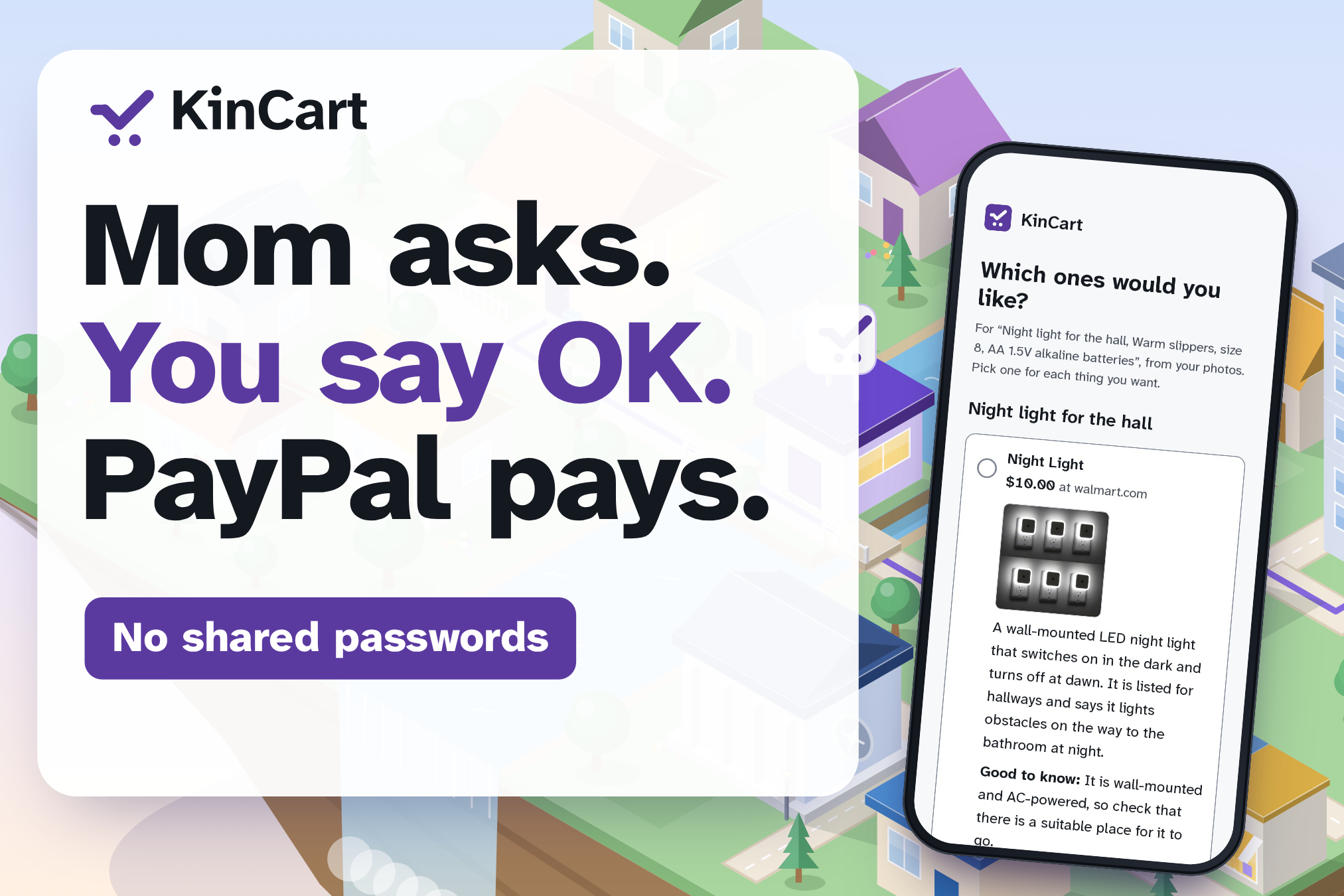
KinCart: Mom asks, you say OK, and PayPal pays from her own account. No shared passwords.
-
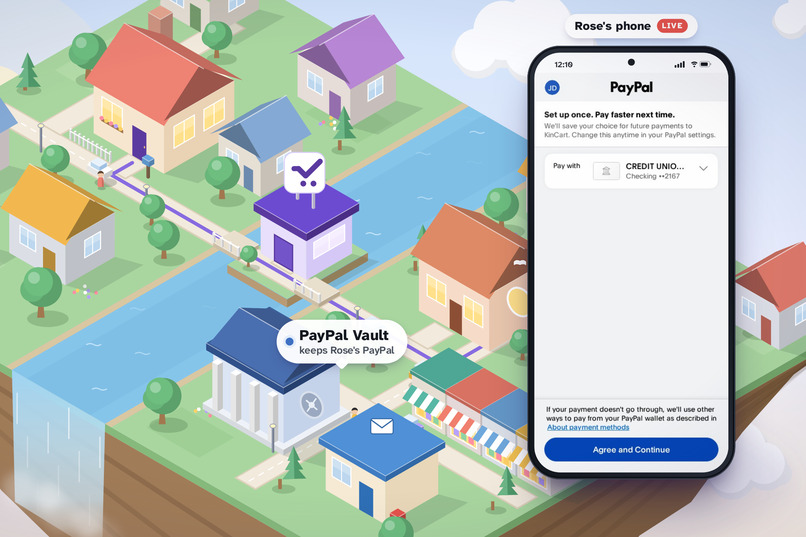
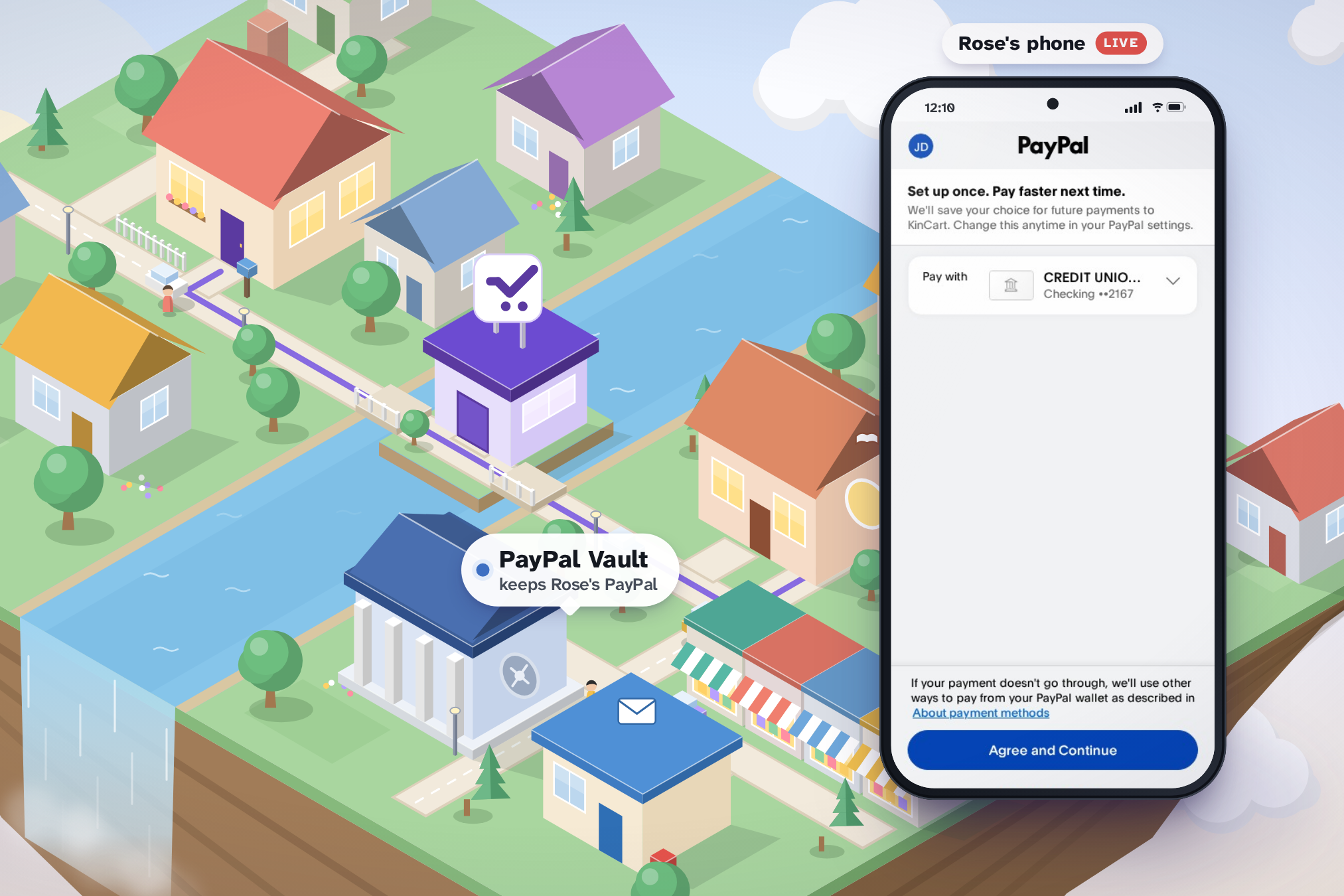
Rose links PayPal once, on PayPal's own page. PayPal's vault keeps it, and KinCart holds only a token.
-
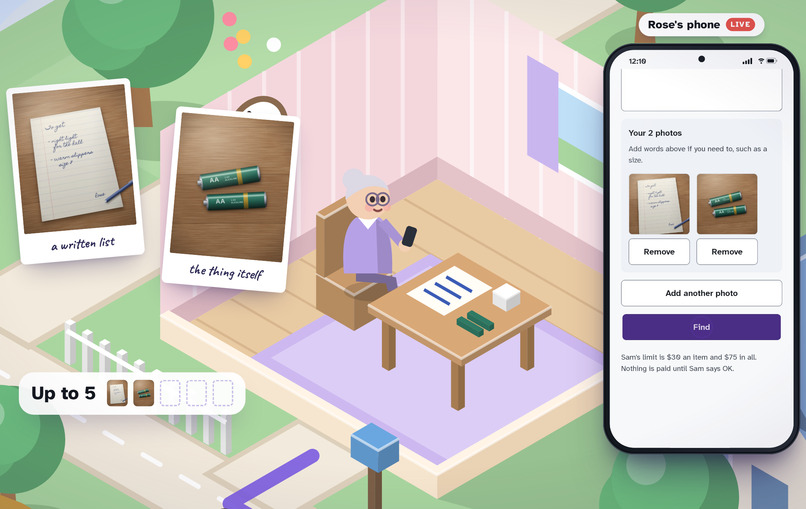
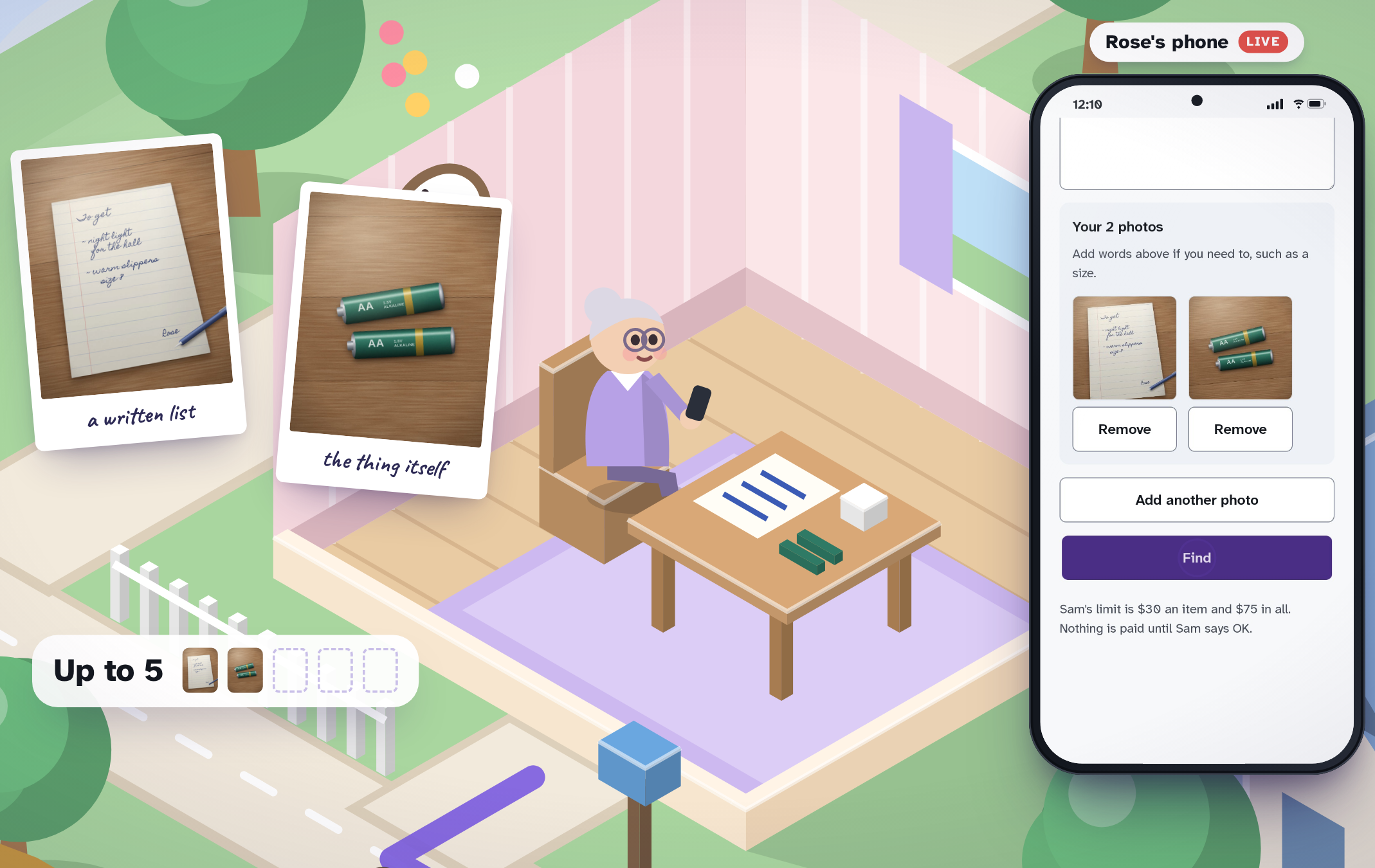
Rose sends up to 5 photos in one Find: a handwritten list, or the old thing itself, like the AA batteries.
-

Claude Haiku turns the photos into searches, and Channel3 finds real listings from U.S. stores under Sam's limit.
-
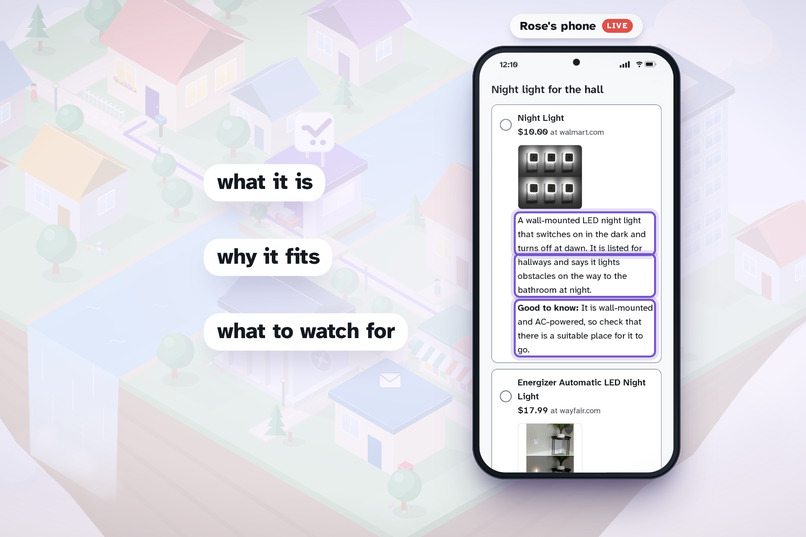
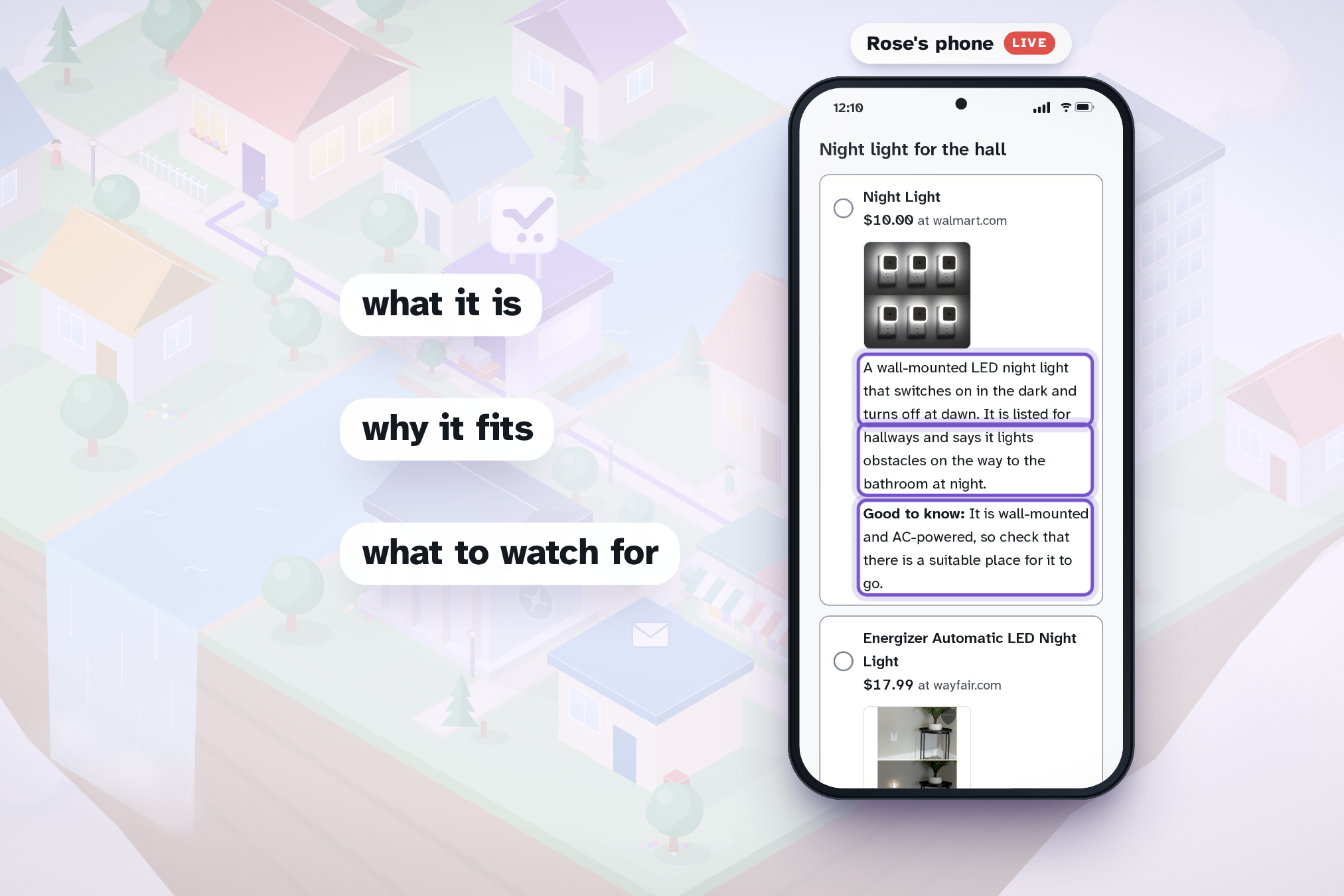
Claude picks up to three listings for each thing and explains each one: what it is, why it fits, what to watch for.
-
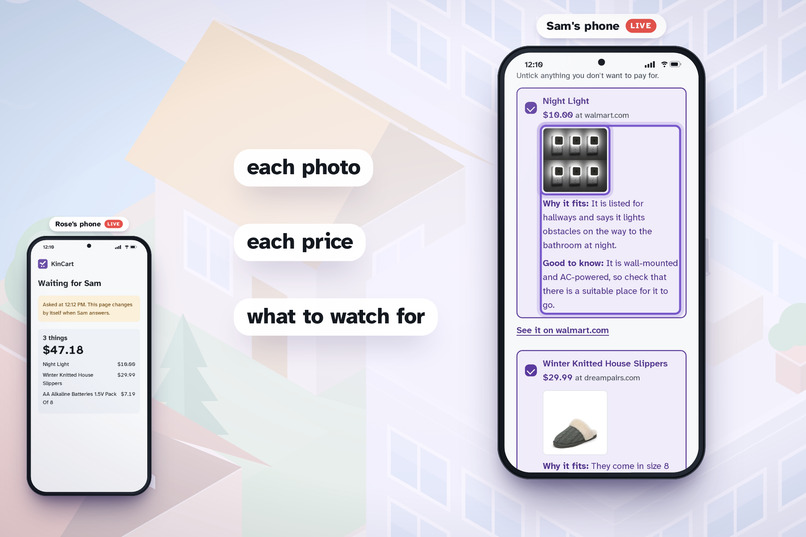
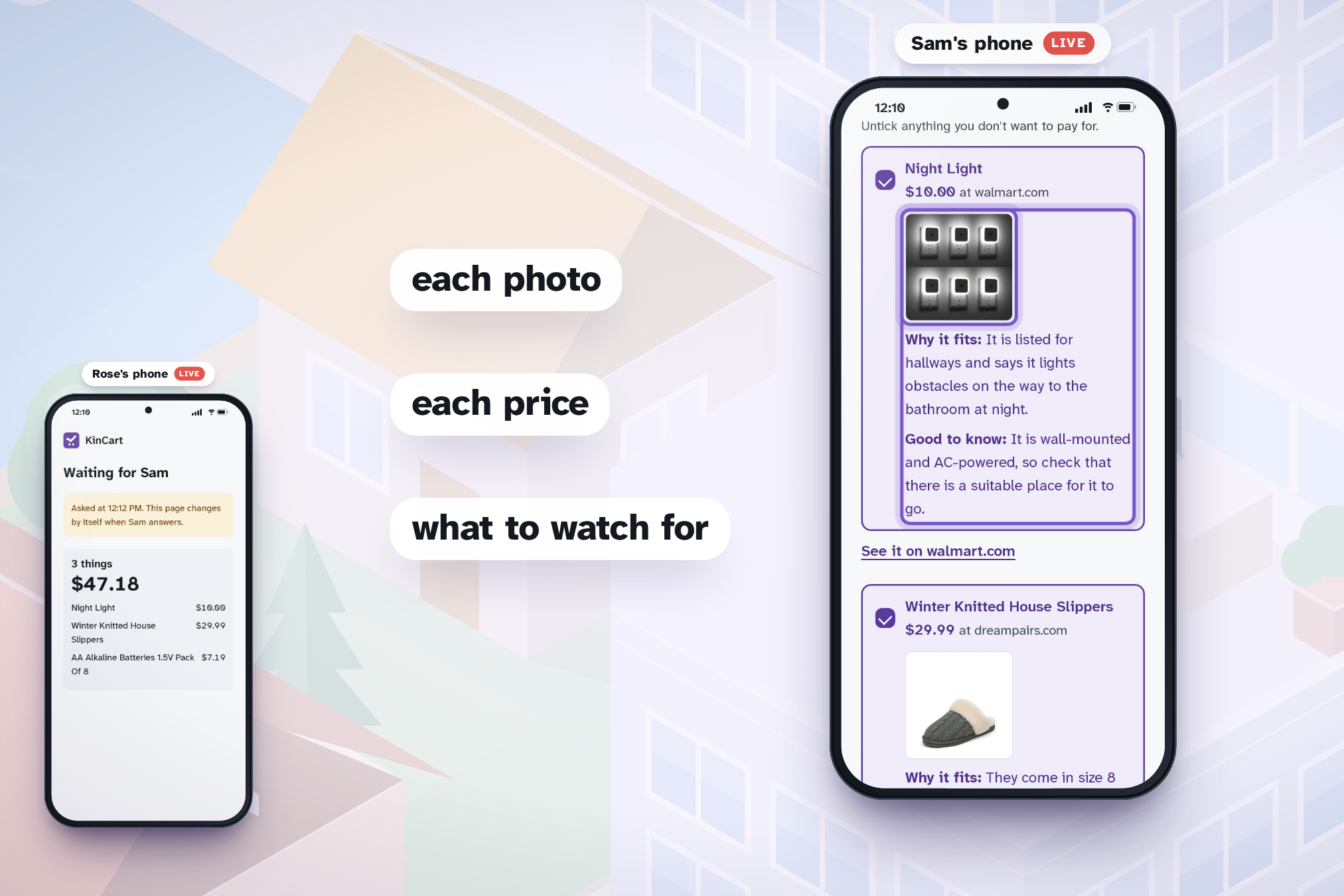
Sam's phone buzzes. Sam sees each photo, price and "Good to know" note, can untick anything, then taps OK.
-
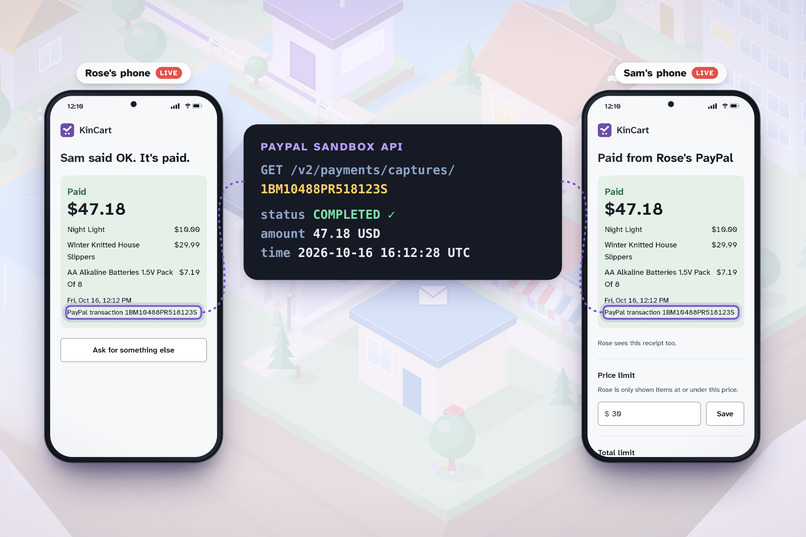
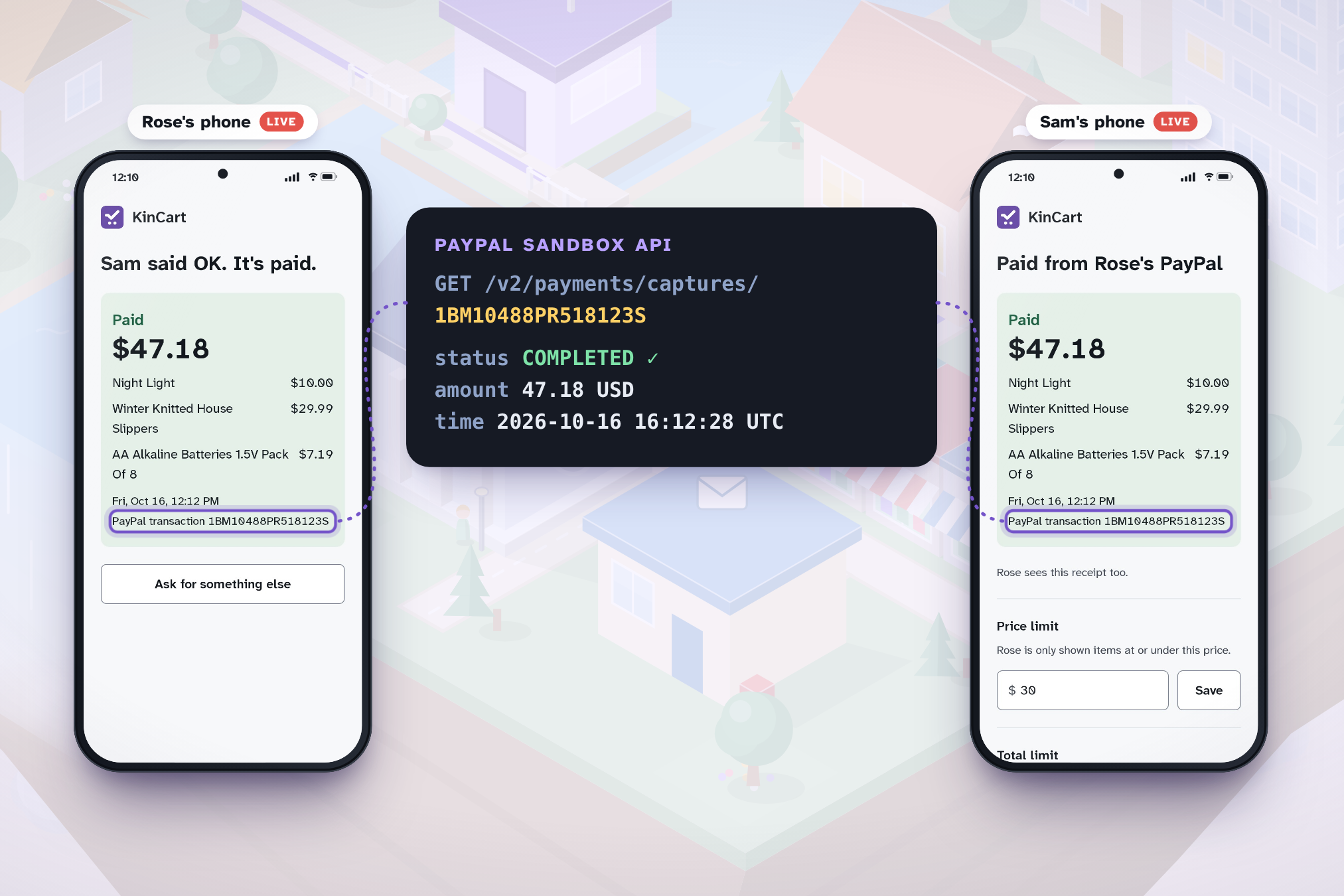
Both phones show the same receipt, and PayPal's own API confirms the sandbox capture: $47.18, COMPLETED.
-
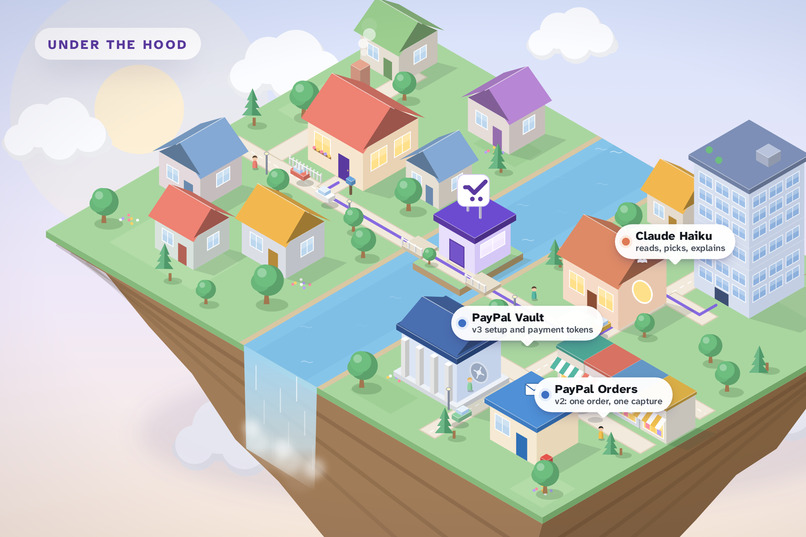
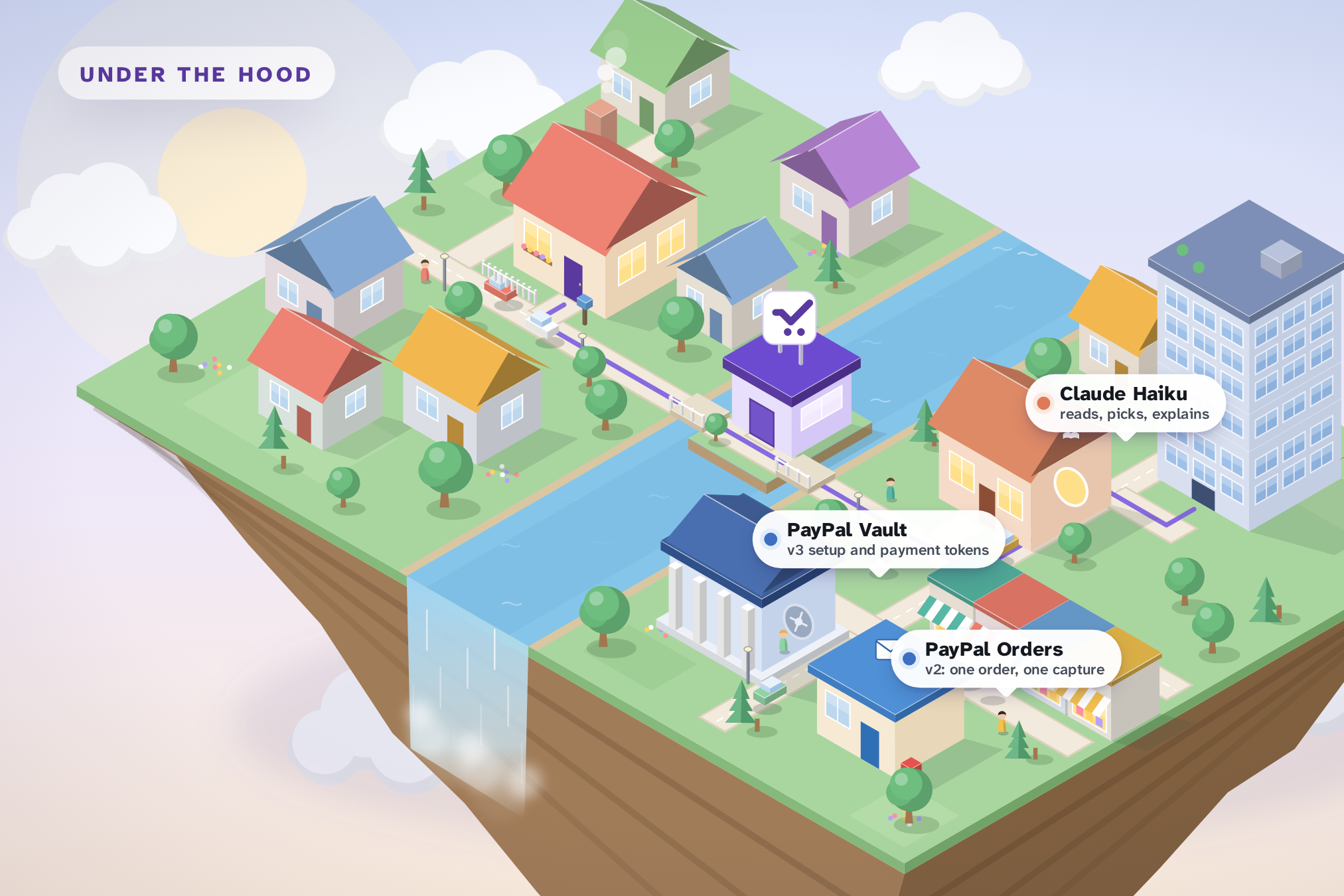
Under the hood: PayPal Vault v3 and Orders v2, Claude Haiku and Channel3, drawn as buildings in the town.
-
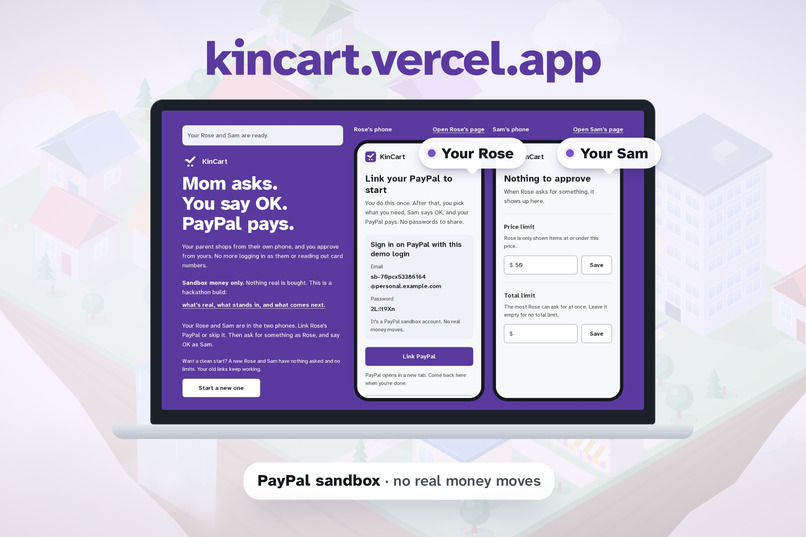
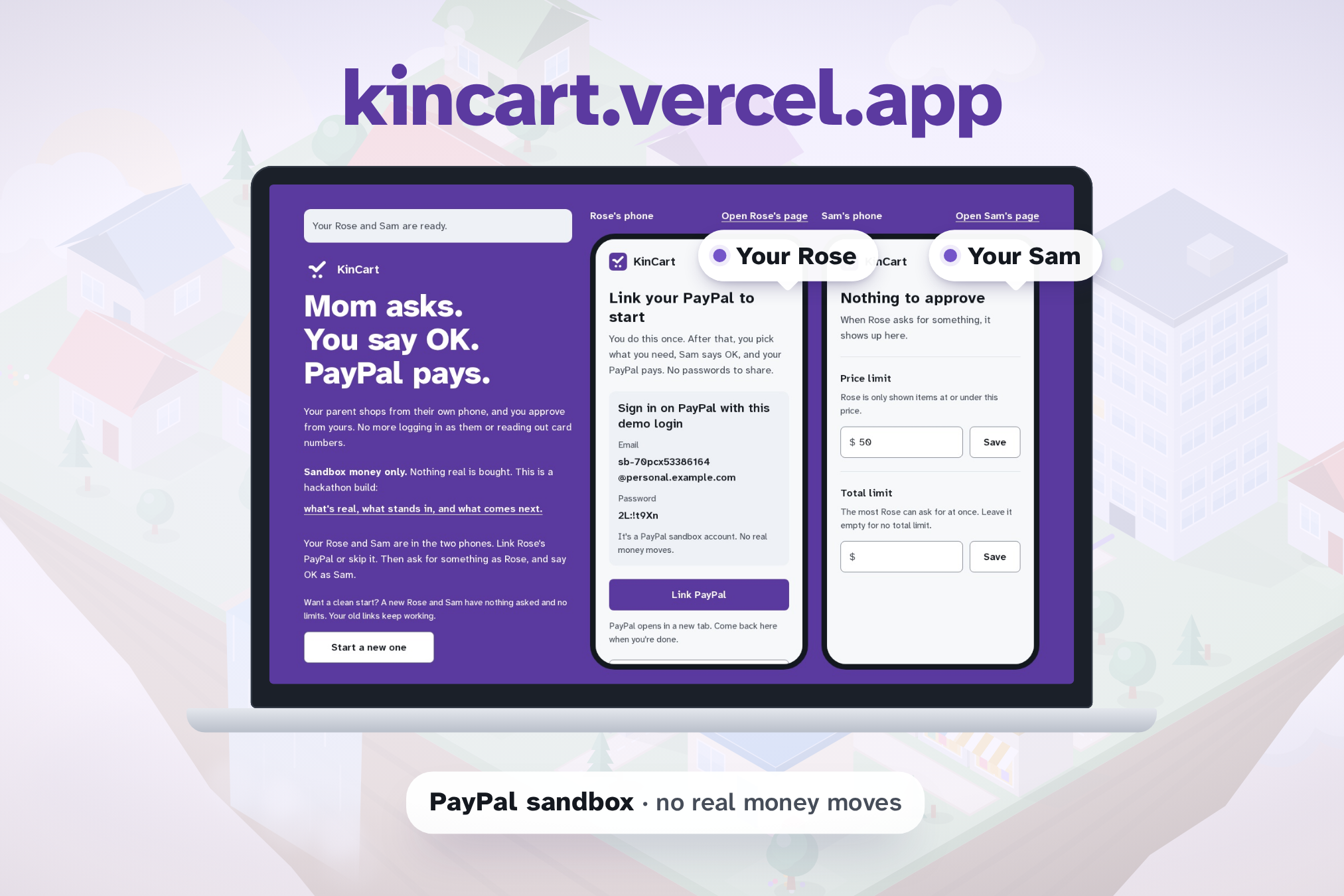
Try it at kincart.vercel.app: tap Try KinCart and your own Rose and Sam run side by side, in PayPal's sandbox.

Inspiration
Lots of families help an older parent shop online the same way. The parent reads out their password, and the helper signs in as them and does every checkout. 63 million Americans are family caregivers (AARP and the National Alliance for Caregiving, 2025). A shared password hands over the email, the bank and everything else, and it takes the choice away from the parent.
I wanted the parent to keep their own account and their own say. The helper only approves.
What it does
KinCart lets an older person, Rose, ask for things from their own phone. A family helper, Sam, approves from theirs. PayPal pays from Rose's own account.
- Rose links PayPal once, on PayPal's own page. PayPal's vault keeps it, and KinCart holds only a token.
- Sam sets a price limit for each thing, and a total limit for each ask if they want one.
- Rose types what they need, or sends up to 5 photos: a handwritten list, or the old thing itself.
- Claude Haiku turns the words or photos into searches. Channel3 finds real listings from U.S. stores under Sam's limit. Claude then picks up to three for each thing and explains each one plainly: what it is, why it fits, and what to watch for.
- Rose picks one of each and taps Ask Sam. Sam's phone buzzes.
- Sam sees each photo, price and "Good to know" note, can untick anything, and taps OK.
- KinCart makes one PayPal order for the whole basket, charged to Rose's saved PayPal with nobody at a checkout. Both phones show the same receipt. Anything Sam unticked goes back to Rose.
Rose never types a card number or shares a password, and Sam never signs in as Rose. The AI does the searching and explaining, and a person approves every purchase.
The pages are built for older eyes: Atkinson Hyperlegible type, plain words, and three choices at most.
Try it
Open https://kincart.vercel.app on a laptop and tap Try KinCart. You get your own Rose and Sam, side by side, live.
- On Rose's phone, tap Link PayPal and sign in with the sandbox login shown on screen. PayPal opens in a new tab. Or tap Skip to pay from the demo PayPal.
- Type "batteries for the clock and a night light", or add a photo, and tap Find.
- Pick one listing for each thing and tap Ask Sam. Sam's page changes within a few seconds.
- On Sam's phone, tap OK. Both phones show the receipt.
Everything runs in PayPal's sandbox, so no real money moves. Each visitor gets their own Rose and Sam, so you never see another judge's asks. To run it yourself, follow the setup steps in the README.
How I built it
- PayPal Vault v3. A setup token sends Rose to PayPal's approval page, and the approved token becomes a payment token, saved for that household.
- PayPal Orders v2. On Sam's OK, one order with intent
CAPTUREandpayment_source.paypal.vault_idpays for the whole basket, with no buyer present. Each order carries aPayPal-Request-Id, so a retry never charges twice. - Claude Haiku 5.5. Two fixed steps, each with a JSON schema for the answer. The first reads Rose's words or all of their photos in one call and splits them into up to five things with search terms. The second picks up to three listings for each thing and writes the plain explanation. Photos go to Claude once and are never stored.
- Channel3. Two searches for each thing, one under Sam's limit and one without it, and every thing in the basket is searched at once.
- The app. Next.js 16 and React 19 on Vercel, Postgres on Neon with plain SQL migrations, and web push through a service worker for each person's link.
- Tests. 188 unit tests in Vitest and 22 end-to-end tests in Playwright. On every push, CI makes real PayPal sandbox charges, real Channel3 and Claude calls, and a real push through Mozilla's push service. A deploy goes live only after the tests pass.
Challenges I ran into
- Charging with no buyer present. The vault answered
NOT_AUTHORIZEDuntil "Save payment methods" was turned on for the sandbox app. - Charging exactly once. PayPal remembers a
PayPal-Request-Idfor hours and answers a repeat with the first order, even with a different amount. Two test databases both started at request 1, so a $12.50 ask came back paid with an old $18.99 order. Each ID now includes the time of the ask. - A search that never says no. Channel3's price filter returns near-misses instead of nothing: "tablet under $30" returns tablet cases. KinCart runs the same search without the limit at the same time, and Claude says when the real thing only costs more.
- Phone photos. A phone photo is several MB, and Next.js takes 1 MB per request. Each photo shrinks in the browser to a 1200px JPEG of at most 180 KB, so 5 photos fit.
- Letting the AI think. Even at low effort, Haiku sometimes thinks before it answers, and the thinking counts toward the token limit. Some picks were cut off, and Rose saw "nothing found", until the limit left room for it.
Accomplishments that I'm proud of
- The whole path is real: AI search on live listings, a PayPal vault, a sandbox charge and pushes to both phones. The video shows one unbroken run, and PayPal's own API confirms the payment.
- A judge gets a working Rose and Sam in one tap, with no sign-up.
- Every feature shipped with end-to-end tests that call the real services.
What I learned
- PayPal's vault fits "approve later" well. The person who pays approves once, and the charge happens when someone they trust says OK.
- The AI helps most by explaining, not deciding. "What to watch for", such as batteries not included, is what Sam reads before saying OK.
- Older people find a photo easier than typing, and a photo of a handwritten list works.
What's next for KinCart
The best home for KinCart is inside PayPal: a family link between two PayPal accounts, where one asks and the other approves. PayPal already has the saved wallet, the notifications and the scam checks. The AI find-and-explain step is the part this build proves. The plan, and what stands in for the real thing today, are in docs/ROADMAP.md in the repo.
Built With
- anthropic
- channel3
- claude
- github-jobs
- neon
- next.js
- paypal
- paypal-orders
- paypal-vault
- playwright
- postgresql
- react
- typescript
- vercel
- vitest
- web-push

Log in or sign up for Devpost to join the conversation.