Inspiration
KinCare lets adult children keep an eye on an ageing parent's health from wherever they live. The parent just wears their watch as usual. The family sees what's happening and gets told when something needs attention.
- Health data arrives on its own. The parent's phone reads their watch data through Health Connect or Apple Health and sends it to KinCare every few minutes. Pairing the phone takes one short code that a family member can read out over a call. After that, the parent doesn't have to do anything.
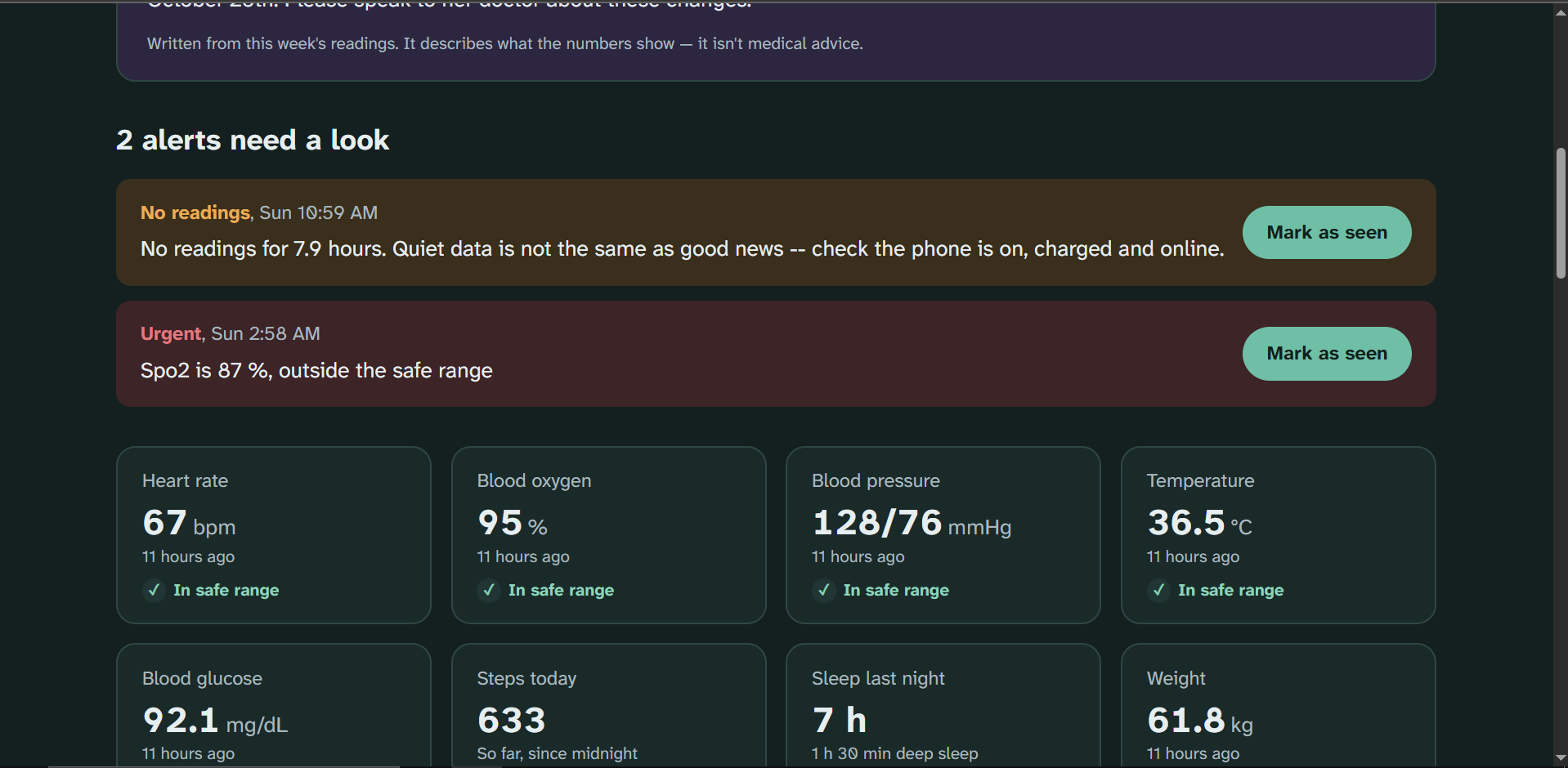
- One dashboard for the whole family. Heart rate, blood oxygen, blood pressure, temperature, blood glucose, steps, sleep and weight are all on one page. There's a 24-hour heart-rate chart and 7-day charts for steps, sleep and blood pressure. The page updates live, so nobody has to keep refreshing.
- Alerts when something's wrong. Each parent gets their own safe range for each reading. When a reading falls outside it, the family is alerted. Anyone can mark an alert as seen, and everyone else can see who handled it, so siblings don't all call Mum at once or assume someone else did.
- Silence counts as a warning. If the watch stops sending data, KinCare raises an alert rather than treating no news as good news. A dead battery or a phone left offline gets noticed.
- A plain-language summary. Gemini turns the week's numbers into a short paragraph, such as "Mum slept well and walked more than usual; her blood pressure was a little high on Tuesday." It's for family members who aren't doctors. It never diagnoses or gives medical advice. Alerts are always triggered by fixed rules, never written by AI.
- Care is shared. Whoever sets up a parent can invite siblings or other relatives with a share code, without anyone sharing a password. One caregiver can also look after more than one person, such as both parents.
- Times follow the parent's day. Everything is shown in the parent's time zone, so "today's steps" means their day even if you're on the other side of the country.
How we built it
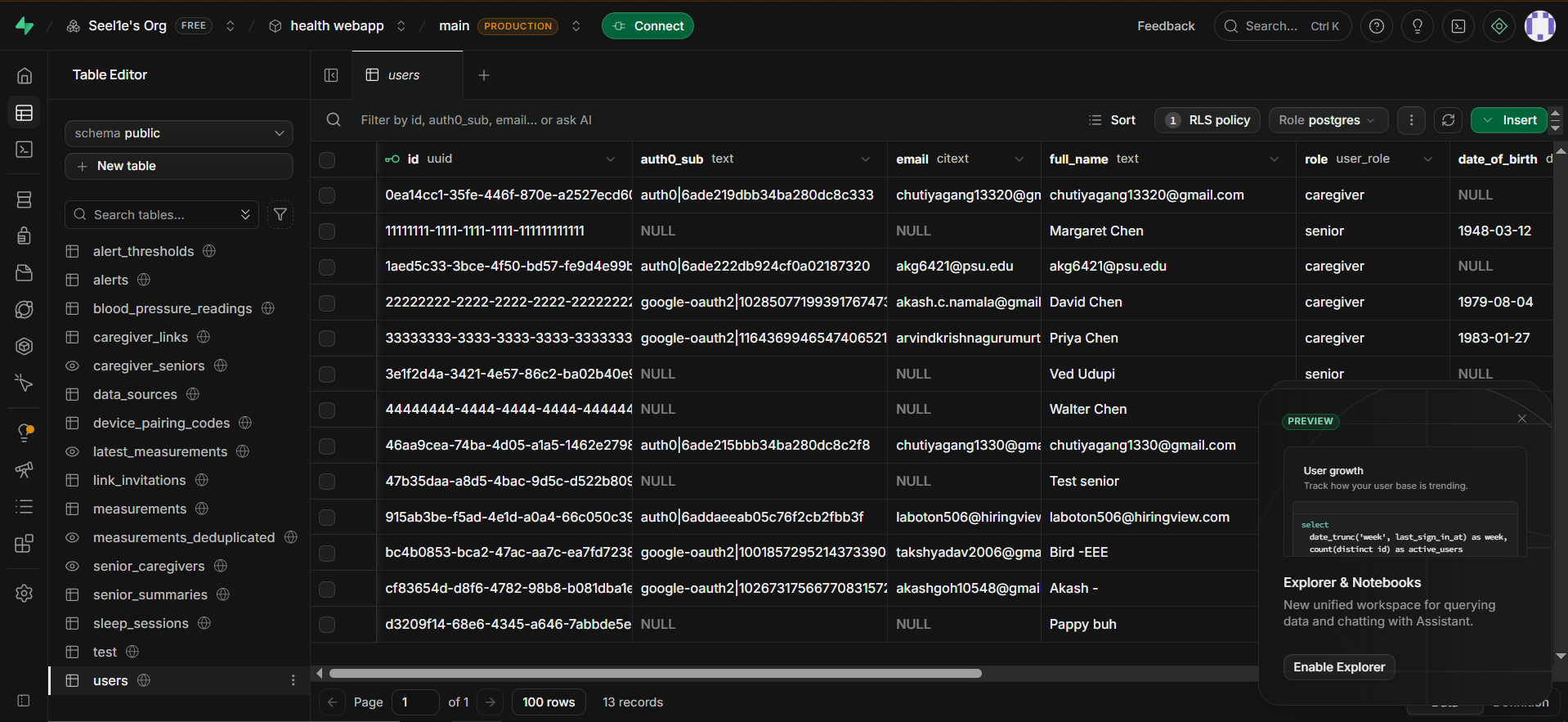
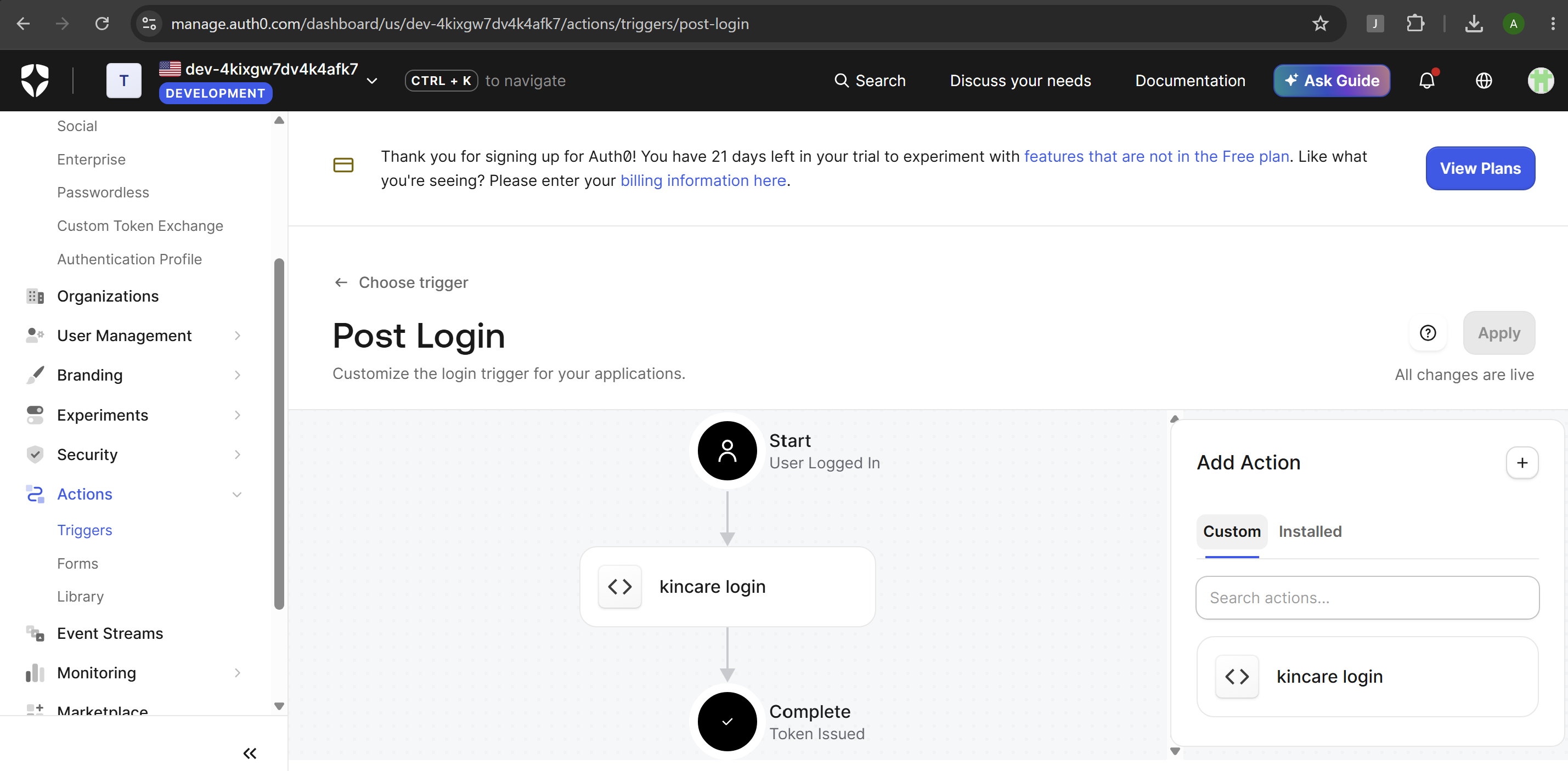
A Kotlin Android app reads the parent's watch data from Health Connect and sends it every few minutes to a Next.js 16 and TypeScript web app, which saves it in Supabase Postgres. Sign-in is through Auth0, and database security rules make sure each family can only see the parents they're linked to. Updates appear live through Supabase Realtime. Alerts come from each parent's safe ranges, plus an hourly check for watches that have gone quiet. Gemini writes a plain-language summary once per parent per day, and it's saved so the whole family reads the same words.
Challenges we ran into
We understood that many apps like Samsung Health, Android Health Connect and Apple Health don't normally let third party developers (unless they're verified) to get access to data. Our solution was therefore a live tracking app, small in size and minimal processing power unaffecting performance, that could send live tracking data from these health apps, which already can sync to your monitoring devices such as FitBits, Samsung Gears and Apple watches. This data is then monitored continuously in the webapp dashboard that also notifies the caretaker about the senior resident's health concerns by monitoring the data already fed, such as pulse, skin temperature, blood pressure and sleep cycles.
Accomplishments that we're proud of
We built the whole path for real, from a watch on the parent's wrist to a live dashboard the family can use, rather than a mockup. We're especially proud that KinCare treats silence as a warning, keeps every family's health data private, On a funny note we caught a bug where data from two devices made one night of sleep add up to 49 hours.
What we learned
Most of us had never built against the Android SDK. Health Connect taught us that health data on a phone is personal: you have to ask for permission one data type at a time, explain why you need it, and work within the platform's limits on reading data in the background. The bigger lesson was that phones don't have APIs a server can call. Health Connect and Apple Health only exist on the device, so the phone has to send its data to us. Building that taught us how hard it is to keep data in sync: phones go offline, resend hours of readings at once, and retry failed uploads. We learned to make the database ignore duplicates instead of trusting the client to avoid them.
Supporting more than one platform showed us how differently each one describes the same reading. Apple Health stores blood oxygen as a fraction and Health Connect as a percentage. Each has its own units and record IDs, and two devices on the same person can both report a full day of steps. So we designed the backend around one shared format, with a converter for each platform. Our server already accepts Apple Health data, and we've tested it with mock uploads. A native iOS app is our next step, and it can send to the same endpoint without any backend changes.
Built With
- android-studio
- auth0
- next.js
- postgresql
- supabase
- typescript
- vercel

Log in or sign up for Devpost to join the conversation.