The problem
Most people who start a diary stop. Writing asks for a blank page, the right words and a streak to keep — and on the days that matter, there's no energy left for any of it. Mood trackers give you a 1–5 face and no why. Kimocchi lets you just say it.
What Kimocchi does
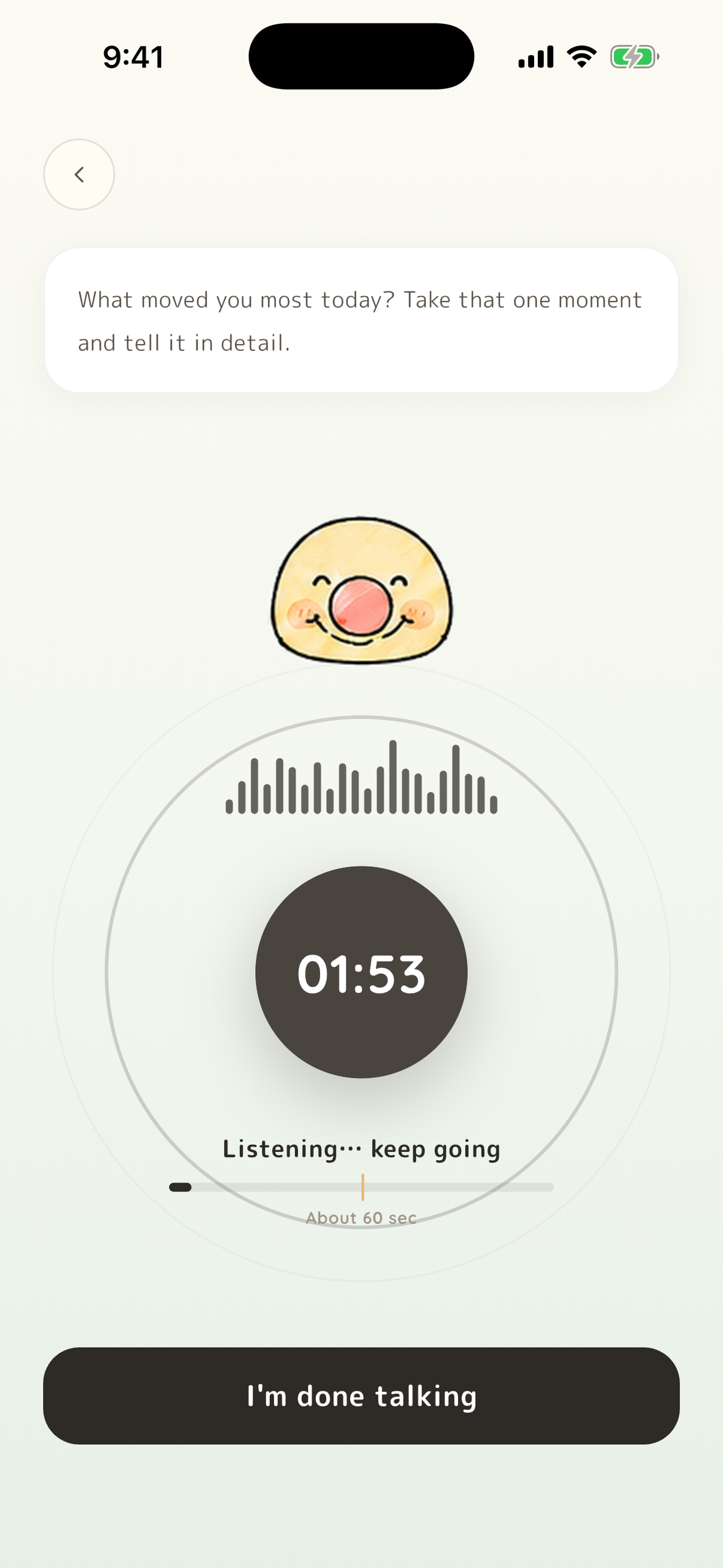
- Speak — or type. Tap the mic and talk; ten seconds is enough, and speech is transcribed on your device. On days you can't speak out loud, type it instead — it's read and kept the same way.
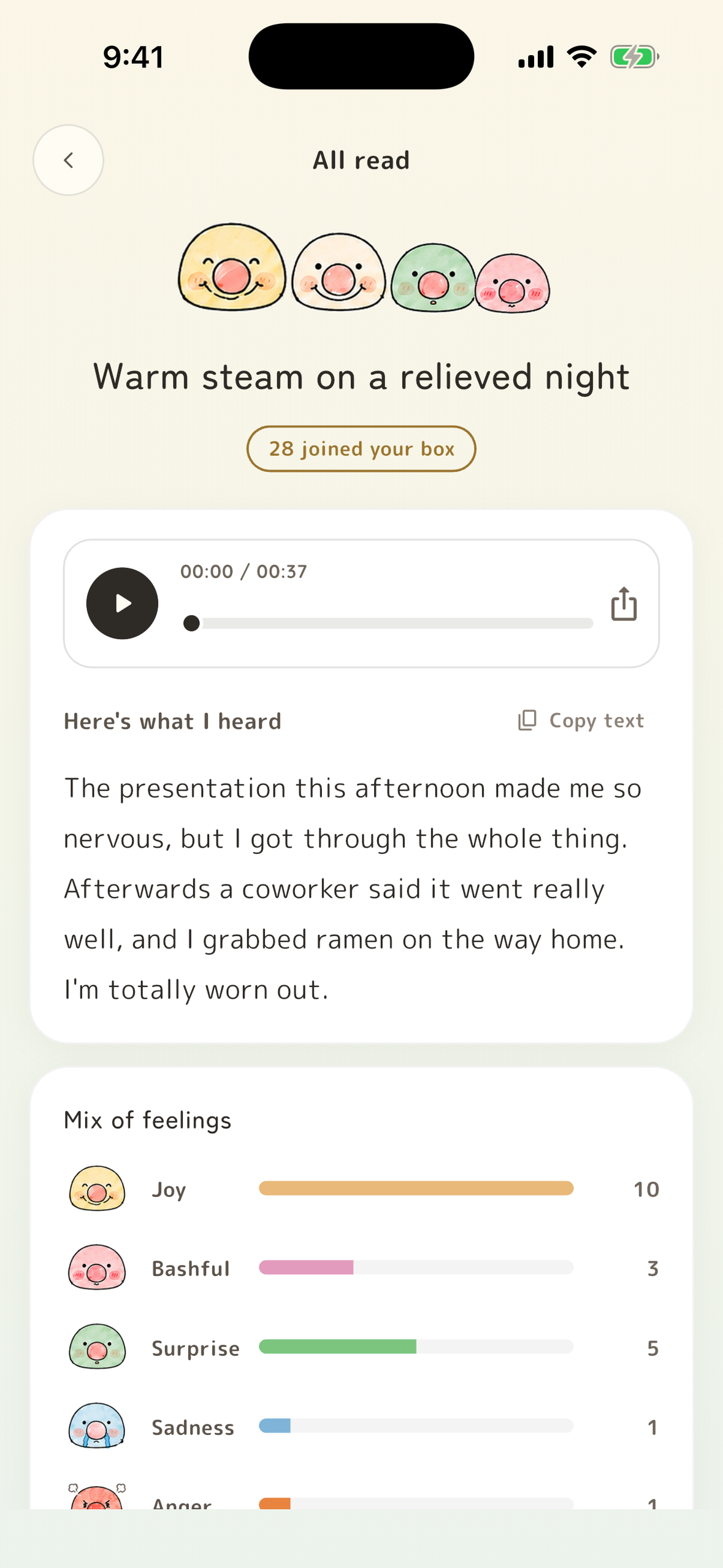
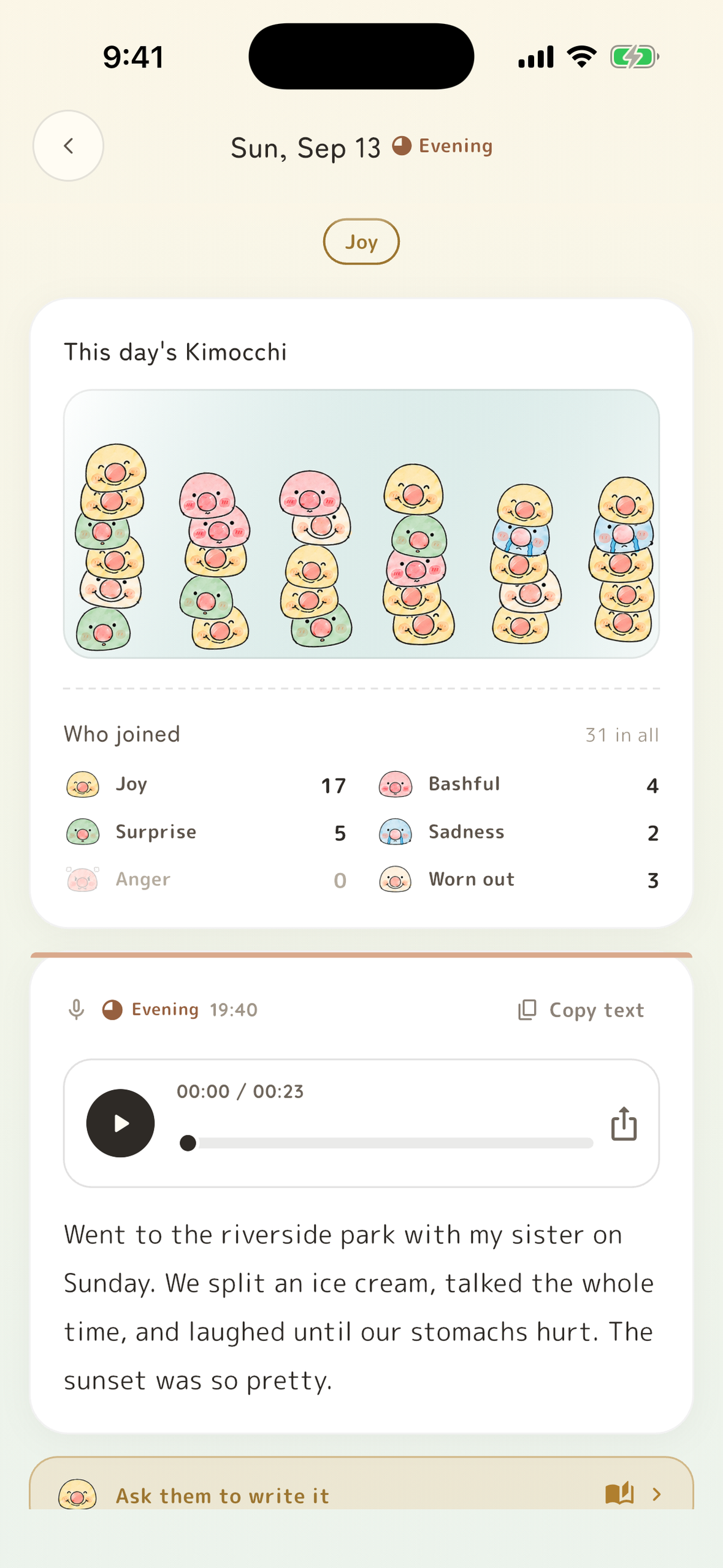
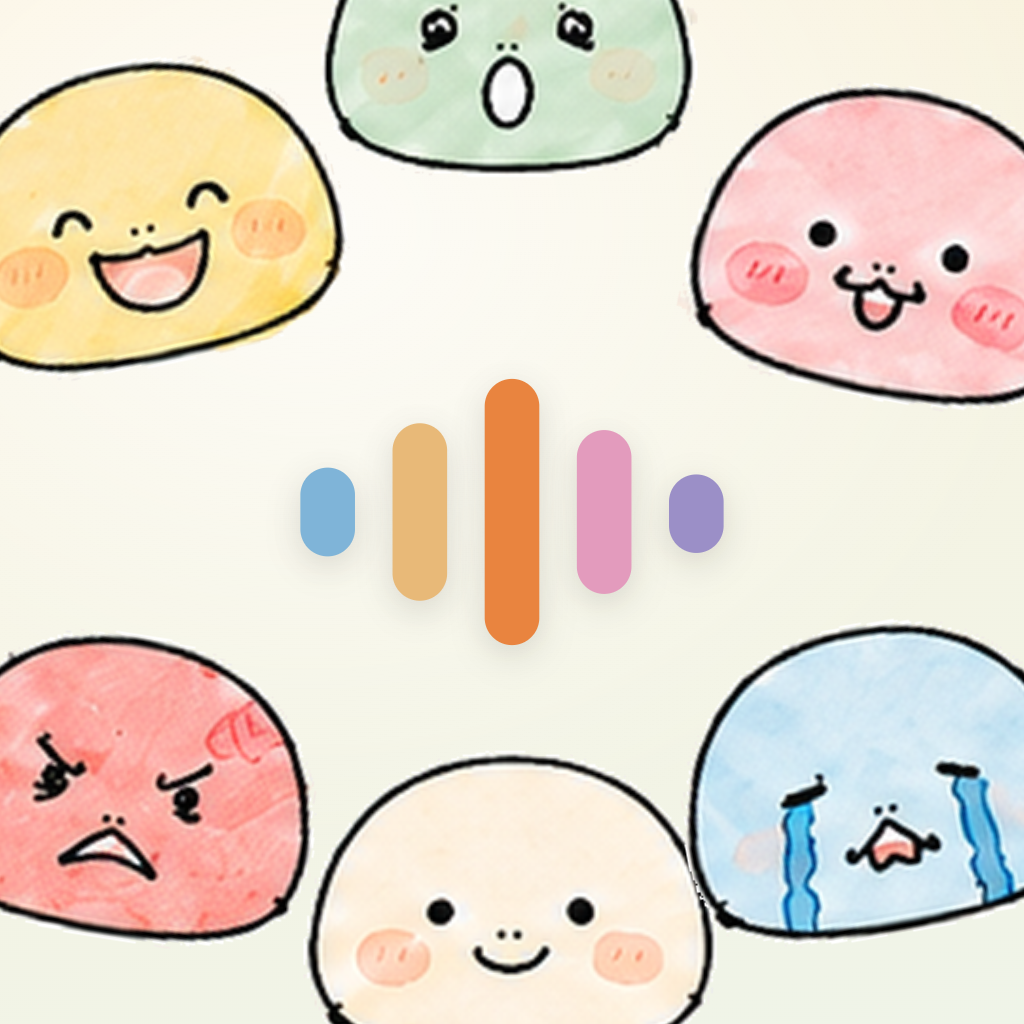
- Read — what you said, and how you said it. Six feelings (joy, bashfulness, surprise, sadness, anger, tiredness), a title for the day and a gentle line from your companion. With VIP it also listens to how you spoke — loudness, pace, pauses — compared only with your own usual voice.
- Fix. If speech recognition mishears you, correct the words and the day is read again.
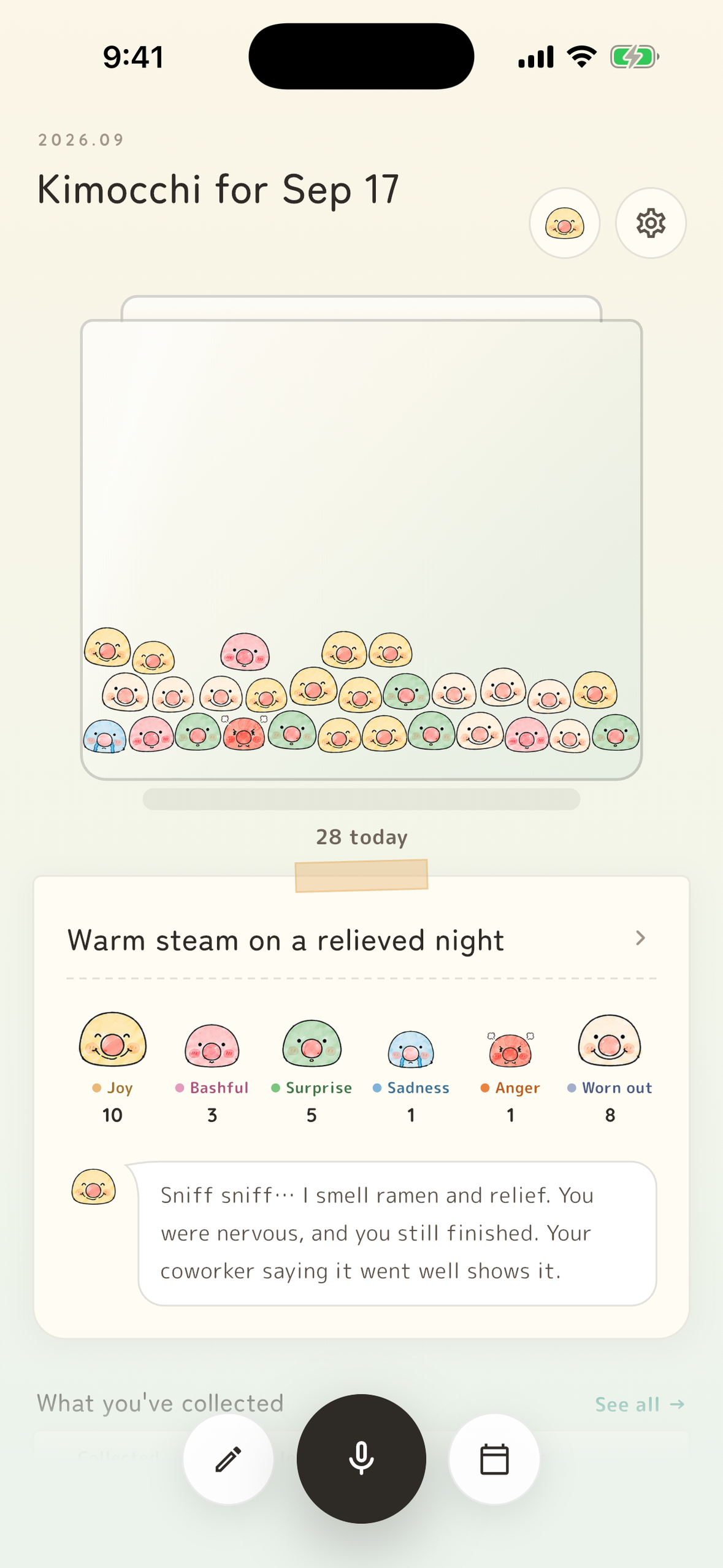
- Collect. Your feelings become little characters that fall into the day's box. Tilt and they roll, tap and they squish, fling one away and it drops back in.
- Unlock boxes. As your kimochi add up, new boxes unlock — wood at 100, then tin, porcelain, velvet, lacquer, crystal and gold at 10,000. Each box has its own physics: wood is heavy and barely bounces, tin bounces and sets its neighbors hopping, velvet pulls everyone into a huddle, crystal floats. Free for everyone.
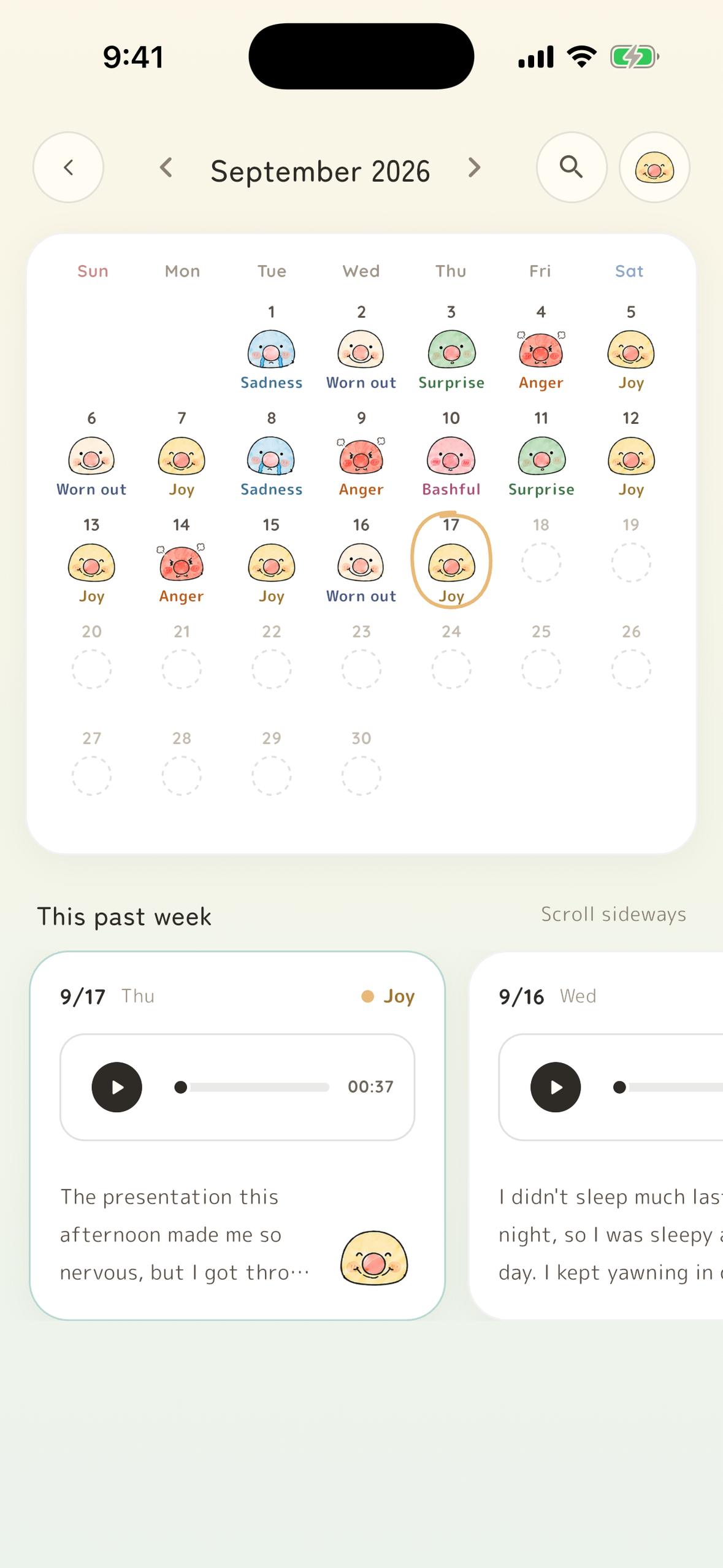
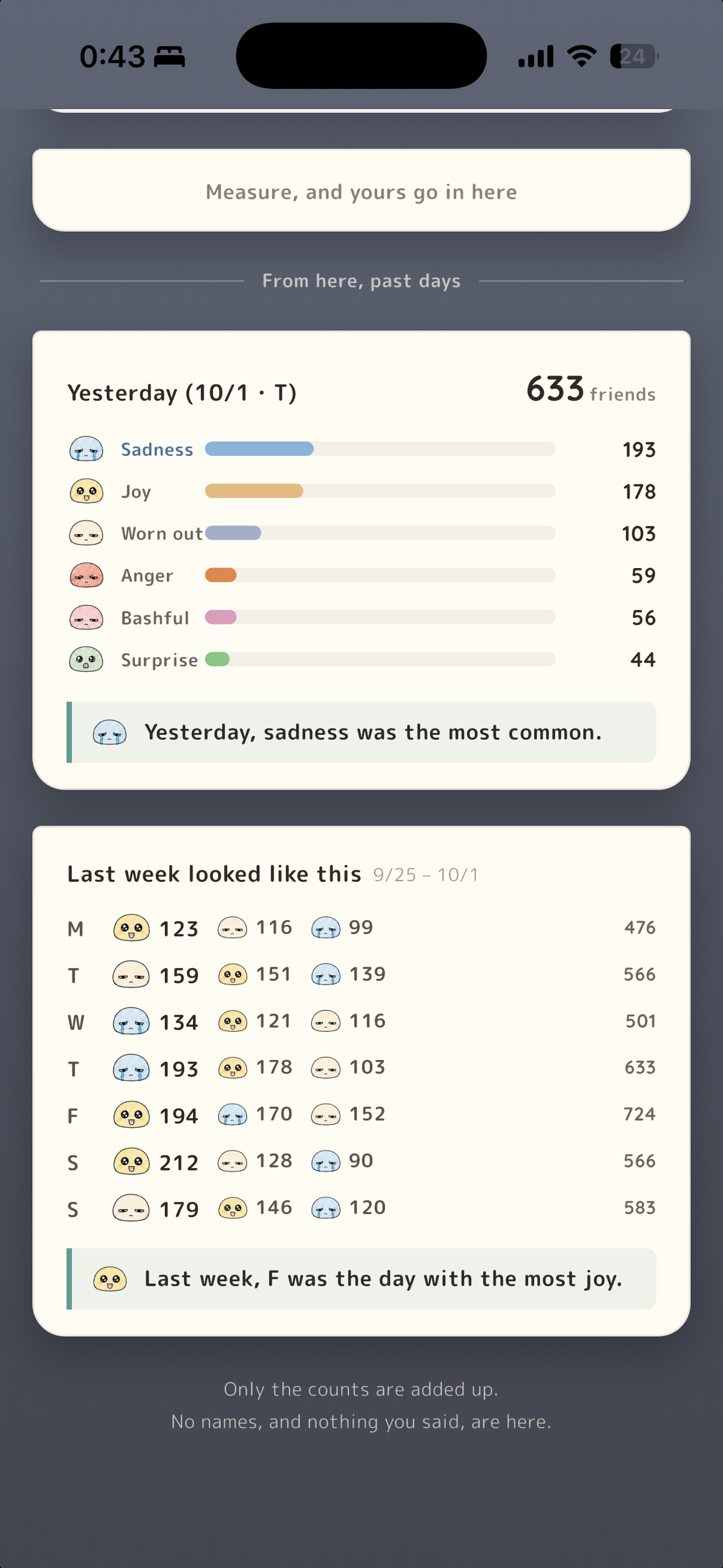
- Look back. A calendar of faces, each day's words and voice, and charts over a week, month or year. Kimocchi can also tidy a day into a diary — your words, your order, nothing added.
- Sleep, side by side. On iPhone, connect Apple Health: each night's sleep sits beside the day you spoke ("longer than usual", never "bad sleep"), and your feelings are saved to State of Mind. Health data never leaves the phone.
- Weather, if you want it. Turn it on and the sky where you spoke (approximate location only) is saved with each entry, so looking back shows what the day was like outside, too.
- Widget. Put Kimocchi on your Home Screen (iPhone and Android): your kimochi and this week's moods at a glance, and one tap starts a reading.
- Receive. Every Sunday night, your companion writes you a letter about your week.
How we use AI — and where we hold it back
Gemini (Vertex AI) behind our own Cloud Run API. Most of the design went into what the AI is not allowed to do.
- On-device first. Recordings are never uploaded. The AI gets text only — plus, for VIP, voice levels reduced to −2…+2 against your own median.
- Structured output. Every call returns a strict JSON schema; rules live in both the prompt and the schema descriptions.
- No diagnosis, no advice. "Take a deep breath" is banned. Reassurance only when grounded in a fact from your own records.
- The diary edits, never invents. Same order, no added events or tidy endings.
- No AI cost for a "no". Past the free limit, your words stay on the device and aren't sent until you subscribe — then that same draft is read right away.
- Switch it off and Kimocchi falls back to an on-device reading, and says so.
What it deliberately does not do
- No streak guilt. We never show "0 days" or "streak lost". Totals only go up.
- Not a medical device — and it points to professional help when things feel heavy.
How it makes money
Free: three readings to start, then one a day, plus the calendar and a one-week look-back. Kimocchi VIP (weekly / monthly / yearly via RevenueCat, 7-day free trial): unlimited readings, voice-aware reading, look-back up to a year, filling in missed days and export.
Feature screens never say "no" — no locks, no "you've run out" dialogs, just a small crown on longer look-back ranges. The paywall appears only when someone reaches for more: a second reading today (your words are kept first), looking back further than a week, or filling a missed day. All three lead to one RevenueCat paywall on purchases_flutter.
Built with
Flutter · RevenueCat · Firebase · Firestore · Cloud Run · Vertex AI (Gemini) · Apple Speech · HealthKit · sensors_plus — in 8 languages.


Log in or sign up for Devpost to join the conversation.