-
-
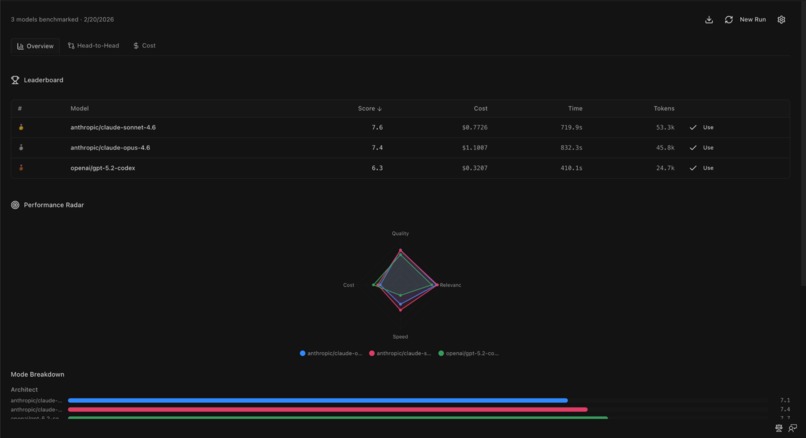
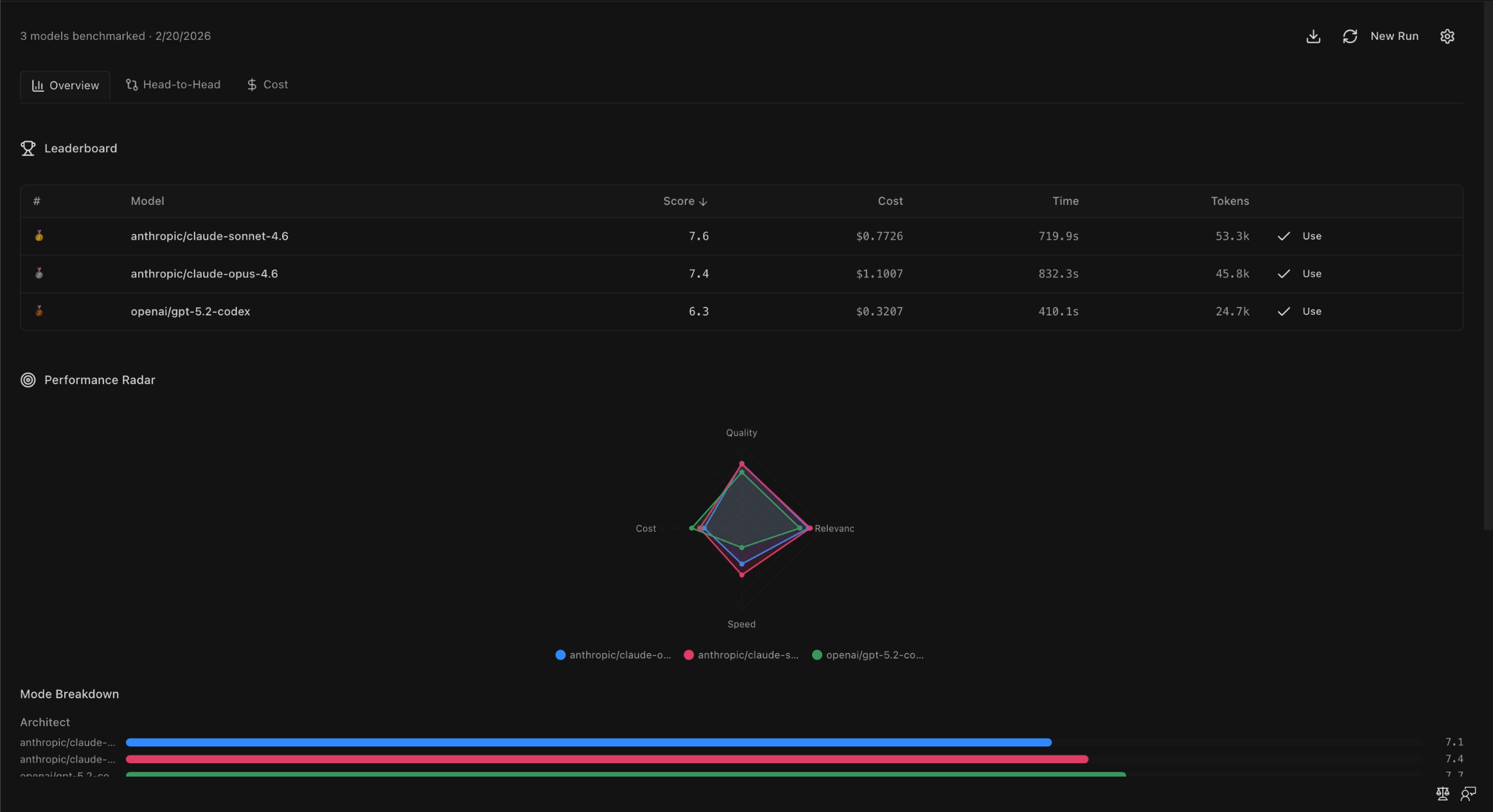
kilo-bench complete results
-

kilo-bench problem generation
-
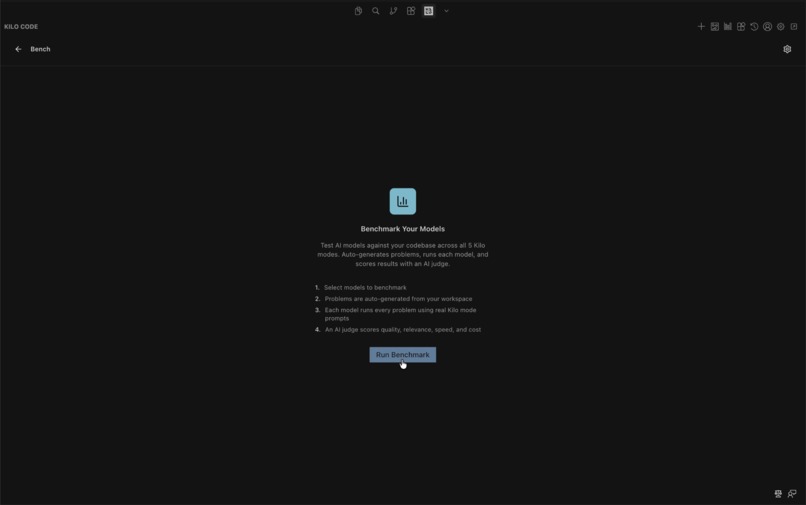
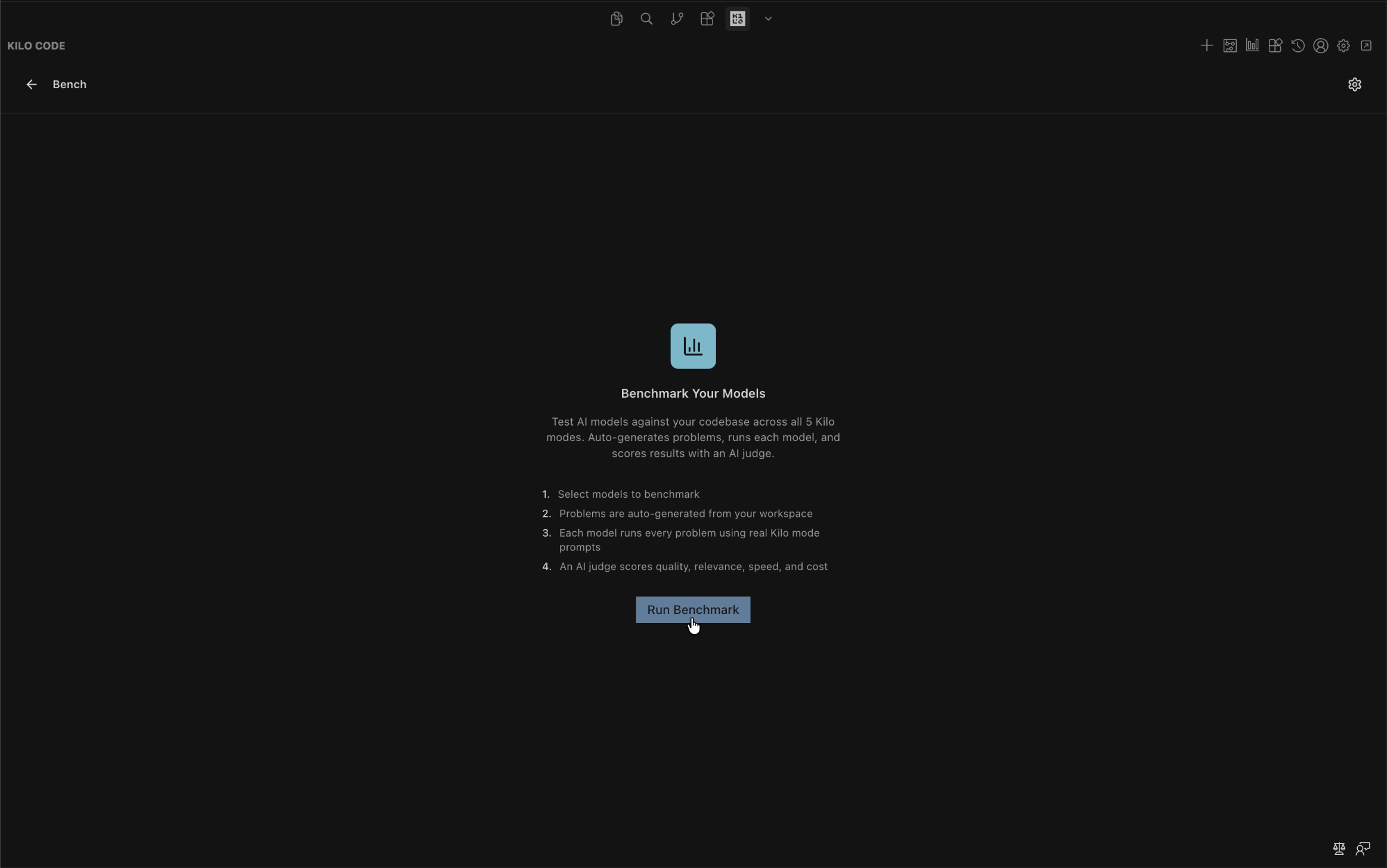
kilo-bench "homepage"

kilo-bench: Native Model Benchmarking in Kilo Code
Inspiration
Kilo Code supports over 500 AI models through Kilo Gateway, which is incredible. But that abundance creates a real problem: which model should I actually use for my project?
Generic benchmarks test models on standardized academic tasks. They don't tell you how a model performs on your specific codebase, your framework, your patterns. And with five distinct modes in Kilo (Architect, Code, Debug, Ask, and Orchestrator), each demanding different strengths, the "best model" isn't even a single answer. A model that crushes code generation might completely fall short when it comes to architectural planning.
I wanted to solve this inside Kilo itself. Not a separate tool, not an external service. A native feature that any Kilo user can open, run, and immediately know which model works best for their code.
What it does
kilo-bench is a built-in benchmarking feature for Kilo Code. It analyzes your workspace (your languages, frameworks, dependencies, and source files) and auto-generates coding challenges tailored to your actual codebase. These challenges are mapped across all five Kilo modes: Architect, Code, Debug, Ask, and Orchestrator.
You select which models to test, hit run, and kilo-bench executes each model against every challenge through Kilo's real API pipeline with mode-specific system prompts modeled after each Kilo mode's behavior. An AI judge then scores each response on quality and relevance, while the system captures speed and cost metrics automatically.
Results show up in an interactive dashboard with five views: a ranked Leaderboard, per-mode Breakdown with bar charts, a Radar Chart comparing models across all dimensions, a Head-to-Head comparison for drilling into two models side by side, and a Cost Optimizer that recommends where you can save money without sacrificing quality.
The output is simple: data-driven confidence in which model to use for each mode, on your code.
How I built it
I forked the Kilo Code repository and built kilo-bench as a first-class feature, not a standalone extension. This was a deliberate choice. Benchmarking models properly requires access to Kilo's internals: the API provider infrastructure, the model catalog, the message passing system, and deep familiarity with how each mode behaves. You simply can't get that from the outside.
The build followed a spec-driven, AI-assisted approach. I started by deeply analyzing Kilo's codebase, mapping how tabs register, how messages pass between the extension host and webview, how modes configure their system prompts, and how API providers are constructed. From that analysis, I wrote a comprehensive implementation spec with complete type definitions, exact file structure, message protocols, and a phased build order.
On the extension host side (TypeScript), I built five core modules: a problem generator that analyzes your workspace and uses an LLM to create mode-specific challenges, a benchmark runner that executes models through Kilo's actual mode pipeline, an evaluator that uses an AI-as-judge pattern to score responses, a score calculator that normalizes and weights metrics into composite scores, and a storage layer that persists everything to disk.
On the webview side (React + Tailwind), I built five dashboard views: Leaderboard, Mode Breakdown, Radar Chart, Head-to-Head, and Cost Optimizer. All of them follow Kilo's existing UI conventions with Radix UI primitives and hand-drawn SVG for the visualizations.
The entire feature was implemented with zero new npm dependencies. Everything is built on Kilo's existing stack: React, Tailwind, Radix UI, Lucide icons, and the VS Code Extension API. No bundle bloat, no compatibility risks. It fits into the codebase like it was always there.
Challenges I ran into
The biggest challenge was architectural: deciding whether to build kilo-bench as a standalone extension or as a native feature inside Kilo Code itself. A standalone extension would have been faster to scaffold, but it would have meant rebuilding Kilo's API pipeline from scratch and losing access to the model catalog, provider system, and message architecture. That defeats the entire point of accurate benchmarking. Forking the repo and building inside gave me access to the real infrastructure, but it also meant I had to deeply understand Kilo's internals before writing a single line of feature code.
The evaluation system was another design challenge. How do you objectively score an AI's response to an open-ended coding task? I settled on an AI-as-judge approach with structured criteria generated per-problem, but getting the scoring to be meaningful (not just "everything is an 8") required careful prompt design for both the problem generator and the evaluator.
Finally, fitting five distinct dashboard views into Kilo's existing tab system without disrupting the UI conventions took careful study of how Chat, Settings, History, and Marketplace tabs already work, and then following those exact patterns.
Accomplishments that I'm proud of
The zero-dependency aspect is probably what I'm most proud of. It would have been easy to pull in a charting library for the dashboard or a testing framework for the benchmark runner. Instead, I built everything on top of what Kilo already ships. Hand-drawn SVG radar charts, bar charts, scatter plots. The feature adds functionality without adding weight.
I'm also proud of the spec-driven approach. By investing time upfront to deeply understand Kilo's architecture and write a detailed implementation spec, the actual build went remarkably smoothly. The entire feature compiled with zero TypeScript errors on the first pass. That's the payoff of doing the homework before writing code.
And honestly, the fact that it works end-to-end as a native Kilo feature feels great. You open the Bench tab, pick your models, run it, and get real answers about which model is best for your code. That's the experience I set out to build.
What I learned
The biggest takeaway was the power of spec-driven development with AI coding agents. Instead of jumping straight into code and iterating through errors, I spent significant time analyzing the existing codebase and writing a thorough spec. The result was a dramatically cleaner build process. It reinforced something I already believed but now have strong evidence for: the more context and structure you give an AI agent, the better the output.
I also gained a much deeper understanding of how Kilo Code works under the hood. The mode system, the message passing architecture, the provider abstraction layer. Understanding a complex open-source codebase well enough to extend it cleanly is a skill in itself, and this project pushed me to do exactly that.
What's next for kilo-bench
There's a clear path from here. First, continuous validation: the ability to automatically re-benchmark when new models become available through Kilo Gateway, so your recommendations stay current. Second, pre-built benchmark suites for common stacks like React, Python, and Go, so you can get useful results even before the generator analyzes your specific codebase. Third, profile integration, where benchmark results automatically configure Kilo Profiles with the winning model for each mode. And longer term, if kilo-bench were adopted broadly, the aggregate benchmarking data across users could feed back into improving Kilo's kilo/auto model routing for everyone. What starts as a personal tool becomes a platform signal.
Built With
- kilo-gateway
- kilocode
- react
- tailwind
- typescript
- vscode


Log in or sign up for Devpost to join the conversation.