Inspiration
The 20th century English author George Orwell once remarked that, "if thought can corrupt language, then language can corrupt thought". One of the biggest geopolitical and international relations stories of 2022 is the Russian invasion of Ukraine. Ukraine is a country situated in Eastern Europe and is also the largest country in Europe. For those of us familiar with geography, we know that the capital city of Ukraine is Kyiv. However, since the start of the Russian invasion of Ukraine, there have been calls by Ukrainians to use the spelling of "Kyiv". Ukrainians advocate for this spelling because it is seen as being closer to the Ukrainian language as opposed to the spelling of "Kiev". Furthermore, Ukrainians argue that the spelling of "Kyiv" marks a clear juncture from its Soviet past, which many Ukrainians would like to distance themselves from.
What it does
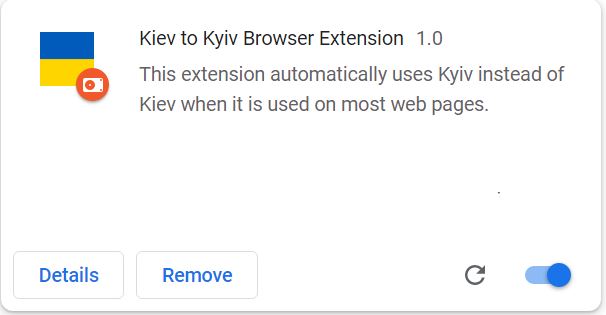
The Kiev to Kyiv browser extension automatically changes references to "Kiev" on a webpage to "Kyiv", which is preferred by Ukrainians. Ukrainians have advocated for the latter spelling because it is more faithful to the Ukrainian language and also more distant from the country's Soviet past. In technical terms, the browser extension uses a functionality known as "regular expressions" which are ways of detecting certain words, letters or symbols if they match a predefined pattern. In our case, we use the regular expression to detect for "Kiev" and then write a very short script in JavaScript to dynamically change it to "Kyiv".
How we built it
As with all browser extensions, this extension was built using HTML, CSS, JavaScript and JSON (JSON stands for JavaScript Object Notation). The files are then zipped together and combined to create a .crx file, which is a file format for browser extensions.
Instructions
Instructions to use extension (when used for Google Chrome):
- Visit https://github.com/BabatundeOnabajo/Kiev-to-Kyiv
- Click on the Green button marked "Code".
- Click "Download Zip".
- Type "chrome://extensions" in the URL field
- Click "Developer mode"
- Click "Load unpacked". This will open up a file browser. Find out where the .zip file downloaded from Github was downloaded and then choose this file.
- The extension should now be in your browser.
Challenges we ran into
One challenge I ran into was creating this extension under Version 3 of Google's Chrome Extensions standard. The last time I programmed an extension was in 2021, and Version 2 was still the prevailing version although I was informed Google was steadily transitioning to Version 3. Because of this, I had to take some time to learn what changes were made in Version 3.
Accomplishments that we're proud of
I'm proud to have combined my technical skills in relation to educating others about the ongoing humanitarian crisis in Ukraine.
What we learned
I learned more about Ukrainian culture as well as Version 3 of Google Chrome's Extensions.
What's next for Kyiv to Kyiv
In an updated version of Kiev to Kyiv, the browser extension will automatically translate expressions such as "the Ukraine" on a web page to simply, "Ukraine". When I was younger, it was common to refer to Ukraine as "the Ukraine". However, with the advent of the Russian invasion of Ukraine, many others and myself became informed that this is actually seen as derogatory by Ukrainians as it makes Ukraine appear as an object or colony.


Log in or sign up for Devpost to join the conversation.