-
-
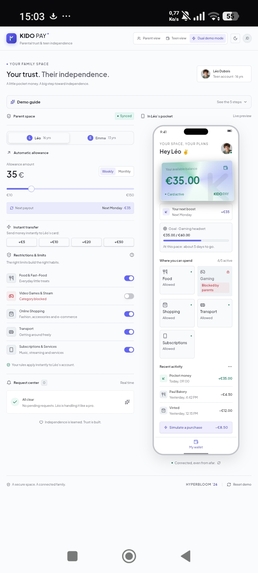
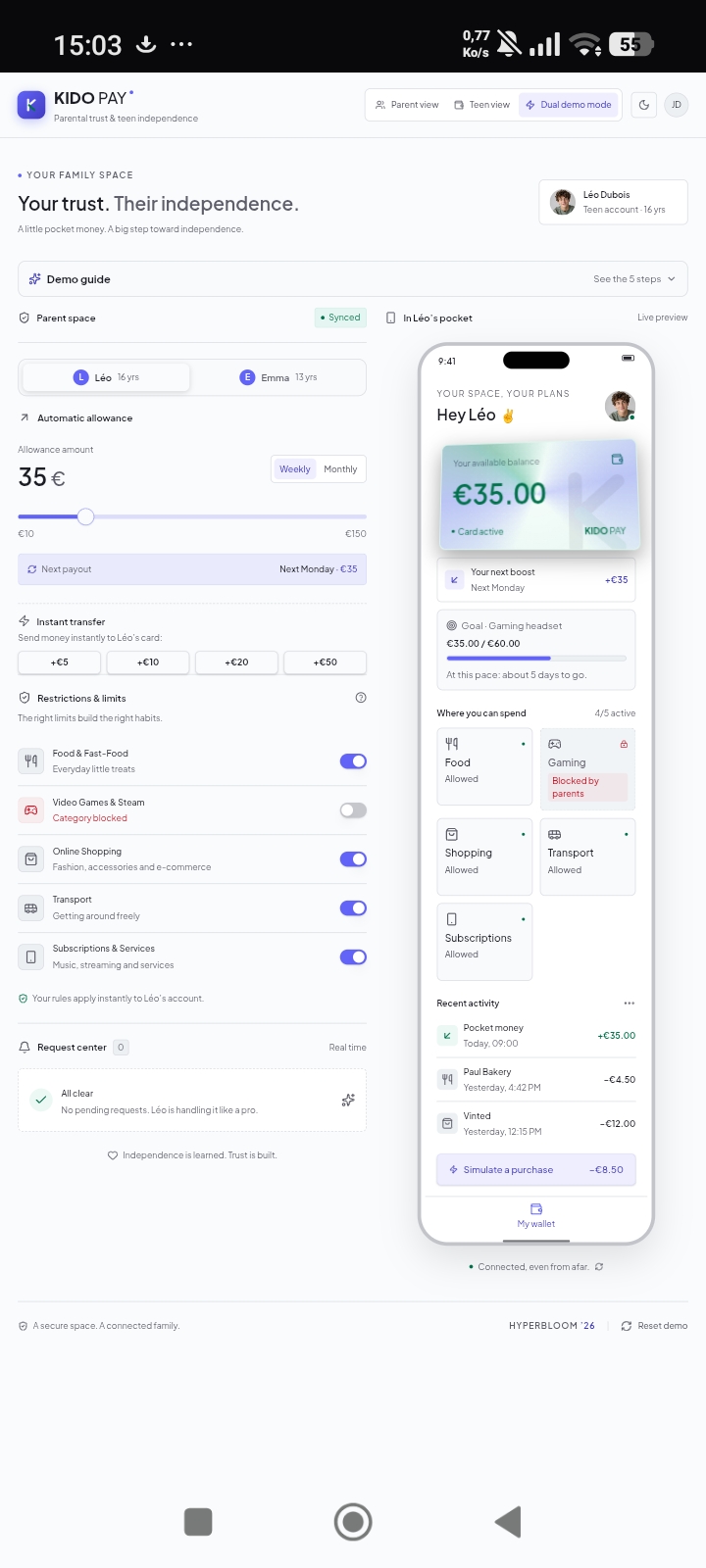
Portal to synchronize parents and teens.
-
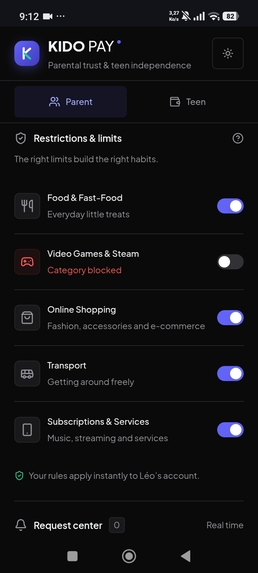
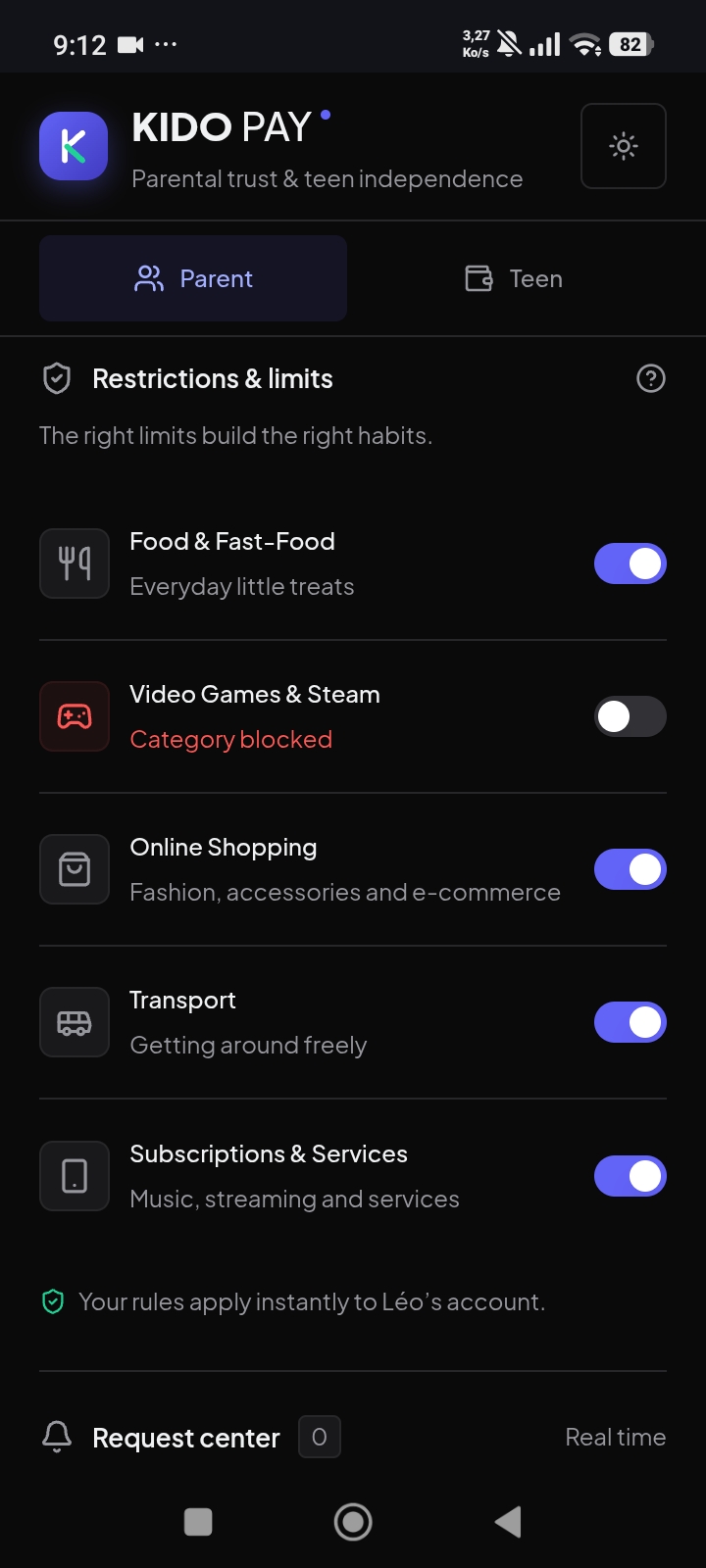
Android mode parent portal
-
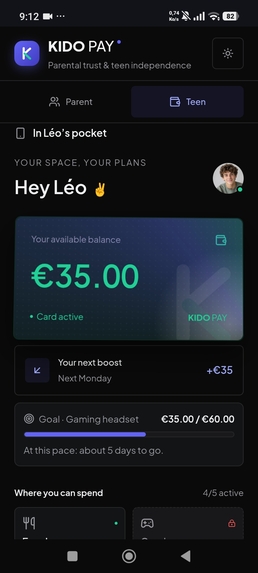
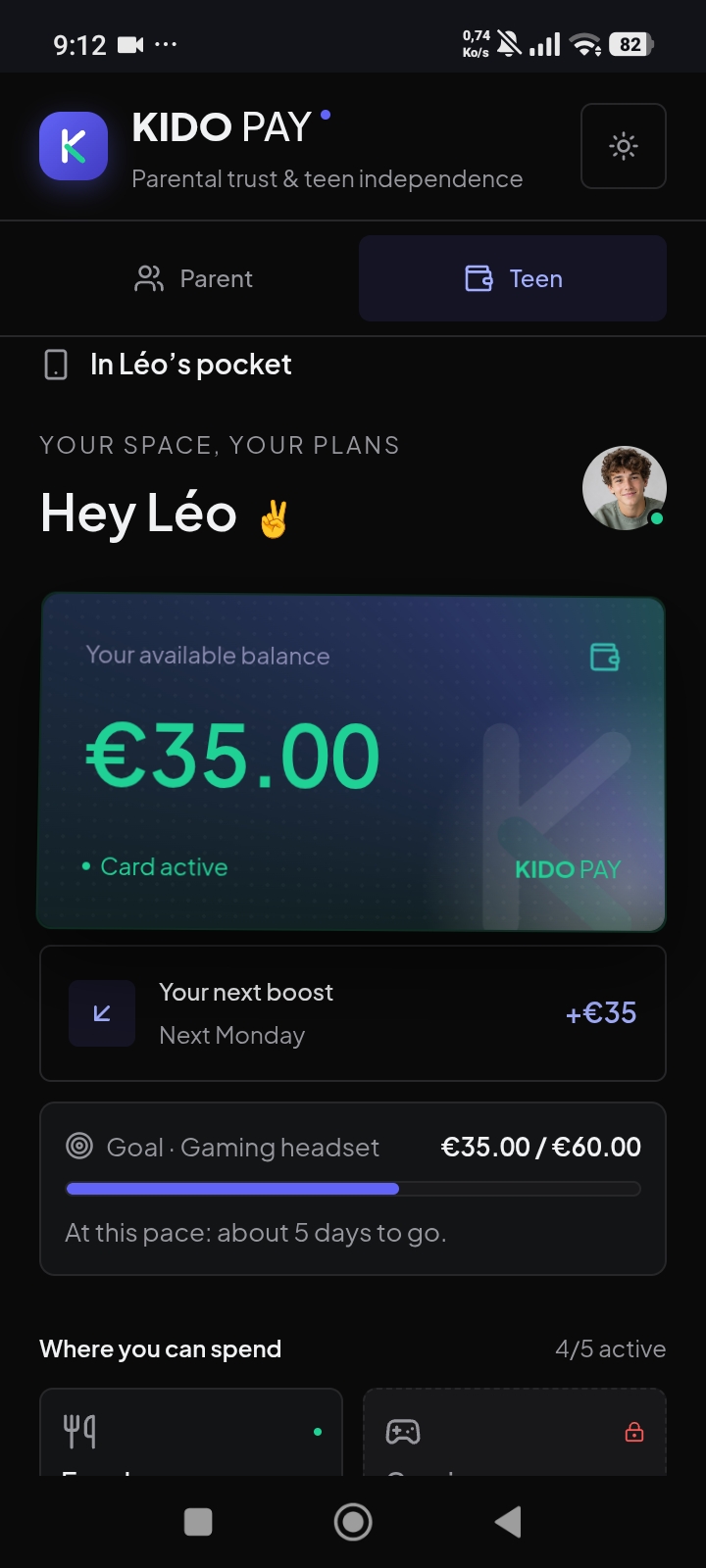
Android mode teen portal
-
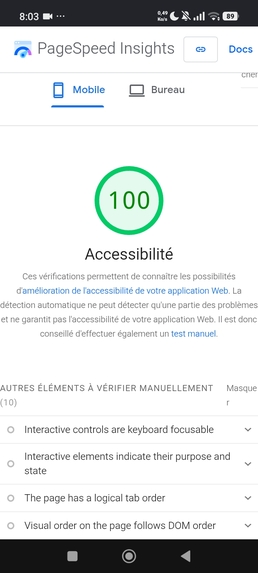
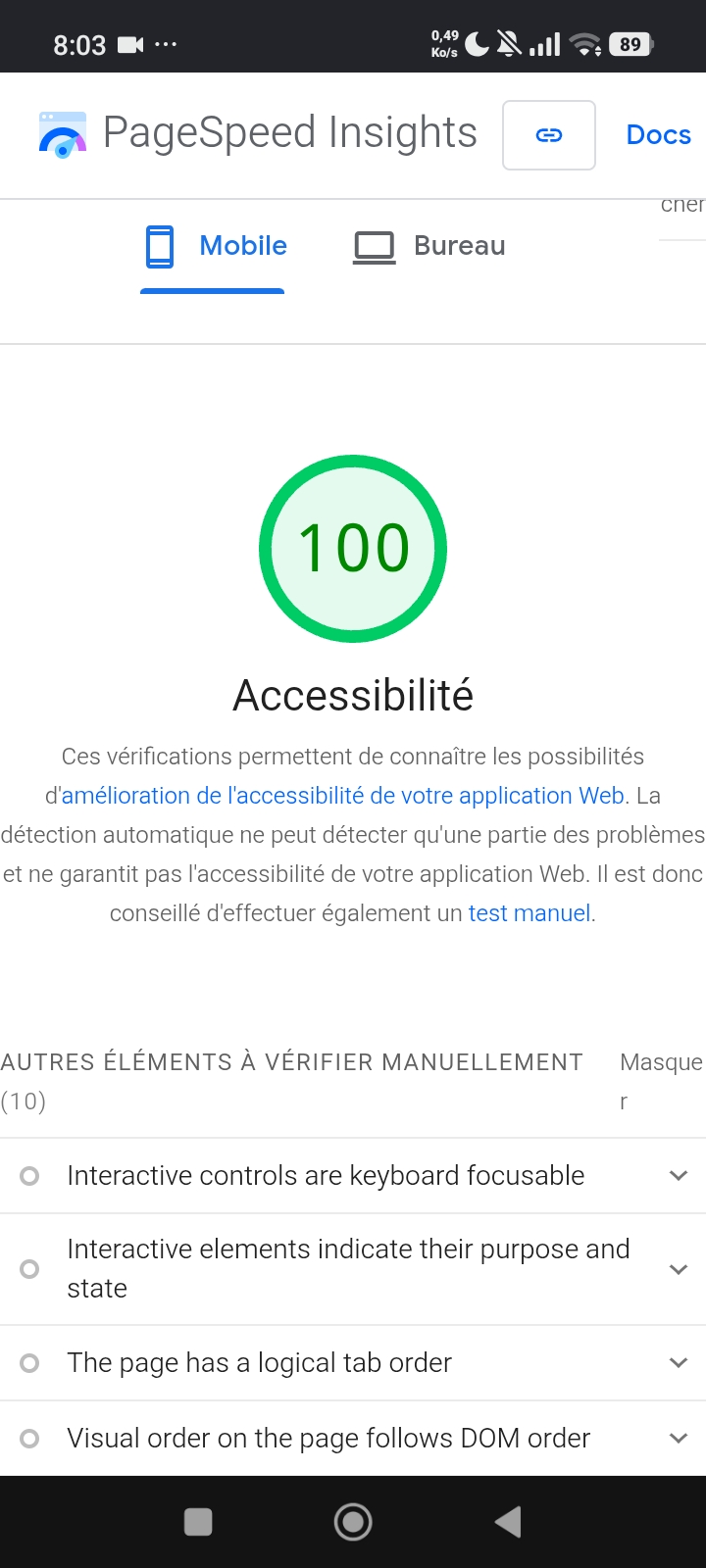
Mobile accessibility
-
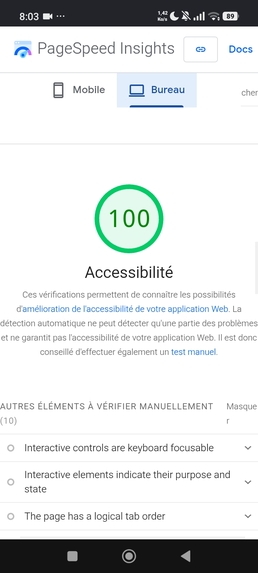
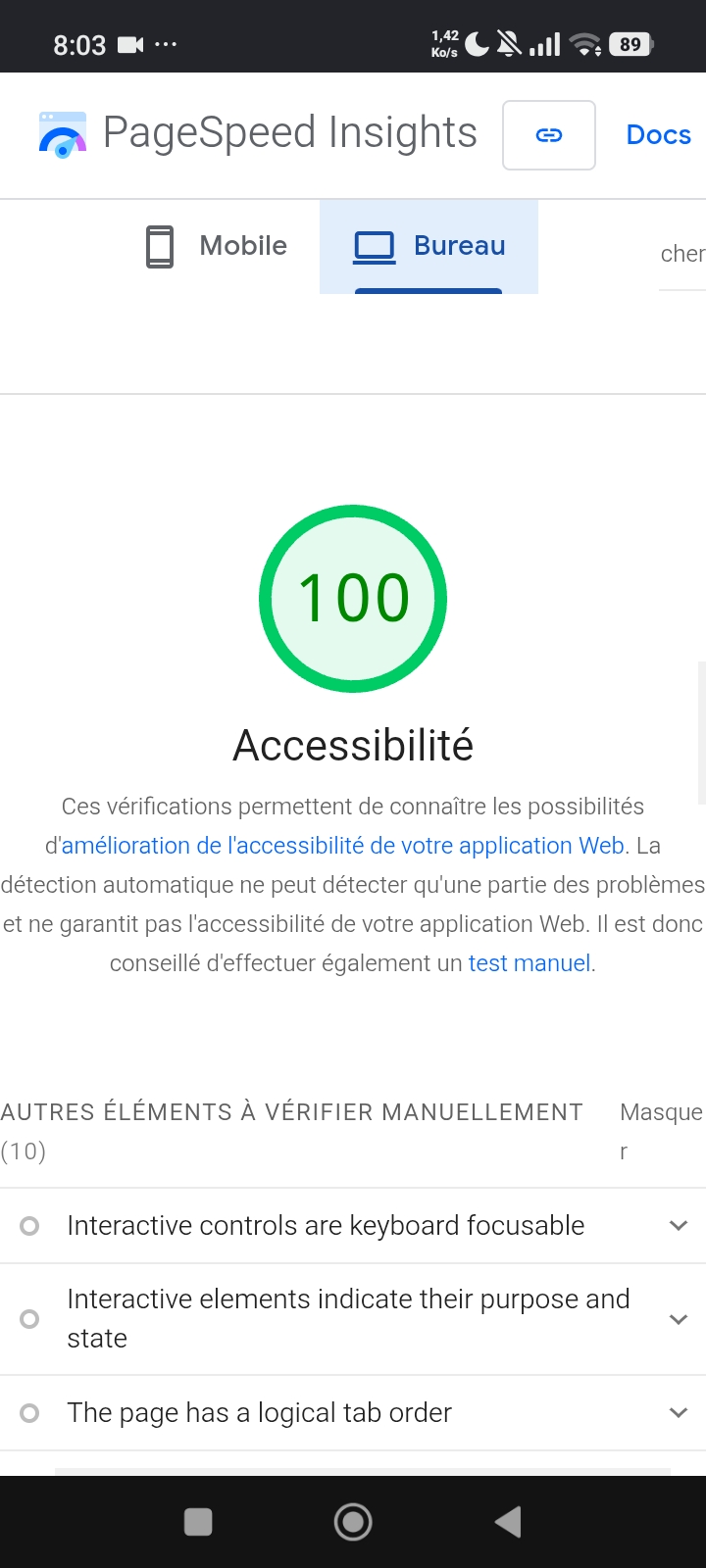
Computer accessibility
Goïsso Mahutin Jérémie Seth Known as Seth Jérémie
Inspiration
Giving a teenager cash teaches them nothing. Lending them a parent’s bank card creates tension. Furthermore, most apps designed for teens simply block purchases without any explanation; the teenager hits a dead end, while the parent is forced into the role of "police officer." My father sometimes refuses to give me money without telling me why. Other times I ask my mother for money without explaining what it is for. Both of us end up frustrated: I feel blocked, and my parents have no idea where the money goes. Kido Pay is not about controlling a teenager's life. It is about making family money clearer and fairer for both sides.
Features
Kido Pay connects the parent’s dashboard to the teenager’s digital wallet, with real-time synchronization.
- For Parents: Set up an allowance (weekly or monthly), make instant top-ups, and establish spending limits by category.
- For Teenagers: View real-time balances, set savings goals, and see restricted categories—complete with clear explanations.
- A blocked category isn’t a dead end: the teenager can select a reason with a single click and submit a request.
- Parents can respond with one click: "Yes, just this once," "Up to €10," or "Not right now" (along with a brief explanation). The teenager always receives a response.
- Every purchase shows its impact on the teenager’s savings goal (e.g., "this pushes your goal back by 2 days")—all without sounding like a lecture.
- Supports multiple profiles (e.g., Léo, 16, and Emma, 13), each with their own distinct balances and rules.
- Includes a side-by-side desktop demo view, a native mobile interface with dedicated "Parent" and "Teenager" tabs, and an integrated walkthrough guide.
Design Choices
- Refusals are framed as a dialogue, delivered in a calm tone (e.g., "A small cap, for now").
- Information is never conveyed by color alone; it is always accompanied by an icon (a padlock) and a text label.
- Functional color coding: mint green for money, indigo for actions, and red for restrictions.
- Light and dark themes (respecting system preferences).
Accessibility
Lighthouse accessibility score: 100. Minimum font size of 12px; support for the "reduce motion" system setting; 44px touch targets on mobile; keyboard-accessible controls; screen readers announce only the final balance, omitting descriptions of animations.
Technologies Used
React, TanStack Start, Tailwind CSS, shadcn/ui, and Framer Motion. Financial logic is built on pure functions (calculated in cents) and covered by unit tests. The project was initiated via Lovable and subsequently refined manually with the assistance of Claude. It was deployed on Deployxa using a Docker image; following an npm installation error, I switched to bun to manage the build process.
Challenges Encountered
Ensuring perfect synchronization between the two views, maintaining an animated balance while guaranteeing accessibility, and fixing the build process on Deployxa. The entire project was developed on my Android Redmi 15c phone, which made GitHub modifications and previewing the desktop version quite difficult—I eventually had to borrow a PC at an internet café.
Next Steps
User testing with real families, implementation of an "autonomy scale" (relaxing rules as habits become more established), and integration of a genuine banking API. This demonstration is purely front-end: state is stored in memory, and no actual payments are processed.
Use of AI
The project was developed using AI-assisted tools (Lovable, Claude), in accordance with the established guidelines. The voiceover for the video was generated using ElevenLabs.
Built With
- bun
- claude
- deployxa
- docker
- elevenlabs
- framer-motion
- github
- lovable
- react
- shadcn-ui
- tailwindcss
- tanstack-start
- typescript
- vite

Log in or sign up for Devpost to join the conversation.